
Learn the Web Audio API by Making Sound
Revolutionizing Sound on The Web
Buffers, Filters, Echo, FM and a Processor of Your Own
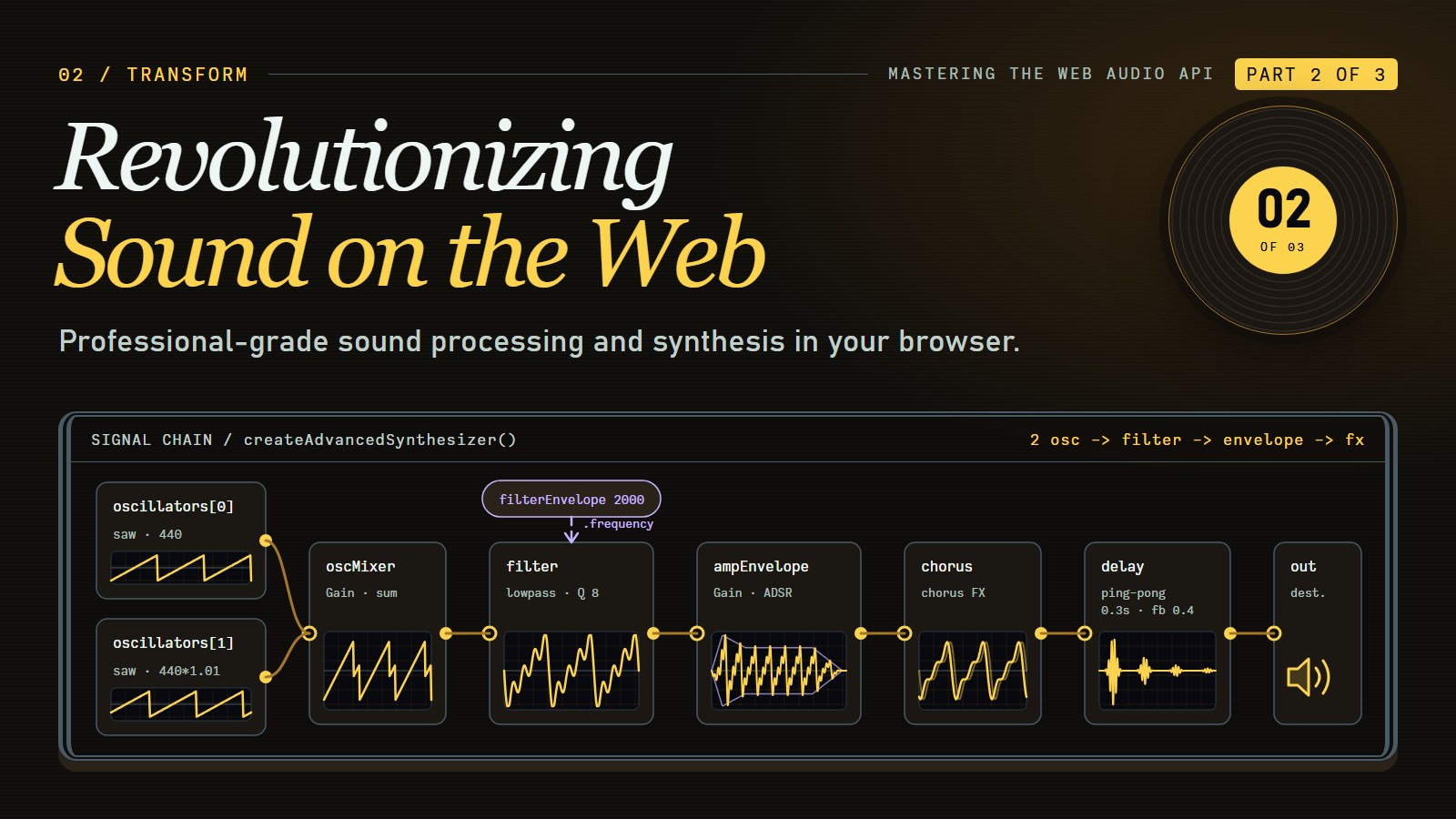
A plain tone is only the start. In this post you will make a sound brighter or duller, add echoes and the feel of a room, build a bell out of two simple tones, and turn a clean tone fuzzy with code you write yourself.
Quick recap, in case you are starting here: an oscillator makes a repeating wave at a frequency in hertz (Hz, repeats per second; higher is a higher pitch). A gain node multiplies the loudness (1 is full scale, 0.5 is half, 0 is silence). a.connect(b) sends the output of a into b, and the chain ends at audioContext.destination, your speakers. Browsers usually keep sound off until the reader has clicked or pressed a key, so the snippets below assume audioContext was created inside a click handler.
The Untapped Potential of AudioBuffer#
At the heart of complex audio processing lies the AudioBuffer - your direct gateway to manipulating sound at the sample level. Think of an AudioBuffer as a multi-dimensional array of sound data where each sample represents a discrete moment in time.
When you work directly with AudioBuffers, you're no longer limited to the pre-built nodes of the Web Audio API. You decide every value that gets played.
Two terms first. The sample rate is how many of those values (samples) make up one second of sound; audioContext.sampleRate is commonly 44100 or 48000, so two seconds is roughly 90,000 numbers per channel. Each sample is a number from -1 to 1: the position of the speaker cone at that instant, where 0 is rest, 1 is full push out and -1 is full pull in. Values beyond that range are clipped (flattened) when played.
Let's examine a simple example of how to create and fill an AudioBuffer. It fills it with white noise, a random value for every sample, which sounds like a steady hiss. Random full-range values are loud and harsh, so the snippet plays them through a gain of 0.1:
// Create a 2-second stereo buffer at the AudioContext sample rate
// (in a real page, create the context inside a click handler)
const audioContext = new AudioContext();
const bufferSize = 2 * audioContext.sampleRate; // 2 seconds
const buffer = audioContext.createBuffer(2, bufferSize, audioContext.sampleRate);

// Fill the buffer with white noise
for (let channel = 0; channel < buffer.numberOfChannels; channel++) {
  // Get the actual array containing the data
  const channelData = buffer.getChannelData(channel);

  // Fill the channel with random values between -1 and 1
  for (let i = 0; i < buffer.length; i++) {
    // Random value between -1 and 1
    channelData[i] = Math.random() * 2 - 1;
  }
}

// Play the buffer, quietly. Turn your volume down first: white noise is harsh.
const source = audioContext.createBufferSource();
source.buffer = buffer;
const quiet = audioContext.createGain();
quiet.gain.value = 0.1;
source.connect(quiet);
quiet.connect(audioContext.destination);
source.start();
What you would hear: two seconds of steady hiss, like a radio between stations, then silence. Change 0.1 to 0.02 to hear how much of that harshness is just level.
Writing values yourself is the base for effects such as time stretching or pitch shifting: change which numbers get read, and how fast, and you change the sound.
Crafting Sonic Character with Advanced Filters#
Filters shape the tonal character of sound, and the Web Audio API offers filtering through the BiquadFilterNode. While basic filtering is straightforward, creating complex filter curves and behaviors requires deeper knowledge.
Before the equalizer, hear what a single low-pass filter does to a tone. (A low-pass filter lets frequencies below its cutoff through and turns the ones above it down.)
Play a sawtooth wave through a low-pass filter and move the cutoff. At 6000 Hz nearly every harmonic passes and the tone is bright and buzzy. Lower the cutoff toward 100 Hz and only the lowest harmonics survive, so it turns muffled and mellow.
The signal runs oscillator, low-pass filter, analyser, gain, output. The gain is set low, so keep your device volume low too.
A BiquadFilterNode has several type values, each a different shape:
lowpasskeeps lows, cuts highs.highpasskeeps highs, cuts lows, which is the one for removing low rumble such as a fan or a handling thump.bandpasskeeps only a band aroundfrequency;notchremoves only that band.lowshelfandhighshelfboost or cut everything below (or above)frequencybygaindecibels, like the bass and treble knobs on a stereo.peakingboosts or cuts a bell-shaped band aroundfrequency, bygaindecibels.Qsets how narrow that band is: a higher Q is a narrower band.
Decibels (dB) measure level on a logarithmic scale. 0 dB means no change, +6 dB is roughly double the amplitude, and -6 dB is roughly half. The gain of a filter is in dB (not the plain multiplier of a gain node), and only the shelf and peaking types use it.
With those words, here is a three-band equalizer: bass, mid and treble controls you can set independently.
// Create a three-band EQ (low, mid, high)
function createThreeBandEQ(audioContext) {
  const lowBand = audioContext.createBiquadFilter();
  lowBand.type = "lowshelf";
  lowBand.frequency.value = 220; // Around A3

  const midBand = audioContext.createBiquadFilter();
  midBand.type = "peaking";
  midBand.frequency.value = 1000; // 1kHz
  midBand.Q.value = 1; // Width of the band

  const highBand = audioContext.createBiquadFilter();
  highBand.type = "highshelf";
  highBand.frequency.value = 3000; // 3kHz

  // Connect them in series
  lowBand.connect(midBand).connect(highBand);

  // Return an object with input, output and gain controls
  return {
    input: lowBand,
    output: highBand,
    bands: {
      low: lowBand.gain,
      mid: midBand.gain,
      high: highBand.gain
    }
  };
}

// Usage
const eq = createThreeBandEQ(audioContext);
source.connect(eq.input);
eq.output.connect(audioContext.destination);

// Later, adjust the EQ
eq.bands.low.value = 6; // +6 dB boost to low frequencies
eq.bands.mid.value = -3; // -3 dB cut to mid frequencies
eq.bands.high.value = 4; // +4 dB boost to high frequencies
What you would hear: the +6 low boost makes music sound fuller and boomier, the -3 mid cut makes it slightly hollow, and the +4 high boost makes it brighter and a little sharper.
One of the most expressive techniques is filter modulation, where parameters change over time. By automating a filter's cutoff frequency, you can create classic wah-wah effects or dramatic filter sweeps that transform static sounds into dynamic, evolving textures.
---html
<div class="container">
	<h1>Oscillator Playground</h1>

	<div class="control-section">
		<button id="play-button">Play</button>
	</div>

	<div class="control-section">
		<label>Waveform:</label>
		<div class="waveform-buttons">
			<button class="waveform-button active" data-type="sine">Sine</button>
			<button class="waveform-button" data-type="square">Square</button>
			<button class="waveform-button" data-type="sawtooth">Sawtooth</button>
			<button class="waveform-button" data-type="triangle">Triangle</button>
		</div>
	</div>

	<div class="control-section">
		<label>Frequency: <span id="frequency-value">440</span> Hz</label>
		<input type="range" id="frequency-control" min="20" max="2000" step="1" value="440">
	</div>

	<div class="control-section">
		<label>Detune: <span id="detune-value">0</span> cents</label>
		<input type="range" id="detune-control" min="-100" max="100" step="1" value="0">
	</div>

	<div class="control-section">
		<label>Volume: <span id="volume-value">50</span>%</label>
		<input type="range" id="volume-control" min="0" max="1" step="0.01" value="0.5">
	</div>

	<div class="info-box">
		<p>This demo uses the OscillatorNode from the Web Audio API to generate different waveforms.
			Try changing the waveform type and adjusting the frequency to explore different sounds!</p>
	</div>
</div>
---css
:root {
	--bg-color: #f5f5f5;
	--text-color: #333;
	--primary-color: #0078d7;
	--secondary-color: #e0e0e0;
	--accent-color: #e91e63;
}

@media (prefers-color-scheme: dark) {
	:root {
		--bg-color: #222;
		--text-color: #eee;
		--primary-color: #61dafb;
		--secondary-color: #282c34;
		--accent-color: #ff79c6;
	}
}

body {
	font-family: system-ui, -apple-system, sans-serif;
	background-color: var(--bg-color);
	color: var(--text-color);
	line-height: 1.6;
	margin: 0;
	padding: 20px;
}

.container {
	max-width: 800px;
	margin: 0 auto;
	padding: 20px;
	border-radius: 8px;
	background-color: var(--bg-color);
}

h1 {
	color: var(--accent-color);
	margin-top: 0;
}

.control-section {
	margin-bottom: 24px;
}

button {
	background-color: var(--primary-color);
	color: white;
	border: none;
	padding: 8px 16px;
	border-radius: 4px;
	cursor: pointer;
	font-size: 16px;
	transition: background-color 0.2s;
}

button:hover {
	opacity: 0.9;
}

button.active {
	background-color: var(--accent-color);
}

.waveform-buttons {
	display: grid;
	grid-template-columns: repeat(4, 1fr);
	gap: 8px;
	margin-top: 8px;
}

.waveform-button {
	background-color: var(--secondary-color);
	color: var(--text-color);
}

.waveform-button.active {
	background-color: var(--accent-color);
	color: white;
}

label {
	display: block;
	margin-bottom: 8px;
}

input[type="range"] {
	width: 100%;
	margin-top: 8px;
	accent-color: var(--accent-color);
}

.info-box {
	background-color: var(--secondary-color);
	padding: 16px;
	border-radius: 4px;
	font-size: 14px;
	margin-top: 24px;
}
---js
// Audio context and nodes
let audioContext = null;
let oscillator = null;
let gainNode = null;
let isPlaying = false;

// Parameters
let waveformType = "sine";
let frequency = 440;
let detuneAmount = 0;
let volume = 0.5;

// DOM elements
const playButton = document.getElementById("play-button");
const waveformButtons = document.querySelectorAll(".waveform-button");
const frequencyControl = document.getElementById("frequency-control");
const frequencyValue = document.getElementById("frequency-value");
const detuneControl = document.getElementById("detune-control");
const detuneValue = document.getElementById("detune-value");
const volumeControl = document.getElementById("volume-control");
const volumeValue = document.getElementById("volume-value");

// Initialize audio context
function initAudio() {
  if (!audioContext) {
    audioContext = new (window.AudioContext || window.webkitAudioContext)();
    gainNode = audioContext.createGain();
    gainNode.connect(audioContext.destination);
  }
}

// Toggle oscillator playback
function toggleOscillator() {
  if (isPlaying) {
    // Stop the oscillator
    oscillator.stop();
    oscillator = null;
    playButton.textContent = "Play";
    playButton.classList.remove("active");
    isPlaying = false;
  } else {
    // Initialize if needed
    initAudio();

    // Create and configure oscillator
    oscillator = audioContext.createOscillator();
    oscillator.type = waveformType;
    oscillator.frequency.value = frequency;
    oscillator.detune.value = detuneAmount;
    oscillator.connect(gainNode);

    // Set gain
    gainNode.gain.value = volume;

    // Start the oscillator
    oscillator.start();
    playButton.textContent = "Stop";
    playButton.classList.add("active");
    isPlaying = true;
  }
}

// Update oscillator parameters in real-time
function updateOscillator() {
  if (oscillator) {
    oscillator.type = waveformType;
    oscillator.frequency.value = frequency;
    oscillator.detune.value = detuneAmount;
  }

  if (gainNode) {
    gainNode.gain.value = volume;
  }
}

// Event Listeners
playButton.addEventListener("click", toggleOscillator);

// Waveform selection
waveformButtons.forEach(button => {
  button.addEventListener("click", () => {
    // Update UI
    waveformButtons.forEach(btn => btn.classList.remove("active"));
    button.classList.add("active");

    // Update audio
    waveformType = button.dataset.type;
    updateOscillator();
  });
});

// Frequency control
frequencyControl.addEventListener("input", () => {
  frequency = parseInt(frequencyControl.value);
  frequencyValue.textContent = frequency;
  updateOscillator();
});

// Detune control
detuneControl.addEventListener("input", () => {
  detuneAmount = parseInt(detuneControl.value);
  detuneValue.textContent = detuneAmount;
  updateOscillator();
});

// Volume control
volumeControl.addEventListener("input", () => {
  volume = parseFloat(volumeControl.value);
  volumeValue.textContent = Math.round(volume * 100);
  updateOscillator();
});
Building Expressive Audio Effects#
Effects are usually chained, each one taking the output of the one before. With the Web Audio API you can build anything from a gentle boost to heavy distortion.
A delay plays a sound again after a short time, which is an echo. Feedback sends the echo back into the delay so it repeats, each repeat quieter. Let's implement a simple stereo ping-pong delay effect, which bounces echoes between left and right channels. Wear headphones to hear the bounce:
function createPingPongDelay(audioContext, delayTime = 0.3, feedback = 0.7) {
  // Create the delay nodes
  const leftDelay = audioContext.createDelay();
  const rightDelay = audioContext.createDelay();

  leftDelay.delayTime.value = delayTime;
  rightDelay.delayTime.value = delayTime;

  // Create gains for feedback control
  const feedbackLeftToRight = audioContext.createGain();
  const feedbackRightToLeft = audioContext.createGain();

  feedbackLeftToRight.gain.value = feedback;
  feedbackRightToLeft.gain.value = feedback;

  // Create the stereo split and merge nodes
  const splitter = audioContext.createChannelSplitter(2);
  const merger = audioContext.createChannelMerger(2);

  // Connect the web audio graph for ping-pong behavior:
  // Left channel → leftDelay → rightChannel
  // Right channel → rightDelay → leftChannel

  // Split input into two channels
  splitter.connect(leftDelay, 0);
  splitter.connect(rightDelay, 1);

  // Create the cross-feedback paths
  leftDelay.connect(feedbackLeftToRight);
  rightDelay.connect(feedbackRightToLeft);

  feedbackLeftToRight.connect(rightDelay);
  feedbackRightToLeft.connect(leftDelay);

  // Connect the delays to the output merger at opposite channels
  leftDelay.connect(merger, 0, 0);
  rightDelay.connect(merger, 0, 1);

  return {
    input: splitter,
    output: merger,
    leftDelayTime: leftDelay.delayTime,
    rightDelayTime: rightDelay.delayTime,
    leftFeedback: feedbackLeftToRight.gain,
    rightFeedback: feedbackRightToLeft.gain
  };
}

// Usage
const pingPong = createPingPongDelay(audioContext);
source.connect(pingPong.input);
pingPong.output.connect(audioContext.destination);
Mind the feedback number. Each echo is the previous one multiplied by feedback (here the echo crosses both feedback gains on every round trip, so the loop gain is feedback * feedback). Below 1 the repeats die away. At 1 or above they never shrink, or grow until the output clips and the speakers get painful. That is why the sliders in the demos below stop at 0.9, and why you should keep feedback under about 0.9 in your own code.
What you would hear: a single hit followed by repeats that alternate between your ears, each fainter than the last, 0.3 seconds apart.
---html
<div class="container">
	<h1>Multi-Effect Audio Processor</h1>

	<div class="control-panel">
		<button id="play-button">Play</button>

		<label class="file-input">
			<input type="file" id="audio-file" accept="audio/*">
			Upload Audio
		</label>

		<div class="source-selector">
			<input type="radio" id="oscillator-source" name="audio-source" checked>
			<label for="oscillator-source">Oscillator</label>

			<input type="radio" id="file-source" name="audio-source" disabled>
			<label for="file-source">Audio File</label>
		</div>

		<button id="visualizer-toggle" class="visualizer-toggle">Show Visualizer</button>
	</div>

	<canvas id="visualizer"></canvas>

	<div class="effects-container">
		<div class="effect-panel">
			<h2>Filter</h2>

			<div class="filter-types">
				<button class="filter-type-button active" data-type="lowpass">Lowpass</button>
				<button class="filter-type-button" data-type="highpass">Highpass</button>
				<button class="filter-type-button" data-type="bandpass">Bandpass</button>
			</div>

			<div class="slider-control">
				<label>Frequency: <span id="filter-freq-value">1000</span> Hz</label>
				<input type="range" id="filter-freq" min="20" max="20000" step="1" value="1000">
			</div>

			<div class="slider-control">
				<label>Resonance: <span id="filter-q-value">1</span></label>
				<input type="range" id="filter-q" min="0.1" max="20" step="0.1" value="1">
			</div>
		</div>

		<div class="effect-panel">
			<h2>Delay</h2>

			<div class="slider-control">
				<label>Time: <span id="delay-time-value">0.3</span> seconds</label>
				<input type="range" id="delay-time" min="0.01" max="1" step="0.01" value="0.3">
			</div>

			<div class="slider-control">
				<label>Feedback: <span id="delay-feedback-value">40</span>%</label>
				<input type="range" id="delay-feedback" min="0" max="90" step="1" value="40">
			</div>
		</div>
	</div>

	<div class="info-box">
		<p>This demo combines a filter and delay effect to process audio. Try different settings to create unique sound textures!
			The filter shapes the tone, while the delay creates echo effects. Use the oscillator source or upload your own audio file.</p>
	</div>
</div>
---css
:root {
	--bg-color: #f5f5f5;
	--text-color: #333;
	--primary-color: #0078d7;
	--secondary-color: #e0e0e0;
	--accent-color: #e91e63;
	--visualizer-color: #00c853;
}

@media (prefers-color-scheme: dark) {
	:root {
		--bg-color: #222;
		--text-color: #eee;
		--primary-color: #61dafb;
		--secondary-color: #282c34;
		--accent-color: #ff79c6;
		--visualizer-color: #50fa7b;
	}
}

body {
	font-family: system-ui, -apple-system, sans-serif;
	background-color: var(--bg-color);
	color: var(--text-color);
	line-height: 1.6;
	margin: 0;
	padding: 20px;
}

.container {
	max-width: 800px;
	margin: 0 auto;
	padding: 20px;
	border-radius: 8px;
	background-color: var(--bg-color);
}

h1 {
	color: var(--accent-color);
	margin-top: 0;
}

.control-panel {
	display: flex;
	flex-wrap: wrap;
	gap: 10px;
	margin-bottom: 20px;
}

button {
	background-color: var(--primary-color);
	color: white;
	border: none;
	padding: 8px 16px;
	border-radius: 4px;
	cursor: pointer;
	font-size: 16px;
	transition: background-color 0.2s;
}

button:hover {
	opacity: 0.9;
}

button.active {
	background-color: var(--accent-color);
}

.file-input {
	display: inline-block;
	padding: 8px 16px;
	background-color: var(--secondary-color);
	color: var(--text-color);
	border-radius: 4px;
	cursor: pointer;
}

.file-input input {
	display: none;
}

.source-selector {
	display: flex;
	align-items: center;
	gap: 8px;
}

.source-selector label {
	margin-right: 8px;
}

.visualizer-toggle {
	background-color: var(--secondary-color);
	color: var(--text-color);
}

.visualizer-toggle.active {
	background-color: var(--accent-color);
	color: white;
}

canvas {
	width: 100%;
	height: 200px;
	background-color: var(--bg-color);
	border: 1px solid var(--secondary-color);
	border-radius: 4px;
	margin-bottom: 20px;
	display: none;
}

canvas.visible {
	display: block;
}

.effects-container {
	display: grid;
	grid-template-columns: repeat(auto-fit, minmax(300px, 1fr));
	gap: 20px;
	margin-bottom: 20px;
}

.effect-panel {
	background-color: var(--secondary-color);
	padding: 15px;
	border-radius: 8px;
}

h2 {
	margin-top: 0;
	margin-bottom: 15px;
	color: var(--text-color);
}

.filter-types {
	display: grid;
	grid-template-columns: repeat(3, 1fr);
	gap: 10px;
	margin-bottom: 15px;
}

.filter-type-button {
	background-color: var(--bg-color);
	color: var(--text-color);
	border: none;
	padding: 8px;
	border-radius: 4px;
	cursor: pointer;
}

.filter-type-button.active {
	background-color: var(--accent-color);
	color: white;
}

.slider-control {
	margin-bottom: 15px;
}

label {
	display: block;
	margin-bottom: 5px;
}

input[type="range"] {
	width: 100%;
	accent-color: var(--accent-color);
}

.info-box {
	background-color: var(--secondary-color);
	padding: 15px;
	border-radius: 8px;
	font-size: 14px;
}
---js
// DOM elements
const playButton = document.getElementById("play-button");
const audioFileInput = document.getElementById("audio-file");
const oscillatorSourceRadio = document.getElementById("oscillator-source");
const fileSourceRadio = document.getElementById("file-source");
const visualizerToggle = document.getElementById("visualizer-toggle");
const visualizer = document.getElementById("visualizer");
const filterTypeButtons = document.querySelectorAll(".filter-type-button");
const filterFreqSlider = document.getElementById("filter-freq");
const filterFreqValue = document.getElementById("filter-freq-value");
const filterQSlider = document.getElementById("filter-q");
const filterQValue = document.getElementById("filter-q-value");
const delayTimeSlider = document.getElementById("delay-time");
const delayTimeValue = document.getElementById("delay-time-value");
const delayFeedbackSlider = document.getElementById("delay-feedback");
const delayFeedbackValue = document.getElementById("delay-feedback-value");

// Audio context and nodes
let audioContext = null;
let sourceNode = null;
let filterNode = null;
let delayNode = null;
let feedbackGain = null;
let analyserNode = null;
let audioBuffer = null;
let isPlaying = false;
let animationFrame = null;

// Parameters
let filterType = "lowpass";
let filterFreq = 1000;
let filterQ = 1;
let delayTime = 0.3;
let delayFeedback = 0.4;
let audioSource = "oscillator";
let showVisualizer = false;

// Initialize audio context
function initAudio() {
  if (!audioContext) {
    audioContext = new (window.AudioContext || window.webkitAudioContext)();
  } else if (audioContext.state === "suspended") {
    audioContext.resume();
  }
}

// Set up audio processing graph
function setupAudioGraph() {
  // Create audio context if needed
  initAudio();

  // Create source node
  if (audioSource === "oscillator") {
    sourceNode = audioContext.createOscillator();
    sourceNode.type = "sawtooth";
    sourceNode.frequency.value = 220; // A3
  } else {
    // File source
    if (!audioBuffer) {
      console.error("No audio file loaded");
      return false;
    }

    sourceNode = audioContext.createBufferSource();
    sourceNode.buffer = audioBuffer;
    sourceNode.loop = true;
  }

  // Create filter node
  filterNode = audioContext.createBiquadFilter();
  filterNode.type = filterType;
  filterNode.frequency.value = filterFreq;
  filterNode.Q.value = filterQ;

  // Create delay node and feedback
  delayNode = audioContext.createDelay(2.0);
  delayNode.delayTime.value = delayTime;

  feedbackGain = audioContext.createGain();
  feedbackGain.gain.value = delayFeedback;

  // Create analyser node
  analyserNode = audioContext.createAnalyser();
  analyserNode.fftSize = 2048;

  // Connect the graph
  sourceNode.connect(filterNode);
  filterNode.connect(delayNode);
  delayNode.connect(feedbackGain);
  feedbackGain.connect(delayNode);

  filterNode.connect(analyserNode);
  delayNode.connect(analyserNode);
  analyserNode.connect(audioContext.destination);

  return true;
}

// Handle play/stop
function togglePlayback() {
  if (isPlaying) {
    // Stop playback
    if (sourceNode) {
      try {
        sourceNode.stop();
      } catch (e) {
        /* Ignore stop errors */
      }
      sourceNode = null;
    }

    if (animationFrame) {
      cancelAnimationFrame(animationFrame);
      animationFrame = null;
    }

    playButton.textContent = "Play";
    playButton.classList.remove("active");
    isPlaying = false;
  } else {
    // Set up and start playback
    if (setupAudioGraph()) {
      sourceNode.start();

      playButton.textContent = "Stop";
      playButton.classList.add("active");
      isPlaying = true;

      if (showVisualizer) {
        drawVisualizer();
      }
    }
  }
}

// Handle file upload
function handleFileUpload(event) {
  const file = event.target.files[0];
  if (!file) return;

  const reader = new FileReader();

  reader.onload = async function (e) {
    try {
      // Initialize audio context if needed
      initAudio();

      // Decode audio data
      audioBuffer = await audioContext.decodeAudioData(e.target.result);

      // Enable file source option
      fileSourceRadio.disabled = false;
      fileSourceRadio.checked = true;
      audioSource = "file";

      // If already playing, restart with new source
      if (isPlaying) {
        togglePlayback();
        togglePlayback();
      }
    } catch (error) {
      console.error("Error decoding audio data:", error);
    }
  };

  reader.onerror = function () {
    console.error("Error reading file");
  };

  reader.readAsArrayBuffer(file);
}

// Toggle visualizer
function toggleVisualizer() {
  showVisualizer = !showVisualizer;

  if (showVisualizer) {
    visualizer.classList.add("visible");
    visualizerToggle.textContent = "Hide Visualizer";
    visualizerToggle.classList.add("active");

    if (isPlaying) {
      drawVisualizer();
    }
  } else {
    visualizer.classList.remove("visible");
    visualizerToggle.textContent = "Show Visualizer";
    visualizerToggle.classList.remove("active");

    if (animationFrame) {
      cancelAnimationFrame(animationFrame);
      animationFrame = null;
    }
  }
}

// Draw frequency analyzer visualization
function drawVisualizer() {
  if (!analyserNode || !visualizer) {
    animationFrame = requestAnimationFrame(drawVisualizer);
    return;
  }

  const canvas = visualizer;
  const canvasCtx = canvas.getContext("2d");
  const width = canvas.width;
  const height = canvas.height;

  // Get frequency data
  const bufferLength = analyserNode.frequencyBinCount;
  const dataArray = new Uint8Array(bufferLength);
  analyserNode.getByteFrequencyData(dataArray);

  // Clear canvas
  canvasCtx.fillStyle = getComputedStyle(
  document.documentElement).
  getPropertyValue("--bg-color");
  canvasCtx.fillRect(0, 0, width, height);

  // Draw frequency bars
  const barWidth = width / bufferLength * 2.5;
  let x = 0;

  for (let i = 0; i < bufferLength; i++) {
    const barHeight = dataArray[i] / 255 * height;

    // Create gradient for bars
    const gradient = canvasCtx.createLinearGradient(
    0,
    height,
    0,
    height - barHeight);

    gradient.addColorStop(
    0,
    getComputedStyle(document.documentElement).getPropertyValue("--accent-color"));

    gradient.addColorStop(
    1,
    getComputedStyle(document.documentElement).getPropertyValue(
    "--visualizer-color"));


    canvasCtx.fillStyle = gradient;
    canvasCtx.fillRect(x, height - barHeight, barWidth, barHeight);

    x += barWidth + 1;
    if (x > width) break;
  }

  animationFrame = requestAnimationFrame(drawVisualizer);
}

// Event Listeners

// Play/stop button
playButton.addEventListener("click", togglePlayback);

// Audio file upload
audioFileInput.addEventListener("change", handleFileUpload);

// Audio source selection
oscillatorSourceRadio.addEventListener("change", () => {
  if (oscillatorSourceRadio.checked) {
    audioSource = "oscillator";

    // If playing, restart with new source
    if (isPlaying) {
      togglePlayback();
      togglePlayback();
    }
  }
});

fileSourceRadio.addEventListener("change", () => {
  if (fileSourceRadio.checked) {
    audioSource = "file";

    // If playing, restart with new source
    if (isPlaying) {
      togglePlayback();
      togglePlayback();
    }
  }
});

// Visualizer toggle
visualizerToggle.addEventListener("click", toggleVisualizer);

// Filter type buttons
filterTypeButtons.forEach(button => {
  button.addEventListener("click", () => {
    // Update UI
    filterTypeButtons.forEach(btn => btn.classList.remove("active"));
    button.classList.add("active");

    // Update filter type
    filterType = button.dataset.type;

    // Update active filter if playing
    if (filterNode) {
      filterNode.type = filterType;
    }
  });
});

// Filter frequency slider
filterFreqSlider.addEventListener("input", () => {
  filterFreq = parseInt(filterFreqSlider.value);
  filterFreqValue.textContent = filterFreq;

  // Update active filter if playing
  if (filterNode) {
    filterNode.frequency.value = filterFreq;
  }
});

// Filter Q slider
filterQSlider.addEventListener("input", () => {
  filterQ = parseFloat(filterQSlider.value);
  filterQValue.textContent = filterQ;

  // Update active filter if playing
  if (filterNode) {
    filterNode.Q.value = filterQ;
  }
});

// Delay time slider
delayTimeSlider.addEventListener("input", () => {
  delayTime = parseFloat(delayTimeSlider.value);
  delayTimeValue.textContent = delayTime;

  // Update active delay if playing
  if (delayNode) {
    delayNode.delayTime.value = delayTime;
  }
});

// Delay feedback slider
delayFeedbackSlider.addEventListener("input", () => {
  // Convert percentage to decimal
  delayFeedback = parseInt(delayFeedbackSlider.value) / 100;
  delayFeedbackValue.textContent = delayFeedbackSlider.value;

  // Update active feedback if playing
  if (feedbackGain) {
    feedbackGain.gain.value = delayFeedback;
  }
});

// Make sure canvas has the right dimensions
visualizer.width = visualizer.clientWidth;
visualizer.height = visualizer.clientHeight;

window.addEventListener("resize", () => {
  visualizer.width = visualizer.clientWidth;
  visualizer.height = visualizer.clientHeight;
});
For more realistic spatial effects, the ConvolverNode applies the acoustics of a space to your sound. It uses an impulse response: a short sound file recording how a room answers a single clap. Convolving your sound with it makes it sound as if it were played in that room. You can load a recorded impulse response (with fetch and decodeAudioData, as in the first post) or, as below, generate one. This makes the example runnable with no files: a burst of random noise that fades away over two seconds is a fair stand-in for a room's reflections.
// Make a simple "room": noise that fades out over `seconds`.
function createImpulseResponse(audioContext, seconds = 2, decay = 3) {
  const length = Math.floor(seconds * audioContext.sampleRate);
  const impulse = audioContext.createBuffer(2, length, audioContext.sampleRate);
  for (let channel = 0; channel < 2; channel++) {
    const data = impulse.getChannelData(channel);
    for (let i = 0; i < length; i++) {
      // random value, multiplied by a curve that falls from 1 to 0
      data[i] = (Math.random() * 2 - 1) * Math.pow(1 - i / length, decay);
    }
  }
  return impulse;
}

function createReverb(audioContext, impulseResponseBuffer) {
  const convolver = audioContext.createConvolver();
  convolver.buffer = impulseResponseBuffer;

  // Wet = the reverberated copy, dry = the untouched copy
  const input = audioContext.createGain();
  const dryGain = audioContext.createGain();
  const wetGain = audioContext.createGain();
  const output = audioContext.createGain();

  input.connect(dryGain);
  input.connect(wetGain);
  dryGain.connect(output);
  wetGain.connect(convolver);
  convolver.connect(output);

  // Initial mix (50/50)
  dryGain.gain.value = 0.5;
  wetGain.gain.value = 0.5;

  return { input, output, wetLevel: wetGain.gain, dryLevel: dryGain.gain };
}

// Usage: any node can feed reverb.input
const reverb = createReverb(audioContext, createImpulseResponse(audioContext));
source.connect(reverb.input);
reverb.output.connect(audioContext.destination);
To use a real hall instead, replace createImpulseResponse(...) with a buffer you decode from an impulse-response file that you host yourself.
What you would hear: a clap or a short note followed by a smooth, fading wash, as if played in a big empty room. Raise decay for a shorter, drier tail; raise seconds for a bigger room.
Synthesizing Rich Sounds from Scratch#
The Web Audio API gives you the building blocks of a synthesizer: oscillators, gains, filters and a clock. Let us try two synthesis techniques with them.
FM (Frequency Modulation) synthesis creates complex timbres by using one oscillator to modulate the frequency of another. Two names: the carrier is the oscillator you actually hear, and the modulator is a second oscillator that is not heard directly, but pushes the carrier's frequency up and down. How fast it does that is the modulator's own frequency; how far it pushes (in Hz) is the depth, set here by a gain node the post calls modulationIndex. (Textbooks define the modulation index as depth divided by the modulator frequency; here it is simply the depth in Hz.) Slow modulation sounds like wobbling pitch; fast modulation adds new tones that change the character of the sound. Try both before reading the code:
---html
<button id="vibrato">Vibrato: modulator 2 Hz</button>
<button id="bell">Bell: modulator 200 Hz</button>
---js
let ctx = null;

function playFM(modulatorHz, depthHz) {
  const now = ctx.currentTime;
  const carrier = ctx.createOscillator();
  carrier.frequency.value = 440;            // the note you hear
  const modulator = ctx.createOscillator();
  modulator.frequency.value = modulatorHz;  // how fast the pitch is pushed around
  const depth = ctx.createGain();
  depth.gain.value = depthHz;               // how far, in Hz

  const out = ctx.createGain();             // quiet, fading note
  out.gain.setValueAtTime(0.2, now);
  out.gain.exponentialRampToValueAtTime(0.001, now + 3);

  modulator.connect(depth);
  depth.connect(carrier.frequency);         // modulator -> carrier's pitch
  carrier.connect(out);
  out.connect(ctx.destination);
  carrier.start(now); modulator.start(now);
  carrier.stop(now + 3); modulator.stop(now + 3);
}

function go(modulatorHz, depthHz) {
  const Ctx = window.AudioContext || window.webkitAudioContext;
  if (!ctx) ctx = new Ctx();
  if (ctx.state === 'suspended') ctx.resume();
  playFM(modulatorHz, depthHz);
}
document.getElementById('vibrato').onclick = () => go(2, 10);
document.getElementById('bell').onclick = () => go(200, 300);
What you will hear: with the modulator at 2 Hz and a 10 Hz depth, the note's pitch wavers gently twice a second: vibrato, like a singer holding a note. With the modulator at 200 Hz and a 300 Hz depth, the wobble is too fast to follow as pitch. It turns into a clangy, metallic ring, like a struck bell, that fades over three seconds. The modulator's frequency decides what kind of effect you get, and the depth decides how strong it is. Edit the two numbers in the last two lines and listen again.
Here is the same idea as a reusable function:
function createFMSynthesizer(audioContext) {
  // Create carrier and modulator oscillators
  const carrier = audioContext.createOscillator();
  const modulator = audioContext.createOscillator();

  // Set initial frequencies
  carrier.frequency.value = 440; // A4
  modulator.frequency.value = 100; // Modulation frequency

  // Create a gain for the modulation intensity
  const modulationIndex = audioContext.createGain();
  modulationIndex.gain.value = 100; // Modulation depth

  // Volume envelope
  const outputGain = audioContext.createGain();
  outputGain.gain.value = 0;

  // Connect the nodes:
  // modulator → modulationIndex → carrier.frequency → outputGain
  modulator.connect(modulationIndex);
  modulationIndex.connect(carrier.frequency);
  carrier.connect(outputGain);

  // Convenience methods
  const start = (time = audioContext.currentTime) => {
    outputGain.gain.setValueAtTime(0, time);
    outputGain.gain.linearRampToValueAtTime(0.8, time + 0.01);
    outputGain.gain.exponentialRampToValueAtTime(0.001, time + 2);

    modulator.start(time);
    carrier.start(time);

    // Auto-stop after the note is done
    carrier.stop(time + 2.1);
    modulator.stop(time + 2.1);
  };

  return {
    output: outputGain,
    carrier: {
      frequency: carrier.frequency,
      type: carrier.type
    },
    modulator: {
      frequency: modulator.frequency,
      type: modulator.type
    },
    modulationIndex: modulationIndex.gain,
    start
  };
}

// Usage
const fmSynth = createFMSynthesizer(audioContext);
fmSynth.output.connect(audioContext.destination);
fmSynth.carrier.type = 'sine';
fmSynth.modulator.type = 'sine';
fmSynth.start();
---html
<div class="container">
	<h1>FM Synthesizer</h1>

	<canvas id="waveform-canvas"></canvas>

	<div id="piano-container" class="piano"></div>

	<div class="harmony-section">
		<label>Harmony:</label>
		<div>
			<button class="harmony-button active" data-harmony="none">None</button>
			<button class="harmony-button" data-harmony="fifth">Fifth</button>
			<button class="harmony-button" data-harmony="octave">Octave</button>
		</div>
	</div>

	<div class="controls">
		<div class="control-section">
			<div class="section carrier-section">
				<h2>Carrier</h2>

				<div>
					<label>Waveform:</label>
					<div class="waveform-buttons">
						<button class="waveform-button carrier-waveform active" data-type="sine">Sine</button>
						<button class="waveform-button carrier-waveform" data-type="square">Square</button>
						<button class="waveform-button carrier-waveform" data-type="sawtooth">Sawtooth</button>
						<button class="waveform-button carrier-waveform" data-type="triangle">Triangle</button>
					</div>
				</div>
			</div>
		</div>

		<div class="control-section">
			<div class="section modulator-section">
				<h2>Modulator</h2>

				<div>
					<label>Waveform:</label>
					<div class="waveform-buttons">
						<button class="waveform-button modulator-waveform active" data-type="sine">Sine</button>
						<button class="waveform-button modulator-waveform" data-type="square">Square</button>
						<button class="waveform-button modulator-waveform" data-type="sawtooth">Sawtooth</button>
						<button class="waveform-button modulator-waveform" data-type="triangle">Triangle</button>
					</div>
				</div>

				<div>
					<label>Frequency Ratio: <span id="modulator-freq-value">0.25</span></label>
					<input type="range" id="modulator-freq-control" min="0.01" max="8" step="0.01" value="0.25">
				</div>

				<div>
					<label>Modulation Index: <span id="modulation-index-value">300</span></label>
					<input type="range" id="modulation-index-control" min="0" max="1000" step="1" value="300">
				</div>
			</div>
		</div>
	</div>

	<div class="section">
		<h2>Envelope</h2>

		<div>
			<label>Attack Time: <span id="attack-value">0.05</span> seconds</label>
			<input type="range" id="attack-control" min="0.01" max="2" step="0.01" value="0.05">
		</div>

		<div>
			<label>Release Time: <span id="release-value">0.5</span> seconds</label>
			<input type="range" id="release-control" min="0.01" max="2" step="0.01" value="0.5">
		</div>
	</div>

	<div class="info-box">
		<p>This FM Synthesizer uses the Web Audio API to generate complex timbres through frequency modulation.
			Click or touch the piano keys to play notes, or use your computer keyboard (keys A-K).
			The carrier oscillator's frequency is modulated by the modulator oscillator, creating rich harmonics.</p>
	</div>
</div>
---css
:root {
	--bg-color: #f5f5f5;
	--text-color: #333;
	--primary-color: #0078d7;
	--secondary-color: #e0e0e0;
	--accent-color: #e91e63;
	--carrier-color: #7c4dff;
	--modulator-color: #ffd600;
	--visualizer-color: #00c853;
}

@media (prefers-color-scheme: dark) {
	:root {
		--bg-color: #1a1a1a;
		--text-color: #eee;
		--primary-color: #61dafb;
		--secondary-color: #282c34;
		--accent-color: #ff79c6;
		--carrier-color: #bd93f9;
		--modulator-color: #f1fa8c;
		--visualizer-color: #50fa7b;
	}
}

body {
	font-family: system-ui, -apple-system, sans-serif;
	background-color: var(--bg-color);
	color: var(--text-color);
	line-height: 1.6;
	margin: 0;
	padding: 20px;
}

.container {
	max-width: 800px;
	margin: 0 auto;
	padding: 20px;
	border-radius: 8px;
	background-color: var(--bg-color);
}

h1 {
	color: var(--accent-color);
	margin-top: 0;
}

h2 {
	color: var(--text-color);
	border-bottom: 1px solid var(--secondary-color);
	padding-bottom: 8px;
	margin-top: 24px;
}

.carrier-section h2 {
	color: var(--carrier-color);
}

.modulator-section h2 {
	color: var(--modulator-color);
}

.section {
	margin-bottom: 24px;
	padding: 16px;
	border-radius: 8px;
	background-color: var(--secondary-color);
}

.carrier-section {
	border-left: 4px solid var(--carrier-color);
}

.modulator-section {
	border-left: 4px solid var(--modulator-color);
}

button {
	background-color: var(--primary-color);
	color: white;
	border: none;
	padding: 8px 16px;
	border-radius: 4px;
	cursor: pointer;
	font-size: 16px;
	transition: background-color 0.2s;
	margin-right: 8px;
	margin-bottom: 8px;
}

button:hover {
	opacity: 0.9;
}

button.active {
	background-color: var(--accent-color);
}

.waveform-buttons {
	display: grid;
	grid-template-columns: repeat(2, 1fr);
	gap: 8px;
	margin-top: 8px;
}

.waveform-button {
	background-color: var(--secondary-color);
	color: var(--text-color);
}

.waveform-button.active {
	background-color: var(--accent-color);
	color: white;
}

.harmony-button {
	background-color: var(--secondary-color);
	color: var(--text-color);
}

.harmony-button.active {
	background-color: var(--accent-color);
	color: white;
}

label {
	display: block;
	margin-bottom: 8px;
}

input[type="range"] {
	width: 100%;
	margin-top: 8px;
	accent-color: var(--accent-color);
}

.info-box {
	background-color: var(--secondary-color);
	padding: 16px;
	border-radius: 4px;
	font-size: 14px;
	margin-top: 24px;
}

canvas {
	width: 100%;
	height: 120px;
	background-color: var(--bg-color);
	border: 1px solid var(--secondary-color);
	border-radius: 4px;
	margin-bottom: 20px;
}

.piano {
	position: relative;
	height: 120px;
	margin-bottom: 24px;
	user-select: none;
}

.piano-key {
	position: absolute;
	height: 100%;
	background-color: white;
	border: 1px solid #ccc;
	border-radius: 0 0 4px 4px;
	cursor: pointer;
	text-align: center;
	box-sizing: border-box;
}

.piano-key.black {
	background-color: black;
	height: 60%;
	z-index: 1;
	width: 6%;
}

.key-label {
	position: absolute;
	bottom: 10px;
	left: 0;
	right: 0;
	text-align: center;
	color: #666;
	font-size: 12px;
}

.controls {
	display: flex;
	flex-wrap: wrap;
	gap: 16px;
}

.control-section {
	flex: 1 1 300px;
}
---js
// Audio context and nodes
let audioContext = null;
let isPlaying = false;

// Synth parameters
let carrierWaveform = "sine";
let modulatorWaveform = "sine";
let modulatorRatio = 0.25;
let modulationIndex = 300;
let attackTime = 0.05;
let releaseTime = 0.5;
let harmony = "none";

// Current oscillator nodes
let carrier = null;
let modulator = null;
let modulationGain = null;
let outputGain = null;
let harmonicOsc = null;
let harmonicGain = null;
let analyser = null;

// Animation
let animationFrame = null;

// DOM elements
const carrierWaveformButtons = document.querySelectorAll(".carrier-waveform");
const modulatorWaveformButtons = document.querySelectorAll(
".modulator-waveform");

const harmonyButtons = document.querySelectorAll(".harmony-button");
const modulatorFreqControl = document.getElementById("modulator-freq-control");
const modulatorFreqValue = document.getElementById("modulator-freq-value");
const modulationIndexControl = document.getElementById(
"modulation-index-control");

const modulationIndexValue = document.getElementById("modulation-index-value");
const attackControl = document.getElementById("attack-control");
const attackValue = document.getElementById("attack-value");
const releaseControl = document.getElementById("release-control");
const releaseValue = document.getElementById("release-value");
const waveformCanvas = document.getElementById("waveform-canvas");
const pianoContainer = document.getElementById("piano-container");

// Piano keys configuration
const pianoKeys = [
{ note: "C4", frequency: 261.63, color: "white", key: "a" },
{ note: "C#4", frequency: 277.18, color: "black", key: "w" },
{ note: "D4", frequency: 293.66, color: "white", key: "s" },
{ note: "D#4", frequency: 311.13, color: "black", key: "e" },
{ note: "E4", frequency: 329.63, color: "white", key: "d" },
{ note: "F4", frequency: 349.23, color: "white", key: "f" },
{ note: "F#4", frequency: 369.99, color: "black", key: "t" },
{ note: "G4", frequency: 392.0, color: "white", key: "g" },
{ note: "G#4", frequency: 415.3, color: "black", key: "y" },
{ note: "A4", frequency: 440.0, color: "white", key: "h" },
{ note: "A#4", frequency: 466.16, color: "black", key: "u" },
{ note: "B4", frequency: 493.88, color: "white", key: "j" },
{ note: "C5", frequency: 523.25, color: "white", key: "k" }];


// Render piano keys
function renderPiano() {
  // Count white keys for width calculation
  const whiteKeys = pianoKeys.filter(key => key.color === "white");
  const whiteKeyWidth = 100 / whiteKeys.length;

  // Current white key index (for positioning black keys)
  let whiteKeyIndex = 0;

  pianoKeys.forEach((key, index) => {
    const keyElement = document.createElement("div");
    keyElement.className = `piano-key ${key.color}`;

    if (key.color === "white") {
      keyElement.style.left = `${whiteKeyIndex * whiteKeyWidth}%`;
      keyElement.style.width = `${whiteKeyWidth}%`;

      // Add key label
      const label = document.createElement("div");
      label.className = "key-label";
      label.textContent = `${key.note} (${key.key})`;
      keyElement.appendChild(label);

      whiteKeyIndex++;
    } else {
      // Position black keys between white keys
      keyElement.style.left = `${(whiteKeyIndex - 0.3) * whiteKeyWidth}%`;
    }

    // Add event listeners
    keyElement.addEventListener("mousedown", () => playNote(key.frequency));
    keyElement.addEventListener("mouseup", releaseNote);
    keyElement.addEventListener("mouseleave", () => {
      if (isPlaying) releaseNote();
    });
    keyElement.addEventListener("touchstart", e => {
      e.preventDefault();
      playNote(key.frequency);
    });
    keyElement.addEventListener("touchend", e => {
      e.preventDefault();
      releaseNote();
    });

    pianoContainer.appendChild(keyElement);
  });
}

// Initialize audio context
function initAudio() {
  if (!audioContext) {
    audioContext = new (window.AudioContext || window.webkitAudioContext)();
  } else if (audioContext.state === "suspended") {
    audioContext.resume();
  }
}

// Clean up audio nodes
function cleanupAudio() {
  if (animationFrame) {
    cancelAnimationFrame(animationFrame);
    animationFrame = null;
  }

  if (carrier) {
    try {
      carrier.stop();
    } catch (e) {}
    carrier = null;
  }

  if (modulator) {
    try {
      modulator.stop();
    } catch (e) {}
    modulator = null;
  }

  if (harmonicOsc) {
    try {
      harmonicOsc.stop();
    } catch (e) {}
    harmonicOsc = null;
  }

  isPlaying = false;
}

// Set up and play a note with FM synthesis
function playNote(frequency) {
  // Initialize audio
  initAudio();

  // Clean up previous audio nodes
  cleanupAudio();

  const ctx = audioContext;
  const now = ctx.currentTime;

  // Create carrier oscillator
  carrier = ctx.createOscillator();
  carrier.type = carrierWaveform;
  carrier.frequency.value = frequency;

  // Create modulator oscillator
  modulator = ctx.createOscillator();
  modulator.type = modulatorWaveform;
  modulator.frequency.value = frequency * modulatorRatio;

  // Create modulation gain
  modulationGain = ctx.createGain();
  modulationGain.gain.value = modulationIndex;

  // Create output gain with attack envelope
  outputGain = ctx.createGain();
  outputGain.gain.value = 0;
  outputGain.gain.setValueAtTime(0, now);
  outputGain.gain.linearRampToValueAtTime(0.8, now + attackTime);

  // Create harmonic oscillator if enabled
  if (harmony !== "none") {
    harmonicOsc = ctx.createOscillator();
    harmonicOsc.type = carrierWaveform;

    if (harmony === "fifth") {
      harmonicOsc.frequency.value = frequency * 1.5; // Perfect fifth
    } else if (harmony === "octave") {
      harmonicOsc.frequency.value = frequency * 2; // Octave
    }

    harmonicGain = ctx.createGain();
    harmonicGain.gain.value = 0;
    harmonicGain.gain.setValueAtTime(0, now);
    harmonicGain.gain.linearRampToValueAtTime(0.3, now + attackTime);
  }

  // Create analyser for visualization
  analyser = ctx.createAnalyser();
  analyser.fftSize = 2048;

  // Connect FM synthesis graph
  modulator.connect(modulationGain);
  modulationGain.connect(carrier.frequency);
  carrier.connect(outputGain);
  outputGain.connect(analyser);

  // Connect harmonic oscillator if enabled
  if (harmony !== "none") {
    harmonicOsc.connect(harmonicGain);
    harmonicGain.connect(analyser);
  }

  // Connect to output
  analyser.connect(ctx.destination);

  // Start oscillators
  modulator.start();
  carrier.start();

  if (harmony !== "none") {
    harmonicOsc.start();
  }

  // Start visualization
  drawWaveform();

  isPlaying = true;
}

// Release the note with envelope
function releaseNote() {
  if (!audioContext || !outputGain) return;

  const now = audioContext.currentTime;

  // Apply release envelope
  outputGain.gain.cancelScheduledValues(now);
  outputGain.gain.setValueAtTime(outputGain.gain.value, now);
  outputGain.gain.exponentialRampToValueAtTime(0.001, now + releaseTime);

  if (harmonicGain) {
    harmonicGain.gain.cancelScheduledValues(now);
    harmonicGain.gain.setValueAtTime(harmonicGain.gain.value, now);
    harmonicGain.gain.exponentialRampToValueAtTime(0.001, now + releaseTime);
  }

  // Schedule cleanup
  setTimeout(() => {
    cleanupAudio();
  }, releaseTime * 1000 + 100);
}

// Draw waveform visualization
function drawWaveform() {
  if (!analyser || !waveformCanvas) {
    animationFrame = requestAnimationFrame(drawWaveform);
    return;
  }

  const canvas = waveformCanvas;
  const canvasCtx = canvas.getContext("2d");
  const width = canvas.width;
  const height = canvas.height;

  // Get time domain data
  const bufferLength = analyser.fftSize;
  const dataArray = new Uint8Array(bufferLength);
  analyser.getByteTimeDomainData(dataArray);

  // Clear canvas
  canvasCtx.fillStyle = getComputedStyle(
  document.documentElement).
  getPropertyValue("--bg-color");
  canvasCtx.fillRect(0, 0, width, height);

  // Draw waveform
  canvasCtx.lineWidth = 2;
  canvasCtx.strokeStyle = getComputedStyle(
  document.documentElement).
  getPropertyValue("--carrier-color");
  canvasCtx.beginPath();

  const sliceWidth = width / bufferLength;
  let x = 0;

  for (let i = 0; i < bufferLength; i++) {
    const v = dataArray[i] / 128.0;
    const y = v * height / 2;

    if (i === 0) {
      canvasCtx.moveTo(x, y);
    } else {
      canvasCtx.lineTo(x, y);
    }

    x += sliceWidth;
  }

  canvasCtx.lineTo(width, height / 2);
  canvasCtx.stroke();

  animationFrame = requestAnimationFrame(drawWaveform);
}

// Keyboard event handling
document.addEventListener("keydown", e => {
  if (isPlaying) return; // Prevent multiple triggers

  const key = pianoKeys.find(k => k.key === e.key.toLowerCase());
  if (key) {
    playNote(key.frequency);
  }
});

document.addEventListener("keyup", e => {
  const key = pianoKeys.find(k => k.key === e.key.toLowerCase());
  if (key && isPlaying) {
    releaseNote();
  }
});

// Carrier waveform buttons
carrierWaveformButtons.forEach(button => {
  button.addEventListener("click", () => {
    carrierWaveformButtons.forEach(btn => btn.classList.remove("active"));
    button.classList.add("active");
    carrierWaveform = button.dataset.type;
  });
});

// Modulator waveform buttons
modulatorWaveformButtons.forEach(button => {
  button.addEventListener("click", () => {
    modulatorWaveformButtons.forEach(btn => btn.classList.remove("active"));
    button.classList.add("active");
    modulatorWaveform = button.dataset.type;
  });
});

// Harmony buttons
harmonyButtons.forEach(button => {
  button.addEventListener("click", () => {
    harmonyButtons.forEach(btn => btn.classList.remove("active"));
    button.classList.add("active");
    harmony = button.dataset.harmony;
  });
});

// Modulator frequency control
modulatorFreqControl.addEventListener("input", () => {
  modulatorRatio = parseFloat(modulatorFreqControl.value);
  modulatorFreqValue.textContent = modulatorRatio;
});

// Modulation index control
modulationIndexControl.addEventListener("input", () => {
  modulationIndex = parseInt(modulationIndexControl.value);
  modulationIndexValue.textContent = modulationIndex;
});

// Attack time control
attackControl.addEventListener("input", () => {
  attackTime = parseFloat(attackControl.value);
  attackValue.textContent = attackTime;
});

// Release time control
releaseControl.addEventListener("input", () => {
  releaseTime = parseFloat(releaseControl.value);
  releaseValue.textContent = releaseTime;
});

// Initialize piano
renderPiano();

// Make sure canvas has the right dimensions
waveformCanvas.width = waveformCanvas.clientWidth;
waveformCanvas.height = waveformCanvas.clientHeight;

window.addEventListener("resize", () => {
  waveformCanvas.width = waveformCanvas.clientWidth;
  waveformCanvas.height = waveformCanvas.clientHeight;
});
Granular synthesis takes a different approach, breaking sounds into tiny "grains" that can be manipulated independently. The code below starts grains from a plain timer (setTimeout and requestAnimationFrame), so their spacing is approximate, not sample-exact. That is fine for a texture. For anything rhythmic, use the lookahead scheduler from the sequencer in the first post.
function createGranularSynthesizer(audioContext, audioBuffer, options = {}) {
  const defaults = {
    grainSize: 0.1, // seconds
    overlap: 3, // how many grains overlap
    pitch: 1, // playback rate
    position: 0.5, // position in the buffer (0-1)
    positionRandom: 0.1, // randomize position by this much
    pitchRandom: 0.05 // randomize pitch by this much
  };

  const settings = {...defaults, ...options};
  const output = audioContext.createGain();

  // Function to play one grain
  function playGrain(time) {
    // Create source node
    const source = audioContext.createBufferSource();
    source.buffer = audioBuffer;

    // Calculate randomized parameters
    const position = settings.position + (Math.random() * 2 - 1) * settings.positionRandom;
    const pitch = settings.pitch * (1 + (Math.random() * 2 - 1) * settings.pitchRandom);

    // Set playback rate (pitch)
    source.playbackRate.value = pitch;

    // Calculate start position in the buffer (constrained to valid range)
    const positionInSamples = Math.floor(position * audioBuffer.duration * audioBuffer.sampleRate);
    const clampedPosition = Math.max(0, Math.min(position, 1));
    const startTime = clampedPosition * audioBuffer.duration;

    // Create envelope to avoid clicks
    const envelope = audioContext.createGain();
    envelope.gain.value = 0;

    // 10ms fade in and out
    envelope.gain.setValueAtTime(0, time);
    envelope.gain.linearRampToValueAtTime(1, time + 0.01);
    envelope.gain.linearRampToValueAtTime(0, time + settings.grainSize - 0.01);

    // Connect and start the source
    source.connect(envelope);
    envelope.connect(output);

    source.start(time, startTime, settings.grainSize);
  }

  // Process to schedule grains
  let isPlaying = false;
  let nextGrainTime = 0;
  const grainInterval = settings.grainSize / settings.overlap;

  function scheduleGrains() {
    if (!isPlaying) return;

    const now = audioContext.currentTime;

    // Schedule grains slightly ahead of time
    while (nextGrainTime < now + 0.1) {
      playGrain(nextGrainTime);
      nextGrainTime += grainInterval;
    }

    requestAnimationFrame(scheduleGrains);
  }

  return {
    output,
    start() {
      if (isPlaying) return;
      isPlaying = true;
      nextGrainTime = audioContext.currentTime;
      scheduleGrains();
    },
    stop() {
      isPlaying = false;
    },
    settings
  };
}

// Usage (after loading a buffer)
const granular = createGranularSynthesizer(audioContext, someLoadedBuffer);
granular.output.connect(audioContext.destination);
granular.settings.position = 0.2; // Play from 20% into the sample
granular.settings.pitch = 0.5; // Half speed/pitch
granular.start();
What you would hear: a cloud of tiny overlapping slices of the sample, a shimmering texture rather than the original sound. Lower pitch and it deepens and slows; raise positionRandom and it blurs.
---html
<div class="container">
	<h1>Granular Synthesizer</h1>

	<div class="control-panel">
		<button id="play-button">Start</button>

		<label class="file-input">
			<input type="file" id="audio-file" accept="audio/*">
			Upload Sample
		</label>

		<div class="file-status" id="file-status">No audio file loaded</div>
	</div>

	<div id="content-container">
		<div class="no-file-message" id="no-file-message">
			<p>Upload an audio file to begin experimenting with granular synthesis.</p>
			<p>Granular synthesis works by breaking sounds into tiny "grains" that can be manipulated independently.</p>
		</div>

		<div id="synth-ui" style="display: none;">
			<div class="waveform-display" id="waveform-container">
				<canvas id="waveform" class="waveform"></canvas>
				<div class="playhead" id="playhead"></div>
				<div class="position-marker" id="position-marker"></div>
			</div>

			<div class="visualizer-container">
				<canvas id="visualizer"></canvas>
			</div>

			<div class="parameters">
				<div class="param-group">
					<h2>Grain Controls</h2>

					<div class="slider-control">
						<label>Grain Size: <span id="grain-size-value">100</span> ms</label>
						<input type="range" id="grain-size" min="10" max="500" step="1" value="100">
					</div>

					<div class="slider-control">
						<label>Grain Overlap: <span id="grain-overlap-value">3</span></label>
						<input type="range" id="grain-overlap" min="1" max="10" step="0.1" value="3">
					</div>

					<div class="slider-control">
						<label>Position: <span id="position-value">50</span>%</label>
						<input type="range" id="position" min="0" max="100" step="0.1" value="50">
					</div>

					<div class="slider-control">
						<label>Position Randomness: <span id="position-random-value">10</span>%</label>
						<input type="range" id="position-random" min="0" max="50" step="0.1" value="10">
					</div>
				</div>

				<div class="param-group">
					<h2>Playback Controls</h2>

					<div class="slider-control">
						<label>Playback Rate: <span id="rate-value">1.0</span>x</label>
						<input type="range" id="rate" min="0.1" max="4" step="0.01" value="1">
					</div>

					<div class="slider-control">
						<label>Rate Randomness: <span id="rate-random-value">5</span>%</label>
						<input type="range" id="rate-random" min="0" max="50" step="0.1" value="5">
					</div>

					<div class="slider-control">
						<label>Volume: <span id="volume-value">80</span>%</label>
						<input type="range" id="volume" min="0" max="100" step="1" value="80">
					</div>
				</div>
			</div>

			<div class="info-box">
				<p>Granular synthesis works by breaking sounds into tiny fragments called "grains" and manipulating them to create new textures.</p>
				<p>Try adjusting the position marker to play different parts of the sample, or experiment with grain size and overlap to create unique soundscapes.</p>
			</div>
		</div>
	</div>
</div>
---css
:root {
	--bg-color: #f5f5f5;
	--text-color: #333;
	--primary-color: #0078d7;
	--secondary-color: #e0e0e0;
	--accent-color: #e91e63;
	--visualizer-color: #00c853;
	--grain-color: #ff9800;
}

@media (prefers-color-scheme: dark) {
	:root {
		--bg-color: #1a1a1a;
		--text-color: #eee;
		--primary-color: #61dafb;
		--secondary-color: #282c34;
		--accent-color: #ff79c6;
		--visualizer-color: #50fa7b;
		--grain-color: #ffb86c;
	}
}

body {
	font-family: system-ui, -apple-system, sans-serif;
	background-color: var(--bg-color);
	color: var(--text-color);
	line-height: 1.6;
	margin: 0;
	padding: 20px;
}

.container {
	max-width: 800px;
	margin: 0 auto;
	padding: 20px;
	border-radius: 8px;
	background-color: var(--bg-color);
}

h1 {
	color: var(--accent-color);
	margin-top: 0;
}

h2 {
	color: var(--text-color);
	border-bottom: 1px solid var(--secondary-color);
	padding-bottom: 8px;
}

.control-panel {
	display: flex;
	flex-wrap: wrap;
	gap: 10px;
	margin-bottom: 20px;
}

button {
	background-color: var(--primary-color);
	color: white;
	border: none;
	padding: 8px 16px;
	border-radius: 4px;
	cursor: pointer;
	font-size: 16px;
	transition: background-color 0.2s;
}

button:hover {
	opacity: 0.9;
}

button.active {
	background-color: var(--accent-color);
}

.file-input {
	display: inline-block;
	padding: 8px 16px;
	background-color: var(--secondary-color);
	color: var(--text-color);
	border-radius: 4px;
	cursor: pointer;
}

.file-input input {
	display: none;
}

.visualizer-container {
	position: relative;
	margin-bottom: 20px;
}

canvas {
	width: 100%;
	height: 200px;
	background-color: var(--bg-color);
	border: 1px solid var(--secondary-color);
	border-radius: 4px;
}

.waveform-display {
	position: relative;
	margin-bottom: 20px;
	border: 1px solid var(--secondary-color);
	border-radius: 4px;
	height: 100px;
	overflow: hidden;
}

.waveform {
	width: 100%;
	height: 100%;
	background-color: var(--bg-color);
}

.playhead {
	position: absolute;
	top: 0;
	width: 2px;
	height: 100%;
	background-color: var(--accent-color);
	pointer-events: none;
}

.position-marker {
	position: absolute;
	top: 0;
	width: 8px;
	height: 100%;
	background-color: rgba(255, 255, 255, 0.2);
	border: 1px solid var(--grain-color);
	border-radius: 4px;
	cursor: pointer;
	transform: translateX(-50%);
}

.grain-visualization {
	position: absolute;
	top: 0;
	height: 100%;
	background-color: var(--grain-color);
	opacity: 0.3;
	pointer-events: none;
	border-radius: 2px;
}

.parameters {
	display: grid;
	grid-template-columns: repeat(auto-fit, minmax(300px, 1fr));
	gap: 20px;
	margin-bottom: 20px;
}

.param-group {
	background-color: var(--secondary-color);
	padding: 15px;
	border-radius: 8px;
}

.slider-control {
	margin-bottom: 15px;
}

label {
	display: block;
	margin-bottom: 5px;
}

input[type="range"] {
	width: 100%;
	accent-color: var(--accent-color);
}

.info-box {
	background-color: var(--secondary-color);
	padding: 15px;
	border-radius: 8px;
	font-size: 14px;
}

.file-status {
	margin-top: 10px;
	font-style: italic;
}

.no-file-message {
	text-align: center;
	padding: 30px;
	background-color: var(--secondary-color);
	border-radius: 8px;
	margin-bottom: 20px;
}
---js
// DOM elements
const playButton = document.getElementById("play-button");
const audioFileInput = document.getElementById("audio-file");
const fileStatus = document.getElementById("file-status");
const noFileMessage = document.getElementById("no-file-message");
const synthUI = document.getElementById("synth-ui");
const waveformContainer = document.getElementById("waveform-container");
const waveformCanvas = document.getElementById("waveform");
const playhead = document.getElementById("playhead");
const positionMarker = document.getElementById("position-marker");
const visualizer = document.getElementById("visualizer");

// Sliders
const grainSizeSlider = document.getElementById("grain-size");
const grainSizeValue = document.getElementById("grain-size-value");
const grainOverlapSlider = document.getElementById("grain-overlap");
const grainOverlapValue = document.getElementById("grain-overlap-value");
const positionSlider = document.getElementById("position");
const positionValue = document.getElementById("position-value");
const positionRandomSlider = document.getElementById("position-random");
const positionRandomValue = document.getElementById("position-random-value");
const rateSlider = document.getElementById("rate");
const rateValue = document.getElementById("rate-value");
const rateRandomSlider = document.getElementById("rate-random");
const rateRandomValue = document.getElementById("rate-random-value");
const volumeSlider = document.getElementById("volume");
const volumeValue = document.getElementById("volume-value");

// Audio context and nodes
let audioContext = null;
let audioBuffer = null;
let analyserNode = null;
let isPlaying = false;
let animationFrame = null;
let grainVisualizations = [];

// Granular synthesis parameters
let settings = {
  grainSize: 0.1, // seconds
  overlap: 3, // how many grains overlap
  position: 0.5, // position in the buffer (0-1)
  positionRandom: 0.1, // randomize position by this much
  playbackRate: 1.0, // playback rate
  rateRandom: 0.05, // randomize rate by this much
  volume: 0.8 // master volume
};

// Initialize audio context
function initAudio() {
  if (!audioContext) {
    audioContext = new (window.AudioContext || window.webkitAudioContext)();
  } else if (audioContext.state === "suspended") {
    audioContext.resume();
  }
}

// Handle file upload
function handleFileUpload(event) {
  const file = event.target.files[0];
  if (!file) return;

  // Update UI
  fileStatus.textContent = `Loading: ${file.name}`;

  const reader = new FileReader();

  reader.onload = async function (e) {
    // Initialize audio context
    initAudio();

    try {
      // Decode audio data
      audioBuffer = await audioContext.decodeAudioData(e.target.result);

      // Update UI
      fileStatus.textContent = `Loaded: ${
      file.name
      } (${audioBuffer.duration.toFixed(2)} seconds)`;

      // Show synth UI
      noFileMessage.style.display = "none";
      synthUI.style.display = "block";

      // Draw waveform
      drawWaveform();

      // Position the marker
      updatePositionMarker();
    } catch (error) {
      console.error("Error decoding audio data:", error);
      fileStatus.textContent = "Error loading audio file";
    }
  };

  reader.onerror = function () {
    console.error("Error reading file");
    fileStatus.textContent = "Error reading file";
  };

  reader.readAsArrayBuffer(file);
}

// Draw waveform visualization
function drawWaveform() {
  if (!audioBuffer || !waveformCanvas) return;

  const canvas = waveformCanvas;
  const ctx = canvas.getContext("2d");

  // Set canvas dimensions
  canvas.width = canvas.clientWidth;
  canvas.height = canvas.clientHeight;

  const width = canvas.width;
  const height = canvas.height;

  // Clear canvas
  ctx.fillStyle = getComputedStyle(document.documentElement).getPropertyValue(
  "--bg-color");

  ctx.fillRect(0, 0, width, height);

  // Draw waveform
  ctx.fillStyle = getComputedStyle(document.documentElement).getPropertyValue(
  "--text-color");


  // Get the audio data - average to mono if needed
  const channelData = audioBuffer.getChannelData(0);
  const step = Math.ceil(channelData.length / width);

  for (let i = 0; i < width; i++) {
    const startSample = i * step;
    let min = channelData[startSample];
    let max = min;

    // Find min and max in this slice
    for (let j = 0; j < step && startSample + j < channelData.length; j++) {
      const sample = channelData[startSample + j];
      if (sample < min) min = sample;
      if (sample > max) max = sample;
    }

    // Draw the min-max range for this slice
    const y1 = (1 + min) * height / 2;
    const y2 = (1 + max) * height / 2;
    ctx.fillRect(i, y1, 1, y2 - y1);
  }
}

// Update position marker based on slider
function updatePositionMarker() {
  if (!positionMarker) return;

  const position = settings.position * 100;
  const containerWidth = waveformContainer.clientWidth;

  positionMarker.style.left = `${position}%`;

  // Update slider if it doesn't match (e.g. if marker was dragged)
  if (parseInt(positionSlider.value) !== position) {
    positionSlider.value = position;
    positionValue.textContent = position.toFixed(1);
  }
}

// Play one grain
function playGrain(time) {
  if (!audioBuffer || !audioContext) return;

  // Create source node
  const source = audioContext.createBufferSource();
  source.buffer = audioBuffer;

  // Calculate randomized parameters
  const positionRandom = (Math.random() * 2 - 1) * settings.positionRandom;
  const position = Math.max(0, Math.min(1, settings.position + positionRandom));

  const rateRandom = (Math.random() * 2 - 1) * settings.rateRandom;
  const rate = settings.playbackRate * (1 + rateRandom);

  // Set playback rate
  source.playbackRate.value = rate;

  // Calculate start position
  const startTime = position * audioBuffer.duration;

  // Create envelope to avoid clicks
  const envelope = audioContext.createGain();
  envelope.gain.value = 0;

  // Set envelope (fade in/out to avoid clicks)
  const fadeTime = Math.min(0.01, settings.grainSize / 4);
  envelope.gain.setValueAtTime(0, time);
  envelope.gain.linearRampToValueAtTime(settings.volume, time + fadeTime);
  envelope.gain.linearRampToValueAtTime(
  settings.volume,
  time + settings.grainSize - fadeTime);

  envelope.gain.linearRampToValueAtTime(0, time + settings.grainSize);

  // Connect and start the source
  source.connect(envelope);
  envelope.connect(analyserNode);

  // Start the source
  source.start(time, startTime, settings.grainSize);

  // Add visualization for this grain
  addGrainVisualization(position, settings.grainSize);

  return {
    startTime: time,
    endTime: time + settings.grainSize,
    sourcePosition: position };

}

// Add a visual representation of a grain
function addGrainVisualization(position, duration) {
  // Create a div for the grain
  const grain = document.createElement("div");
  grain.className = "grain-visualization";

  // Position and size the grain
  grain.style.left = `${position * 100}%`;
  grain.style.width = `${duration * 1000 / 20}px`; // Scale the width (rough approximation)

  // Add to container
  waveformContainer.appendChild(grain);

  // Add to list
  grainVisualizations.push({
    element: grain,
    created: audioContext.currentTime });


  // Clean up old visualizations
  cleanupGrainVisualizations();
}

// Remove old grain visualizations
function cleanupGrainVisualizations() {
  const now = audioContext.currentTime;
  const keepTime = 1; // seconds to keep visualizations

  while (
  grainVisualizations.length > 0 &&
  now - grainVisualizations[0].created > keepTime)
  {
    const grain = grainVisualizations.shift();
    grain.element.remove();
  }

  // Also limit total number of visualizations to prevent DOM overload
  while (grainVisualizations.length > 50) {
    const grain = grainVisualizations.shift();
    grain.element.remove();
  }
}

// Schedule grains for granular synthesis
let nextGrainTime = 0;
function scheduleGrains() {
  if (!isPlaying || !audioContext) return;

  const now = audioContext.currentTime;
  const grainInterval = settings.grainSize / settings.overlap;

  // Schedule grains slightly ahead of time
  while (nextGrainTime < now + 0.1) {
    playGrain(nextGrainTime);
    nextGrainTime += grainInterval;
  }

  // Schedule next check
  setTimeout(scheduleGrains, 20);
}

// Start granular synthesis
function startGranularSynthesis() {
  if (!audioBuffer) {
    alert("Please load an audio file first");
    return;
  }

  // Initialize audio context
  initAudio();

  // Create analyzer for visualization
  analyserNode = audioContext.createAnalyser();
  analyserNode.fftSize = 2048;
  analyserNode.connect(audioContext.destination);

  // Reset next grain time
  nextGrainTime = audioContext.currentTime;

  // Update UI
  playButton.textContent = "Stop";
  playButton.classList.add("active");
  isPlaying = true;

  // Start scheduling grains
  scheduleGrains();

  // Start visualization
  drawAnalyzer();
}

// Stop granular synthesis
function stopGranularSynthesis() {
  isPlaying = false;

  // Update UI
  playButton.textContent = "Start";
  playButton.classList.remove("active");

  // Stop visualization
  if (animationFrame) {
    cancelAnimationFrame(animationFrame);
    animationFrame = null;
  }
}

// Toggle granular synthesis
function toggleGranularSynthesis() {
  if (isPlaying) {
    stopGranularSynthesis();
  } else {
    startGranularSynthesis();
  }
}

// Draw analyzer visualization
function drawAnalyzer() {
  if (!analyserNode || !visualizer || !isPlaying) {
    if (isPlaying) {
      animationFrame = requestAnimationFrame(drawAnalyzer);
    }
    return;
  }

  const canvas = visualizer;
  const ctx = canvas.getContext("2d");

  // Set canvas dimensions if needed
  if (canvas.width !== canvas.clientWidth) {
    canvas.width = canvas.clientWidth;
    canvas.height = canvas.clientHeight;
  }

  const width = canvas.width;
  const height = canvas.height;

  // Get time domain data
  const bufferLength = analyserNode.fftSize;
  const dataArray = new Uint8Array(bufferLength);
  analyserNode.getByteTimeDomainData(dataArray);

  // Clear canvas
  ctx.fillStyle = getComputedStyle(document.documentElement).getPropertyValue(
  "--bg-color");

  ctx.fillRect(0, 0, width, height);

  // Draw waveform
  ctx.lineWidth = 2;
  ctx.strokeStyle = getComputedStyle(document.documentElement).getPropertyValue(
  "--grain-color");

  ctx.beginPath();

  const sliceWidth = width / bufferLength;
  let x = 0;

  for (let i = 0; i < bufferLength; i++) {
    const v = dataArray[i] / 128.0;
    const y = v * height / 2;

    if (i === 0) {
      ctx.moveTo(x, y);
    } else {
      ctx.lineTo(x, y);
    }

    x += sliceWidth;
  }

  ctx.lineTo(width, height / 2);
  ctx.stroke();

  animationFrame = requestAnimationFrame(drawAnalyzer);
}

// Setup drag functionality for position marker
function setupPositionMarkerDrag() {
  let isDragging = false;

  // Mouse events
  positionMarker.addEventListener("mousedown", startDrag);
  window.addEventListener("mousemove", dragMove);
  window.addEventListener("mouseup", endDrag);

  // Touch events
  positionMarker.addEventListener("touchstart", e => {
    e.preventDefault();
    startDrag(e.touches[0]);
  });
  window.addEventListener("touchmove", e => {
    if (isDragging) {
      e.preventDefault();
      dragMove(e.touches[0]);
    }
  });
  window.addEventListener("touchend", endDrag);

  // Click on waveform to set position
  waveformContainer.addEventListener("click", e => {
    const rect = waveformContainer.getBoundingClientRect();
    const x = e.clientX - rect.left;
    const newPosition = x / rect.width;

    settings.position = Math.max(0, Math.min(1, newPosition));
    positionSlider.value = settings.position * 100;
    positionValue.textContent = (settings.position * 100).toFixed(1);
    updatePositionMarker();
  });

  function startDrag(e) {
    isDragging = true;
  }

  function dragMove(e) {
    if (!isDragging) return;

    const rect = waveformContainer.getBoundingClientRect();
    const x = e.clientX - rect.left;
    const newPosition = x / rect.width;

    settings.position = Math.max(0, Math.min(1, newPosition));
    positionSlider.value = settings.position * 100;
    positionValue.textContent = (settings.position * 100).toFixed(1);
    updatePositionMarker();
  }

  function endDrag() {
    isDragging = false;
  }
}

// Event listeners

// Audio file upload
audioFileInput.addEventListener("change", handleFileUpload);

// Play/stop button
playButton.addEventListener("click", toggleGranularSynthesis);

// Grain size slider
grainSizeSlider.addEventListener("input", () => {
  settings.grainSize = parseInt(grainSizeSlider.value) / 1000; // Convert ms to seconds
  grainSizeValue.textContent = grainSizeSlider.value;
});

// Grain overlap slider
grainOverlapSlider.addEventListener("input", () => {
  settings.overlap = parseFloat(grainOverlapSlider.value);
  grainOverlapValue.textContent = grainOverlapSlider.value;
});

// Position slider
positionSlider.addEventListener("input", () => {
  settings.position = parseFloat(positionSlider.value) / 100;
  positionValue.textContent = positionSlider.value;
  updatePositionMarker();
});

// Position random slider
positionRandomSlider.addEventListener("input", () => {
  settings.positionRandom = parseFloat(positionRandomSlider.value) / 100;
  positionRandomValue.textContent = positionRandomSlider.value;
});

// Rate slider
rateSlider.addEventListener("input", () => {
  settings.playbackRate = parseFloat(rateSlider.value);
  rateValue.textContent = settings.playbackRate.toFixed(2);
});

// Rate random slider
rateRandomSlider.addEventListener("input", () => {
  settings.rateRandom = parseFloat(rateRandomSlider.value) / 100;
  rateRandomValue.textContent = rateRandomSlider.value;
});

// Volume slider
volumeSlider.addEventListener("input", () => {
  settings.volume = parseInt(volumeSlider.value) / 100;
  volumeValue.textContent = volumeSlider.value;
});

// Window resize event
window.addEventListener("resize", () => {
  if (audioBuffer) {
    drawWaveform();
  }

  // Update canvas dimensions
  visualizer.width = visualizer.clientWidth;
  visualizer.height = visualizer.clientHeight;
});

// Setup position marker dragging
setupPositionMarkerDrag();

// Initialize canvas dimensions
visualizer.width = visualizer.clientWidth;
visualizer.height = visualizer.clientHeight;
Writing Your Own Processor with AudioWorklet#
When the built-in nodes are not enough, the AudioWorklet API lets you write your own audio processing: a function that receives a small block of samples (128 frames at a time by default) and returns the processed block. It runs on the browser's audio thread, not the main thread, so busy page code does not starve it. The reverse is also true. A process() that takes too long misses its deadline and the sound glitches. It replaces ScriptProcessorNode, which the spec still lists but marks as deprecated (as of October 2026).
Here's how to create a simple distortion effect with AudioWorklet. It squashes the wave with Math.tanh, a curve that is close to a straight line for small numbers and flattens toward -1 and 1 for big ones; multiplying the input by amount first pushes more of the wave into the flat part, which sounds fuzzy.
Setup you need: the processor must live in its own JavaScript file (distortion-processor.js below), loaded with audioWorklet.addModule(url). AudioWorklet works only in a secure context, and the browser loads that module as a script file, so it fails if you open your HTML straight from disk (file://). In Chrome 156, a worklet module loaded from a file:// page failed with an AbortError. Serve the folder instead, for example with python -m http.server and visit http://localhost:8000. (The runnable example further down avoids the second file by building the module from a string.)
// First, define the processor code in a separate file: distortion-processor.js
class DistortionProcessor extends AudioWorkletProcessor {
  constructor() {
    super();
    this.amount = 20; // Distortion amount

    // Set up parameter handling
    this.port.onmessage = (event) => {
      if (event.data.parameter === 'amount') {
        this.amount = event.data.value;
      }
    };
  }

  process(inputs, outputs, parameters) {
    const input = inputs[0];
    const output = outputs[0];

    for (let channel = 0; channel < input.length; channel++) {
      const inputChannel = input[channel];
      const outputChannel = output[channel];

      for (let i = 0; i < inputChannel.length; i++) {
        // Apply a waveshaping function for distortion
        outputChannel[i] = Math.tanh(inputChannel[i] * this.amount);
      }
    }

    return true; // Keep the processor alive
  }
}

registerProcessor('distortion-processor', DistortionProcessor);
And then in your main code:
async function createDistortionEffect(audioContext) {
  // Load the processor module (served over http://localhost or https://)
  await audioContext.audioWorklet.addModule('distortion-processor.js');

  // Create the AudioWorkletNode
  const distortionNode = new AudioWorkletNode(audioContext, 'distortion-processor');

  // Method to set the distortion amount
  const setAmount = (amount) => {
    distortionNode.port.postMessage({
      parameter: 'amount',
      value: amount
    });
  };

  return {
    node: distortionNode,
    setAmount
  };
}

// Usage. Distortion output is near full scale, so put a small gain after it.
const distortion = await createDistortionEffect(audioContext);
const safety = audioContext.createGain();
safety.gain.value = 0.2;
source.connect(distortion.node);
distortion.node.connect(safety);
safety.connect(audioContext.destination);

// Adjust the distortion amount
distortion.setAmount(50); // More aggressive distortion
Challenge: hear the amount#
This version builds the processor from a string, so it runs right here with no second file. A sine wave plays through the distortion.
Your task: change this.amount = 20 to 1, press Run and Play, and listen. Then change it back to 20 and listen again.
What you should hear: at 20 the tone is buzzy, harsh and loud, because the smooth sine has been squashed almost into a square wave. At 1 it is a much quieter, clean, round tone: with a small amount, tanh barely changes the wave. (Part of the difference is level, because the squashed wave is also larger.)
---html
<button id="play">Play two seconds</button>
---js
const processorCode = `
class Distort extends AudioWorkletProcessor {
  constructor() {
    super();
    this.amount = 20; // TODO: change to 1, run it, then change back to 20
  }
  process(inputs, outputs) {
    const input = inputs[0], output = outputs[0];
    for (let c = 0; c < input.length; c++) {
      for (let i = 0; i < input[c].length; i++) {
        output[c][i] = 0.2 * Math.tanh(input[c][i] * this.amount);
      }
    }
    return true;
  }
}
registerProcessor('distort', Distort);`;

document.getElementById('play').onclick = async () => {
  const ctx = new (window.AudioContext || window.webkitAudioContext)();
  const url = URL.createObjectURL(new Blob([processorCode], { type: 'text/javascript' }));
  await ctx.audioWorklet.addModule(url);
  const osc = ctx.createOscillator();
  osc.frequency.value = 220;
  const pre = ctx.createGain();
  pre.gain.value = 0.5;
  osc.connect(pre).connect(new AudioWorkletNode(ctx, 'distort')).connect(ctx.destination);
  osc.start();
  osc.stop(ctx.currentTime + 2);
  setTimeout(() => ctx.close(), 2500);
};
AudioWorklet is also the usual way to run WebAssembly DSP code in the audio thread. This post does not do that: the worklet above is plain JavaScript, and WebAssembly is a topic for another day.
Putting It All Together: Building Your Advanced Synthesizer#
Now let's combine these ideas into a synthesizer with two oscillators, a filter that moves, and a fading volume. Build it in three stages. You can finish each stage in a few lines, and each one changes what you hear.
The starting point is below: two sawtooth oscillators, a low-pass filter and an output gain, playing one note for two seconds. As written, it starts and stops abruptly, with no movement in the filter. Press Run, press Play, and listen to that first.
---html
<button id="play">Play A4 (two seconds)</button>
---js
let ctx = null;

function playNote(freq) {
  const t = ctx.currentTime;
  const mix = ctx.createGain();
  mix.gain.value = 0.1;                       // two saws add up: keep it quiet
  const filter = ctx.createBiquadFilter();
  filter.type = 'lowpass';
  filter.frequency.value = 1000;
  filter.Q.value = 8;                         // resonance: a boost near the cutoff
  const amp = ctx.createGain();
  amp.gain.value = 1;

  [-10, 10].forEach((cents) => {              // TODO stage 1: try [0, 0], then [-25, 25]
    const osc = ctx.createOscillator();
    osc.type = 'sawtooth';
    osc.frequency.value = freq;
    osc.detune.value = cents;                 // detune is in cents (100 cents = 1 semitone)
    osc.connect(mix);
    osc.start(t);
    osc.stop(t + 2);
  });
  mix.connect(filter);
  filter.connect(amp);
  amp.connect(ctx.destination);

  // TODO stage 2: replace "amp.gain.value = 1" with a volume envelope:
  //   amp.gain.setValueAtTime(0, t); fast linear ramp to 1 by t + 0.05;
  //   then an exponential ramp down to 0.001 by t + 2.
  // TODO stage 3: sweep the filter: setValueAtTime(6000, t), then an exponential
  //   ramp down to 300 by t + 1.5.
}

document.getElementById('play').onclick = () => {
  const Ctx = window.AudioContext || window.webkitAudioContext;
  if (!ctx) ctx = new Ctx();
  if (ctx.state === 'suspended') ctx.resume();
  playNote(440);
};
- Stage 1, thickness. The two saws are
detuned 20 cents apart (a cent is a hundredth of a semitone), so they drift in and out of step. With[-10, 10]you should hear a slow shimmer, about five pulses a second. With[0, 0]the two are identical and the note is thin and steady. With[-25, 25]the pulsing is faster and rougher. - Stage 2, shape. With the envelope, the note should stop being a flat block with clicks at each end: it jumps up in an instant, then fades away, like a plucked string. Attack is the time to reach full volume, and the fade is the decay and release.
- Stage 3, movement. With the filter sweep, the note should start bright and buzzy and close down to a dull hum as it fades, the classic "wow" of a synth bass or pluck.
When you have tried the stages, compare with the full version below. It adds a chorus and the ping-pong delay from earlier, and takes a MIDI note number (69 is A4, and each +1 is one semitone up). The runnable synth after it is a bigger, playable version of the same ideas.
async function createAdvancedSynthesizer(audioContext) {
  // Create oscillators
  const oscillators = [
    audioContext.createOscillator(),
    audioContext.createOscillator()
  ];

  // Set initial frequencies and types
  oscillators[0].frequency.value = 440; // A4
  oscillators[1].frequency.value = 440 * 1.01; // Slight detuning for fatness

  oscillators[0].type = 'sawtooth';
  oscillators[1].type = 'sawtooth';

  // Create mixer for oscillators (two saws add up, so keep the mix quiet)
  const oscMixer = audioContext.createGain();
  oscMixer.gain.value = 0.15;
  oscillators.forEach(osc => osc.connect(oscMixer));

  // Create filter
  const filter = audioContext.createBiquadFilter();
  filter.type = 'lowpass';
  filter.frequency.value = 1000;
  filter.Q.value = 8; // Resonance

  // Create amplitude envelope
  const ampEnvelope = audioContext.createGain();
  ampEnvelope.gain.value = 0;

  // Create effects
  const chorus = createChorusEffect(audioContext);
  const delay = createPingPongDelay(audioContext, 0.3, 0.4);

  // Connect the signal chain
  oscMixer.connect(filter);
  filter.connect(ampEnvelope);
  ampEnvelope.connect(chorus.input);
  chorus.output.connect(delay.input);
  delay.output.connect(audioContext.destination);

  // Start the oscillators
  oscillators.forEach(osc => osc.start());

  // Method to play a note
  function playNote(note, velocity = 1, time = audioContext.currentTime) {
    // Convert MIDI note to frequency
    const frequency = 440 * Math.pow(2, (note - 69) / 12);

    // Set frequencies for all oscillators
    oscillators.forEach((osc, i) => {
      // Add slight detuning to fatten the sound
      const detune = i === 0 ? -10 : 10;
      osc.frequency.setValueAtTime(frequency, time);
      osc.detune.setValueAtTime(detune, time);
    });

    // Apply filter envelope (the ramps below move the cutoff directly)
    filter.frequency.cancelScheduledValues(time);
    filter.frequency.setValueAtTime(filter.frequency.value, time);
    filter.frequency.linearRampToValueAtTime(8000, time + 0.05); // Quick attack
    filter.frequency.exponentialRampToValueAtTime(1000, time + 2); // Slow decay

    // Apply amplitude envelope (ADSR)
    ampEnvelope.gain.cancelScheduledValues(time);
    ampEnvelope.gain.setValueAtTime(0, time);
    ampEnvelope.gain.linearRampToValueAtTime(velocity, time + 0.05); // Attack
    ampEnvelope.gain.exponentialRampToValueAtTime(velocity * 0.8, time + 0.2); // Decay
    ampEnvelope.gain.exponentialRampToValueAtTime(velocity * 0.5, time + 1.5); // Sustain
    ampEnvelope.gain.exponentialRampToValueAtTime(0.001, time + 3); // Release
  }

  function releaseNote(time = audioContext.currentTime) {
    // Release the note
    ampEnvelope.gain.cancelScheduledValues(time);
    ampEnvelope.gain.setValueAtTime(ampEnvelope.gain.value, time);
    ampEnvelope.gain.exponentialRampToValueAtTime(0.001, time + 0.5); // Release
  }

  return {
    playNote,
    releaseNote,
    oscillators,
    filter,
    effects: {
      chorus,
      delay
    }
  };
}

// Helper: a small chorus. A copy of the sound is delayed by about 20 ms, and a slow
// oscillator wobbles that delay, so the copy drifts slightly in pitch and thickens the sound.
function createChorusEffect(audioContext) {
  const input = audioContext.createGain();
  const output = audioContext.createGain();
  const delay = audioContext.createDelay();
  delay.delayTime.value = 0.02;

  const lfo = audioContext.createOscillator(); // a slow "wobble" oscillator, 0.8 Hz
  lfo.frequency.value = 0.8;
  const depth = audioContext.createGain();
  depth.gain.value = 0.005;                    // wobble the delay by +/- 5 ms
  lfo.connect(depth);
  depth.connect(delay.delayTime);
  lfo.start();

  input.connect(output);  // dry
  input.connect(delay);   // wet
  delay.connect(output);
  return { input, output };
}

// Usage
const synth = await createAdvancedSynthesizer(audioContext);

// Play a melody
const nowTime = audioContext.currentTime;
synth.playNote(60, 0.8, nowTime); // C4
synth.playNote(64, 0.7, nowTime + 0.5); // E4
synth.playNote(67, 0.9, nowTime + 1); // G4
---html
<div class="container">
<h1>
<svg xmlns="http://www.w3.org/2000/svg" viewBox="0 0 24 24" class="header-icon">
<path d="M19 3a2 2 0 0 1 2 2v14a2 2 0 0 1-2 2H5a2 2 0 0 1-2-2V5a2 2 0 0 1 2-2h14m0 16V5H5v14h14m-7-2h2v-6h3l-4-4-4 4h3v6Z" fill="currentColor" />
</svg>
Advanced Synthesizer with AudioWorklet
</h1>
<div id="status" class="status">
Loading audio modules...
</div>
<div id="controls" style="display: none;">
<div style="text-align: center; margin: 20px 0;">
<button id="play-button" class="active">
<svg xmlns="http://www.w3.org/2000/svg" width="24" height="24" viewBox="0 0 24 24" style="margin-right: 5px;">
<path d="M8 5v14l11-7z" fill="currentColor" />
</svg>
Initialize Audio
</button>
</div>
<div class="visualizer-container">
<canvas id="visualizer"></canvas>
</div>
<div id="keyboard" class="keyboard"></div>
<div class="controls-grid">
<div class="control-panel osc1">
<h2>
<svg xmlns="http://www.w3.org/2000/svg" viewBox="0 0 24 24" class="header-icon" style="color: var(--osc1-color)">
<path d="M12 2a10 10 0 0 1 10 10 10 10 0 0 1-10 10A10 10 0 0 1 2 12 10 10 0 0 1 12 2m0 2a8 8 0 0 0-8 8 8 8 0 0 0 8 8 8 8 0 0 0 8-8 8 8 0 0 0-8-8m0 1c3.9 0 7 3.1 7 7s-3.1 7-7 7-7-3.1-7-7 3.1-7 7-7m0 2a5 5 0 0 0-5 5 5 5 0 0 0 5 5 5 5 0 0 0 5-5 5 5 0 0 0-5-5m0 1a4 4 0 0 1 4 4 4 4 0 0 1-4 4 4 4 0 0 1-4-4 4 4 0 0 1 4-4Z" fill="currentColor" />
</svg>
Oscillator 1
</h2>
<div class="control-row">
<div class="control-group">
<label>Waveform</label>
<div class="waveform-buttons" id="osc1-waveform">
<button class="waveform-button active" data-waveform="sine">Sine</button>
<button class="waveform-button" data-waveform="square">Square</button>
<button class="waveform-button" data-waveform="sawtooth">Sawtooth</button>
<button class="waveform-button" data-waveform="triangle">Triangle</button>
</div>
</div>
</div>
<div class="control-row">
<div class="slider-control">
<label>Level <span id="osc1-level-display" class="value-display">1.0</span></label>
<input type="range" id="osc1-level" min="0" max="1" step="0.01" value="1.0">
</div>
</div>
<div class="control-row">
<div class="slider-control">
<label>Detune <span id="osc1-detune-display" class="value-display">0</span> cents</label>
<input type="range" id="osc1-detune" min="-100" max="100" step="1" value="0">
</div>
</div>
</div>
<div class="control-panel osc2">
<h2>
<svg xmlns="http://www.w3.org/2000/svg" viewBox="0 0 24 24" class="header-icon" style="color: var(--osc2-color)">
<path d="M12 2a10 10 0 0 1 10 10 10 10 0 0 1-10 10A10 10 0 0 1 2 12 10 10 0 0 1 12 2m0 2a8 8 0 0 0-8 8 8 8 0 0 0 8 8 8 8 0 0 0 8-8 8 8 0 0 0-8-8m0 1c3.9 0 7 3.1 7 7s-3.1 7-7 7-7-3.1-7-7 3.1-7 7-7m0 2a5 5 0 0 0-5 5 5 5 0 0 0 5 5 5 5 0 0 0 5-5 5 5 0 0 0-5-5m0 1a4 4 0 0 1 4 4 4 4 0 0 1-4 4 4 4 0 0 1-4-4 4 4 0 0 1 4-4Z" fill="currentColor" />
</svg>
Oscillator 2
</h2>
<div class="control-row">
<div class="control-group">
<label>Waveform</label>
<div class="waveform-buttons" id="osc2-waveform">
<button class="waveform-button" data-waveform="sine">Sine</button>
<button class="waveform-button active" data-waveform="sawtooth">Sawtooth</button>
<button class="waveform-button" data-waveform="square">Square</button>
<button class="waveform-button" data-waveform="triangle">Triangle</button>
</div>
</div>
</div>
<div class="control-row">
<div class="slider-control">
<label>Level <span id="osc2-level-display" class="value-display">0.6</span></label>
<input type="range" id="osc2-level" min="0" max="1" step="0.01" value="0.6">
</div>
</div>
<div class="control-row">
<div class="slider-control">
<label>Detune <span id="osc2-detune-display" class="value-display">7</span> cents</label>
<input type="range" id="osc2-detune" min="-100" max="100" step="1" value="7">
</div>
</div>
</div>
</div>
<div class="controls-grid">
<div class="control-panel">
<h2>
<svg xmlns="http://www.w3.org/2000/svg" viewBox="0 0 24 24" class="header-icon">
<path d="M7.5 7h2a2 2 0 0 1 2 2v6a2 2 0 0 1-2 2h-2a2 2 0 0 1-2-2V9a2 2 0 0 1 2-2m0 2v6h2V9h-2m7-2h2a2 2 0 0 1 2 2v6a2 2 0 0 1-2 2h-2a2 2 0 0 1-2-2V9a2 2 0 0 1 2-2m0 2v6h2V9h-2Z" fill="currentColor" />
</svg>
Filter
</h2>
<div class="control-row">
<div class="slider-control">
<label>Cutoff <span id="filter-freq-display" class="value-display">2000</span> Hz</label>
<input type="range" id="filter-freq" min="20" max="20000" step="1" value="2000">
</div>
</div>
<div class="control-row">
<div class="slider-control">
<label>Resonance <span id="filter-q-display" class="value-display">4.0</span></label>
<input type="range" id="filter-q" min="0.1" max="20" step="0.1" value="4.0">
</div>
</div>
<div class="control-row">
<div class="slider-control">
<label>Envelope Amount <span id="filter-env-display" class="value-display">5000</span></label>
<input type="range" id="filter-env" min="0" max="10000" step="100" value="5000">
</div>
</div>
</div>
<div class="control-panel">
<h2>
<svg xmlns="http://www.w3.org/2000/svg" viewBox="0 0 24 24" class="header-icon">
<path d="M21 11h-3.94a6.92 6.92 0 0 0-1.04-3.19l2.08-2.08-1.41-1.42-2.08 2.08A6.92 6.92 0 0 0 11 5V3H9v2.08A6.92 6.92 0 0 0 6 6.4L3.91 4.31 2.5 5.73 4.59 7.82A6.92 6.92 0 0 0 3 11H3v2h3v-.08A6.92 6.92 0 0 0 9.09 17l-1.58 1.58L9 20l2-2a6.92 6.92 0 0 0 3 .92V21h2v-2.08a6.92 6.92 0 0 0 2.91-1.09L20.5 19.5l1.41-1.41-2.03-2.03A6.92 6.92 0 0 0 21 13v-2m-9 5a4 4 0 0 1-4-4 4 4 0 0 1 4-4 4 4 0 0 1 4 4 4 4 0 0 1-4 4Z" fill="currentColor" />
</svg>
Envelopes
</h2>
<div class="control-row">
<div class="slider-control">
<label>Attack <span id="attack-display" class="value-display">0.01</span> s</label>
<input type="range" id="attack" min="0.001" max="2" step="0.001" value="0.01">
</div>
<div class="slider-control">
<label>Decay <span id="decay-display" class="value-display">0.1</span> s</label>
<input type="range" id="decay" min="0.001" max="2" step="0.001" value="0.1">
</div>
</div>
<div class="control-row">
<div class="slider-control">
<label>Sustain <span id="sustain-display" class="value-display">0.7</span></label>
<input type="range" id="sustain" min="0" max="1" step="0.01" value="0.7">
</div>
<div class="slider-control">
<label>Release <span id="release-display" class="value-display">0.5</span> s</label>
<input type="range" id="release" min="0.001" max="4" step="0.001" value="0.5">
</div>
</div>
</div>
</div>
<div class="bottom-controls">
<div class="control-panel">
<h2>
<svg xmlns="http://www.w3.org/2000/svg" viewBox="0 0 24 24" class="header-icon">
<path d="M12 3v10.55c-.59-.34-1.27-.55-2-.55-2.21 0-4 1.79-4 4s1.79 4 4 4 4-1.79 4-4V7h4V3h-6m-2 16c-1.1 0-2-.9-2-2s.9-2 2-2 2 .9 2 2-.9 2-2 2Z" fill="currentColor" />
</svg>
Effects
</h2>
<div class="control-row">
<div class="slider-control">
<label>Distortion <span id="distortion-display" class="value-display">1.0</span></label>
<input type="range" id="distortion" min="1" max="50" step="0.1" value="1.0">
</div>
</div>
<div class="control-row">
<div class="slider-control">
<label>Delay Time <span id="delay-time-display" class="value-display">0.3</span> s</label>
<input type="range" id="delay-time" min="0" max="1" step="0.01" value="0.3">
</div>
</div>
<div class="control-row">
<div class="slider-control">
<label>Delay Feedback <span id="delay-feedback-display" class="value-display">0.2</span></label>
<input type="range" id="delay-feedback" min="0" max="0.9" step="0.01" value="0.2">
</div>
</div>
<div class="control-row">
<div class="slider-control">
<label>Master Volume <span id="master-volume-display" class="value-display">0.7</span></label>
<input type="range" id="master-volume" min="0" max="1" step="0.01" value="0.7">
</div>
</div>
</div>
</div>
<div class="info-box">
<p>This synthesizer demonstrates the power of AudioWorklet for high-performance audio processing in the browser. The audio processing runs on a separate thread, allowing for complex synthesis without affecting the main thread.</p>
<p>Try playing the keyboard (click or use your computer keyboard: A-K row for white keys, W-U row for black keys) and adjusting the synth parameters to explore different sounds!</p>
</div>
</div>
</div>
<!-- Loading overlay -->
<div id="loading-overlay" class="loading-overlay">
<div class="loading-content">
<div class="spinner"></div>
<p>Loading AudioWorklet modules...</p>
<p>This may take a moment</p>
</div>
</div>
---css
:root {
--bg-color: #f5f5f5;
--text-color: #333;
--primary-color: #0078d7;
--secondary-color: #e0e0e0;
--accent-color: #e91e63;
--osc1-color: #8e44ad;
--osc2-color: #16a085;
--visualizer-color: #00c853;
--outline-color: rgba(0, 0, 0, 0.1);
}
@media (prefers-color-scheme: dark) {
:root {
--bg-color: #121212;
--text-color: #eee;
--primary-color: #61dafb;
--secondary-color: #282c34;
--accent-color: #ff79c6;
--osc1-color: #bd93f9;
--osc2-color: #50fa7b;
--visualizer-color: #8be9fd;
--outline-color: rgba(255, 255, 255, 0.1);
}
}
body {
font-family: system-ui, -apple-system, sans-serif;
background-color: var(--bg-color);
color: var(--text-color);
line-height: 1.6;
margin: 0;
padding: 20px;
}
.container {
max-width: 1000px;
margin: 0 auto;
padding: 20px;
border-radius: 8px;
background-color: var(--bg-color);
}
h1 {
color: var(--accent-color);
margin-top: 0;
display: flex;
align-items: center;
gap: 10px;
}
h1 svg {
height: 28px;
width: 28px;
}
h2 {
color: var(--text-color);
border-bottom: 1px solid var(--outline-color);
padding-bottom: 8px;
margin-top: 0;
display: flex;
align-items: center;
gap: 8px;
}
h2 svg {
height: 20px;
width: 20px;
}
.header-icon {
fill: currentColor;
}
button {
background-color: var(--primary-color);
color: white;
border: none;
padding: 10px 16px;
border-radius: 4px;
cursor: pointer;
font-size: 16px;
transition: background-color 0.2s;
display: flex;
align-items: center;
gap: 8px;
}
button:hover {
opacity: 0.9;
}
button:disabled {
background-color: var(--secondary-color);
color: var(--text-color);
opacity: 0.7;
cursor: not-allowed;
}
button.active {
background-color: var(--accent-color);
}
.keyboard {
position: relative;
height: 150px;
margin: 20px 0;
border: 1px solid var(--outline-color);
border-radius: 4px;
overflow: hidden;
user-select: none;
}
.key {
position: absolute;
height: 100%;
background-color: white;
border: 1px solid #ccc;
border-radius: 0 0 4px 4px;
cursor: pointer;
box-sizing: border-box;
}
.key.black {
background-color: black;
height: 60%;
z-index: 1;
}
.key.active {
background-color: var(--accent-color);
}
.key.black.active {
background-color: var(--primary-color);
}
.key-label {
position: absolute;
bottom: 10px;
left: 0;
right: 0;
text-align: center;
color: #666;
font-size: 12px;
}
.status {
margin: 10px 0;
padding: 10px;
border-radius: 4px;
background-color: var(--secondary-color);
}
.status.error {
background-color: #ffebee;
color: #b71c1c;
}
@media (prefers-color-scheme: dark) {
.status.error {
background-color: #2c1a1a;
color: #f48fb1;
}
}
.visualizer-container {
position: relative;
margin: 20px 0;
}
canvas {
width: 100%;
height: 150px;
background-color: var(--bg-color);
border: 1px solid var(--outline-color);
border-radius: 4px;
}
.controls-grid {
display: grid;
grid-template-columns: repeat(auto-fit, minmax(300px, 1fr));
gap: 20px;
margin: 20px 0;
}
.control-panel {
background-color: var(--secondary-color);
border-radius: 8px;
padding: 15px;
}
.control-panel.osc1 {
border-left: 4px solid var(--osc1-color);
}
.control-panel.osc2 {
border-left: 4px solid var(--osc2-color);
}
.control-row {
display: flex;
align-items: center;
gap: 10px;
margin-bottom: 15px;
}
.control-row:last-child {
margin-bottom: 0;
}
.control-group {
flex: 1;
}
.waveform-buttons {
display: grid;
grid-template-columns: repeat(2, 1fr);
gap: 8px;
}
.waveform-button {
background-color: var(--bg-color);
color: var(--text-color);
border: none;
padding: 8px;
border-radius: 4px;
cursor: pointer;
font-size: 14px;
}
.waveform-button.active {
background-color: var(--accent-color);
color: white;
}
.slider-control {
flex: 1;
}
label {
display: block;
margin-bottom: 5px;
font-size: 14px;
}
input[type="range"] {
width: 100%;
accent-color: var(--accent-color);
}
.value-display {
display: inline-block;
min-width: 45px;
text-align: right;
}
.bottom-controls {
display: flex;
gap: 20px;
flex-wrap: wrap;
}
.loading-overlay {
position: fixed;
top: 0;
left: 0;
right: 0;
bottom: 0;
background-color: rgba(0, 0, 0, 0.7);
display: flex;
justify-content: center;
align-items: center;
z-index: 1000;
}
.loading-content {
background-color: var(--bg-color);
padding: 20px;
border-radius: 8px;
max-width: 80%;
text-align: center;
}
.spinner {
width: 40px;
height: 40px;
margin: 0 auto 15px;
border: 4px solid var(--outline-color);
border-top: 4px solid var(--accent-color);
border-radius: 50%;
animation: spin 1s linear infinite;
}
@keyframes spin {
0% {
transform: rotate(0deg);
}
100% {
transform: rotate(360deg);
}
}
.info-box {
background-color: var(--secondary-color);
padding: 15px;
border-radius: 8px;
font-size: 14px;
margin-top: 20px;
}
/* SVG Icons */
.icon {
display: inline-block;
width: 16px;
height: 16px;
stroke-width: 0;
stroke: currentColor;
fill: currentColor;
}
---js
// AudioWorklet processor code as a string - will be loaded into a Blob
const processorCode = `
class SynthWorkletProcessor extends AudioWorkletProcessor {
constructor() {
super();
// Parameters structure
this.params = {
// Oscillators
osc1: { type: 'sine', level: 1.0, detune: 0 },
osc2: { type: 'sawtooth', level: 0.6, detune: 7 },
// Filter
filter: { frequency: 2000, q: 4, envAmount: 5000 },
// Envelope
envelope: {
attack: 0.01,
decay: 0.1,
sustain: 0.7,
release: 0.5
},
// Effects
distortion: 1.0,
delay: { time: 0.3, feedback: 0.2 },
// Master
masterVolume: 0.7
};
// Active notes
this.activeNotes = new Map();
// Oscillator phases
this.phases = new Map();
// Setup delay buffer (2 seconds max)
this.delayBufferSize = 2 * sampleRate;
this.delayBuffer = new Float32Array(this.delayBufferSize);
this.delayWriteIndex = 0;
// Handle messages from the main thread
this.port.onmessage = (event) => {
const { type, data } = event.data;
switch (type) {
case 'noteOn':
this.noteOn(data.note, data.velocity, data.time);
break;
case 'noteOff':
this.noteOff(data.note, data.time);
break;
case 'paramChange':
this.updateParam(data.path, data.value);
break;
}
};
}
noteOn(note, velocity, time) {
// Calculate frequency from MIDI note number
const frequency = 440 * Math.pow(2, (note - 69) / 12);
// Create note entry
this.activeNotes.set(note, {
frequency,
velocity,
startTime: currentTime,
// Envelope state
envState: 'attack',
envLevel: 0,
envStartTime: currentTime,
envStartLevel: 0,
// Filter envelope
filterEnvStartLevel: this.params.filter.frequency,
filterEnvStartTime: currentTime
});
}
noteOff(note, time) {
const noteInfo = this.activeNotes.get(note);
if (noteInfo) {
// Enter release phase
noteInfo.envState = 'release';
noteInfo.envStartTime = currentTime;
noteInfo.envStartLevel = noteInfo.envLevel;
noteInfo.releaseStartTime = currentTime;
}
}
updateParam(path, value) {
// Split path like 'osc1.detune' into parts
const parts = path.split('.');
// Update nested parameter
if (parts.length === 2) {
this.params[parts[0]][parts[1]] = value;
} else {
this.params[path] = value;
}
}
// Oscillator functions
oscillator(phase, type) {
switch (type) {
case 'sine':
return Math.sin(2 * Math.PI * phase);
case 'square':
return phase < 0.5 ? 1 : -1;
case 'sawtooth':
return 2 * (phase - Math.floor(0.5 + phase));
case 'triangle':
return 1 - 4 * Math.abs(Math.round(phase) - phase);
default:
return 0;
}
}
// Process envelope
processEnvelope(noteInfo) {
const { attack, decay, sustain, release } = this.params.envelope;
const { envState, envStartTime, envStartLevel, releaseStartTime } = noteInfo;
let level = 0;
const elapsed = currentTime - envStartTime;
switch (envState) {
case 'attack':
if (elapsed >= attack) {
// Move to decay phase
noteInfo.envState = 'decay';
noteInfo.envStartTime = currentTime;
noteInfo.envStartLevel = 1;
level = 1;
} else {
// Linear attack
level = envStartLevel + (elapsed / attack) * (1 - envStartLevel);
}
break;
case 'decay':
if (elapsed >= decay) {
// Move to sustain phase
noteInfo.envState = 'sustain';
level = sustain;
} else {
// Exponential decay
level = envStartLevel + (elapsed / decay) * (sustain - envStartLevel);
}
break;
case 'sustain':
level = sustain;
break;
case 'release':
const releaseElapsed = currentTime - releaseStartTime;
if (releaseElapsed >= release) {
// Note is done
level = 0;
return 0;
} else {
// Exponential release
level = envStartLevel * (1 - releaseElapsed / release);
}
break;
}
noteInfo.envLevel = level;
return level;
}
// Filter implementation (simplified 12dB/oct lowpass)
filter(input, cutoff, q, prevOutput = 0) {
// Simple one-pole lowpass filter
const normalizedCutoff = Math.min(cutoff / sampleRate, 0.99);
const alpha = Math.min(normalizedCutoff * q, 0.99);
// Apply filter
return prevOutput + alpha * (input - prevOutput);
}
// Distortion effect
distort(input, amount) {
if (amount <= 1) return input;
return Math.tanh(input * amount) / Math.tanh(amount);
}
// Delay effect
delay(input, delayTime, feedback) {
// Calculate delay in samples
const delaySamples = Math.floor(delayTime * sampleRate);
// Calculate read index
const delayReadIndex = (this.delayWriteIndex - delaySamples + this.delayBufferSize) % this.delayBufferSize;
// Get the delayed signal
const delayedSignal = this.delayBuffer[delayReadIndex];
// Calculate new value to write to buffer
const newValue = input + delayedSignal * feedback;
// Write to delay buffer
this.delayBuffer[this.delayWriteIndex] = newValue;
// Update write index
this.delayWriteIndex = (this.delayWriteIndex + 1) % this.delayBufferSize;
return input + delayedSignal * 0.7; // Mix with original
}
process(inputs, outputs, parameters) {
const output = outputs[0];
const outputChannelCount = output.length;
if (outputChannelCount === 0) return true;
// Clear output buffers
for (let channel = 0; channel < outputChannelCount; channel++) {
const outputChannel = output[channel];
for (let i = 0; i < outputChannel.length; i++) {
outputChannel[i] = 0;
}
}
// Process each active note
const notesToRemove = [];
for (const [note, noteInfo] of this.activeNotes.entries()) {
// Process envelope
const envelopeLevel = this.processEnvelope(noteInfo);
// If note is done (envelope at zero), mark for removal
if (envelopeLevel <= 0.0001 && noteInfo.envState === 'release') {
notesToRemove.push(note);
continue;
}
// Calculate frequencies with detune
const freq1 = noteInfo.frequency * Math.pow(2, this.params.osc1.detune / 1200);
const freq2 = noteInfo.frequency * Math.pow(2, this.params.osc2.detune / 1200);
// Get phase keys for this note
const phaseKey1 = note + '-osc1';
const phaseKey2 = note + '-osc2';
// Initialize phases if needed
if (!this.phases.has(phaseKey1)) {
this.phases.set(phaseKey1, 0);
}
if (!this.phases.has(phaseKey2)) {
this.phases.set(phaseKey2, 0);
}
// Get phase trackers
let phase1 = this.phases.get(phaseKey1);
let phase2 = this.phases.get(phaseKey2);
// Process each sample
for (let i = 0; i < output[0].length; i++) {
// Generate oscillator signals
const osc1 = this.oscillator(phase1, this.params.osc1.type) * this.params.osc1.level;
const osc2 = this.oscillator(phase2, this.params.osc2.type) * this.params.osc2.level;
// Mix oscillators
let signal = (osc1 + osc2) * 0.5;
// Calculate filter cutoff with envelope modulation
let filterCutoff = this.params.filter.frequency +
this.params.filter.envAmount * envelopeLevel;
filterCutoff = Math.max(20, Math.min(20000, filterCutoff));
// Apply filter
signal = this.filter(signal, filterCutoff, this.params.filter.q);
// Apply amplitude envelope
signal *= envelopeLevel * noteInfo.velocity;
// Apply distortion
signal = this.distort(signal, this.params.distortion);
// Apply delay
signal = this.delay(signal, this.params.delay.time, this.params.delay.feedback);
// Apply master volume
signal *= this.params.masterVolume;
// Sum to output (all channels get the same signal)
for (let channel = 0; channel < outputChannelCount; channel++) {
output[channel][i] += signal;
}
// Update oscillator phases
phase1 += freq1 / sampleRate;
if (phase1 >= 1) phase1 -= Math.floor(phase1);
phase2 += freq2 / sampleRate;
if (phase2 >= 1) phase2 -= Math.floor(phase2);
}
// Save updated phases
this.phases.set(phaseKey1, phase1);
this.phases.set(phaseKey2, phase2);
}
// Remove finished notes
for (const note of notesToRemove) {
this.activeNotes.delete(note);
this.phases.delete(note + '-osc1');
this.phases.delete(note + '-osc2');
}
return true;
}
}
registerProcessor('synth-processor', SynthWorkletProcessor);
`;
// Initialize the UI once everything is loaded
document.addEventListener("DOMContentLoaded", async function () {
// DOM Elements
const statusElement = document.getElementById("status");
const controlsContainer = document.getElementById("controls");
const loadingOverlay = document.getElementById("loading-overlay");
const visualizer = document.getElementById("visualizer");
const keyboard = document.getElementById("keyboard");
// Control elements
const osc1WaveformButtons = document.querySelectorAll("#osc1-waveform button");
const osc2WaveformButtons = document.querySelectorAll("#osc2-waveform button");
const osc1LevelSlider = document.getElementById("osc1-level");
const osc1LevelDisplay = document.getElementById("osc1-level-display");
const osc2LevelSlider = document.getElementById("osc2-level");
const osc2LevelDisplay = document.getElementById("osc2-level-display");
const osc1DetuneSlider = document.getElementById("osc1-detune");
const osc1DetuneDisplay = document.getElementById("osc1-detune-display");
const osc2DetuneSlider = document.getElementById("osc2-detune");
const osc2DetuneDisplay = document.getElementById("osc2-detune-display");
const filterFreqSlider = document.getElementById("filter-freq");
const filterFreqDisplay = document.getElementById("filter-freq-display");
const filterQSlider = document.getElementById("filter-q");
const filterQDisplay = document.getElementById("filter-q-display");
const filterEnvSlider = document.getElementById("filter-env");
const filterEnvDisplay = document.getElementById("filter-env-display");
const attackSlider = document.getElementById("attack");
const attackDisplay = document.getElementById("attack-display");
const decaySlider = document.getElementById("decay");
const decayDisplay = document.getElementById("decay-display");
const sustainSlider = document.getElementById("sustain");
const sustainDisplay = document.getElementById("sustain-display");
const releaseSlider = document.getElementById("release");
const releaseDisplay = document.getElementById("release-display");
const distortionSlider = document.getElementById("distortion");
const distortionDisplay = document.getElementById("distortion-display");
const delayTimeSlider = document.getElementById("delay-time");
const delayTimeDisplay = document.getElementById("delay-time-display");
const delayFeedbackSlider = document.getElementById("delay-feedback");
const delayFeedbackDisplay = document.getElementById("delay-feedback-display");
const masterVolumeSlider = document.getElementById("master-volume");
const masterVolumeDisplay = document.getElementById("master-volume-display");
// Audio context and nodes
let audioContext = null;
let synthWorklet = null;
let analyserNode = null;
let isInitialized = false;
let animationFrame = null;
// Create piano keyboard
const keyboardConfig = [
{ note: 60, name: "C4", type: "white", key: "a" },
{ note: 61, name: "C#4", type: "black", key: "w" },
{ note: 62, name: "D4", type: "white", key: "s" },
{ note: 63, name: "D#4", type: "black", key: "e" },
{ note: 64, name: "E4", type: "white", key: "d" },
{ note: 65, name: "F4", type: "white", key: "f" },
{ note: 66, name: "F#4", type: "black", key: "t" },
{ note: 67, name: "G4", type: "white", key: "g" },
{ note: 68, name: "G#4", type: "black", key: "y" },
{ note: 69, name: "A4", type: "white", key: "h" },
{ note: 70, name: "A#4", type: "black", key: "u" },
{ note: 71, name: "B4", type: "white", key: "j" },
{ note: 72, name: "C5", type: "white", key: "k" }];
function renderKeyboard() {
const whiteKeys = keyboardConfig.filter(k => k.type === "white");
const whiteKeyWidth = 100 / whiteKeys.length;
let whiteKeyIndex = 0;
keyboardConfig.forEach(keyConfig => {
const keyElement = document.createElement("div");
keyElement.className = `key ${keyConfig.type}`;
keyElement.dataset.note = keyConfig.note;
if (keyConfig.type === "white") {
keyElement.style.left = `${whiteKeyIndex * whiteKeyWidth}%`;
keyElement.style.width = `${whiteKeyWidth}%`;
// Add key label
const label = document.createElement("div");
label.className = "key-label";
label.textContent = `${keyConfig.name} (${keyConfig.key})`;
keyElement.appendChild(label);
whiteKeyIndex++;
} else {
// Position black keys between white keys
keyElement.style.left = `${(whiteKeyIndex - 0.3) * whiteKeyWidth}%`;
keyElement.style.width = `${whiteKeyWidth * 0.6}%`;
}
// Mouse events
keyElement.addEventListener("mousedown", () => pressKey(keyConfig.note));
keyElement.addEventListener("mouseup", () => releaseKey(keyConfig.note));
keyElement.addEventListener("mouseleave", () => releaseKey(keyConfig.note));
// Touch events
keyElement.addEventListener("touchstart", e => {
e.preventDefault();
pressKey(keyConfig.note);
});
keyElement.addEventListener("touchend", e => {
e.preventDefault();
releaseKey(keyConfig.note);
});
keyboard.appendChild(keyElement);
});
}
// Track active keys (for both mouse/touch and keyboard)
const activeKeys = new Set();
// Handle key press from mouse, touch, or keyboard
function pressKey(note) {
if (activeKeys.has(note)) return;
// Add to active keys
activeKeys.add(note);
// Update UI
const keyElement = document.querySelector(`.key[data-note="${note}"]`);
if (keyElement) {
keyElement.classList.add("active");
}
// Send note to audio processor
if (synthWorklet && isInitialized) {
synthWorklet.port.postMessage({
type: "noteOn",
data: {
note: note,
velocity: 1.0,
time: audioContext.currentTime } });
}
}
// Handle key release
function releaseKey(note) {
if (!activeKeys.has(note)) return;
// Remove from active keys
activeKeys.delete(note);
// Update UI
const keyElement = document.querySelector(`.key[data-note="${note}"]`);
if (keyElement) {
keyElement.classList.remove("active");
}
// Send note off to audio processor
if (synthWorklet && isInitialized) {
synthWorklet.port.postMessage({
type: "noteOff",
data: {
note: note,
time: audioContext.currentTime } });
}
}
// Keyboard event handling
document.addEventListener("keydown", e => {
const key = e.key.toLowerCase();
const keyConfig = keyboardConfig.find(k => k.key === key);
if (keyConfig && !e.repeat) {
pressKey(keyConfig.note);
}
});
document.addEventListener("keyup", e => {
const key = e.key.toLowerCase();
const keyConfig = keyboardConfig.find(k => k.key === key);
if (keyConfig) {
releaseKey(keyConfig.note);
}
});
// Initialize audio context and AudioWorklet
async function initAudio() {
try {
// Create audio context
audioContext = new (window.AudioContext || window.webkitAudioContext)();
// Create analyzer node
analyserNode = audioContext.createAnalyser();
analyserNode.fftSize = 2048;
analyserNode.connect(audioContext.destination);
// Create blob URL for the processor code
const blob = new Blob([processorCode], { type: "application/javascript" });
const processorUrl = URL.createObjectURL(blob);
// Load the AudioWorklet module
await audioContext.audioWorklet.addModule(processorUrl);
// Create the AudioWorkletNode
synthWorklet = new AudioWorkletNode(audioContext, "synth-processor", {
outputChannelCount: [2] });
// Connect the node to the audio output
synthWorklet.connect(analyserNode);
isInitialized = true;
statusElement.textContent = "AudioWorklet loaded and ready!";
statusElement.classList.remove("error");
// Show controls
controlsContainer.style.display = "block";
loadingOverlay.style.display = "none";
// Start visualization
startVisualization();
// Clean up blob URL
URL.revokeObjectURL(processorUrl);
} catch (error) {
console.error("Error initializing AudioWorklet:", error);
statusElement.textContent = `Error: ${error.message}`;
statusElement.classList.add("error");
loadingOverlay.style.display = "none";
}
}
// Send parameter change to the processor
function sendParam(path, value) {
if (!synthWorklet || !isInitialized) return;
synthWorklet.port.postMessage({
type: "paramChange",
data: { path, value } });
}
// Draw analyzer visualization
function drawVisualizer() {
if (!analyserNode || !visualizer) {
animationFrame = requestAnimationFrame(drawVisualizer);
return;
}
const canvas = visualizer;
const ctx = canvas.getContext("2d");
// Set canvas dimensions if needed
if (canvas.width !== canvas.clientWidth) {
canvas.width = canvas.clientWidth;
canvas.height = canvas.clientHeight;
}
const width = canvas.width;
const height = canvas.height;
// Get analyzer data
const bufferLength = analyserNode.frequencyBinCount;
const dataArray = new Uint8Array(bufferLength);
analyserNode.getByteFrequencyData(dataArray);
// Clear canvas
ctx.fillStyle = getComputedStyle(document.documentElement).getPropertyValue(
"--bg-color");
ctx.fillRect(0, 0, width, height);
// Draw frequency bars
const barWidth = width / bufferLength * 2.5;
let x = 0;
for (let i = 0; i < bufferLength; i++) {
const barHeight = dataArray[i] / 255 * height;
if (barHeight > 0) {
// Create gradient for bars
const gradient = ctx.createLinearGradient(0, height, 0, height - barHeight);
gradient.addColorStop(
0,
getComputedStyle(document.documentElement).getPropertyValue("--osc1-color"));
gradient.addColorStop(
1,
getComputedStyle(document.documentElement).getPropertyValue(
"--visualizer-color"));
ctx.fillStyle = gradient;
ctx.fillRect(x, height - barHeight, barWidth, barHeight);
}
x += barWidth + 1;
if (x > width) break;
}
animationFrame = requestAnimationFrame(drawVisualizer);
}
function startVisualization() {
if (animationFrame) {
cancelAnimationFrame(animationFrame);
}
drawVisualizer();
}
// Set up UI event listeners
function setupUIControls() {
// Oscillator 1 Waveform
osc1WaveformButtons.forEach(button => {
button.addEventListener("click", () => {
osc1WaveformButtons.forEach(btn => btn.classList.remove("active"));
button.classList.add("active");
sendParam("osc1.type", button.dataset.waveform);
});
});
// Oscillator 2 Waveform
osc2WaveformButtons.forEach(button => {
button.addEventListener("click", () => {
osc2WaveformButtons.forEach(btn => btn.classList.remove("active"));
button.classList.add("active");
sendParam("osc2.type", button.dataset.waveform);
});
});
// Oscillator 1 Level
osc1LevelSlider.addEventListener("input", () => {
const value = parseFloat(osc1LevelSlider.value);
osc1LevelDisplay.textContent = value.toFixed(2);
sendParam("osc1.level", value);
});
// Oscillator 2 Level
osc2LevelSlider.addEventListener("input", () => {
const value = parseFloat(osc2LevelSlider.value);
osc2LevelDisplay.textContent = value.toFixed(2);
sendParam("osc2.level", value);
});
// Oscillator 1 Detune
osc1DetuneSlider.addEventListener("input", () => {
const value = parseInt(osc1DetuneSlider.value);
osc1DetuneDisplay.textContent = value;
sendParam("osc1.detune", value);
});
// Oscillator 2 Detune
osc2DetuneSlider.addEventListener("input", () => {
const value = parseInt(osc2DetuneSlider.value);
osc2DetuneDisplay.textContent = value;
sendParam("osc2.detune", value);
});
// Filter Frequency
filterFreqSlider.addEventListener("input", () => {
const value = parseInt(filterFreqSlider.value);
filterFreqDisplay.textContent = value;
sendParam("filter.frequency", value);
});
// Filter Q
filterQSlider.addEventListener("input", () => {
const value = parseFloat(filterQSlider.value);
filterQDisplay.textContent = value.toFixed(1);
sendParam("filter.q", value);
});
// Filter Envelope Amount
filterEnvSlider.addEventListener("input", () => {
const value = parseInt(filterEnvSlider.value);
filterEnvDisplay.textContent = value;
sendParam("filter.envAmount", value);
});
// Envelope Attack
attackSlider.addEventListener("input", () => {
const value = parseFloat(attackSlider.value);
attackDisplay.textContent = value.toFixed(3);
sendParam("envelope.attack", value);
});
// Envelope Decay
decaySlider.addEventListener("input", () => {
const value = parseFloat(decaySlider.value);
decayDisplay.textContent = value.toFixed(3);
sendParam("envelope.decay", value);
});
// Envelope Sustain
sustainSlider.addEventListener("input", () => {
const value = parseFloat(sustainSlider.value);
sustainDisplay.textContent = value.toFixed(2);
sendParam("envelope.sustain", value);
});
// Envelope Release
releaseSlider.addEventListener("input", () => {
const value = parseFloat(releaseSlider.value);
releaseDisplay.textContent = value.toFixed(3);
sendParam("envelope.release", value);
});
// Distortion
distortionSlider.addEventListener("input", () => {
const value = parseFloat(distortionSlider.value);
distortionDisplay.textContent = value.toFixed(1);
sendParam("distortion", value);
});
// Delay Time
delayTimeSlider.addEventListener("input", () => {
const value = parseFloat(delayTimeSlider.value);
delayTimeDisplay.textContent = value.toFixed(2);
sendParam("delay.time", value);
});
// Delay Feedback
delayFeedbackSlider.addEventListener("input", () => {
const value = parseFloat(delayFeedbackSlider.value);
delayFeedbackDisplay.textContent = value.toFixed(2);
sendParam("delay.feedback", value);
});
// Master Volume
masterVolumeSlider.addEventListener("input", () => {
const value = parseFloat(masterVolumeSlider.value);
masterVolumeDisplay.textContent = value.toFixed(2);
sendParam("masterVolume", value);
});
}
// Initialize everything
async function init() {
renderKeyboard();
setupUIControls();
// Add play button listener
const playButton = document.getElementById("play-button");
playButton.addEventListener("click", async () => {
playButton.disabled = true;
playButton.textContent = "Initializing...";
await initAudio();
playButton.style.display = "none"; // Hide the button after initialization
});
// Make controls visible but don't init audio yet
controlsContainer.style.display = "block";
loadingOverlay.style.display = "none";
}
// Start initialization
init().catch(error => {
console.error("Initialization error:", error);
statusElement.textContent = `Error: ${error.message}`;
statusElement.classList.add("error");
loadingOverlay.style.display = "none";
});
});
What we built#
You can now do more than play a tone. You can write sample values into a buffer, shape a sound with filter types and decibel gains, add echo and room with delay and convolution, build vibrato and bell sounds with FM, and write your own processing in an AudioWorklet.
Comments require JavaScript.