
Journey to Web Components: From Fundamentals to Advanced UI Architecture
Real-World Examples & Patterns in Web Components
Custom Elements for Scalable and Maintainable Web Applications
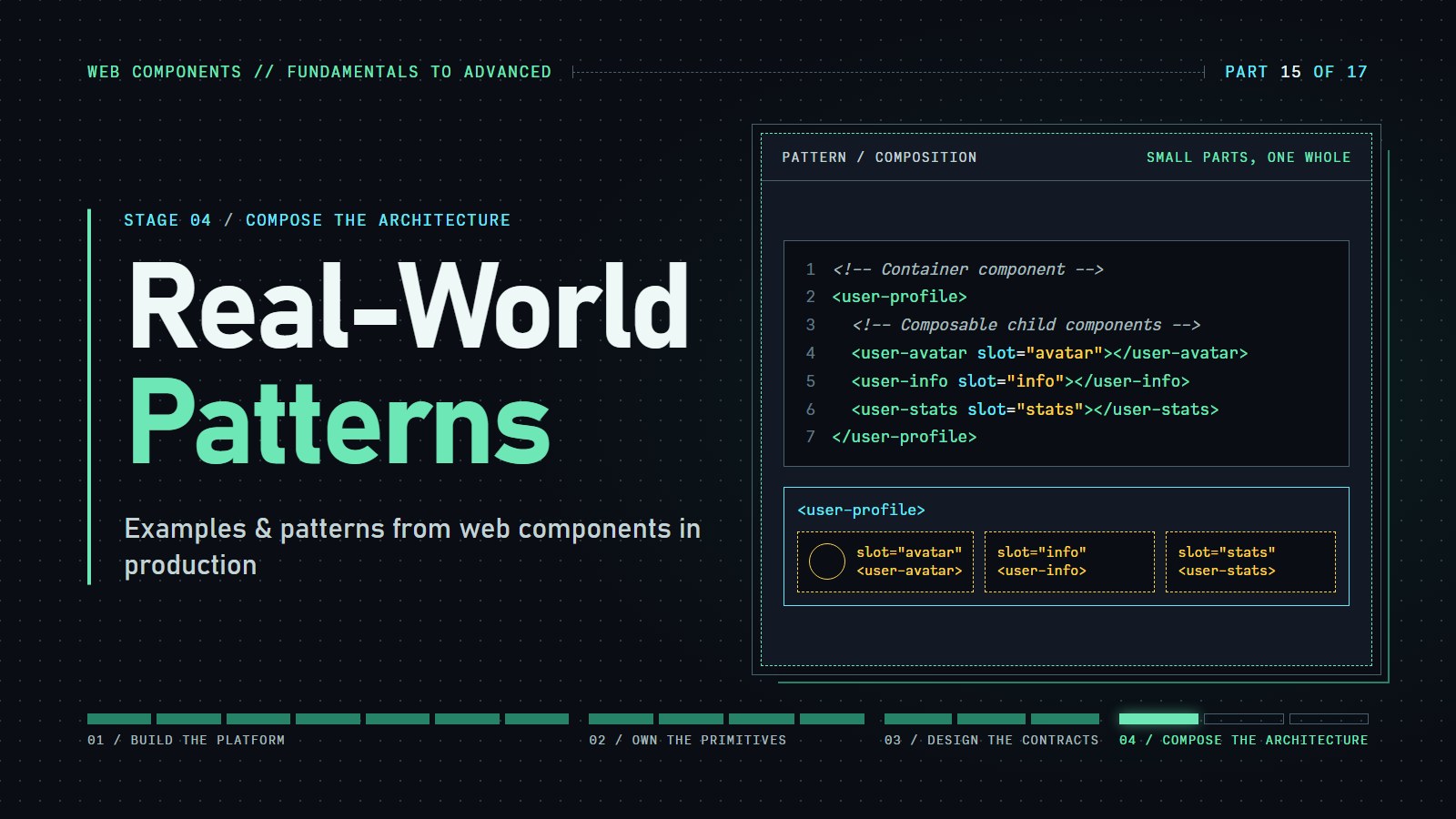
In today's diverse front-end landscape, Web Components stand out as a platform-native solution for creating reusable UI elements. While frameworks come and go, Web Components offer a standardized approach that works across codebases and technologies. But where can we see them in action? Who's using them in production?
This post shows who publishes components such as <user-card>, and the four habits (composition, property against attribute, events, consistent names) that make them pleasant to use.
Who ships them: the clearest public evidence is open-source design systems and libraries you can read yourself. Google maintains Lit, Adobe publishes Spectrum Web Components, Microsoft publishes FAST and Fluent UI web components, IBM's Carbon design system has a web components package, and Salesforce's Lightning Web Components are built on the same standards. This post names only what is publicly documented and makes no claims about closed-source internals.
Recap if you are joining here: a custom element is a JavaScript class registered with customElements.define(), usually with a shadow root that keeps its styles private. Let's start with a basic example. This demo shows the lifecycle methods: you can see how the component reacts when it's added to the DOM, removed, or when its attributes change:
---html
<div class="container">
  <h2>Basic Web Component Demo</h2>

  <div class="controls">
    <label for="name-input">Change the name:</label>
    <input id="name-input" type="text" value="World">
    <button id="update-btn">Update</button>
    <button id="add-btn">Add to DOM</button>
    <button id="remove-btn">Remove from DOM</button>
  </div>

  <div class="component-container" id="component-container">
    <!-- The component will be added/removed here -->
  </div>

  <div class="lifecycle-log">
    <h3>Lifecycle Events:</h3>
    <div id="lifecycle-events"></div>
    <button id="clear-log">Clear Log</button>
  </div>
</div>
---css
.container {
  font-family: system-ui, -apple-system, BlinkMacSystemFont, 'Segoe UI', Roboto, sans-serif;
  max-width: 600px;
  margin: 0 auto;
  padding: 20px;
}

.controls {
  margin-bottom: 20px;
  padding: 15px;
  background-color: #f5f5f5;
  border-radius: 5px;
  display: flex;
  flex-wrap: wrap;
  gap: 10px;
  align-items: center;
}

.component-container {
  border: 2px dashed #ccc;
  padding: 20px;
  min-height: 100px;
  margin-bottom: 20px;
  border-radius: 5px;
}

.lifecycle-log {
  background-color: #f8f8f8;
  padding: 15px;
  border-radius: 5px;
}

#lifecycle-events {
  max-height: 200px;
  overflow-y: auto;
  margin-bottom: 10px;
  font-family: monospace;
  font-size: 14px;
  padding: 10px;
  background-color: #eee;
  border-radius: 3px;
}

.log-entry {
  margin-bottom: 5px;
  padding: 3px;
  border-bottom: 1px solid #ddd;
}

.log-entry.constructor { color: #0066cc; }
.log-entry.connected { color: #28a745; }
.log-entry.disconnected { color: #dc3545; }
.log-entry.attribute-changed { color: #fd7e14; }

button {
  padding: 8px 12px;
  background-color: #4a6cf7;
  color: white;
  border: none;
  border-radius: 4px;
  cursor: pointer;
  font-size: 14px;
}

button:hover {
  background-color: #3a5cf7;
}

#clear-log {
  background-color: #6c757d;
}

input {
  padding: 8px;
  border: 1px solid #ccc;
  border-radius: 4px;
  font-size: 14px;
}
---js
// Define the custom element
class HelloWorld extends HTMLElement {
  // Specify observed attributes for attributeChangedCallback
  static get observedAttributes() {
    return ['name'];
  }

  constructor() {
    // Always call super() first in constructor
    super();

    // Create a shadow root
    const shadow = this.attachShadow({ mode: 'open' });

    // Create element contents
    const wrapper = document.createElement('div');
    wrapper.setAttribute('class', 'hello-wrapper');

    this.greeting = document.createElement('h3');
    this.greeting.setAttribute('class', 'greeting');

    // Apply styles
    const style = document.createElement('style');
    style.textContent = `
      .hello-wrapper {
        padding: 20px;
        background: linear-gradient(135deg, #6e8efb, #a777e3);
        border-radius: 8px;
        box-shadow: 0 4px 8px rgba(0,0,0,0.1);
        color: white;
        text-align: center;
        transition: transform 0.3s ease;
      }

      .hello-wrapper:hover {
        transform: translateY(-5px);
      }

      .greeting {
        margin: 0;
        font-weight: 500;
      }
    `;

    // Attach elements to shadow DOM
    shadow.appendChild(style);
    shadow.appendChild(wrapper);
    wrapper.appendChild(this.greeting);

    // Log constructor call
    this.logLifecycleEvent('constructor', 'Component created');
  }

  // Called when element is inserted into the DOM
  connectedCallback() {
    // Update the greeting text
    this.updateGreeting();
    this.logLifecycleEvent('connected', 'Component added to DOM');
  }

  // Called when element is removed from the DOM
  disconnectedCallback() {
    this.logLifecycleEvent('disconnected', 'Component removed from DOM');
  }

  // Called when one of the observed attributes changes
  attributeChangedCallback(name, oldValue, newValue) {
    if (oldValue !== newValue) {
      this.logLifecycleEvent(
      'attribute-changed',
      `Attribute "${name}" changed from "${oldValue || 'none'}" to "${newValue}"`);


      if (name === 'name') {
        this.updateGreeting();
      }
    }
  }

  // Helper method to update the greeting text
  updateGreeting() {
    const name = this.getAttribute('name') || 'World';
    this.greeting.textContent = `Hello, ${name}!`;
  }

  // Helper method to log lifecycle events
  logLifecycleEvent(type, message) {
    const logContainer = document.getElementById('lifecycle-events');
    if (logContainer) {
      const entry = document.createElement('div');
      entry.className = `log-entry ${type}`;
      entry.textContent = `${new Date().toLocaleTimeString()} - ${message}`;
      logContainer.appendChild(entry);
      logContainer.scrollTop = logContainer.scrollHeight;
    }
  }}


// Register the custom element
customElements.define('hello-world', HelloWorld);

// Setup UI interaction
document.addEventListener('DOMContentLoaded', () => {
  const container = document.getElementById('component-container');
  const nameInput = document.getElementById('name-input');
  const updateBtn = document.getElementById('update-btn');
  const addBtn = document.getElementById('add-btn');
  const removeBtn = document.getElementById('remove-btn');
  const clearLogBtn = document.getElementById('clear-log');
  const logContainer = document.getElementById('lifecycle-events');

  let component = null;

  // Add component to DOM
  addBtn.addEventListener('click', () => {
    if (!container.contains(component)) {
      component = document.createElement('hello-world');
      component.setAttribute('name', nameInput.value);
      container.appendChild(component);
    }
  });

  // Remove component from DOM
  removeBtn.addEventListener('click', () => {
    if (component && container.contains(component)) {
      container.removeChild(component);
      component = null;
    }
  });

  // Update name attribute
  updateBtn.addEventListener('click', () => {
    if (component) {
      component.setAttribute('name', nameInput.value);
    }
  });

  // Clear log
  clearLogBtn.addEventListener('click', () => {
    logContainer.innerHTML = '';
  });

  // Initial log message
  const entry = document.createElement('div');
  entry.className = 'log-entry';
  entry.textContent = `${new Date().toLocaleTimeString()} - Demo initialized. Click "Add to DOM" to create the component.`;
  logContainer.appendChild(entry);
});
Try clicking the buttons to see the lifecycle methods in action. This simple example demonstrates the core concepts of Web Components: custom elements, shadow DOM encapsulation, and lifecycle callbacks.
Who's Using Web Components Today?#
The short answer is at the top of this post. Here is what each name actually offers, limited to things you can install and read:
- Google: maintains Lit, and Material Web (
@material/web), Google's Material Design components as web components. - Microsoft: publishes the FAST library and Fluent UI web components.
- Adobe: Spectrum Web Components, the web implementation of its Spectrum design system.
- IBM: the Carbon design system has a web components package.
- Salesforce: Lightning Web Components is a framework built on the web components standards.
- GitHub: has published small custom elements as open source (for example
<relative-time>). - ING: publishes the open-source Lion web components library.
Claims that a particular big site (a video player, a map, an editor, a streaming service) is "built with web components" are common online. They are not backed by public sources, so this post leaves them out. Check a site's own engineering posts before repeating one.
Popular Web Component Libraries & Hosting Strategies#
Libraries and Frameworks#
Several libraries have emerged to simplify Web Component development:
-
Lit: Google's lightweight library (successor to Polymer) for creating Web Components with minimal boilerplate.
-
Stencil: Created by the Ionic team, Stencil generates highly optimized Web Components and can output framework-specific wrappers.
-
FAST: Microsoft's adaptive UI library produces Web Components that automatically adapt to user preferences.
-
Shoelace: A collection of professionally designed, every day UI components built on a framework-agnostic technology.
-
Enhance: A framework that uses progressive enhancement to create multi-page applications with Web Components.
Hosting & Distribution Strategies#
Companies distribute their Web Components in several ways:
-
NPM Packages: The most common approach, allowing developers to install components via package managers.
- Example:
npm install @adobe/spectrum-web-components
- Example:
-
CDN Delivery: Pre-built components hosted on CDNs allow for quick inclusion without build steps.
- Example:
<script type="module" src="https://unpkg.com/@shoelace-style/shoelace@2.0.0/dist/shoelace.js"></script>
- Example:
-
Custom Element Registries: Specialized registries like webcomponents.org catalog available components.
-
Bundled with Applications: Many applications bundle custom elements as part of their build process.
-
Micro-frontend Architecture: Components distributed across multiple teams but united in a single application.
Common Patterns in Production Web Components#
Composition Pattern#
One of the most powerful patterns is component composition:
<!-- Container component -->
<user-profile>
  <!-- Composable child components -->
  <user-avatar slot="avatar"></user-avatar>
  <user-info slot="info"></user-info>
  <user-stats slot="stats"></user-stats>
</user-profile>
This pattern enables teams to build complex UIs from simpler building blocks, a strategy employed by many design systems.
To see the composition pattern in action, here's an interactive demo that demonstrates how slots distribute content in Web Components:
---html
<div class="container">
<h2>Web Component Composition Pattern Demo</h2>
<div class="explanation">
<p>This demo implements the <code><user-profile></code> composition pattern shown in the example above.</p>
<p>Toggle sections to see how content is distributed into different slots within the component.</p>
</div>
<div class="controls">
<button id="toggle-avatar" class="active">Toggle Avatar</button>
<button id="toggle-info" class="active">Toggle Info</button>
<button id="toggle-stats" class="active">Toggle Stats</button>
<button id="toggle-theme">Change Theme</button>
</div>
<div class="demo-container">
<div class="component-view">
<h3>Component Preview</h3>
<div class="profile-container">
<!-- The actual user-profile component -->
<user-profile theme="light">
<!-- Avatar slot content -->
<div slot="avatar" id="avatar-content">
<img src="https://randomuser.me/api/portraits/women/42.jpg" alt="User avatar">
</div>
<!-- Info slot content -->
<div slot="info" id="info-content">
<h3>Sarah Johnson</h3>
<p class="job-title">Senior Web Developer</p>
<p class="location">San Francisco, CA</p>
</div>
<!-- Stats slot content -->
<div slot="stats" id="stats-content">
<div class="stat-item">
<span class="stat-value">142</span>
<span class="stat-label">Projects</span>
</div>
<div class="stat-item">
<span class="stat-value">3.2K</span>
<span class="stat-label">Followers</span>
</div>
<div class="stat-item">
<span class="stat-value">87</span>
<span class="stat-label">Reviews</span>
</div>
</div>
</user-profile>
</div>
</div>
<div class="structure-diagram">
<h3>Component Structure</h3>
<div class="diagram">
<div class="shadow-dom">
<div class="shadow-label">Shadow DOM</div>
<div class="slot-container">
<div class="slot avatar-slot">
<span class="slot-label">slot="avatar"</span>
<div class="slot-content" id="avatar-indicator">Content from Light DOM</div>
</div>
<div class="slot info-slot">
<span class="slot-label">slot="info"</span>
<div class="slot-content" id="info-indicator">Content from Light DOM</div>
</div>
<div class="slot stats-slot">
<span class="slot-label">slot="stats"</span>
<div class="slot-content" id="stats-indicator">Content from Light DOM</div>
</div>
</div>
</div>
</div>
</div>
</div>
<div class="code-preview">
<h3>HTML Code</h3>
<pre><code id="code-output"></code></pre>
</div>
</div>
---css
:root {
--primary-color: #4a6cf7;
--primary-light: #e0e7ff;
--avatar-slot-color: #ec4899;
--info-slot-color: #10b981;
--stats-slot-color: #f59e0b;
--text-dark: #1f2937;
--text-light: #f9fafb;
--bg-light: #ffffff;
--bg-dark: #1f2937;
--border-light: #e5e7eb;
--border-dark: #4b5563;
--shadow: 0 4px 6px -1px rgba(0, 0, 0, 0.1), 0 2px 4px -1px rgba(0, 0, 0, 0.06);
--font-family: system-ui, -apple-system, BlinkMacSystemFont, 'Segoe UI', Roboto, sans-serif;
}
* {
box-sizing: border-box;
margin: 0;
padding: 0;
}
body {
font-family: var(--font-family);
color: var(--text-dark);
background-color: #f3f4f6;
line-height: 1.5;
padding: 20px;
}
.container {
max-width: 900px;
margin: 0 auto;
}
h2 {
color: var(--primary-color);
margin-bottom: 24px;
text-align: center;
}
h3 {
margin-bottom: 16px;
font-weight: 600;
}
.explanation {
background-color: var(--primary-light);
border-left: 4px solid var(--primary-color);
padding: 16px;
margin-bottom: 24px;
border-radius: 0 8px 8px 0;
}
.controls {
display: flex;
flex-wrap: wrap;
gap: 8px;
margin-bottom: 24px;
}
button {
padding: 8px 16px;
background-color: #f3f4f6;
border: 1px solid #d1d5db;
border-radius: 6px;
font-family: inherit;
font-size: 14px;
cursor: pointer;
transition: all 0.2s;
}
button:hover {
background-color: #e5e7eb;
}
button.active {
background-color: var(--primary-color);
color: white;
border-color: var(--primary-color);
}
.demo-container {
display: grid;
grid-template-columns: 1fr 1fr;
gap: 24px;
margin-bottom: 24px;
}
@media (max-width: 768px) {
.demo-container {
grid-template-columns: 1fr;
}
}
.component-view, .structure-diagram {
background-color: white;
border-radius: 8px;
padding: 20px;
box-shadow: var(--shadow);
}
.profile-container {
border: 2px dashed #d1d5db;
padding: 20px;
border-radius: 8px;
display: flex;
justify-content: center;
}
/* Component styling */
user-profile {
display: block;
width: 100%;
max-width: 400px;
transition: all 0.3s ease;
}
/* Light DOM content styling */
[slot="avatar"] img {
width: 100px;
height: 100px;
border-radius: 50%;
object-fit: cover;
}
[slot="info"] h3 {
margin: 0 0 8px 0;
font-size: 20px;
}
.job-title {
color: #4b5563;
margin-bottom: 4px;
}
.location {
color: #6b7280;
font-size: 14px;
}
.stat-item {
text-align: center;
}
.stat-value {
display: block;
font-size: 20px;
font-weight: 600;
color: var(--primary-color);
}
.stat-label {
font-size: 14px;
color: #6b7280;
}
/* Structure diagram styling */
.diagram {
border: 2px dashed #d1d5db;
padding: 20px;
border-radius: 8px;
}
.shadow-dom {
border: 2px solid var(--primary-color);
border-radius: 8px;
padding: 20px;
position: relative;
}
.shadow-label {
position: absolute;
top: -12px;
left: 16px;
background-color: var(--primary-color);
color: white;
padding: 2px 8px;
border-radius: 4px;
font-size: 14px;
}
.slot-container {
display: flex;
flex-direction: column;
gap: 16px;
margin-top: 12px;
}
.slot {
border: 2px solid;
border-radius: 6px;
padding: 12px;
position: relative;
transition: all 0.3s ease;
}
.slot.empty {
opacity: 0.6;
background-color: #f9fafb;
}
.avatar-slot {
border-color: var(--avatar-slot-color);
}
.info-slot {
border-color: var(--info-slot-color);
}
.stats-slot {
border-color: var(--stats-slot-color);
}
.slot-label {
position: absolute;
top: -10px;
left: 10px;
padding: 0 6px;
border-radius: 4px;
font-size: 12px;
font-weight: 500;
color: white;
}
.avatar-slot .slot-label {
background-color: var(--avatar-slot-color);
}
.info-slot .slot-label {
background-color: var(--info-slot-color);
}
.stats-slot .slot-label {
background-color: var(--stats-slot-color);
}
.slot-content {
font-family: monospace;
font-size: 14px;
color: #6b7280;
}
/* Code preview styling */
.code-preview {
background-color: white;
border-radius: 8px;
padding: 20px;
box-shadow: var(--shadow);
}
pre {
background-color: #1e293b;
color: #e2e8f0;
padding: 16px;
border-radius: 6px;
overflow-x: auto;
font-family: monospace;
font-size: 14px;
line-height: 1.5;
}
/* Animation for slot content highlight */
@keyframes highlight {
0% { background-color: rgba(255, 255, 100, 0.3); }
100% { background-color: transparent; }
}
.highlight {
animation: highlight 1s ease;
}
---js
// Define the UserProfile Component
class UserProfile extends HTMLElement {
constructor() {
super();
this.attachShadow({ mode: 'open' });
// Initialize properties
this._theme = this.getAttribute('theme') || 'light';
// Render the component
this.render();
}
// Observed attributes
static get observedAttributes() {
return ['theme'];
}
// Handle attribute changes
attributeChangedCallback(name, oldValue, newValue) {
if (name === 'theme' && oldValue !== newValue) {
this._theme = newValue;
this.render();
}
}
// Render the component
render() {
const isDark = this._theme === 'dark';
this.shadowRoot.innerHTML = `
<style>
:host {
display: block;
font-family: var(--font-family, system-ui, sans-serif);
}
.profile {
background-color: ${isDark ? 'var(--bg-dark, #1f2937)' : 'var(--bg-light, #ffffff)'};
color: ${isDark ? 'var(--text-light, #f9fafb)' : 'var(--text-dark, #1f2937)'};
border-radius: 12px;
overflow: hidden;
box-shadow: var(--shadow, 0 4px 6px -1px rgba(0, 0, 0, 0.1));
transition: all 0.3s ease;
}
.profile-header {
display: flex;
align-items: center;
padding: 24px;
background-color: ${isDark ? 'rgba(255, 255, 255, 0.05)' : 'rgba(0, 0, 0, 0.02)'};
border-bottom: 1px solid ${isDark ? 'var(--border-dark, #4b5563)' : 'var(--border-light, #e5e7eb)'};
}
.avatar-container {
margin-right: 20px;
}
.info-container {
flex: 1;
}
.stats-container {
display: flex;
justify-content: space-between;
padding: 16px 24px;
border-top: 1px solid ${isDark ? 'var(--border-dark, #4b5563)' : 'var(--border-light, #e5e7eb)'};
}
/* Empty slot styling */
.avatar-container:empty::before,
.info-container:empty::before,
.stats-container:empty::before {
display: block;
padding: 16px;
background-color: ${isDark ? 'rgba(255, 255, 255, 0.05)' : 'rgba(0, 0, 0, 0.03)'};
border-radius: 6px;
font-style: italic;
font-size: 14px;
color: ${isDark ? 'rgba(255, 255, 255, 0.5)' : 'rgba(0, 0, 0, 0.4)'};
}
.avatar-container:empty::before {
content: 'No avatar content provided';
width: 80px;
height: 80px;
display: flex;
align-items: center;
justify-content: center;
text-align: center;
border-radius: 50%;
}
.info-container:empty::before {
content: 'No user info provided';
}
.stats-container:empty::before {
content: 'No stats content provided';
}
</style>
<div class="profile">
<div class="profile-header">
<div class="avatar-container">
<slot name="avatar"></slot>
</div>
<div class="info-container">
<slot name="info"></slot>
</div>
</div>
<div class="stats-container">
<slot name="stats"></slot>
</div>
</div>
`;
// Set up slot change listeners
this.shadowRoot.querySelectorAll('slot').forEach(slot => {
slot.addEventListener('slotchange', () => this.handleSlotChange(slot));
});
// Update code preview
updateCodePreview();
}
// Handle slot content changes
handleSlotChange(slot) {
const slotName = slot.name;
const hasContent = slot.assignedNodes().length > 0;
// Update the diagram to reflect slot status
const indicator = document.getElementById(`${slotName}-indicator`);
if (indicator) {
const slotElement = indicator.closest('.slot');
if (hasContent) {
slotElement.classList.remove('empty');
indicator.textContent = 'Content from Light DOM';
indicator.classList.add('highlight');
setTimeout(() => indicator.classList.remove('highlight'), 1000);
} else {
slotElement.classList.add('empty');
indicator.textContent = 'Empty slot (no content provided)';
}
}
}}
// Register the custom element
customElements.define('user-profile', UserProfile);
// Function to update code preview
function updateCodePreview() {
const avatarVisible = document.getElementById('avatar-content').style.display !== 'none';
const infoVisible = document.getElementById('info-content').style.display !== 'none';
const statsVisible = document.getElementById('stats-content').style.display !== 'none';
const profileElement = document.querySelector('user-profile');
const theme = profileElement.getAttribute('theme') || 'light';
let code = `<!-- Container component -->\n<user-profile theme="${theme}">\n`;
// Add avatar section if visible
if (avatarVisible) {
code += ` <!-- Composable child component for avatar -->\n`;
code += ` <div slot="avatar">\n`;
code += ` <img src="https://randomuser.me/api/portraits/women/42.jpg" alt="User avatar">\n`;
code += ` </div>\n\n`;
}
// Add info section if visible
if (infoVisible) {
code += ` <!-- Composable child component for user info -->\n`;
code += ` <div slot="info">\n`;
code += ` <h3>Sarah Johnson</h3>\n`;
code += ` <p class="job-title">Senior Web Developer</p>\n`;
code += ` <p class="location">San Francisco, CA</p>\n`;
code += ` </div>\n\n`;
}
// Add stats section if visible
if (statsVisible) {
code += ` <!-- Composable child component for stats -->\n`;
code += ` <div slot="stats">\n`;
code += ` <div class="stat-item">\n`;
code += ` <span class="stat-value">142</span>\n`;
code += ` <span class="stat-label">Projects</span>\n`;
code += ` </div>\n`;
code += ` <div class="stat-item">\n`;
code += ` <span class="stat-value">3.2K</span>\n`;
code += ` <span class="stat-label">Followers</span>\n`;
code += ` </div>\n`;
code += ` <div class="stat-item">\n`;
code += ` <span class="stat-value">87</span>\n`;
code += ` <span class="stat-label">Reviews</span>\n`;
code += ` </div>\n`;
code += ` </div>\n`;
}
code += `</user-profile>`;
// Update the code display
document.getElementById('code-output').textContent = code;
}
// Set up the UI controls
document.addEventListener('DOMContentLoaded', () => {
const avatarToggle = document.getElementById('toggle-avatar');
const infoToggle = document.getElementById('toggle-info');
const statsToggle = document.getElementById('toggle-stats');
const themeToggle = document.getElementById('toggle-theme');
const avatarContent = document.getElementById('avatar-content');
const infoContent = document.getElementById('info-content');
const statsContent = document.getElementById('stats-content');
const profileElement = document.querySelector('user-profile');
// Toggle avatar content
avatarToggle.addEventListener('click', () => {
avatarToggle.classList.toggle('active');
if (avatarToggle.classList.contains('active')) {
avatarContent.style.display = '';
} else {
avatarContent.style.display = 'none';
}
updateCodePreview();
});
// Toggle info content
infoToggle.addEventListener('click', () => {
infoToggle.classList.toggle('active');
if (infoToggle.classList.contains('active')) {
infoContent.style.display = '';
} else {
infoContent.style.display = 'none';
}
updateCodePreview();
});
// Toggle stats content
statsToggle.addEventListener('click', () => {
statsToggle.classList.toggle('active');
if (statsToggle.classList.contains('active')) {
statsContent.style.display = '';
} else {
statsContent.style.display = 'none';
}
updateCodePreview();
});
// Toggle theme
themeToggle.addEventListener('click', () => {
themeToggle.classList.toggle('active');
const newTheme = profileElement.getAttribute('theme') === 'light' ? 'dark' : 'light';
profileElement.setAttribute('theme', newTheme);
if (newTheme === 'dark') {
themeToggle.textContent = 'Switch to Light';
} else {
themeToggle.textContent = 'Switch to Dark';
}
updateCodePreview();
});
// Initialize the component
setTimeout(() => {
// Trigger slot change events
profileElement.shadowRoot.querySelectorAll('slot').forEach(slot => {
const event = new Event('slotchange');
slot.dispatchEvent(event);
});
// Initialize code preview
updateCodePreview();
}, 100);
});
This card component uses three distinct slots (header, body, and footer) to create a flexible, reusable UI element. Try toggling different parts of the content to see how:
-
The component maintains its structure even when slots are empty
-
Content from the "light DOM" (your HTML) flows into the designated slots
-
The component's styling remains consistent regardless of the content provided
-
The theme can change while preserving the composition structure
-
The code preview updates to show exactly what HTML you would write to achieve the current state
This pattern is especially powerful for design systems, as it allows components to maintain consistent styling and behavior while giving content authors flexibility to provide custom content for different sections.
Property/Attribute Pattern#
Attributes for simple values, properties for complex data:
class DataTable extends HTMLElement {
  // Simple configuration via attributes
  static get observedAttributes() {
    return ['loading', 'pagination'];
  }

  // Complex data via properties
  set data(value) {
    this._data = value;
    this._renderTable();
  }
}
An attribute is the text you write in HTML (<my-el size="large">), and it is always a string. A property is a field on the element object in JavaScript (el.items = [1, 2, 3]), and it can hold anything: arrays, objects, functions. Use attributes for small settings you want visible in markup, and properties for real data.
The failure first: ask what an attribute does to an array.
el.setAttribute('items', ['a', 'b']);
el.getAttribute('items'); // "a,b"  (one string, not an array)
el.items = ['a', 'b'];     // the array itself, if the component has an items property
To better understand how attributes and properties work together in Web Components, let's explore this interactive demo that clearly demonstrates their differences:
---html
<div class="container">
  <h2>Property vs. Attribute Pattern Demo</h2>

  <div class="explanation">
    <p><strong>Attributes</strong> are for simple values (strings, booleans) and appear in HTML markup. They can be observed with <code>attributeChangedCallback()</code>.</p>
    <p><strong>Properties</strong> are for complex data (objects, arrays) and are set programmatically. They're not reflected in the HTML markup.</p>
  </div>

  <div class="demo-section">
    <div class="controls-section">
      <div class="control-group">
        <h3>Attributes (Simple Values)</h3>
        <div class="control">
          <label>Theme:</label>
          <select id="theme-select">
            <option value="light">Light</option>
            <option value="dark">Dark</option>
            <option value="colorful">Colorful</option>
          </select>
        </div>

        <div class="control">
          <label>Size:</label>
          <select id="size-select">
            <option value="small">Small</option>
            <option value="medium">Medium</option>
            <option value="large">Large</option>
          </select>
        </div>

        <div class="control">
          <label>Disabled:</label>
          <input type="checkbox" id="disabled-toggle">
        </div>
      </div>

      <div class="control-group">
        <h3>Properties (Complex Data)</h3>
        <div class="control">
          <label>Set Items (Array):</label>
          <select id="items-preset">
            <option value="fruits">Fruits</option>
            <option value="colors">Colors</option>
            <option value="countries">Countries</option>
          </select>
          <button id="set-items">Set Items Array</button>
        </div>

        <div class="control">
          <label>Set Config (Object):</label>
          <select id="config-preset">
            <option value="default">Default Config</option>
            <option value="compact">Compact Config</option>
            <option value="expanded">Expanded Config</option>
          </select>
          <button id="set-config">Set Config Object</button>
        </div>
      </div>
    </div>

    <div class="component-container">
      <h3>Component Output</h3>
      <data-display-component
        theme="light"
        size="medium">
      </data-display-component>
    </div>
  </div>

  <div class="state-display">
    <div class="state-section">
      <h3>Current HTML Markup</h3>
      <pre id="html-display"></pre>
    </div>

    <div class="state-section">
      <h3>Current Properties</h3>
      <pre id="props-display"></pre>
    </div>

    <div class="state-section">
      <h3>Component Events Log</h3>
      <div id="events-log"></div>
      <button id="clear-log">Clear Log</button>
    </div>
  </div>
</div>
---css
.container {
  font-family: system-ui, -apple-system, BlinkMacSystemFont, 'Segoe UI', Roboto, sans-serif;
  max-width: 900px;
  margin: 0 auto;
  padding: 20px;
}

.explanation {
  background-color: #f0f4f8;
  padding: 15px;
  border-radius: 6px;
  margin-bottom: 20px;
  border-left: 4px solid #4a6cf7;
}

.demo-section {
  display: flex;
  flex-wrap: wrap;
  gap: 20px;
  margin-bottom: 20px;
}

.controls-section {
  flex: 1;
  min-width: 300px;
}

.component-container {
  flex: 1;
  min-width: 300px;
  padding: 15px;
  border: 2px dashed #ccc;
  border-radius: 6px;
}

.control-group {
  background-color: #f8f9fa;
  padding: 15px;
  border-radius: 6px;
  margin-bottom: 15px;
}

.control-group h3 {
  margin-top: 0;
  color: #4a6cf7;
  font-weight: 500;
}

.control {
  margin-bottom: 12px;
  display: flex;
  align-items: center;
  gap: 10px;
}

.control label {
  min-width: 120px;
  font-weight: 500;
}

button {
  padding: 8px 12px;
  background-color: #4a6cf7;
  color: white;
  border: none;
  border-radius: 4px;
  cursor: pointer;
  font-size: 14px;
}

button:hover {
  background-color: #3a5cf7;
}

select, input {
  padding: 8px;
  border: 1px solid #ccc;
  border-radius: 4px;
}

.state-display {
  display: flex;
  flex-wrap: wrap;
  gap: 20px;
  margin-top: 20px;
}

.state-section {
  flex: 1;
  min-width: 280px;
  background-color: #f8f9fa;
  padding: 15px;
  border-radius: 6px;
}

.state-section h3 {
  margin-top: 0;
  color: #4a6cf7;
  font-weight: 500;
}

pre {
  background-color: #f1f1f1;
  padding: 10px;
  border-radius: 4px;
  overflow-x: auto;
  font-family: monospace;
  margin: 0;
}

#events-log {
  height: 150px;
  overflow-y: auto;
  background-color: #f1f1f1;
  padding: 10px;
  border-radius: 4px;
  font-family: monospace;
  margin-bottom: 10px;
}

.log-entry {
  margin-bottom: 5px;
  padding-bottom: 5px;
  border-bottom: 1px solid #ddd;
}

.log-attribute {
  color: #e63946;
}

.log-property {
  color: #2a9d8f;
}

#clear-log {
  background-color: #6c757d;
}

/* Highlight the attributes vs. properties sections */
.control-group:nth-child(1) {
  border-left: 4px solid #e63946; /* Red for attributes */
}

.control-group:nth-child(2) {
  border-left: 4px solid #2a9d8f; /* Green for properties */
}
---js
// Define the custom component
class DataDisplayComponent extends HTMLElement {
  constructor() {
    super();

    // Initialize private properties
    this._items = [];
    this._config = {
      showHeaders: true,
      maxItems: 5,
      animation: 'fade' };


    // Create a shadow root
    this.attachShadow({ mode: 'open' });

    // Do initial render
    this.render();

    // Log the construction
    this.logEvent('constructor', 'Component created');
  }

  // Specify which attributes should be observed
  static get observedAttributes() {
    return ['theme', 'size', 'disabled'];
  }

  // Lifecycle: when component is added to DOM
  connectedCallback() {
    this.logEvent('connected', 'Component added to DOM');
    this.updateDisplay();
  }

  // Lifecycle: when observed attributes change
  attributeChangedCallback(name, oldValue, newValue) {
    this.logEvent('attribute-changed', `Attribute '${name}' changed from '${oldValue}' to '${newValue}'`);
    this.render();
  }

  // PROPERTY for items (array)
  get items() {
    return this._items;
  }

  set items(newItems) {
    this.logEvent('property-changed', 'Property "items" set with array data');
    this._items = newItems;
    this.render();
  }

  // PROPERTY for config (object)
  get config() {
    return this._config;
  }

  set config(newConfig) {
    this.logEvent('property-changed', 'Property "config" set with object data');
    this._config = { ...this._config, ...newConfig };
    this.render();
  }

  // Helper for rendering the component
  render() {
    // Get attribute values
    const theme = this.getAttribute('theme') || 'light';
    const size = this.getAttribute('size') || 'medium';
    const disabled = this.hasAttribute('disabled');

    // Prepare styles based on attributes
    const themeColors = {
      light: { bg: '#ffffff', text: '#333333', border: '#dddddd' },
      dark: { bg: '#333333', text: '#ffffff', border: '#555555' },
      colorful: { bg: '#f8f0ff', text: '#4a0072', border: '#9c27b0' } };


    const sizeValues = {
      small: { padding: '10px', fontSize: '14px' },
      medium: { padding: '15px', fontSize: '16px' },
      large: { padding: '20px', fontSize: '18px' } };


    const colors = themeColors[theme] || themeColors.light;
    const sizes = sizeValues[size] || sizeValues.medium;

    // Generate the Shadow DOM content
    this.shadowRoot.innerHTML = `
      <style>
        :host {
          display: block;
          font-family: inherit;
        }

        .component {
          background-color: ${colors.bg};
          color: ${colors.text};
          border: 1px solid ${colors.border};
          border-radius: 8px;
          padding: ${sizes.padding};
          font-size: ${sizes.fontSize};
          opacity: ${disabled ? '0.6' : '1'};
          ${disabled ? 'pointer-events: none;' : ''}
          transition: all 0.3s ease;
        }

        .info-section {
          margin-bottom: 10px;
        }

        .data-section {
          border-top: 1px solid ${colors.border};
          padding-top: 10px;
          margin-top: 10px;
        }

        ul {
          margin: 0;
          padding-left: 20px;
        }

        li {
          margin-bottom: 5px;
        }

        .config-info {
          font-family: monospace;
          padding: 5px;
          background: rgba(0,0,0,0.05);
          border-radius: 4px;
        }
      </style>

      <div class="component">
        <div class="info-section">
          <strong>Component States:</strong>
          <div>Theme: ${theme}</div>
          <div>Size: ${size}</div>
          <div>Disabled: ${disabled ? 'Yes' : 'No'}</div>
        </div>

        ${this._items.length ? `
          <div class="data-section">
            ${this._config.showHeaders ? '<strong>Items (from property):</strong>' : ''}
            <ul>
              ${this._items.slice(0, this._config.maxItems).map(item => `<li>${item}</li>`).join('')}
            </ul>
            ${this._items.length > this._config.maxItems ? `<small>Showing ${this._config.maxItems} of ${this._items.length} items...</small>` : ''}
          </div>
        ` : ''}

        <div class="data-section">
          <strong>Config (from property):</strong>
          <div class="config-info">
            showHeaders: ${this._config.showHeaders}<br>
            maxItems: ${this._config.maxItems}<br>
            animation: ${this._config.animation}
          </div>
        </div>
      </div>
    `;

    // Update the state displays
    this.updateDisplay();
  }

  // Helper for updating the display of HTML and properties
  updateDisplay() {
    const htmlDisplay = document.getElementById('html-display');
    const propsDisplay = document.getElementById('props-display');

    if (htmlDisplay) {
      // Generate the current HTML representation
      const html = `<data-display-component
  theme="${this.getAttribute('theme') || 'light'}"
  size="${this.getAttribute('size') || 'medium'}"${this.hasAttribute('disabled') ? '\n  disabled' : ''}>
</data-display-component>`;

      htmlDisplay.textContent = html;
    }

    if (propsDisplay) {
      // Generate the current properties representation
      const props = {
        items: this._items,
        config: this._config };


      propsDisplay.textContent = JSON.stringify(props, null, 2);
    }
  }

  // Helper for logging events
  logEvent(type, message) {
    const logContainer = document.getElementById('events-log');
    if (logContainer) {
      const entry = document.createElement('div');
      entry.className = `log-entry log-${type.includes('attribute') ? 'attribute' : 'property'}`;
      entry.textContent = `${new Date().toLocaleTimeString()} - ${message}`;
      logContainer.appendChild(entry);
      logContainer.scrollTop = logContainer.scrollHeight;
    }
  }}


// Register the custom element
customElements.define('data-display-component', DataDisplayComponent);

// Setup the demo controls
document.addEventListener('DOMContentLoaded', () => {
  const component = document.querySelector('data-display-component');

  // Attribute controls
  document.getElementById('theme-select').addEventListener('change', e => {
    component.setAttribute('theme', e.target.value);
  });

  document.getElementById('size-select').addEventListener('change', e => {
    component.setAttribute('size', e.target.value);
  });

  document.getElementById('disabled-toggle').addEventListener('change', e => {
    if (e.target.checked) {
      component.setAttribute('disabled', '');
    } else {
      component.removeAttribute('disabled');
    }
  });

  // Property controls for items
  document.getElementById('set-items').addEventListener('click', () => {
    const preset = document.getElementById('items-preset').value;
    let items = [];

    switch (preset) {
      case 'fruits':
        items = ['Apple', 'Banana', 'Cherry', 'Dragon Fruit', 'Elderberry', 'Fig', 'Grapefruit'];
        break;
      case 'colors':
        items = ['Red', 'Orange', 'Yellow', 'Green', 'Blue', 'Indigo', 'Violet'];
        break;
      case 'countries':
        items = ['Australia', 'Brazil', 'Canada', 'Denmark', 'Egypt', 'France', 'Germany'];
        break;}


    // Set the property
    component.items = items;
  });

  // Property controls for config
  document.getElementById('set-config').addEventListener('click', () => {
    const preset = document.getElementById('config-preset').value;
    let config = {};

    switch (preset) {
      case 'default':
        config = { showHeaders: true, maxItems: 5, animation: 'fade' };
        break;
      case 'compact':
        config = { showHeaders: false, maxItems: 3, animation: 'none' };
        break;
      case 'expanded':
        config = { showHeaders: true, maxItems: 10, animation: 'slide' };
        break;}


    // Set the property
    component.config = config;
  });

  // Clear log button
  document.getElementById('clear-log').addEventListener('click', () => {
    document.getElementById('events-log').innerHTML = '';
  });

  // Initialize displays
  component.updateDisplay();
});
This demo shows how attributes are best for simple values that can be represented in HTML markup (strings, booleans), while properties excel at handling complex data like arrays and objects. Try using the controls to manipulate both attributes and properties, and observe how:
-
Attribute changes trigger the
attributeChangedCallback()and appear in the HTML markup -
Property changes don't affect the HTML markup but can handle complex data structures
-
The component responds to both types of changes in different ways
This split is common in published libraries: small options such as a size or a disabled flag are attributes, and structured data is passed as a property.
Coding challenge: Attribute or property?
Pass the same three fruits to <item-list> twice and compare what the component receives.
Expected result: after you finish step 1 the preview says the property is an array of 3 items; after step 2 the attribute line shows one string, apple,pear,plum (15 characters), and the property line is unchanged.
---html
<item-list id="list"></item-list>
---js
class ItemList extends HTMLElement {
  constructor() {
    super();
    this.attachShadow({ mode: 'open' });
    this._items = null;
  }
  set items(value) { this._items = value; this.render(); }
  get items() { return this._items; }
  static get observedAttributes() { return ['items']; }
  attributeChangedCallback() { this.render(); }
  connectedCallback() { this.render(); }
  render() {
    const attr = this.getAttribute('items');
    this.shadowRoot.innerHTML =
      '<p>property: ' + (Array.isArray(this._items) ? 'an array of ' + this._items.length : 'not set') + '</p>' +
      '<p>attribute: ' + (attr === null ? 'not set' : 'the string "' + attr + '" (' + attr.length + ' characters)') + '</p>';
  }
}
customElements.define('item-list', ItemList);

const el = document.getElementById('list');
// TODO 1: set the property to ['apple', 'pear', 'plum'].
// TODO 2: now set the attribute 'items' to the same array with setAttribute.
Event-Based Communication Pattern#
Components communicate through custom events:
// Inside the component
this.dispatchEvent(new CustomEvent('item-selected', {
  bubbles: true,
  composed: true, // Crosses shadow DOM boundary
  detail: { id: selectedId }
}));

// Parent listening for events
document.querySelector('my-component')
  .addEventListener('item-selected', (e) => console.log(e.detail.id));
Many small custom elements in the wild, such as the open-source <relative-time> element, communicate this way.
Let's see events in action with this interactive demo. Here, two completely separate web components communicate through custom events without direct references to each other - a fundamental pattern for creating loosely coupled, reusable components:
---html
<div class="container">
  <h2>Web Component Event Communication Demo</h2>

  <div class="explanation">
    <p>This demo shows how Web Components can communicate using custom events. The color picker component dispatches events that the display component listens for.</p>
  </div>

  <div class="component-wrapper">
    <div class="component-section">
      <h3>Component 1: Color Picker</h3>
      <color-picker-component></color-picker-component>
    </div>

    <div class="event-flow">
      <div class="event-arrow">
        <div class="arrow-line"></div>
        <div class="arrow-head"></div>
      </div>
      <div class="event-info">
        <code>color-changed</code> event
        <div class="event-detail">detail: { color, name }</div>
      </div>
    </div>

    <div class="component-section">
      <h3>Component 2: Display</h3>
      <color-display-component></color-display-component>
    </div>
  </div>

  <div class="event-log-section">
    <h3>Event Communication Log</h3>
    <div id="event-log"></div>
    <button id="clear-log">Clear Log</button>
  </div>
</div>
---css
.container {
  font-family: system-ui, -apple-system, BlinkMacSystemFont, 'Segoe UI', Roboto, sans-serif;
  max-width: 800px;
  margin: 0 auto;
  padding: 20px;
}

.explanation {
  background-color: #f0f8ff;
  padding: 15px;
  border-radius: 6px;
  margin-bottom: 20px;
  border-left: 4px solid #4a6cf7;
}

.component-wrapper {
  display: flex;
  align-items: center;
  justify-content: space-between;
  margin: 30px 0;
  gap: 20px;
}

.component-section {
  flex: 1;
  min-width: 200px;
  background-color: #f8f9fa;
  padding: 20px;
  border-radius: 8px;
  box-shadow: 0 2px 5px rgba(0,0,0,0.1);
}

.component-section h3 {
  margin-top: 0;
  color: #333;
  font-size: 18px;
  border-bottom: 1px solid #ddd;
  padding-bottom: 10px;
  margin-bottom: 15px;
}

.event-flow {
  display: flex;
  flex-direction: column;
  align-items: center;
  padding: 0 10px;
}

.event-arrow {
  position: relative;
  width: 100%;
  height: 40px;
}

.arrow-line {
  position: absolute;
  top: 50%;
  left: 0;
  right: 0;
  height: 2px;
  background-color: #4a6cf7;
  transform: translateY(-50%);
}

.arrow-head {
  position: absolute;
  top: 50%;
  right: 0;
  width: 0;
  height: 0;
  border-top: 8px solid transparent;
  border-bottom: 8px solid transparent;
  border-left: 10px solid #4a6cf7;
  transform: translateY(-50%);
}

.event-info {
  background-color: #e8f0fe;
  border: 1px solid #4a6cf7;
  border-radius: 4px;
  padding: 6px 10px;
  font-size: 14px;
  margin-top: 5px;
  text-align: center;
}

.event-detail {
  font-family: monospace;
  font-size: 12px;
  color: #666;
  margin-top: 5px;
}

.event-log-section {
  background-color: #f8f9fa;
  padding: 20px;
  border-radius: 8px;
  margin-top: 30px;
}

.event-log-section h3 {
  margin-top: 0;
  color: #333;
}

#event-log {
  background-color: #f1f1f1;
  border: 1px solid #ddd;
  border-radius: 4px;
  padding: 10px;
  height: 200px;
  overflow-y: auto;
  font-family: monospace;
  margin-bottom: 10px;
}

.log-entry {
  margin-bottom: 8px;
  padding-bottom: 8px;
  border-bottom: 1px solid #ddd;
}

.log-entry-time {
  color: #666;
  font-size: 12px;
}

.log-entry-message {
  margin-top: 3px;
}

.log-highlight {
  background-color: #fffbe6;
  padding: 2px 4px;
  border-radius: 3px;
}

button {
  padding: 8px 12px;
  background-color: #4a6cf7;
  color: white;
  border: none;
  border-radius: 4px;
  cursor: pointer;
  font-size: 14px;
}

button:hover {
  background-color: #3a5cf7;
}

#clear-log {
  background-color: #6c757d;
}

/* Animation for events */
@keyframes pulse {
  0% { transform: scale(1); }
  50% { transform: scale(1.05); }
  100% { transform: scale(1); }
}

.event-pulse {
  animation: pulse 0.5s ease-in-out;
}
---js
// Helper function to log events
function logEvent(message, highlight = false) {
  const logContainer = document.getElementById('event-log');
  const entry = document.createElement('div');
  entry.className = 'log-entry';

  const time = document.createElement('div');
  time.className = 'log-entry-time';
  time.textContent = new Date().toLocaleTimeString();

  const messageEl = document.createElement('div');
  messageEl.className = 'log-entry-message';

  if (highlight) {
    messageEl.innerHTML = `<span class="log-highlight">${message}</span>`;
  } else {
    messageEl.textContent = message;
  }

  entry.appendChild(time);
  entry.appendChild(messageEl);
  logContainer.appendChild(entry);
  logContainer.scrollTop = logContainer.scrollHeight;
}

// Define the Color Picker Component
class ColorPickerComponent extends HTMLElement {
  constructor() {
    super();
    this.attachShadow({ mode: 'open' });

    // Color options with names
    this.colors = [
    { hex: '#FF5252', name: 'Coral Red' },
    { hex: '#FFD740', name: 'Amber' },
    { hex: '#69F0AE', name: 'Mint Green' },
    { hex: '#40C4FF', name: 'Sky Blue' },
    { hex: '#B388FF', name: 'Lavender' },
    { hex: '#FF80AB', name: 'Pink' }];


    this.render();
    logEvent('Color Picker component initialized');
  }

  connectedCallback() {
    // Add event listeners to color swatches
    const swatches = this.shadowRoot.querySelectorAll('.color-swatch');
    swatches.forEach(swatch => {
      swatch.addEventListener('click', this.handleColorSelect.bind(this));
    });

    logEvent('Color Picker connected to DOM');
  }

  handleColorSelect(event) {
    const color = event.target.dataset.color;
    const name = event.target.dataset.name;

    // Highlight the selected swatch
    const swatches = this.shadowRoot.querySelectorAll('.color-swatch');
    swatches.forEach(swatch => {
      if (swatch.dataset.color === color) {
        swatch.classList.add('selected');
      } else {
        swatch.classList.remove('selected');
      }
    });

    // Log internal state change
    logEvent(`Color selected: ${name} (${color})`);

    // Apply visual feedback
    const container = this.shadowRoot.querySelector('.picker-container');
    container.classList.add('event-pulse');
    setTimeout(() => container.classList.remove('event-pulse'), 500);

    // Dispatch custom event
    this.dispatchEvent(new CustomEvent('color-changed', {
      bubbles: true, // Event bubbles up through the DOM
      composed: true, // Event crosses the shadow DOM boundary
      detail: { // Data to send with the event
        color: color,
        name: name } }));


    // Log event dispatch
    logEvent(`Event dispatched: color-changed with color=${color}, name=${name}`, true);
  }

  render() {
    this.shadowRoot.innerHTML = `
      <style>
        :host {
          display: block;
          font-family: inherit;
        }

        .picker-container {
          background-color: #fff;
          border-radius: 8px;
          padding: 15px;
          box-shadow: 0 2px 10px rgba(0,0,0,0.05);
          transition: all 0.3s ease;
        }

        .color-palette {
          display: grid;
          grid-template-columns: repeat(3, 1fr);
          gap: 10px;
          margin-top: 10px;
        }

        .color-swatch {
          height: 50px;
          border-radius: 6px;
          cursor: pointer;
          transition: transform 0.2s ease, box-shadow 0.2s ease;
          position: relative;
        }

        .color-swatch:hover {
          transform: translateY(-2px);
          box-shadow: 0 4px 8px rgba(0,0,0,0.1);
        }

        .color-swatch.selected {
          box-shadow: 0 0 0 3px #333;
        }

        .description {
          margin-bottom: 15px;
          font-size: 14px;
          color: #666;
        }
      </style>

      <div class="picker-container">
        <div class="description">
          Select a color to send an event to the display component
        </div>

        <div class="color-palette">
          ${this.colors.map(color => `
            <div class="color-swatch"
                 style="background-color: ${color.hex}"
                 data-color="${color.hex}"
                 data-name="${color.name}">
            </div>
          `).join('')}
        </div>
      </div>
    `;
  }}


// Define the Color Display Component
class ColorDisplayComponent extends HTMLElement {
  constructor() {
    super();
    this.attachShadow({ mode: 'open' });

    // Default state
    this.currentColor = '#EEEEEE';
    this.colorName = 'None Selected';

    this.render();
    logEvent('Color Display component initialized');
  }

  connectedCallback() {
    // Listen for color-changed events
    document.addEventListener('color-changed', this.handleColorChange.bind(this));
    logEvent('Color Display connected to DOM');
    logEvent('Event listener added for "color-changed" events');
  }

  disconnectedCallback() {
    // Clean up event listeners when component is removed
    document.removeEventListener('color-changed', this.handleColorChange.bind(this));
    logEvent('Color Display removed from DOM');
    logEvent('Event listener removed for "color-changed" events');
  }

  handleColorChange(event) {
    // Extract color data from the event
    const { color, name } = event.detail;

    // Update internal state
    this.currentColor = color;
    this.colorName = name;

    // Log event reception
    logEvent(`Event received: color-changed with color=${color}, name=${name}`, true);

    // Apply visual feedback
    const container = this.shadowRoot.querySelector('.display-container');
    container.classList.add('event-pulse');
    setTimeout(() => container.classList.remove('event-pulse'), 500);

    // Update the component
    this.render();
  }

  render() {
    this.shadowRoot.innerHTML = `
      <style>
        :host {
          display: block;
          font-family: inherit;
        }

        .display-container {
          background-color: #fff;
          border-radius: 8px;
          overflow: hidden;
          box-shadow: 0 2px 10px rgba(0,0,0,0.05);
          transition: all 0.3s ease;
        }

        .color-preview {
          height: 130px;
          background-color: ${this.currentColor};
          transition: background-color 0.3s ease;
        }

        .color-info {
          padding: 15px;
        }

        .color-name {
          font-size: 18px;
          font-weight: 500;
          margin-bottom: 5px;
        }

        .color-hex {
          font-family: monospace;
          color: #666;
          font-size: 14px;
        }

        .help-text {
          margin-top: 10px;
          font-size: 12px;
          color: #999;
          font-style: italic;
        }
      </style>

      <div class="display-container">
        <div class="color-preview"></div>
        <div class="color-info">
          <div class="color-name">${this.colorName}</div>
          <div class="color-hex">${this.currentColor}</div>
          <div class="help-text">This component listens for color-changed events</div>
        </div>
      </div>
    `;
  }}


// Register the custom elements
customElements.define('color-picker-component', ColorPickerComponent);
customElements.define('color-display-component', ColorDisplayComponent);

// Setup clear log button
document.addEventListener('DOMContentLoaded', () => {
  document.getElementById('clear-log').addEventListener('click', () => {
    document.getElementById('event-log').innerHTML = '';
    logEvent('Log cleared');
  });

  // Initial log message
  logEvent('Demo initialized');
  logEvent('Click on a color in the Color Picker to see event communication in action');
});

// Visual effects for the arrow when events happen
document.addEventListener('color-changed', () => {
  const arrow = document.querySelector('.event-arrow');
  arrow.style.opacity = '0.2';
  setTimeout(() => {
    arrow.style.opacity = '1';
  }, 50);
});
In this example:
-
The color picker component dispatches a
color-changedevent when a color is selected -
The event includes detailed data in the
detailproperty (color code and name) -
The display component listens for this event and updates accordingly
-
Notice how
bubbles: trueandcomposed: trueallow the event to cross shadow DOM boundaries
API Consistency Pattern#
Successful Web Component libraries establish consistent APIs:
<!-- Consistent naming and behavior across components -->
<sl-button variant="primary" size="large" disabled></sl-button>
<sl-dropdown variant="primary" size="large" disabled></sl-dropdown>
<sl-checkbox variant="primary" size="large" disabled></sl-checkbox>
Shoelace, for example, uses shared names like variant, size and disabled across its components.
Real-World Implementation Examples#
Design System Components#
Design systems often implement form controls with enhanced functionality:
class EnhancedSelect extends HTMLElement {
  constructor() {
    super();
    this.attachShadow({ mode: 'open' });
    this.shadowRoot.innerHTML = `
      <style>
        :host {
          display: inline-block;
          position: relative;
          width: 200px;
        }
        .select-container {
          border: 1px solid var(--border-color, #ccc);
          border-radius: 4px;
          padding: 8px;
        }
        /* Additional styles... */
      </style>
      <div class="select-container">
        <slot name="selected-option"></slot>
        <div class="dropdown">
          <slot></slot>
        </div>
      </div>
    `;

    // Implementation details...
  }
}

customElements.define('enhanced-select', EnhancedSelect);
Now let's explore a fully functional implementation of the EnhancedSelect component that demonstrates how design system principles are applied in practice:
---html
<div class="container">
  <h2>Design System Component Demo</h2>

  <div class="intro">
    <p>This enhanced select component demonstrates design system principles including theming, consistent styling, and accessibility.</p>
  </div>

  <div class="demo-controls">
    <div class="control-group">
      <h3>Design System Theming</h3>
      <div class="control">
        <label for="theme-selector">Theme:</label>
        <select id="theme-selector">
          <option value="light">Light</option>
          <option value="dark">Dark</option>
          <option value="brand">Brand</option>
        </select>
      </div>

      <div class="control">
        <label for="density-selector">Density:</label>
        <select id="density-selector">
          <option value="comfortable">Comfortable</option>
          <option value="compact">Compact</option>
        </select>
      </div>

      <div class="control checkbox">
        <input type="checkbox" id="rounded-toggle" checked>
        <label for="rounded-toggle">Rounded Corners</label>
      </div>
    </div>

    <div class="control-group">
      <h3>Component State</h3>
      <div class="control checkbox">
        <input type="checkbox" id="disabled-toggle">
        <label for="disabled-toggle">Disabled</label>
      </div>

      <div class="control checkbox">
        <input type="checkbox" id="required-toggle">
        <label for="required-toggle">Required</label>
      </div>

      <div class="control">
        <label for="size-selector">Size:</label>
        <select id="size-selector">
          <option value="small">Small</option>
          <option value="medium">Medium</option>
          <option value="large">Large</option>
        </select>
      </div>
    </div>
  </div>

  <div class="demo-component-section">
    <h3>Component Example</h3>
    <div class="example-wrapper">
      <label for="enhanced-select-example" class="example-label">Choose a programming language:</label>
      <enhanced-select
        id="enhanced-select-example"
        placeholder="Select a language"
        theme="light"
        density="comfortable"
        size="medium"
        class="rounded">
        <option value="js">JavaScript</option>
        <option value="ts">TypeScript</option>
        <option value="py">Python</option>
        <option value="java">Java</option>
        <option value="cs">C#</option>
        <option value="go">Go</option>
        <option value="rb">Ruby</option>
        <option value="rs">Rust</option>
      </enhanced-select>
    </div>

    <div class="selection-result">
      <p>Selected value: <span id="selected-value">None</span></p>
    </div>
  </div>

  <div class="design-system-tokens">
    <h3>Design System Tokens</h3>
    <div class="token-display">
      <div class="token-group">
        <h4>Colors</h4>
        <div class="token color" style="--color: var(--color-primary);">--color-primary</div>
        <div class="token color" style="--color: var(--color-surface);">--color-surface</div>
        <div class="token color" style="--color: var(--color-border);">--color-border</div>
        <div class="token color" style="--color: var(--color-text);">--color-text</div>
      </div>

      <div class="token-group">
        <h4>Spacing</h4>
        <div class="token spacing" style="--size: var(--spacing-xs);">--spacing-xs</div>
        <div class="token spacing" style="--size: var(--spacing-sm);">--spacing-sm</div>
        <div class="token spacing" style="--size: var(--spacing-md);">--spacing-md</div>
        <div class="token spacing" style="--size: var(--spacing-lg);">--spacing-lg</div>
      </div>

      <div class="token-group">
        <h4>Typography</h4>
        <div class="token text">--font-family</div>
        <div class="token text">--font-size</div>
      </div>
    </div>
  </div>
</div>
---css
/* Base styling for the demo interface */
:root {
  /* Light theme (default) */
  --color-primary: #4a6cf7;
  --color-primary-hover: #3a5cf7;
  --color-surface: #ffffff;
  --color-surface-hover: #f5f8ff;
  --color-border: #d0d7de;
  --color-text: #24292f;
  --color-text-secondary: #57606a;
  --color-background: #f6f8fa;

  /* Spacing tokens */
  --spacing-xs: 4px;
  --spacing-sm: 8px;
  --spacing-md: 16px;
  --spacing-lg: 24px;

  /* Typography */
  --font-family: system-ui, -apple-system, BlinkMacSystemFont, 'Segoe UI', Roboto, sans-serif;
  --font-size-sm: 14px;
  --font-size-md: 16px;
  --font-size-lg: 18px;

  /* Interactive states */
  --focus-ring: 0 0 0 2px rgba(74, 108, 247, 0.4);

  /* Transitions */
  --transition-default: all 0.2s ease;
}

/* Dark theme variables (will be applied to body) */
.theme-dark {
  --color-primary: #6c8eff;
  --color-primary-hover: #819fff;
  --color-surface: #1e1e2e;
  --color-surface-hover: #2a2a3a;
  --color-border: #383854;
  --color-text: #e2e4e9;
  --color-text-secondary: #9da3af;
  --color-background: #141420;
}

/* Brand theme variables */
.theme-brand {
  --color-primary: #ff4081;
  --color-primary-hover: #ff5b92;
  --color-surface: #ffffff;
  --color-surface-hover: #fff0f5;
  --color-border: #ffacc5;
  --color-text: #333333;
  --color-text-secondary: #666666;
  --color-background: #fff9fb;
}

body {
  font-family: var(--font-family);
  background-color: var(--color-background);
  color: var(--color-text);
  transition: var(--transition-default);
  margin: 0;
  padding: 0;
}

.container {
  max-width: 900px;
  margin: 0 auto;
  padding: 30px 20px;
}

h2 {
  margin-top: 0;
  color: var(--color-primary);
  font-weight: 600;
}

h3 {
  margin-bottom: 15px;
  color: var(--color-text);
  font-weight: 600;
}

h4 {
  margin-bottom: 10px;
  color: var(--color-text-secondary);
  font-weight: 500;
  font-size: 14px;
  text-transform: uppercase;
  letter-spacing: 0.5px;
}

.intro {
  background-color: var(--color-surface);
  padding: var(--spacing-md);
  border-radius: 8px;
  margin-bottom: var(--spacing-lg);
  border-left: 4px solid var(--color-primary);
}

.demo-controls {
  display: flex;
  flex-wrap: wrap;
  gap: var(--spacing-md);
  margin-bottom: var(--spacing-lg);
}

.control-group {
  flex: 1;
  min-width: 280px;
  background-color: var(--color-surface);
  border-radius: 8px;
  padding: var(--spacing-md);
  box-shadow: 0 2px 8px rgba(0, 0, 0, 0.05);
}

.control {
  display: flex;
  align-items: center;
  margin-bottom: var(--spacing-md);
  gap: var(--spacing-md);
}

.control label {
  min-width: 80px;
  font-weight: 500;
  color: var(--color-text-secondary);
}

.control.checkbox {
  gap: var(--spacing-sm);
}

.control.checkbox label {
  min-width: auto;
}

select, input[type="text"] {
  padding: 8px 12px;
  border: 1px solid var(--color-border);
  border-radius: 4px;
  background-color: var(--color-surface);
  color: var(--color-text);
  font-family: inherit;
  font-size: var(--font-size-sm);
  transition: var(--transition-default);
}

select:focus, input:focus {
  outline: none;
  box-shadow: var(--focus-ring);
  border-color: var(--color-primary);
}

.demo-component-section {
  background-color: var(--color-surface);
  padding: var(--spacing-lg);
  border-radius: 8px;
  margin-bottom: var(--spacing-lg);
  box-shadow: 0 2px 8px rgba(0, 0, 0, 0.05);
}

.example-wrapper {
  margin-bottom: var(--spacing-md);
}

.example-label {
  display: block;
  margin-bottom: var(--spacing-sm);
  font-weight: 500;
  color: var(--color-text);
}

.selection-result {
  margin-top: var(--spacing-lg);
  padding: var(--spacing-md);
  background-color: var(--color-background);
  border-radius: 6px;
}

#selected-value {
  font-weight: bold;
  color: var(--color-primary);
}

.design-system-tokens {
  background-color: var(--color-surface);
  padding: var(--spacing-lg);
  border-radius: 8px;
  box-shadow: 0 2px 8px rgba(0, 0, 0, 0.05);
}

.token-display {
  display: flex;
  flex-wrap: wrap;
  gap: var(--spacing-lg);
}

.token-group {
  min-width: 200px;
}

.token {
  padding: var(--spacing-sm);
  margin-bottom: var(--spacing-sm);
  border-radius: 4px;
  font-family: monospace;
  font-size: 14px;
}

.token.color {
  background-color: var(--color);
  color: white;
  text-shadow: 0 1px 1px rgba(0, 0, 0, 0.2);
  padding: var(--spacing-md);
  display: flex;
  align-items: center;
}

.token.spacing {
  width: 100%;
  height: var(--size);
  background-color: var(--color-primary);
  display: flex;
  align-items: center;
  padding: 0 var(--spacing-sm);
  white-space: nowrap;
  overflow: hidden;
}

.token.text {
  background-color: var(--color-background);
  color: var(--color-text);
}
---js
// Define the EnhancedSelect Web Component
class EnhancedSelect extends HTMLElement {
  constructor() {
    super();
    this.attachShadow({ mode: 'open' });

    // Component state
    this._open = false;
    this._selectedIndex = -1;
    this._options = [];
    this._focusedOptionIndex = -1;

    // Bind methods
    this._handleClickOutside = this._handleClickOutside.bind(this);
    this._handleKeyDown = this._handleKeyDown.bind(this);

    // Initial render
    this.render();
  }

  // Specify observed attributes
  static get observedAttributes() {
    return ['placeholder', 'theme', 'density', 'size', 'disabled', 'required'];
  }

  // Lifecycle: component connected to DOM
  connectedCallback() {
    // Get child options from light DOM
    this._processOptions();

    // Add event listener for clicking outside
    document.addEventListener('click', this._handleClickOutside);
    document.addEventListener('keydown', this._handleKeyDown);

    // Set initial selection if there's a selected option
    const selectedOption = Array.from(this.querySelectorAll('option')).find(opt => opt.selected);
    if (selectedOption) {
      const index = this._options.findIndex(opt => opt.value === selectedOption.value);
      if (index !== -1) {
        this._selectOption(index);
      }
    }
  }

  // Lifecycle: component removed from DOM
  disconnectedCallback() {
    document.removeEventListener('click', this._handleClickOutside);
    document.removeEventListener('keydown', this._handleKeyDown);
  }

  // Lifecycle: observed attributes changed
  attributeChangedCallback(name, oldValue, newValue) {
    if (oldValue !== newValue) {
      this.render();
    }
  }

  // Process child options
  _processOptions() {
    const options = Array.from(this.querySelectorAll('option'));
    this._options = options.map(opt => ({
      value: opt.value,
      label: opt.textContent,
      disabled: opt.disabled }));


    this.render();
  }

  // Toggle dropdown
  _toggleDropdown() {
    if (this.disabled) return;

    this._open = !this._open;

    if (this._open) {
      // Set focus to the selected option or first option
      this._focusedOptionIndex = this._selectedIndex !== -1 ? this._selectedIndex : 0;
    }

    this.render();
  }

  // Close dropdown
  _closeDropdown() {
    if (this._open) {
      this._open = false;
      this.render();
    }
  }

  // Select an option
  _selectOption(index) {
    if (index < 0 || index >= this._options.length || this._options[index].disabled) {
      return;
    }

    this._selectedIndex = index;
    this._closeDropdown();

    // Dispatch change event
    this.dispatchEvent(new CustomEvent('change', {
      bubbles: true,
      composed: true,
      detail: {
        value: this._options[index].value,
        label: this._options[index].label } }));


    // Update the display of the selected value
    const selectedValueDisplay = document.getElementById('selected-value');
    if (selectedValueDisplay) {
      selectedValueDisplay.textContent = this._options[index].label;
    }
  }

  // Handle click outside to close dropdown
  _handleClickOutside(event) {
    const path = event.composedPath();
    if (!path.includes(this) && this._open) {
      this._closeDropdown();
    }
  }

  // Handle keyboard navigation
  _handleKeyDown(event) {
    if (!this._open) return;

    switch (event.key) {
      case 'ArrowDown':
        event.preventDefault();
        this._focusedOptionIndex = Math.min(this._focusedOptionIndex + 1, this._options.length - 1);
        this.render();
        break;

      case 'ArrowUp':
        event.preventDefault();
        this._focusedOptionIndex = Math.max(this._focusedOptionIndex - 1, 0);
        this.render();
        break;

      case 'Enter':
      case ' ':
        event.preventDefault();
        if (this._focusedOptionIndex >= 0) {
          this._selectOption(this._focusedOptionIndex);
        }
        break;

      case 'Escape':
        event.preventDefault();
        this._closeDropdown();
        break;

      default:
        break;}

  }

  // Getter/setters for properties
  get value() {
    return this._selectedIndex >= 0 ? this._options[this._selectedIndex].value : '';
  }

  set value(val) {
    const index = this._options.findIndex(opt => opt.value === val);
    if (index !== -1) {
      this._selectOption(index);
    }
  }

  get disabled() {
    return this.hasAttribute('disabled');
  }

  set disabled(value) {
    if (value) {
      this.setAttribute('disabled', '');
    } else {
      this.removeAttribute('disabled');
    }
  }

  // Render the component
  render() {
    // Get attribute values with defaults
    const theme = this.getAttribute('theme') || 'light';
    const density = this.getAttribute('density') || 'comfortable';
    const size = this.getAttribute('size') || 'medium';
    const disabled = this.hasAttribute('disabled');
    const required = this.hasAttribute('required');
    const placeholder = this.getAttribute('placeholder') || 'Select an option';

    // Check if the element has the rounded class
    const isRounded = this.classList.contains('rounded');

    // Component CSS
    this.shadowRoot.innerHTML = `
      <style>
        :host {
          --select-padding-y: ${density === 'compact' ? '6px' : '10px'};
          --select-padding-x: ${density === 'compact' ? '10px' : '14px'};
          --select-font-size: ${
    size === 'small' ? 'var(--font-size-sm)' :
    size === 'large' ? 'var(--font-size-lg)' :
    'var(--font-size-md)'
    };
          --select-border-radius: ${isRounded ? '20px' : '4px'};

          display: block;
          position: relative;
          width: 100%;
          font-family: var(--font-family, ${getComputedStyle(document.body).fontFamily});
          font-size: var(--select-font-size);
          color: ${disabled ? 'var(--color-text-secondary, #666)' : 'var(--color-text, #333)'};
          -webkit-tap-highlight-color: transparent;
        }

        .select-container {
          position: relative;
          width: 100%;
        }

        .select-trigger {
          display: flex;
          align-items: center;
          justify-content: space-between;
          width: 100%;
          padding: var(--select-padding-y) var(--select-padding-x);
          background-color: var(--color-surface, white);
          border: 1px solid var(--color-border, #ccc);
          border-radius: var(--select-border-radius);
          cursor: ${disabled ? 'not-allowed' : 'pointer'};
          transition: var(--transition-default, all 0.2s ease);
          opacity: ${disabled ? '0.7' : '1'};
          box-sizing: border-box;
        }

        .select-trigger:hover {
          ${!disabled ? 'background-color: var(--color-surface-hover, #f9f9f9);' : ''}
          ${!disabled ? 'border-color: var(--color-primary, #4a6cf7);' : ''}
        }

        .select-trigger:focus {
          outline: none;
          box-shadow: var(--focus-ring, 0 0 0 2px rgba(74, 108, 247, 0.4));
          border-color: var(--color-primary, #4a6cf7);
        }

        .select-value {
          overflow: hidden;
          text-overflow: ellipsis;
          white-space: nowrap;
          color: ${this._selectedIndex === -1 ? 'var(--color-text-secondary, #666)' : 'var(--color-text, #333)'};
        }

        .select-icon {
          display: flex;
          align-items: center;
          margin-left: 8px;
          transition: transform 0.2s ease;
          transform: ${this._open ? 'rotate(180deg)' : 'rotate(0)'};
        }

        .select-icon svg {
          width: 16px;
          height: 16px;
          fill: currentColor;
        }

        .select-dropdown {
          position: absolute;
          top: calc(100% + 4px);
          left: 0;
          width: 100%;
          max-height: 200px;
          overflow-y: auto;
          background-color: var(--color-surface, white);
          border: 1px solid var(--color-border, #ccc);
          border-radius: var(--select-border-radius);
          box-shadow: 0 4px 12px rgba(0, 0, 0, 0.1);
          z-index: 100;
          display: ${this._open ? 'block' : 'none'};
        }

        .select-option {
          padding: var(--select-padding-y) var(--select-padding-x);
          cursor: pointer;
          transition: background-color 0.2s ease;
        }

        .select-option:hover:not(.disabled) {
          background-color: var(--color-surface-hover, #f5f5f5);
        }

        .select-option.focused {
          background-color: var(--color-surface-hover, #f5f5f5);
        }

        .select-option.selected {
          background-color: rgba(var(--color-primary-rgb, 74, 108, 247), 0.1);
          color: var(--color-primary, #4a6cf7);
          font-weight: 500;
        }

        .select-option.disabled {
          opacity: 0.5;
          cursor: not-allowed;
        }

        .required-indicator {
          color: ${theme === 'brand' ? '#ff4081' : '#e41c3e'};
          margin-left: 4px;
        }

        /* Empty state */
        .empty-message {
          padding: var(--select-padding-y) var(--select-padding-x);
          color: var(--color-text-secondary, #666);
          font-style: italic;
        }
      </style>

      <div class="select-container">
        <div
          class="select-trigger"
          tabindex="${disabled ? '-1' : '0'}"
          role="combobox"
          aria-haspopup="listbox"
          aria-expanded="${this._open}"
          aria-disabled="${disabled}"
          aria-required="${required}"
          @click="${() => this._toggleDropdown()}">
          <div class="select-value">
            ${this._selectedIndex !== -1 ? this._options[this._selectedIndex].label : placeholder}
            ${required ? '<span class="required-indicator">*</span>' : ''}
          </div>
          <div class="select-icon">
            <svg viewBox="0 0 24 24" xmlns="http://www.w3.org/2000/svg">
              <path d="M7 10l5 5 5-5z"/>
            </svg>
          </div>
        </div>

        <div class="select-dropdown" role="listbox">
          ${this._options.length === 0 ?
    `<div class="empty-message">No options available</div>` :
    this._options.map((option, index) => `
              <div
                class="select-option ${index === this._selectedIndex ? 'selected' : ''} ${index === this._focusedOptionIndex ? 'focused' : ''} ${option.disabled ? 'disabled' : ''}"
                role="option"
                aria-selected="${index === this._selectedIndex}"
                @click="${option.disabled ? '' : `this._selectOption(${index})`}">
                ${option.label}
              </div>
            `).join('')
    }
        </div>
      </div>
    `;

    // Fix event listeners that were in the template string
    this.shadowRoot.querySelectorAll('.select-trigger').forEach(el => {
      el.addEventListener('click', () => this._toggleDropdown());
    });

    this.shadowRoot.querySelectorAll('.select-option:not(.disabled)').forEach((el, index) => {
      el.addEventListener('click', () => this._selectOption(index));
    });
  }}


// Register the custom element
customElements.define('enhanced-select', EnhancedSelect);

// Set up theme controls
document.addEventListener('DOMContentLoaded', () => {
  const component = document.querySelector('enhanced-select');
  const selectedValue = document.getElementById('selected-value');

  // Theme selector
  document.getElementById('theme-selector').addEventListener('change', e => {
    const theme = e.target.value;
    component.setAttribute('theme', theme);

    // Apply theme to body for demo purposes
    document.body.className = theme === 'default' ? '' : `theme-${theme}`;
  });

  // Density selector
  document.getElementById('density-selector').addEventListener('change', e => {
    component.setAttribute('density', e.target.value);
  });

  // Size selector
  document.getElementById('size-selector').addEventListener('change', e => {
    component.setAttribute('size', e.target.value);
  });

  // Rounded toggle
  document.getElementById('rounded-toggle').addEventListener('change', e => {
    if (e.target.checked) {
      component.classList.add('rounded');
    } else {
      component.classList.remove('rounded');
    }

    // Force re-render to apply the change
    component.render();
  });

  // Disabled toggle
  document.getElementById('disabled-toggle').addEventListener('change', e => {
    if (e.target.checked) {
      component.setAttribute('disabled', '');
    } else {
      component.removeAttribute('disabled');
    }
  });

  // Required toggle
  document.getElementById('required-toggle').addEventListener('change', e => {
    if (e.target.checked) {
      component.setAttribute('required', '');
    } else {
      component.removeAttribute('required');
    }
  });

  // Listen for change events from the component
  component.addEventListener('change', e => {
    selectedValue.textContent = e.detail.label + ` (${e.detail.value})`;
  });

  // Initialize theme color tokens based on computed style
  function updateTokenDisplay() {
    document.querySelectorAll('.token.color').forEach(token => {
      const color = getComputedStyle(token).getPropertyValue('--color');
      // Ensure text contrast
      const isDark = isColorDark(color);
      token.style.color = isDark ? 'white' : 'black';
    });
  }

  // Helper to determine if a color is dark (for contrast)
  function isColorDark(color) {
    // Simple approach for demo purposes
    const rgb = color.match(/\d+/g);
    if (!rgb) return true;
    const brightness = (parseInt(rgb[0]) * 299 + parseInt(rgb[1]) * 587 + parseInt(rgb[2]) * 114) / 1000;
    return brightness < 128;
  }

  // Update tokens when theme changes
  document.getElementById('theme-selector').addEventListener('change', updateTokenDisplay);

  // Initial update
  updateTokenDisplay();
});
This enhanced select component showcases several key design system features:
-
Theming - The component responds to design tokens for colors, spacing, and typography
-
Consistent Visual Language - The styling follows design system patterns with proper spacing and visual hierarchy
-
Accessibility - The component implements ARIA attributes, keyboard navigation, and focus management
-
Configurability - Properties like density, size, and shape variants provide flexibility within the design system
-
Component API - The interface follows consistent patterns with attributes and properties
Try changing the theme, density, and other properties to see how the component adapts while maintaining design system consistency. Using CSS custom properties as design tokens is a common way for design-system libraries to let pages restyle a shadow-DOM component.
Content Widgets#
News sites and content platforms often use web components for interactive widgets:
class ContentRecommendation extends HTMLElement {
  static get observedAttributes() {
    return ['category', 'count'];
  }

  attributeChangedCallback(name, oldValue, newValue) {
    if (oldValue !== newValue) {
      this._fetchRecommendations();
    }
  }

  connectedCallback() {
    this._fetchRecommendations();
  }

  async _fetchRecommendations() {
    const category = this.getAttribute('category') || 'general';
    const count = parseInt(this.getAttribute('count') || '3', 10);

    try {
      const response = await fetch(`/api/recommendations?category=${category}&count=${count}`);
      const data = await response.json();
      this._renderRecommendations(data);
    } catch (error) {
      console.error('Failed to fetch recommendations:', error);
    }
  }

  _renderRecommendations(items) {
    // Render logic...
  }
}

customElements.define('content-recommendation', ContentRecommendation);
This pattern is used by sites like The Guardian and Washington Post for their recommendation modules.
Here's a working example of a content recommendation component that demonstrates the key concepts of content widgets in web components:
---html
<div class="container">
  <h2>Content Recommendation Widget Demo</h2>

  <div class="controls">
    <div class="control-group">
      <label for="category-select">Category:</label>
      <select id="category-select">
        <option value="technology">Technology</option>
        <option value="business">Business</option>
        <option value="health">Health & Wellness</option>
      </select>

      <label for="count-select">Articles:</label>
      <select id="count-select">
        <option value="2">2</option>
        <option value="3" selected>3</option>
        <option value="4">4</option>
      </select>

      <button id="refresh-btn">Refresh</button>
    </div>
  </div>

  <div class="widget-container">
    <content-recommendation-widget></content-recommendation-widget>
  </div>

  <div class="event-log-section">
    <h3>Component Events</h3>
    <div id="event-log"></div>
    <button id="clear-log">Clear Log</button>
  </div>
</div>
---css
:root {
  --color-primary: #3b82f6;
  --color-primary-dark: #2563eb;
  --color-surface: #ffffff;
  --color-text: #1f2937;
  --color-text-secondary: #6b7280;
  --color-border: #e5e7eb;
  --color-background: #f3f4f6;
  --color-skeleton: #e5e7eb;

  --border-radius: 8px;
  --spacing-xs: 4px;
  --spacing-sm: 8px;
  --spacing-md: 16px;
  --spacing-lg: 24px;

  --font-family: system-ui, -apple-system, BlinkMacSystemFont, 'Segoe UI', Roboto, sans-serif;
}

body {
  font-family: var(--font-family);
  background-color: var(--color-background);
  color: var(--color-text);
  margin: 0;
  padding: 20px;
  line-height: 1.5;
}

.container {
  max-width: 800px;
  margin: 0 auto;
}

h2, h3 {
  margin-top: 0;
  color: var(--color-text);
}

.controls {
  background-color: var(--color-surface);
  padding: var(--spacing-md);
  border-radius: var(--border-radius);
  margin-bottom: var(--spacing-lg);
  box-shadow: 0 1px 3px rgba(0,0,0,0.1);
}

.control-group {
  display: flex;
  flex-wrap: wrap;
  gap: var(--spacing-md);
  align-items: center;
}

label {
  font-weight: 500;
}

select, button {
  padding: 8px 12px;
  border-radius: 4px;
  font-family: inherit;
}

select {
  border: 1px solid var(--color-border);
  background-color: var(--color-surface);
}

button {
  background-color: var(--color-primary);
  color: white;
  border: none;
  cursor: pointer;
  font-weight: 500;
}

button:hover {
  background-color: var(--color-primary-dark);
}

#clear-log {
  background-color: #6b7280;
  margin-top: var(--spacing-sm);
}

.widget-container {
  border-radius: var(--border-radius);
  overflow: hidden;
  margin-bottom: var(--spacing-lg);
  box-shadow: 0 1px 3px rgba(0,0,0,0.1);
}

.event-log-section {
  background-color: var(--color-surface);
  padding: var(--spacing-md);
  border-radius: var(--border-radius);
  margin-top: var(--spacing-lg);
}

#event-log {
  background-color: #f1f5f9;
  padding: var(--spacing-md);
  border-radius: 4px;
  font-family: monospace;
  font-size: 14px;
  height: 150px;
  overflow-y: auto;
}

.log-entry {
  margin-bottom: var(--spacing-xs);
  padding-bottom: var(--spacing-xs);
  border-bottom: 1px solid var(--color-border);
}

.log-time {
  color: var(--color-text-secondary);
  font-size: 12px;
}

/* Animation for loading skeleton */
@keyframes pulse {
  0% { opacity: 0.6; }
  50% { opacity: 1; }
  100% { opacity: 0.6; }
}

.skeleton {
  background-color: var(--color-skeleton);
  animation: pulse 1.5s infinite;
}
---js
// Helper function to log events
function logEvent(message) {
  const logContainer = document.getElementById('event-log');
  if (!logContainer) return;

  const entry = document.createElement('div');
  entry.className = 'log-entry';

  const time = document.createElement('div');
  time.className = 'log-time';
  time.textContent = new Date().toLocaleTimeString();

  const text = document.createElement('div');
  text.textContent = message;

  entry.appendChild(time);
  entry.appendChild(text);
  logContainer.appendChild(entry);
  logContainer.scrollTop = logContainer.scrollHeight;
}

// Mock data for recommendations
const MOCK_DATA = {
  technology: [
  {
    id: 't1',
    title: 'The Future of Web Components',
    excerpt: 'Exploring how web components are transforming front-end development.',
    image: 'https://picsum.photos/id/1/300/150',
    author: 'Alex Chen' },

  {
    id: 't2',
    title: 'Building with Custom Elements',
    excerpt: 'A practical guide to creating reusable UI components.',
    image: 'https://picsum.photos/id/2/300/150',
    author: 'Maria Garcia' },

  {
    id: 't3',
    title: 'Shadow DOM Explained',
    excerpt: 'Understanding encapsulation in modern web development.',
    image: 'https://picsum.photos/id/3/300/150',
    author: 'James Wilson' },

  {
    id: 't4',
    title: 'Web Components vs Frameworks',
    excerpt: 'Comparing native solutions with popular frameworks.',
    image: 'https://picsum.photos/id/4/300/150',
    author: 'Sarah Johnson' }],


  business: [
  {
    id: 'b1',
    title: 'Digital Transformation Strategies',
    excerpt: 'How businesses are adapting to technological change.',
    image: 'https://picsum.photos/id/5/300/150',
    author: 'Michael Roberts' },

  {
    id: 'b2',
    title: 'Remote Work in 2025',
    excerpt: 'The evolving landscape of distributed teams.',
    image: 'https://picsum.photos/id/6/300/150',
    author: 'Jessica Taylor' },

  {
    id: 'b3',
    title: 'Sustainable Business Practices',
    excerpt: 'How environmental responsibility drives success.',
    image: 'https://picsum.photos/id/7/300/150',
    author: 'Robert Anderson' },

  {
    id: 'b4',
    title: 'AI in Business Intelligence',
    excerpt: 'Leveraging artificial intelligence for better decisions.',
    image: 'https://picsum.photos/id/8/300/150',
    author: 'Emily Zhang' }],


  health: [
  {
    id: 'h1',
    title: 'Mindfulness and Productivity',
    excerpt: 'How mental wellness practices improve work performance.',
    image: 'https://picsum.photos/id/9/300/150',
    author: 'Dr. Elizabeth Chen' },

  {
    id: 'h2',
    title: 'Digital Health Innovations',
    excerpt: 'New technologies reshaping healthcare delivery.',
    image: 'https://picsum.photos/id/10/300/150',
    author: 'Dr. James Peterson' },

  {
    id: 'h3',
    title: 'Nutrition Science Breakthroughs',
    excerpt: 'Latest research on diet and wellness.',
    image: 'https://picsum.photos/id/11/300/150',
    author: 'Dr. Maria Santos' },

  {
    id: 'h4',
    title: 'Sleep Science and Performance',
    excerpt: 'How quality rest affects overall health.',
    image: 'https://picsum.photos/id/12/300/150',
    author: 'Dr. David Kim' }] };


// ContentRecommendationWidget component
class ContentRecommendationWidget extends HTMLElement {
  constructor() {
    super();
    this.attachShadow({ mode: 'open' });

    // Component state
    this.loading = true;
    this.error = null;
    this.articles = [];

    // Initial render
    this.render();
  }

  connectedCallback() {
    logEvent('Component connected to DOM');
    this.loadArticles();

    // Listen for control changes
    document.getElementById('category-select').addEventListener('change', this.handleControlChange.bind(this));
    document.getElementById('count-select').addEventListener('change', this.handleControlChange.bind(this));
    document.getElementById('refresh-btn').addEventListener('click', this.handleRefresh.bind(this));
    document.getElementById('clear-log').addEventListener('click', () => {
      document.getElementById('event-log').innerHTML = '';
    });
  }

  handleControlChange() {
    this.loadArticles();
  }

  handleRefresh() {
    logEvent('Refresh button clicked');
    this.loadArticles();
  }

  // Load articles based on selected controls
  async loadArticles() {
    const category = document.getElementById('category-select').value;
    const count = parseInt(document.getElementById('count-select').value);

    logEvent(`Loading articles: category=${category}, count=${count}`);

    this.loading = true;
    this.error = null;
    this.render();

    try {
      // Simulate API delay
      await new Promise(resolve => setTimeout(resolve, 1500));

      // Occasionally simulate an error for demo purposes (10% chance)
      if (Math.random() < 0.1) {
        throw new Error('Failed to fetch recommendations. Please try again.');
      }

      // Get articles for the requested category and limit count
      this.articles = MOCK_DATA[category]?.slice(0, count) || [];
      this.loading = false;

      logEvent(`Loaded ${this.articles.length} articles successfully`);

      // Dispatch event
      this.dispatchEvent(new CustomEvent('articles-loaded', {
        bubbles: true,
        composed: true,
        detail: { articles: this.articles } }));

    } catch (error) {
      this.error = error.message;
      this.loading = false;
      logEvent(`Error: ${error.message}`);

      // Dispatch error event
      this.dispatchEvent(new CustomEvent('error', {
        bubbles: true,
        composed: true,
        detail: { error: error.message } }));

    }

    this.render();
  }

  // Handle article click
  handleArticleClick(articleId) {
    logEvent(`Article clicked: ${articleId}`);

    // Dispatch event
    this.dispatchEvent(new CustomEvent('article-selected', {
      bubbles: true,
      composed: true,
      detail: { articleId } }));

  }

  // Render component
  render() {
    this.shadowRoot.innerHTML = `
      <style>
        :host {
          display: block;
          font-family: var(--font-family, system-ui, sans-serif);
        }

        .container {
          background: white;
          padding: 20px;
        }

        .title {
          font-size: 20px;
          font-weight: 600;
          margin: 0 0 16px 0;
        }

        .articles-grid {
          display: grid;
          grid-template-columns: repeat(auto-fill, minmax(300px, 1fr));
          gap: 16px;
        }

        .article-card {
          border: 1px solid #e5e7eb;
          border-radius: 8px;
          overflow: hidden;
          transition: transform 0.2s, box-shadow 0.2s;
          cursor: pointer;
        }

        .article-card:hover {
          transform: translateY(-4px);
          box-shadow: 0 10px 15px -3px rgba(0, 0, 0, 0.1);
        }

        .article-image {
          width: 100%;
          height: 150px;
          object-fit: cover;
        }

        .article-content {
          padding: 16px;
        }

        .article-title {
          font-size: 18px;
          font-weight: 600;
          margin: 0 0 8px 0;
        }

        .article-excerpt {
          font-size: 14px;
          color: #6b7280;
          margin: 0 0 12px 0;
        }

        .article-author {
          font-size: 12px;
          color: #6b7280;
        }

        /* Loading state */
        .loading-container {
          padding: 32px;
          text-align: center;
        }

        .spinner {
          width: 40px;
          height: 40px;
          border: 4px solid rgba(0, 0, 0, 0.1);
          border-left-color: #3b82f6;
          border-radius: 50%;
          animation: spin 1s linear infinite;
          margin: 0 auto;
        }

        .loading-text {
          margin-top: 16px;
          color: #6b7280;
        }

        .skeleton-card {
          border-radius: 8px;
          height: 250px;
          background: #e5e7eb;
          animation: pulse 1.5s infinite;
        }

        /* Error state */
        .error-container {
          padding: 32px;
          text-align: center;
          color: #ef4444;
        }

        .retry-button {
          margin-top: 16px;
          padding: 8px 16px;
          background-color: #3b82f6;
          color: white;
          border: none;
          border-radius: 4px;
          cursor: pointer;
        }

        @keyframes spin {
          0% { transform: rotate(0deg); }
          100% { transform: rotate(360deg); }
        }

        @keyframes pulse {
          0% { opacity: 0.6; }
          50% { opacity: 1; }
          100% { opacity: 0.6; }
        }
      </style>

      <div class="container">
        <h2 class="title">Recommended For You</h2>

        ${this.loading ? this.renderLoading() : ''}
        ${this.error ? this.renderError() : ''}
        ${!this.loading && !this.error ? this.renderArticles() : ''}
      </div>
    `;

    // Add event listeners after rendering
    if (!this.loading && !this.error) {
      this.shadowRoot.querySelectorAll('.article-card').forEach(card => {
        const articleId = card.dataset.id;
        card.addEventListener('click', () => this.handleArticleClick(articleId));
      });
    }

    // Add retry button listener for error state
    if (this.error) {
      const retryButton = this.shadowRoot.querySelector('.retry-button');
      if (retryButton) {
        retryButton.addEventListener('click', () => this.loadArticles());
      }
    }
  }

  // Render loading state
  renderLoading() {
    const count = parseInt(document.getElementById('count-select').value) || 3;

    return `
      <div class="loading-container">
        <div class="spinner"></div>
        <p class="loading-text">Loading recommendations...</p>

        <div class="articles-grid">
          ${Array(count).fill(0).map(() => `
            <div class="skeleton-card"></div>
          `).join('')}
        </div>
      </div>
    `;
  }

  // Render error state
  renderError() {
    return `
      <div class="error-container">
        <p>${this.error}</p>
        <button class="retry-button">Try Again</button>
      </div>
    `;
  }

  // Render articles grid
  renderArticles() {
    return `
      <div class="articles-grid">
        ${this.articles.map(article => `
          <div class="article-card" data-id="${article.id}">
            <img class="article-image" src="${article.image}" alt="${article.title}">
            <div class="article-content">
              <h3 class="article-title">${article.title}</h3>
              <p class="article-excerpt">${article.excerpt}</p>
              <div class="article-author">By ${article.author}</div>
            </div>
          </div>
        `).join('')}
      </div>
    `;
  }}


// Register the custom element
customElements.define('content-recommendation-widget', ContentRecommendationWidget);
This demonstration shows how content-focused components:
-
Fetch and display dynamic content - Simulating API calls to retrieve articles based on user selections
-
Handle loading states - Using skeleton loaders to improve perceived performance
-
Manage error conditions - Gracefully handling failures with clear user feedback
-
Communicate via events - Dispatching custom events when articles are loaded or selected
-
Respond to configuration changes - Updating content based on category and count selections
This pattern is commonly used by news sites, blogs, and content platforms to create modular, reusable recommendation widgets that can be placed throughout their applications.
This pattern is similar to what you'd find on content-heavy sites like The Guardian or The Washington Post, where web components encapsulate complex content widgets while maintaining clean integration with the surrounding application.
Performance Patterns#
Lazy-Loading Components#
Many production Web Components implement lazy-loading to improve performance:
// Only load the component when needed
document.querySelector('#show-comments').addEventListener('click', async () => {
  // Dynamically import the component
  await import('./components/comment-section.js');

  // Now create and use it
  const commentSection = document.createElement('comment-section');
  document.querySelector('#comments-container').appendChild(commentSection);
});
YouTube uses this pattern extensively to load UI components only when needed.
To demonstrate the power of lazy loading web components, here's an interactive example that simulates loading resource-intensive UI components only when needed:
---html
<div class="container">
  <h2>Lazy Loading Web Components Demo</h2>

  <div class="info-box">
    <p>This demo shows how lazy loading improves performance by loading heavy components only when needed. Click the buttons below to load different components.</p>
    <p>Each component simulates a heavy resource that would normally slow down initial page load.</p>
  </div>

  <div class="performance-meter">
    <div class="meter-label">Page Weight:</div>
    <div class="meter">
      <div class="meter-bar" id="page-weight-bar"></div>
    </div>
    <div class="meter-value" id="page-weight-value">10KB base</div>
  </div>

  <div class="components-dashboard">
    <div class="component-controls">
      <h3>Available Components</h3>
      <button class="load-button" data-component="data-chart">
        <span class="component-name">Data Chart Component</span>
        <span class="component-size">+250KB</span>
      </button>

      <button class="load-button" data-component="media-gallery">
        <span class="component-name">Media Gallery Component</span>
        <span class="component-size">+320KB</span>
      </button>

      <button class="load-button" data-component="user-profile">
        <span class="component-name">User Profile Component</span>
        <span class="component-size">+180KB</span>
      </button>

      <button id="reset-demo" class="reset-button">
        <span>Reset Demo</span>
      </button>
    </div>

    <div class="component-display">
      <h3>Loaded Components</h3>
      <div id="components-container">
        <div class="placeholder-message">No components loaded yet. Click a button to lazy-load a component.</div>
      </div>
    </div>
  </div>

  <div class="event-log">
    <h3>Loading Events</h3>
    <div id="loading-log"></div>
    <button id="clear-log">Clear Log</button>
  </div>
</div>
---css
:root {
  --color-primary: #4a6cf7;
  --color-primary-light: #6b84f9;
  --color-gray: #e5e7eb;
  --color-gray-dark: #9ca3af;
  --color-text: #1f2937;
  --color-text-light: #6b7280;
  --color-surface: #ffffff;
  --color-background: #f9fafb;
  --color-success: #10b981;
  --color-warning: #f59e0b;
  --color-info: #3b82f6;

  --border-radius: 8px;
  --shadow-sm: 0 1px 2px 0 rgba(0, 0, 0, 0.05);
  --shadow-md: 0 4px 6px -1px rgba(0, 0, 0, 0.1);

  --font-family: system-ui, -apple-system, BlinkMacSystemFont, 'Segoe UI', Roboto, sans-serif;
}

* {
  box-sizing: border-box;
}

body {
  font-family: var(--font-family);
  background-color: var(--color-background);
  color: var(--color-text);
  margin: 0;
  padding: 20px;
  line-height: 1.5;
}

.container {
  max-width: 1000px;
  margin: 0 auto;
}

h2 {
  margin-top: 0;
  color: var(--color-text);
}

h3 {
  font-size: 18px;
  font-weight: 600;
  margin-top: 0;
  margin-bottom: 16px;
}

.info-box {
  background-color: #e0f2fe;
  border-left: 4px solid var(--color-info);
  padding: 16px;
  margin-bottom: 24px;
  border-radius: 0 var(--border-radius) var(--border-radius) 0;
}

.performance-meter {
  background-color: var(--color-surface);
  padding: 16px;
  margin-bottom: 24px;
  border-radius: var(--border-radius);
  box-shadow: var(--shadow-sm);
}

.meter-label {
  font-weight: 600;
  margin-bottom: 8px;
}

.meter {
  height: 20px;
  background-color: var(--color-gray);
  border-radius: 10px;
  overflow: hidden;
  margin-bottom: 8px;
}

.meter-bar {
  height: 100%;
  width: 10%;
  background-color: var(--color-success);
  transition: width 0.5s ease;
}

.meter-value {
  text-align: right;
  font-size: 14px;
  color: var(--color-text-light);
}

.components-dashboard {
  display: flex;
  gap: 24px;
  margin-bottom: 24px;
}

.component-controls, .component-display {
  flex: 1;
  background-color: var(--color-surface);
  padding: 16px;
  border-radius: var(--border-radius);
  box-shadow: var(--shadow-sm);
}

.load-button {
  display: flex;
  justify-content: space-between;
  align-items: center;
  width: 100%;
  padding: 12px 16px;
  margin-bottom: 12px;
  background-color: var(--color-surface);
  border: 1px solid var(--color-gray);
  border-radius: var(--border-radius);
  cursor: pointer;
  transition: all 0.2s;
  text-align: left;
}

.load-button:hover {
  border-color: var(--color-primary-light);
  box-shadow: var(--shadow-sm);
}

.load-button.loaded {
  background-color: #f0f9ff;
  border-color: var(--color-info);
}

.component-name {
  font-weight: 500;
}

.component-size {
  color: var(--color-text-light);
  font-size: 14px;
  font-weight: normal;
}

.placeholder-message {
  padding: 24px 16px;
  text-align: center;
  color: var(--color-text-light);
  border: 2px dashed var(--color-gray);
  border-radius: var(--border-radius);
}

.loaded-component {
  padding: 16px;
  margin-bottom: 16px;
  border: 1px solid var(--color-gray);
  border-radius: var(--border-radius);
}

.event-log {
  background-color: var(--color-surface);
  padding: 16px;
  border-radius: var(--border-radius);
  box-shadow: var(--shadow-sm);
}

#loading-log {
  height: 150px;
  padding: 12px;
  margin-bottom: 12px;
  background-color: #f8fafc;
  border: 1px solid var(--color-gray);
  border-radius: var(--border-radius);
  overflow-y: auto;
  font-family: monospace;
  font-size: 14px;
}

.log-entry {
  margin-bottom: 8px;
  padding-bottom: 8px;
  border-bottom: 1px solid var(--color-gray);
}

.log-time {
  color: var(--color-gray-dark);
}

button {
  padding: 8px 16px;
  background-color: var(--color-primary);
  color: white;
  border: none;
  border-radius: 4px;
  cursor: pointer;
  font-weight: 500;
}

button:hover {
  background-color: var(--color-primary-light);
}

#clear-log {
  background-color: var(--color-gray-dark);
}

/* Animation for loading indicator */
@keyframes spin {
  0% { transform: rotate(0deg); }
  100% { transform: rotate(360deg); }
}

.loading-indicator {
  display: inline-block;
  width: 20px;
  height: 20px;
  margin-right: 8px;
  border: 3px solid rgba(0, 0, 0, 0.1);
  border-radius: 50%;
  border-top-color: var(--color-primary);
  animation: spin 1s ease-in-out infinite;
}

/* Component-specific styles */
.chart-container {
  height: 200px;
  background-color: #f8fafc;
  border-radius: var(--border-radius);
  overflow: hidden;
  position: relative;
}

.chart-bar {
  position: absolute;
  bottom: 0;
  width: 30px;
  background-color: var(--color-primary);
  transition: height 0.5s ease;
}

.gallery-grid {
  display: grid;
  grid-template-columns: repeat(3, 1fr);
  gap: 8px;
}

.gallery-item {
  aspect-ratio: 1 / 1;
  background-color: #f1f5f9;
  border-radius: 4px;
  overflow: hidden;
}

.gallery-item img {
  width: 100%;
  height: 100%;
  object-fit: cover;
}

.profile-container {
  display: flex;
  align-items: center;
  gap: 16px;
}

.profile-avatar {
  width: 80px;
  height: 80px;
  border-radius: 50%;
  background-color: #f1f5f9;
  overflow: hidden;
}

.profile-avatar img {
  width: 100%;
  height: 100%;
  object-fit: cover;
}

.profile-info {
  flex: 1;
}

.profile-name {
  font-size: 18px;
  font-weight: 600;
  margin-bottom: 4px;
}

.profile-details {
  color: var(--color-text-light);
  font-size: 14px;
}

@media (max-width: 768px) {
  .components-dashboard {
    flex-direction: column;
  }
}
.reset-button {
  display: block;
  width: 100%;
  margin-top: 20px;
  padding: 12px 16px;
  background-color: #6b7280;
  color: white;
  border: none;
  border-radius: var(--border-radius);
  cursor: pointer;
  font-weight: 500;
  transition: background-color 0.2s;
}

.reset-button:hover {
  background-color: #4b5563;
}

.reset-button:active {
  transform: translateY(1px);
}
---js
// Helper function to log events
function logEvent(message) {
  const logContainer = document.getElementById('loading-log');
  if (!logContainer) return;

  const entry = document.createElement('div');
  entry.className = 'log-entry';

  const time = document.createElement('span');
  time.className = 'log-time';
  time.textContent = `[${new Date().toLocaleTimeString()}] `;

  entry.appendChild(time);
  entry.appendChild(document.createTextNode(message));
  logContainer.appendChild(entry);
  logContainer.scrollTop = logContainer.scrollHeight;
}

// Update the performance meter
function updatePerformanceMeter(additionalKB) {
  const totalWeight = 10 + additionalKB; // 10KB base + loaded components
  const weightPercentage = Math.min(100, totalWeight / 800 * 100); // Cap at 100%

  const weightBar = document.getElementById('page-weight-bar');
  const weightValue = document.getElementById('page-weight-value');

  weightBar.style.width = `${weightPercentage}%`;
  weightValue.textContent = `${totalWeight}KB loaded`;

  // Change color based on weight
  if (weightPercentage > 70) {
    weightBar.style.backgroundColor = '#ef4444'; // Red for heavy
  } else if (weightPercentage > 40) {
    weightBar.style.backgroundColor = '#f59e0b'; // Amber for medium
  } else {
    weightBar.style.backgroundColor = '#10b981'; // Green for light
  }
}

// Simulate loading delay
function simulateLoading(ms) {
  return new Promise(resolve => setTimeout(resolve, ms));
}

// Component definitions - In a real app, these would be in separate files
class DataChartComponent extends HTMLElement {
  constructor() {
    super();
    this.attachShadow({ mode: 'open' });
  }

  connectedCallback() {
    logEvent('DataChartComponent: Initializing...');

    // Simulate resource-intensive initialization
    setTimeout(() => {
      this.render();
      logEvent('DataChartComponent: Rendered and ready');
    }, 500);
  }

  render() {
    this.shadowRoot.innerHTML = `
      <style>
        :host {
          display: block;
          font-family: var(--font-family, system-ui, sans-serif);
        }

        .chart-container {
          height: 200px;
          background-color: #f8fafc;
          border-radius: 8px;
          padding: 16px;
          position: relative;
          display: flex;
          align-items: flex-end;
          justify-content: space-around;
        }

        .chart-bar {
          width: 40px;
          background-color: #4a6cf7;
          transition: height 0.5s ease;
        }

        .title {
          font-weight: 600;
          margin-bottom: 12px;
        }
      </style>

      <div>
        <div class="title">Data Visualization Chart</div>
        <div class="chart-container">
          <div class="chart-bar" style="height: 60%;"></div>
          <div class="chart-bar" style="height: 80%;"></div>
          <div class="chart-bar" style="height: 40%;"></div>
          <div class="chart-bar" style="height: 90%;"></div>
          <div class="chart-bar" style="height: 50%;"></div>
          <div class="chart-bar" style="height: 70%;"></div>
        </div>
      </div>
    `;

    // Animate bars for visual effect
    const bars = this.shadowRoot.querySelectorAll('.chart-bar');
    bars.forEach((bar, index) => {
      const originalHeight = bar.style.height;
      bar.style.height = '0%';
      setTimeout(() => {
        bar.style.height = originalHeight;
      }, 100 * index);
    });
  }}


class MediaGalleryComponent extends HTMLElement {
  constructor() {
    super();
    this.attachShadow({ mode: 'open' });
  }

  connectedCallback() {
    logEvent('MediaGalleryComponent: Initializing...');

    // Simulate resource-intensive initialization
    setTimeout(() => {
      this.render();
      logEvent('MediaGalleryComponent: Rendered and ready');
    }, 700);
  }

  render() {
    this.shadowRoot.innerHTML = `
      <style>
        :host {
          display: block;
          font-family: var(--font-family, system-ui, sans-serif);
        }

        .title {
          font-weight: 600;
          margin-bottom: 12px;
        }

        .gallery-grid {
          display: grid;
          grid-template-columns: repeat(3, 1fr);
          gap: 8px;
        }

        .gallery-item {
          aspect-ratio: 1 / 1;
          background-color: #f1f5f9;
          border-radius: 4px;
          overflow: hidden;
          opacity: 0;
          transform: scale(0.9);
          transition: opacity 0.3s ease, transform 0.3s ease;
        }

        .gallery-item img {
          width: 100%;
          height: 100%;
          object-fit: cover;
        }
      </style>

      <div>
        <div class="title">Media Gallery</div>
        <div class="gallery-grid">
          <div class="gallery-item"><img src="https://picsum.photos/id/1/200"></div>
          <div class="gallery-item"><img src="https://picsum.photos/id/2/200"></div>
          <div class="gallery-item"><img src="https://picsum.photos/id/3/200"></div>
          <div class="gallery-item"><img src="https://picsum.photos/id/4/200"></div>
          <div class="gallery-item"><img src="https://picsum.photos/id/5/200"></div>
          <div class="gallery-item"><img src="https://picsum.photos/id/6/200"></div>
          <div class="gallery-item"><img src="https://picsum.photos/id/7/200"></div>
          <div class="gallery-item"><img src="https://picsum.photos/id/8/200"></div>
          <div class="gallery-item"><img src="https://picsum.photos/id/9/200"></div>
        </div>
      </div>
    `;

    // Animate items appearing for visual effect
    const items = this.shadowRoot.querySelectorAll('.gallery-item');
    items.forEach((item, index) => {
      setTimeout(() => {
        item.style.opacity = '1';
        item.style.transform = 'scale(1)';
      }, 100 * index);
    });
  }}


class UserProfileComponent extends HTMLElement {
  constructor() {
    super();
    this.attachShadow({ mode: 'open' });
  }

  connectedCallback() {
    logEvent('UserProfileComponent: Initializing...');

    // Simulate resource-intensive initialization
    setTimeout(() => {
      this.render();
      logEvent('UserProfileComponent: Rendered and ready');
    }, 600);
  }

  render() {
    this.shadowRoot.innerHTML = `
      <style>
        :host {
          display: block;
          font-family: var(--font-family, system-ui, sans-serif);
        }

        .profile-container {
          display: flex;
          align-items: center;
          gap: 16px;
        }

        .profile-avatar {
          width: 80px;
          height: 80px;
          border-radius: 50%;
          background-color: #f1f5f9;
          overflow: hidden;
          opacity: 0;
          transform: translateY(10px);
          transition: opacity 0.3s ease, transform 0.3s ease;
        }

        .profile-avatar img {
          width: 100%;
          height: 100%;
          object-fit: cover;
        }

        .profile-info {
          flex: 1;
          opacity: 0;
          transform: translateY(10px);
          transition: opacity 0.3s ease, transform 0.3s ease;
          transition-delay: 0.2s;
        }

        .profile-name {
          font-size: 18px;
          font-weight: 600;
          margin-bottom: 4px;
        }

        .profile-details {
          color: #6b7280;
          font-size: 14px;
          margin-bottom: 8px;
        }

        .profile-bio {
          font-size: 14px;
          line-height: 1.5;
        }
      </style>

      <div class="profile-container">
        <div class="profile-avatar">
          <img src="https://randomuser.me/api/portraits/women/42.jpg">
        </div>
        <div class="profile-info">
          <div class="profile-name">Sarah Johnson</div>
          <div class="profile-details">Front-end Developer • San Francisco</div>
          <div class="profile-bio">
            Web component specialist with 5+ years of experience building scalable,
            accessible UI components for enterprise applications.
          </div>
        </div>
      </div>
    `;

    // Animate profile appearing for visual effect
    setTimeout(() => {
      this.shadowRoot.querySelector('.profile-avatar').style.opacity = '1';
      this.shadowRoot.querySelector('.profile-avatar').style.transform = 'translateY(0)';

      this.shadowRoot.querySelector('.profile-info').style.opacity = '1';
      this.shadowRoot.querySelector('.profile-info').style.transform = 'translateY(0)';
    }, 100);
  }}


// Track loaded components
const loadedComponents = {
  'data-chart': false,
  'media-gallery': false,
  'user-profile': false };


// Handle component loading
async function loadComponent(componentName) {
  // Check if already loaded
  if (loadedComponents[componentName]) {
    logEvent(`${componentName} is already loaded`);
    return;
  }

  const componentsContainer = document.getElementById('components-container');
  const componentSizes = {
    'data-chart': 250,
    'media-gallery': 320,
    'user-profile': 180 };


  // Remove placeholder if present
  const placeholder = componentsContainer.querySelector('.placeholder-message');
  if (placeholder) {
    placeholder.remove();
  }

  // Create component container
  const componentContainer = document.createElement('div');
  componentContainer.className = 'loaded-component';
  componentContainer.innerHTML = `
    <div class="loading-indicator"></div>
    <span>Loading ${componentName}...</span>
  `;
  componentsContainer.prepend(componentContainer);

  // Mark button as loading
  const button = document.querySelector(`[data-component="${componentName}"]`);
  button.disabled = true;
  button.innerHTML = `
    <span class="component-name">Loading ${componentName}...</span>
    <span class="component-size">+${componentSizes[componentName]}KB</span>
  `;

  // Log loading start
  logEvent(`Started loading ${componentName}`);

  try {
    // In a real app, this would be a dynamic import
    // await import(`./components/${componentName}.js`);

    // Simulate loading delay based on component size
    const loadTime = componentSizes[componentName] / 50; // ~5-6 seconds for largest component
    await simulateLoading(loadTime);

    // Register custom element if not already registered
    if (!customElements.get(componentName)) {
      switch (componentName) {
        case 'data-chart':
          customElements.define('data-chart', DataChartComponent);
          break;
        case 'media-gallery':
          customElements.define('media-gallery', MediaGalleryComponent);
          break;
        case 'user-profile':
          customElements.define('user-profile', UserProfileComponent);
          break;}

    }

    // Update component container
    componentContainer.innerHTML = `<${componentName}></${componentName}>`;

    // Mark as loaded
    loadedComponents[componentName] = true;
    button.disabled = false;
    button.classList.add('loaded');
    button.innerHTML = `
      <span class="component-name">${componentName} (Loaded)</span>
      <span class="component-size">+${componentSizes[componentName]}KB</span>
    `;

    // Update performance meter
    let totalLoaded = 0;
    for (const component in loadedComponents) {
      if (loadedComponents[component]) {
        totalLoaded += componentSizes[component];
      }
    }
    updatePerformanceMeter(totalLoaded);

    // Log loading completion
    logEvent(`Successfully loaded ${componentName} (+${componentSizes[componentName]}KB)`);
  } catch (error) {
    componentContainer.innerHTML = `
      <div style="color: #ef4444;">Error loading ${componentName}: ${error.message}</div>
    `;
    button.disabled = false;
    logEvent(`Error loading ${componentName}: ${error.message}`);
  }
}

// Initialize the demo
document.addEventListener('DOMContentLoaded', () => {
  // Set up click handlers for load buttons
  document.querySelectorAll('.load-button').forEach(button => {
    const componentName = button.dataset.component;
    button.addEventListener('click', () => loadComponent(componentName));
  });

  // Clear log button
  document.getElementById('clear-log').addEventListener('click', () => {
    document.getElementById('loading-log').innerHTML = '';
  });

  // Log startup
  logEvent('Demo initialized - 10KB base page loaded');
  logEvent('Components will be lazy-loaded on demand');
});

// Reset demo function
function resetDemo() {
  // Log reset event
  logEvent('Resetting demo...');

  // Reset loaded components tracking
  for (const component in loadedComponents) {
    loadedComponents[component] = false;
  }

  // Reset performance meter
  updatePerformanceMeter(0);

  // Reset component buttons
  document.querySelectorAll('.load-button').forEach(button => {
    button.classList.remove('loaded');
    button.disabled = false;

    const componentName = button.dataset.component;
    const componentSize = {
      'data-chart': 250,
      'media-gallery': 320,
      'user-profile': 180 }[
    componentName];

    button.innerHTML = `
      <span class="component-name">${componentName}</span>
      <span class="component-size">+${componentSize}KB</span>
    `;
  });

  // Clear components container and add placeholder
  const componentsContainer = document.getElementById('components-container');
  componentsContainer.innerHTML = `
    <div class="placeholder-message">No components loaded yet. Click a button to lazy-load a component.</div>
  `;

  // Log completion
  logEvent('Demo reset complete - Back to 10KB base page');
}

// Initialize the demo
document.addEventListener('DOMContentLoaded', () => {
  // Set up click handlers for load buttons
  document.querySelectorAll('.load-button').forEach(button => {
    const componentName = button.dataset.component;
    button.addEventListener('click', () => loadComponent(componentName));
  });

  // Reset button handler
  document.getElementById('reset-demo').addEventListener('click', resetDemo);

  // Clear log button
  document.getElementById('clear-log').addEventListener('click', () => {
    document.getElementById('loading-log').innerHTML = '';
  });

  // Log startup
  logEvent('Demo initialized - 10KB base page loaded');
  logEvent('Components will be lazy-loaded on demand');
});
This demo shows how lazy loading can dramatically improve initial page load performance by:
-
Reducing initial page weight - Only the core 10KB of code loads initially
-
Loading components on demand - Each component is loaded only when requested
-
Providing visual feedback - The performance meter shows the impact of each loaded component
-
Using dynamic imports - Components are loaded asynchronously without blocking the main thread
Try clicking the buttons to load different components and watch how the page weight increases only when new components are added. This pattern is used extensively by YouTube for their video player interface, where heavy components are loaded only when the user interacts with them.
Constructable Stylesheets#
For components used multiple times on a page, shared stylesheets improve performance:
// Create once, use many times
const sheet = new CSSStyleSheet();
sheet.replaceSync(`
  :host {
    display: block;
    padding: 16px;
  }
  .content {
    color: var(--text-color, #333);
  }
`);

class ReusableCard extends HTMLElement {
  constructor() {
    super();
    const shadow = this.attachShadow({ mode: 'open' });
    // Use the shared stylesheet
    shadow.adoptedStyleSheets = [sheet];
    shadow.innerHTML = `<div class="content"><slot></slot></div>`;
  }
}
To better understand the performance benefits of Constructable Stylesheets, this interactive demo demonstrates the difference between traditional inline styles (duplicated for each component) and shared stylesheets (reused across all components):
---html
<div class="container">
<h2>Constructable Stylesheets Performance Demo</h2>
<div class="info-box">
<p><strong>Constructable Stylesheets</strong> allow Web Components to share a single stylesheet across multiple instances, improving performance and memory usage.</p>
<p>This demo compares traditional inline styles (each component has its own copy) vs. Constructable Stylesheets (all components share one stylesheet).</p>
</div>
<div class="controls">
<div class="method-selector">
<h3>Select Styling Method:</h3>
<div class="toggle-container">
<label class="toggle">
<input type="radio" name="style-method" value="traditional" checked>
<span class="toggle-label">Traditional</span>
<span class="description">Each component has its own copy of styles</span>
</label>
<label class="toggle">
<input type="radio" name="style-method" value="constructable">
<span class="toggle-label">Constructable Stylesheets</span>
<span class="description">All components share one stylesheet</span>
</label>
</div>
</div>
<div class="component-controls">
<h3>Add Components:</h3>
<div class="button-group">
<button id="add-10" class="btn">Add 10</button>
<button id="add-50" class="btn">Add 50</button>
<button id="add-100" class="btn">Add 100</button>
<button id="clear" class="btn btn-secondary">Clear All</button>
</div>
</div>
</div>
<div class="metrics">
<div class="metric-box">
<h4>Component Count</h4>
<div class="metric-value" id="component-count">0</div>
</div>
<div class="metric-box">
<h4>Memory Usage</h4>
<div class="metric-value" id="memory-usage">-</div>
</div>
<div class="metric-box">
<h4>Creation Time</h4>
<div class="metric-value" id="creation-time">-</div>
</div>
</div>
<div class="component-display">
<h3>Component Container <span id="display-method" class="method-tag traditional">Traditional Method</span></h3>
<div id="components-container" class="components-grid"></div>
</div>
<div class="explanation">
<h3>How It Works</h3>
<div class="code-comparison">
<div class="code-block">
<h4>Traditional Approach</h4>
<pre><code>// Each component has its own copy of styles
function createComponent() {
const shadow = this.attachShadow({mode: 'open'});
// Styles duplicated for EACH component
shadow.innerHTML = `
<style>
.card {
background: white;
box-shadow: 0 2px 8px rgba(0,0,0,0.1);
/* More styles... */
}
</style>
<div class="card">Component content</div>
`;
}</code></pre>
</div>
<div class="code-block">
<h4>Constructable Stylesheets</h4>
<pre><code>// Create stylesheet ONCE, share across all components
const sheet = new CSSStyleSheet();
sheet.replaceSync(`
.card {
background: white;
box-shadow: 0 2px 8px rgba(0,0,0,0.1);
/* More styles... */
}
`);
function createComponent() {
const shadow = this.attachShadow({mode: 'open'});
// Reuse the same stylesheet
shadow.adoptedStyleSheets = [sheet];
shadow.innerHTML = `<div class="card">Component content</div>`;
}</code></pre>
</div>
</div>
</div>
</div>
---css
:root {
--color-primary: #4a6cf7;
--color-primary-light: #e6ecfe;
--color-traditional: #f97316;
--color-constructable: #10b981;
--color-gray: #e5e7eb;
--color-gray-dark: #9ca3af;
--color-text: #1f2937;
--color-text-light: #6b7280;
--color-surface: #ffffff;
--color-background: #f9fafb;
--border-radius: 8px;
--shadow-sm: 0 1px 2px 0 rgba(0, 0, 0, 0.05);
--shadow-md: 0 4px 6px -1px rgba(0, 0, 0, 0.1), 0 2px 4px -1px rgba(0, 0, 0, 0.06);
--font-family: system-ui, -apple-system, BlinkMacSystemFont, 'Segoe UI', Roboto, sans-serif;
}
* {
box-sizing: border-box;
}
body {
font-family: var(--font-family);
background-color: var(--color-background);
color: var(--color-text);
margin: 0;
padding: 20px;
line-height: 1.5;
}
.container {
max-width: 1000px;
margin: 0 auto;
}
h2 {
font-size: 24px;
margin-top: 0;
margin-bottom: 24px;
}
h3 {
font-size: 18px;
margin-top: 0;
margin-bottom: 12px;
}
h4 {
font-size: 16px;
margin-top: 0;
margin-bottom: 8px;
}
.info-box {
background-color: var(--color-primary-light);
border-left: 4px solid var(--color-primary);
padding: 16px;
margin-bottom: 24px;
border-radius: 0 var(--border-radius) var(--border-radius) 0;
}
.controls {
display: flex;
flex-wrap: wrap;
gap: 20px;
margin-bottom: 24px;
}
.method-selector, .component-controls {
flex: 1;
min-width: 300px;
background-color: var(--color-surface);
padding: 16px;
border-radius: var(--border-radius);
box-shadow: var(--shadow-sm);
}
.toggle-container {
display: flex;
flex-direction: column;
gap: 12px;
}
.toggle {
display: flex;
flex-direction: column;
position: relative;
padding: 12px;
border: 1px solid var(--color-gray);
border-radius: var(--border-radius);
cursor: pointer;
transition: all 0.2s;
}
.toggle:hover {
border-color: var(--color-primary);
}
.toggle input[type="radio"] {
position: absolute;
opacity: 0;
width: 0;
height: 0;
}
.toggle input[type="radio"]:checked + .toggle-label {
color: var(--color-primary);
font-weight: 600;
}
.toggle input[type="radio"]:checked + .toggle-label::before {
content: '✓ ';
}
.toggle-label {
font-weight: 500;
margin-bottom: 4px;
}
.description {
font-size: 14px;
color: var(--color-text-light);
}
.toggle:has(input[value="traditional"]:checked) {
background-color: rgba(249, 115, 22, 0.1);
border-color: var(--color-traditional);
}
.toggle:has(input[value="constructable"]:checked) {
background-color: rgba(16, 185, 129, 0.1);
border-color: var(--color-constructable);
}
.button-group {
display: flex;
flex-wrap: wrap;
gap: 8px;
}
.btn {
padding: 8px 16px;
background-color: var(--color-primary);
color: white;
border: none;
border-radius: 4px;
cursor: pointer;
font-family: inherit;
font-weight: 500;
transition: background-color 0.2s;
}
.btn:hover {
background-color: #3a5cf7;
}
.btn-secondary {
background-color: var(--color-gray-dark);
}
.btn-secondary:hover {
background-color: #8b97a7;
}
.metrics {
display: flex;
gap: 16px;
margin-bottom: 24px;
flex-wrap: wrap;
}
.metric-box {
flex: 1;
min-width: 200px;
background-color: var(--color-surface);
padding: 16px;
border-radius: var(--border-radius);
box-shadow: var(--shadow-sm);
text-align: center;
}
.metric-box h4 {
margin: 0 0 8px 0;
font-weight: 500;
color: var(--color-text-light);
}
.metric-value {
font-size: 24px;
font-weight: 600;
color: var(--color-primary);
}
.component-display {
background-color: var(--color-surface);
padding: 16px;
border-radius: var(--border-radius);
box-shadow: var(--shadow-sm);
margin-bottom: 24px;
}
.method-tag {
font-size: 14px;
padding: 4px 8px;
border-radius: 4px;
font-weight: normal;
vertical-align: middle;
}
.method-tag.traditional {
background-color: rgba(249, 115, 22, 0.1);
color: var(--color-traditional);
}
.method-tag.constructable {
background-color: rgba(16, 185, 129, 0.1);
color: var(--color-constructable);
}
.components-grid {
display: grid;
grid-template-columns: repeat(auto-fill, minmax(220px, 1fr));
gap: 16px;
min-height: 200px;
margin-top: 16px;
padding: 16px;
border: 2px dashed var(--color-gray);
border-radius: var(--border-radius);
}
.empty-message {
grid-column: 1 / -1;
text-align: center;
color: var(--color-text-light);
padding: 40px 0;
}
.explanation {
background-color: var(--color-surface);
padding: 16px;
border-radius: var(--border-radius);
box-shadow: var(--shadow-sm);
}
.code-comparison {
display: flex;
flex-wrap: wrap;
gap: 16px;
margin-top: 16px;
}
.code-block {
flex: 1;
min-width: 300px;
background-color: var(--color-background);
border-radius: var(--border-radius);
overflow: hidden;
}
.code-block h4 {
margin: 0;
padding: 12px 16px;
background-color: #f1f5f9;
border-bottom: 1px solid var(--color-gray);
}
.code-block pre {
margin: 0;
padding: 16px;
font-family: monospace;
font-size: 14px;
overflow-x: auto;
background-color: #f8fafc;
}
/* Styling for the actual demo components */
.demo-component {
border-radius: var(--border-radius);
overflow: hidden;
transition: transform 0.2s;
}
.demo-component:hover {
transform: translateY(-4px);
}
.demo-component.traditional {
box-shadow: 0 2px 8px rgba(249, 115, 22, 0.2);
}
.demo-component.constructable {
box-shadow: 0 2px 8px rgba(16, 185, 129, 0.2);
}
@media (max-width: 768px) {
.controls {
flex-direction: column;
}
.code-comparison {
flex-direction: column;
}
}
---js
// Initialize shared stylesheet for the Constructable Stylesheets approach
const sharedStyleSheet = new CSSStyleSheet();
sharedStyleSheet.replaceSync(`
.card {
background-color: white;
border-radius: 8px;
padding: 16px;
height: 120px;
display: flex;
flex-direction: column;
justify-content: space-between;
transition: transform 0.2s, box-shadow 0.2s;
}
.card:hover {
transform: translateY(-4px);
}
.card-header {
font-weight: 600;
margin-bottom: 8px;
}
.card-content {
font-size: 14px;
color: #6b7280;
flex-grow: 1;
}
.card-footer {
display: flex;
justify-content: space-between;
align-items: center;
font-size: 12px;
color: #9ca3af;
margin-top: 8px;
}
`);
// Track component count and styling method
let componentCount = 0;
let currentMethod = 'traditional';
// Define the traditional component (each instance has its own styles)
class TraditionalComponent extends HTMLElement {
constructor() {
super();
const shadow = this.attachShadow({ mode: 'open' });
// Each instance gets its own copy of the styles
shadow.innerHTML = `
<style>
.card {
background-color: white;
border-radius: 8px;
padding: 16px;
height: 120px;
display: flex;
flex-direction: column;
justify-content: space-between;
transition: transform 0.2s, box-shadow 0.2s;
}
.card:hover {
transform: translateY(-4px);
}
.card-header {
font-weight: 600;
margin-bottom: 8px;
}
.card-content {
font-size: 14px;
color: #6b7280;
flex-grow: 1;
}
.card-footer {
display: flex;
justify-content: space-between;
align-items: center;
font-size: 12px;
color: #9ca3af;
margin-top: 8px;
}
</style>
<div class="card">
<div class="card-header">Component #${++componentCount}</div>
<div class="card-content">This component has its own copy of styles (${this.getBytesCount()} bytes)</div>
<div class="card-footer">
<span>Traditional Method</span>
<span>ID: ${Math.floor(Math.random() * 1000)}</span>
</div>
</div>
`;
}
getBytesCount() {
// Estimate the size of styles in bytes
return 450; // Approximation of the CSS size
}}
// Define the optimized component (shares stylesheet)
class OptimizedComponent extends HTMLElement {
constructor() {
super();
const shadow = this.attachShadow({ mode: 'open' });
// Use the shared stylesheet
shadow.adoptedStyleSheets = [sharedStyleSheet];
// Only HTML content, no styles
shadow.innerHTML = `
<div class="card">
<div class="card-header">Component #${++componentCount}</div>
<div class="card-content">This component shares styles (0 bytes added)</div>
<div class="card-footer">
<span>Constructable Stylesheet</span>
<span>ID: ${Math.floor(Math.random() * 1000)}</span>
</div>
</div>
`;
}
getBytesCount() {
// No additional style bytes since it uses the shared stylesheet
return 0;
}}
// Register custom elements
customElements.define('traditional-component', TraditionalComponent);
customElements.define('optimized-component', OptimizedComponent);
// Helper functions
function updateMetrics() {
document.getElementById('component-count').textContent = componentCount;
// Calculate estimated memory usage
let memoryUsage = 10; // Base page KB
if (currentMethod === 'traditional') {
memoryUsage += componentCount * 0.45; // Each component adds ~450 bytes of CSS
} else {
memoryUsage += 0.45; // Just one copy of styles shared by all components
}
document.getElementById('memory-usage').textContent = `~${memoryUsage.toFixed(1)} KB`;
}
function clearComponents() {
const container = document.getElementById('components-container');
container.innerHTML = '<div class="empty-message">No components added yet. Click a button above to add components.</div>';
componentCount = 0;
updateMetrics();
document.getElementById('creation-time').textContent = '-';
}
function addComponents(count) {
const container = document.getElementById('components-container');
// Remove empty message if present
const emptyMessage = container.querySelector('.empty-message');
if (emptyMessage) {
emptyMessage.remove();
}
// Measure creation time
const startTime = performance.now();
// Create elements
for (let i = 0; i < count; i++) {
const component = currentMethod === 'traditional' ?
document.createElement('traditional-component') :
document.createElement('optimized-component');
component.className = `demo-component ${currentMethod}`;
container.appendChild(component);
}
// Calculate creation time
const endTime = performance.now();
const creationTime = endTime - startTime;
document.getElementById('creation-time').textContent = `${creationTime.toFixed(2)} ms`;
// Update metrics
updateMetrics();
}
function switchMethod(method) {
currentMethod = method;
document.getElementById('display-method').textContent =
method === 'traditional' ? 'Traditional Method' : 'Constructable Stylesheets';
document.getElementById('display-method').className =
`method-tag ${method}`;
// Clear existing components
clearComponents();
}
// Set up event listeners
document.addEventListener('DOMContentLoaded', () => {
// Method selection
document.querySelectorAll('input[name="style-method"]').forEach(radio => {
radio.addEventListener('change', e => {
switchMethod(e.target.value);
});
});
// Add component buttons
document.getElementById('add-10').addEventListener('click', () => addComponents(10));
document.getElementById('add-50').addEventListener('click', () => addComponents(50));
document.getElementById('add-100').addEventListener('click', () => addComponents(100));
// Clear button
document.getElementById('clear').addEventListener('click', clearComponents);
// Initialize with empty message
clearComponents();
});
Try adding multiple components with both methods to see how Constructable Stylesheets significantly reduce memory usage and improve performance as the number of components increases. This technique is especially valuable in applications like YouTube, where dozens or hundreds of component instances might appear on a single page.
Accessibility in Production Web Components#
Successful Web Components in production prioritize accessibility:
class AccessibleTabPanel extends HTMLElement {
  constructor() {
    super();
    this.attachShadow({ mode: 'open' });
    this.shadowRoot.innerHTML = `
      <div class="tabs" role="tablist">
        <slot name="tab"></slot>
      </div>
      <div class="panels">
        <slot name="panel"></slot>
      </div>
    `;

    // Add keyboard navigation, ARIA attributes, etc.
  }

  connectedCallback() {
    // Set up accessibility requirements
    const tabs = this.querySelectorAll('[slot="tab"]');
    const panels = this.querySelectorAll('[slot="panel"]');

    tabs.forEach((tab, index) => {
      // Set ARIA attributes
      tab.setAttribute('role', 'tab');
      tab.setAttribute('aria-selected', index === 0 ? 'true' : 'false');
      tab.setAttribute('tabindex', index === 0 ? '0' : '-1');
      tab.setAttribute('aria-controls', `panel-${index}`);

      // Set panel attributes
      panels[index].setAttribute('role', 'tabpanel');
      panels[index].setAttribute('id', `panel-${index}`);
      panels[index].setAttribute('aria-labelledby', tab.id);
      panels[index].hidden = index !== 0;

      // Add event listeners for keyboard navigation
      // ...
    });
  }
}
Published design systems such as Spectrum Web Components document accessibility work like this; read their docs for the details.
Accessibility is a core part of web components. Let's explore an accessible tab panel component that demonstrates proper keyboard navigation and ARIA attributes:
---html
<div class="container">
  <h2>Accessible Tab Panel Component Demo</h2>

  <div class="intro-box">
    <h3>Accessibility Features</h3>
    <ul>
      <li>Proper ARIA roles, states, and properties</li>
      <li>Keyboard navigation between tabs</li>
      <li>Focus management and visible focus states</li>
      <li>Screen reader announcements</li>
    </ul>
  </div>

  <div class="keyboard-instructions">
    <h3>Keyboard Navigation</h3>
    <ul>
      <li><kbd>Tab</kbd> to focus on the tab list</li>
      <li><kbd>→</kbd> / <kbd>←</kbd> to navigate between tabs</li>
      <li><kbd>Home</kbd> to move to the first tab</li>
      <li><kbd>End</kbd> to move to the last tab</li>
    </ul>
  </div>

  <div class="component-container">
    <accessible-tab-panel id="demo-tabs">
      <div slot="tab">HTML</div>
      <div slot="panel">
        <h3>HTML</h3>
        <p>HTML (HyperText Markup Language) is the standard markup language for documents designed to be displayed in a web browser.</p>
        <p>It defines the meaning and structure of web content. HTML elements are the building blocks of HTML pages. With HTML constructs, images and other objects such as interactive forms may be embedded into the rendered page.</p>
      </div>

      <div slot="tab">CSS</div>
      <div slot="panel">
        <h3>CSS</h3>
        <p>CSS (Cascading Style Sheets) is a style sheet language used for describing the presentation of a document written in HTML or XML.</p>
        <p>CSS is designed to enable the separation of presentation and content, including layout, colors, and fonts. This separation improves content accessibility, provides more flexibility and control over presentation characteristics.</p>
      </div>

      <div slot="tab">JavaScript</div>
      <div slot="panel">
        <h3>JavaScript</h3>
        <p>JavaScript is a programming language that enables interactive web pages and is an essential part of web applications.</p>
        <p>It is used for client-side scripting to make web pages dynamic and interactive. JavaScript is also used in server-side programming, game development, and the creation of desktop and mobile applications.</p>
      </div>

      <div slot="tab">Web Components</div>
      <div slot="panel">
        <h3>Web Components</h3>
        <p>Web Components are a set of standards that allow developers to create custom, reusable HTML elements with encapsulated functionality.</p>
        <p>They consist of Custom Elements, Shadow DOM, and HTML Templates. Web Components enable component-based development in the browser without requiring external libraries or frameworks.</p>
      </div>
    </accessible-tab-panel>
  </div>

  <div class="live-region" aria-live="polite" id="a11y-announcer"></div>

  <div class="screen-reader-info">
    <h3>Screen Reader Output</h3>
    <p>A screen reader would announce the following for this component:</p>
    <div class="reader-output" id="reader-output">
      <div class="output-entry">Tab list with 4 tabs</div>
    </div>
  </div>
</div>
---css
:root {
  --color-primary: #4a6cf7;
  --color-primary-hover: #3a5cf7;
  --color-primary-light: #e0e7ff;
  --color-text: #1f2937;
  --color-text-light: #6b7280;
  --color-border: #e5e7eb;
  --color-surface: #ffffff;
  --color-background: #f9fafb;
  --color-focus: #3b82f6;

  --font-family: system-ui, -apple-system, BlinkMacSystemFont, 'Segoe UI', Roboto, sans-serif;
  --border-radius: 6px;
  --focus-ring: 0 0 0 3px rgba(59, 130, 246, 0.5);

  --transition-fast: 150ms ease;
}

* {
  box-sizing: border-box;
}

body {
  font-family: var(--font-family);
  line-height: 1.5;
  color: var(--color-text);
  background-color: var(--color-background);
  margin: 0;
  padding: 20px;
}

.container {
  max-width: 800px;
  margin: 0 auto;
}

h2 {
  font-size: 24px;
  margin-top: 0;
  margin-bottom: 24px;
}

h3 {
  font-size: 18px;
  margin-top: 0;
  margin-bottom: 12px;
}

.intro-box {
  background-color: #e0f2fe;
  border-left: 4px solid var(--color-focus);
  padding: 16px;
  margin-bottom: 20px;
  border-radius: 0 var(--border-radius) var(--border-radius) 0;
}

.intro-box ul {
  margin: 0;
  padding-left: 24px;
}

.keyboard-instructions {
  background-color: var(--color-surface);
  padding: 16px;
  border-radius: var(--border-radius);
  margin-bottom: 20px;
  box-shadow: 0 1px 3px rgba(0,0,0,0.1);
}

.keyboard-instructions ul {
  margin: 0;
  padding-left: 24px;
}

kbd {
  background-color: #f1f5f9;
  border: 1px solid #cbd5e1;
  border-radius: 3px;
  box-shadow: 0 1px 1px rgba(0,0,0,0.2);
  padding: 2px 6px;
  font-size: 12px;
  font-family: monospace;
}

.component-container {
  margin-bottom: 30px;
  border: 1px dashed #cbd5e1;
  padding: 20px;
  border-radius: var(--border-radius);
}

.live-region {
  position: absolute;
  width: 1px;
  height: 1px;
  padding: 0;
  margin: -1px;
  overflow: hidden;
  clip: rect(0, 0, 0, 0);
  white-space: nowrap;
  border-width: 0;
}

.screen-reader-info {
  background-color: var(--color-surface);
  padding: 16px;
  border-radius: var(--border-radius);
  margin-top: 20px;
  box-shadow: 0 1px 3px rgba(0,0,0,0.1);
}

.reader-output {
  background-color: #f1f5f9;
  border: 1px solid #cbd5e1;
  border-radius: 4px;
  padding: 12px;
  font-family: monospace;
  max-height: 200px;
  overflow-y: auto;
}

.output-entry {
  margin-bottom: 8px;
  padding-bottom: 8px;
  border-bottom: 1px solid #e2e8f0;
}

.output-entry:last-child {
  margin-bottom: 0;
  padding-bottom: 0;
  border-bottom: 0;
}
---js
// Helper function to simulate screen reader announcements
function announceToScreenReader(message) {
  // Announce to actual screen readers via aria-live
  const liveRegion = document.getElementById('a11y-announcer');
  if (liveRegion) {
    liveRegion.textContent = message;
  }

  // Also show in our reader output visualization
  const readerOutput = document.getElementById('reader-output');
  if (readerOutput) {
    const entry = document.createElement('div');
    entry.className = 'output-entry';
    entry.textContent = message;
    readerOutput.appendChild(entry);

    // Auto-scroll to bottom
    readerOutput.scrollTop = readerOutput.scrollHeight;
  }
}

// Define the AccessibleTabPanel component
class AccessibleTabPanel extends HTMLElement {
  constructor() {
    super();
    this.attachShadow({ mode: 'open' });

    // Component state
    this._tabs = [];
    this._panels = [];
    this._selectedIndex = 0;

    // Initial render
    this.render();
  }

  connectedCallback() {
    // Process slots when component is connected to DOM
    this.shadowRoot.addEventListener('slotchange', this._processSlots.bind(this));

    // Initial processing if slots are already populated
    this._processSlots();

    // Announce to screen reader that component is ready
    announceToScreenReader('Tab panel component loaded with 4 tabs');
  }

  // Process tab and panel slots
  _processSlots() {
    const tabSlot = this.shadowRoot.querySelector('slot[name="tab"]');
    const panelSlot = this.shadowRoot.querySelector('slot[name="panel"]');

    if (tabSlot && panelSlot) {
      // Get assigned elements
      this._tabs = tabSlot.assignedElements();
      this._panels = panelSlot.assignedElements();

      // Set up tabs and panels
      if (this._tabs.length > 0 && this._panels.length > 0) {
        this._setupTabsAndPanels();
        this._selectTab(this._selectedIndex);
      }
    }
  }

  // Set up tabs and panels with proper attributes and event listeners
  _setupTabsAndPanels() {
    const tablist = this.shadowRoot.querySelector('[role="tablist"]');

    // Configure tabs
    this._tabs.forEach((tab, index) => {
      // Set tab attributes
      tab.setAttribute('role', 'tab');
      tab.setAttribute('id', `tab-${this.id}-${index}`);
      tab.setAttribute('aria-selected', index === this._selectedIndex ? 'true' : 'false');
      tab.setAttribute('tabindex', index === this._selectedIndex ? '0' : '-1');
      tab.setAttribute('aria-controls', `panel-${this.id}-${index}`);

      // Add click event listener
      tab.addEventListener('click', () => this._selectTab(index));

      // Add keydown event listener for keyboard navigation
      tab.addEventListener('keydown', e => this._handleTabKeyDown(e, index));
    });

    // Configure panels
    this._panels.forEach((panel, index) => {
      // Set panel attributes
      panel.setAttribute('role', 'tabpanel');
      panel.setAttribute('id', `panel-${this.id}-${index}`);
      panel.setAttribute('aria-labelledby', `tab-${this.id}-${index}`);
      panel.setAttribute('tabindex', '0'); // Make panel focusable
      panel.hidden = index !== this._selectedIndex;
    });

    // Add keydown event listener to tablist for keyboard navigation
    tablist.addEventListener('keydown', this._handleTablistKeyDown.bind(this));
  }

  // Handle keydown events on the tablist
  _handleTablistKeyDown(event) {
    // This is a fallback for the whole tablist, individual tabs have their own handlers
    if (event.key === 'ArrowRight' || event.key === 'ArrowLeft') {
      event.preventDefault(); // Prevent scrolling
    }
  }

  // Handle keydown events on individual tabs
  _handleTabKeyDown(event, index) {
    let newIndex = index;

    switch (event.key) {
      case 'ArrowRight':
        event.preventDefault();
        newIndex = (index + 1) % this._tabs.length;
        this._tabs[newIndex].focus();
        this._selectTab(newIndex);
        break;

      case 'ArrowLeft':
        event.preventDefault();
        newIndex = (index - 1 + this._tabs.length) % this._tabs.length;
        this._tabs[newIndex].focus();
        this._selectTab(newIndex);
        break;

      case 'Home':
        event.preventDefault();
        this._tabs[0].focus();
        this._selectTab(0);
        break;

      case 'End':
        event.preventDefault();
        newIndex = this._tabs.length - 1;
        this._tabs[newIndex].focus();
        this._selectTab(newIndex);
        break;

      case 'Enter':
      case ' ':
        event.preventDefault();
        this._selectTab(index);
        break;}

  }

  // Select a tab and show its panel
  _selectTab(index) {
    if (index < 0 || index >= this._tabs.length) return;

    // Update selected tab
    this._tabs.forEach((tab, i) => {
      const selected = i === index;
      tab.setAttribute('aria-selected', selected ? 'true' : 'false');
      tab.setAttribute('tabindex', selected ? '0' : '-1');
      // Apply selected styling
      tab.classList.toggle('selected', selected);
    });

    // Update visible panel
    this._panels.forEach((panel, i) => {
      panel.hidden = i !== index;
    });

    // Update state
    this._selectedIndex = index;

    // Announce tab change to screen reader
    const tabName = this._tabs[index].textContent.trim();
    announceToScreenReader(`Selected tab: ${tabName}`);
  }

  // Render the component
  render() {
    this.shadowRoot.innerHTML = `
      <style>
        :host {
          display: block;
          font-family: var(--font-family, system-ui, sans-serif);
        }

        .tabs-container {
          display: flex;
          flex-direction: column;
        }

        .tablist {
          display: flex;
          border-bottom: 1px solid var(--color-border, #e5e7eb);
          margin-bottom: 20px;
        }

        ::slotted([slot="tab"]) {
          padding: 10px 20px;
          border: 1px solid transparent;
          border-bottom: none;
          border-top-left-radius: 4px;
          border-top-right-radius: 4px;
          cursor: pointer;
          margin-right: 4px;
          margin-bottom: -1px;
          background-color: var(--color-background, #f9fafb);
          position: relative;
          transition: all var(--transition-fast, 150ms ease);
        }

        ::slotted([slot="tab"]:hover) {
          background-color: var(--color-primary-light, #e0e7ff);
        }

        ::slotted([slot="tab"].selected) {
          background-color: var(--color-surface, #ffffff);
          border-color: var(--color-border, #e5e7eb);
          border-bottom-color: var(--color-surface, #ffffff);
          color: var(--color-primary, #4a6cf7);
          font-weight: 500;
        }

        /* Focus styles */
        ::slotted([slot="tab"]:focus-visible) {
          outline: none;
          box-shadow: var(--focus-ring, 0 0 0 3px rgba(59, 130, 246, 0.5));
          position: relative;
          z-index: 1;
        }

        /* Prevent focus ring AND selected styles overlapping */
        ::slotted([slot="tab"].selected:focus-visible) {
          border-bottom-color: var(--color-primary-light, #e0e7ff);
        }

        .panels-container {
          min-height: 200px;
          background-color: var(--color-surface, #ffffff);
          border-radius: 0 0 var(--border-radius, 6px) var(--border-radius, 6px);
          padding: 16px 0;
        }

        ::slotted([slot="panel"]) {
          margin: 0;
          padding: 0 16px;
        }

        /* Focus styles for panels */
        ::slotted([slot="panel"]:focus-visible) {
          outline: none;
          box-shadow: 0 0 0 2px var(--color-focus, #3b82f6);
          border-radius: var(--border-radius, 6px);
        }
      </style>

      <div class="tabs-container">
        <div class="tablist" role="tablist" aria-label="Programming topics">
          <slot name="tab"></slot>
        </div>

        <div class="panels-container">
          <slot name="panel"></slot>
        </div>
      </div>
    `;
  }}


// Register the custom element
customElements.define('accessible-tab-panel', AccessibleTabPanel);

// Initialize the demo
document.addEventListener('DOMContentLoaded', () => {
  // Set up demonstration features
  const tabPanel = document.getElementById('demo-tabs');

  // Ensure the component is initialized
  if (tabPanel) {
    // Listen for tab changes for demo purposes
    tabPanel.addEventListener('keydown', e => {
      if (['ArrowRight', 'ArrowLeft', 'Home', 'End'].includes(e.key)) {
        announceToScreenReader(`Navigated with ${e.key} key`);
      }
    });
  }
});
This accessible tab panel implementation showcases several key accessibility features:
-
Proper ARIA roles and attributes - Using
role="tablist",role="tab", androle="tabpanel"with appropriate relationships -
Keyboard navigation - Arrow keys to move between tabs, Home/End to jump to first/last tab
-
Focus management - Visible focus indicators and proper focus order
-
Screen reader support - Appropriate announcements when tabs change
Try navigating the tabs using only your keyboard. Press Tab to focus on the tab list, then use arrow keys to move between tabs. Notice how the focus is visually indicated and how the selected tab's content is displayed.
This implementation follows the WAI-ARIA Authoring Practices for tab panels, ensuring that users of assistive technologies can effectively interact with the component.
Integration with Frameworks#
Many organizations need to integrate Web Components with existing framework codebases:
React Integration#
// React wrapper around a Web Component
import React, { useRef, useEffect } from 'react';
import 'my-web-components/dist/data-chart.js';

function DataChartWrapper(props) {
  const chartRef = useRef(null);

  useEffect(() => {
    // Pass complex data as a property
    chartRef.current.data = props.data;
  }, [props.data]);

  useEffect(() => {
    // Custom events: attach the listener yourself
    const el = chartRef.current;
    const handler = (e) => props.onUpdate?.(e.detail);
    el.addEventListener('chart-update', handler);
    return () => el.removeEventListener('chart-update', handler);
  }, [props.onUpdate]);

  // Simple values go in as attributes
  return <data-chart ref={chartRef} theme={props.theme} height={props.height} />;
}
Note the listener: writing onChartUpdate={props.onUpdate} on the element does not attach a listener for a custom event in React 18 and earlier, and React 19 is not covered here. addEventListener on the ref works in every version.
To see how React and Web Components work together in practice, here's an interactive demo showing the integration patterns in action:
---html
<div id="react-app"></div>
---css
:root {
  --color-primary: #4a6cf7;
  --color-primary-light: #e0e7ff;
  --color-surface: #ffffff;
  --color-background: #f9fafb;
  --color-border: #e5e7eb;
  --color-text: #1f2937;
  --color-text-light: #6b7280;
  --color-success: #10b981;
  --color-warning: #f59e0b;

  --font-family: system-ui, -apple-system, BlinkMacSystemFont, 'Segoe UI', Roboto, sans-serif;
  --border-radius: 6px;
  --shadow-sm: 0 1px 2px 0 rgba(0, 0, 0, 0.05);
  --shadow-md: 0 4px 6px -1px rgba(0, 0, 0, 0.1);
}

body {
  font-family: var(--font-family);
  margin: 0;
  padding: 16px;
  background-color: var(--color-background);
  color: var(--color-text);
}

.app-container {
  max-width: 800px;
  margin: 0 auto;
}

.header {
  margin-bottom: 24px;
}

h1 {
  font-size: 24px;
  margin-top: 0;
  margin-bottom: 8px;
}

.intro {
  background-color: var(--color-primary-light);
  border-left: 4px solid var(--color-primary);
  padding: 16px;
  margin-bottom: 24px;
  border-radius: 0 var(--border-radius) var(--border-radius) 0;
}

.integration-demo {
  display: grid;
  grid-template-columns: 1fr 1fr;
  gap: 24px;
  margin-bottom: 24px;
}

@media (max-width: 700px) {
  .integration-demo {
    grid-template-columns: 1fr;
  }
}

.react-side, .webcomponent-side {
  background-color: var(--color-surface);
  border-radius: var(--border-radius);
  box-shadow: var(--shadow-sm);
  padding: 20px;
}

.side-label {
  display: inline-block;
  background-color: #f1f5f9;
  color: var(--color-text-light);
  font-size: 12px;
  padding: 4px 8px;
  border-radius: 4px;
  margin-bottom: 16px;
}

.section-title {
  font-size: 18px;
  margin-top: 0;
  margin-bottom: 16px;
  font-weight: 600;
}

.control-group {
  margin-bottom: 16px;
}

.control-group label {
  display: block;
  margin-bottom: 8px;
  font-weight: 500;
}

.color-options {
  display: flex;
  gap: 8px;
  margin-bottom: 16px;
}

.color-option {
  width: 32px;
  height: 32px;
  border-radius: 4px;
  cursor: pointer;
  position: relative;
  transition: transform 0.2s;
}

.color-option:hover {
  transform: scale(1.1);
}

.color-option.selected::after {
  content: "✓";
  position: absolute;
  top: 50%;
  left: 50%;
  transform: translate(-50%, -50%);
  color: white;
  text-shadow: 0 0 2px rgba(0, 0, 0, 0.5);
}

button {
  background-color: var(--color-primary);
  color: white;
  border: none;
  padding: 8px 16px;
  border-radius: 4px;
  font-family: inherit;
  font-size: 14px;
  cursor: pointer;
  transition: background-color 0.2s;
}

button:hover {
  background-color: #3a5cf7;
}

.counter-display {
  font-size: 24px;
  font-weight: 600;
  margin-bottom: 16px;
  color: var(--color-primary);
}

.message-display {
  margin-top: 16px;
  margin-bottom: 16px;
  padding: 12px;
  background-color: #f1f5f9;
  border-radius: 4px;
  font-family: monospace;
}

.event-flow {
  position: relative;
  height: 120px;
  margin-top: 24px;
  display: flex;
  align-items: center;
  justify-content: center;
}

.event-arrow {
  width: 80%;
  height: 2px;
  background-color: var(--color-text-light);
  position: relative;
  margin: 0 auto;
}

.event-arrow::before, .event-arrow::after {
  content: "";
  position: absolute;
  top: -4px;
  width: 10px;
  height: 10px;
  border-radius: 50%;
  background-color: var(--color-text-light);
}

.event-arrow::before {
  left: 0;
}

.event-arrow::after {
  right: 0;
}

.event-label {
  position: absolute;
  top: 10px;
  left: 50%;
  transform: translateX(-50%);
  background-color: var(--color-surface);
  padding: 4px 8px;
  font-size: 12px;
  border-radius: 4px;
  box-shadow: var(--shadow-sm);
  white-space: nowrap;
}

.event-trigger .event-label {
  top: auto;
  bottom: 10px;
}

.event-pulse {
  position: absolute;
  top: -4px;
  left: 50%;
  transform: translateX(-50%);
  width: 10px;
  height: 10px;
  background-color: var(--color-success);
  border-radius: 50%;
}

.pulse-animation {
  animation: pulse 1s linear;
}

@keyframes pulse {
  0% {
    box-shadow: 0 0 0 0 rgba(16, 185, 129, 0.7);
  }
  70% {
    box-shadow: 0 0 0 15px rgba(16, 185, 129, 0);
  }
  100% {
    box-shadow: 0 0 0 0 rgba(16, 185, 129, 0);
  }
}

.code-section {
  background-color: var(--color-surface);
  border-radius: var(--border-radius);
  padding: 20px;
  margin-bottom: 24px;
  box-shadow: var(--shadow-sm);
}

.code-tabs {
  display: flex;
  border-bottom: 1px solid var(--color-border);
  margin-bottom: 16px;
}

.code-tab {
  padding: 8px 16px;
  cursor: pointer;
  position: relative;
  user-select: none;
}

.code-tab.active {
  font-weight: 600;
  color: var(--color-primary);
}

.code-tab.active::after {
  content: "";
  position: absolute;
  bottom: -1px;
  left: 0;
  right: 0;
  height: 2px;
  background-color: var(--color-primary);
}

.code-content {
  position: relative;
}

pre {
  background-color: #f8fafc;
  padding: 16px;
  border-radius: 4px;
  overflow-x: auto;
  margin: 0;
}

code {
  font-family: monospace;
  font-size: 14px;
  line-height: 1.5;
}

/* Counter component custom styles */
counter-element {
  display: block;
  border-radius: var(--border-radius);
  padding: 20px;
  margin-bottom: 16px;
  transition: all 0.3s ease;
}
---js
class CounterElement extends HTMLElement {
  constructor() {
    super();
    this.attachShadow({ mode: 'open' });

    // Initialize properties with default values
    this._count = 0;
    this._color = '#4a6cf7';

    // Render initial state
    this.render();
  }

  // Define which attributes to observe
  static get observedAttributes() {
    return ['count', 'color'];
  }

  // Handle attribute changes
  attributeChangedCallback(name, oldValue, newValue) {
    if (oldValue === newValue) return;

    if (name === 'count') {
      this._count = parseInt(newValue, 10);
    } else if (name === 'color') {
      this._color = newValue;
    }

    this.render();
  }

  // Getter/setter for count property
  get count() {
    return this._count;
  }

  set count(value) {
    this._count = value;
    this.setAttribute('count', value);
  }

  // Getter/setter for color property
  get color() {
    return this._color;
  }

  set color(value) {
    this._color = value;
    this.setAttribute('color', value);
  }

  // Handle click event
  handleIncrement() {
    this._count++;
    this.setAttribute('count', this._count);

    // Dispatch custom event
    this.dispatchEvent(new CustomEvent('counter-incremented', {
      bubbles: true,
      composed: true,
      detail: { count: this._count } }));

  }

  // Render the component
  render() {
    this.shadowRoot.innerHTML = `
      <style>
        :host {
          display: block;
          font-family: var(--font-family, system-ui, sans-serif);
        }

        .counter-container {
          background-color: ${this._color}15;
          border: 2px solid ${this._color};
          border-radius: 8px;
          padding: 16px;
          text-align: center;
          transition: all 0.3s ease;
        }

        .counter-value {
          font-size: 32px;
          font-weight: bold;
          color: ${this._color};
          margin-bottom: 16px;
        }

        button {
          background-color: ${this._color};
          color: white;
          border: none;
          border-radius: 4px;
          padding: 8px 16px;
          font-size: 16px;
          cursor: pointer;
          transition: background-color 0.2s;
        }

        button:hover {
          filter: brightness(110%);
        }

        .counter-label {
          margin-top: 8px;
          font-size: 14px;
          color: #6b7280;
        }
      </style>

      <div class="counter-container">
        <div class="counter-value">${this._count}</div>
        <button id="increment-btn">Increment from Web Component</button>
        <div class="counter-label">Web Component Internal Counter</div>
      </div>
    `;

    // Add event listener to button
    this.shadowRoot.getElementById('increment-btn').addEventListener('click', this.handleIncrement.bind(this));
  }

  // Clean up when element is removed
  disconnectedCallback() {var _this$shadowRoot$getE;
    // Remove event listeners if needed
    (_this$shadowRoot$getE = this.shadowRoot.getElementById('increment-btn')) === null || _this$shadowRoot$getE === void 0 ? void 0 : _this$shadowRoot$getE.removeEventListener('click', this.handleIncrement);
  }}


// Register custom element
customElements.define('counter-element', CounterElement);

// Load React and ReactDOM from CDN
function loadReactDependencies() {
  return new Promise((resolve, reject) => {
    // Load React
    const reactScript = document.createElement('script');
    reactScript.src = 'https://unpkg.com/react@18/umd/react.production.min.js';
    reactScript.crossOrigin = true;
    document.head.appendChild(reactScript);

    // Load ReactDOM
    const reactDOMScript = document.createElement('script');
    reactDOMScript.src = 'https://unpkg.com/react-dom@18/umd/react-dom.production.min.js';
    reactDOMScript.crossOrigin = true;
    reactDOMScript.onload = resolve;
    reactDOMScript.onerror = reject;
    document.head.appendChild(reactDOMScript);
  });
}

// Load Babel for JSX support
function loadBabel() {
  return new Promise((resolve, reject) => {
    const babelScript = document.createElement('script');
    babelScript.src = 'https://unpkg.com/@babel/standalone/babel.min.js';
    babelScript.onload = resolve;
    babelScript.onerror = reject;
    document.head.appendChild(babelScript);
  });
}

// Load dependencies and then initialize app
async function initApp() {
  // Create and show loader
  const loader = document.createElement('div');
  loader.id = 'app-loader';
  loader.innerHTML = `
    <style>
      #app-loader {
        position: fixed;
        top: 0;
        left: 0;
        width: 100%;
        height: 100%;
        display: flex;
        flex-direction: column;
        justify-content: center;
        align-items: center;
        background-color: rgba(255, 255, 255, 0.9);
        z-index: 1000;
        font-family: system-ui, sans-serif;
      }
      .spinner {
        width: 50px;
        height: 50px;
        border: 5px solid #f3f3f3;
        border-top: 5px solid #4a6cf7;
        border-radius: 50%;
        animation: spin 1s linear infinite;
        margin-bottom: 20px;
      }
      .loading-text {
        color: #333;
        font-size: 18px;
      }
      @keyframes spin {
        0% { transform: rotate(0deg); }
        100% { transform: rotate(360deg); }
      }
    </style>
    <div class="spinner"></div>
    <div class="loading-text">Loading application...</div>
  `;
  document.body.appendChild(loader);

  try {
    // React is provided by the sandbox (libs=react); the JSX below is already compiled.
    // Add a delay to make sure everything is loaded
    setTimeout(() => {
      // Remove loader when rendering is complete
      document.body.removeChild(loader);
      renderReactApp();
    }, 300);
  } catch (error) {
    console.error('Failed to load dependencies:', error);
    // Update loader to show error
    loader.innerHTML = `
      <style>
        #app-loader {
          position: fixed;
          top: 0;
          left: 0;
          width: 100%;
          height: 100%;
          display: flex;
          flex-direction: column;
          justify-content: center;
          align-items: center;
          background-color: rgba(255, 255, 255, 0.9);
          z-index: 1000;
          font-family: system-ui, sans-serif;
        }
        .error-icon {
          font-size: 50px;
          color: #ef4444;
          margin-bottom: 20px;
        }
        .error-text {
          color: #333;
          font-size: 18px;
          max-width: 80%;
          text-align: center;
        }
      </style>
      <div class="error-icon">❌</div>
      <div class="error-text">Failed to load application. Please refresh the page or try again later.</div>
    `;
  }
}

// Render React app
function renderReactApp() {
  // Define the React component
  const App = () => {var _colors$find;
    const [count, setCount] = React.useState(0);
    const [color, setColor] = React.useState('#4a6cf7');
    const [lastEvent, setLastEvent] = React.useState(null);
    const counterRef = React.useRef(null);
    const [showPulse, setShowPulse] = React.useState(false);

    // Available colors
    const colors = [
    { value: '#4a6cf7', name: 'Blue' },
    { value: '#10b981', name: 'Green' },
    { value: '#f59e0b', name: 'Amber' },
    { value: '#ef4444', name: 'Red' },
    { value: '#8b5cf6', name: 'Purple' }];


    // Handle color change
    const handleColorChange = newColor => {
      setColor(newColor);
    };

    // Handle increment from React
    const handleIncrement = () => {
      setCount(prevCount => prevCount + 1);
    };

    // Handle event from web component
    const handleCounterIncremented = event => {
      const newCount = event.detail.count;
      setCount(newCount);
      setLastEvent(`counter-incremented event received: count=${newCount}`);

      // Show pulse animation
      setShowPulse(true);
      setTimeout(() => setShowPulse(false), 1000);
    };

    // Effect to set properties on web component when React state changes
    React.useEffect(() => {
      if (counterRef.current) {
        // Set properties directly
        counterRef.current.count = count;
        counterRef.current.color = color;
      }
    }, [count, color]);

    // Effect to add event listeners on component mount
    React.useEffect(() => {
      const counter = counterRef.current;
      if (counter) {
        counter.addEventListener('counter-incremented', handleCounterIncremented);

        // Cleanup
        return () => {
          counter.removeEventListener('counter-incremented', handleCounterIncremented);
        };
      }
    }, []);

    // Get selected color name
    const selectedColorName = ((_colors$find = colors.find(c => c.value === color)) === null || _colors$find === void 0 ? void 0 : _colors$find.name) || 'Blue';

    return /*#__PURE__*/(
      React.createElement("div", { className: "app-container" }, /*#__PURE__*/
      React.createElement("div", { className: "header" }, /*#__PURE__*/
      React.createElement("h1", null, "React + Web Components Integration")), /*#__PURE__*/


      React.createElement("div", { className: "intro" }, /*#__PURE__*/
      React.createElement("p", null, "This demo shows how React can interact with Web Components. The React app sets properties on the Web Component through direct property access, and listens for events coming from the Web Component.")), /*#__PURE__*/


      React.createElement("div", { className: "integration-demo" }, /*#__PURE__*/
      React.createElement("div", { className: "react-side" }, /*#__PURE__*/
      React.createElement("span", { className: "side-label" }, "React App"), /*#__PURE__*/
      React.createElement("h2", { className: "section-title" }, "React Controls"), /*#__PURE__*/

      React.createElement("div", { className: "control-group" }, /*#__PURE__*/
      React.createElement("label", null, "Color Theme:"), /*#__PURE__*/
      React.createElement("div", { className: "color-options" },
      colors.map((colorObj) => /*#__PURE__*/
      React.createElement("div", {
        key: colorObj.value,
        className: `color-option ${color === colorObj.value ? 'selected' : ''}`,
        style: { backgroundColor: colorObj.value },
        title: colorObj.name,
        onClick: () => handleColorChange(colorObj.value) })))), /*#__PURE__*/


      React.createElement("div", { className: "counter-display" }, "Count: ",
      count), /*#__PURE__*/


      React.createElement("button", { onClick: handleIncrement }, "Increment from React"),


      lastEvent && /*#__PURE__*/
      React.createElement("div", { className: "message-display" },
      lastEvent)), /*#__PURE__*/


      React.createElement("div", { className: "webcomponent-side" }, /*#__PURE__*/
      React.createElement("span", { className: "side-label" }, "Web Component"), /*#__PURE__*/
      React.createElement("h2", { className: "section-title" }, "Counter Element"), /*#__PURE__*/

      React.createElement("counter-element", {
        ref: counterRef,
        count: count,
        color: color,
        style: { backgroundColor: `${color}15` } }), /*#__PURE__*/


      React.createElement("div", { className: "component-info" }, /*#__PURE__*/
      React.createElement("div", null, /*#__PURE__*/React.createElement("strong", null, "Current properties:")), /*#__PURE__*/
      React.createElement("div", null, "count: ", count), /*#__PURE__*/
      React.createElement("div", null, "color: ", selectedColorName)))), /*#__PURE__*/


      React.createElement("div", { className: "event-flow" }, /*#__PURE__*/
      React.createElement("div", { className: "event-arrow" }, /*#__PURE__*/
      React.createElement("div", { className: `event-pulse ${showPulse ? 'pulse-animation' : ''}` })), /*#__PURE__*/

      React.createElement("div", { className: "event-label" }, "Web Component \u2192 React"), /*#__PURE__*/
      React.createElement("div", { className: "event-label event-trigger" }, "React \u2192 Web Component")), /*#__PURE__*/


      React.createElement("div", { className: "code-section" }, /*#__PURE__*/
      React.createElement("div", { className: "section-title" }, "Integration Code"), /*#__PURE__*/
      React.createElement("pre", null, /*#__PURE__*/
      React.createElement("code", null, `// React Component
function CounterWrapper() {
  const [count, setCount] = React.useState(0);
  const counterRef = React.useRef(null);

  // Handle event from web component
  const handleCounterIncremented = (event) => {
    setCount(event.detail.count);
  };

  // Effect to set up event listener
  React.useEffect(() => {
    const counter = counterRef.current;
    if (counter) {
      counter.addEventListener(
        'counter-incremented',
        handleCounterIncremented
      );

      return () => {
        counter.removeEventListener(
          'counter-incremented',
          handleCounterIncremented
        );
      };
    }
  }, []);

  // Update property when React state changes
  React.useEffect(() => {
    if (counterRef.current) {
      counterRef.current.count = count;
    }
  }, [count]);

  return (
    <div>
      <counter-element ref={counterRef}></counter-element>
      <button onClick={() => setCount(count + 1)}>
        Increment
      </button>
    </div>
  );
}`)))));


  };

  const container = document.getElementById('react-app');
  ReactDOM.render( /*#__PURE__*/React.createElement(App, null), container);
}

// Initialize the application
initApp();
This demo showcases the key integration patterns described earlier:
-
Using refs to access Web Component properties - React uses a ref to directly set properties on the Web Component
-
Event-based communication - The Web Component dispatches custom events that React listens for
-
Bidirectional data flow - Changes in either React or the Web Component are synchronized
Try changing the color or clicking the buttons on either side to see how React and the Web Component communicate. Notice how property changes flow from React to the Web Component, while events flow from the Web Component back to React.
Micro-Frontend Architectures with Web Components#
Micro-frontends split one page into parts that separate teams build and ship. Web components are one way to give each part a boundary:
<!-- Shell application -->
<html>
<head>
  <title>Banking Dashboard</title>
  <!-- Import shared components -->
  <script type="module" src="/shared/components/ing-header.js"></script>
  <script type="module" src="/shared/components/ing-footer.js"></script>
</head>
<body>
  <!-- Shared header component owned by core team -->
  <ing-header user-id="12345"></ing-header>

  <!-- Micro-frontend container -->
  <main>
    <!-- Accounts micro-frontend owned by accounts team -->
    <accounts-overview></accounts-overview>

    <!-- Investments micro-frontend owned by investments team -->
    <investments-summary></investments-summary>

    <!-- Loans micro-frontend owned by loans team -->
    <loans-overview></loans-overview>
  </main>

  <!-- Shared footer component -->
  <ing-footer></ing-footer>

  <!-- Load micro-frontends -->
  <script type="module" src="/accounts/components/accounts-overview.js"></script>
  <script type="module" src="/investments/components/investments-summary.js"></script>
  <script type="module" src="/loans/components/loans-overview.js"></script>
</body>
</html>
This approach allows different teams to develop and deploy independently while maintaining a cohesive user experience.
Let's visualize how a micro-frontend architecture might work in practice with this interactive demo:
---html
<div class="app-container">
<header class="shell-header core-team">
<div class="team-tag">Core Team</div>
<div class="shell-logo">Banking Portal</div>
<div class="user-info">
<span class="user-name">Jane Doe</span>
<span class="user-avatar">JD</span>
</div>
</header>
<nav class="shell-nav core-team">
<div class="team-tag">Core Team</div>
<ul class="nav-items">
<li class="nav-item active" data-section="accounts">Accounts</li>
<li class="nav-item" data-section="investments">Investments</li>
<li class="nav-item" data-section="loans">Loans</li>
<li class="nav-item" data-section="support">Support</li>
</ul>
</nav>
<div class="content-area">
<section id="microfrontend-accounts" class="accounts-team active">
<div class="team-tag">Accounts Team</div>
<accounts-dashboard></accounts-dashboard>
</section>
<section id="microfrontend-investments" class="investments-team">
<div class="team-tag">Investments Team</div>
<investments-summary></investments-summary>
</section>
<section id="microfrontend-loans" class="loans-team">
<div class="team-tag">Loans Team</div>
<loans-overview></loans-overview>
</section>
<section id="microfrontend-support" class="support-team">
<div class="team-tag">Support Team</div>
<support-widget></support-widget>
</section>
</div>
<footer class="shell-footer core-team">
<div class="team-tag">Core Team</div>
<div class="footer-content">
<p>© 2025 Demo Banking Portal | Privacy Policy | Terms of Service</p>
</div>
</footer>
<div class="event-log">
<h3>Cross-Team Communication Log</h3>
<div id="event-log-content"></div>
</div>
<div class="architecture-diagram">
<h3>Micro-Frontend Architecture</h3>
<div class="diagram">
<div class="diagram-shell">
<div class="diagram-label">Shell Application (Core Team)</div>
<div class="diagram-container">
<div class="diagram-header"></div>
<div class="diagram-nav"></div>
<div class="diagram-content">
<div class="diagram-mfe accounts"></div>
<div class="diagram-mfe investments"></div>
<div class="diagram-mfe loans"></div>
<div class="diagram-mfe support"></div>
</div>
<div class="diagram-footer"></div>
</div>
</div>
</div>
</div>
</div>
---css
:root {
/* Core Team Colors */
--core-team-color: #3b82f6;
--core-team-light: #eff6ff;
/* Accounts Team Colors */
--accounts-team-color: #10b981;
--accounts-team-light: #ecfdf5;
/* Investments Team Colors */
--investments-team-color: #8b5cf6;
--investments-team-light: #f5f3ff;
/* Loans Team Colors */
--loans-team-color: #f59e0b;
--loans-team-light: #fffbeb;
/* Support Team Colors */
--support-team-color: #ef4444;
--support-team-light: #fef2f2;
/* UI Colors */
--surface-color: #ffffff;
--border-color: #e5e7eb;
--text-color: #111827;
--text-secondary: #6b7280;
--background-color: #f9fafb;
/* Dimensions */
--header-height: 60px;
--footer-height: 60px;
--nav-width: 200px;
/* Font */
--font-family: system-ui, -apple-system, BlinkMacSystemFont, 'Segoe UI', Roboto, sans-serif;
}
* {
box-sizing: border-box;
margin: 0;
padding: 0;
}
body {
font-family: var(--font-family);
background-color: var(--background-color);
color: var(--text-color);
line-height: 1.5;
margin: 0;
padding: 0;
}
.app-container {
max-width: 1200px;
margin: 0 auto;
padding: 20px;
}
/* Team tags */
.team-tag {
position: absolute;
top: 0;
right: 0;
font-size: 11px;
padding: 2px 6px;
border-radius: 0 0 0 4px;
color: white;
font-weight: 500;
opacity: 0.9;
z-index: 10;
}
.core-team .team-tag {
background-color: var(--core-team-color);
}
.accounts-team .team-tag {
background-color: var(--accounts-team-color);
}
.investments-team .team-tag {
background-color: var(--investments-team-color);
}
.loans-team .team-tag {
background-color: var(--loans-team-color);
}
.support-team .team-tag {
background-color: var(--support-team-color);
}
/* Shell Header */
.shell-header {
position: relative;
display: flex;
align-items: center;
justify-content: space-between;
padding: 0 20px;
height: var(--header-height);
background-color: var(--surface-color);
border-bottom: 1px solid var(--border-color);
margin-bottom: 20px;
border-radius: 8px;
box-shadow: 0 1px 3px rgba(0, 0, 0, 0.05);
}
.shell-logo {
font-size: 20px;
font-weight: 600;
color: var(--core-team-color);
}
.user-info {
display: flex;
align-items: center;
gap: 10px;
}
.user-name {
font-weight: 500;
}
.user-avatar {
display: flex;
align-items: center;
justify-content: center;
width: 32px;
height: 32px;
background-color: var(--core-team-color);
color: white;
border-radius: 50%;
font-weight: 500;
}
/* Shell Navigation and Content Layout */
.content-area {
display: flex;
margin-bottom: 20px;
min-height: 400px;
}
.shell-nav {
position: relative;
width: var(--nav-width);
background-color: var(--surface-color);
border-radius: 8px;
margin-right: 20px;
padding: 20px 0;
box-shadow: 0 1px 3px rgba(0, 0, 0, 0.05);
flex-shrink: 0;
}
.nav-items {
list-style: none;
margin-top: 20px;
}
.nav-item {
padding: 10px 20px;
margin-bottom: 5px;
cursor: pointer;
border-left: 3px solid transparent;
transition: all 0.2s ease;
}
.nav-item:hover {
background-color: var(--core-team-light);
}
.nav-item.active {
background-color: var(--core-team-light);
border-left-color: var(--core-team-color);
font-weight: 500;
}
/* Micro-frontend Sections */
.content-area section {
position: relative;
flex: 1;
background-color: var(--surface-color);
border-radius: 8px;
padding: 20px;
box-shadow: 0 1px 3px rgba(0, 0, 0, 0.05);
display: none;
min-height: 400px;
}
.content-area section.active {
display: block;
}
/* Shell Footer */
.shell-footer {
position: relative;
height: var(--footer-height);
background-color: var(--surface-color);
border-radius: 8px;
box-shadow: 0 1px 3px rgba(0, 0, 0, 0.05);
display: flex;
align-items: center;
justify-content: center;
text-align: center;
margin-bottom: 20px;
}
.footer-content {
color: var(--text-secondary);
font-size: 14px;
}
/* Event Log */
.event-log {
background-color: var(--surface-color);
border-radius: 8px;
padding: 20px;
margin-bottom: 20px;
box-shadow: 0 1px 3px rgba(0, 0, 0, 0.05);
}
.event-log h3 {
margin-bottom: 10px;
font-size: 16px;
color: var(--text-color);
}
#event-log-content {
height: 150px;
overflow-y: auto;
background-color: #f8fafc;
border: 1px solid var(--border-color);
border-radius: 4px;
padding: 10px;
font-family: monospace;
font-size: 14px;
}
.log-entry {
margin-bottom: 8px;
padding-bottom: 8px;
border-bottom: 1px solid var(--border-color);
}
.log-entry:last-child {
margin-bottom: 0;
padding-bottom: 0;
border-bottom: none;
}
.log-time {
font-size: 12px;
color: var(--text-secondary);
}
.log-message {
margin-top: 2px;
}
/* Architecture Diagram */
.architecture-diagram {
background-color: var(--surface-color);
border-radius: 8px;
padding: 20px;
box-shadow: 0 1px 3px rgba(0, 0, 0, 0.05);
}
.architecture-diagram h3 {
margin-bottom: 20px;
font-size: 16px;
color: var(--text-color);
}
.diagram {
display: flex;
justify-content: center;
}
.diagram-shell {
width: 80%;
max-width: 800px;
}
.diagram-label {
text-align: center;
margin-bottom: 10px;
font-weight: 500;
font-size: 14px;
color: var(--core-team-color);
}
.diagram-container {
border: 2px solid var(--core-team-color);
border-radius: 8px;
padding: 10px;
background-color: var(--core-team-light);
}
.diagram-header,
.diagram-footer {
height: 30px;
background-color: rgba(59, 130, 246, 0.2);
border-radius: 4px;
margin-bottom: 10px;
}
.diagram-footer {
margin-bottom: 0;
margin-top: 10px;
}
.diagram-nav {
width: 20%;
height: 150px;
background-color: rgba(59, 130, 246, 0.2);
border-radius: 4px;
float: left;
margin-right: 10px;
}
.diagram-content {
overflow: hidden;
display: grid;
grid-template-columns: repeat(2, 1fr);
gap: 10px;
min-height: 150px;
}
.diagram-mfe {
border-radius: 4px;
padding: 15px;
font-size: 12px;
text-align: center;
font-weight: 500;
color: white;
position: relative;
}
.diagram-mfe::after {
position: absolute;
bottom: 5px;
left: 0;
right: 0;
text-align: center;
color: rgba(255, 255, 255, 0.8);
}
.diagram-mfe.accounts {
background-color: var(--accounts-team-color);
}
.diagram-mfe.accounts::after {
content: "Accounts Team";
}
.diagram-mfe.investments {
background-color: var(--investments-team-color);
}
.diagram-mfe.investments::after {
content: "Investments Team";
}
.diagram-mfe.loans {
background-color: var(--loans-team-color);
}
.diagram-mfe.loans::after {
content: "Loans Team";
}
.diagram-mfe.support {
background-color: var(--support-team-color);
}
.diagram-mfe.support::after {
content: "Support Team";
}
/* Responsive Adjustments */
@media (max-width: 768px) {
.content-area {
flex-direction: column;
}
.shell-nav {
width: 100%;
margin-right: 0;
margin-bottom: 20px;
}
.diagram-nav {
width: 100%;
height: 40px;
float: none;
margin-right: 0;
margin-bottom: 10px;
}
.diagram-content {
grid-template-columns: 1fr;
}
}
/* MFE Component Styles */
accounts-dashboard {
display: block;
padding: 20px;
border: 2px solid var(--accounts-team-color);
border-radius: 8px;
background-color: var(--accounts-team-light);
min-height: 300px;
}
investments-summary {
display: block;
padding: 20px;
border: 2px solid var(--investments-team-color);
border-radius: 8px;
background-color: var(--investments-team-light);
min-height: 300px;
}
loans-overview {
display: block;
padding: 20px;
border: 2px solid var(--loans-team-color);
border-radius: 8px;
background-color: var(--loans-team-light);
min-height: 300px;
}
support-widget {
display: block;
padding: 20px;
border: 2px solid var(--support-team-color);
border-radius: 8px;
background-color: var(--support-team-light);
min-height: 300px;
}
---js
// Log events to the event log
function logEvent(source, action, data = null) {
const logContainer = document.getElementById('event-log-content');
const entry = document.createElement('div');
entry.className = 'log-entry';
const time = document.createElement('div');
time.className = 'log-time';
time.textContent = new Date().toLocaleTimeString();
const message = document.createElement('div');
message.className = 'log-message';
message.textContent = `${source}: ${action}${data ? ` - ${JSON.stringify(data)}` : ''}`;
entry.appendChild(time);
entry.appendChild(message);
logContainer.appendChild(entry);
logContainer.scrollTop = logContainer.scrollHeight;
}
// Custom Event Bus for cross-team communication
class EventBus extends EventTarget {
constructor() {
super();
}
publish(event, data) {
this.dispatchEvent(new CustomEvent(event, { detail: data }));
logEvent('EventBus', `Published "${event}"`, data);
}
subscribe(event, callback) {
this.addEventListener(event, e => callback(e.detail));
logEvent('EventBus', `Subscribed to "${event}"`);
}}
// Create a shared event bus
const eventBus = new EventBus();
// Mock User Data (in a real app, this would come from a backend)
const userData = {
accounts: [
{ id: 'a001', type: 'Checking', name: 'Primary Checking', balance: 3240.56 },
{ id: 'a002', type: 'Savings', name: 'Emergency Fund', balance: 15750.25 }],
investments: [
{ id: 'i001', type: 'Stock', name: 'Tech Growth Fund', value: 8640.75, change: 12.3 },
{ id: 'i002', type: 'Bond', name: 'Municipal Bond Fund', value: 12500.00, change: 3.2 }],
loans: [
{ id: 'l001', type: 'Mortgage', name: 'Home Loan', balance: 245000.00, rate: 3.5 },
{ id: 'l002', type: 'Auto', name: 'Car Loan', balance: 12500.00, rate: 4.2 }] };
// Create the Accounts Dashboard Component
class AccountsDashboard extends HTMLElement {
constructor() {
super();
this.accounts = userData.accounts;
}
connectedCallback() {
logEvent('Accounts MFE', 'Initialized');
this.render();
// Listen for user selection events from other MFEs
eventBus.subscribe('user-selected', data => {
logEvent('Accounts MFE', 'Received user-selected event', data);
// In a real app, we would update the displayed accounts
});
}
render() {
this.innerHTML = `
<div class="accounts-dashboard">
<h2>Your Accounts</h2>
<div class="accounts-list">
${this.accounts.map(account => `
<div class="account-card">
<div class="account-type">${account.type}</div>
<div class="account-name">${account.name}</div>
<div class="account-balance">$${account.balance.toFixed(2)}</div>
<button class="view-details-btn" data-id="${account.id}">View Details</button>
</div>
`).join('')}
</div>
<div class="dashboard-actions">
<button class="primary-action">Transfer Money</button>
<button>Open New Account</button>
</div>
</div>
<style>
.accounts-dashboard h2 {
color: var(--accounts-team-color);
margin-bottom: 20px;
}
.accounts-list {
display: grid;
grid-template-columns: repeat(auto-fill, minmax(220px, 1fr));
gap: 16px;
margin-bottom: 20px;
}
.account-card {
background-color: white;
border-radius: 8px;
padding: 16px;
box-shadow: 0 2px 4px rgba(0, 0, 0, 0.05);
}
.account-type {
font-size: 12px;
color: var(--text-secondary);
margin-bottom: 4px;
}
.account-name {
font-weight: 600;
margin-bottom: 12px;
}
.account-balance {
font-size: 20px;
font-weight: 600;
color: var(--accounts-team-color);
margin-bottom: 16px;
}
.view-details-btn {
display: block;
width: 100%;
padding: 8px;
background-color: var(--accounts-team-light);
color: var(--accounts-team-color);
border: 1px solid var(--accounts-team-color);
border-radius: 4px;
cursor: pointer;
font-family: inherit;
font-size: 14px;
transition: all 0.2s;
}
.view-details-btn:hover {
background-color: var(--accounts-team-color);
color: white;
}
.dashboard-actions {
display: flex;
gap: 12px;
}
.dashboard-actions button {
padding: 8px 16px;
background-color: white;
border: 1px solid var(--border-color);
border-radius: 4px;
cursor: pointer;
font-family: inherit;
}
.primary-action {
background-color: var(--accounts-team-color) !important;
color: white;
border-color: var(--accounts-team-color) !important;
}
</style>
`;
// Add event listeners
this.querySelectorAll('.view-details-btn').forEach(btn => {
btn.addEventListener('click', event => {
const accountId = event.target.dataset.id;
const account = this.accounts.find(a => a.id === accountId);
logEvent('Accounts MFE', 'Account selected', { id: accountId });
eventBus.publish('account-selected', account);
});
});
}}
// Create the Investments Summary Component
class InvestmentsSummary extends HTMLElement {
constructor() {
super();
this.investments = userData.investments;
}
connectedCallback() {
logEvent('Investments MFE', 'Initialized');
this.render();
// Listen for account selection events
eventBus.subscribe('account-selected', account => {
logEvent('Investments MFE', 'Received account-selected event', account);
// In a real app, we might show investment recommendations based on the account
});
}
render() {
this.innerHTML = `
<div class="investments-summary">
<h2>Your Investments</h2>
<div class="portfolio-summary">
<div class="portfolio-value">
<div class="summary-label">Total Portfolio Value</div>
<div class="summary-value">$${this.getTotalValue().toFixed(2)}</div>
</div>
<div class="portfolio-performance">
<div class="summary-label">Overall Performance</div>
<div class="summary-value ${this.getAverageChange() >= 0 ? 'positive' : 'negative'}">
${this.getAverageChange() >= 0 ? '+' : ''}${this.getAverageChange().toFixed(1)}%
</div>
</div>
</div>
<div class="investments-list">
${this.investments.map(inv => `
<div class="investment-card">
<div class="investment-type">${inv.type}</div>
<div class="investment-name">${inv.name}</div>
<div class="investment-value">$${inv.value.toFixed(2)}</div>
<div class="investment-change ${inv.change >= 0 ? 'positive' : 'negative'}">
${inv.change >= 0 ? '+' : ''}${inv.change}%
</div>
<button class="view-details-btn" data-id="${inv.id}">View Details</button>
</div>
`).join('')}
</div>
</div>
<style>
.investments-summary h2 {
color: var(--investments-team-color);
margin-bottom: 20px;
}
.portfolio-summary {
display: flex;
gap: 20px;
margin-bottom: 24px;
}
.portfolio-value, .portfolio-performance {
flex: 1;
background-color: white;
padding: 16px;
border-radius: 8px;
box-shadow: 0 2px 4px rgba(0, 0, 0, 0.05);
}
.summary-label {
font-size: 14px;
color: var(--text-secondary);
margin-bottom: 8px;
}
.summary-value {
font-size: 24px;
font-weight: 600;
}
.positive {
color: var(--accounts-team-color);
}
.negative {
color: var(--support-team-color);
}
.investments-list {
display: grid;
grid-template-columns: repeat(auto-fill, minmax(220px, 1fr));
gap: 16px;
}
.investment-card {
background-color: white;
border-radius: 8px;
padding: 16px;
box-shadow: 0 2px 4px rgba(0, 0, 0, 0.05);
}
.investment-type {
font-size: 12px;
color: var(--text-secondary);
margin-bottom: 4px;
}
.investment-name {
font-weight: 600;
margin-bottom: 12px;
}
.investment-value {
font-size: 18px;
font-weight: 600;
margin-bottom: 4px;
}
.investment-change {
margin-bottom: 16px;
font-weight: 500;
}
.view-details-btn {
display: block;
width: 100%;
padding: 8px;
background-color: var(--investments-team-light);
color: var(--investments-team-color);
border: 1px solid var(--investments-team-color);
border-radius: 4px;
cursor: pointer;
font-family: inherit;
font-size: 14px;
transition: all 0.2s;
}
.view-details-btn:hover {
background-color: var(--investments-team-color);
color: white;
}
</style>
`;
// Add event listeners
this.querySelectorAll('.view-details-btn').forEach(btn => {
btn.addEventListener('click', event => {
const investmentId = event.target.dataset.id;
const investment = this.investments.find(i => i.id === investmentId);
logEvent('Investments MFE', 'Investment selected', { id: investmentId });
eventBus.publish('investment-selected', investment);
});
});
}
getTotalValue() {
return this.investments.reduce((sum, inv) => sum + inv.value, 0);
}
getAverageChange() {
return this.investments.reduce((sum, inv) => sum + inv.change, 0) / this.investments.length;
}}
// Create the Loans Overview Component
class LoansOverview extends HTMLElement {
constructor() {
super();
this.loans = userData.loans;
}
connectedCallback() {
logEvent('Loans MFE', 'Initialized');
this.render();
// Listen for investment selection events
eventBus.subscribe('investment-selected', investment => {
logEvent('Loans MFE', 'Received investment-selected event', investment);
// In a real app, we might show loan refinancing options based on investment performance
});
}
render() {
this.innerHTML = `
<div class="loans-overview">
<h2>Your Loans</h2>
<div class="loans-summary">
<div class="total-owed">
<div class="summary-label">Total Balance</div>
<div class="summary-value">$${this.getTotalBalance().toFixed(2)}</div>
</div>
<div class="avg-rate">
<div class="summary-label">Average Rate</div>
<div class="summary-value">${this.getAverageRate().toFixed(1)}%</div>
</div>
</div>
<div class="loans-list">
${this.loans.map(loan => `
<div class="loan-card">
<div class="loan-type">${loan.type}</div>
<div class="loan-name">${loan.name}</div>
<div class="loan-details">
<div>
<span class="detail-label">Balance:</span>
<span class="detail-value">$${loan.balance.toFixed(2)}</span>
</div>
<div>
<span class="detail-label">Rate:</span>
<span class="detail-value">${loan.rate}%</span>
</div>
</div>
<button class="view-details-btn" data-id="${loan.id}">View Details</button>
</div>
`).join('')}
</div>
<div class="loans-actions">
<button class="primary-action">Make a Payment</button>
<button>Refinance Options</button>
</div>
</div>
<style>
.loans-overview h2 {
color: var(--loans-team-color);
margin-bottom: 20px;
}
.loans-summary {
display: flex;
gap: 20px;
margin-bottom: 24px;
}
.total-owed, .avg-rate {
flex: 1;
background-color: white;
padding: 16px;
border-radius: 8px;
box-shadow: 0 2px 4px rgba(0, 0, 0, 0.05);
}
.summary-label {
font-size: 14px;
color: var(--text-secondary);
margin-bottom: 8px;
}
.summary-value {
font-size: 24px;
font-weight: 600;
}
.loans-list {
display: grid;
grid-template-columns: repeat(auto-fill, minmax(220px, 1fr));
gap: 16px;
margin-bottom: 20px;
}
.loan-card {
background-color: white;
border-radius: 8px;
padding: 16px;
box-shadow: 0 2px 4px rgba(0, 0, 0, 0.05);
}
.loan-type {
font-size: 12px;
color: var(--text-secondary);
margin-bottom: 4px;
}
.loan-name {
font-weight: 600;
margin-bottom: 12px;
}
.loan-details {
margin-bottom: 16px;
}
.detail-label {
color: var(--text-secondary);
margin-right: 4px;
}
.detail-value {
font-weight: 500;
}
.view-details-btn {
display: block;
width: 100%;
padding: 8px;
background-color: var(--loans-team-light);
color: var(--loans-team-color);
border: 1px solid var(--loans-team-color);
border-radius: 4px;
cursor: pointer;
font-family: inherit;
font-size: 14px;
transition: all 0.2s;
}
.view-details-btn:hover {
background-color: var(--loans-team-color);
color: white;
}
.loans-actions {
display: flex;
gap: 12px;
}
.loans-actions button {
padding: 8px 16px;
background-color: white;
border: 1px solid var(--border-color);
border-radius: 4px;
cursor: pointer;
font-family: inherit;
}
.primary-action {
background-color: var(--loans-team-color) !important;
color: white;
border-color: var(--loans-team-color) !important;
}
</style>
`;
// Add event listeners
this.querySelectorAll('.view-details-btn').forEach(btn => {
btn.addEventListener('click', event => {
const loanId = event.target.dataset.id;
const loan = this.loans.find(l => l.id === loanId);
logEvent('Loans MFE', 'Loan selected', { id: loanId });
eventBus.publish('loan-selected', loan);
});
});
}
getTotalBalance() {
return this.loans.reduce((sum, loan) => sum + loan.balance, 0);
}
getAverageRate() {
return this.loans.reduce((sum, loan) => sum + loan.rate, 0) / this.loans.length;
}}
// Create the Support Widget Component
class SupportWidget extends HTMLElement {
constructor() {
super();
}
connectedCallback() {
logEvent('Support MFE', 'Initialized');
this.render();
// Listen for various events to provide context-aware support
eventBus.subscribe('account-selected', account => {
this.updateSupportContext('account', account);
});
eventBus.subscribe('investment-selected', investment => {
this.updateSupportContext('investment', investment);
});
eventBus.subscribe('loan-selected', loan => {
this.updateSupportContext('loan', loan);
});
}
updateSupportContext(type, data) {
logEvent('Support MFE', `Context updated to ${type}`, data);
const contextDisplay = this.querySelector('.context-aware-support');
if (contextDisplay) {
let contextText = '';
switch (type) {
case 'account':
contextText = `Need help with your ${data.name} account?`;
break;
case 'investment':
contextText = `Questions about your ${data.name} investment?`;
break;
case 'loan':
contextText = `Need assistance with your ${data.name}?`;
break;}
contextDisplay.textContent = contextText;
contextDisplay.style.display = 'block';
}
}
render() {
this.innerHTML = `
<div class="support-widget">
<h2>Customer Support</h2>
<div class="context-aware-support" style="display: none;">
<!-- Dynamically updated based on user interactions -->
</div>
<div class="support-options">
<div class="support-option">
<div class="option-icon">📞</div>
<div class="option-details">
<div class="option-title">Call Us</div>
<div class="option-description">Speak with a representative</div>
<div class="option-action">1-800-555-0123</div>
</div>
</div>
<div class="support-option">
<div class="option-icon">💬</div>
<div class="option-details">
<div class="option-title">Live Chat</div>
<div class="option-description">Chat with a support agent</div>
<button class="option-button">Start Chat</button>
</div>
</div>
<div class="support-option">
<div class="option-icon">✉️</div>
<div class="option-details">
<div class="option-title">Email</div>
<div class="option-description">Send us a message</div>
<button class="option-button">Contact Form</button>
</div>
</div>
</div>
<div class="faq-section">
<h3>Frequently Asked Questions</h3>
<ul class="faq-list">
<li><a href="#" class="faq-link">How do I reset my password?</a></li>
<li><a href="#" class="faq-link">How to dispute a transaction?</a></li>
<li><a href="#" class="faq-link">What are the wire transfer fees?</a></li>
<li><a href="#" class="faq-link">How to order a replacement card?</a></li>
</ul>
</div>
</div>
<style>
.support-widget h2 {
color: var(--support-team-color);
margin-bottom: 20px;
}
.context-aware-support {
background-color: var(--support-team-light);
border-left: 4px solid var(--support-team-color);
padding: 12px 16px;
margin-bottom: 20px;
border-radius: 0 4px 4px 0;
font-weight: 500;
}
.support-options {
display: grid;
grid-template-columns: repeat(auto-fill, minmax(220px, 1fr));
gap: 16px;
margin-bottom: 24px;
}
.support-option {
background-color: white;
border-radius: 8px;
padding: 16px;
box-shadow: 0 2px 4px rgba(0, 0, 0, 0.05);
display: flex;
gap: 12px;
}
.option-icon {
font-size: 24px;
}
.option-details {
flex: 1;
}
.option-title {
font-weight: 600;
margin-bottom: 4px;
}
.option-description {
color: var(--text-secondary);
font-size: 14px;
margin-bottom: 12px;
}
.option-action {
font-weight: 500;
color: var(--support-team-color);
}
.option-button {
padding: 6px 12px;
background-color: var(--support-team-color);
color: white;
border: none;
border-radius: 4px;
cursor: pointer;
font-family: inherit;
font-size: 14px;
}
.faq-section h3 {
margin-bottom: 12px;
font-size: 16px;
}
.faq-list {
list-style: none;
padding: 0;
}
.faq-list li {
margin-bottom: 8px;
}
.faq-link {
color: var(--support-team-color);
text-decoration: none;
}
.faq-link:hover {
text-decoration: underline;
}
</style>
`;
// Add event listeners
this.querySelectorAll('.option-button').forEach(btn => {
btn.addEventListener('click', event => {
const action = event.target.textContent;
logEvent('Support MFE', `Support action initiated: ${action}`);
});
});
this.querySelectorAll('.faq-link').forEach(link => {
link.addEventListener('click', event => {
event.preventDefault();
const question = event.target.textContent;
logEvent('Support MFE', `FAQ clicked: ${question}`);
});
});
}}
// Register the custom elements
customElements.define('accounts-dashboard', AccountsDashboard);
customElements.define('investments-summary', InvestmentsSummary);
customElements.define('loans-overview', LoansOverview);
customElements.define('support-widget', SupportWidget);
// Set up navigation
document.addEventListener('DOMContentLoaded', () => {
const navItems = document.querySelectorAll('.nav-item');
navItems.forEach(item => {
item.addEventListener('click', () => {
// Update active nav item
navItems.forEach(nav => nav.classList.remove('active'));
item.classList.add('active');
// Show corresponding section
const section = item.dataset.section;
document.querySelectorAll('.content-area section').forEach(s => {
s.classList.remove('active');
});
document.getElementById(`microfrontend-${section}`).classList.add('active');
logEvent('Shell Application', `Navigated to ${section} section`);
});
});
// Log initialization
logEvent('Shell Application', 'Micro-Frontend demo initialized');
});
This simplified banking portal demonstrates the core principles of micro-frontend architecture:
-
Team Ownership Separation - Each colored section is owned by a different team
-
Independent Development - Each team can build and deploy their component independently
-
Cross-Team Communication - Components interact through a centralized event bus
-
Consistent User Experience - Despite being developed separately, components provide a unified experience
Try interacting with different components and watch the event log to see how they communicate. When you click on an account in the Accounts section, notice how the Support widget responds with contextual information - demonstrating cross-component communication.
Conclusion#
You can now do four concrete things with a web component:
- Compose it from slots so the page decides the content and the component decides the layout.
- Pick the right input: attributes for small string settings, properties for arrays and objects.
- Send events out with
bubbles: trueandcomposed: trueso listeners outside the shadow root hear them. - Keep names predictable (
variant,size,disabled) so one component teaches you the next.
The sections on lazy-loading, constructable stylesheets, accessibility, framework wrappers and micro-frontends are worked examples of those four habits under pressure; the post on frameworks takes the framework wrappers further. The last post in the series is a dated status board of what ships and what does not.
Resources#
Comments require JavaScript.