
JavaScript Evolution: From Scripting Language to Modern Development Platform
Streamlining Asynchronous Code
Leveraging ECMAScript 15 (2024) Features for Cleaner Promise-Based Code
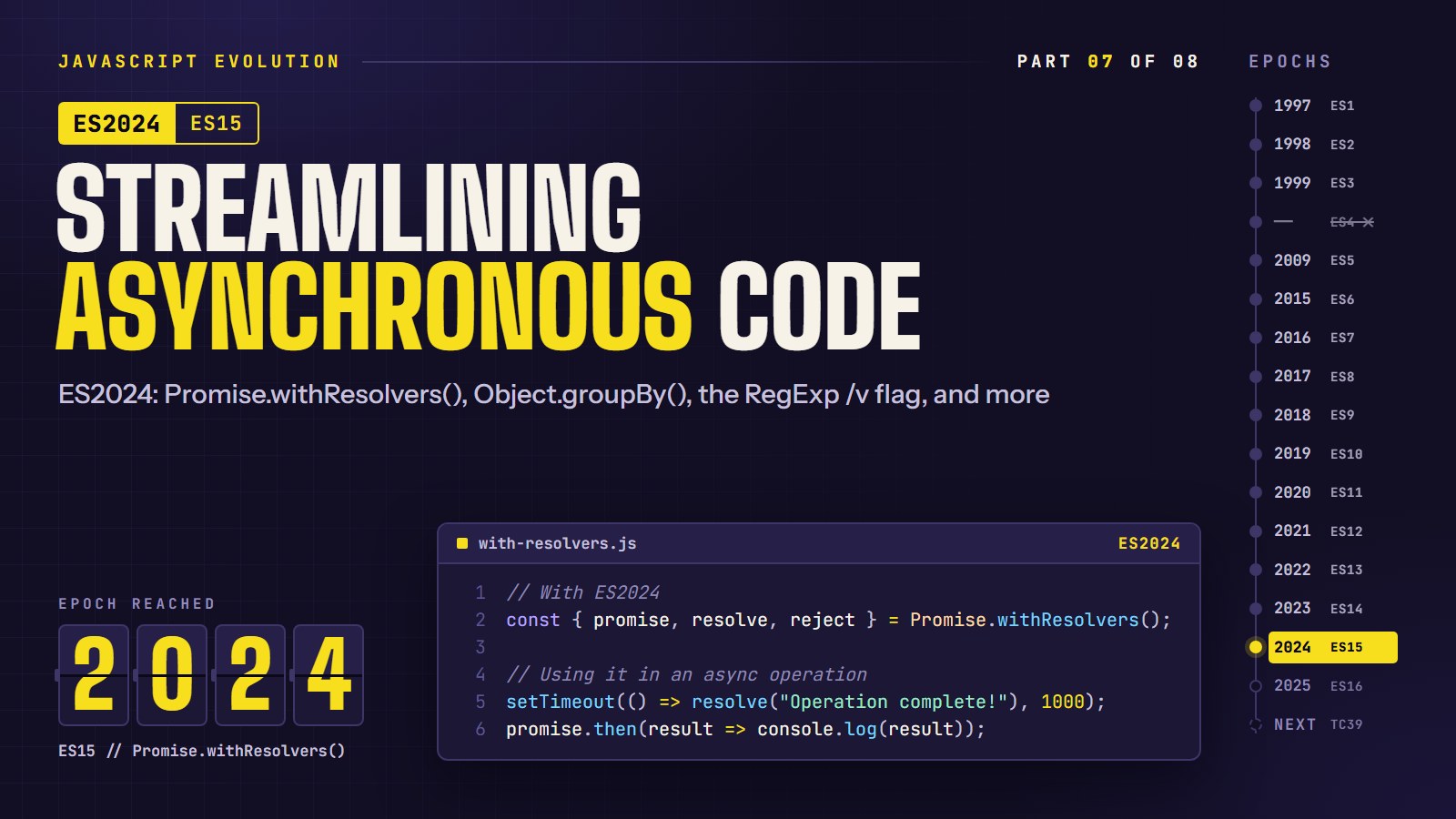
Quick: group [1, 2, 3, 4, 5] into odds and evens. Until recently that meant a reduce full of boilerplate. In Node 22 and in browsers from 2023 onward it is one line, Object.groupBy. That is one of the additions in ECMAScript 2024 (ES15), the yearly edition of the JavaScript standard. Only one of the items below, Promise.withResolvers(), is really about async code; the rest is a grab-bag of useful 2024 tools.
In this article, we are going to try each of the 2024 additions with a runnable example, and finish with two short challenges. The last two items, /v and Atomics.waitAsync, are specialist tools. It is fine to skim them.
How a feature gets into JavaScript#
A committee called TC39 moves every proposal through stages 1 to 4. Stage 4 means finished and headed for the next yearly edition. Only Stage 4 features are in ES2024; anything earlier is a proposal that can still change or disappear.
ES2024 (ES15) Features, Plus One ES2023 Neighbor#
1. RegExp Enhancements with the /v Flag#
Regular expressions get a significant boost with the new /v flag, which introduces set operations for character classes:
// Using character set operations with the v flag
// (the g flag returns every match instead of only the first)
const consonantsOnly = /[[a-z]--[aeiou]]/gv;
console.log("javascript".match(consonantsOnly));
// Matches: ['j', 'v', 's', 'c', 'r', 'p', 't']

// Intersection using &&
const asciiDigits = /[\p{Decimal_Number}&&[0-9]]/gv;
console.log("123٤٥٦".match(asciiDigits));
// Matches: ['1', '2', '3']
This enhancement makes complex pattern matching significantly more intuitive, especially when working with internationalized content.
---html
<h1>RegExp Enhancements with /v Flag (ES2024)</h1>
  <div class="container">
    <div class="panel">
      <h2>Test String</h2>
      <div class="input-group">
        <input type="text" id="testString" value="JavaScript2024! αβγ123٤٥٦">
      </div>
      <h2>RegExp Operation</h2>
      <div class="input-group">
        <select id="operation">
          <option value="subtraction">Subtraction (--)</option>
          <option value="intersection">Intersection (&&)</option>
          <option value="union">Union (|)</option>
          <option value="standard">Standard RegExp (no v flag)</option>
        </select>
      </div>
      <button id="runTest">Run RegExp Test</button>
      <div class="result" id="result"></div>
      <div class="note" id="featureNote">
        Note: The /v flag is a new ES2024 feature. If you see an error, your browser may not support it yet.
      </div>
    </div>
    <div class="panel">
      <h2>What's This?</h2>
      <p>ES2024 introduces the new <code>/v</code> flag for RegExp which enables powerful set operations:</p>
      <ul>
        <li><strong>Subtraction (--)</strong>: Match characters in the first set but not in the second</li>
        <li><strong>Intersection (&&)</strong>: Match characters present in both sets</li>
        <li><strong>Union (|)</strong>: Match characters present in either set</li>
      </ul>
      <p>This makes complex pattern matching much more intuitive, especially for internationalized content.</p>
      <p>Examples:</p>
      <pre><code>// Match consonants (letters excluding vowels)
/[[a-z]--[aeiou]]/v

// Match ASCII digits only
/[\p{Decimal_Number}&&[0-9]]/v

// Match Latin or Greek letters
/[[a-zA-Z]|[\u0370-\u03FF]]/v</code></pre>
    </div>
  </div>
---css
:root {
      color-scheme: light dark;
    }

    body {
      font-family: system-ui, sans-serif;
      max-width: 800px;
      margin: 0 auto;
      padding: 2rem;
      line-height: 1.6;
    }

    h1 {
      color: #646cff;
    }

    .container {
      display: grid;
      grid-template-columns: 1fr 1fr;
      gap: 1.5rem;
    }

    .panel {
      background-color: rgba(100, 108, 255, 0.1);
      border-radius: 8px;
      padding: 1.5rem;
    }

    .input-group {
      margin-bottom: 1rem;
    }

    input, select {
      width: 100%;
      padding: 0.5rem;
      border-radius: 4px;
      border: 1px solid #ccc;
      background-color: rgba(255, 255, 255, 0.9);
      color: #000;
    }

    @media (prefers-color-scheme: dark) {
      input, select {
        background-color: rgba(0, 0, 0, 0.3);
        border-color: #444;
        color: #fff;
      }
    }

    button {
      background-color: #646cff;
      color: white;
      border: none;
      border-radius: 4px;
      padding: 0.5rem 1rem;
      cursor: pointer;
      transition: background-color 0.3s;
    }

    button:hover {
      background-color: #4c52c7;
    }

    .result {
      margin-top: 1rem;
      font-family: monospace;
      white-space: pre-wrap;
      background-color: rgba(0, 0, 0, 0.1);
      padding: 1rem;
      border-radius: 4px;
      overflow-x: auto;
    }

    @media (prefers-color-scheme: dark) {
      .result {
        background-color: rgba(255, 255, 255, 0.1);
      }
    }

    .note {
      margin-top: 1rem;
      padding: 0.5rem 1rem;
      background-color: rgba(255, 193, 7, 0.2);
      border-left: 4px solid #ffc107;
      border-radius: 4px;
    }
---js
document.getElementById('runTest').addEventListener('click', () => {
      const testString = document.getElementById('testString').value;
      const operation = document.getElementById('operation').value;
      const resultElement = document.getElementById('result');

      try {
        // Feature detection for RegExp v flag
        let vFlagSupported = true;
        try {
          new RegExp('', 'v');
        } catch {
          vFlagSupported = false;
        }

        let pattern;
        let explanation;
        let matches;

        switch (operation) {
          case 'subtraction':
            // Match letters but not vowels
            if (!vFlagSupported) throw new Error("The /v flag is not supported in this browser");
            pattern = /[[a-zA-Z]--[aeiouAEIOU]]/vg;
            explanation = "Finding consonants (letters excluding vowels)";
            matches = [...testString.matchAll(pattern)].map(m => m[0]);
            break;

          case 'intersection':
            // Match characters that are both digits and ASCII (0-9)
            if (!vFlagSupported) throw new Error("The /v flag is not supported in this browser");
            pattern = /[\p{Decimal_Number}&&[0-9]]/vg;
            explanation = "Finding digits that are in ASCII range 0-9 only";
            matches = [...testString.matchAll(pattern)].map(m => m[0]);
            break;

          case 'union':
            // Match either Latin letters or Greek letters
            if (!vFlagSupported) throw new Error("The /v flag is not supported in this browser");
            // Fix: Properly format the union operation
            pattern = /[a-zA-Z\u0370-\u03FF]/vg;
            explanation = "Finding all Latin or Greek letters";
            matches = [...testString.matchAll(pattern)].map(m => m[0]);
            break;

          case 'standard':
            // Standard RegExp (no special set operations)
            pattern = /[a-zA-Z\u0370-\u03FF]/g;
            explanation = "Finding all Latin or Greek letters (standard RegExp)";
            matches = testString.match(pattern) || [];
            break;
        }

        resultElement.innerHTML = `${explanation}:\n\nMatches: [${matches.join(', ')}]\n\nRegExp used: ${pattern}`;

        // Update feature note
        document.getElementById('featureNote').style.display = 'none';
      } catch (error) {
        resultElement.innerHTML = `Error: ${error.message}\n\nThis likely means your browser doesn't support the /v flag or the specific set operations yet.`;

        // Show feature note
        document.getElementById('featureNote').style.display = 'block';
        document.getElementById('featureNote').innerHTML =
          `<strong>Browser Support Issue:</strong> The RegExp /v flag is a new ES2024 feature that may not be fully supported in your browser yet.<br><br>
          Try using the "Standard RegExp" option which uses traditional syntax.`;
      }
    });
2. Not ES2024: Array and TypedArray findLast() and findLastIndex() (ES2023)#
Building on the popular find() and findIndex() methods, ES2023 introduced their backwards-searching counterparts. They arrived one edition (ES2023) before the rest of this list, so they are not part of ES2024, but they pair naturally with ES2024's new array tools:
const numbers = [1, 4, 10, 5, 15, 2];

// Find the last number greater than 5
const lastLargeNumber = numbers.findLast(num => num > 5);
console.log(lastLargeNumber); // 15

// Find the index of the last number greater than 5
const lastLargeNumberIndex = numbers.findLastIndex(num => num > 5);
console.log(lastLargeNumberIndex); // 4
These methods provide a convenient way to search arrays from the end instead of having to reverse an array first or use complex workarounds.
---html
<h1>Array findLast() and findLastIndex() (ES2024)</h1>

<div class="controls">
	<h2>Product Price Filter</h2>
	<div class="flex">
		<span>Price threshold: $</span>
		<input type="range" id="priceSlider" min="10" max="100" step="5" value="50">
		<span id="priceValue">$50</span>
	</div>
	<div class="flex" style="margin-top: 1rem;">
		<button id="findFirstBtn">Find First Product</button>
		<button id="findLastBtn">Find Last Product</button>
		<button id="resetBtn">Reset</button>
	</div>
	<div class="result" id="result">Select an operation to find products based on price threshold</div>
</div>

<h2>Product Catalog</h2>
<div class="products" id="productContainer"></div>
---css
:root {
      color-scheme: light dark;
    }

    body {
      font-family: system-ui, sans-serif;
      max-width: 800px;
      margin: 0 auto;
      padding: 2rem;
      line-height: 1.6;
    }

    h1 {
      color: #8b5cf6;
    }

    .products {
      display: grid;
      grid-template-columns: repeat(auto-fill, minmax(200px, 1fr));
      gap: 1rem;
      margin-bottom: 2rem;
    }

    .product-card {
      background-color: rgba(139, 92, 246, 0.1);
      border-radius: 8px;
      padding: 1rem;
      transition: transform 0.2s;
    }

    .product-card:hover {
      transform: translateY(-5px);
    }

    .highlighted {
      border: 2px solid #8b5cf6;
      background-color: rgba(139, 92, 246, 0.2);
    }

    .price {
      font-weight: bold;
      color: #8b5cf6;
    }

    .controls {
      background-color: rgba(139, 92, 246, 0.1);
      padding: 1.5rem;
      border-radius: 8px;
      margin-bottom: 2rem;
    }

    .flex {
      display: flex;
      gap: 1rem;
      align-items: center;
    }

    input[type="range"] {
      flex: 1;
    }

    button {
      background-color: #8b5cf6;
      color: white;
      border: none;
      border-radius: 4px;
      padding: 0.5rem 1rem;
      cursor: pointer;
      transition: background-color 0.3s;
    }

    button:hover {
      background-color: #7c3aed;
    }

    .result {
      margin-top: 1rem;
      background-color: rgba(0, 0, 0, 0.1);
      padding: 1rem;
      border-radius: 4px;
    }

    @media (prefers-color-scheme: dark) {
      .result {
        background-color: rgba(255, 255, 255, 0.1);
      }
    }
  <
---js
// Product data
const products = [
{ id: 1, name: "Wireless Earbuds", price: 29.99, color: "white" },
{ id: 2, name: "Smartphone Case", price: 19.99, color: "black" },
{ id: 3, name: "Bluetooth Speaker", price: 59.99, color: "blue" },
{ id: 4, name: "USB-C Cable", price: 14.99, color: "black" },
{ id: 5, name: "Power Bank", price: 49.99, color: "silver" },
{ id: 6, name: "Smart Watch", price: 79.99, color: "black" },
{ id: 7, name: "Tablet Stand", price: 24.99, color: "silver" },
{ id: 8, name: "Wireless Charger", price: 34.99, color: "black" },
{ id: 9, name: "Noise-Canceling Headphones", price: 89.99, color: "black" },
{ id: 10, name: "Keyboard Cover", price: 9.99, color: "clear" }];


// Render products
function renderProducts() {
  const container = document.getElementById('productContainer');
  container.innerHTML = '';

  products.forEach(product => {
    const card = document.createElement('div');
    card.className = 'product-card';
    card.dataset.id = product.id;

    card.innerHTML = `
          <h3>${product.name}</h3>
          <p>Color: ${product.color}</p>
          <p class="price">$${product.price.toFixed(2)}</p>
        `;

    container.appendChild(card);
  });
}

// Initialize
renderProducts();

// Update price slider value display
const priceSlider = document.getElementById('priceSlider');
const priceValue = document.getElementById('priceValue');

priceSlider.addEventListener('input', () => {
  priceValue.textContent = `$${priceSlider.value}`;
});

// Reset highlighting
function resetHighlighting() {
  document.querySelectorAll('.product-card').forEach(card => {
    card.classList.remove('highlighted');
  });
}

// Find first product above threshold
document.getElementById('findFirstBtn').addEventListener('click', () => {
  resetHighlighting();
  const threshold = parseFloat(priceSlider.value);
  const result = document.getElementById('result');

  // Traditional find() method (from front to back)
  const product = products.find(p => p.price > threshold);

  if (product) {
    result.innerHTML = `
          <strong>Using find():</strong> Found first product above $${threshold}:<br>
          ${product.name} ($${product.price.toFixed(2)})
        `;
    document.querySelector(`.product-card[data-id="${product.id}"]`).classList.add('highlighted');
  } else {
    result.textContent = `No products found above $${threshold}`;
  }
});

// Find last product above threshold
document.getElementById('findLastBtn').addEventListener('click', () => {
  resetHighlighting();
  const threshold = parseFloat(priceSlider.value);
  const result = document.getElementById('result');

  try {
    // ES2024 findLast() method (from back to front)
    const product = products.findLast(p => p.price > threshold);

    if (product) {
      result.innerHTML = `
            <strong>Using findLast():</strong> Found last product above $${threshold}:<br>
            ${product.name} ($${product.price.toFixed(2)})
          `;
      document.querySelector(`.product-card[data-id="${product.id}"]`).classList.add('highlighted');
    } else {
      result.textContent = `No products found above $${threshold}`;
    }
  } catch (error) {
    // Fallback for browsers without findLast support
    result.innerHTML = `
          <strong>Error:</strong> findLast() not supported in your browser yet.<br>
          <strong>Fallback:</strong> Using reversed array with find()
        `;

    const product = [...products].reverse().find(p => p.price > threshold);

    if (product) {
      result.innerHTML += `<br>Found last product above $${threshold}: ${product.name} ($${product.price.toFixed(2)})`;
      document.querySelector(`.product-card[data-id="${product.id}"]`).classList.add('highlighted');
    } else {
      result.innerHTML += `<br>No products found above $${threshold}`;
    }
  }
});

// Reset button
document.getElementById('resetBtn').addEventListener('click', () => {
  resetHighlighting();
  document.getElementById('result').textContent = 'Select an operation to find products based on price threshold';
});
3. Object.groupBy() and Map.groupBy()#
One of the most useful additions to ES2024, these methods allow you to group collection elements by a property or computed value:
const inventory = [
  { name: "asparagus", type: "vegetable" },
  { name: "banana", type: "fruit" },
  { name: "goat", type: "meat" },
  { name: "apple", type: "fruit" }
];

// Group items by type
const grouped = Object.groupBy(inventory, item => item.type);
console.log(grouped);
/*
[Object: null prototype] {
  vegetable: [{ name: "asparagus", type: "vegetable" }],
  fruit: [{ name: "banana", type: "fruit" }, { name: "apple", type: "fruit" }],
  meat: [{ name: "goat", type: "meat" }]
}
*/

// Using Map.groupBy for a Map result
const groupedMap = Map.groupBy(inventory, item => item.type);
console.log(groupedMap);
// Map(3) { 'vegetable' => [...], 'fruit' => [...], 'meat' => [...] }
(Node prints the plain object with [Object: null prototype]: the result has no prototype, so a group named toString cannot collide with a built-in. Use Map.groupBy when your keys are not strings.)
This feature eliminates the need for common boilerplate code that developers have been writing for years when aggregating data. Both exist in Node 22 (we checked on 22.12). As of October 2026, MDN's compatibility data lists Object.groupBy in Chrome 117, Firefox 119, Safari 17.4 and Node 21, and the /v flag in Chrome 112, Firefox 116, Safari 17 and Node 20. Use the compatibility tester later in this post if you must support older ones.
---html
<h3>Odd or even?</h3>
<pre id="out">Press Run to see the result.</pre>
---js
const numbers = [1, 2, 3, 4, 5];

// TODO: finish the callback so it returns "even" or "odd" for each number.
const grouped = Object.groupBy(numbers, (n) => {
  return "TODO";
});

// Expected: {"odd":[1,3,5],"even":[2,4]} (key order may differ)
document.getElementById("out").textContent = JSON.stringify(grouped);
---html
<h1>Object.groupBy() and Map.groupBy() (ES2024)</h1>

  <div class="panel">
    <h2>Task Management Dashboard</h2>
    <p>Group tasks by different criteria using ES2024's new groupBy methods:</p>

    <div class="controls">
      <button id="btnStatus" class="active">By Status</button>
      <button id="btnPriority">By Priority</button>
      <button id="btnAssignee">By Assignee</button>
      <button id="btnDueMonth">By Due Month</button>
    </div>

    <h3>Original Task List</h3>
    <div class="table-container">
      <table class="data-table" id="taskTable">
        <thead>
          <tr>
            <th>ID</th>
            <th>Title</th>
            <th>Status</th>
            <th>Priority</th>
            <th>Assignee</th>
            <th>Due Date</th>
          </tr>
        </thead>
        <tbody id="taskTableBody"></tbody>
      </table>
    </div>

    <h3>Grouped Results</h3>
    <div class="result" id="groupedResult"></div>
  </div>

  <div class="grid">
    <div class="panel">
      <h2>What's Object.groupBy()?</h2>
      <p>ES2024 introduces <code>Object.groupBy()</code> which groups array elements into an object where keys are determined by the provided callback function.</p>
      <div class="code-example">
// Basic syntax
const grouped = Object.groupBy(
  array,
  (item) => computeKey(item)
);

// Result: object with computed keys
{
  key1: [items matching key1],
  key2: [items matching key2],
  // ...
}
      </div>
      <p>This eliminates common boilerplate code for data aggregation and makes your code more readable and maintainable.</p>
    </div>

    <div class="panel">
      <h2>What's Map.groupBy()?</h2>
      <p>Similar to Object.groupBy(), but returns a Map instance instead of a plain object. This is useful when:</p>
      <ul>
        <li>You need non-string keys</li>
        <li>You want to preserve insertion order</li>
        <li>You need Map-specific methods</li>
      </ul>
      <div class="code-example">
// Basic syntax
const groupedMap = Map.groupBy(
  array,
  (item) => computeKey(item)
);

// Result: Map with computed keys
Map {
  key1 => [items matching key1],
  key2 => [items matching key2],
  // ...
}
      </div>
    </div>
  </div>
---css
:root {
      color-scheme: light dark;
    }

    body {
      font-family: system-ui, sans-serif;
      max-width: 800px;
      margin: 0 auto;
      padding: 2rem;
      line-height: 1.6;
    }

    h1 {
      color: #10b981;
    }

    .grid {
      display: grid;
      grid-template-columns: 1fr;
      gap: 1.5rem;
    }

    @media (min-width: 640px) {
      .grid {
        grid-template-columns: 1fr 1fr;
      }
    }

    .panel {
      background-color: rgba(16, 185, 129, 0.1);
      border-radius: 8px;
      padding: 1.5rem;
    }

    .controls {
      display: flex;
      gap: 1rem;
      flex-wrap: wrap;
      margin: 1rem 0;
    }

    button {
      background-color: #10b981;
      color: white;
      border: none;
      border-radius: 4px;
      padding: 0.5rem 1rem;
      cursor: pointer;
      transition: background-color 0.3s;
      flex: 1;
      min-width: 120px;
    }

    button:hover {
      background-color: #059669;
    }

    .active {
      background-color: #059669;
      font-weight: bold;
    }

    .result {
      margin-top: 1rem;
      background-color: rgba(0, 0, 0, 0.1);
      padding: 1rem;
      border-radius: 4px;
      overflow-x: auto;
    }

    @media (prefers-color-scheme: dark) {
      .result {
        background-color: rgba(255, 255, 255, 0.1);
      }
    }

    .data-table {
      width: 100%;
      border-collapse: collapse;
      margin: 1rem 0;
    }

    .data-table th, .data-table td {
      padding: 0.5rem;
      text-align: left;
      border-bottom: 1px solid rgba(16, 185, 129, 0.2);
    }

    .data-table th {
      background-color: rgba(16, 185, 129, 0.2);
    }

    .group-header {
      background-color: rgba(16, 185, 129, 0.3);
      padding: 0.5rem;
      margin: 1rem 0 0.5rem;
      border-radius: 4px;
      font-weight: bold;
    }

    .code-example {
      font-family: monospace;
      white-space: pre;
      overflow-x: auto;
    }
---js
// Sample data
const tasks = [
{ id: 1, title: "Complete project proposal", status: "In Progress", priority: "High", assignee: "Alice", dueDate: "2024-07-15" },
{ id: 2, title: "Review code changes", status: "Pending", priority: "Medium", assignee: "Bob", dueDate: "2024-06-28" },
{ id: 3, title: "Update documentation", status: "Completed", priority: "Low", assignee: "Charlie", dueDate: "2024-06-10" },
{ id: 4, title: "Fix login bug", status: "In Progress", priority: "High", assignee: "Alice", dueDate: "2024-07-05" },
{ id: 5, title: "Deploy new features", status: "Pending", priority: "High", assignee: "Bob", dueDate: "2024-07-20" },
{ id: 6, title: "Design user dashboard", status: "Completed", priority: "Medium", assignee: "Charlie", dueDate: "2024-06-15" },
{ id: 7, title: "Optimize database queries", status: "In Progress", priority: "Medium", assignee: "Alice", dueDate: "2024-08-10" },
{ id: 8, title: "Setup analytics tracking", status: "Pending", priority: "Low", assignee: "Bob", dueDate: "2024-08-05" },
{ id: 9, title: "User testing coordination", status: "Completed", priority: "High", assignee: "Charlie", dueDate: "2024-07-01" },
{ id: 10, title: "Security audit", status: "In Progress", priority: "High", assignee: "Alice", dueDate: "2024-08-15" }];


// Populate task table
function renderTaskTable() {
  const tableBody = document.getElementById('taskTableBody');
  tableBody.innerHTML = '';

  tasks.forEach(task => {
    const row = document.createElement('tr');
    row.innerHTML = `
          <td>${task.id}</td>
          <td>${task.title}</td>
          <td>${task.status}</td>
          <td>${task.priority}</td>
          <td>${task.assignee}</td>
          <td>${task.dueDate}</td>
        `;
    tableBody.appendChild(row);
  });
}

// Format date for display
function formatDate(dateString) {
  const date = new Date(dateString);
  return date.toLocaleDateString('en-US', { month: 'long', year: 'numeric' });
}

// Extract month from date
function getMonth(dateString) {
  const date = new Date(dateString);
  return date.toLocaleDateString('en-US', { month: 'long' });
}

// Group by different criteria
function groupTasks(criteria) {
  const resultElement = document.getElementById('groupedResult');
  let groupFunction,useMap = false;

  switch (criteria) {
    case 'status':
      groupFunction = task => task.status;
      break;
    case 'priority':
      groupFunction = task => task.priority;
      break;
    case 'assignee':
      groupFunction = task => task.assignee;
      break;
    case 'dueMonth':
      groupFunction = task => getMonth(task.dueDate);
      useMap = true; // Use Map.groupBy for this example
      break;}


  try {
    let grouped, resultHTML;

    if (useMap) {
      // Using Map.groupBy
      grouped = Map.groupBy(tasks, groupFunction);

      resultHTML = '<h4>Using Map.groupBy():</h4>';

      for (const [key, items] of grouped) {
        resultHTML += `<div class="group-header">${key} (${items.length} tasks)</div>`;
        resultHTML += '<ul>';
        items.forEach(item => {
          resultHTML += `<li>${item.title} - Due: ${formatDate(item.dueDate)}</li>`;
        });
        resultHTML += '</ul>';
      }
    } else {
      // Using Object.groupBy
      grouped = Object.groupBy(tasks, groupFunction);

      resultHTML = '<h4>Using Object.groupBy():</h4>';

      for (const [key, items] of Object.entries(grouped)) {
        resultHTML += `<div class="group-header">${key} (${items.length} tasks)</div>`;
        resultHTML += '<ul>';
        items.forEach(item => {
          resultHTML += `<li>${item.title} - ${item.priority} priority</li>`;
        });
        resultHTML += '</ul>';
      }
    }

    resultElement.innerHTML = resultHTML + `
          <div class="code-example" style="margin-top: 1rem;">
// JavaScript code that just ran:
const grouped = ${useMap ? 'Map' : 'Object'}.groupBy(
  tasks,
  task => ${criteria === 'dueMonth' ? 'getMonth(task.dueDate)' : 'task.' + criteria}
);
          </div>
        `;
  } catch (error) {
    // Fallback for browsers without groupBy support
    resultElement.innerHTML = `
          <div style="color: red;">
            <strong>Error:</strong> ${error.message}<br>
            <p>It seems your browser doesn't support ${useMap ? 'Map' : 'Object'}.groupBy() yet.</p>
            <p>This is a new ES2024 feature that might not be available in all browsers.</p>
          </div>
        `;
  }
}

// Initialize
renderTaskTable();
groupTasks('status');

// Button event listeners
document.getElementById('btnStatus').addEventListener('click', e => {
  setActiveButton(e.target);
  groupTasks('status');
});

document.getElementById('btnPriority').addEventListener('click', e => {
  setActiveButton(e.target);
  groupTasks('priority');
});

document.getElementById('btnAssignee').addEventListener('click', e => {
  setActiveButton(e.target);
  groupTasks('assignee');
});

document.getElementById('btnDueMonth').addEventListener('click', e => {
  setActiveButton(e.target);
  groupTasks('dueMonth');
});

// Helper to set active button
function setActiveButton(button) {
  document.querySelectorAll('.controls button').forEach(btn => {
    btn.classList.remove('active');
  });
  button.classList.add('active');
}
4. Well-Formed Unicode Strings with String.prototype.toWellFormed()#
JavaScript strings are sequences of 16-bit units. Characters outside the basic range (emoji, for example) take two units called a surrogate pair. A "lone surrogate" is half of a pair with no partner: a broken character, and some APIs (such as encodeURIComponent) throw on it. toWellFormed() replaces each lone surrogate with the replacement character U+FFFD, and isWellFormed() tells you whether a string has any:
// Create a string with a lone surrogate
const problematicString = "Hello\uD800World";

// Fix the string
const fixedString = problematicString.toWellFormed();
console.log(fixedString); // "Hello�World" (with a replacement character)

// Check if a string is well-formed
console.log(problematicString.isWellFormed()); // false (it contains a lone surrogate)
console.log(fixedString.isWellFormed()); // true

// The failure this prevents:
try {
  encodeURIComponent(problematicString);
} catch (error) {
  console.log(error.name); // "URIError"
}
This method helps prevent encoding errors when working with Unicode strings, particularly when interacting with APIs that require well-formed UTF-16. Everyday code rarely meets a lone surrogate, so reach for this when text comes from outside (user input, cut-off strings, binary data).
---html
<h1>String.prototype.toWellFormed() (ES2024)</h1>

  <div class="panel">
    <h2>Unicode String Validator</h2>
    <p>This tool demonstrates the new ES2024 <code>String.prototype.toWellFormed()</code> method to fix strings with lone surrogate pairs that would cause encoding issues.</p>

    <div class="form-group">
      <label for="inputString">Input String:</label>
      <div class="input-container">
        <textarea id="inputString" placeholder="Type or paste a string here, or use the 'Add Problem Characters' button"></textarea>
      </div>
      <div class="badges" id="inputBadges"></div>
      <div class="hex-display" id="inputHex"></div>
    </div>

    <div class="controls">
      <button id="fixBtn">Fix String with toWellFormed()</button>
      <button id="addProblemBtn">Add Problem Characters</button>
      <button id="copyBtn">Copy Fixed String</button>
      <button id="clearBtn">Clear</button>
    </div>

    <div class="form-group">
      <label for="fixedString">Fixed String Output:</label>
      <div class="input-container">
        <textarea id="fixedString" readonly></textarea>
      </div>
      <div class="badges" id="outputBadges"></div>
      <div class="hex-display" id="outputHex"></div>
    </div>

    <div class="output" id="result"></div>
  </div>

  <div class="panel">
    <h2>What is String.prototype.toWellFormed()?</h2>

    <p>ES2024 introduces the <code>toWellFormed()</code> method which helps ensure strings are valid UTF-16 by replacing lone surrogate code points with the Unicode replacement character (�).</p>

    <h3>Why is this important?</h3>
    <ul>
      <li>UTF-16 encodes certain characters using surrogate pairs (two 16-bit code units)</li>
      <li>If one half of a surrogate pair appears alone, it creates invalid Unicode</li>
      <li>Invalid Unicode can cause problems when:
        <ul>
          <li>Sending strings to APIs that expect well-formed UTF-16</li>
          <li>Encoding/decoding JSON</li>
          <li>Working with internationalized content</li>
        </ul>
      </li>
    </ul>

    <h3>Common Usage:</h3>
    <pre><code>// Before ES2024, you had to use workarounds
function fixString(str) {
  return str.replace(/[\uD800-\uDFFF]/g, '�');
}

// With ES2024
function fixString(str) {
  return str.toWellFormed();
}</code></pre>

    <p>In this demo, we create strings with lone surrogate characters, then fix them using <code>toWellFormed()</code>. The hex view shows the actual bytes in the string.</p>
  </div>
---css
:root {
      color-scheme: light dark;
    }

    body {
      font-family: system-ui, sans-serif;
      max-width: 800px;
      margin: 0 auto;
      padding: 2rem;
      line-height: 1.6;
    }

    h1 {
      color: #0ea5e9;
    }

    .panel {
      background-color: rgba(14, 165, 233, 0.1);
      border-radius: 8px;
      padding: 1.5rem;
      margin-bottom: 1.5rem;
    }

    .form-group {
      margin-bottom: 1rem;
    }

    label {
      display: block;
      margin-bottom: 0.5rem;
      font-weight: bold;
    }

    .input-container {
      position: relative;
    }

    textarea {
      width: 100%;
      height: 120px;
      padding: 0.75rem;
      border: 1px solid #ccc;
      border-radius: 4px;
      font-family: monospace;
      background-color: rgba(255, 255, 255, 0.9);
      color: #000;
    }

    @media (prefers-color-scheme: dark) {
      textarea {
        background-color: rgba(0, 0, 0, 0.3);
        border-color: #444;
        color: #fff;
      }
    }

    .controls {
      display: flex;
      gap: 0.5rem;
      margin: 1rem 0;
    }

    button {
      background-color: #0ea5e9;
      color: white;
      border: none;
      border-radius: 4px;
      padding: 0.5rem 1rem;
      cursor: pointer;
      transition: background-color 0.3s;
    }

    button:hover {
      background-color: #0284c7;
    }

    .output {
      margin-top: 1rem;
      font-family: monospace;
      white-space: pre-wrap;
      background-color: rgba(0, 0, 0, 0.1);
      padding: 1rem;
      border-radius: 4px;
    }

    @media (prefers-color-scheme: dark) {
      .output {
        background-color: rgba(255, 255, 255, 0.1);
      }
    }

    .badges {
      display: flex;
      gap: 0.5rem;
      margin-top: 0.5rem;
    }

    .badge {
      padding: 0.25rem 0.5rem;
      border-radius: 4px;
      font-size: 0.8rem;
      font-weight: bold;
    }

    .valid {
      background-color: #22c55e;
      color: white;
    }

    .invalid {
      background-color: #ef4444;
      color: white;
    }

    .hex-display {
      font-family: monospace;
      font-size: 0.9rem;
      margin-top: 0.5rem;
    }
---js
// DOM Elements
const inputString = document.getElementById('inputString');
const fixedString = document.getElementById('fixedString');
const result = document.getElementById('result');
const inputBadges = document.getElementById('inputBadges');
const outputBadges = document.getElementById('outputBadges');
const inputHex = document.getElementById('inputHex');
const outputHex = document.getElementById('outputHex');

// Add problem characters button
document.getElementById('addProblemBtn').addEventListener('click', () => {
  // Mix of normal text and problematic surrogate characters
  inputString.value = "Hello World! \uD800 This has a high surrogate without its pair.";
  inputString.value += "\nAnd this \uDC00 has a low surrogate without its pair.";
  inputString.value += "\nThis emoji 👍 is properly formed (with both surrogates).";
  inputString.value += "\nThis text includes both valid and invalid \uD83D characters.";

  updateInputAnalysis();
});

// Fix string button
document.getElementById('fixBtn').addEventListener('click', () => {
  try {
    const input = inputString.value;

    // Check if toWellFormed is supported
    if (typeof input.toWellFormed === 'function') {
      // Use the new ES2024 method
      const fixed = input.toWellFormed();
      fixedString.value = fixed;
      result.textContent = "String fixed using String.prototype.toWellFormed()";

      // Show differences
      const original = [...input];
      const wellFormed = [...fixed];

      if (original.length !== wellFormed.length) {
        result.textContent += `\n\nChanges made: ${Math.abs(original.length - wellFormed.length)} character(s) replaced.`;
      }
    } else {
      // Fallback for browsers without toWellFormed support
      const fixed = input.replace(/[\uD800-\uDBFF](?![\uDC00-\uDFFF])|(?<![\uD800-\uDBFF])[\uDC00-\uDFFF]/g, '�');
      fixedString.value = fixed;
      result.textContent = "Your browser doesn't support String.prototype.toWellFormed() yet.\nUsed a regular expression fallback instead.";
    }

    updateOutputAnalysis();
  } catch (error) {
    result.textContent = `Error: ${error.message}`;
  }
});

// Copy button
document.getElementById('copyBtn').addEventListener('click', () => {
  fixedString.select();
  document.execCommand('copy');
  result.textContent = "Fixed string copied to clipboard!";
});

// Clear button
document.getElementById('clearBtn').addEventListener('click', () => {
  inputString.value = '';
  fixedString.value = '';
  result.textContent = '';
  inputBadges.innerHTML = '';
  outputBadges.innerHTML = '';
  inputHex.textContent = '';
  outputHex.textContent = '';
});

// Input change event
inputString.addEventListener('input', updateInputAnalysis);

// Analyze string and display badges
function updateInputAnalysis() {
  const str = inputString.value;
  updateStringAnalysis(str, inputBadges, inputHex);
}

function updateOutputAnalysis() {
  const str = fixedString.value;
  updateStringAnalysis(str, outputBadges, outputHex);
}

function updateStringAnalysis(str, badgesElement, hexElement) {
  badgesElement.innerHTML = '';

  // Check for high surrogate without low surrogate
  const hasLoneSurrogates = /[\uD800-\uDBFF](?![\uDC00-\uDFFF])|(?<![\uD800-\uDBFF])[\uDC00-\uDFFF]/.test(str);

  // Check if string is well-formed
  let isWellFormed = !hasLoneSurrogates;
  if (typeof str.isWellFormed === 'function') {
    isWellFormed = str.isWellFormed();
    addBadge(badgesElement, `Native check: ${isWellFormed ? 'Well-formed' : 'Has issues'}`, isWellFormed ? 'valid' : 'invalid');
  }

  addBadge(badgesElement, `Regex check: ${hasLoneSurrogates ? 'Has lone surrogates' : 'No lone surrogates'}`, !hasLoneSurrogates ? 'valid' : 'invalid');

  // Convert to hex representation for better visualization
  const hex = stringToHex(str);
  hexElement.textContent = `Hex: ${hex}`;
}

function addBadge(container, text, className) {
  const badge = document.createElement('span');
  badge.textContent = text;
  badge.className = `badge ${className}`;
  container.appendChild(badge);
}

function stringToHex(str) {
  // Convert string to hex representation for better visualization
  return Array.from(str).
  map(char => {
    const code = char.charCodeAt(0);
    return `\\u${code.toString(16).padStart(4, '0')}`;
  }).
  join(' ');
}
5. Promise.withResolvers()#
This utility function creates a promise along with its resolve and reject functions already extracted, simplifying common promise patterns:
// Before ES2024
function createPromiseOldWay() {
  let resolveFunc, rejectFunc;
  const promise = new Promise((resolve, reject) => {
    resolveFunc = resolve;
    rejectFunc = reject;
  });
  return { promise, resolve: resolveFunc, reject: rejectFunc };
}

// With ES2024 (use this instead of the function above)
const { promise, resolve, reject } = Promise.withResolvers();

// Using it in an async operation
setTimeout(() => resolve("Operation complete!"), 1000);
promise.then(result => console.log(result));
// After one second: Operation complete!
This feature is particularly useful for creating promises that need to be resolved or rejected outside of their constructor, for example when a click handler, not the code that created the promise, decides when it is done.
---html
<button id="go">Click me</button>
<p id="status">Waiting for a click...</p>
---js
const { promise, resolve } = Promise.withResolvers();

document.getElementById("go").addEventListener("click", () => {
  // TODO: call resolve("Clicked!") here.
});

// Expected after one click: the status text becomes "Clicked!"
promise.then((message) => {
  document.getElementById("status").textContent = message;
});
---html
<h1>Promise.withResolvers() (ES2024)</h1>

  <div class="container">
    <div class="panel">
      <h2>File Upload Simulator</h2>
      <p>This example simulates a file upload process with pause/resume functionality using Promise.withResolvers().</p>

      <div class="progress-bar">
        <div class="progress-fill" id="progressFill"></div>
      </div>

      <div class="controls">
        <button id="startBtn">Start Upload</button>
        <button id="pauseBtn" disabled>Pause</button>
        <button id="resumeBtn" disabled>Resume</button>
        <button id="cancelBtn" disabled>Cancel</button>
      </div>

      <div class="logs" id="logs"></div>
    </div>

    <div class="panel">
      <h2>What's Promise.withResolvers()?</h2>

      <p>ES2024 introduces <code>Promise.withResolvers()</code>, a utility that creates a promise along with its resolve and reject functions all at once.</p>

      <div class="code">
// Before ES2024:
let resolveFunc, rejectFunc;
const promise = new Promise((resolve, reject) => {
  resolveFunc = resolve;
  rejectFunc = reject;
});
return { promise, resolve: resolveFunc, reject: rejectFunc };

// With ES2024:
const { promise, resolve, reject } = Promise.withResolvers();
      </div>

      <p>Benefits:</p>
      <ul>
        <li>Cleaner code with less boilerplate</li>
        <li>No risk of closure issues or variable scoping problems</li>
        <li>Ideal for control flow scenarios like pause/resume</li>
        <li>Perfect for event-driven programming patterns</li>
      </ul>

      <p>In this example, we use Promise.withResolvers() to create "gates" that control the flow of our upload simulation, allowing us to pause and resume the process.</p>
    </div>
  </div>
---css
:root {
	color-scheme: light dark;
}

body {
	font-family: system-ui, sans-serif;
	max-width: 800px;
	margin: 0 auto;
	padding: 2rem;
	line-height: 1.6;
}

h1 {
	color: #f43f5e;
}

.container {
	display: grid;
	grid-template-columns: 1fr;
	gap: 1.5rem;
}

@media (min-width: 640px) {
	.container {
		grid-template-columns: 1fr 1fr;
	}
}

.panel {
	background-color: rgba(244, 63, 94, 0.1);
	border-radius: 8px;
	padding: 1.5rem;
}

.controls {
	display: flex;
	flex-wrap: wrap;
	gap: 0.5rem;
	margin: 1rem 0;
}

button {
	background-color: #f43f5e;
	color: white;
	border: none;
	border-radius: 4px;
	padding: 0.5rem 1rem;
	cursor: pointer;
	transition: background-color 0.3s;
}

button:hover {
	background-color: #e11d48;
}

button:disabled {
	background-color: #f4a3b4;
	cursor: not-allowed;
}

.logs {
	margin-top: 1rem;
	background-color: rgba(0, 0, 0, 0.1);
	padding: 1rem;
	border-radius: 4px;
	max-height: 200px;
	overflow-y: auto;
	font-family: monospace;
}

@media (prefers-color-scheme: dark) {
	.logs {
		background-color: rgba(255, 255, 255, 0.1);
	}
}

.progress-bar {
	height: 20px;
	background-color: rgba(244, 63, 94, 0.2);
	border-radius: 4px;
	margin: 1rem 0;
	overflow: hidden;
}

.progress-fill {
	height: 100%;
	background-color: #f43f5e;
	width: 0%;
	transition: width 0.3s;
}

.code {
	font-family: monospace;
	white-space: pre;
	overflow-x: auto;
	padding: 1rem;
	background-color: rgba(0, 0, 0, 0.05);
	border-radius: 4px;
}

@media (prefers-color-scheme: dark) {
	.code {
		background-color: rgba(255, 255, 255, 0.05);
	}
}
---js
// DOM Elements
const progressFill = document.getElementById('progressFill');
const logsElement = document.getElementById('logs');
const startBtn = document.getElementById('startBtn');
const pauseBtn = document.getElementById('pauseBtn');
const resumeBtn = document.getElementById('resumeBtn');
const cancelBtn = document.getElementById('cancelBtn');

// Upload state
let uploadState = {
  progress: 0,
  isPaused: false,
  isCancelled: false,
  pausePromise: null,
  pauseResolve: null,
  cancelPromise: null,
  cancelReject: null };


// Log messages with timestamp
function log(message) {
  const now = new Date();
  const time = now.toLocaleTimeString();
  const logEntry = document.createElement('div');
  logEntry.textContent = `[${time}] ${message}`;
  logsElement.appendChild(logEntry);
  logsElement.scrollTop = logsElement.scrollHeight;
}

// Update progress bar
function updateProgress(progress) {
  uploadState.progress = progress;
  progressFill.style.width = `${progress}%`;
}

// Create pause gate using Promise.withResolvers()
function createPauseGate() {
  try {
    // Using ES2024 Promise.withResolvers()
    const { promise, resolve } = Promise.withResolvers();
    uploadState.pausePromise = promise;
    uploadState.pauseResolve = resolve;
    log("Created pause gate with Promise.withResolvers()");
  } catch (error) {
    // Fallback for browsers without Promise.withResolvers
    log("Your browser doesn't support Promise.withResolvers() yet, using fallback");
    uploadState.pausePromise = new Promise(resolve => {
      uploadState.pauseResolve = resolve;
    });
  }
}

// Create cancel gate using Promise.withResolvers()
function createCancelGate() {
  try {
    // Using ES2024 Promise.withResolvers()
    const { promise, reject } = Promise.withResolvers();
    uploadState.cancelPromise = promise;
    uploadState.cancelReject = reject;
    log("Created cancel gate with Promise.withResolvers()");
  } catch (error) {
    // Fallback for browsers without Promise.withResolvers
    log("Your browser doesn't support Promise.withResolvers() yet, using fallback");
    uploadState.cancelPromise = new Promise((_, reject) => {
      uploadState.cancelReject = reject;
    });
  }
}

// Simulated upload chunk
async function uploadChunk(chunkNumber, totalChunks) {
  // If paused, wait for resume
  if (uploadState.isPaused) {
    log(`Upload paused at chunk ${chunkNumber}/${totalChunks}`);
    await uploadState.pausePromise;
    log(`Upload resumed at chunk ${chunkNumber}/${totalChunks}`);
  }

  // If cancelled, throw error
  if (uploadState.isCancelled) {
    throw new Error("Upload cancelled");
  }

  // Simulate network delay
  await new Promise(resolve => setTimeout(resolve, 300));

  // Update progress
  const progress = Math.min(100, Math.round(chunkNumber / totalChunks * 100));
  updateProgress(progress);
  log(`Uploaded chunk ${chunkNumber}/${totalChunks} (${progress}%)`);

  return {
    chunkNumber,
    success: true };

}

// Main upload function
async function simulateUpload() {
  const totalChunks = 10;

  // Reset state
  uploadState.progress = 0;
  uploadState.isPaused = false;
  uploadState.isCancelled = false;
  updateProgress(0);

  // Create new control gates
  createPauseGate();
  createCancelGate();

  // Enable control buttons
  pauseBtn.disabled = false;
  cancelBtn.disabled = false;
  startBtn.disabled = true;

  log("Starting upload simulation...");

  try {
    // Upload all chunks, watching for pause/cancel
    const results = [];

    // Using Promise.race to enable cancellation
    for (let i = 1; i <= totalChunks; i++) {
      const result = await Promise.race([
      uploadChunk(i, totalChunks),
      uploadState.cancelPromise]);

      results.push(result);
    }

    log("Upload completed successfully!");
    return results;
  } catch (error) {
    log(`Upload error: ${error.message}`);
    throw error;
  } finally {
    // Reset buttons
    startBtn.disabled = false;
    pauseBtn.disabled = true;
    resumeBtn.disabled = true;
    cancelBtn.disabled = true;
  }
}

// Button event handlers
startBtn.addEventListener('click', () => {
  simulateUpload().catch(() => {
    // Error already logged in the simulateUpload function
  });
});

pauseBtn.addEventListener('click', () => {
  uploadState.isPaused = true;
  pauseBtn.disabled = true;
  resumeBtn.disabled = false;
  log("Pausing upload...");
});

resumeBtn.addEventListener('click', () => {
  uploadState.isPaused = false;
  resumeBtn.disabled = true;
  pauseBtn.disabled = false;

  // Resume upload using the resolver function
  if (uploadState.pauseResolve) {
    uploadState.pauseResolve();
    createPauseGate(); // Create a new pause gate for future pauses
  }

  log("Resuming upload...");
});

cancelBtn.addEventListener('click', () => {
  uploadState.isCancelled = true;

  // Cancel upload using the reject function
  if (uploadState.cancelReject) {
    uploadState.cancelReject(new Error("User cancelled the upload"));
  }

  // Also resolve any pending pause to prevent hanging
  if (uploadState.isPaused && uploadState.pauseResolve) {
    uploadState.pauseResolve();
  }

  pauseBtn.disabled = true;
  resumeBtn.disabled = true;
  cancelBtn.disabled = true;
  log("Cancelling upload...");
});

// Initialize
log("Upload simulator ready. Click 'Start Upload' to begin.");
6. Atomics.waitAsync#
For developers working with shared memory and web workers, Atomics.waitAsync provides a non-blocking way to wait for a value change in a shared buffer. It does not return a promise directly. It returns an object whose value is the promise:
// Create a shared buffer
const buffer = new SharedArrayBuffer(4);
const view = new Int32Array(buffer);

// Set initial value
view[0] = 0;

// Start waiting while the value is still 0.
// The return value is { async: true, value: Promise }, not a Promise.
const waiting = Atomics.waitAsync(view, 0, 0);
waiting.value.then(result => {
  console.log("Value changed:", result); // Value changed: ok
});

// In another thread, this would wake up the waiting thread
Atomics.store(view, 0, 1);
Atomics.notify(view, 0, 1);
Unlike the blocking Atomics.wait(), this asynchronous version allows the main thread to continue execution while waiting for a value change.
Two Features That Were Still Proposals#
These two were proposals when we wrote this. Neither is in ES2024, and neither runs in Node 22, so there is no runnable example. Their status has changed since, and we give it for each one below, as of October 2026.
The Temporal API#
The Temporal API aims to solve the many challenges of the native Date object with a clearer API for date and time work. It was at Stage 3 when we wrote this. It reached Stage 4 at the TC39 meeting in March 2026, and the finished-proposals list gives 2027 as its edition. MDN lists it in Chrome 144, Firefox 139, Node 26 and Deno 2.7, and in Safari only as a preview, so it is not yet available everywhere. Detect it instead of assuming:
if ("Temporal" in globalThis) {
  console.log("Temporal is available here");
} else {
  console.log("Temporal is not available here: use Date or a polyfill"); // Node 22.12 prints this
}
For reference, this is the shape of the API (it needs Temporal or a polyfill to run):
// Create a date
const date = Temporal.PlainDate.from("2024-06-15");

// Add 10 days
const newDate = date.add({ days: 10 });
console.log(newDate.toString()); // "2024-06-25"

// Working with time zones
const now = Temporal.Now.zonedDateTimeISO();
const tokyo = now.withTimeZone("Asia/Tokyo");
console.log(tokyo.toString());
Pipeline Operator#
The pipeline operator would let a value flow through a series of operations from left to right. It was at Stage 2 when we wrote this, and it is still at Stage 2 as of October 2026, so its syntax can still change. Node 22 does not accept it, and we know of no browser that does. Syntax cannot be feature-detected with an if, but you can ask the engine to parse it:
let supportsPipeline = true;
try {
  new Function("return 5 |> String"); // parses only, never runs
} catch {
  supportsPipeline = false;
}
console.log(supportsPipeline); // false in Node 22.12
Today you get the same result by nesting calls:
const result = Math.round(parseFloat(String(5).padEnd(2, "0")));
console.log(result); // 50
A "future syntax" example was removed here: the exact form of the operator is still being decided, so any specific spelling would go stale.
Browser Support and Using ES2024 Features Today#
Browsers shipped these features at different times, so an older browser may lack some. If you must support those, a build tool such as Babel (with core-js polyfills) can fill the gaps:
// Babel configuration for ES2024 features
{
  "presets": [
    ["@babel/preset-env", {
      "targets": "> 0.25%, not dead",
      "useBuiltIns": "usage",
      "corejs": 3
    }]
  ]
}
For production applications, consider using feature detection to ensure compatibility across browsers.
---html
<header>
    <h1>ES2024 Browser Compatibility Tester</h1>
    <p class="subheading">Check which new JavaScript features are supported in your browser</p>
  </header>

  <div class="container">
    <div class="browser-info" id="browserInfo">
      <div class="browser-logo" id="browserLogo">🌐</div>
      <h2>Detecting your browser...</h2>
      <p class="browser-details" id="browserDetails">Please wait while we gather information about your browser.</p>
      <button class="runTestBtn" id="runTestBtn">Run Compatibility Tests</button>
    </div>

    <div class="summary-container" id="summaryContainer" style="display: none;">
      <div class="summary-title">
        <h2>Compatibility Summary</h2>
        <span id="overallScore">0%</span>
      </div>
      <div class="progress-container">
        <div class="progress-bar" id="progressBar"></div>
      </div>
      <div class="stats-grid">
        <div class="stat-card">
          <div class="stat-number" id="supportedCount">0</div>
          <div class="stat-label">Supported</div>
        </div>
        <div class="stat-card">
          <div class="stat-number" id="unsupportedCount">0</div>
          <div class="stat-label">Unsupported</div>
        </div>
        <div class="stat-card">
          <div class="stat-number" id="es2024Score">0%</div>
          <div class="stat-label">ES2024 Score</div>
        </div>
        <div class="stat-card">
          <div class="stat-number" id="es2023Score">0%</div>
          <div class="stat-label">ES2023 Score</div>
        </div>
      </div>
    </div>

    <div class="feature-grid">
      <!-- Promise.withResolvers() -->
      <div class="feature-card">
        <span class="feature-badge es2024-badge">ES2024</span>
        <h3>Promise.withResolvers()</h3>
        <p>Creates a promise along with its resolve and reject functions in a cleaner way.</p>

        <div class="code-sample">
const { promise, resolve, reject } = Promise.withResolvers();

// Later in the code
resolve('Task completed');
        </div>

        <div class="feature-status" id="promiseWithResolversStatus">
          <span class="status-icon">⏳</span>
          <span class="status-text">Test not run yet</span>
        </div>

        <a href="https://developer.mozilla.org/en-US/docs/Web/JavaScript/Reference/Global_Objects/Promise/withResolvers" target="_blank" class="documentation-link">View documentation →</a>
      </div>

      <!-- Object.groupBy() -->
      <div class="feature-card">
        <span class="feature-badge es2024-badge">ES2024</span>
        <h3>Object.groupBy()</h3>
        <p>Groups array elements by a given key-generating function.</p>

        <div class="code-sample">
const inventory = [
  { name: "apples", type: "fruit" },
  { name: "carrots", type: "vegetable" }
];

const result = Object.groupBy(inventory,
  item => item.type);
        </div>

        <div class="feature-status" id="objectGroupByStatus">
          <span class="status-icon">⏳</span>
          <span class="status-text">Test not run yet</span>
        </div>

        <a href="https://developer.mozilla.org/en-US/docs/Web/JavaScript/Reference/Global_Objects/Object/groupBy" target="_blank" class="documentation-link">View documentation →</a>
      </div>

      <!-- Map.groupBy() -->
      <div class="feature-card">
        <span class="feature-badge es2024-badge">ES2024</span>
        <h3>Map.groupBy()</h3>
        <p>Similar to Object.groupBy() but returns a Map instead of an Object.</p>

        <div class="code-sample">
const inventory = [
  { name: "apples", type: "fruit" },
  { name: "carrots", type: "vegetable" }
];

const result = Map.groupBy(inventory,
  item => item.type);
        </div>

        <div class="feature-status" id="mapGroupByStatus">
          <span class="status-icon">⏳</span>
          <span class="status-text">Test not run yet</span>
        </div>

        <a href="https://developer.mozilla.org/en-US/docs/Web/JavaScript/Reference/Global_Objects/Map/groupBy" target="_blank" class="documentation-link">View documentation →</a>
      </div>

      <!-- String.prototype.isWellFormed() -->
      <div class="feature-card">
        <span class="feature-badge es2024-badge">ES2024</span>
        <h3>String.prototype.isWellFormed()</h3>
        <p>Checks if a string contains any unpaired surrogate code points.</p>

        <div class="code-sample">
const string1 = "Hello";
const string2 = "Hello\uD800"; // Contains a lone surrogate

console.log(string1.isWellFormed()); // true
console.log(string2.isWellFormed()); // false
        </div>

        <div class="feature-status" id="stringIsWellFormedStatus">
          <span class="status-icon">⏳</span>
          <span class="status-text">Test not run yet</span>
        </div>

        <a href="https://developer.mozilla.org/en-US/docs/Web/JavaScript/Reference/Global_Objects/String/isWellFormed" target="_blank" class="documentation-link">View documentation →</a>
      </div>

      <!-- String.prototype.toWellFormed() -->
      <div class="feature-card">
        <span class="feature-badge es2024-badge">ES2024</span>
        <h3>String.prototype.toWellFormed()</h3>
        <p>Returns a new string where unpaired surrogate code points are replaced with the replacement character (�).</p>

        <div class="code-sample">
const string = "Hello\uD800World";
const wellFormed = string.toWellFormed();

console.log(wellFormed); // "Hello�World"
        </div>

        <div class="feature-status" id="stringToWellFormedStatus">
          <span class="status-icon">⏳</span>
          <span class="status-text">Test not run yet</span>
        </div>

        <a href="https://developer.mozilla.org/en-US/docs/Web/JavaScript/Reference/Global_Objects/String/toWellFormed" target="_blank" class="documentation-link">View documentation →</a>
      </div>

      <!-- RegExp v Flag -->
      <div class="feature-card">
        <span class="feature-badge es2024-badge">ES2024</span>
        <h3>RegExp 'v' Flag (Unicode Sets)</h3>
        <p>Adds set operations and extended Unicode support to regular expressions.</p>

        <div class="code-sample">
// Character set operations with v flag
const consonants = /[[a-z]--[aeiou]]/v;
const digits = /[\p{Decimal_Number}&&[0-9]]/v;
        </div>

        <div class="feature-status" id="regexpVFlagStatus">
          <span class="status-icon">⏳</span>
          <span class="status-text">Test not run yet</span>
        </div>

        <a href="https://developer.mozilla.org/en-US/docs/Web/JavaScript/Reference/Global_Objects/RegExp/unicodeSets" target="_blank" class="documentation-link">View documentation →</a>
      </div>

      <!-- Array.prototype.findLast() -->
      <div class="feature-card">
        <span class="feature-badge es2023-badge">ES2023</span>
        <h3>Array.prototype.findLast()</h3>
        <p>Returns the last element in the array that satisfies the provided testing function.</p>

        <div class="code-sample">
const array = [5, 12, 8, 130, 44, 25, 90, 32, 18];

const lastLarge = array.findLast(x => x > 40);
console.log(lastLarge); // 32
        </div>

        <div class="feature-status" id="arrayFindLastStatus">
          <span class="status-icon">⏳</span>
          <span class="status-text">Test not run yet</span>
        </div>

        <a href="https://developer.mozilla.org/en-US/docs/Web/JavaScript/Reference/Global_Objects/Array/findLast" target="_blank" class="documentation-link">View documentation →</a>
      </div>

      <!-- Array.prototype.with() -->
      <div class="feature-card">
        <span class="feature-badge es2023-badge">ES2023</span>
        <h3>Array.prototype.with()</h3>
        <p>Returns a new array with the element at the specified index replaced with the given value.</p>

        <div class="code-sample">
const arr = [1, 2, 3, 4, 5];
console.log(arr.with(2, 99)); // [1, 2, 99, 4, 5]
// Original array is unchanged
console.log(arr); // [1, 2, 3, 4, 5]
        </div>

        <div class="feature-status" id="arrayWithStatus">
          <span class="status-icon">⏳</span>
          <span class="status-text">Test not run yet</span>
        </div>

        <a href="https://developer.mozilla.org/en-US/docs/Web/JavaScript/Reference/Global_Objects/Array/with" target="_blank" class="documentation-link">View documentation →</a>
      </div>

      <!-- Atomics.waitAsync -->
      <div class="feature-card">
        <span class="feature-badge es2024-badge">ES2024</span>
        <h3>Atomics.waitAsync()</h3>
        <p>Asynchronous version of Atomics.wait that doesn't block the thread.</p>

        <div class="code-sample">
const buffer = new SharedArrayBuffer(4);
const view = new Int32Array(buffer);

// Returns a promise rather than blocking
const promise = Atomics.waitAsync(view, 0, 0);
promise.then(result => console.log(result));
        </div>

        <div class="feature-status" id="atomicsWaitAsyncStatus">
          <span class="status-icon">⏳</span>
          <span class="status-text">Test not run yet</span>
        </div>

        <a href="https://developer.mozilla.org/en-US/docs/Web/JavaScript/Reference/Global_Objects/Atomics/waitAsync" target="_blank" class="documentation-link">View documentation →</a>
      </div>

      <!-- Float16Array -->
      <div class="feature-card">
        <span class="feature-badge es2024-badge">ES2024</span>
        <h3>Float16Array</h3>
        <p>Typed array of 16-bit floating point numbers for more efficient memory usage.</p>

        <div class="code-sample">
const buffer = new ArrayBuffer(8);
const f16 = new Float16Array(buffer);

f16[0] = 3.14;
console.log(f16[0]); // Approximately 3.14
        </div>

        <div class="feature-status" id="float16ArrayStatus">
          <span class="status-icon">⏳</span>
          <span class="status-text">Test not run yet</span>
        </div>

        <a href="https://developer.mozilla.org/en-US/docs/Web/JavaScript/Reference/Global_Objects/Float16Array" target="_blank" class="documentation-link">View documentation →</a>
      </div>
    </div>
  </div>

  <footer>
    <p>ES2024 Browser Compatibility Tester • Created with vanilla HTML, CSS, and JavaScript</p>
    <p>Results are based on feature detection in your current browser</p>
  </footer>
---css
:root {
      --bg-primary: #f9fafb;
      --bg-secondary: #f1f5f9;
      --text-primary: #1e293b;
      --text-secondary: #64748b;
      --accent: #3b82f6;
      --success: #10b981;
      --warning: #f59e0b;
      --error: #ef4444;
      --border: #e2e8f0;
      --card-bg: #ffffff;
      --shadow: rgba(0, 0, 0, 0.1);
      color-scheme: light dark;
    }

    @media (prefers-color-scheme: dark) {
      :root {
        --bg-primary: #0f172a;
        --bg-secondary: #1e293b;
        --text-primary: #f1f5f9;
        --text-secondary: #cbd5e1;
        --accent: #60a5fa;
        --success: #34d399;
        --warning: #fbbf24;
        --error: #f87171;
        --border: #334155;
        --card-bg: #1e293b;
        --shadow: rgba(0, 0, 0, 0.3);
      }
    }

    * {
      margin: 0;
      padding: 0;
      box-sizing: border-box;
    }

    body {
      font-family: system-ui, -apple-system, BlinkMacSystemFont, 'Segoe UI', Roboto, Oxygen, Ubuntu, Cantarell, sans-serif;
      background-color: var(--bg-primary);
      color: var(--text-primary);
      line-height: 1.6;
      padding: 1rem;
      transition: background-color 0.3s, color 0.3s;
    }

    header {
      max-width: 1000px;
      margin: 0 auto 2rem;
      text-align: center;
      padding: 1rem;
    }

    h1 {
      font-size: 2.5rem;
      margin-bottom: 0.5rem;
      background: linear-gradient(45deg, var(--accent), #8b5cf6);
      -webkit-background-clip: text;
      background-clip: text;
      color: transparent;
    }

    h2 {
      font-size: 1.8rem;
      margin-bottom: 1rem;
      color: var(--text-primary);
    }

    h3 {
      font-size: 1.3rem;
      margin-bottom: 0.5rem;
      color: var(--text-primary);
    }

    .subheading {
      color: var(--text-secondary);
      font-size: 1.2rem;
      margin-bottom: 1rem;
    }

    .container {
      max-width: 1000px;
      margin: 0 auto;
    }

    .browser-info {
      background-color: var(--card-bg);
      border-radius: 12px;
      padding: 1.5rem;
      margin-bottom: 2rem;
      box-shadow: 0 4px 6px var(--shadow);
      text-align: center;
    }

    .browser-logo {
      font-size: 3rem;
      margin-bottom: 1rem;
    }

    .browser-details {
      font-size: 1.1rem;
      color: var(--text-primary);
    }

    .feature-grid {
      display: grid;
      grid-template-columns: 1fr;
      gap: 1.5rem;
    }

    @media (min-width: 768px) {
      .feature-grid {
        grid-template-columns: repeat(2, 1fr);
      }
    }

    .feature-card {
      background-color: var(--card-bg);
      border-radius: 12px;
      padding: 1.5rem;
      box-shadow: 0 4px 6px var(--shadow);
      transition: transform 0.3s, box-shadow 0.3s;
      position: relative;
      overflow: hidden;
    }

    .feature-card:hover {
      transform: translateY(-5px);
      box-shadow: 0 8px 15px var(--shadow);
    }

    .feature-status {
      display: flex;
      align-items: center;
      margin-top: 1rem;
      padding-top: 1rem;
      border-top: 1px solid var(--border);
    }

    .status-icon {
      font-size: 1.5rem;
      margin-right: 0.75rem;
    }

    .status-text {
      font-size: 1.1rem;
    }

    .success-text {
      color: var(--success);
    }

    .error-text {
      color: var(--error);
    }

    .warning-text {
      color: var(--warning);
    }

    .code-sample {
      background-color: var(--bg-secondary);
      padding: 1rem;
      border-radius: 8px;
      font-family: 'Fira Code', 'Consolas', monospace;
      font-size: 0.9rem;
      overflow-x: auto;
      margin: 1rem 0;
    }

    .feature-badge {
      position: absolute;
      top: 0;
      right: 0;
      padding: 0.25rem 0.75rem;
      border-bottom-left-radius: 8px;
      font-size: 0.75rem;
      font-weight: bold;
    }

    .es2024-badge {
      background-color: var(--accent);
      color: white;
    }

    .es2023-badge {
      background-color: var(--warning);
      color: black;
    }

    .documentation-link {
      display: inline-block;
      margin-top: 1rem;
      color: var(--accent);
      text-decoration: none;
      font-size: 0.9rem;
    }

    .documentation-link:hover {
      text-decoration: underline;
    }

    footer {
      max-width: 1000px;
      margin: 3rem auto 0;
      text-align: center;
      padding: 1rem;
      color: var(--text-secondary);
      font-size: 0.9rem;
      border-top: 1px solid var(--border);
    }

    .runTestBtn {
      background-color: var(--accent);
      color: white;
      border: none;
      border-radius: 6px;
      padding: 0.5rem 1rem;
      font-size: 1rem;
      cursor: pointer;
      transition: background-color 0.2s;
      margin-top: 1rem;
    }

    .runTestBtn:hover {
      background-color: #2563eb;
    }

    .summary-container {
      background-color: var(--card-bg);
      border-radius: 12px;
      padding: 1.5rem;
      margin: 2rem 0;
      box-shadow: 0 4px 6px var(--shadow);
    }

    .summary-title {
      margin-bottom: 1rem;
      display: flex;
      align-items: center;
      justify-content: space-between;
    }

    .progress-container {
      height: 10px;
      background-color: var(--bg-secondary);
      border-radius: 5px;
      margin: 1.5rem 0;
      overflow: hidden;
    }

    .progress-bar {
      height: 100%;
      background: linear-gradient(90deg, var(--accent), #8b5cf6);
      width: 0%;
      transition: width 1.5s ease-in-out;
    }

    .stats-grid {
      display: grid;
      grid-template-columns: repeat(2, 1fr);
      gap: 1rem;
      margin-top: 1rem;
    }

    @media (min-width: 768px) {
      .stats-grid {
        grid-template-columns: repeat(4, 1fr);
      }
    }

    .stat-card {
      background-color: var(--bg-secondary);
      padding: 1rem;
      border-radius: 8px;
      text-align: center;
    }

    .stat-number {
      font-size: 2rem;
      font-weight: bold;
      margin-bottom: 0.5rem;
    }

    .stat-label {
      font-size: 0.9rem;
      color: var(--text-secondary);
    }
  <
---js
document.addEventListener('DOMContentLoaded', function() {
      // Detect browser information
      detectBrowser();

      // Add click event to run tests button
      document.getElementById('runTestBtn').addEventListener('click', runAllTests);
    });

    function detectBrowser() {
      const userAgent = navigator.userAgent;
      const browserLogo = document.getElementById('browserLogo');
      const browserDetails = document.getElementById('browserDetails');

      let browserName = 'Unknown Browser';
      let browserIcon = '🌐';
      let browserVersion = '';

      // Detect Chrome
      if (userAgent.indexOf('Chrome') > -1 && userAgent.indexOf('Edg') === -1 && userAgent.indexOf('OPR') === -1) {
        browserName = 'Google Chrome';
        browserIcon = '🌐';
        const chromeVersion = userAgent.match(/Chrome\/([0-9.]+)/);
        if (chromeVersion) browserVersion = chromeVersion[1];
      }
      // Detect Firefox
      else if (userAgent.indexOf('Firefox') > -1) {
        browserName = 'Mozilla Firefox';
        browserIcon = '🦊';
        const firefoxVersion = userAgent.match(/Firefox\/([0-9.]+)/);
        if (firefoxVersion) browserVersion = firefoxVersion[1];
      }
      // Detect Safari
      else if (userAgent.indexOf('Safari') > -1 && userAgent.indexOf('Chrome') === -1) {
        browserName = 'Apple Safari';
        browserIcon = '🧭';
        const safariVersion = userAgent.match(/Version\/([0-9.]+)/);
        if (safariVersion) browserVersion = safariVersion[1];
      }
      // Detect Edge
      else if (userAgent.indexOf('Edg') > -1) {
        browserName = 'Microsoft Edge';
        browserIcon = '🌀';
        const edgeVersion = userAgent.match(/Edg\/([0-9.]+)/);
        if (edgeVersion) browserVersion = edgeVersion[1];
      }
      // Detect Opera
      else if (userAgent.indexOf('OPR') > -1) {
        browserName = 'Opera';
        browserIcon = '🔴';
        const operaVersion = userAgent.match(/OPR\/([0-9.]+)/);
        if (operaVersion) browserVersion = operaVersion[1];
      }

      browserLogo.textContent = browserIcon;
      document.getElementById('browserInfo').querySelector('h2').textContent = browserName;

      const osInfo = getOSInfo();
      browserDetails.innerHTML = `Version ${browserVersion}<br>Running on ${osInfo}`;
    }

    function getOSInfo() {
      const userAgent = navigator.userAgent;

      // Detect Windows
      if (userAgent.indexOf('Windows') > -1) {
        const windowsVersion = userAgent.match(/Windows NT ([0-9.]+)/);
        if (windowsVersion) {
          switch(windowsVersion[1]) {
            case '10.0': return 'Windows 10/11';
            case '6.3': return 'Windows 8.1';
            case '6.2': return 'Windows 8';
            case '6.1': return 'Windows 7';
            default: return 'Windows';
          }
        }
        return 'Windows';
      }
      // Detect macOS
      else if (userAgent.indexOf('Macintosh') > -1) {
        return 'macOS';
      }
      // Detect Linux
      else if (userAgent.indexOf('Linux') > -1) {
        return userAgent.indexOf('Android') > -1 ? 'Android' : 'Linux';
      }
      // Detect iOS
      else if (['iPhone', 'iPad', 'iPod'].some(device => userAgent.indexOf(device) > -1)) {
        return 'iOS';
      }

      return 'Unknown OS';
    }

    async function runAllTests() {
      const testBtn = document.getElementById('runTestBtn');
      testBtn.textContent = 'Running Tests...';
      testBtn.disabled = true;

      // Show summary container
      document.getElementById('summaryContainer').style.display = 'block';

      // Define the features to test
      const features = [
        {
          id: 'promiseWithResolversStatus',
          name: 'Promise.withResolvers()',
          test: testPromiseWithResolvers,
          version: 'ES2024'
        },
        {
          id: 'objectGroupByStatus',
          name: 'Object.groupBy()',
          test: testObjectGroupBy,
          version: 'ES2024'
        },
        {
          id: 'mapGroupByStatus',
          name: 'Map.groupBy()',
          test: testMapGroupBy,
          version: 'ES2024'
        },
        {
          id: 'stringIsWellFormedStatus',
          name: 'String.prototype.isWellFormed()',
          test: testStringIsWellFormed,
          version: 'ES2024'
        },
        {
          id: 'stringToWellFormedStatus',
          name: 'String.prototype.toWellFormed()',
          test: testStringToWellFormed,
          version: 'ES2024'
        },
        {
          id: 'regexpVFlagStatus',
          name: 'RegExp v Flag',
          test: testRegExpVFlag,
          version: 'ES2024'
        },
        {
          id: 'arrayFindLastStatus',
          name: 'Array.prototype.findLast()',
          test: testArrayFindLast,
          version: 'ES2023'
        },
        {
          id: 'arrayWithStatus',
          name: 'Array.prototype.with()',
          test: testArrayWith,
          version: 'ES2023'
        },
        {
          id: 'atomicsWaitAsyncStatus',
          name: 'Atomics.waitAsync()',
          test: testAtomicsWaitAsync,
          version: 'ES2024'
        },
        {
          id: 'float16ArrayStatus',
          name: 'Float16Array',
          test: testFloat16Array,
          version: 'ES2024'
        }
      ];

      // Run tests with a small delay between them
      let supported = 0;
      let unsupported = 0;
      let es2024Supported = 0;
      let es2024Total = 0;
      let es2023Supported = 0;
      let es2023Total = 0;

      for (const feature of features) {
        // Add a small delay to show progress
        await new Promise(resolve => setTimeout(resolve, 300));

        // Run the test
        const isSupported = await feature.test();

        // Update the UI
        updateFeatureStatus(feature.id, isSupported, feature.name);

        // Count for statistics
        if (isSupported) {
          supported++;
        } else {
          unsupported++;
        }

        if (feature.version === 'ES2024') {
          es2024Total++;
          if (isSupported) es2024Supported++;
        } else if (feature.version === 'ES2023') {
          es2023Total++;
          if (isSupported) es2023Supported++;
        }

        // Update summary statistics
        updateSummaryStats(supported, unsupported, es2024Supported, es2024Total, es2023Supported, es2023Total);
      }

      // Re-enable the test button and update text
      testBtn.textContent = 'Run Tests Again';
      testBtn.disabled = false;
    }

    function updateFeatureStatus(elementId, isSupported, featureName) {
      const statusElement = document.getElementById(elementId);
      const statusIcon = statusElement.querySelector('.status-icon');
      const statusText = statusElement.querySelector('.status-text');

      if (isSupported) {
        statusIcon.textContent = '✅';
        statusText.textContent = `${featureName} is supported!`;
        statusText.className = 'status-text success-text';
      } else {
        statusIcon.textContent = '❌';
        statusText.textContent = `${featureName} is not supported`;
        statusText.className = 'status-text error-text';
      }
    }

    function updateSummaryStats(supported, unsupported, es2024Supported, es2024Total, es2023Supported, es2023Total) {
      const total = supported + unsupported;
      const supportPercent = total > 0 ? Math.round((supported / total) * 100) : 0;
      const es2024Percent = es2024Total > 0 ? Math.round((es2024Supported / es2024Total) * 100) : 0;
      const es2023Percent = es2023Total > 0 ? Math.round((es2023Supported / es2023Total) * 100) : 0;

      document.getElementById('supportedCount').textContent = supported;
      document.getElementById('unsupportedCount').textContent = unsupported;
      document.getElementById('es2024Score').textContent = `${es2024Percent}%`;
      document.getElementById('es2023Score').textContent = `${es2023Percent}%`;
      document.getElementById('overallScore').textContent = `${supportPercent}%`;
      document.getElementById('progressBar').style.width = `${supportPercent}%`;
    }

    // Individual feature tests
    async function testPromiseWithResolvers() {
      try {
        return typeof Promise.withResolvers === 'function';
      } catch (error) {
        return false;
      }
    }

    async function testObjectGroupBy() {
      try {
        return typeof Object.groupBy === 'function';
      } catch (error) {
        return false;
      }
    }

    async function testMapGroupBy() {
      try {
        return typeof Map.groupBy === 'function';
      } catch (error) {
        return false;
      }
    }

    async function testStringIsWellFormed() {
      try {
        return typeof ''.isWellFormed === 'function';
      } catch (error) {
        return false;
      }
    }

    async function testStringToWellFormed() {
      try {
        return typeof ''.toWellFormed === 'function';
      } catch (error) {
        return false;
      }
    }

    async function testRegExpVFlag() {
      try {
        // Test if v flag is supported
        new RegExp('', 'v');
        // Also try to test feature
        try {
          const test = /\p{Script=Greek}/v.test('α');
          return true;
        } catch {
          return false;
        }
      } catch (error) {
        return false;
      }
    }

    async function testArrayFindLast() {
      try {
        return typeof [].findLast === 'function';
      } catch (error) {
        return false;
      }
    }

    async function testArrayWith() {
      try {
        return typeof [].with === 'function';
      } catch (error) {
        return false;
      }
    }

    async function testAtomicsWaitAsync() {
      try {
        return typeof Atomics.waitAsync === 'function';
      } catch (error) {
        return false;
      }
    }

    async function testFloat16Array() {
      try {
        return typeof Float16Array === 'function';
      } catch (error) {
        return false;
      }
    }
Try the ES2024 Features Side by Side#
This showcase runs four of the ES2024 features side by side: Promise.withResolvers(), Object.groupBy(), String.prototype.toWellFormed() and the new array methods. Press the buttons and compare the output with the examples above.
---html
<header>
<h1>ES2024 Features Showcase</h1>
<p>Exploring the powerful new JavaScript features introduced in ECMAScript 2024</p>
</header>
<main class="container">
<div class="features-grid">
<!-- Feature 1: Promise.withResolvers() -->
<div class="feature-card">
<h2>Promise.withResolvers()</h2>
<p>A cleaner way to create promises with external control over resolution/rejection.</p>
<div class="demo-section">
<h3>Demo: Async Task Manager</h3>
<div>
<label for="taskName">Task Name:</label>
<input type="text" id="taskName" placeholder="Enter task name...">
<div class="btn-group">
<button id="addTaskBtn" class="btn">Add Task</button>
<button id="completeAllBtn" class="btn">Complete All</button>
<button id="resetTasksBtn" class="btn">Reset</button>
</div>
<div class="progress-bar">
<div id="progressFill" class="progress-fill"></div>
</div>
<ul id="taskList" class="task-list">
<!-- Tasks will be added here -->
</ul>
<div id="taskStatus" class="result-display">
<p>Add tasks and complete them to see Promise.withResolvers() in action.</p>
</div>
</div>
<div class="code-block">// Before ES2024:
let resolve, reject;
const promise = new Promise((res, rej) => {
resolve = res;
reject = rej;
});
// With ES2024:
const { promise, resolve, reject } = Promise.withResolvers();</div>
</div>
</div>
<!-- Feature 2: Object.groupBy() -->
<div class="feature-card">
<h2>Object.groupBy() & Map.groupBy()</h2>
<p>Group array items by custom criteria without writing complex reduce functions.</p>
<div class="demo-section">
<h3>Demo: Data Analysis</h3>
<div class="data-section">
<label for="datasetSelect">Choose Dataset:</label>
<select id="datasetSelect">
<option value="employees">Employees by Department</option>
<option value="sales">Sales by Region</option>
<option value="books">Books by Genre & Rating</option>
</select>
<div class="btn-group">
<button id="groupBySimpleBtn" class="btn">Group By Category</button>
<button id="groupByComputedBtn" class="btn">Group By Custom Logic</button>
<button id="useMapGroupByBtn" class="btn">Use Map.groupBy()</button>
</div>
<div id="groupByResult" class="result-display">
<p>Select a dataset and grouping method to see results.</p>
</div>
</div>
<div class="code-block">// Group array elements by a property
const groupedByDept = Object.groupBy(employees,
employee => employee.department);
// Group by computed value
const groupedByAge = Object.groupBy(employees,
employee => employee.age < 30 ? "junior" : "senior");</div>
</div>
</div>
<!-- Feature 3: String.prototype.toWellFormed() -->
<div class="feature-card">
<h2>String.prototype.toWellFormed()</h2>
<p>Fix strings with invalid Unicode surrogate pairs to prevent encoding issues.</p>
<div class="demo-section">
<h3>Demo: Unicode String Validator</h3>
<div>
<div class="btn-group">
<button id="addEmojiBtn" class="btn">Add Valid Emoji</button>
<button id="addSurrogateBtn" class="btn">Add Invalid Surrogate</button>
<button id="fixStringBtn" class="btn">Fix String</button>
<button id="checkStringBtn" class="btn">Check Well-Formed</button>
</div>
<div class="emoji-section" id="emojiDisplay">
👋 👨💻 🚀
</div>
<div id="wellFormedResult" class="result-display">
<p>Click the buttons to test Unicode string operations.</p>
</div>
</div>
<div class="code-block">// Create a string with a lone surrogate
const text = "Hello\uD800World"; // Has an unpaired surrogate
// Check if well-formed
const isValid = text.isWellFormed(); // false
// Fix the string
const fixed = text.toWellFormed(); // "Hello�World"</div>
</div>
</div>
<!-- Feature 4: Array.findLast() and Array.prototype.with() -->
<div class="feature-card">
<h2>Array Methods: findLast() & with()</h2>
<p>Find elements from the end of arrays and create new arrays with replaced elements.</p>
<div class="demo-section">
<h3>Demo: Array Explorer</h3>
<div>
<label for="numberArray">Array Values (comma-separated):</label>
<input type="text" id="numberArray" value="5, 12, 8, 130, 44, 25, 90, 32, 18" placeholder="Enter numbers separated by commas...">
<div class="btn-group">
<button id="findLastBtn" class="btn">Find Last > 30</button>
<button id="withReplacementBtn" class="btn">Replace Item</button>
<button id="combineArrayMethodsBtn" class="btn">Combine Methods</button>
</div>
<div id="arrayResult" class="result-display">
<p>Click the buttons to test modern array methods.</p>
</div>
</div>
<div class="code-block">// Find last item matching a condition
const lastLarge = numbers.findLast(n => n > 30); // 32
const lastLargeIndex = numbers.findLastIndex(n => n > 30); // 7
// Replace an item without mutating the original array
const newArray = numbers.with(2, 999); // Replace index 2 with 999</div>
</div>
</div>
</div>
</main>
<footer>
<p>Created to showcase ES2024 features using native HTML, CSS, and JavaScript</p>
<p>Automatic dark mode support based on system preferences</p>
</footer>
---css
/* CSS Variables for theming */
:root {
--bg-primary: #f8f9fa;
--bg-secondary: #e9ecef;
--bg-card: #ffffff;
--text-primary: #212529;
--text-secondary: #6c757d;
--accent: #6610f2;
--accent-light: #7952b3;
--border: #dee2e6;
--shadow: rgba(0, 0, 0, 0.12);
--code-bg: #f1f3f5;
color-scheme: light dark;
}
/* Dark mode colors */
@media (prefers-color-scheme: dark) {
:root {
--bg-primary: #121212;
--bg-secondary: #1e1e1e;
--bg-card: #2a2a2a;
--text-primary: #e9ecef;
--text-secondary: #adb5bd;
--accent: #a78bfa;
--accent-light: #c4b5fd;
--border: #3a3a3a;
--shadow: rgba(0, 0, 0, 0.35);
--code-bg: #2d2d2d;
}
}
/* Reset & base styles */
* {
margin: 0;
padding: 0;
box-sizing: border-box;
}
body {
font-family: system-ui, -apple-system, BlinkMacSystemFont, 'Segoe UI', Roboto, 'Helvetica Neue', sans-serif;
background-color: var(--bg-primary);
color: var(--text-primary);
line-height: 1.6;
padding: 2rem 1rem;
transition: background-color 0.3s ease;
min-height: 100vh;
}
header {
max-width: 1200px;
margin: 0 auto 3rem;
text-align: center;
}
h1 {
font-size: 2.5rem;
margin-bottom: 0.5rem;
background: linear-gradient(90deg, var(--accent), var(--accent-light));
-webkit-background-clip: text;
background-clip: text;
color: transparent;
}
h2 {
font-size: 1.75rem;
margin-bottom: 1rem;
color: var(--accent);
}
h3 {
font-size: 1.25rem;
margin-bottom: 0.75rem;
}
p {
margin-bottom: 1rem;
color: var(--text-secondary);
}
/* Layout */
.container {
max-width: 1200px;
margin: 0 auto;
}
.features-grid {
display: grid;
grid-template-columns: 1fr;
gap: 2rem;
}
@media (min-width: 768px) {
.features-grid {
grid-template-columns: repeat(2, 1fr);
}
}
@media (min-width: 1024px) {
.features-grid {
grid-template-columns: repeat(2, 1fr);
}
}
.feature-card {
background-color: var(--bg-card);
border-radius: 12px;
padding: 1.5rem;
box-shadow: 0 4px 12px var(--shadow);
transition: transform 0.3s ease, box-shadow 0.3s ease;
}
.feature-card:hover {
transform: translateY(-5px);
box-shadow: 0 8px 16px var(--shadow);
}
/* Components */
.demo-section {
margin-top: 1.5rem;
}
.code-block {
font-family: 'Fira Code', monospace;
background-color: var(--code-bg);
padding: 1rem;
border-radius: 8px;
margin: 1rem 0;
overflow-x: auto;
font-size: 0.95rem;
white-space: pre;
}
.btn {
background-color: var(--accent);
color: white;
border: none;
border-radius: 6px;
padding: 0.5rem 1rem;
font-size: 1rem;
cursor: pointer;
transition: background-color 0.2s ease;
margin-right: 0.5rem;
margin-bottom: 0.5rem;
}
.btn:hover {
background-color: var(--accent-light);
}
.btn:active {
transform: translateY(1px);
}
.btn-group {
display: flex;
flex-wrap: wrap;
gap: 0.5rem;
margin: 1rem 0;
}
/* Form elements */
input, select, textarea {
width: 100%;
padding: 0.75rem;
border: 1px solid var(--border);
border-radius: 6px;
background-color: var(--bg-secondary);
color: var(--text-primary);
font-size: 1rem;
margin-bottom: 1rem;
}
/* Results display */
.result-display {
border: 1px solid var(--border);
border-radius: 8px;
padding: 1rem;
margin-top: 1rem;
min-height: 100px;
background-color: var(--bg-secondary);
}
.task-list {
list-style: none;
margin: 1rem 0;
}
.task-item {
background-color: var(--bg-secondary);
padding: 0.75rem;
border-radius: 6px;
margin-bottom: 0.5rem;
display: flex;
justify-content: space-between;
align-items: center;
}
.task-item button {
background-color: transparent;
border: none;
color: var(--accent);
cursor: pointer;
font-size: 1.25rem;
}
/* Progress bar */
.progress-bar {
width: 100%;
height: 8px;
background-color: var(--bg-secondary);
border-radius: 4px;
overflow: hidden;
margin: 1rem 0;
}
.progress-fill {
height: 100%;
background: linear-gradient(90deg, var(--accent), var(--accent-light));
width: 0%;
transition: width 0.3s ease;
}
/* Markdown styling */
ul, ol {
margin-left: 2rem;
margin-bottom: 1rem;
}
.emoji-section {
font-size: 2rem;
margin: 1rem 0;
letter-spacing: 0.5rem;
}
/* Footer */
footer {
text-align: center;
margin-top: 4rem;
padding: 2rem 0;
color: var(--text-secondary);
border-top: 1px solid var(--border);
}
/* Utilities */
.text-center {
text-align: center;
}
.success {
color: #28a745;
}
.error {
color: #dc3545;
}
---js
// ===== UTILITY FUNCTIONS =====
// Parse comma-separated numbers into an array
function parseNumberArray(input) {
return input.split(',').
map(item => item.trim()).
filter(item => item !== '').
map(item => {
const num = parseFloat(item);
if (isNaN(num)) {
throw new Error(`Invalid number: ${item}`);
}
return num;
});
}
// Create polyfill for Object.groupBy if not available
if (typeof Object.groupBy !== 'function') {
Object.groupBy = function (items, callbackFn) {
return items.reduce((result, item) => {
const key = callbackFn(item);
if (!result[key]) {
result[key] = [];
}
result[key].push(item);
return result;
}, {});
};
}
// Create polyfill for Map.groupBy if not available
if (typeof Map.groupBy !== 'function') {
Map.groupBy = function (items, callbackFn) {
const map = new Map();
items.forEach(item => {
const key = callbackFn(item);
if (!map.has(key)) {
map.set(key, []);
}
map.get(key).push(item);
});
return map;
};
}
// Format JSON with spacing
function prettyJSON(obj) {
return JSON.stringify(obj, null, 2);
}
// ===== FEATURE 1: Promise.withResolvers() =====
// Task management system
const taskManager = {
tasks: [],
addTask: function (name) {
const id = `task-${Date.now()}`;
// Create a task with Promise.withResolvers() if available
let task;
try {
// Modern ES2024 approach
if (typeof Promise.withResolvers === 'function') {
const { promise, resolve, reject } = Promise.withResolvers();
task = {
id,
name,
status: 'pending',
promise,
resolve,
reject };
} else {
// Fallback for browsers without Promise.withResolvers
let resolve, reject;
const promise = new Promise((res, rej) => {
resolve = res;
reject = rej;
});
task = {
id,
name,
status: 'pending',
promise,
resolve,
reject };
}
this.tasks.push(task);
this.renderTasks();
this.updateProgress();
return task;
} catch (error) {
console.error('Error creating task:', error);
document.getElementById('taskStatus').innerHTML = `<p class="error">Error: ${error.message}</p>`;
}
},
completeTask: async function (id) {
const task = this.tasks.find(t => t.id === id);
if (task) {
task.status = 'completed';
task.resolve({
id: task.id,
name: task.name,
completedAt: new Date() });
this.renderTasks();
this.updateProgress();
// Update task status
const statusElem = document.getElementById('taskStatus');
statusElem.innerHTML = `<p>Task "${task.name}" completed at ${new Date().toLocaleTimeString()}</p>`;
}
},
completeAllTasks: function () {
const pendingTasks = this.tasks.filter(t => t.status === 'pending');
pendingTasks.forEach(task => {
task.status = 'completed';
task.resolve({
id: task.id,
name: task.name,
completedAt: new Date() });
});
this.renderTasks();
this.updateProgress();
// Update task status
const statusElem = document.getElementById('taskStatus');
statusElem.innerHTML = `<p class="success">All ${pendingTasks.length} pending tasks completed!</p>`;
},
resetTasks: function () {
this.tasks = [];
this.renderTasks();
this.updateProgress();
const statusElem = document.getElementById('taskStatus');
statusElem.innerHTML = `<p>Task manager reset. Add new tasks to begin.</p>`;
},
renderTasks: function () {
const taskListElem = document.getElementById('taskList');
taskListElem.innerHTML = '';
this.tasks.forEach(task => {
const li = document.createElement('li');
li.className = 'task-item';
li.innerHTML = `
<span>${task.name} - ${task.status}</span>
${task.status === 'pending' ?
`<button data-id="${task.id}">✓</button>` :
'<span>✓</span>'}
`;
taskListElem.appendChild(li);
});
// Add event listeners to complete buttons
taskListElem.querySelectorAll('button').forEach(btn => {
btn.addEventListener('click', () => {
this.completeTask(btn.dataset.id);
});
});
},
updateProgress: function () {
const total = this.tasks.length;
const completed = this.tasks.filter(t => t.status === 'completed').length;
const progressPercent = total > 0 ? completed / total * 100 : 0;
document.getElementById('progressFill').style.width = `${progressPercent}%`;
} };
// Task manager event listeners
document.getElementById('addTaskBtn').addEventListener('click', () => {
const taskInput = document.getElementById('taskName');
const taskName = taskInput.value.trim();
if (taskName) {
taskManager.addTask(taskName);
taskInput.value = '';
} else {
document.getElementById('taskStatus').innerHTML = '<p class="error">Please enter a task name</p>';
}
});
document.getElementById('completeAllBtn').addEventListener('click', () => {
taskManager.completeAllTasks();
});
document.getElementById('resetTasksBtn').addEventListener('click', () => {
taskManager.resetTasks();
});
// ===== FEATURE 2: Object.groupBy() =====
// Sample datasets
const datasets = {
employees: [
{ id: 1, name: "Alice", department: "Engineering", age: 28, salary: 85000 },
{ id: 2, name: "Bob", department: "Marketing", age: 35, salary: 78000 },
{ id: 3, name: "Charlie", department: "Engineering", age: 42, salary: 110000 },
{ id: 4, name: "Diana", department: "HR", age: 31, salary: 72000 },
{ id: 5, name: "Evan", department: "Marketing", age: 25, salary: 65000 },
{ id: 6, name: "Fiona", department: "Engineering", age: 29, salary: 91000 },
{ id: 7, name: "George", department: "HR", age: 38, salary: 79000 },
{ id: 8, name: "Hannah", department: "Engineering", age: 27, salary: 83000 }],
sales: [
{ id: 1, product: "Laptop", region: "North", amount: 1200, date: "2024-01-15" },
{ id: 2, product: "Phone", region: "South", amount: 800, date: "2024-01-18" },
{ id: 3, product: "Tablet", region: "East", amount: 600, date: "2024-01-20" },
{ id: 4, product: "Laptop", region: "West", amount: 1300, date: "2024-01-22" },
{ id: 5, product: "Phone", region: "North", amount: 750, date: "2024-01-25" },
{ id: 6, product: "Monitor", region: "South", amount: 300, date: "2024-01-28" },
{ id: 7, product: "Tablet", region: "East", amount: 650, date: "2024-02-01" },
{ id: 8, product: "Laptop", region: "West", amount: 1250, date: "2024-02-05" }],
books: [
{ id: 1, title: "The Great Reset", genre: "Fantasy", rating: 4.7, pageCount: 423 },
{ id: 2, title: "Code Masters", genre: "Technical", rating: 4.2, pageCount: 380 },
{ id: 3, title: "Silent Echo", genre: "Mystery", rating: 4.8, pageCount: 290 },
{ id: 4, title: "Data Structures Explained", genre: "Technical", rating: 4.5, pageCount: 410 },
{ id: 5, title: "The Lost Kingdom", genre: "Fantasy", rating: 4.1, pageCount: 380 },
{ id: 6, title: "Murder on 5th", genre: "Mystery", rating: 3.9, pageCount: 275 },
{ id: 7, title: "Algorithmic Thinking", genre: "Technical", rating: 4.6, pageCount: 340 },
{ id: 8, title: "Dragons of Valor", genre: "Fantasy", rating: 4.4, pageCount: 520 }] };
// Dataset mapping to property and custom grouping functions
const datasetConfig = {
employees: {
simpleProperty: 'department',
complexGrouping: employee => employee.salary > 80000 ? "High salary" : "Standard salary" },
sales: {
simpleProperty: 'region',
complexGrouping: sale => {
const date = new Date(sale.date);
return date.getMonth() === 0 ? "January" : "February";
} },
books: {
simpleProperty: 'genre',
complexGrouping: book => book.rating >= 4.5 ? "Top rated" : "Standard" } };
// Object.groupBy demo
document.getElementById('groupBySimpleBtn').addEventListener('click', () => {
const datasetName = document.getElementById('datasetSelect').value;
const dataset = datasets[datasetName];
const property = datasetConfig[datasetName].simpleProperty;
try {
// Group by simple property
const grouped = Object.groupBy(dataset, item => item[property]);
// Display results
document.getElementById('groupByResult').innerHTML = `
<h3>Grouped by ${property}:</h3>
<pre>${prettyJSON(grouped)}</pre>
`;
} catch (error) {
document.getElementById('groupByResult').innerHTML = `
<p class="error">Error: ${error.message}</p>
<p>Object.groupBy() might not be supported in your browser yet.</p>
`;
}
});
document.getElementById('groupByComputedBtn').addEventListener('click', () => {
const datasetName = document.getElementById('datasetSelect').value;
const dataset = datasets[datasetName];
const groupingFn = datasetConfig[datasetName].complexGrouping;
try {
// Group by complex criteria
const grouped = Object.groupBy(dataset, groupingFn);
// Display results
document.getElementById('groupByResult').innerHTML = `
<h3>Grouped by custom criteria:</h3>
<pre>${prettyJSON(grouped)}</pre>
`;
} catch (error) {
document.getElementById('groupByResult').innerHTML = `
<p class="error">Error: ${error.message}</p>
<p>Object.groupBy() might not be supported in your browser yet.</p>
`;
}
});
document.getElementById('useMapGroupByBtn').addEventListener('click', () => {
const datasetName = document.getElementById('datasetSelect').value;
const dataset = datasets[datasetName];
const property = datasetConfig[datasetName].simpleProperty;
try {
// Group by property using Map.groupBy
const grouped = Map.groupBy(dataset, item => item[property]);
// Convert Map to a readable format for display
const readableMap = {};
for (const [key, value] of grouped.entries()) {
readableMap[key] = value;
}
// Display results
document.getElementById('groupByResult').innerHTML = `
<h3>Grouped using Map.groupBy():</h3>
<pre>${prettyJSON(readableMap)}</pre>
<p><em>Note: Using Map.groupBy() allows for non-string keys and preserves insertion order.</em></p>
`;
} catch (error) {
document.getElementById('groupByResult').innerHTML = `
<p class="error">Error: ${error.message}</p>
<p>Map.groupBy() might not be supported in your browser yet.</p>
`;
}
});
// ===== FEATURE 3: String.prototype.toWellFormed() =====
let emojiString = "👋 👨💻 🚀";
document.getElementById('addEmojiBtn').addEventListener('click', () => {
const emojis = ["🎉", "🔥", "💯", "👏", "🌟", "🚀", "💪", "👍", "🙌", "❤️"];
const randomEmoji = emojis[Math.floor(Math.random() * emojis.length)];
emojiString += " " + randomEmoji;
updateEmojiDisplay();
});
document.getElementById('addSurrogateBtn').addEventListener('click', () => {
// Add a problematic lone surrogate character
emojiString += "\uD800";
updateEmojiDisplay();
document.getElementById('wellFormedResult').innerHTML = `
<p>Added a lone surrogate character (U+D800) which should appear as a broken character.</p>
<p>Use "Fix String" to repair it.</p>
`;
});
document.getElementById('fixStringBtn').addEventListener('click', () => {
try {
if (typeof String.prototype.toWellFormed === 'function') {
const fixed = emojiString.toWellFormed();
emojiString = fixed;
updateEmojiDisplay();
document.getElementById('wellFormedResult').innerHTML = `
<p class="success">String has been fixed with toWellFormed().</p>
<p>Invalid surrogate pairs have been replaced with the replacement character (�).</p>
`;
} else {
// Fallback for browsers without toWellFormed
document.getElementById('wellFormedResult').innerHTML = `
<p class="error">toWellFormed() is not supported in your browser yet.</p>
<p>This feature is part of ES2024 and may not be available in all browsers.</p>
`;
}
} catch (error) {
document.getElementById('wellFormedResult').innerHTML = `
<p class="error">Error: ${error.message}</p>
`;
}
});
document.getElementById('checkStringBtn').addEventListener('click', () => {
try {
if (typeof String.prototype.isWellFormed === 'function') {
const isValid = emojiString.isWellFormed();
document.getElementById('wellFormedResult').innerHTML = `
<p>String is ${isValid ? 'well-formed' : 'not well-formed'}</p>
<p>${isValid ?
'All Unicode character sequences are valid.' :
'The string contains invalid Unicode surrogate pairs.'}</p>
`;
} else {
// Fallback for browsers without isWellFormed
document.getElementById('wellFormedResult').innerHTML = `
<p class="error">isWellFormed() is not supported in your browser yet.</p>
<p>This feature is part of ES2024 and may not be available in all browsers.</p>
`;
}
} catch (error) {
document.getElementById('wellFormedResult').innerHTML = `
<p class="error">Error: ${error.message}</p>
`;
}
});
function updateEmojiDisplay() {
document.getElementById('emojiDisplay').textContent = emojiString;
}
// ===== FEATURE 4: Array.findLast() and Array.with() =====
document.getElementById('findLastBtn').addEventListener('click', () => {
const arrayInput = document.getElementById('numberArray').value;
const resultElem = document.getElementById('arrayResult');
try {
const numbers = parseNumberArray(arrayInput);
if (typeof Array.prototype.findLast === 'function') {
// Use ES2023 method
const lastItemAbove30 = numbers.findLast(num => num > 30);
const lastIndexAbove30 = numbers.findLastIndex(num => num > 30);
resultElem.innerHTML = `
<h3>Array: [${numbers.join(', ')}]</h3>
<p>Last number greater than 30: ${lastItemAbove30}</p>
<p>Last index with value greater than 30: ${lastIndexAbove30}</p>
<p><em>Compare with find(): ${numbers.find(num => num > 30)} (first match)</em></p>
`;
} else {
// Fallback approach
resultElem.innerHTML = `
<p class="error">findLast() is not supported in your browser.</p>
<p>Using polyfill implementation:</p>
`;
const lastItemAbove30 = [...numbers].reverse().find(num => num > 30);
const reversedIndex = [...numbers].reverse().findIndex(num => num > 30);
const lastIndexAbove30 = reversedIndex !== -1 ? numbers.length - 1 - reversedIndex : -1;
resultElem.innerHTML += `
<h3>Array: [${numbers.join(', ')}]</h3>
<p>Last number greater than 30: ${lastItemAbove30}</p>
<p>Last index with value greater than 30: ${lastIndexAbove30}</p>
`;
}
} catch (error) {
resultElem.innerHTML = `<p class="error">Error: ${error.message}</p>`;
}
});
document.getElementById('withReplacementBtn').addEventListener('click', () => {
const arrayInput = document.getElementById('numberArray').value;
const resultElem = document.getElementById('arrayResult');
try {
const numbers = parseNumberArray(arrayInput);
// Pick a random index to replace
const randomIndex = Math.floor(Math.random() * numbers.length);
const newValue = Math.floor(Math.random() * 100) + 1;
if (typeof Array.prototype.with === 'function') {
// Use ES2023 method
const newArray = numbers.with(randomIndex, newValue);
resultElem.innerHTML = `
<h3>Original: [${numbers.join(', ')}]</h3>
<p>Replacing index ${randomIndex} with ${newValue}:</p>
<h3>New Array: [${newArray.join(', ')}]</h3>
<p><em>Note: The original array remains unchanged!</em></p>
`;
} else {
// Fallback approach
resultElem.innerHTML = `
<p class="error">with() is not supported in your browser.</p>
<p>Using polyfill implementation:</p>
`;
const newArray = [...numbers];
newArray[randomIndex] = newValue;
resultElem.innerHTML += `
<h3>Original: [${numbers.join(', ')}]</h3>
<p>Replacing index ${randomIndex} with ${newValue}:</p>
<h3>New Array: [${newArray.join(', ')}]</h3>
`;
}
} catch (error) {
resultElem.innerHTML = `<p class="error">Error: ${error.message}</p>`;
}
});
document.getElementById('combineArrayMethodsBtn').addEventListener('click', () => {
const arrayInput = document.getElementById('numberArray').value;
const resultElem = document.getElementById('arrayResult');
try {
const numbers = parseNumberArray(arrayInput);
resultElem.innerHTML = `<h3>Combining Modern Array Methods</h3>`;
// Check browser support for each feature
const supportsFindLast = typeof Array.prototype.findLast === 'function';
const supportsWith = typeof Array.prototype.with === 'function';
if (!supportsFindLast || !supportsWith) {
resultElem.innerHTML += `
<p class="error">Some features are not supported in your browser:</p>
<ul>
${!supportsFindLast ? '<li>findLast() - not supported</li>' : ''}
${!supportsWith ? '<li>with() - not supported</li>' : ''}
</ul>
<p>Using alternative approaches:</p>
`;
}
// Find the last number greater than 50
let lastLargeNumber, lastLargeIndex;
if (supportsFindLast) {
lastLargeNumber = numbers.findLast(num => num > 50);
lastLargeIndex = numbers.findLastIndex(num => num > 50);
} else {
// Polyfill
const reversedArray = [...numbers].reverse();
lastLargeNumber = reversedArray.find(num => num > 50);
const reversedIndex = reversedArray.findIndex(num => num > 50);
lastLargeIndex = reversedIndex !== -1 ? numbers.length - 1 - reversedIndex : -1;
}
resultElem.innerHTML += `
<p>Step 1: Last number > 50: ${lastLargeNumber}</p>
<p>Step 1: Last index of number > 50: ${lastLargeIndex}</p>
`;
// If we found a match, replace it with 999
if (lastLargeIndex !== -1) {
let newArray;
if (supportsWith) {
newArray = numbers.with(lastLargeIndex, 999);
} else {
// Polyfill
newArray = [...numbers];
newArray[lastLargeIndex] = 999;
}
resultElem.innerHTML += `
<p>Step 2: Replace value at index ${lastLargeIndex} with 999:</p>
<p>[${newArray.join(', ')}]</p>
`;
// Calculate average
const sum = newArray.reduce((acc, val) => acc + val, 0);
const average = sum / newArray.length;
resultElem.innerHTML += `
<p>Step 3: Calculate average: ${average.toFixed(2)}</p>
`;
} else {
resultElem.innerHTML += `
<p>No numbers greater than 50 found.</p>
`;
}
} catch (error) {
resultElem.innerHTML = `<p class="error">Error: ${error.message}</p>`;
}
});
Conclusion#
ES2024 added a handful of small tools: grouping with Object.groupBy, a promise you can settle from outside, well-formed strings, and the /v flag for regular expressions.
These are only the features that had reached Stage 4.
Takeaway: if you keep only two things from this post, use Object.groupBy instead of a hand-written reduce, and use Promise.withResolvers() instead of copying resolve and reject out of a new Promise. The rest (/v, toWellFormed, Atomics.waitAsync) are for specific jobs. Before you use any newer feature in production, check that your target browsers have it, as the compatibility tester above does.
Comments require JavaScript.