
Mastering the Fetch API and Browser Storage
Mastering the Fetch API
Advanced Techniques for Modern Web Development
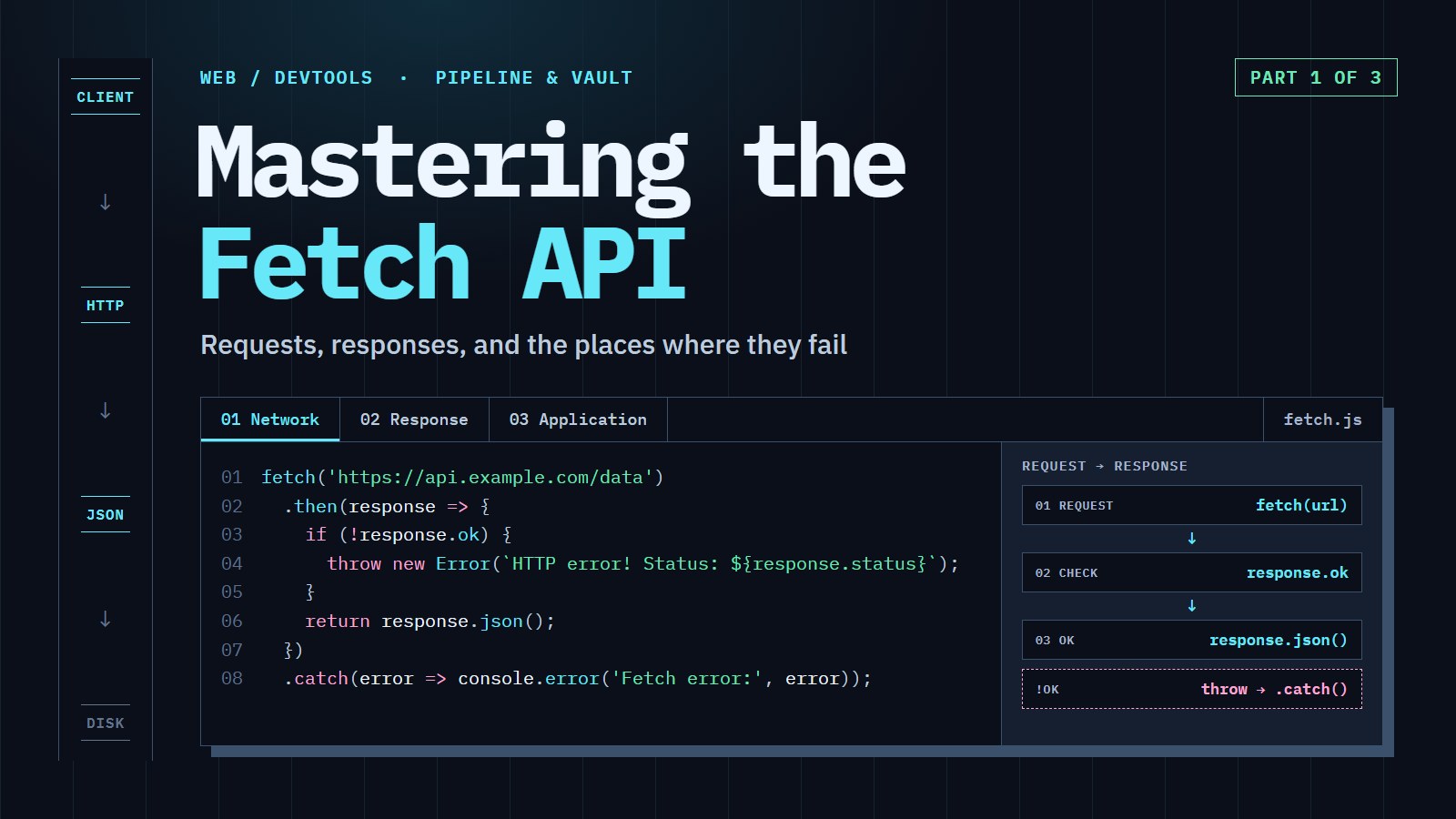
Ask a server for a page that does not exist and fetch() still tells you it worked. The server says "404, not found", the promise resolves, and your code carries on as if it had received the data. That one surprise causes more broken loading screens than any other, and it is where this article starts.
In this article, we are going to ask a server for data, notice when the answer is an error, and give up politely when the server is too slow. By the end, we will have a getJson helper that does all three. The streaming, cross-origin and retry material near the end is an optional deep dive.
A 20-second recap: promises and await#
fetch() does not hand you the answer. The network is slow, so it hands you a Promise: a value that will arrive later. await pauses the surrounding async function until the value arrives, and .then(fn) says "run fn when it arrives". These two are the same request:
// With await (inside an async function)
async function loadPost() {
  const response = await fetch('/api/posts/1');
  const post = await response.json();
  console.log(post.title);
}

// With .then
fetch('/api/posts/1')
  .then(response => response.json())
  .then(post => console.log(post.title));
There are two waits because there are two steps. The first await resolves when the server's headers arrive (you now have a Response object with a status). The second, response.json(), resolves when the whole body has arrived and been parsed.
What fetch actually tells you#
You can trigger each failure below safely against a simulated server. Try /api/posts/99 first.
Request a post that does not exist, such as /api/posts/99. The server answers with status 404 and response.ok is false, yet fetch() still resolves: only a failed network makes it reject, with a TypeError.
A 200 can still carry broken JSON, so response.json() can throw even when response.ok is true. Check response.ok before you read the body, and give the parse its own handler.
Try the 404 preset, then the broken JSON preset, then network down, and watch which ones change response.ok, which ones make response.json() throw, and which one is the only failure that would reach a .catch.
The lesson is a two-step habit. A rejected promise means "the request never completed" (offline, DNS failure, blocked by CORS). A resolved promise means "the server answered", and what it answered is in response.status and response.ok (true for 200 to 299). You have to look.
Coding challenge: Write getJson(url)
Make a helper that returns the parsed JSON, and throws a readable error instead of passing a 404 or broken JSON along. The sandbox has no network, so the code below swaps fetch for fakeFetch, which returns the same kinds of Response the lab showed you. Look at what the starter prints first: the 404 comes back as if it were a real post.
Expected result: the console prints ok /api/posts/1 {...}, then fail /api/posts/99 HTTP 404 for /api/posts/99, then fail /api/posts/bad Bad JSON from /api/posts/bad.
---js
const pages = {
  '/api/posts/1': () => new Response('{"id":1,"title":"Hello"}', { status: 200 }),
  '/api/posts/99': () => new Response('{"error":"not found"}', { status: 404 }),
  '/api/posts/bad': () => new Response('{"id":', { status: 200 })
};
const fakeFetch = async (url) => pages[url]();

async function getJson(url) {
  const response = await fakeFetch(url);
  // TODO 1: throw new Error(`HTTP ${response.status} for ${url}`) when !response.ok
  // TODO 2: if response.json() throws, throw new Error(`Bad JSON from ${url}`)
  return response.json();
}

async function main() {
  for (const url of Object.keys(pages)) {
    try {
      console.log('ok  ', url, JSON.stringify(await getJson(url)));
    } catch (error) {
      console.log('fail', url, error.message);
    }
  }
}
main();
One body, one read#
A response body is a stream of bytes that you can only read once. Read it as JSON and then ask for the text, and the second read fails. Run it:
---js
async function main() {
  const response = new Response('{"title":"Hello"}');
  console.log('json:', await response.json());
  try {
    console.log('text:', await response.text());
  } catch (error) {
    console.log(error.name + ': ' + error.message);
  }

  // The fix: clone() before you read, then read each copy once.
  const original = new Response('{"title":"Hello"}');
  const copy = original.clone();
  console.log('json:', await original.json());
  console.log('text:', await copy.text());
}
main();
The first text() throws a TypeError (the wording differs between browsers). response.clone() makes a second Response with its own copy of the body, so each can be read once. Request objects behave the same way.
From XMLHttpRequest to Fetch#
Remember the days of XMLHttpRequest (XHR)? It did the job for years, but its callback-based API led to the infamous "callback hell". Fetch is built on Promises, so the same job reads top to bottom:
// The old way with XMLHttpRequest
const xhr = new XMLHttpRequest();
xhr.open('GET', 'https://api.example.com/data');
xhr.onload = function() {
  if (xhr.status === 200) {
    const data = JSON.parse(xhr.responseText);
    processData(data); // processData: whatever your app does with the data
  } else {
    console.error('Request failed with status:', xhr.status);
  }
};
xhr.onerror = function() {
  console.error('Network error occurred');
};
xhr.send();

// The modern way with Fetch
fetch('https://api.example.com/data')
  .then(response => {
    if (!response.ok) {
      throw new Error(`HTTP error! Status: ${response.status}`);
    }
    return response.json();
  })
  .then(data => processData(data))
  .catch(error => console.error('Fetch error:', error));
Fetch works in every modern browser. Node.js added a global fetch in version 18 (experimental) and made it stable in 21, so the same code runs on the server too (as of October 2026, any supported Node version has it). Libraries like Axios and the newer Alova add conveniences, but native Fetch needs no dependencies and adds nothing to your bundle size.
Request and Response objects#
At the heart of the Fetch API are two objects: Request and Response. You rarely need to build a Request yourself, but it is handy when you want to reuse a configuration, clone and modify it, or hand it between parts of your app.
Anatomy of a Request#
// Used to cancel the request later with controller.abort()
const controller = new AbortController();

const request = new Request('https://api.example.com/data', {
  method: 'POST',
  headers: {
    'Content-Type': 'application/json'
  },
  body: JSON.stringify({
    name: 'John Doe',
    email: 'john@example.com'
  }),
  mode: 'cors',
  credentials: 'same-origin',
  redirect: 'follow',
  signal: controller.signal // lets controller.abort() cancel the request
});

fetch(request)
  .then(response => response.json())
  .then(data => console.log(data))
  .catch(error => console.error('Error:', error));
Most requests only need method, headers and body. The other options are defaults you can leave alone for now.
The AbortController is a cancel button: call controller.abort() and the pending fetch() rejects with an error named AbortError. You will use it for timeouts in a moment.
Understanding response types#
The Response object has one reader per kind of data. Check the Content-Type header to choose, and remember that the header can be missing:
fetch('https://api.example.com/data')
  .then(response => {
    // headers.get() returns null when the header is missing, so default to ''
    const contentType = response.headers.get('content-type') ?? '';

    if (contentType.includes('application/json')) {
      return response.json(); // Parse JSON data
    } else if (contentType.includes('text/')) {
      return response.text(); // Parse text data
    } else if (contentType.includes('form-data') || contentType.includes('x-www-form-urlencoded')) {
      return response.formData(); // Parse form data
    } else if (contentType.includes('image/') || contentType.includes('video/')) {
      return response.blob(); // Handle binary data like images or videos
    } else {
      return response.arrayBuffer(); // Handle raw binary data
    }
  })
  .then(data => {
    console.log(data);
  });
response.json(): structured JSON dataresponse.text(): plain text, HTML, XML, or other text formatsresponse.blob(): binary data like images or filesresponse.formData(): form-style bodiesresponse.arrayBuffer(): raw bytes
There is also response.type, which says how the response got to you: basic for the same origin, cors for a cross-origin response the server allowed, and opaque for a no-cors response whose status and body you cannot see.
Error handling patterns#
You now have the pieces: check ok, then parse, and keep the failure kinds apart so each gets the right reaction.
class HttpError extends Error {
  constructor(status, url) {
    super(`HTTP ${status} for ${url}`);
    this.name = 'HttpError';
    this.status = status;
  }
}

async function loadData(url) {
  try {
    const response = await fetch(url);
    if (!response.ok) throw new HttpError(response.status, url);

    const contentType = response.headers.get('content-type') ?? '';
    if (!contentType.includes('application/json')) return await response.text();
    return await response.json();
  } catch (error) {
    if (error instanceof HttpError && error.status === 404) {
      showNotFoundMessage();
    } else if (error instanceof HttpError && error.status === 401) {
      redirectToLogin();
    } else if (error instanceof HttpError) {
      showRetryMessage();
    } else if (error instanceof SyntaxError) {
      logDataCorruption(); // response.json() could not parse the body
    } else if (error instanceof TypeError) {
      showOfflineMessage(); // the request never completed
    } else {
      throw error;
    }
  }
}
The show... and redirectToLogin functions are placeholders for whatever your app does. A network failure arrives as a TypeError; a bad JSON body arrives as a SyntaxError; a non-2xx status is the one you create yourself with HttpError.
Practical Challenge: Add a timeout to getJson#
A server that never answers is worse than one that says 404, because your page waits forever. Here you finish getJson with a timeout, one stage at a time. In the sandbox slowFetch pretends to be a server that takes two seconds and respects a cancel signal, just like real fetch().
Coding challenge: Give up after timeoutMs
Stage 1: create an AbortController, pass its signal to slowFetch, and call controller.abort() after timeoutMs using setTimeout. Stage 2: turn the abort into a readable message. Stage 3: always clear the timer when the request finishes.
Expected result: the starter waits the full two seconds and prints first call: { ok: true }. When you are done, the console prints Timed out after 300 ms after about 0.3 seconds, and then { ok: true } for the second call that allows 3 seconds.
---js
function slowFetch(url, { signal } = {}) {
  return new Promise((resolve, reject) => {
    const timer = setTimeout(() => resolve(new Response('{"ok":true}')), 2000);
    signal?.addEventListener('abort', () => {
      clearTimeout(timer);
      reject(signal.reason);
    });
  });
}

async function getJson(url, { timeoutMs = 300 } = {}) {
  // TODO 1: create an AbortController and abort it after timeoutMs
  const response = await slowFetch(url); // TODO 1: pass the signal here
  if (!response.ok) throw new Error(`HTTP ${response.status} for ${url}`);
  return response.json();
  // TODO 2: if the error's name is 'AbortError', throw new Error(`Timed out after ${timeoutMs} ms`)
  // TODO 3: clear the timer in a finally block
}

async function main() {
  try {
    console.log('first call:', await getJson('/api/slow'));
  } catch (error) {
    console.log(error.message);
  }
  console.log(await getJson('/api/slow', { timeoutMs: 3000 }));
}
main();
Real browsers also offer AbortSignal.timeout(ms), which builds a signal that aborts itself. It has been in all major browsers since April 2024 (Baseline newly available then, widely available since October 2026, according to webstatus.dev). Its error is named TimeoutError rather than AbortError, so check for the right name.
Optional deep dive#
You can stop here and have the habits that matter. The rest covers what you meet in bigger apps: headers and login, cross-origin rules, streaming large responses, retrying, and running fetch on a server.
Headers and authentication#
Headers are metadata attached to a request or response. The Headers interface wraps them:
const headers = new Headers();
headers.append('Content-Type', 'application/json');
headers.append('X-Custom-Header', 'custom-value');

headers.has('Content-Type');       // true
headers.get('Content-Type');       // 'application/json'
headers.set('Accept', 'application/json'); // set overwrites
headers.delete('X-Custom-Header');

fetch('https://api.example.com/data', {
  method: 'POST',
  headers,
  body: JSON.stringify({ key: 'value' })
});
Common ways to prove who you are:
// Basic: base64 is encoding, not encryption. Only ever send it over HTTPS.
// btoa() throws on characters outside Latin-1 (btoa('\u20ac') fails), so passwords with them need other handling.
fetch('https://api.example.com/protected-resource', {
  headers: { 'Authorization': 'Basic ' + btoa('username:password') }
});

// Bearer token (for example a JWT)
fetch('https://api.example.com/protected-resource', {
  headers: { 'Authorization': 'Bearer eyJhbGciOiJIUzI1NiIsInR5cCI6IkpXVCJ9...' }
});
For OAuth you refresh an expired token before the request. getAccessToken, isTokenExpired and refreshToken stand for your app's own code. Keep the token in a variable in memory rather than in localStorage; the persistence article explains why:
async function fetchWithOAuth(url, options = {}) {
  let token = getAccessToken();
  if (isTokenExpired(token)) token = await refreshToken();

  // new Headers() accepts a plain object, a Headers, or nothing
  const headers = new Headers(options.headers);
  headers.set('Authorization', `Bearer ${token}`);

  return fetch(url, { ...options, headers });
}
CORS, preflight and CSRF in plain words#
An origin is the scheme, host and port of a page (https://mnix.blog is one origin, https://api.example.com another). By default a page may not read replies from a different origin. CORS (Cross-Origin Resource Sharing) is the browser's rule for relaxing that: the other server adds headers saying "pages from that origin may read my replies". The request still reaches the server; it is the browser that decides whether your code may see the answer. If the server does not agree, fetch() rejects with a TypeError.
// 'cors' is already the default mode
fetch('https://api.other-domain.com/data', { mode: 'cors' });

// Send cookies to the other origin. The server must also reply with
// Access-Control-Allow-Credentials: true and name your origin (a * is refused)
fetch('https://api.other-domain.com/data', { credentials: 'include' });

// Only send cookies to your own origin (the default)
fetch('https://api.example.com/data', { credentials: 'same-origin' });

// Never send cookies
fetch('https://api.example.com/data', { credentials: 'omit' });
A preflight is a question the browser asks first. For a cross-origin request that is not "simple" (a method like PUT, a custom header, or a JSON Content-Type), it sends an OPTIONS request to ask whether the real one is allowed. That costs an extra round trip, and the server has to answer it.
// This request triggers a preflight
fetch('https://api.example.com/data', {
  method: 'PUT',
  headers: {
    'Content-Type': 'application/json',
    'X-Custom-Header': 'value'
  },
  body: JSON.stringify({ key: 'value' })
});
CSRF (cross-site request forgery) is when another site tricks the visitor's browser into sending a request with their cookies attached. A secret CSRF token that your own page includes in the request, and the attacker's page cannot read, proves the request came from you. Setting the cookie's SameSite attribute helps too. Some browsers treat a cookie without one as Lax, but not all do, so set it yourself.
const token = document.querySelector('meta[name="csrf-token"]')?.content;

fetch('https://api.example.com/sensitive-data', {
  credentials: 'include',
  headers: {
    'Content-Type': 'application/json',
    'X-CSRF-Token': token ?? ''
  }
});
Streaming: progress, chunks and backpressure#
A response body arrives in pieces. response.body.getReader() lets you read the pieces as they land instead of waiting for all of them. A chunk is one such piece (a Uint8Array of bytes).
Progress is the classic use. Note that Content-Length is often missing (for example with chunked or compressed responses). Reading a missing header as a number gives 0, and dividing by it gives Infinity%, so guard it:
async function downloadWithProgress(url, onProgress) {
  const response = await fetch(url);
  if (!response.ok) throw new Error(`HTTP ${response.status}`);

  const total = Number(response.headers.get('Content-Length')) || 0; // 0 means unknown
  const reader = response.body.getReader();
  const chunks = [];
  let received = 0;

  while (true) {
    const { done, value } = await reader.read();
    if (done) break;
    chunks.push(value);
    received += value.length;
    onProgress(received, total); // show a percentage only when total > 0
  }

  return new Blob(chunks);
}
Streaming also lets you act on partial data. The simplest reliable format is one JSON object per line (newline-delimited JSON). Chunks do not respect line boundaries, so keep the unfinished tail in a buffer and only parse complete lines:
async function readLines(url, onItem) {
  const response = await fetch(url);
  const reader = response.body.getReader();
  const decoder = new TextDecoder();
  let buffer = '';

  while (true) {
    const { done, value } = await reader.read();
    if (done) break;
    buffer += decoder.decode(value, { stream: true });
    const lines = buffer.split('\n');
    buffer = lines.pop(); // the last piece may be half a line
    for (const line of lines) {
      if (line.trim()) onItem(JSON.parse(line));
    }
  }

  buffer += decoder.decode();
  if (buffer.trim()) onItem(JSON.parse(buffer));
}

readLines('https://api.example.com/items.ndjson', item => {
  console.log('Item:', item.name);
});
Backpressure means a slow consumer telling a fast producer to wait. Streams do this for you, but only if your processing step returns a promise that settles when the work is done. A transform that starts a setTimeout and returns immediately tells the stream "done", so nothing waits, and chunks can arrive faster than they are handled, so some enqueue calls may run after the stream has already closed. Make it async:
const response = await fetch('https://api.example.com/firehose-data');

const slowStream = new TransformStream({
  async transform(chunk, controller) {
    await new Promise(resolve => setTimeout(resolve, 100)); // simulated slow work
    controller.enqueue(chunk.length);
  }
});

await response.body
  .pipeThrough(slowStream)
  .pipeTo(new WritableStream({
    write(size) { console.log('Processed', size, 'bytes'); },
    close() { console.log('Processing complete'); }
  }));
Because transform awaits, the stream stops pulling from the network while a chunk is being processed.
Retrying, carefully#
Some failures are temporary: a 503 while a server restarts, or a dropped connection. Retrying with a growing delay (exponential backoff: wait 1 s, then 2 s, then 4 s) is a common answer. One rule matters more than the rest: only retry requests that are safe to repeat. A POST may already have created the record when the response got lost, so repeating it can create a duplicate.
const sleep = ms => new Promise(resolve => setTimeout(resolve, ms));

async function fetchWithRetry(url, options = {}, { retries = 3, delay = 1000 } = {}) {
  const retryStatus = [408, 429, 500, 502, 503, 504];
  const method = (options.method || 'GET').toUpperCase();
  const safeToRepeat = ['GET', 'HEAD', 'PUT', 'DELETE', 'OPTIONS'].includes(method);

  for (let attempt = 0; ; attempt++) {
    try {
      const response = await fetch(url, options);
      if (response.ok || !retryStatus.includes(response.status)) return response;
      if (!safeToRepeat || attempt >= retries) return response;
    } catch (error) {
      const cancelled = error.name === 'AbortError' || error.name === 'TimeoutError';
      if (cancelled || !safeToRepeat || attempt >= retries) throw error;
    }
    await sleep(delay * 2 ** attempt + Math.random() * 100); // backoff plus jitter
  }
}
Walk through it by hand: a server that answers 503 twice and then 200 gives 200 on the third try, and a POST to a server that always answers 503 is sent exactly once. One thing this helper ignores: when a 429 or 503 carries a Retry-After header, the server is telling you how long to wait, so wait that long instead of your own delay.
Interceptors#
An interceptor is a function that runs on every request or response, so cross-cutting jobs like adding a token or logging live in one place. Native fetch has none, but a small wrapper gives you the idea:
class FetchClient {
  #before = [];
  #after = [];

  beforeRequest(fn) { this.#before.push(fn); return this; }
  afterResponse(fn) { this.#after.push(fn); return this; }

  async fetch(url, options = {}) {
    for (const fn of this.#before) options = (await fn(url, options)) ?? options;
    let response = await fetch(url, options);
    for (const fn of this.#after) response = (await fn(response)) ?? response;
    return response;
  }
}

const client = new FetchClient()
  .beforeRequest((url, options) => ({
    ...options,
    headers: { ...options.headers, Authorization: `Bearer ${getAuthToken()}` }
  }))
  .beforeRequest((url, options) => {
    console.log(`Request: ${options.method ?? 'GET'} ${url}`); // returns nothing: options unchanged
  })
  .afterResponse(response => {
    console.log(`Response: ${response.status}`);
  });

const response = await client.fetch('https://api.example.com/data');
getAuthToken is your own function. A function that returns nothing leaves the request or response unchanged.
Fetch in other environments#
In a browser, fetch handles cookies, CORS and service workers. In Node.js the same call works, but there are no cookies or CORS rules, and relative URLs have nowhere to resolve from:
// Node.js
const response = await fetch('https://api.example.com/data');
const data = await response.json();
Node's fetch has no https: { rejectUnauthorized } option (that belongs to the https module), and unknown options are ignored. If you need custom TLS or proxy settings, Node's fetch takes a dispatcher from the undici package; see its documentation. For self-signed certificates, trusting the certificate with NODE_EXTRA_CA_CERTS is safer than switching verification off.
A small wrapper can hide the differences, setting a JSON Content-Type only when there is a string body (forcing it on every request makes cross-origin GETs trigger a preflight and breaks FormData uploads):
function createFetchClient({ baseUrl = 'https://api.example.com' } = {}) {
  return {
    fetch(url, options = {}) {
      // Node has no page to resolve relative URLs against
      if (typeof window === 'undefined') url = new URL(url, baseUrl).toString();

      const headers = new Headers(options.headers);
      if (typeof options.body === 'string' && !headers.has('Content-Type')) {
        headers.set('Content-Type', 'application/json');
      }
      return fetch(url, { ...options, headers });
    }
  };
}
A service worker is a script the browser runs in the background, between your page and the network. It can see every fetch and answer from a cache. The persistence article covers caches properly; this is the shape:
// In your service worker file
self.addEventListener('fetch', event => {
  event.respondWith(
    caches.match(event.request).then(cached => {
      if (cached) return cached;

      return fetch(event.request)
        .then(response => {
          if (response.ok) {
            const copy = response.clone(); // the body can be read once: one copy for the cache
            caches.open('v1').then(cache => cache.put(event.request, copy));
          }
          return response;
        })
        .catch(() => caches.match('/offline.html'));
    })
  );
});
Conclusion#
Fetch has grown from a simple XMLHttpRequest replacement into a solid platform for talking to servers. The habits that carry the most weight are small ones: check response.ok, give the JSON parse its own handler, read a body once, and never wait on a server forever. Libraries like Axios are convenient, but knowing the native API gives you control when something behaves strangely.
Next, try the challenges again from a blank file: write getJson, then add the timeout, without looking. After that, pick one deep-dive topic (retry or streaming are good first picks) and build it into your own project a piece at a time.
Comments require JavaScript.