
Native Browser APIs for Dynamic User Interfaces
Beyond Media Queries
Building Truly Responsive Interfaces with Native Browser APIs
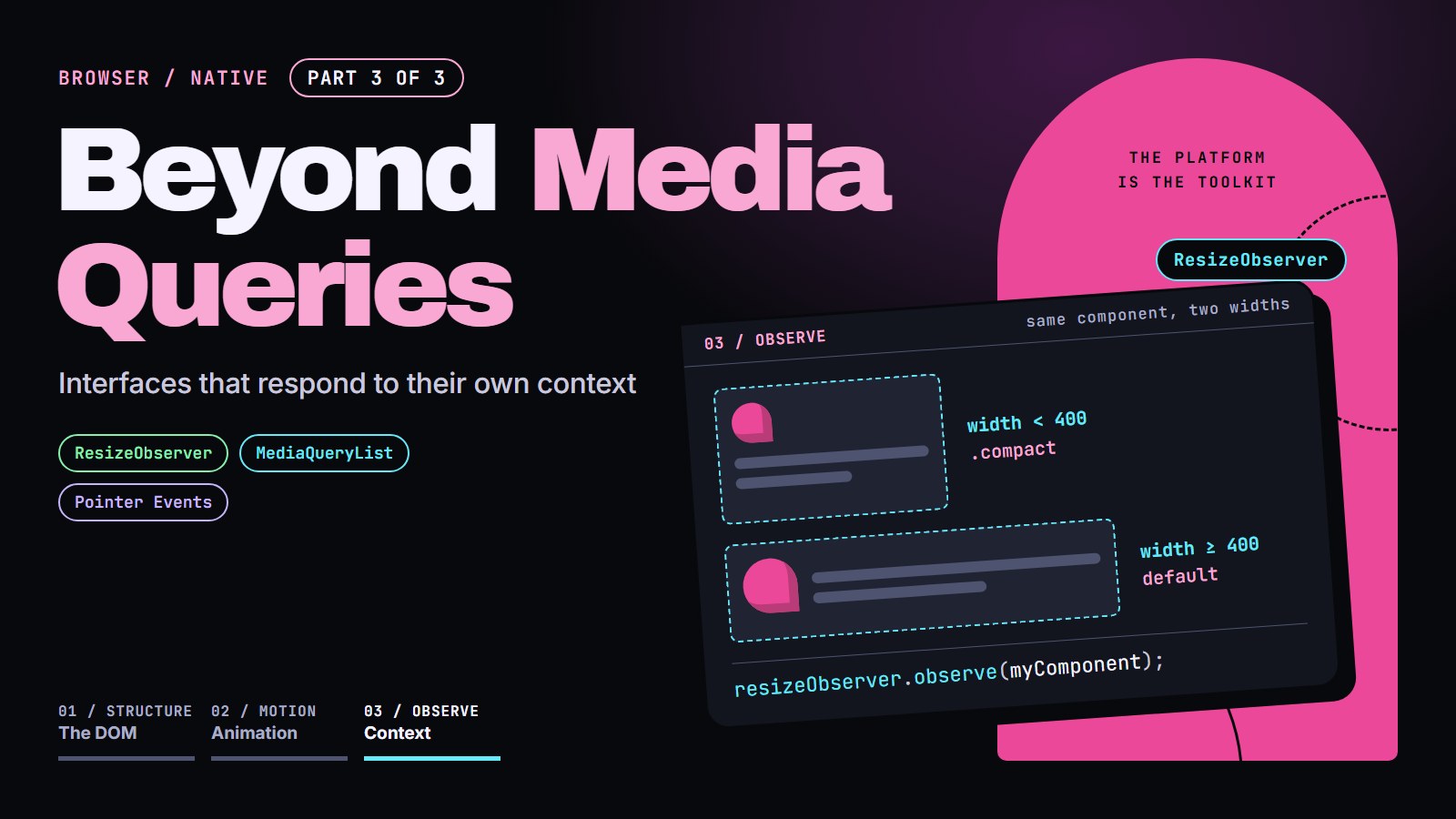
Parts of a page can adjust to their own space, to the reader's settings, and to how they point and type, not just to the width of the screen. A card can rearrange itself when it lands in a narrow sidebar, skip its animation for someone who asked for less motion, treat a finger differently from a mouse, and work from the keyboard alone. This post covers those four in order: size, preferences, pointers, keyboard.
By the end, we will have a card that fits whatever box it is placed in, obeys a reader's motion and color settings, handles mouse, touch and pen with one piece of code, and sits inside a panel that works without a mouse.
Two things to know first: a media query such as @media (min-width: 600px) { … } applies styles depending on the width of the browser window, and element.classList.add('compact') adds a CSS class to an element. That is all the background you need.
The problem: a media query only sees the screen#
Here is a card that stacks its parts on a narrow screen and lays them in a row on a wide one:
.card { display: flex; flex-direction: column; }

@media (min-width: 600px) {
  .card { flex-direction: row; }
}
On a 1200px-wide window the media query is true everywhere on the page. Put that same card in a 250px-wide sidebar and it lays itself out in a row inside 250px, squashed. The rule asked about the screen when it should have asked about the card's own space. Components also don't know where they will be placed next, which is the whole point of reusing them.
There are two native answers. The standard one is in CSS.
Container queries: ask about the box, not the screen#
Mark a parent as something to measure, then write rules that ask about its width:
.card-wrapper { container-type: inline-size; }   /* measure this element's width */

.card { display: flex; flex-direction: column; }

@container (min-width: 400px) {
  .card { flex-direction: row; }
}
Now the card goes into a row only when its wrapper is at least 400px wide, whether the window is 400px or 4000px. Two details: the rule styles things inside the container, not the container itself, and container-type: inline-size means the container's width can no longer depend on what is inside it. Container queries are Baseline widely available: every major browser has had them since February 2023, and webstatus.dev has listed them as widely available since August 2025 (checked 26 October 2026). The example above was run in Chrome while revising this post.
For layout and styling changes, use these. They are declarative, there is no script to load, and they cannot get out of sync. JavaScript is still the right tool when the container's size is something your code needs to know:
- redrawing a chart or canvas at the new width (the demo at the end does this),
- deciding how many items to render or which image to load,
- changing something CSS cannot, such as an attribute, or calling an API,
- reacting to the size of an element itself, which a container query cannot style.
ResizeObserver: tell me when this element's size changes#
A ResizeObserver calls your function whenever an element's size changes, whatever the reason: a window resize, a sidebar opening, new content pushing the box taller. Unlike a window resize event, it watches one specific element.
const resizeObserver = new ResizeObserver(entries => {
  for (const entry of entries) {
    const element = entry.target;                 // the element that changed size
    const width = entry.contentRect.width;        // its content width, excluding padding and border

    if (width < 400) {
      element.classList.add('compact');
    } else {
      element.classList.remove('compact');
    }
  }
});

const myComponent = document.querySelector('.responsive-component');
resizeObserver.observe(myComponent);
The function also runs once as soon as you start observing, so the first layout is right without a separate check. Notifications are batched and delivered after layout and before the browser paints, so you can adjust before the reader sees the frame.
If you need several named sizes in JavaScript, a small helper keeps it tidy:
function createContainerQuery(element, breakpoints, callback) {
  const observer = new ResizeObserver(entries => {
    for (const entry of entries) {
      const width = entry.contentRect.width;

      // Find the first breakpoint this width fits under
      let activeBreakpoint = null;
      for (const [name, size] of Object.entries(breakpoints)) {
        if (width <= size) {
          activeBreakpoint = name;
          break;
        }
      }

      callback(activeBreakpoint, width);
    }
  });

  observer.observe(element);
  return observer;   // keep it so you can call observer.disconnect() later
}

const container = document.querySelector('.card-container');
createContainerQuery(
  container,
  { small: 300, medium: 600, large: 900 },
  (breakpoint, width) => {
    container.dataset.size = breakpoint || 'xlarge';
  }
);
The demo below uses ResizeObserver to resize cards, a grid, and a gallery. Drag the bottom-right corner of each box and watch the debug log: it reports each size change and what the component did about it.
---html
<div class="container">
    <h1>ResizeObserver for Responsive Components</h1>
    <p>This demo shows how to build responsive components that adapt to their container's size rather than viewport dimensions. <strong>Try resizing the components</strong> by dragging the bottom-right corner of each resizable element.</p>

    <div class="demo-container">
      <div class="panel">
        <div class="example-title">
          <h3>Adaptive Card Component</h3>
          <span class="badge">Resize Me!</span>
        </div>
        <p>This card adapts its layout based on its own width, not the viewport size. Resize it to see the changes.</p>

        <div id="responsive-card" class="responsive-card">
          <div class="card-header">
            <h3 class="card-title">Adaptive Card Component</h3>
          </div>
          <div class="card-body">
            <p class="card-content">This component uses ResizeObserver to detect its own container width changes and adapts its layout accordingly, without using any media queries.</p>
            <div class="card-actions">
              <button class="card-button">Primary Action</button>
              <button class="card-button">Secondary Action</button>
            </div>
          </div>
          <div class="card-size-indicator">Small</div>
          <div class="resize-tooltip">Drag to resize</div>
        </div>
      </div>

      <div class="panel">
        <div class="example-title">
          <h3>Responsive Grid Layout</h3>
          <span class="badge">Resize Me!</span>
        </div>
        <p>This grid automatically changes its column count based on available width.</p>

        <div id="responsive-grid" class="responsive-grid">
          <div class="grid-item">
            <h4>Item 1</h4>
            <p>This grid uses ResizeObserver to adjust columns based on container width.</p>
          </div>
          <div class="grid-item">
            <h4>Item 2</h4>
            <p>No media queries are used. JavaScript reads each box's size with ResizeObserver and sets the layout itself.</p>
          </div>
          <div class="grid-item">
            <h4>Item 3</h4>
            <p>ResizeObserver detects width changes and adjusts the layout.</p>
          </div>
          <div class="grid-item">
            <h4>Item 4</h4>
            <p>This approach allows components to be truly reusable across different contexts.</p>
          </div>
        </div>
        <div class="resize-tooltip">Drag to resize</div>
      </div>

      <div class="panel">
        <div class="example-title">
          <h3>Adaptive Image Gallery</h3>
          <span class="badge">Resize Me!</span>
        </div>
        <p>This gallery adapts image sizes based on container width.</p>

        <div id="responsive-gallery" class="responsive-gallery">
          <div class="gallery-container">
            <div class="gallery-item">
              <img src="https://picsum.photos/id/1018/600/400" alt="Nature image">
              <div class="gallery-caption">Mountain landscape</div>
            </div>
            <div class="gallery-item">
              <img src="https://picsum.photos/id/1015/600/400" alt="Nature image">
              <div class="gallery-caption">River and forest</div>
            </div>
            <div class="gallery-item">
              <img src="https://picsum.photos/id/1019/600/400" alt="Nature image">
              <div class="gallery-caption">Ocean view</div>
            </div>
            <div class="gallery-item">
              <img src="https://picsum.photos/id/1016/600/400" alt="Nature image">
              <div class="gallery-caption">Mountain valley</div>
            </div>
            <div class="gallery-item">
              <img src="https://picsum.photos/id/1021/600/400" alt="Nature image">
              <div class="gallery-caption">Forest path</div>
            </div>
          </div>
        </div>
      </div>

      <div class="debug-info">
        <h3>ResizeObserver Debug Info</h3>
        <div id="dimension-log" class="dimension-log">
          <div class="log-entry">Resize elements to see the ResizeObserver in action...</div>
        </div>
      </div>

      <div class="description">
        <h2>How ResizeObserver Works</h2>
        <p>The ResizeObserver API allows web developers to observe and respond to changes in the size of an element's content rectangle. This enables truly responsive components that adapt to their container size rather than the viewport size.</p>

        <h3>Key Benefits:</h3>
        <ul>
          <li><strong>ResizeObserver:</strong> Components can adapt based on their container size, not just viewport.</li>
          <li><strong>Reusable Components:</strong> The same component works in different layouts and contexts.</li>
          <li><strong>No Media Queries:</strong> Reduces reliance on global breakpoints.</li>
          <li><strong>Dynamic Layouts:</strong> Components can respond to parent container changes.</li>
        </ul>

        <h3>Basic Implementation:</h3>
        <pre><code>const observer = new ResizeObserver(entries => {
  for (let entry of entries) {
    // entry.contentRect contains size information
    const width = entry.contentRect.width;

    // Apply different styles based on width
    if (width < 400) {
      entry.target.classList.add('small');
      entry.target.classList.remove('medium', 'large');
    } else if (width < 700) {
      entry.target.classList.add('medium');
      entry.target.classList.remove('small', 'large');
    } else {
      entry.target.classList.add('large');
      entry.target.classList.remove('small', 'medium');
    }
  }
});

// Start observing an element
observer.observe(document.querySelector('.responsive-element'));</code></pre>
      </div>
    </div>
  </div>
---css
/* Dark mode based on system preference */
    :root {
      color-scheme: light dark;
      --primary-color: #ff5722;
      --secondary-color: #ff9800;
      --background: #ffffff;
      --text: #333333;
      --card-bg: #f5f5f5;
      --highlight: #fbe9e7;
      --border: #dddddd;
      --shadow: rgba(0, 0, 0, 0.1);
    }

    @media (prefers-color-scheme: dark) {
      :root {
        --primary-color: #ff7043;
        --secondary-color: #ffb74d;
        --background: #1e1e1e;
        --text: #e0e0e0;
        --card-bg: #2d2d2d;
        --highlight: #3e2723;
        --border: #444444;
        --shadow: rgba(0, 0, 0, 0.5);
      }
    }

    body {
      font-family: system-ui, -apple-system, BlinkMacSystemFont, 'Segoe UI', Roboto, sans-serif;
      line-height: 1.6;
      margin: 0;
      padding: 20px;
      background-color: var(--background);
      color: var(--text);
      transition: background-color 0.3s, color 0.3s;
    }

    .container {
      max-width: 1200px;
      margin: 0 auto;
    }

    h1, h2, h3 {
      color: var(--primary-color);
    }

    .demo-container {
      display: grid;
      grid-template-columns: 1fr;
      gap: 20px;
      margin-top: 30px;
    }

    .panel {
      background-color: var(--card-bg);
      border-radius: 8px;
      padding: 20px;
      box-shadow: 0 4px 8px var(--shadow);
    }

    .example-title {
      display: flex;
      align-items: center;
      margin-bottom: 15px;
    }

    .example-title h3 {
      margin: 0;
    }

    .example-title .badge {
      margin-left: 10px;
      padding: 4px 8px;
      background-color: var(--primary-color);
      color: white;
      border-radius: 12px;
      font-size: 0.7rem;
      font-weight: bold;
    }

    /* Responsive card component */
    .responsive-card {
      border: 2px solid var(--border);
      border-radius: 8px;
      overflow: hidden;
      transition: all 0.3s;
      width: 100%;
      resize: both;
      overflow: auto;
      min-width: 200px;
      min-height: 100px;
      max-width: 100%;
      max-height: 600px;
      position: relative;
    }

    .card-header {
      background-color: var(--primary-color);
      color: white;
      padding: 15px;
      display: flex;
      align-items: center;
      justify-content: space-between;
      transition: padding 0.3s;
    }

    .card-title {
      margin: 0;
      font-size: 1.2rem;
      transition: font-size 0.3s;
    }

    .card-body {
      padding: 15px;
      transition: padding 0.3s;
    }

    .card-content {
      margin: 0 0 15px 0;
    }

    .card-actions {
      display: flex;
      flex-wrap: wrap;
      gap: 10px;
    }

    .card-button {
      padding: 8px 12px;
      background-color: var(--primary-color);
      color: white;
      border: none;
      border-radius: 4px;
      cursor: pointer;
      transition: background-color 0.3s;
      font-size: 0.9rem;
    }

    .card-button:hover {
      background-color: var(--secondary-color);
    }

    /* Card sizes based on width */
    .card-size-indicator {
      position: absolute;
      top: 10px;
      right: 10px;
      background-color: var(--primary-color);
      color: white;
      padding: 4px 8px;
      border-radius: 12px;
      font-size: 0.8rem;
      font-weight: bold;
      z-index: 10;
    }

    /* Resize handle tooltip */
    .resize-tooltip {
      position: absolute;
      bottom: 5px;
      right: 5px;
      background-color: rgba(0, 0, 0, 0.6);
      color: white;
      padding: 5px 8px;
      border-radius: 4px;
      font-size: 0.7rem;
      opacity: 0;
      transition: opacity 0.3s;
      pointer-events: none;
      z-index: 10;
    }

    .responsive-card:hover .resize-tooltip {
      opacity: 1;
    }

    /* Grid container example */
    .responsive-grid {
      display: grid;
      gap: 15px;
      width: 100%;
      resize: horizontal;
      overflow: auto;
      min-width: 300px;
      max-width: 100%;
      border: 2px dashed var(--border);
      padding: 15px;
      box-sizing: border-box;
      margin-bottom: 20px;
    }

    .grid-item {
      background-color: var(--highlight);
      border-radius: 6px;
      padding: 20px;
      box-shadow: 0 2px 4px var(--shadow);
      border-left: 3px solid var(--primary-color);
    }

    .grid-item h4 {
      margin-top: 0;
      color: var(--primary-color);
    }

    /* Image gallery example */
    .responsive-gallery {
      width: 100%;
      resize: horizontal;
      overflow: auto;
      min-width: 300px;
      max-width: 100%;
      border: 2px dashed var(--border);
      padding: 15px;
      box-sizing: border-box;
    }

    .gallery-container {
      display: flex;
      flex-wrap: wrap;
      gap: 10px;
    }

    .gallery-item {
      flex-grow: 1;
      height: 150px;
      min-width: 80px;
      position: relative;
    }

    .gallery-item img {
      width: 100%;
      height: 100%;
      object-fit: cover;
      border-radius: 4px;
      transition: all 0.3s;
    }

    .gallery-caption {
      position: absolute;
      bottom: 0;
      left: 0;
      right: 0;
      background-color: rgba(0, 0, 0, 0.7);
      color: white;
      padding: 5px 10px;
      font-size: 0.8rem;
      opacity: 0;
      transition: opacity 0.3s;
      border-bottom-left-radius: 4px;
      border-bottom-right-radius: 4px;
    }

    .gallery-item:hover .gallery-caption {
      opacity: 1;
    }

    /* Debug info */
    .debug-info {
      margin-top: 20px;
      padding: 15px;
      background-color: var(--card-bg);
      border-radius: 6px;
      border-left: 3px solid var(--secondary-color);
      overflow-x: auto;
    }

    .dimension-log {
      font-family: monospace;
      font-size: 0.9rem;
    }

    .log-entry {
      margin-bottom: 6px;
      padding-bottom: 6px;
      border-bottom: 1px solid var(--border);
    }

    .description {
      margin-top: 20px;
      background-color: var(--card-bg);
      padding: 20px;
      border-radius: 8px;
      box-shadow: 0 4px 8px var(--shadow);
    }

    code {
      background-color: rgba(0, 0, 0, 0.1);
      padding: 2px 4px;
      border-radius: 3px;
      font-family: monospace;
    }
---js
// DOM Elements
const responsiveCard = document.getElementById('responsive-card');
const responsiveGrid = document.getElementById('responsive-grid');
const responsiveGallery = document.getElementById('responsive-gallery');
const dimensionLog = document.getElementById('dimension-log');
const cardSizeIndicator = document.querySelector('.card-size-indicator');

// Add log entry
function addLogEntry(message) {
  const entry = document.createElement('div');
  entry.className = 'log-entry';
  entry.textContent = message;

  // Add to the top
  dimensionLog.insertBefore(entry, dimensionLog.firstChild);

  // Keep only the latest 10 entries
  while (dimensionLog.children.length > 10) {
    dimensionLog.removeChild(dimensionLog.lastChild);
  }
}

// Format dimensions
function formatDimensions(width, height) {
  return `Width: ${Math.round(width)}px, Height: ${Math.round(height)}px`;
}

// Define breakpoints
const CARD_BREAKPOINTS = {
  small: 300,
  medium: 500,
  large: 800 };


const GRID_BREAKPOINTS = {
  small: 400,
  medium: 600,
  large: 800 };


// Update card based on its width
function updateCardSizing(width) {
  const cardHeader = responsiveCard.querySelector('.card-header');
  const cardTitle = responsiveCard.querySelector('.card-title');
  const cardBody = responsiveCard.querySelector('.card-body');
  const cardActions = responsiveCard.querySelector('.card-actions');

  // Remove existing size classes
  responsiveCard.classList.remove('card-small', 'card-medium', 'card-large');

  // Apply sizing based on width
  if (width < CARD_BREAKPOINTS.small) {
    cardSizeIndicator.textContent = 'Small';
    cardHeader.style.padding = '10px';
    cardTitle.style.fontSize = '1rem';
    cardBody.style.padding = '10px';
    cardActions.style.flexDirection = 'column';
    responsiveCard.classList.add('card-small');
  } else if (width < CARD_BREAKPOINTS.medium) {
    cardSizeIndicator.textContent = 'Medium';
    cardHeader.style.padding = '15px';
    cardTitle.style.fontSize = '1.2rem';
    cardBody.style.padding = '15px';
    cardActions.style.flexDirection = 'column';
    responsiveCard.classList.add('card-medium');
  } else if (width < CARD_BREAKPOINTS.large) {
    cardSizeIndicator.textContent = 'Large';
    cardHeader.style.padding = '15px 20px';
    cardTitle.style.fontSize = '1.3rem';
    cardBody.style.padding = '20px';
    cardActions.style.flexDirection = 'row';
    responsiveCard.classList.add('card-large');
  } else {
    cardSizeIndicator.textContent = 'Extra Large';
    cardHeader.style.padding = '20px 25px';
    cardTitle.style.fontSize = '1.5rem';
    cardBody.style.padding = '25px';
    cardActions.style.flexDirection = 'row';
    responsiveCard.classList.add('card-large');
  }
}

// Update grid based on its width
function updateGridLayout(width) {
  // Apply grid columns based on width
  if (width < GRID_BREAKPOINTS.small) {
    responsiveGrid.style.gridTemplateColumns = '1fr';
    addLogEntry(`Grid switched to 1 column layout at ${width}px`);
  } else if (width < GRID_BREAKPOINTS.medium) {
    responsiveGrid.style.gridTemplateColumns = 'repeat(2, 1fr)';
    addLogEntry(`Grid switched to 2 column layout at ${width}px`);
  } else if (width < GRID_BREAKPOINTS.large) {
    responsiveGrid.style.gridTemplateColumns = 'repeat(3, 1fr)';
    addLogEntry(`Grid switched to 3 column layout at ${width}px`);
  } else {
    responsiveGrid.style.gridTemplateColumns = 'repeat(4, 1fr)';
    addLogEntry(`Grid switched to 4 column layout at ${width}px`);
  }
}

// Update gallery based on its width
function updateGalleryLayout(width) {
  const galleryItems = responsiveGallery.querySelectorAll('.gallery-item');

  // Adjust image sizing based on gallery width
  galleryItems.forEach(item => {
    if (width < 400) {
      item.style.minWidth = '100%'; // Stack vertically on small widths
    } else if (width < 600) {
      item.style.minWidth = 'calc(50% - 5px)'; // 2 columns
    } else if (width < 800) {
      item.style.minWidth = 'calc(33% - 7px)'; // 3 columns
    } else {
      item.style.minWidth = 'calc(20% - 8px)'; // 5 columns
    }
  });
}

// Initialize ResizeObserver
const resizeObserver = new ResizeObserver(entries => {
  for (let entry of entries) {
    const width = entry.contentRect.width;
    const height = entry.contentRect.height;
    const elementId = entry.target.id;

    addLogEntry(`${elementId} resized: ${formatDimensions(width, height)}`);

    // Apply specific updates based on which element resized
    if (elementId === 'responsive-card') {
      updateCardSizing(width);
    } else if (elementId === 'responsive-grid') {
      updateGridLayout(width);
    } else if (elementId === 'responsive-gallery') {
      updateGalleryLayout(width);
    }
  }
});

// Start observing elements
resizeObserver.observe(responsiveCard);
resizeObserver.observe(responsiveGrid);
resizeObserver.observe(responsiveGallery);

// Initialize layouts
updateCardSizing(responsiveCard.clientWidth);
updateGridLayout(responsiveGrid.clientWidth);
updateGalleryLayout(responsiveGallery.clientWidth);

// Add initial log entries
addLogEntry(`Card initialized: ${formatDimensions(responsiveCard.clientWidth, responsiveCard.clientHeight)}`);
addLogEntry(`Grid initialized: ${formatDimensions(responsiveGrid.clientWidth, responsiveGrid.clientHeight)}`);
addLogEntry(`Gallery initialized: ${formatDimensions(responsiveGallery.clientWidth, responsiveGallery.clientHeight)}`);
Adapting to user preferences with matchMedia#
Size is one signal. Readers also tell the browser what they prefer, through their system settings. window.matchMedia() lets JavaScript read the same media features CSS can, and it can tell you when they change:
// An object describing the query: .matches is true or false right now
const darkModeQuery = window.matchMedia('(prefers-color-scheme: dark)');

function applyTheme(isDarkMode) {
  document.documentElement.classList.toggle('dark-theme', isDarkMode);
}

// Apply immediately
applyTheme(darkModeQuery.matches);

// And again whenever the reader flips the setting
darkModeQuery.addEventListener('change', event => {
  applyTheme(event.matches);
});
Features you can ask about include:
prefers-color-schemefor light or dark modeprefers-reduced-motionfor people who find movement distracting or dizzyingprefers-contrastfor people who need stronger contrastprefers-reduced-datafor people on limited connections. As of 26 October 2026, webstatus.dev lists it as limited availability: no stable release of any major browser supports it, and Chrome has it only as an experiment. A query for it simply never matches, so treat it as a bonus and never depend on it
The demo below lists which of these your system has set. Try flipping your system's dark mode while the page is open: the list updates without a reload, because of the change listener.
---html
<div class="preference-demo">
  <h2>Preference-Aware Component</h2>
  <p class="description">This component adapts to your system preferences</p>

  <div class="preference-card">
    <div class="animation-element"></div>
    <h3>System Preferences Detected:</h3>
    <ul class="preference-list">
      <!-- Will be filled dynamically -->
    </ul>
  </div>

  <div class="preference-info">
    <p>Try changing your system settings for:</p>
    <ul>
      <li>Dark/Light mode</li>
      <li>Reduced motion</li>
      <li>High contrast</li>
    </ul>
  </div>
</div>
---css
:root {
  --primary-bg: #ffffff;
  --secondary-bg: #f0f0f0;
  --text-color: #333333;
  --accent-color: #0066cc;
  --border-color: #dddddd;
  --shadow-color: rgba(0, 0, 0, 0.1);
}

@media (prefers-color-scheme: dark) {
  :root {
    --primary-bg: #1a1a1a;
    --secondary-bg: #2a2a2a;
    --text-color: #e0e0e0;
    --accent-color: #4d9fff;
    --border-color: #444444;
    --shadow-color: rgba(0, 0, 0, 0.4);
  }
}

@media (prefers-contrast: more) {
  :root {
    --text-color: #000000;
    --primary-bg: #ffffff;
    --accent-color: #0000cc;
    --border-color: #000000;
  }

  @media (prefers-color-scheme: dark) {
    :root {
      --text-color: #ffffff;
      --primary-bg: #000000;
      --accent-color: #99ccff;
      --border-color: #ffffff;
    }
  }
}

body {
  font-family: system-ui, sans-serif;
  background-color: var(--primary-bg);
  color: var(--text-color);
  margin: 0;
  padding: 20px;
  transition: background-color 0.3s, color 0.3s;
}

.preference-demo {
  max-width: 600px;
  margin: 0 auto;
}

.preference-card {
  background-color: var(--secondary-bg);
  border: 2px solid var(--border-color);
  border-radius: 8px;
  padding: 20px;
  margin: 20px 0;
  box-shadow: 0 4px 6px var(--shadow-color);
  position: relative;
  overflow: hidden;
}

.animation-element {
  width: 50px;
  height: 50px;
  background-color: var(--accent-color);
  border-radius: 50%;
  position: absolute;
  top: 20px;
  right: 20px;
  animation: pulse 2s infinite alternate;
}

@keyframes pulse {
  from { transform: scale(1); }
  to { transform: scale(1.2); }
}

@media (prefers-reduced-motion: reduce) {
  .animation-element {
    animation: none;
  }
}

.preference-list {
  list-style: none;
  padding: 0;
}

.preference-list li {
  margin-bottom: 10px;
  display: flex;
  align-items: center;
}

.preference-list li::before {
  content: "";
  display: inline-block;
  width: 10px;
  height: 10px;
  border-radius: 50%;
  background-color: var(--accent-color);
  margin-right: 10px;
}
---js
// Query for user preferences
const prefsList = document.querySelector('.preference-list');
const animationElement = document.querySelector('.animation-element');

// Media query lists
const darkModeQuery = window.matchMedia('(prefers-color-scheme: dark)');
const reducedMotionQuery = window.matchMedia('(prefers-reduced-motion: reduce)');
const highContrastQuery = window.matchMedia('(prefers-contrast: more)');

// Update preferences display
function updatePreferencesList() {
  prefsList.innerHTML = '';

  const preferences = [
  {
    name: 'Color Scheme',
    value: darkModeQuery.matches ? 'Dark' : 'Light',
    matches: true },

  {
    name: 'Reduced Motion',
    value: reducedMotionQuery.matches ? 'Enabled' : 'Disabled',
    matches: reducedMotionQuery.matches },

  {
    name: 'High Contrast',
    value: highContrastQuery.matches ? 'Enabled' : 'Disabled',
    matches: highContrastQuery.matches }];


  preferences.forEach(pref => {
    const li = document.createElement('li');
    li.textContent = `${pref.name}: ${pref.value}`;
    if (pref.matches && pref.name !== 'Color Scheme') {
      li.style.fontWeight = 'bold';
    }
    prefsList.appendChild(li);
  });
}

// Initial update
updatePreferencesList();

// Listen for preference changes
darkModeQuery.addEventListener('change', updatePreferencesList);
reducedMotionQuery.addEventListener('change', updatePreferencesList);
highContrastQuery.addEventListener('change', updatePreferencesList);

// Apply animations or not based on motion preference
function updateAnimation() {
  if (reducedMotionQuery.matches) {
    animationElement.style.transform = 'scale(1.1)';
    animationElement.style.transition = 'none';
  } else {
    animationElement.style.transform = '';
    animationElement.style.transition = 'transform 0.3s ease';
  }
}

updateAnimation();
reducedMotionQuery.addEventListener('change', updateAnimation);
Challenge: add a reduced-motion listener#
The animation post ended with a gap: it checked reduced motion once, when the animation started. Here is a slide-in box in the same style. Make it respect the setting, then keep respecting it.
- In
play, whenquery.matchesis true, play a gentle fade (opacity 0 to 1, 200 ms) instead of the slide. - Add a
changelistener onquerythat updates the status line toReduced motion: trueorfalse, and set the line once at the start too.
To test, turn on "reduce motion" in your system settings, or in Chrome or Edge DevTools open the Rendering panel and set Emulate CSS media feature prefers-reduced-motion to reduce. Expected: with the setting off the box slides in; with it on, it only fades. Flip the setting with the page still open and the status line changes without a reload.
---html
<div class="box"></div>
<button id="play">Play</button>
<p id="statusLine"></p>
---css
.box { width: 50px; height: 50px; margin: 0.5rem 0 0.5rem 130px; background: #5e60ce; border-radius: 4px; }
---js
const box = document.querySelector('.box');
const statusLine = document.querySelector('#statusLine');
const query = window.matchMedia('(prefers-reduced-motion: reduce)');

function play() {
  // STEP 1 TODO: if query.matches, animate only opacity (0 -> 1, 200 ms) and return
  box.animate(
    [{ transform: 'translateX(-120px)', opacity: 0 }, { transform: 'translateX(0)', opacity: 1 }],
    { duration: 600, easing: 'ease-out' }
  );
}

// STEP 2 TODO: set statusLine.textContent to `Reduced motion: ${query.matches}`
// now, and again inside a 'change' listener on `query`.

document.querySelector('#play').onclick = play;
Building touch-friendly interfaces with Pointer Events#
Mouse, finger, and pen used to need separate sets of events (mousedown, touchstart, and so on), and code written for a mouse often did nothing under a finger. Pointer Events give you one set that covers all three: pointerdown, pointermove, pointerup. Each event says what kind of device it came from in event.pointerType, which is 'mouse', 'touch' or 'pen'.
const surface = document.querySelector('.interactive-element');

surface.addEventListener('pointerdown', event => {
  // One line tells you the device
  surface.classList.toggle('touch-friendly', event.pointerType === 'touch');

  // Keep sending this pointer's events to the surface, even if it leaves it mid-drag
  surface.setPointerCapture(event.pointerId);
});

surface.addEventListener('pointermove', event => {
  if (surface.hasPointerCapture(event.pointerId)) {
    // Handle the drag
  }
});

surface.addEventListener('pointerup', event => {
  // Capture is released automatically here; this shows the explicit call
  surface.releasePointerCapture(event.pointerId);
});
There is one trap on touch screens. Drag a finger across the page and the browser's first thought is to scroll or zoom the page. It takes the gesture over and sends your element a pointercancel, after which no more pointermove events arrive, so your drag stops after a few pixels. CSS is how you say "this element handles its own touches":
.interactive-element { touch-action: none; } /* or pan-y to still allow vertical scrolling */
The drawing demo below already has that line in its CSS. Draw on the canvas with a mouse, then with touch emulation on, and watch the input type and color change.
---html
<div class="pointer-demo">
  <h2>Unified Pointer Events</h2>
  <p class="description">Interact with the canvas below using touch, mouse, or pen</p>

  <div class="canvas-container">
    <canvas id="drawingSurface"></canvas>
    <div class="canvas-overlay">
      <div class="input-info"></div>
    </div>
  </div>

  <div class="controls">
    <button id="clearCanvas">Clear Canvas</button>
    <div class="input-stats">
      <span>Input type: <strong id="currentInput">None</strong></span>
      <span>Pressure: <strong id="pressureValue">0</strong></span>
    </div>
  </div>
</div>
---css
:root {
  --bg-color: #ffffff;
  --text-color: #333333;
  --canvas-bg: #f5f5f5;
  --canvas-border: #dddddd;
  --primary-color: #3a86ff;
  --secondary-color: #ff006e;
  --accent-color: #8338ec;
  --button-text: #ffffff;
}

@media (prefers-color-scheme: dark) {
  :root {
    --bg-color: #1a1a1a;
    --text-color: #e0e0e0;
    --canvas-bg: #2a2a2a;
    --canvas-border: #444444;
    --primary-color: #4d9fff;
    --secondary-color: #ff4b8b;
    --accent-color: #9d66ff;
    --button-text: #ffffff;
  }
}

body {
  font-family: system-ui, sans-serif;
  background-color: var(--bg-color);
  color: var(--text-color);
  margin: 0;
  padding: 20px;
  transition: background-color 0.3s, color 0.3s;
}

.pointer-demo {
  max-width: 800px;
  margin: 0 auto;
}

.canvas-container {
  position: relative;
  margin: 20px 0;
  border: 2px solid var(--canvas-border);
  border-radius: 8px;
  overflow: hidden;
}

#drawingSurface {
  background-color: var(--canvas-bg);
  display: block;
  width: 100%;
  height: 300px;
  touch-action: none; /* Prevents browser default touch actions */
}

.canvas-overlay {
  position: absolute;
  top: 10px;
  right: 10px;
  pointer-events: none;
}

.input-info {
  background-color: rgba(0, 0, 0, 0.5);
  color: white;
  padding: 5px 10px;
  border-radius: 4px;
  font-size: 14px;
  opacity: 0;
  transition: opacity 0.3s;
}

.controls {
  display: flex;
  justify-content: space-between;
  align-items: center;
  margin-top: 10px;
}

button {
  background-color: var(--primary-color);
  color: var(--button-text);
  border: none;
  border-radius: 4px;
  padding: 8px 16px;
  cursor: pointer;
  font-size: 16px;
  transition: background-color 0.3s;
}

button:hover {
  background-color: var(--accent-color);
}

.input-stats {
  display: flex;
  gap: 20px;
}
---js
// Get canvas and context
const canvas = document.getElementById('drawingSurface');
const ctx = canvas.getContext('2d');
const inputInfo = document.querySelector('.input-info');
const currentInputDisplay = document.getElementById('currentInput');
const pressureDisplay = document.getElementById('pressureValue');
const clearButton = document.getElementById('clearCanvas');

// Set canvas dimensions to match displayed size
function resizeCanvas() {
  const rect = canvas.getBoundingClientRect();
  canvas.width = rect.width;
  canvas.height = rect.height;
}

// Initialize
resizeCanvas();
window.addEventListener('resize', resizeCanvas);

// Drawing state
let isDrawing = false;
let lastX = 0;
let lastY = 0;
let pointerType = 'none';
let pressure = 0;

// Color mapping for input types
const colorMap = {
  mouse: '#3a86ff',
  touch: '#ff006e',
  pen: '#8338ec' };


// Set up event listeners
canvas.addEventListener('pointerdown', startDrawing);
canvas.addEventListener('pointermove', draw);
canvas.addEventListener('pointerup', stopDrawing);
canvas.addEventListener('pointerout', stopDrawing);
canvas.addEventListener('pointercancel', stopDrawing);
clearButton.addEventListener('click', clearCanvas);

// Drawing functions
function startDrawing(e) {
  isDrawing = true;
  pointerType = e.pointerType;
  pressure = e.pressure;

  // Update displays
  updateInputInfo();

  // Record starting position
  [lastX, lastY] = [e.offsetX, e.offsetY];

  // Show input info overlay
  inputInfo.style.opacity = '1';
  inputInfo.textContent = `${pointerType} input detected`;

  // Capture pointer to track outside canvas
  canvas.setPointerCapture(e.pointerId);
}

function draw(e) {
  if (!isDrawing) return;

  // Update pressure if available
  pressure = e.pressure;
  updateInputInfo();

  // Get stroke width based on pressure (if supported)
  const strokeWidth = e.pointerType === 'touch' ?
  8 :
  Math.max(1, Math.min(8, pressure * 10));

  // Set drawing style
  ctx.lineWidth = strokeWidth;
  ctx.lineCap = 'round';
  ctx.strokeStyle = colorMap[pointerType] || '#000000';

  // Draw line
  ctx.beginPath();
  ctx.moveTo(lastX, lastY);
  ctx.lineTo(e.offsetX, e.offsetY);
  ctx.stroke();

  // Update last position
  [lastX, lastY] = [e.offsetX, e.offsetY];
}

function stopDrawing(e) {
  if (isDrawing) {
    isDrawing = false;
    canvas.releasePointerCapture(e.pointerId);

    // Hide input info with delay
    setTimeout(() => {
      inputInfo.style.opacity = '0';
    }, 1500);
  }
}

function clearCanvas() {
  ctx.clearRect(0, 0, canvas.width, canvas.height);
}

function updateInputInfo() {
  currentInputDisplay.textContent = pointerType;
  pressureDisplay.textContent = pressure.toFixed(2);
}
Task: see pointerType change#
Press and release on the pad with a mouse and read the log. Then switch to touch and see the difference:
- Fill in the first TODO so each press logs
event.pointerType. Expected with a mouse:mouse. - Open DevTools and turn on the device toolbar (Ctrl+Shift+M in Chrome or Edge, which emulates a touch screen). Press the pad again. Expected:
touch. - Add the
pointercancellistener from the second TODO. Then delete thetouch-action: none;line in the CSS tab, press Run, and drag on the pad with touch emulation on. You should seepointercancelappear as the browser takes the drag for scrolling. Put the line back and the cancel goes away.
---html
<div class="pad">Press or touch here</div>
<pre id="log">Waiting…</pre>
---css
.pad { height: 120px; display: grid; place-items: center; border: 2px dashed #888; border-radius: 8px; user-select: none; touch-action: none; }
pre { height: 6em; overflow: auto; }
---js
const pad = document.querySelector('.pad');
const log = document.querySelector('#log');

function write(text) {
  log.textContent += '\n' + text;
  log.scrollTop = log.scrollHeight;
}

pad.addEventListener('pointerdown', event => {
  // TODO 1: write(event.pointerType) so each press logs its device
});

// TODO 2: pad.addEventListener('pointercancel', ...) and write('pointercancel')
Creating accessible keyboard navigation#
Some people never use a mouse. They move with the keyboard: Tab to the next control, Shift+Tab to the previous, Enter or Space to press. The control that currently receives keystrokes is said to have focus. Everything on your page should be reachable that way, and a pop-up needs particular care.
Take a modal: a panel that opens on top of the page and demands attention, with the rest of the page dimmed behind it. While it is open, the reader should be working inside it. Keyboard users have a problem, though. Tab's default action is to move focus to the next focusable element in the page, and when the modal's last button is reached, the next one is a link hidden behind the dim layer. Focus disappears into content the reader cannot see.
A focus trap fixes that by catching Tab at the edges and wrapping around. It also has to ignore disabled controls (they cannot take focus, so using one as the "last" element breaks the loop) and let Escape close the panel:
function createFocusTrap(element, onClose) {
  const selector = 'a[href], button:not([disabled]), input:not([disabled]), ' +
                   'select:not([disabled]), textarea:not([disabled]), [tabindex]:not([tabindex="-1"])';
  const focusable = () => Array.from(element.querySelectorAll(selector));
  const previouslyFocused = document.activeElement;

  function onKeydown(event) {
    if (event.key === 'Escape') {
      onClose();
      return;
    }
    if (event.key !== 'Tab') return;

    const items = focusable();
    const first = items[0];
    const last = items[items.length - 1];

    if (event.shiftKey && document.activeElement === first) {
      event.preventDefault();   // cancel Tab's default move, which would leave the panel
      last.focus();
    } else if (!event.shiftKey && document.activeElement === last) {
      event.preventDefault();
      first.focus();
    }
  }

  element.addEventListener('keydown', onKeydown);
  (focusable()[0] || element).focus();   // move focus into the panel

  // Call this when the panel closes
  return function release() {
    element.removeEventListener('keydown', onKeydown);
    if (previouslyFocused) previouslyFocused.focus();   // hand focus back
  };
}
event.preventDefault() is the important call. Without it the browser still performs its normal Tab move after your handler runs, and focus escapes anyway. With it, your first.focus() or last.focus() is the only move.
You may not need to write any of this. A native <dialog> opened with dialog.showModal() makes the rest of the page inert, so Tab cannot reach it, and it closes on Escape for you. Reach for it first. Build a trap by hand when you cannot use <dialog>, or to understand what it is doing.
The demo below is a different keyboard pattern: a navigation menu you move through with the arrow keys, where only one item at a time is in the Tab order (it is called a roving tabindex). Click into it, then use the arrows, Enter, and Escape.
---html
<div class="navigation-demo">
  <h2>Keyboard-Navigable Navigation</h2>
  <p class="description">Navigate using keyboard (Tab, Arrow keys, Enter) or mouse/touch</p>

  <nav class="adaptive-nav" role="navigation" aria-label="Main Navigation">
    <div class="nav-toggle" tabindex="0" aria-expanded="false" aria-controls="nav-menu">
      <span class="toggle-icon"></span>
      <span class="sr-only">Menu</span>
    </div>

    <ul id="nav-menu" class="nav-menu" role="menubar">
      <li role="none">
        <a href="#" role="menuitem" tabindex="0">Home</a>
      </li>
      <li role="none">
        <a href="#" role="menuitem" tabindex="-1">Products</a>
        <ul class="submenu" role="menu">
          <li role="none"><a href="#" role="menuitem" tabindex="-1">Featured</a></li>
          <li role="none"><a href="#" role="menuitem" tabindex="-1">New Arrivals</a></li>
          <li role="none"><a href="#" role="menuitem" tabindex="-1">Best Sellers</a></li>
        </ul>
      </li>
      <li role="none">
        <a href="#" role="menuitem" tabindex="-1">About</a>
      </li>
      <li role="none">
        <a href="#" role="menuitem" tabindex="-1">Contact</a>
      </li>
    </ul>
  </nav>

  <div class="keyboard-info">
    <h3>Keyboard Controls</h3>
    <ul>
      <li><kbd>Tab</kbd> - Navigate to next focusable element</li>
      <li><kbd>Shift+Tab</kbd> - Navigate to previous focusable element</li>
      <li><kbd>Enter</kbd> or <kbd>Space</kbd> - Activate current item</li>
      <li><kbd>Arrow Keys</kbd> - Navigate within menu</li>
      <li><kbd>Escape</kbd> - Close open menus</li>
    </ul>
  </div>
</div>
---css
:root {
  --bg-color: #ffffff;
  --text-color: #333333;
  --nav-bg: #f5f5f5;
  --nav-text: #333333;
  --nav-hover-bg: #e0e0e0;
  --nav-active-bg: #3a86ff;
  --nav-active-text: #ffffff;
  --focus-outline: #4d9fff;
  --border-color: #dddddd;
}

@media (prefers-color-scheme: dark) {
  :root {
    --bg-color: #1a1a1a;
    --text-color: #e0e0e0;
    --nav-bg: #2a2a2a;
    --nav-text: #e0e0e0;
    --nav-hover-bg: #3a3a3a;
    --nav-active-bg: #4d9fff;
    --nav-active-text: #ffffff;
    --focus-outline: #6aafff;
    --border-color: #444444;
  }
}

body {
  font-family: system-ui, sans-serif;
  background-color: var(--bg-color);
  color: var(--text-color);
  margin: 0;
  padding: 20px;
  transition: background-color 0.3s, color 0.3s;
}

.navigation-demo {
  max-width: 800px;
  margin: 0 auto;
}

.adaptive-nav {
  position: relative;
  margin: 20px 0;
  background-color: var(--nav-bg);
  border-radius: 8px;
}

.nav-toggle {
  display: none;
  align-items: center;
  justify-content: center;
  width: 44px;
  height: 44px;
  background: none;
  border: none;
  cursor: pointer;
  padding: 10px;
  margin: 5px;
}

.toggle-icon {
  position: relative;
  width: 24px;
  height: 2px;
  background-color: var(--nav-text);
  transition: background-color 0.3s;
}

.toggle-icon::before,
.toggle-icon::after {
  content: '';
  position: absolute;
  left: 0;
  width: 100%;
  height: 2px;
  background-color: var(--nav-text);
  transition: transform 0.3s;
}

.toggle-icon::before {
  top: -8px;
}

.toggle-icon::after {
  bottom: -8px;
}

.nav-toggle[aria-expanded="true"] .toggle-icon {
  background-color: transparent;
}

.nav-toggle[aria-expanded="true"] .toggle-icon::before {
  transform: translateY(8px) rotate(45deg);
}

.nav-toggle[aria-expanded="true"] .toggle-icon::after {
  transform: translateY(-8px) rotate(-45deg);
}

.nav-menu {
  display: flex;
  list-style: none;
  padding: 0;
  margin: 0;
}

.nav-menu > li {
  position: relative;
}

.nav-menu a {
  display: block;
  padding: 15px 20px;
  color: var(--nav-text);
  text-decoration: none;
  transition: background-color 0.3s, color 0.3s;
}

.nav-menu a:hover,
.nav-menu a:focus {
  background-color: var(--nav-hover-bg);
  outline: none;
}

.nav-menu a:focus-visible {
  outline: 2px solid var(--focus-outline);
  outline-offset: -2px;
  border-radius: 4px;
}

.nav-menu a[aria-expanded="true"] {
  background-color: var(--nav-active-bg);
  color: var(--nav-active-text);
}

.submenu {
  position: absolute;
  top: 100%;
  left: 0;
  width: 200px;
  list-style: none;
  padding: 0;
  margin: 0;
  background-color: var(--nav-bg);
  border: 1px solid var(--border-color);
  border-radius: 0 0 8px 8px;
  box-shadow: 0 4px 6px rgba(0, 0, 0, 0.1);
  opacity: 0;
  visibility: hidden;
  transform: translateY(-10px);
  transition: opacity 0.3s, transform 0.3s, visibility 0s linear 0.3s;
  z-index: 100;
}

.submenu.visible {
  opacity: 1;
  visibility: visible;
  transform: translateY(0);
  transition: opacity 0.3s, transform 0.3s;
}

.sr-only {
  position: absolute;
  width: 1px;
  height: 1px;
  padding: 0;
  margin: -1px;
  overflow: hidden;
  clip: rect(0, 0, 0, 0);
  white-space: nowrap;
  border-width: 0;
}

.keyboard-info {
  margin-top: 40px;
  padding: 15px;
  background-color: var(--nav-bg);
  border-radius: 8px;
}

.keyboard-info kbd {
  display: inline-block;
  padding: 2px 5px;
  background-color: var(--nav-active-bg);
  color: var(--nav-active-text);
  border-radius: 3px;
  font-family: monospace;
  font-size: 12px;
}

@media (prefers-reduced-motion: reduce) {
  .submenu {
    transition: none;
  }

  .toggle-icon,
  .toggle-icon::before,
  .toggle-icon::after {
    transition: none;
  }
}

@media (max-width: 600px) {
  .nav-toggle {
    display: flex;
  }

  .nav-menu {
    display: none;
    flex-direction: column;
    width: 100%;
  }

  .nav-menu.expanded {
    display: flex;
  }

  .submenu {
    position: static;
    width: 100%;
    box-shadow: none;
    border: none;
    border-left: 4px solid var(--nav-active-bg);
    border-radius: 0;
  }

  .submenu a {
    padding-left: 40px;
  }
}
---js
// Key elements
const navToggle = document.querySelector('.nav-toggle');
const navMenu = document.querySelector('.nav-menu');
const navItems = navMenu.querySelectorAll('li > a');
const hasSubmenu = navMenu.querySelectorAll('li:has(.submenu) > a');

// Initialize
updateMenuToggleState();
window.addEventListener('resize', updateMenuToggleState);

// Setup event listeners
navToggle.addEventListener('click', toggleMenu);
navToggle.addEventListener('keydown', handleToggleKeydown);

// For each menu item
navItems.forEach(item => {
  item.addEventListener('click', handleItemClick);
  item.addEventListener('keydown', handleItemKeydown);

  // If it has a submenu
  if (item.nextElementSibling && item.nextElementSibling.classList.contains('submenu')) {
    item.setAttribute('aria-haspopup', 'true');
    item.setAttribute('aria-expanded', 'false');
  }
});

// Handle window resize
function updateMenuToggleState() {
  const isMobile = window.matchMedia('(max-width: 600px)').matches;

  if (isMobile) {
    navToggle.setAttribute('tabindex', '0');
    navMenu.classList.remove('expanded');
    navToggle.setAttribute('aria-expanded', 'false');
  } else {
    navToggle.setAttribute('tabindex', '-1');
    navMenu.classList.add('expanded');
    navToggle.setAttribute('aria-expanded', 'true');
  }

  // Close all submenus when resizing
  closeAllSubmenus();
}

// Toggle mobile menu
function toggleMenu() {
  const isExpanded = navToggle.getAttribute('aria-expanded') === 'true';
  navToggle.setAttribute('aria-expanded', !isExpanded);
  navMenu.classList.toggle('expanded');

  // If opening menu, focus first item
  if (!isExpanded) {
    setTimeout(() => {
      navItems[0].focus();
    }, 100);
  }
}

// Toggle submenu
function toggleSubmenu(item) {
  const submenu = item.nextElementSibling;
  if (!submenu || !submenu.classList.contains('submenu')) return;

  const isExpanded = item.getAttribute('aria-expanded') === 'true';

  // Close other open submenus
  hasSubmenu.forEach(menuItem => {
    if (menuItem !== item) {
      menuItem.setAttribute('aria-expanded', 'false');
      const otherSubmenu = menuItem.nextElementSibling;
      if (otherSubmenu) otherSubmenu.classList.remove('visible');
    }
  });

  // Toggle current submenu
  item.setAttribute('aria-expanded', !isExpanded);
  submenu.classList.toggle('visible', !isExpanded);

  // If opening submenu, focus first item
  if (!isExpanded) {
    const firstSubmenuItem = submenu.querySelector('a');
    if (firstSubmenuItem) {
      setTimeout(() => {
        firstSubmenuItem.setAttribute('tabindex', '0');
        firstSubmenuItem.focus();
      }, 100);
    }
  }
}

function closeAllSubmenus() {
  hasSubmenu.forEach(item => {
    item.setAttribute('aria-expanded', 'false');
    const submenu = item.nextElementSibling;
    if (submenu) submenu.classList.remove('visible');
  });
}

// Event handlers
function handleItemClick(e) {
  const item = e.currentTarget;

  // If has submenu, toggle it
  if (item.nextElementSibling && item.nextElementSibling.classList.contains('submenu')) {
    e.preventDefault();
    toggleSubmenu(item);
  }
}

function handleItemKeydown(e) {
  const item = e.currentTarget;
  const parentUl = item.closest('ul');
  const isSubmenu = parentUl.classList.contains('submenu');
  const items = Array.from(parentUl.querySelectorAll('li > a'));
  const currentIndex = items.indexOf(item);

  switch (e.key) {
    case 'ArrowDown':
      e.preventDefault();
      // If submenu is open, go to first submenu item
      if (item.getAttribute('aria-expanded') === 'true') {
        const firstSubmenuItem = item.nextElementSibling.querySelector('a');
        if (firstSubmenuItem) {
          firstSubmenuItem.setAttribute('tabindex', '0');
          firstSubmenuItem.focus();
        }
      }
      // Otherwise go to next item
      else if (currentIndex < items.length - 1) {
          items[currentIndex + 1].setAttribute('tabindex', '0');
          items[currentIndex + 1].focus();
          item.setAttribute('tabindex', '-1');
        }
      break;

    case 'ArrowUp':
      e.preventDefault();
      if (currentIndex > 0) {
        items[currentIndex - 1].setAttribute('tabindex', '0');
        items[currentIndex - 1].focus();
        item.setAttribute('tabindex', '-1');
      } else if (isSubmenu) {
        // Go to parent menu item
        const parentMenuItem = parentUl.closest('li').querySelector('a');
        parentMenuItem.focus();
      }
      break;

    case 'ArrowRight':
      e.preventDefault();
      if (!isSubmenu && currentIndex < items.length - 1) {
        items[currentIndex + 1].setAttribute('tabindex', '0');
        items[currentIndex + 1].focus();
        item.setAttribute('tabindex', '-1');
      }
      // If has submenu, open it
      else if (item.getAttribute('aria-haspopup') === 'true') {
          toggleSubmenu(item);
        }
      break;

    case 'ArrowLeft':
      e.preventDefault();
      if (!isSubmenu && currentIndex > 0) {
        items[currentIndex - 1].setAttribute('tabindex', '0');
        items[currentIndex - 1].focus();
        item.setAttribute('tabindex', '-1');
      }
      // If in submenu, close it
      else if (isSubmenu) {
          const parentMenuItem = parentUl.closest('li').querySelector('a');
          parentMenuItem.setAttribute('aria-expanded', 'false');
          parentUl.classList.remove('visible');
          parentMenuItem.focus();
        }
      break;

    case 'Escape':
      e.preventDefault();
      if (isSubmenu) {
        const parentMenuItem = parentUl.closest('li').querySelector('a');
        parentMenuItem.setAttribute('aria-expanded', 'false');
        parentUl.classList.remove('visible');
        parentMenuItem.focus();
      } else {
        closeAllSubmenus();
      }
      break;

    case 'Enter':
    case ' ':
      if (item.getAttribute('aria-haspopup') === 'true') {
        e.preventDefault();
        toggleSubmenu(item);
      }
      break;}

}

function handleToggleKeydown(e) {
  if (e.key === 'Enter' || e.key === ' ') {
    e.preventDefault();
    toggleMenu();
  }
}

// Set first item as keyboard-focusable
navItems[0].setAttribute('tabindex', '0');
Challenge: tab through it with and without the trap#
This starter has a panel with three buttons, the last one disabled, and a link outside it. Tick the checkbox to switch the trap on.
- Leave the checkbox off. Click the link outside the panel, then press Tab several times: focus moves through the panel and out of it. That is the problem.
- Tick the checkbox (focus jumps to First). Press Tab through the panel. Expected from this starter: Tab from Middle still escapes, and Shift+Tab on First does nothing at all. The trap treats the disabled button as the last element, and a disabled button cannot take focus.
- Fix the selector so it ignores disabled buttons:
button:not([disabled]). Run and tab through again. Expected: focus loops First, Middle, First. - Fill in the Escape TODO so Escape unticks the checkbox and releases the trap.
---html
<a href="#" id="outside">Link outside the panel</a>
<div id="panel" role="group" aria-label="Example panel" style="border: 2px solid #888; padding: 0.5rem; margin: 0.5rem 0">
  <button>First</button>
  <button>Middle</button>
  <button disabled>Last (disabled)</button>
</div>
<label><input type="checkbox" id="trap"> Trap focus in the panel</label>
---js
const panel = document.querySelector('#panel');
const toggle = document.querySelector('#trap');
let release = null;

function createFocusTrap(element) {
  // STEP 3 TODO: use button:not([disabled]) here
  const focusable = element.querySelectorAll('button, [href], input, select, textarea');
  const first = focusable[0];
  const last = focusable[focusable.length - 1];

  function onKeydown(event) {
    // STEP 4 TODO: if event.key is 'Escape', untick `toggle` and call release()
    if (event.key !== 'Tab') return;
    if (event.shiftKey && document.activeElement === first) {
      event.preventDefault();
      last.focus();
    } else if (!event.shiftKey && document.activeElement === last) {
      event.preventDefault();
      first.focus();
    }
  }

  element.addEventListener('keydown', onKeydown);
  first.focus();
  return () => element.removeEventListener('keydown', onKeydown);
}

toggle.addEventListener('change', () => {
  if (toggle.checked) release = createFocusTrap(panel);
  else if (release) release();
});
Putting it together, without a framework#
Here is one function that gives a card all four behaviors: it reacts to its own size, honors the motion setting, handles touch, and works from the keyboard. It is plain functions and listeners, nothing else to learn:
function makeAdaptive(card) {
  // Size: compact when the card's own width is under 300px
  const sizeObserver = new ResizeObserver(([entry]) => {
    card.classList.toggle('compact', entry.contentRect.width < 300);
  });
  sizeObserver.observe(card);

  // Preference: no transition when the reader asked for less motion
  const motion = window.matchMedia('(prefers-reduced-motion: reduce)');
  const applyMotion = () => {
    card.style.transition = motion.matches ? 'none' : 'transform 0.3s ease';
  };
  applyMotion();
  motion.addEventListener('change', applyMotion);

  // Pointer: press feedback for touch only
  card.addEventListener('pointerdown', event => {
    if (event.pointerType === 'touch') card.style.transform = 'scale(0.98)';
  });
  const release = () => { card.style.transform = ''; };
  card.addEventListener('pointerup', release);
  card.addEventListener('pointercancel', release);

  // Keyboard: Enter or Space acts like a click
  card.tabIndex = 0;
  card.addEventListener('keydown', event => {
    if (event.key === 'Enter' || event.key === ' ') {
      event.preventDefault();   // stop Space from scrolling the page
      card.click();
    }
  });

  // Call this when the card is removed from the page
  return () => sizeObserver.disconnect();
}

document.querySelectorAll('.card').forEach(makeAdaptive);
This replaces a longer version written as a Web Component (class … extends HTMLElement, attachShadow, :host, connectedCallback). Those are a topic of their own and are not taught here. The function above does the same job, and the Web Components series shows how to wrap something like it in a custom element.
The last demo is a chart that redraws itself to the width of its container. It is a case where JavaScript is the right tool: the labels and the legend change, not just the styles. Use Resize Container and watch the chart rebuild.
---html
<div class="chart-demo">
  <h2>Container-Responsive Chart</h2>
  <p class="description">Resize browser or adjust container width to see chart adapt without breakpoints</p>

  <div class="chart-controls">
    <button id="toggleSize">Resize Container</button>
    <div class="chart-options">
      <label>
        <input type="checkbox" id="toggleLabels" checked>
        Show axis labels
      </label>
      <label>
        <input type="checkbox" id="toggleLegend" checked>
        Show legend
      </label>
    </div>
  </div>

  <div class="chart-container">
    <div id="responsiveChart"></div>
  </div>
</div>
---css
:root {
  --bg-color: #ffffff;
  --text-color: #333333;
  --chart-bg: #f5f5f5;
  --chart-border: #dddddd;
  --chart-grid: #e0e0e0;
  --chart-label: #666666;
  --chart-title: #333333;
  --button-bg: #3a86ff;
  --button-text: #ffffff;
  --data-color-1: #ff006e;
  --data-color-2: #3a86ff;
  --data-color-3: #8338ec;
  --data-color-4: #fb5607;
}

@media (prefers-color-scheme: dark) {
  :root {
    --bg-color: #1a1a1a;
    --text-color: #e0e0e0;
    --chart-bg: #2a2a2a;
    --chart-border: #444444;
    --chart-grid: #3a3a3a;
    --chart-label: #999999;
    --chart-title: #e0e0e0;
    --button-bg: #4d9fff;
    --data-color-1: #ff4b8b;
    --data-color-2: #4d9fff;
    --data-color-3: #9d66ff;
    --data-color-4: #ff8a4c;
  }
}

body {
  font-family: system-ui, sans-serif;
  background-color: var(--bg-color);
  color: var(--text-color);
  margin: 0;
  padding: 20px;
  transition: background-color 0.3s, color 0.3s;
}

.chart-demo {
  max-width: 900px;
  margin: 0 auto;
}

.chart-controls {
  display: flex;
  justify-content: space-between;
  align-items: center;
  margin: 20px 0;
}

.chart-options {
  display: flex;
  gap: 20px;
}

.chart-options label {
  display: flex;
  align-items: center;
  gap: 5px;
}

button {
  background-color: var(--button-bg);
  color: var(--button-text);
  border: none;
  border-radius: 4px;
  padding: 8px 16px;
  cursor: pointer;
  font-size: 16px;
  transition: background-color 0.3s;
}

button:hover {
  opacity: 0.9;
}

button:focus-visible {
  outline: 2px solid var(--button-bg);
  outline-offset: 2px;
}

.chart-container {
  background-color: var(--chart-bg);
  border: 1px solid var(--chart-border);
  border-radius: 8px;
  overflow: hidden;
  transition: width 0.3s ease;
  width: 100%;
  margin: 0 auto;
}

.chart-container.compact {
  width: 45%;
}

#responsiveChart {
  width: 100%;
  height: 300px;
}

/* Custom styling for the SVG chart */
.responsive-chart .chart-title {
  fill: var(--chart-title);
  font-weight: bold;
}

.responsive-chart .axis text {
  fill: var(--chart-label);
}

.responsive-chart .axis line,
.responsive-chart .axis path {
  stroke: var(--chart-grid);
}

.responsive-chart .grid line {
  stroke: var(--chart-grid);
  stroke-opacity: 0.3;
}

.responsive-chart .data-line-1 {
  stroke: var(--data-color-1);
}

.responsive-chart .data-line-2 {
  stroke: var(--data-color-2);
}

.responsive-chart .data-point-1 {
  fill: var(--data-color-1);
}

.responsive-chart .data-point-2 {
  fill: var(--data-color-2);
}

.responsive-chart .legend text {
  fill: var(--text-color);
}

.responsive-chart .legend-item-1 rect {
  fill: var(--data-color-1);
}

.responsive-chart .legend-item-2 rect {
  fill: var(--data-color-2);
}

@media (prefers-reduced-motion: reduce) {
  .chart-container {
    transition: none;
  }
}
---js
// Sample data
const chartData = [
{ month: 'Jan', series1: 10, series2: 5 },
{ month: 'Feb', series1: 25, series2: 15 },
{ month: 'Mar', series1: 15, series2: 20 },
{ month: 'Apr', series1: 30, series2: 25 },
{ month: 'May', series1: 20, series2: 30 },
{ month: 'Jun', series1: 35, series2: 15 },
{ month: 'Jul', series1: 25, series2: 35 },
{ month: 'Aug', series1: 40, series2: 20 }];


// Chart settings
const margin = { top: 40, right: 30, bottom: 50, left: 50 };
let chartWidth, chartHeight, innerWidth, innerHeight;

// Create SVG
const chartContainer = document.getElementById('responsiveChart');
const containerRect = chartContainer.getBoundingClientRect();
chartWidth = containerRect.width;
chartHeight = containerRect.height;
innerWidth = chartWidth - margin.left - margin.right;
innerHeight = chartHeight - margin.top - margin.bottom;

const svg = document.createElementNS('http://www.w3.org/2000/svg', 'svg');
svg.setAttribute('width', chartWidth);
svg.setAttribute('height', chartHeight);
svg.classList.add('responsive-chart');
chartContainer.appendChild(svg);

// Create chart group
const g = document.createElementNS('http://www.w3.org/2000/svg', 'g');
g.setAttribute('transform', `translate(${margin.left},${margin.top})`);
svg.appendChild(g);

// X scale
function createXScale() {
  const xScale = innerWidth / (chartData.length - 1);
  return i => i * xScale;
}

// Y scale
function createYScale() {
  const maxY = Math.max(
  ...chartData.map(d => Math.max(d.series1, d.series2)));

  return value => innerHeight - value / maxY * innerHeight;
}

// Create axes
function createAxes() {
  const xScale = createXScale();
  const yScale = createYScale();

  // X axis
  const xAxis = document.createElementNS('http://www.w3.org/2000/svg', 'g');
  xAxis.classList.add('axis', 'x-axis');
  xAxis.setAttribute('transform', `translate(0,${innerHeight})`);

  // X axis line
  const xAxisLine = document.createElementNS('http://www.w3.org/2000/svg', 'path');
  xAxisLine.setAttribute('d', `M0,0H${innerWidth}`);
  xAxisLine.setAttribute('stroke', 'currentColor');
  xAxis.appendChild(xAxisLine);

  // X labels
  chartData.forEach((d, i) => {
    const text = document.createElementNS('http://www.w3.org/2000/svg', 'text');
    text.textContent = d.month;
    text.setAttribute('x', xScale(i));
    text.setAttribute('y', 20);
    text.setAttribute('text-anchor', 'middle');
    text.classList.add('x-label');
    xAxis.appendChild(text);
  });

  // Y axis
  const yAxis = document.createElementNS('http://www.w3.org/2000/svg', 'g');
  yAxis.classList.add('axis', 'y-axis');

  // Y axis line
  const yAxisLine = document.createElementNS('http://www.w3.org/2000/svg', 'path');
  yAxisLine.setAttribute('d', `M0,0V${innerHeight}`);
  yAxisLine.setAttribute('stroke', 'currentColor');
  yAxis.appendChild(yAxisLine);

  // Y ticks and grid
  const ticks = 5;
  const maxY = Math.max(...chartData.map(d => Math.max(d.series1, d.series2)));

  for (let i = 0; i <= ticks; i++) {
    const value = maxY / ticks * i;
    const y = yScale(value);

    // Grid line
    const gridLine = document.createElementNS('http://www.w3.org/2000/svg', 'line');
    gridLine.setAttribute('x1', 0);
    gridLine.setAttribute('x2', innerWidth);
    gridLine.setAttribute('y1', y);
    gridLine.setAttribute('y2', y);
    gridLine.classList.add('grid');
    g.appendChild(gridLine);

    // Tick label
    const text = document.createElementNS('http://www.w3.org/2000/svg', 'text');
    text.textContent = Math.round(value);
    text.setAttribute('x', -10);
    text.setAttribute('y', y);
    text.setAttribute('dy', '0.32em');
    text.setAttribute('text-anchor', 'end');
    text.classList.add('y-label');
    yAxis.appendChild(text);
  }

  g.appendChild(xAxis);
  g.appendChild(yAxis);
}

// Create title
function createTitle() {
  const title = document.createElementNS('http://www.w3.org/2000/svg', 'text');
  title.textContent = 'Monthly Performance';
  title.classList.add('chart-title');
  title.setAttribute('x', chartWidth / 2);
  title.setAttribute('y', 20);
  title.setAttribute('text-anchor', 'middle');
  svg.appendChild(title);
}

// Create lines
function createLines() {
  const xScale = createXScale();
  const yScale = createYScale();

  // Series 1 line
  const line1 = document.createElementNS('http://www.w3.org/2000/svg', 'path');
  line1.classList.add('data-line-1');

  let line1Path = '';
  chartData.forEach((d, i) => {
    const x = xScale(i);
    const y = yScale(d.series1);
    line1Path += i === 0 ? `M${x},${y}` : `L${x},${y}`;
  });

  line1.setAttribute('d', line1Path);
  line1.setAttribute('fill', 'none');
  line1.setAttribute('stroke-width', '2');
  g.appendChild(line1);

  // Series 2 line
  const line2 = document.createElementNS('http://www.w3.org/2000/svg', 'path');
  line2.classList.add('data-line-2');

  let line2Path = '';
  chartData.forEach((d, i) => {
    const x = xScale(i);
    const y = yScale(d.series2);
    line2Path += i === 0 ? `M${x},${y}` : `L${x},${y}`;
  });

  line2.setAttribute('d', line2Path);
  line2.setAttribute('fill', 'none');
  line2.setAttribute('stroke-width', '2');
  g.appendChild(line2);

  // Data points
  chartData.forEach((d, i) => {
    // Series 1 points
    const point1 = document.createElementNS('http://www.w3.org/2000/svg', 'circle');
    point1.classList.add('data-point-1');
    point1.setAttribute('cx', xScale(i));
    point1.setAttribute('cy', yScale(d.series1));
    point1.setAttribute('r', '4');
    g.appendChild(point1);

    // Series 2 points
    const point2 = document.createElementNS('http://www.w3.org/2000/svg', 'circle');
    point2.classList.add('data-point-2');
    point2.setAttribute('cx', xScale(i));
    point2.setAttribute('cy', yScale(d.series2));
    point2.setAttribute('r', '4');
    g.appendChild(point2);
  });
}

// Create legend
function createLegend() {
  const legend = document.createElementNS('http://www.w3.org/2000/svg', 'g');
  legend.classList.add('legend');
  legend.setAttribute('transform', `translate(${innerWidth - 100}, ${margin.top - 20})`);

  // Series 1
  const item1 = document.createElementNS('http://www.w3.org/2000/svg', 'g');
  item1.classList.add('legend-item-1');
  item1.setAttribute('transform', 'translate(0, 0)');

  const rect1 = document.createElementNS('http://www.w3.org/2000/svg', 'rect');
  rect1.setAttribute('width', '12');
  rect1.setAttribute('height', '12');
  item1.appendChild(rect1);

  const text1 = document.createElementNS('http://www.w3.org/2000/svg', 'text');
  text1.textContent = 'Series 1';
  text1.setAttribute('x', '20');
  text1.setAttribute('y', '10');
  text1.setAttribute('alignment-baseline', 'middle');
  item1.appendChild(text1);

  // Series 2
  const item2 = document.createElementNS('http://www.w3.org/2000/svg', 'g');
  item2.classList.add('legend-item-2');
  item2.setAttribute('transform', 'translate(0, 20)');

  const rect2 = document.createElementNS('http://www.w3.org/2000/svg', 'rect');
  rect2.setAttribute('width', '12');
  rect2.setAttribute('height', '12');
  item2.appendChild(rect2);

  const text2 = document.createElementNS('http://www.w3.org/2000/svg', 'text');
  text2.textContent = 'Series 2';
  text2.setAttribute('x', '20');
  text2.setAttribute('y', '10');
  text2.setAttribute('alignment-baseline', 'middle');
  item2.appendChild(text2);

  legend.appendChild(item1);
  legend.appendChild(item2);
  g.appendChild(legend);
}

// Initial chart render
createTitle();
createAxes();
createLines();
createLegend();

// ResizeObserver for responsive chart
const chartResizeObserver = new ResizeObserver(entries => {
  for (const entry of entries) {
    updateChart(entry.contentRect.width);
  }
});

chartResizeObserver.observe(chartContainer);

// Update chart based on container width
function updateChart(newWidth) {
  // Update dimensions
  chartWidth = newWidth;
  innerWidth = chartWidth - margin.left - margin.right;

  // Update SVG
  svg.setAttribute('width', chartWidth);

  // Clear existing elements
  while (g.firstChild) {
    g.removeChild(g.firstChild);
  }

  // Recreate chart elements
createAxes();
  createLines();

  // Only show legend on larger sizes
  if (newWidth > 400) {
    createLegend();
  }

  // Dynamic adjustments based on size
  if (newWidth < 500) {
    // Smaller font sizes
    svg.style.fontSize = '10px';

    // Hide every other x label if too narrow
    const xLabels = g.querySelectorAll('.x-label');
    xLabels.forEach((label, i) => {
      if (i % 2 !== 0) {
        label.style.display = 'none';
      }
    });
  } else {
    svg.style.fontSize = '12px';

    // Show all x labels
    const xLabels = g.querySelectorAll('.x-label');
    xLabels.forEach(label => {
      label.style.display = '';
    });
  }
}

// Toggle container size
const toggleSizeButton = document.getElementById('toggleSize');
toggleSizeButton.addEventListener('click', () => {
  const container = document.querySelector('.chart-container');
  container.classList.toggle('compact');
});

// Toggle chart options
const toggleLabelsCheckbox = document.getElementById('toggleLabels');
toggleLabelsCheckbox.addEventListener('change', () => {
  const labels = svg.querySelectorAll('.x-label, .y-label');
  const display = toggleLabelsCheckbox.checked ? '' : 'none';
  labels.forEach(label => {
    label.style.display = display;
  });
});

const toggleLegendCheckbox = document.getElementById('toggleLegend');
toggleLegendCheckbox.addEventListener('change', () => {
  const legend = svg.querySelector('.legend');
  if (legend) {
    legend.style.display = toggleLegendCheckbox.checked ? '' : 'none';
  }
});
Testing and browser compatibility#
Browser support varies, so check for a feature before you use it:
if ('ResizeObserver' in window) {
  // Use ResizeObserver
} else {
  console.log('ResizeObserver not supported');
}

const supportsPointerEvents = 'PointerEvent' in window;
const supportsContainerQueries = CSS.supports('container-type: inline-size');
For a broader check, test your component at several widths and in a narrow container, tab through it with the keyboard, switch on reduced motion and high contrast, and try a real phone or the DevTools device toolbar.
What you can do now#
- Container queries (CSS) and ResizeObserver (JavaScript) let a component adapt to its own space.
- matchMedia lets it follow the reader's settings, and keep following them when they change.
- Pointer Events with
touch-actionhandle mouse, touch and pen together. - Focus management, or a native
<dialog>, keeps a pop-up usable from the keyboard.
The quickest way to check any of this is to use your own page the way those readers do: keyboard only, on a phone, with the settings flipped. The techniques above are what make that test pass.
Comments require JavaScript.