
Mastering the Fetch API and Browser Storage
Building Resilient Web Applications
Mastering Offline-First Development
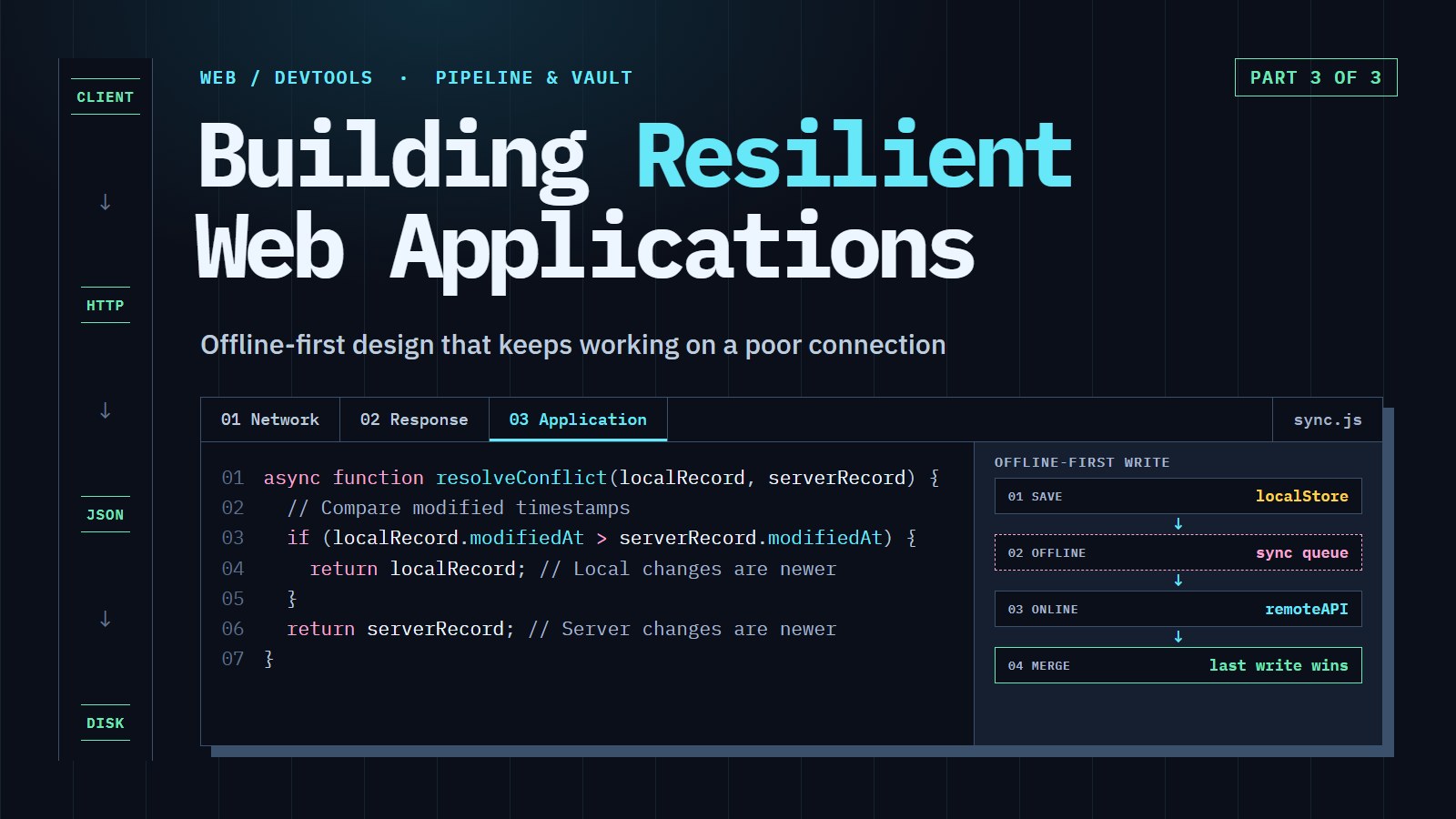
You are on a subway train, the tunnel swallows your signal, and you tap "save" on a note. Does the app say "network error" and throw your note away, or does it keep the note and send it when you come back above ground? This article is about building the second kind of app.
In this article, we are going to save changes on the device first and send them to the server later. Along the way, we will tell when the server is really unreachable, and decide whose edit wins when the device and the server disagree.
What the finished app does: it is a task list. On a flight with no signal you add "Buy milk" and tick off "Call Sam", and each row shows a small "waiting to sync" dot. When the connection returns, the dots turn into ticks by themselves. If the same task was edited on another device in the meantime, the app uses a clear rule to pick the version instead of silently overwriting one.
Where we start, in two lines: IndexedDB is the browser's built-in database (named object stores, asynchronous requests), and a service worker is a background script that can answer your page's requests from the Cache API. The code below defines whatever else it needs.
Why offline-first matters#
Subway tunnels, rural areas, international flights and even ordinary network congestion interrupt connections all the time. A traditional web app treats that as a failure: the request fails, the screen shows an error, and the user's work may be lost.
Offline-first flips the order. The app always works against data on the device, and talks to the server whenever it can. Consider these people:
- A field technician completing inspection forms in a remote location
- A medical professional checking records in a basement with poor signal
- A traveler capturing expenses while in flight
- A retail worker counting inventory in a concrete warehouse that blocks signals
In each case an online-only app fails at the moment the user needs it, while an offline-first app keeps working.
The architecture of a resilient app#
Offline-first inverts the usual client-server model: local operations come first, and synchronization is a secondary job that happens when it can. Three parts make that work.
1. A unified data layer (the repository)#
A repository is a single object the rest of your app asks for tasks, without caring where they come from. Behind it, the repository saves to the device first, remembers what the server has not heard about yet in a queue, and sends the queue when the connection works.
The sandbox has no IndexedDB or network, so the repository below takes its two helpers as arguments, and the example plays them with a Map and an online flag. In the real app, local would be the IndexedDB wrapper from the previous article and remote would call fetch.
Coding challenge: Finish the offline queue
Run the starter first: both tasks are saved while "offline" and wait in the queue, but flush does nothing yet. Finish flush so that it sends the queued tasks in order, removes each one only after the server accepted it, marks the local copy as synced, and stops quietly at the first failure so nothing is lost.
Expected result: the starter prints offline -> queue: 2 on server: 0 and then online -> queue: 2 on server: 0. When finished, the second line reads online -> queue: 0 on server: 2.
---js
const server = { online: false, tasks: new Map() };

const remote = {
  async saveTask(task) {
    if (!server.online) throw new TypeError('Failed to fetch');
    server.tasks.set(task.id, task);
  }
};

class TaskRepository {
  constructor(remote) {
    this.remote = remote;
    this.local = new Map();
    this.queue = [];
  }

  async saveTask(task) {
    this.local.set(task.id, { ...task, syncStatus: 'pending' }); // 1. device first
    this.queue.push(task);                                       // 2. remember to send it
    await this.flush();                                          // 3. try now
  }

  async getTasks() {
    return [...this.local.values()];
  }

  async flush() {
    // TODO: while the queue has items, send queue[0] with this.remote.saveTask.
    // On success: shift() it off the queue and mark this.local's copy syncStatus 'synced'.
    // On failure (offline): stop with return; keep the queue as it is.
  }
}

async function main() {
  const repo = new TaskRepository(remote);
  await repo.saveTask({ id: 1, title: 'Buy milk' });
  await repo.saveTask({ id: 2, title: 'Call Sam' });
  console.log('offline -> queue:', repo.queue.length, 'on server:', server.tasks.size);

  server.online = true;
  await repo.flush();
  console.log('online  -> queue:', repo.queue.length, 'on server:', server.tasks.size);
}
main();
Three habits hide in that small class, and they are the heart of offline-first:
- Save locally first. The user's change is never at the mercy of the network.
- Queue, don't discard. A failed send keeps the change for the next attempt.
- Trigger a flush on the right events. Run it when the page loads, when the browser fires
online, and right after each save:
window.addEventListener('online', () => repo.flush());
repo.flush(); // also on startup, in case changes were queued last session
There is a catch. saveTask calls flush(), and so does the online listener, so two flushes can overlap and send the same task twice. Give the repository a flag, this.flushing. At the top of flush, return if it is true; otherwise set it to true, and set it back to false in a finally block when the loop ends.
In the real app the queue must be stored in IndexedDB too. A queue held only in memory is lost when the tab closes, which would defeat the point. Also make each queued request safe to repeat: sending PUT /api/tasks/42 twice leaves one task 42, while sending POST /api/tasks twice can create two tasks.
This design pays off in several ways: the storage can be swapped without changing application logic, the online/offline decision lives in one place, and error handling is consistent.
2. Knowing whether you are really online#
The browser offers navigator.onLine and the online and offline events, but they only report whether the device is attached to some network. A phone on Wi-Fi with a broken router, or a laptop behind a captive portal, reports true while nothing reaches the internet.
So the connection manager asks the server. It treats navigator.onLine === false as certain (no network means no network), and checks everything else with a small request:
class ConnectionManager {
  constructor() {
    this.listeners = [];
    this.state = {
      online: navigator.onLine,
      reachable: null,       // null = not checked yet
      quality: 'unknown',    // 'good', 'moderate', 'poor', 'none'
      lastChecked: Date.now()
    };

    window.addEventListener('online', () => {
      this.updateState({ online: true });
      this.checkConnection();
    });
    window.addEventListener('offline', () => {
      this.updateState({ online: false, reachable: false, quality: 'none' });
    });

    // check every minute (a timer that never stops costs battery, so clear it if you tear the page down)
    this.timer = setInterval(() => this.checkConnection(), 60000);
  }

  addListener(callback) {
    this.listeners.push(callback);
    callback(this.state); // tell a new listener the current state straight away
    return () => {
      this.listeners = this.listeners.filter(l => l !== callback);
    };
  }

  updateState(changes) {
    this.state = { ...this.state, ...changes, lastChecked: Date.now() };
    this.listeners.forEach(listener => listener(this.state));
  }

  async checkConnection() {
    if (!navigator.onLine) return;

    const start = Date.now();
    try {
      // A tiny file on your own server; no-store makes sure the network is really used
      // the timeout matters: a hung server would otherwise leave us waiting forever
      const response = await fetch('/heartbeat.json', {
        cache: 'no-store',
        signal: AbortSignal.timeout(5000)
      });
      if (!response.ok) throw new Error(`Heartbeat failed: ${response.status}`);

      const latency = Date.now() - start;
      // the 300 and 1000 ms cut-offs are arbitrary: pick ones that suit your app
      const quality = latency > 1000 ? 'poor' : latency > 300 ? 'moderate' : 'good';
      this.updateState({ reachable: true, quality, latency });
    } catch (error) {
      this.updateState({ reachable: false, quality: 'poor' });
    }
  }
}
Anything that decides whether to sync should look at online and reachable. A heartbeat that answers 500 sets reachable to false while navigator.onLine is still true.
3. A service worker as a network proxy#
A proxy is a middleman that sees every request on its way to the destination, and may answer, change or block it. A service worker plays that role inside the browser for your site: every fetch from your page passes through its fetch handler, where you choose between the network and the Cache API. In the strategies below, network-first means "try the server, fall back to the copy", and stale-while-revalidate means "answer from the copy right now, and refresh it in the background".
// service-worker.js
const CACHE_NAME = 'app-cache-v1';
const STATIC_ASSETS = [
  '/', '/styles.css', '/app.js',
  '/manifest.json', '/favicon.ico', '/offline.html'
];

// install: copy the static files into the cache
self.addEventListener('install', event => {
  event.waitUntil(
    caches.open(CACHE_NAME).then(cache => cache.addAll(STATIC_ASSETS))
  );
});

// activate: delete caches from older versions
self.addEventListener('activate', event => {
  event.waitUntil(
    caches.keys().then(names =>
      Promise.all(names.filter(name => name !== CACHE_NAME).map(name => caches.delete(name)))
    )
  );
});

self.addEventListener('fetch', event => {
  // Leave non-GET requests and other sites alone
  if (event.request.method !== 'GET' || !event.request.url.startsWith(self.location.origin)) {
    return;
  }

  if (event.request.url.includes('/api/')) {
    event.respondWith(networkFirst(event.request));
  } else {
    event.respondWith(staleWhileRevalidate(event));
  }
});

// API data: network-first, falling back to the last copy
async function networkFirst(request) {
  const cache = await caches.open(CACHE_NAME);
  try {
    const response = await fetch(request);
    if (response.ok) cache.put(request, response.clone());
    return response;
  } catch (error) {
    const cached = await cache.match(request);
    if (cached) return cached;
    if (request.mode === 'navigate') return cache.match('/offline.html');
    return new Response('Network error occurred', {
      status: 408,
      headers: { 'Content-Type': 'text/plain' }
    });
  }
}

// Static files: answer from the cache now, refresh the cache in the background
async function staleWhileRevalidate(event) {
  const cache = await caches.open(CACHE_NAME);
  const cached = await cache.match(event.request);

  const refresh = fetch(event.request)
    .then(response => {
      if (response.ok) cache.put(event.request, response.clone());
      return response;
    })
    .catch(() => undefined); // offline: keep what we have

  if (cached) {
    event.waitUntil(refresh); // keep the worker alive until the refresh ends
    return cached;
  }
  return (await refresh) || cache.match('/offline.html');
}
One caution about this cache. API responses can belong to a logged-in user, and the cache is shared by everyone who uses this browser. On a shared device, the next person could read the last person's tasks from it. When a user logs out, delete it with caches.delete(CACHE_NAME), and think twice before caching private responses at all.
A new version of this worker waits until the old one's tabs are closed, as the previous article explained. Add self.skipWaiting() to install and self.clients.claim() to activate if you want updates to apply at once.
Service workers can also run your queue flush when the connection returns, even if the page is closed. That is Background Sync. As of October 2026, MDN lists it as limited availability: Chrome and Edge have it, Firefox and Safari do not. Treat it as a bonus, with the online event as your baseline.
// In the page: ask for a sync when the connection is back
if ('serviceWorker' in navigator && 'SyncManager' in window) {
  navigator.serviceWorker.ready.then(registration =>
    registration.sync.register('sync-pending-tasks')
  );
}

// In the service worker: run the flush
self.addEventListener('sync', event => {
  if (event.tag === 'sync-pending-tasks') {
    event.waitUntil(syncPendingTasks());
  }
});

async function syncPendingTasks() {
  // openDatabase() stands for opening your IndexedDB database with a promise-based
  // wrapper such as the "idb" library, whose db.getAll/put/delete this code uses.
  // updateLocalTask(task) saves the server's copy.
  const db = await openDatabase();
  const pendingOps = await db.getAll('pendingOperations');

  for (const op of pendingOps) {
    try {
      const response = await fetch(`/api/tasks/${op.data.id}`, {
        method: 'PUT', // PUT by id is safe to repeat
        headers: { 'Content-Type': 'application/json' },
        body: JSON.stringify(op.data)
      });
      if (!response.ok) throw new Error(`Sync failed: ${response.status}`);

      await updateLocalTask(await response.json());
      await db.delete('pendingOperations', op.id);
    } catch (error) {
      console.error(`Failed to sync operation ${op.id}:`, error);
      await db.put('pendingOperations', {
        ...op,
        failureCount: (op.failureCount || 0) + 1,
        lastAttempt: Date.now()
      });
    }
  }
}
The check in the page matters. The sync property lives on the service worker registration, not on navigator.serviceWorker, so test 'SyncManager' in window as above.
Mastering data synchronization#
The hard part arrives when you flush the queue. While the user was offline, someone (or something) may have changed the same record on the server. Now there are two versions, and you must pick or combine them. That is a conflict.
Last-write-wins#
The simplest rule: whichever version has the later modifiedAt timestamp wins. It is easy to write, and it has two weaknesses. The losing edit is thrown away entirely, even if it changed a different field. And modifiedAt comes from a device clock, which can be wrong.
function resolveConflict(localRecord, serverRecord) {
  if (localRecord.modifiedAt > serverRecord.modifiedAt) {
    return localRecord; // Local changes are newer
  }
  return serverRecord; // Server changes are newer (or equal)
}
Coding challenge: Predict the winner
Read the code, say out loud which title will be printed, and only then run it. Then edit one modifiedAt so the other record wins, and run again. Finally make both timestamps equal and see who wins a tie.
Expected result: the starter prints Buy oat milk. With the server's modifiedAt raised above the local one it prints Buy milk. With equal timestamps it prints Buy milk too, because the comparison is a strict > and the tie falls through to the server.
---js
const local  = { id: 1, title: 'Buy oat milk', modifiedAt: 1700000200000 };
const server = { id: 1, title: 'Buy milk',     modifiedAt: 1700000100000 };

function resolveConflict(localRecord, serverRecord) {
  if (localRecord.modifiedAt > serverRecord.modifiedAt) return localRecord;
  return serverRecord;
}

// TODO 1: predict the title, then run
console.log(resolveConflict(local, server).title);

// TODO 2: change one modifiedAt above so the other record wins
// TODO 3: make both modifiedAt values equal. Who wins, and why?
Three-way merge#
A smarter approach keeps the base version too: the copy both sides started from before they diverged. With the base you can tell who changed what. If only the local side changed title and only the server changed done, you can keep both changes. Without the base you only know the records differ, not which side did it.
For each field the rule is: if both ended with the same value, take it; if only one side changed it, take that change; if both changed it differently, flag a conflict for a person (or a stricter rule) to decide.
Coding challenge: Don't drop new fields
The starter loops over the keys of base only, so a field added after the base was saved (priority) is silently dropped. Run it, notice that priority is missing from the result, then fix the loop.
Expected result: the starter prints { title: 'Buy oat milk', done: true }. Fixed, it also contains priority: 'high'.
---js
const base   = { title: 'Buy milk',     done: false };
const local  = { title: 'Buy oat milk', done: false, priority: 'high' };
const server = { title: 'Buy milk',     done: true };

function threeWayMerge(base, local, server) {
  const result = { ...base };

  // TODO: loop over the keys of base, local AND server: Object.keys({ ...base, ...local, ...server })
  for (const key of Object.keys(base)) {
    if (local[key] === server[key]) {
      result[key] = local[key];                 // same on both sides
    } else if (local[key] === base[key]) {
      result[key] = server[key];                // only the server changed it
    } else if (server[key] === base[key]) {
      result[key] = local[key];                 // only the device changed it
    } else {
      result[key] = { _conflict: true, local: local[key], server: server[key], base: base[key] };
    }
  }
  return result;
}

console.log(threeWayMerge(base, local, server));
This version compares values with ===, which is exact for strings, numbers and booleans but compares arrays and objects by identity. For those you need a deeper comparison.
There is a way to avoid trusting clocks at all. Real servers often give each record a version number or an ETag. The client sends the version it started from in an If-Match header, and the server answers 412 Precondition Failed if the record has moved on. That 412 is your cue to fetch the new version and run the merge above. It is how a server says "your copy is out of date" without comparing anyone's clock.
For merging edits to the same text (a shared document, a list that several people reorder), simple rules are not enough. Operational transforms and Conflict-free Replicated Data Types (CRDTs) are the tools for that. They are a deep topic of their own and beyond this article.
Creating a resilient user experience#
Technical implementation is half the story. Users must be able to see what the app is doing: whether they are offline, and whether their last change reached the server.
Notifications that follow connection changes#
This version reacts to the online and reachable fields from the connection manager, and it only speaks when something changes, so it does not announce "back online" at page load or repeat the offline notice every minute:
class NotificationSystem {
  constructor(connectionManager) {
    this.container = document.getElementById('notification-container');
    this.offlineNote = null;
    this.lastQuality = null;
    connectionManager.addListener(state => this.handleConnectionChange(state));
  }

  handleConnectionChange(state) {
    const isOffline = !state.online || state.reachable === false;

    if (isOffline && !this.offlineNote) {
      this.offlineNote = this.showNotification(
        'You are offline. Changes are saved on this device and will sync when the connection is back.',
        'warning'
      );
    } else if (!isOffline && this.offlineNote) {
      this.hideNotification(this.offlineNote);
      this.offlineNote = null;
      this.showNotification('Back online. Syncing your changes...', 'success', 3000);
    } else if (!isOffline && state.quality === 'poor' && this.lastQuality !== 'poor') {
      this.showNotification('Your connection is unstable. Syncing may be delayed.', 'info');
    }
    this.lastQuality = state.quality;
  }

  showNotification(message, type = 'info', duration = 0) {
    const notification = document.createElement('div');
    notification.className = `notification notification-${type}`;
    notification.textContent = message;
    this.container.appendChild(notification);

    if (duration > 0) {
      setTimeout(() => this.hideNotification(notification), duration);
    }
    return notification;
  }

  hideNotification(notification) {
    notification.remove();
  }
}
Walk through it with a heartbeat that answers, then fails with 500, then recovers. There is no message at load, one offline message (not repeated on the next check), then one "back online" message.
Showing sync status on each task#
Each task row shows whether it has reached the server. textContent puts the title in as plain text, so a title like <img onerror=...> cannot inject markup:
function renderTask(task) {
  const item = document.createElement('li');
  item.className = 'task-item';
  item.dataset.id = task.id;

  const badge = document.createElement('span');
  const status = task.syncStatus ?? 'synced';
  badge.className = `sync-status ${status}`;
  badge.title = {
    pending: 'Waiting to sync',
    error: 'Sync failed. Will retry when online.',
    synced: 'Synced with server'
  }[status];

  const title = document.createElement('span');
  title.textContent = task.title;

  item.append(badge, title);
  return item;
}
Style .sync-status.pending as a small amber dot and .synced as a tick, and the "waiting to sync" dots from the picture at the top become real.
Putting it together#
Here is how the pieces connect at startup. repo is the TaskRepository from the queue example, built the real way: the Map and the array become IndexedDB stores behind the same methods (saveTask, getTasks, flush), and remote calls fetch:
async function initApp(repo) {
  // 1. Service worker for offline pages
  if ('serviceWorker' in navigator) {
    try {
      await navigator.serviceWorker.register('/service-worker.js');
    } catch (error) {
      console.error('Service worker registration failed:', error);
    }
  }

  // 2. Know the connection state and tell the user
  const connectionManager = new ConnectionManager();
  new NotificationSystem(connectionManager);

  // 3. Send queued changes when the connection comes back
  connectionManager.addListener(state => {
    if (state.online && state.reachable !== false) repo.flush();
  });

  // 4. Ask the browser not to evict our data when space runs low (it may say no)
  if (navigator.storage?.persist) {
    await navigator.storage.persist();
  }

  // 5. Show what we have on the device
  const list = document.getElementById('task-list');
  const tasks = await repo.getTasks();
  list.replaceChildren(...tasks.map(renderTask));
}

document.addEventListener('DOMContentLoaded', () => initApp(repo));
Conclusion#
Offline-first is a change in order, not a pile of features: save on the device first, queue what the server has not heard, ask the server (not just navigator.onLine) whether it is reachable, and settle disagreements with a rule you chose on purpose. Last-write-wins is simple but throws edits away; a three-way merge keeps more but needs the base version.
The next time you start a web project, ask: "How will this work when the network fails?" Then try the three challenges above again with your own task fields.
Comments require JavaScript.