
You Committed a Secret: What to Do, in Order.
Cancel the Key First, Then Clean Up the History, and Know What Stays on the Server
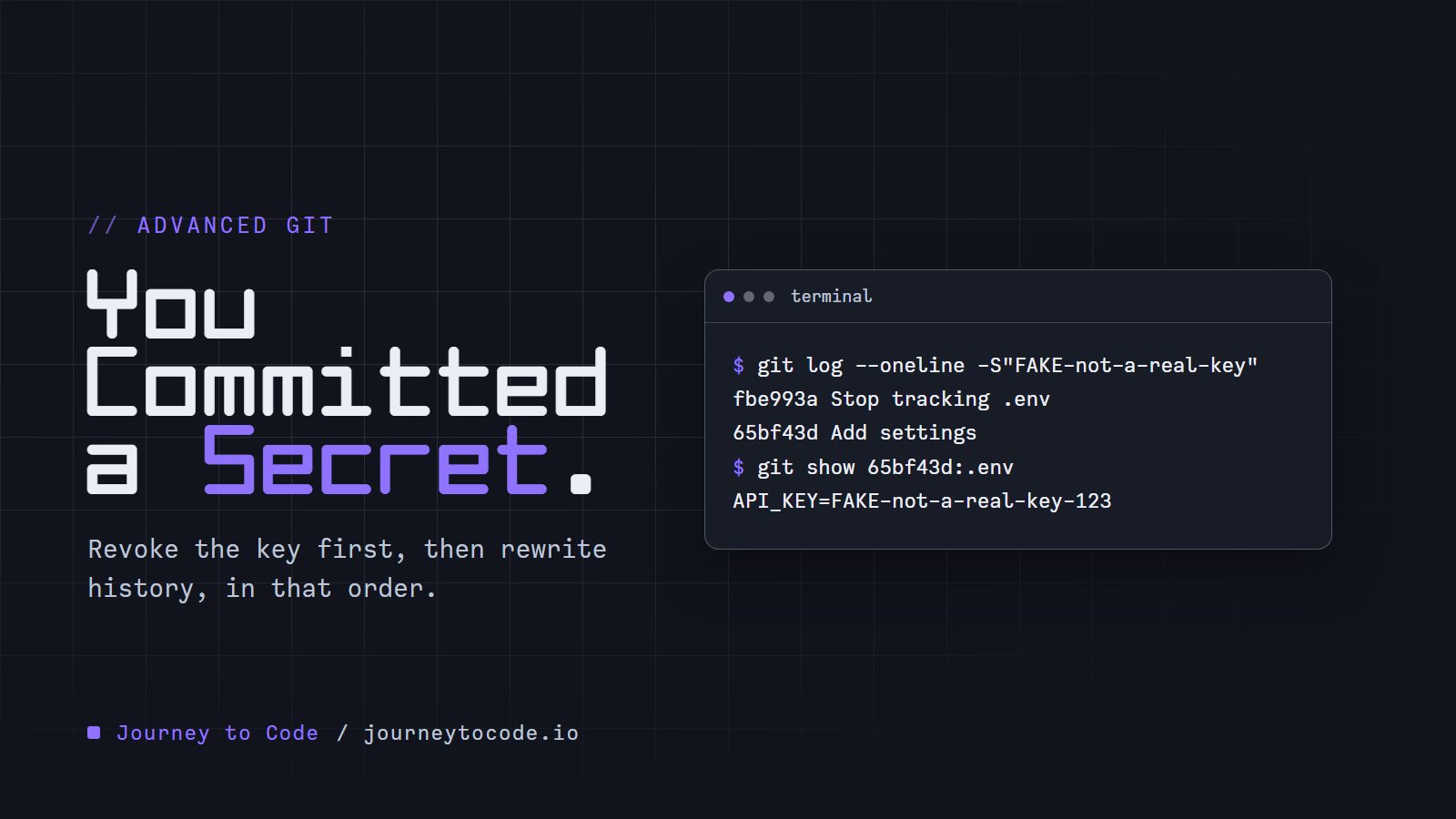
You push, and a minute later you see it. An API key sits in .env, in a commit that is already on GitHub.
The quick fix is to delete the file and commit again. That feels like it should work. It does not, and we will see exactly why in a scratch repository.
Think of history as a chain where every link carries a fingerprint of the link before it. You cannot pull one link out. You have to rebuild every link that came after it.
There is an order to this, and the first step is not a Git command:
- Revoke or rotate the key.
- Rewrite history so the key is in no commit.
- Force-push the new history.
- Get your teammates onto it.
- Ask the host about the copies it keeps.
We will do steps 2 and 3 on a real repository and check the result with two commands. The end state looks like this:
$ git log --oneline -S"FAKE-not-a-real-key"
$ git count-objects -vH
size-pack: 1.98 KiB
Step 1: make the key worthless#
Do this before anything else, and before you touch Git.
A key that was pushed has been seen. It may be cached somewhere, copied by a build bot, or scraped by something that watches public pushes. Rewriting history afterward does not un-see it. GitHub's own page on this says to revoke or rotate the secret first, and that doing so may be enough on its own.
So open the service that issued the key, create a new one, and delete the old one. Then put the new one somewhere that Git never sees.
Everything after this is cleanup. The key is already dead, so we can take our time.
Build the leak yourself#
This sets up the same mess on your machine. The folder hub.git plays the part of GitHub. Paste it into Git Bash, in an empty folder.
Build the leaked repository (Git Bash)
mkdir secret-lab && cd secret-lab
git init --bare -b main hub.git
git clone hub.git alice
cd alice
echo 'console.log("hello");' > app.js
git add app.js
git commit -m "Add app"
echo 'API_KEY=FAKE-not-a-real-key-123' > .env
head -c 3000000 /dev/urandom > db-backup.dump
git add .
git commit -m "Add settings"
echo 'console.log("v2");' >> app.js
git commit -am "Update app"
git rm --cached .env db-backup.dump
printf '.env\ndb-backup.dump\n' > .gitignore
git add .gitignore
git commit -m "Stop tracking .env"
git push origin main
cd ..
git clone hub.git bob
cd alice
The last three lines make bob, a teammate's clone that we use near the end. It has to exist now, before the history changes. Git says You appear to have cloned an empty repository. after the first clone. That is fine, hub.git is empty at that point.
git add . is the slip. It added the key file and a 3 MB database dump, which stands in for the thing you did not mean to commit. The last commit is the quick fix: it stops tracking both files and ignores them.
Why deleting the file is not enough#
Ask Git which commits ever changed that text:
$ git log --oneline -S"FAKE-not-a-real-key"
fbe993a Stop tracking .env
65bf43d Add settings
-S lists the commits where the number of times the text appears went up or down. Add settings put it in. Stop tracking .env took it out. The key is still inside the older commit, and anyone can read it:
$ git show 65bf43d:.env
API_KEY=FAKE-not-a-real-key-123
Replace 65bf43d with the hash of your own Add settings commit. To find it, run the git log --oneline -S"FAKE-not-a-real-key" command above and copy the hash from the lower line, the older commit that added the key. For your own secret, put a few characters of the real one inside the quotes. The latest commit is clean, and the history is not.
Install git-filter-repo (once)
git filter-repo is not part of Git. It is a separate Python script that Git can call as if it were a command, and it rewrites every commit in one pass. The older git filter-branch does a similar job, and we will not use it here.
The project's own install notes (read October 2026) assume you already have Git and Python. Their routes are a package manager (they name Scoop for Windows), PyPI through pipx, or downloading the single script git-filter-repo and putting it on your PATH.
What we tested: in a Python virtual environment (a private folder of Python packages), python -m pip install git-filter-repo put a git-filter-repo.exe in the environment's Scripts folder. Pip does not put that folder on your PATH. Before we added it, Git said:
$ git filter-repo --version
git: 'filter-repo' is not a git command. See 'git --help'.
In Git Bash, from the folder that holds the environment (here named venv), either of these fixes it for that window:
export PATH="$PWD/venv/Scripts:$PATH"
source venv/Scripts/activate
The second one turns the whole environment on. The first one only adds the folder. Open a new window and you have to do it again.
The project's INSTALL file gives two other commands, pipx install git-filter-repo and, for a package manager such as Scoop, PACKAGE_TOOL install git-filter-repo, which for Scoop reads scoop install git-filter-repo. We did not run either of those, or the manual copy, so check the INSTALL file if one fails.
To check the install, ask for the version:
$ git filter-repo --version
a40bce548d2c
That is a build hash, not a version number. pip show git-filter-repo prints Version: 2.47.0. The --sensitive-data-removal option we use needs 2.47 or newer, according to GitHub's page.
Remove the key from every commit#
filter-repo refuses to run in a repository you have been working in. Try it in alice:
$ cd ../alice
$ git filter-repo --sensitive-data-removal --invert-paths --path .env --path db-backup.dump
Aborting: Refusing to destructively overwrite repo history since
this does not look like a fresh clone.
  (expected at most one entry in the reflog for HEAD)
Good. The rewrite throws the old history away, so it wants a copy where nothing else is at stake. Make a fresh clone and measure it first:
$ cd ..
$ git clone hub.git fresh
$ cd fresh
$ git count-objects -vH
count: 13
size: 2.86 MiB
in-pack: 0
packs: 0
size-pack: 0 bytes
prune-packable: 0
garbage: 0
size-garbage: 0 bytes
Thirteen loose objects, 2.86 MiB. Almost all of it is the dump. (A clone from GitHub arrives as one pack, so there you would read size-pack instead of size.)
Now the rewrite:
git filter-repo --sensitive-data-removal --invert-paths --path .env --path db-backup.dump
Here is what each part does:
--path .env --path db-backup.dumpnames the two files.--invert-pathsmeans everything except those paths. Leave it out and--pathdoes the opposite: it keeps only those files and drops the rest. We ran that by mistake on purpose, and the repository kept only the commits that touched.env.--sensitive-data-removalfetches every ref fromoriginfirst, so no branch is left holding the old history, and it prints the follow-up steps.
The output, trimmed
NOTICE: Fetching all refs from origin to make sure we rewrite
        all history that may reference the sensitive data, via
      git fetch -q --prune --update-head-ok --refmap "" origin +refs/*:refs/*
Parsed 4 commits
HEAD is now at 35cccfa Stop tracking .env

New history written in 1.42 seconds; now repacking/cleaning...
You rewrote 4 (of 4) commits.

NOTE: First Changed Commit(s) is/are:
  25b989967cec4c5eb38a6818ae42853374f55c8a
NOTE: LFS object orphaning not checked (LFS not in use)

Repacking your repo and cleaning out old unneeded objects
Completely finished after 2.70 seconds.

NEXT STEPS FOR YOUR SENSITIVE DATA REMOVAL:
  * ...
The NEXT STEPS list that follows is long. It covers what we do next. Keep the First Changed Commit hash, because GitHub support asks for it.
$ git log --oneline
35cccfa Stop tracking .env
648e253 Update app
1de2032 Add app
Four commits became three. Add settings only added the two files, so once they were gone it had nothing left and Git dropped it. Every hash is new, even the first one, Add app, which never touched the secret. A commit's hash covers its parent, and the first commit changed first.
Run the same search again, then measure:
$ git log --oneline -S"FAKE-not-a-real-key"
$ git count-objects -vH
count: 0
size: 0 bytes
in-pack: 9
packs: 1
size-pack: 1.98 KiB
The search prints nothing. The repository went from 2.86 MiB to 1.98 KiB. Your sizes will differ if you drop a different file, and a small secret on its own would not move the number much.
Replace the history on GitHub#
The server still has the old commits. Replace them from inside fresh, the clone we just rewrote (alice is untouched, and pushing from it would do nothing useful):
$ git push --force --mirror origin
 + fbe993a...35cccfa main -> main (forced update)
--force lets the push overwrite a branch that is not a descendant of the old one. --mirror makes the server match this clone for every branch and tag, so no old tag keeps the key alive. GitHub's page adds that this command cannot update the refs/pull/ references, which GitHub marks read-only, and that you may need to turn off branch protection for a moment if a protected branch rejects the push.
Notice that origin is still configured here. That is --sensitive-data-removal at work. Without it, filter-repo removes the origin remote after a rewrite, and you have to add it back before you can push.
What happens to everyone else#
Take bob, who cloned before the rewrite. We made his clone in the build box, with git clone hub.git bob. bob sits next to fresh, so ../bob reaches it. He runs the habit of a lifetime:
$ cd ../bob
$ git pull
 + fbe993a...35cccfa main       -> origin/main  (forced update)
fatal: refusing to merge unrelated histories
Git is right. The old history and the new one share no commit. That refusal is protection. Bob can push past it, and this is how the secret comes back:
git pull --no-rebase --allow-unrelated-histories --no-edit
git log --oneline -S"FAKE-not-a-real-key"
The search lists the old commits again. One merge commit reintroduced everything we purged. GitHub's page warns about the same thing and says branches built on the old history should be rebased onto the new one, never merged.
The simple fix is to discard the old clone and clone again:
cd ..
git clone hub.git bob-again
$ git log --oneline -S"FAKE-not-a-real-key"
$
If Bob has unpushed work, he copies those files out first, re-clones, and puts them back. The filter-repo manual describes a way to clean an existing clone, but a fresh clone has fewer ways to go wrong.
What the server keeps after a force-push
We tested our own hub.git, which is a plain bare repository. After the force-push, the old commit was still in it:
$ cd hub.git
$ git cat-file -t fbe993a
commit
(fbe993a is our old tip, the one the force-push replaced. In your push output it is the first hash in the + old...new line.)
The server had 17 loose objects and 2.86 MiB, the old ones included. They are unreachable from any branch now, but they are still on disk. They go away when the server runs garbage collection, and by default git gc only deletes unreachable objects that are older than two weeks.
GitHub's page lists more, and we cannot test any of it from here:
- Cached views. The data may stay reachable by its SHA-1 hash in cached views on GitHub. GitHub Support can remove them.
- Forks. If the commit exists in any fork, it stays accessible there. You have to ask the fork owners to delete the data or the fork, and GitHub says it cannot give you their contact details.
- Pull requests. Rewriting history can break diff views and invalidate comments on open pull requests. GitHub recommends merging or closing them first.
- Support. You ask through the support portal and give the repository, the number of affected pull requests, and the
First Changed Commithash. The page says support only helps with removal when rotating the credential cannot take care of the risk. That is one more reason step 1 comes first.
That page is the source for all four, read in October 2026. Things like this change, so read the current version before you send anyone to it.
Where git maintenance fits#
git maintenance runs housekeeping tasks that Git skips during everyday commands, such as gc, commit-graph and prefetch. git maintenance start schedules them hourly in the background; on Windows it uses the Task Scheduler (schtasks).
It does not remove a secret quickly. On a copy of our hub.git, we ran:
git maintenance run --task=gc
git cat-file -t fbe993a
The commit was still there. It was packed, but not pruned, because it was younger than two weeks. Only this removed it:
$ git reflog expire --expire=now --all
$ git gc --prune=now
$ git cat-file -t fbe993a
fatal: Not a valid object name fbe993a
--prune=now deletes unreachable objects of any age. Git's manual warns it can corrupt a repository if another process is writing to it at the same moment, so it belongs on a repository nobody is using. On GitHub you cannot run it. That is the job of the support request above.
Try it#
This is the same loop in six commands. The practice repository is the one we just built: the key is in an old commit, origin is set, and the key has already been rotated.
Type these commands in order, in a fresh clone of the leaked repository:
- Find the commits that held the key. Try
git log --oneline -S"FAKE-not-a-real-key". It lists Add settings and Stop tracking .env. - Measure before you change anything. Try
git count-objects -vH. It reports 13 objects and 2.86 MiB. - Rewrite history without the two files. Try
git filter-repo --sensitive-data-removal --invert-paths --path .env --path db-backup.dump. Every commit gets a new hash. - Run the search from step 1 again. It prints nothing.
- Measure again. Try
git count-objects -vH. It reports 9 objects and 1.98 KiB. - Replace the server's history. Try
git push --force --mirror origin. A normal push is rejected.
Two things to try in the terminal: leave out --invert-paths in step 3 and read the message, and run a plain git push origin main in step 6.
Challenge: remove the key and keep the dump
Sometimes the file has to stay in history and only the text has to go. git filter-repo can replace text with --replace-text, which takes a file of replacements.
Build the leaked repository again in a new, empty folder (the box above does the whole thing). Make a fresh clone of its hub.git. Outside the clone, create expressions.txt with one line:
FAKE-not-a-real-key-123==>REMOVED
Then run git filter-repo --sensitive-data-removal with --replace-text pointing at that file.
Expected result: all three of these hold in the clone.
$ git log --oneline -S"FAKE-not-a-real-key"
$ git log --oneline
(four commits, with new hashes)
$ git show HEAD~2:.env
API_KEY=REMOVED
Answer
git clone hub.git fresh
cd fresh
git filter-repo --sensitive-data-removal --replace-text ../expressions.txt
The text is replaced inside every old copy of .env, and all four commits are still there, with new hashes. The dump was never touched, so git count-objects -vH still shows about 2.86 MiB in size-pack. Replacing text hides the key. It does not shrink anything.
What we learned#
- Revoke or rotate the key first. A pushed key is compromised even after history is rewritten.
- Deleting the file in a new commit leaves the key in the older commit.
git log -S"<text>"finds every commit that added or removed it. git filter-repois a separate install that needs Python. It runs only in a fresh clone, and--sensitive-data-removal --invert-paths --path <file>removes a file from every commit.git push --force --mirror originreplaces every branch and tag. Teammates re-clone, or rebase onto the new history. A merge brings the secret back.- The host may keep cached views and forks, and a plain bare repository keeps unreachable objects until a garbage collection prunes them.
git maintenancealone does not do that within two weeks.
Rotating the key is what protects you. Rewriting history only removes the copies that anyone could still read.
Comments require JavaScript.