
Interactive Rebase, Done Properly.
Reword, Squash, Fixup, Drop, and the Ways Back Out
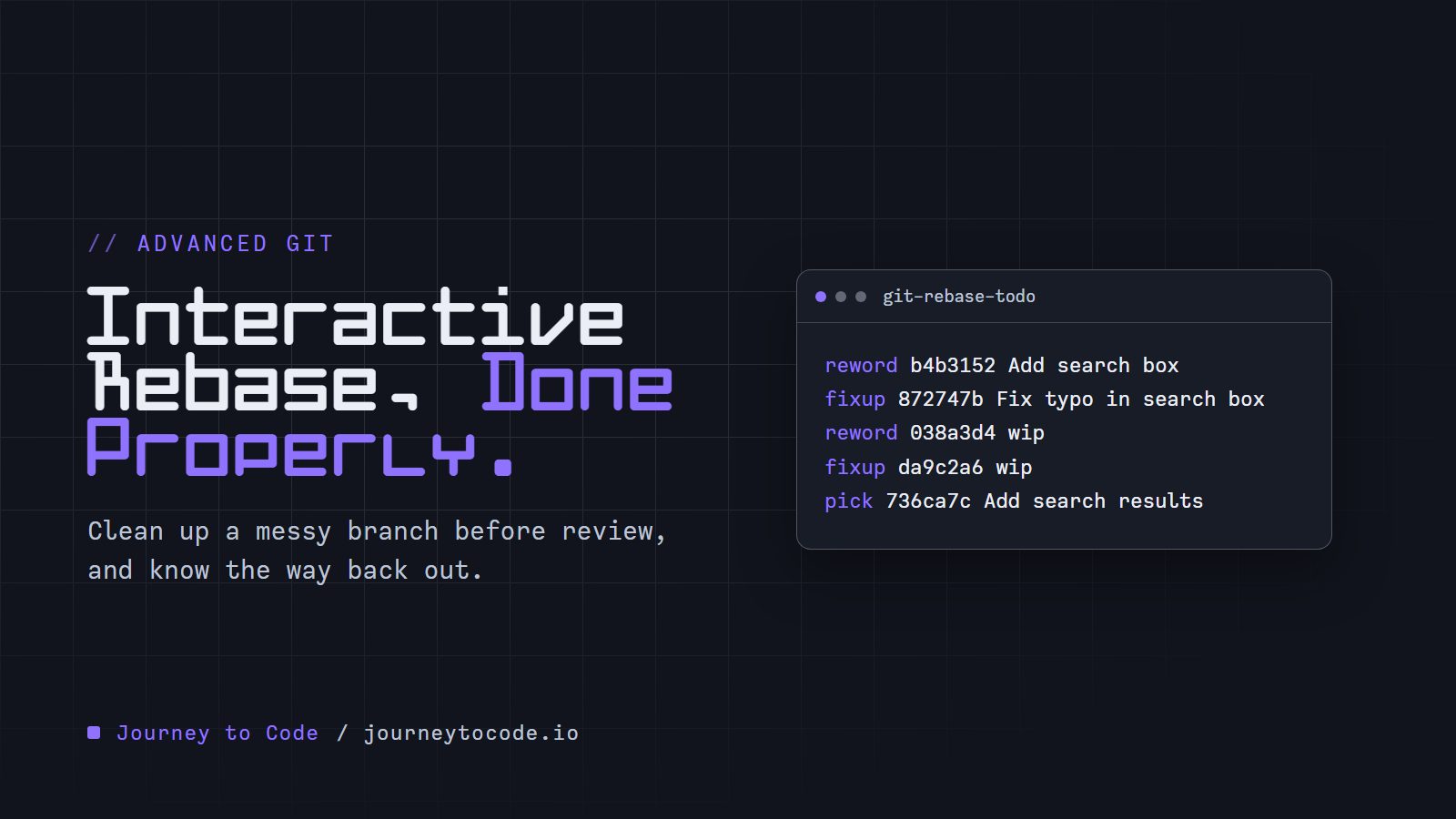
Your branch is ready for review. Then you run git log --oneline main.. and read it out loud:
$ git log --oneline main..
96eed00 Debug output
da9c2a6 wip
872747b Fix typo in search box
736ca7c Add search results
038a3d4 wip
b4b3152 Add search box
The main.. part means "the commits on this branch that are not on main".
The hashes on the left (96eed00 and friends) differ for every reader, because a hash comes from the commit's content, author and time. Run git log --oneline main.. in your own repository and use the hashes it prints wherever we type one.
Two commits called wip. One that fixes a typo you made three commits earlier. One that prints debug output to the console. A reviewer has to read all of it.
In this article, we are going to rewrite that list before anyone else sees it. We will use git rebase -i, which stands for interactive rebase, and by the end the same command will print this:
87dadb7 Add search results
41d82a3 Style the search box
23b3420 Add a search box
Three commits, each with a message that says what it does. We will also look at the ways out when a rebase goes wrong, and the one case where we should not start it at all.
Three small commands come up here. git commit --amend rewrites the last commit, git cherry-pick copies one commit onto another branch, and git stash parks uncommitted changes. That is all you need from them. Advanced Git Features teaches each one properly, but you can skip it for now.
The scratch repository#
Everything below runs in a throwaway folder. The commands and the output in this article come from Git 2.45.2 on Windows 11, run in Git Bash.
Build the messy branch yourself (Git Bash, optional)
Your hashes will differ from the ones printed here. Everything else will match.
git init -b main notes && cd notes
echo "<h1>Home</h1>" > index.html
git add . && git commit -m "Add home page"
echo "body { margin: 0; }" > style.css
git add . && git commit -m "Add base styles"
git switch -c feature/search
echo '<input name="q" placeholder="Seach">' > search.html
git add . && git commit -m "Add search box"
echo ".search { width: 20em; }" >> style.css
git add . && git commit -m "wip"
echo "<ul id=results></ul>" > results.html
git add . && git commit -m "Add search results"
echo '<input name="q" placeholder="Search">' > search.html
git add . && git commit -m "Fix typo in search box"
echo ".search:focus { outline: 2px solid; }" >> style.css
git add . && git commit -m "wip"
echo "<script>console.log('results')</script>" >> results.html
git add . && git commit -m "Debug output"
What the editor shows you#
Think of a messy first draft. Before you hand it to anyone, you reorder the pages, merge two of them and tear one out. Rebase does that to commits. In Git's words, rebase means "take these commits and replay them on a different base." Interactive means "show me the list first, so I can change it."
git rebase -i main
Git opens your editor with one line per commit on the branch. This is the top of the file:
pick b4b3152 Add search box
pick 038a3d4 wip
pick 736ca7c Add search results
pick 872747b Fix typo in search box
pick da9c2a6 wip
pick 96eed00 Debug output
Below the list, Git prints its own cheat sheet in comment lines.
If the editor that opens is Vim, you only need four moves. Press i to start typing, and Esc when you are done. To move a whole line, put the cursor on it, press dd to cut it, move to the line above where it should go, and press p to paste it below. Then type :wq and press Enter to save and close.
To use another editor instead, set it once. For VS Code that is git config --global core.editor "code --wait". The --wait makes Git hold on until you close the tab.
Notice the order. git log shows the newest commit first. This list shows the oldest first, and Git replays it from the top down.
Each line starts with a command. These five do nearly everything:
| Command | What it does |
|---|---|
pick | Keep the commit as it is |
reword | Keep the commit, and open the editor to change its message |
squash | Meld the commit into the one above it, and combine the two messages |
fixup | Meld the commit into the one above it, and throw its message away |
drop | Remove the commit |
You can also reorder lines. If you delete every line, Git aborts the rebase.
Our edit#
Here is what we want:
- The first commit gets a better message, and absorbs the typo fix.
- The first
wipbecomesStyle the search box, and absorbs the secondwip. Add search resultsstays.Debug outputgoes.
Move the lines, change the words at the start of each, and save. Use the hashes from your own list:
reword b4b3152 Add search box
fixup 872747b Fix typo in search box
reword 038a3d4 wip
fixup da9c2a6 wip
pick 736ca7c Add search results
drop 96eed00 Debug output
Dropping a commit can conflict with the ones after it. If we had dropped Add search results instead, Debug output would have failed to apply, because it edits results.html, which that commit creates. Git stops with CONFLICT (modify/delete). If that happens, run git rebase --abort, and the branch is back as it was.
Git works down the list. At each reword, it stops and opens the editor for the message. We typed Add a search box, then Style the search box. When the last line is done:
Successfully rebased and updated refs/heads/feature/search.
$ git log --oneline main..
87dadb7 Add search results
41d82a3 Style the search box
23b3420 Add a search box
Every hash changed, including Add search results, which we did not touch. A commit's hash depends on its parent, so replaying on a new parent makes a new commit. That is why rewriting history has consequences, and we will come back to it.
Squash keeps both messages#
We used fixup, which keeps the message from the top commit only. squash keeps both and opens the editor so we can combine them. In another scratch branch, we changed Add search results to squash:
pick 1631805 Add search box
squash 1a2b9b0 Add search results
pick f557164 Style the search box
The editor opens with this at the top:
# This is a combination of 2 commits.
# This is the 1st commit message:

Add search box

# This is the commit message #2:

Add search results
Edit the text above the # lines into the one message you want, and save. Use fixup when the second commit is a correction and squash when its message is worth reading.
Folding in a fix with autosquash#
The reviewer comes back: the placeholder text should say "Search notes". That belongs in Add a search box, which is two commits down. We could amend, but only the latest commit is easy to amend. Instead, with the hash of Add a search box from your own git log --oneline main..:
$ echo '<input name="q" placeholder="Search notes">' > search.html
$ git add search.html
$ git commit --fixup 23b3420
[feature/search 9c64964] fixup! Add a search box
 1 file changed, 1 insertion(+), 1 deletion(-)
--fixup takes the hash of the commit the change belongs to, and writes a commit called fixup! Add a search box. Now we ask rebase to put it in the right place:
git rebase -i --autosquash main
Git writes the todo for us. The first lines:
pick 23b3420 Add a search box
fixup 9c64964 fixup! Add a search box
pick 41d82a3 Style the search box
pick 87dadb7 Add search results
Save without changing anything, and the fix is inside the first commit. We typed no fixup ourselves.
To make --autosquash the default for git rebase -i, set it once:
git config rebase.autoSquash true
Add --global to set it for every repository. We ran it without --global in a scratch repository, and plain git rebase -i main produced the same todo.
Moving a stack of branches#
If this is your first rebase, skip ahead to "When the rebase goes wrong". This section is for when one branch sits on top of another.
Sometimes one branch sits on top of another. Here search-history is built on search, and then main moves on:
* 93e0fe4 (main) Add footer
| * 7038177 (HEAD -> search-history) Style recent searches
| * f634c73 Add recent searches
| * e5efeec (search) Add search results
| * 4f084fb Add search box
|/
* 215815f Add home page
Rebase search-history onto main and look at the branch called search:
* 09fb68a (HEAD -> search-history) Style recent searches
* 8281a38 Add recent searches
* 6e5c6a3 Add search results
* 397f169 Add search box
* 93e0fe4 (main) Add footer
| * e5efeec (search) Add search results
| * 4f084fb Add search box
|/
* 215815f Add home page
search stayed behind. Its commits were replayed, but the label did not follow them. We put everything back with git reset --hard ORIG_HEAD, and ran it again with one flag:
git rebase --update-refs main
Successfully rebased and updated refs/heads/search-history.
Updated the following refs with --update-refs:
	refs/heads/search
* 7e4602a (HEAD -> search-history) Style recent searches
* e5caf30 Add recent searches
* 682f791 (search) Add search results
* 30bb4f9 Add search box
* 93e0fe4 (main) Add footer
* 215815f Add home page
Both branch names moved. --update-refs is available from Git 2.38, and git config rebase.updateRefs true turns it on for every rebase. Git will not move a branch that is checked out in another worktree.
When the rebase goes wrong#
Reordering commits is the easiest way to cause a conflict. Suppose we move Debug output to the top of the todo. That commit edits results.html, which does not exist yet at that point in the replay:
$ git rebase -i main
CONFLICT (modify/delete): results.html deleted in HEAD and modified in 96eed00 (Debug output).  Version 96eed00 (Debug output) of results.html left in tree.
Rebasing (1/6)error: could not apply 96eed00... Debug output
hint: Resolve all conflicts manually, mark them as resolved with
hint: "git add/rm <conflicted_files>", then run "git rebase --continue".
hint: You can instead skip this commit: run "git rebase --skip".
hint: To abort and get back to the state before "git rebase", run "git rebase --abort".
$ git status --short
DU results.html
Git stopped in the middle. We have three choices:
- Fix the file,
git addit, and rungit rebase --continue. git rebase --skipdrops the commit it could not apply.git rebase --abortputs everything back.
--abort is the one to remember. After it, the branch is exactly as it was before we typed git rebase:
$ git rebase --abort
$ git status
On branch feature/search
nothing to commit, working tree clean
$ git log --oneline main..
96eed00 Debug output
da9c2a6 wip
872747b Fix typo in search box
736ca7c Add search results
038a3d4 wip
b4b3152 Add search box
After the rebase has finished#
Maybe the rebase succeeded and the result is wrong. We dropped a commit that we needed. Git saves where the branch pointed before a rebase in ORIG_HEAD:
$ git reset --hard ORIG_HEAD
HEAD is now at 96eed00 Debug output
All six original commits are back. Other commands can overwrite ORIG_HEAD, so do this straight away. If you wait, the reflog still has the old position.
When not to rebase#
If you have never pushed a branch to a shared remote, you can skip the force-push part for now. The first paragraph is the one to keep.
Rebasing replaces commits with new ones. That is fine for commits only you have. It is a problem for commits somebody else already has.
We pushed our branch, then reworded the last commit and pushed again:
$ git push
 ! [rejected]        feature/search -> feature/search (non-fast-forward)
error: failed to push some refs to 'origin'
hint: Updates were rejected because the tip of your current branch is behind
hint: its remote counterpart. If you want to integrate the remote changes,
hint: use 'git pull' before pushing again.
The remote still has the old commit and we have a new one, so Git sees two histories that diverged. To replace the remote branch we have to force it. --force-with-lease is the careful way to do that:
$ git push --force-with-lease
 + eb42e06...9adb2e6 feature/search -> feature/search (forced update)
It overwrites the remote branch only if the remote still points where we last saw it. To test that, a second clone pushed a commit to feature/search. Then we rewrote our commit again and pushed:
$ git push --force-with-lease
 ! [rejected]        feature/search -> feature/search (stale info)
Git refused. Plain git push --force in the same situation did not:
$ git push --force
 + 2c44758...7d8835e feature/search -> feature/search (forced update)
That commit from the second clone is no longer on the remote branch.
So the rule has two parts:
- Rebase freely before you push, and on a branch nobody else builds on.
- Once other people have your commits, merge instead, or agree on the rewrite first.
Rewriting a branch that is already in a pull request is common, and --force-with-lease is how it is done safely. The risk is a teammate who started work on top of those commits. Their copy still has the old ones.
Try it#
The whole workflow takes six commands. The terminal knows the scene for each step.
Type these commands in order, in a practice folder:
- List the commits on your branch that are not on main. Try
git log --oneline main... It shows six commits, including two calledwip. - Record the typo fix as a fixup of the first commit, b4b3152. Try
git commit --fixup b4b3152. Git names the new commitfixup! Add search box. - Replay the branch with the fixup folded in. Try
git rebase -i --autosquash main. Without--autosquash, the fixup stays at the bottom of the list. - Rebase a stacked branch onto main and take the branch below it along. Try
git rebase --update-refs main. - A rebase stopped on a conflict, and you want to start over. Try
git rebase --abort. The branch goes back to how it was before the rebase. - A finished rebase dropped a commit you needed. Try
git reset --hard ORIG_HEAD.ORIG_HEADis where the branch pointed before the rebase.
Two things worth trying: type git rebase -i main at step 3 and read what the terminal says is missing, and run git reflog at step 6.
Challenge: fold it in the right place
Take the six-commit branch and rewrite it so that git log --oneline main.. prints exactly two commits, Add search results on top of Add search box. Both wip commits and the typo fix must end up inside Add search box, and Debug output must be gone.
Expected result: git show HEAD~:search.html prints <input name="q" placeholder="Search">, spelled correctly.
The two-line log is the easy part. The typo fix is the trap: if it stays where it was, it folds into Add search results, and the log looks right while the first commit still says Seach.
Answer
Move the lines so every commit that belongs in Add search box sits directly under it:
pick b4b3152 Add search box
fixup 038a3d4 wip
fixup 872747b Fix typo in search box
fixup da9c2a6 wip
pick 736ca7c Add search results
drop 96eed00 Debug output
We ran this one, and style.css kept both wip rules while results.html lost its <script> line.
What we learned#
git rebase -i mainlists the branch's commits, oldest first, and replays them from the top down.pick,reword,squash,fixupanddropchange what each commit becomes. Lines can be reordered.- Every replayed commit gets a new hash, because its parent changed.
git commit --fixup <id>followed bygit rebase -i --autosquash mainputs a late fix inside the commit it belongs to.git rebase --update-refs main(Git 2.38 or newer) moves the branches stacked below along with it.git rebase --abortreturns to the state before the rebase.git reset --hard ORIG_HEADdoes the same after one has finished.- Rebase commits only you have. After a push, use
--force-with-lease, never plain--force, and tell anyone building on the branch.
Our branch is tidy and ready for review. Sooner or later, a commit that looked fine in review turns out to have broken something, and nobody remembers which one. Next, in Find the Commit That Broke It, we find it without reading the whole history.
Comments require JavaScript.