
Journey to Web Components: From Fundamentals to Advanced UI Architecture
Accessibility in Web Components
Ensuring Inclusivity in Custom Elements
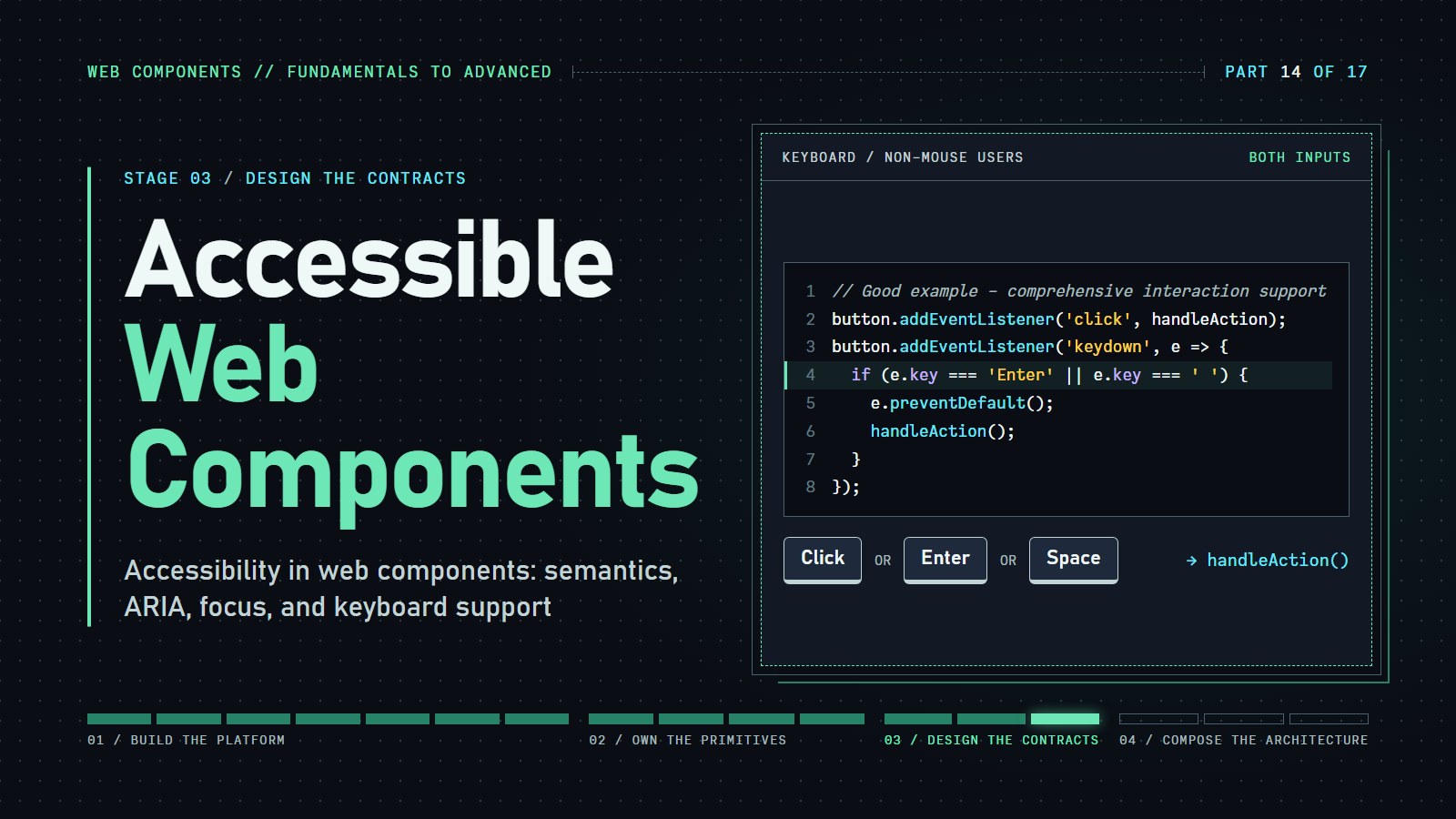
Introduction#
Meet Sarah, a web user who navigates the internet using a screen reader. When she encounters custom elements on websites, her experience isn't determined by visual design—it's determined by whether developers prioritized accessibility. When developers overlook the needs of millions of users with disabilities, they transform bridges into barriers, creating frustration instead of inclusive solutions.
A screen reader reads a page aloud from its structure, not from how it looks. A custom element that only looks like a button is silent or confusing to Sarah, and often unreachable for anyone who cannot use a mouse. This post builds custom elements that say what they are, work from the keyboard, and announce changes.
Quick recap if you are joining here: a custom element is a class that extends HTMLElement, registered with customElements.define('my-tag', MyClass), and Shadow DOM gives it a private inside that the page's CSS and scripts cannot reach by accident. ARIA (Accessible Rich Internet Applications) is a set of HTML attributes, such as role, aria-pressed and aria-label, that tell assistive technology what a control is and what state it is in. ARIA only changes what is announced; it adds no behavior. Whenever a native element does the job (a real <button>, for instance), use it and skip the ARIA.
A reusable element is only reusable if everyone can use it. This guide covers semantic HTML, ARIA roles, keyboard navigation and testing for custom elements, with interactive examples you can change and run.
With these fundamentals in mind, let's see accessibility in action.
The Accessibility Difference#
The following examples demonstrate how seemingly small details create dramatically different user experiences:
Before diving into details, let's visualize the difference accessibility makes:
---html
<h3>Non-accessible Toggle</h3>
<div class="toggle-button" onclick="this.classList.toggle('active')">
	<span class="toggle-text"></span>

</div>

<h3>Accessible Toggle</h3>
<accessible-toggle></accessible-toggle>
---css
/* Simple Dark Mode CSS */

/* Default light mode */
:root {
	--bg-color: #ffffff;
	--text-color: #333333;
}

/* Dark mode detection */
@media (prefers-color-scheme: dark) {
	:root {
		--bg-color: #121212;
		--text-color: #e0e0e0;
	}
}

/* Basic styling */
body {
	background-color: var(--bg-color);
	color: var(--text-color);
	font-family: system-ui, -apple-system, BlinkMacSystemFont, "Segoe UI", Roboto,
		sans-serif;
	line-height: 1.5;
	margin: 0;
	padding: 0;
	transition: background-color 0.3s ease, color 0.3s ease;
	display: flex;
	flex-direction: column;
	align-items: center;
	justify-content: center;
	min-height: 100vh;
	text-align: center;
}

.toggle-button {
	padding: 8px 16px;
	border: 2px solid #333;
	border-radius: 4px;
	font-size: 16px;
	cursor: pointer;
	transition: all 0.3s;
	background: #ccc;
	color: #000;
}

.toggle-button.active {
	background-color: #4caf50;
	color: white;
}

.toggle-button.active .toggle-text {
	content: "ON";
}

.active .toggle-text:after {
	content: "ON";
}

.toggle-text:after {
	content: "OFF";
}
---js
class AccessibleToggle extends HTMLElement {
  constructor() {
    super();
    this.attachShadow({ mode: 'open' });
    this.pressed = false;
    this.render();
    // A native <button> already handles Enter and Space, so one click listener is enough.
    this.shadowRoot.querySelector('button').addEventListener('click', () => this.toggle());
  }

  toggle() {
    this.pressed = !this.pressed;
    this.render();
    this.dispatchEvent(new CustomEvent('toggle', {
      bubbles: true,
      detail: { pressed: this.pressed } }));

  }

  render() {
    const button = this.shadowRoot.querySelector('button') || document.createElement('button');
    button.setAttribute('aria-pressed', this.pressed);
    const label = this.getAttribute('label') || 'Toggle';
    // The name comes from the visible text; aria-pressed carries the state.
    button.innerHTML = `${label} <span aria-hidden="true">${this.pressed ? 'ON' : 'OFF'}</span>`;
    button.className = this.pressed ? 'pressed' : '';

    if (!this.shadowRoot.querySelector('button')) {
      this.shadowRoot.innerHTML = `
        <style>
          button {
            padding: 8px 16px;
            border: 2px solid #333;
            border-radius: 4px;
            font-size: 16px;
            cursor: pointer;
            transition: all 0.3s;
          }
          button:focus-visible {
            outline: 3px solid blue;
            outline-offset: 2px;
          }
          button.pressed {
            background-color: #4CAF50;
            color: white;
          }
          button:not(.pressed) {
            background-color: #f1f1f1;
          }
        </style>
      `;
      this.shadowRoot.appendChild(button);
    }
  }}


customElements.define('accessible-toggle', AccessibleToggle);
Try using only your keyboard (Tab and Enter) to interact with both buttons above. Notice how the accessible version provides:
- Clear focus indication
- Proper state announcement
- Keyboard operability
The first toggle is a plain <div> with a click handler: it has no role, no keyboard stop, and nothing that says "pressed". For Sarah, that is a rectangle she cannot find and cannot operate. These seemingly small details make a tremendous difference for users relying on assistive technologies.
Understanding Accessibility in Web Components#
Now that we've seen the tangible impact of accessibility features, let's explore the core principles that make web components truly inclusive for all users.
Accessibility (often abbreviated as A11y) involves designing products usable by people with disabilities. For Web Components, this means ensuring custom elements are perceivable, operable, understandable, and robust for all users.
Key Considerations:
- Semantic HTML: Use appropriate HTML elements to convey meaning, as browsers and assistive technologies rely on these semantics.
- ARIA Roles and Properties: When native HTML elements are insufficient, ARIA roles and properties provide additional accessibility information.
- Keyboard Accessibility: Ensure all interactive elements are navigable and operable via keyboard.
- Focus Management: Properly manage focus to assist users navigating with keyboards or assistive devices.
While these accessibility considerations apply to all web development, Web Components introduce unique challenges through their use of Shadow DOM—an essential feature that requires thoughtful implementation.
The Shadow DOM Challenge#
Web Components use Shadow DOM to encapsulate styles and functionality, creating unique accessibility challenges:
- Style Isolation: Focus styles might not be visible if they rely on global CSS
- DOM Isolation: ARIA relationships across shadow boundaries might not work as expected
- Event Handling: Custom events must properly handle keyboard interactions
Despite these challenges, you can create fully accessible Web Components with the right approach. Let's explore practical implementation strategies that address these concerns while maintaining the benefits of encapsulation.
Implementing Accessibility in Web Components#
These challenges can be overcome with proper implementation, as demonstrated in the examples below.
1. Semantic HTML and ARIA Roles#
Start with native HTML elements that inherently provide accessibility. When creating custom elements, assign appropriate ARIA roles and properties to convey their purpose and state.
Interactive Example: Accessible Toggle Button#
---html
<accessible-toggle></accessible-toggle>
---css
/* Simple Dark Mode CSS */

/* Default light mode */
:root {
	--bg-color: #ffffff;
	--text-color: #333333;
}

/* Dark mode detection */
@media (prefers-color-scheme: dark) {
	:root {
		--bg-color: #121212;
		--text-color: #e0e0e0;
	}
}

/* Basic styling */
body {
	background-color: var(--bg-color);
	color: var(--text-color);
	font-family: system-ui, -apple-system, BlinkMacSystemFont, "Segoe UI", Roboto,
		sans-serif;
	line-height: 1.5;
	margin: 0;
	padding: 0;
	transition: background-color 0.3s ease, color 0.3s ease;
	display: flex;
	flex-direction: column;
	align-items: center;
	justify-content: center;
	min-height: 100vh;
	text-align: center;
}

.toggle-button {
	padding: 8px 16px;
	border: 2px solid #333;
	border-radius: 4px;
	font-size: 16px;
	cursor: pointer;
	transition: all 0.3s;
	background: #ccc;
	color: #000;
}

.toggle-button.active {
	background-color: #4caf50;
	color: white;
}

.toggle-button.active .toggle-text {
	content: "ON";
}

.active .toggle-text:after {
	content: "ON";
}

.toggle-text:after {
	content: "OFF";
}
---js
class AccessibleToggle extends HTMLElement {
  constructor() {
    super();
    this.attachShadow({ mode: 'open' });
    this.pressed = false;
    this.render();
    // A native <button> already handles Enter and Space, so one click listener is enough.
    this.shadowRoot.querySelector('button').addEventListener('click', () => this.toggle());
  }

  toggle() {
    this.pressed = !this.pressed;
    this.render();
    this.dispatchEvent(new CustomEvent('toggle', {
      bubbles: true,
      detail: { pressed: this.pressed } }));

  }

  render() {
    const button = this.shadowRoot.querySelector('button') || document.createElement('button');
    button.setAttribute('aria-pressed', this.pressed);
    const label = this.getAttribute('label') || 'Toggle';
    // The name comes from the visible text; aria-pressed carries the state.
    button.innerHTML = `${label} <span aria-hidden="true">${this.pressed ? 'ON' : 'OFF'}</span>`;
    button.className = this.pressed ? 'pressed' : '';

    if (!this.shadowRoot.querySelector('button')) {
      this.shadowRoot.innerHTML = `
        <style>
          button {
            padding: 8px 16px;
            border: 2px solid #333;
            border-radius: 4px;
            font-size: 16px;
            cursor: pointer;
            transition: all 0.3s;
          }
          button:focus-visible {
            outline: 3px solid blue;
            outline-offset: 2px;
          }
          button.pressed {
            background-color: #4CAF50;
            color: white;
          }
          button:not(.pressed) {
            background-color: #f1f1f1;
          }
        </style>
      `;
      this.shadowRoot.appendChild(button);
    }
  }}


customElements.define('accessible-toggle', AccessibleToggle);
class AccessibleToggle extends HTMLElement {
  constructor() {
    super();
    this.attachShadow({ mode: 'open' });
    this.pressed = false;
    this.render();
    // A native <button> already handles Enter and Space, so one click listener is enough.
    this.shadowRoot.querySelector('button').addEventListener('click', () => this.toggle());
  }

  toggle() {
    this.pressed = !this.pressed;
    this.render();
    this.dispatchEvent(new CustomEvent('toggle', {
      bubbles: true,
      detail: { pressed: this.pressed }
    }));
  }

  render() {
    const button = this.shadowRoot.querySelector('button') || document.createElement('button');
    button.setAttribute('aria-pressed', this.pressed);
    const label = this.getAttribute('label') || 'Toggle';
    // The name comes from the visible text; aria-pressed carries the state.
    button.innerHTML = `${label} <span aria-hidden="true">${this.pressed ? 'ON' : 'OFF'}</span>`;
    button.className = this.pressed ? 'pressed' : '';

    if (!this.shadowRoot.querySelector('button')) {
      this.shadowRoot.innerHTML = `
        <style>
          button {
            padding: 8px 16px;
            border: 2px solid #333;
            border-radius: 4px;
            font-size: 16px;
            cursor: pointer;
            transition: all 0.3s;
          }
          button:focus-visible {
            outline: 3px solid blue;
            outline-offset: 2px;
          }
          button.pressed {
            background-color: #4CAF50;
            color: white;
          }
          button:not(.pressed) {
            background-color: #f1f1f1;
          }
        </style>
      `;
      this.shadowRoot.appendChild(button);
    }
  }
}

customElements.define('accessible-toggle', AccessibleToggle);
Key accessibility features:
- Uses a real
<button>, so it is reachable with Tab and works with Enter and Space with no extra code - Uses
aria-pressedto convey the on/off state to assistive technologies - Lets the visible text ("Toggle") be the accessible name, with the
ON/OFFtext hidden from screen readers becausearia-pressedalready says it - Provides visible state indication through color and text changes
- Implements strong focus indication with high contrast outline
- Dispatches events that can be caught by parent components
Try navigating to the button with Tab and activating it with Enter or Space. A screen reader typically announces something like "Toggle, toggle button, not pressed" and, after activation, "Toggle, toggle button, pressed". The exact wording varies between screen readers.
A mistake worth seeing. An earlier version of this toggle set role="button" and aria-label="Toggle" on the <button>. Both were harmful in small ways. role="button" on a <button> repeats what the browser already knows. And aria-label replaces the visible text as the button's name, so the screen reader never says "ON" or "OFF", and a voice-control user who says "click ON" may find nothing with that name. In Chrome's accessibility tree the old version showed the name Toggle with the visible text ON sitting under it; the new one has the name Toggle and the state pressed, and the visible text agrees with what is announced. The rule behind it: do not override a visible label with a different aria-label.
2. Keyboard Accessibility and Focus Management#
With the foundation of proper semantics established, let's focus on how users navigate through interactive components without a mouse.
Proper focus management matters, especially with dynamic content or modal dialogs. Users navigating with keyboards need clear focus indication and logical tab order.
Two terms before the next example. Focus is the element that currently receives keystrokes; Tab moves it to the next interactive element. A focus trap is what a modal dialog does while it is open: Tab and Shift+Tab cycle among the controls inside the dialog instead of wandering to the page hidden behind it. When the dialog closes, focus goes back to the button that opened it.
A note from October 2026: a native <dialog> opened with showModal() already traps focus, closes on Escape and returns focus to the opener, so for a plain modal you may not need a class like the one below. We build it by hand here to see what the browser does on our behalf.
Interactive Example: Accessible Modal Dialog#
---html
<accessible-modal></accessible-modal>
---css
/* Simple Dark Mode CSS */

/* Default light mode */
:root {
	--bg-color: #ffffff;
	--text-color: #333333;
}

/* Dark mode detection */
@media (prefers-color-scheme: dark) {
	:root {
		--bg-color: #121212;
		--text-color: #e0e0e0;
	}
}

/* Basic styling */
body {
	background-color: var(--bg-color);
	color: var(--text-color);
	font-family: system-ui, -apple-system, BlinkMacSystemFont, "Segoe UI", Roboto,
		sans-serif;
	line-height: 1.5;
	margin: 0;
	padding: 0;
	transition: background-color 0.3s ease, color 0.3s ease;
	display: flex;
	flex-direction: column;
	align-items: center;
	justify-content: center;
	min-height: 100vh;
	text-align: center;
}
---js
class AccessibleModal extends HTMLElement {
  constructor() {
    super();
    this.attachShadow({ mode: "open" });
    this._previouslyFocusedElement = null;
    this._keydownHandler = null;
    this._escapeHandler = null;
    this.render();
  }

  connectedCallback() {
    const trigger = this.shadowRoot.querySelector("#modal-trigger");
    const closeBtn = this.shadowRoot.querySelector("#modal-close");
    const dialog = this.shadowRoot.querySelector('[role="dialog"]');
    const overlay = this.shadowRoot.querySelector(".modal-overlay");

    // Open modal on trigger click
    trigger.addEventListener("click", () => this.open());

    // Close modal on close button click
    closeBtn.addEventListener("click", () => this.close());

    // Create handler for Escape key
    this._escapeHandler = e => {
      if (e.key === "Escape" && dialog.getAttribute("aria-hidden") !== "true") {
        this.close();
      }
    };

    // Add Escape key event listener to the document
    document.addEventListener("keydown", this._escapeHandler);

    // Close when clicking outside the modal
    overlay.addEventListener("click", e => {
      if (e.target === overlay) {
        this.close();
      }
    });
  }

  disconnectedCallback() {
    // Clean up event listeners when component is removed
    if (this._escapeHandler) {
      document.removeEventListener("keydown", this._escapeHandler);
    }
    if (this._keydownHandler) {
      document.removeEventListener("keydown", this._keydownHandler);
    }
  }

  open() {
    // Store currently focused element to restore later
    this._previouslyFocusedElement = document.activeElement;
    const dialog = this.shadowRoot.querySelector('[role="dialog"]');
    const overlay = this.shadowRoot.querySelector(".modal-overlay");

    // Make modal visible
    dialog.removeAttribute("aria-hidden");
    overlay.style.display = "flex";

    // Focus the first focusable element (close button)
    setTimeout(() => {
      this.shadowRoot.querySelector("#modal-close").focus();
    }, 50);

    // Set up focus trapping
    this._setupFocusTrap();

    // Prevent background scrolling
    document.body.style.overflow = "hidden";
  }

  close() {
    const dialog = this.shadowRoot.querySelector('[role="dialog"]');
    const overlay = this.shadowRoot.querySelector(".modal-overlay");

    // Hide modal
    dialog.setAttribute("aria-hidden", "true");
    overlay.style.display = "none";

    // Remove focus trap
    if (this._keydownHandler) {
      document.removeEventListener("keydown", this._keydownHandler);
      this._keydownHandler = null;
    }

    // Re-enable scrolling
    document.body.style.overflow = "";

    // Restore focus with a slight delay to ensure UI updates first
    if (this._previouslyFocusedElement) {
      console.log("Restoring focus to:", this._previouslyFocusedElement);
      setTimeout(() => {
        try {
          this.shadowRoot.querySelector("#modal-trigger").focus();
        } catch (e) {
          console.error("Error restoring focus:", e);
          // Fallback - focus the trigger button
          this.shadowRoot.querySelector("#modal-trigger").focus();
        }
      }, 100);
    } else {
      // Fallback if no previous element was stored
      setTimeout(() => {
        this.shadowRoot.querySelector("#modal-trigger").focus();
      }, 100);
    }
  }

  _setupFocusTrap() {
    // Get all focusable elements within the modal
    const focusableElements = Array.from(
    this.shadowRoot.querySelectorAll(
    'button, [href], input, select, textarea, [tabindex]:not([tabindex="-1"])'));


    const firstFocusable = focusableElements[0];
    const lastFocusable = focusableElements[focusableElements.length - 1];

    // Remove any previous event listener
    if (this._keydownHandler) {
      document.removeEventListener("keydown", this._keydownHandler);
    }

    // Create and add the keydown handler for Tab key focus trapping
    this._keydownHandler = e => {
      // Only respond to Tab key
      if (e.key === "Tab") {
        // If pressing Shift+Tab on the first focusable element, wrap to the last
        if (e.shiftKey && document.activeElement === firstFocusable) {
          e.preventDefault();
          lastFocusable.focus();
        }
        // If pressing Tab on the last focusable element, wrap to the first
        else if (!e.shiftKey && document.activeElement === lastFocusable) {
            e.preventDefault();
            firstFocusable.focus();
          }
      }
    };

    // Add the event listener to the document (more reliable than shadowRoot)
    document.addEventListener("keydown", this._keydownHandler);
  }

  render() {
    this.shadowRoot.innerHTML = `
      <style>
        /* Dark mode variables */
        :host {
          --bg-color: #ffffff;
          --text-color: #333333;
          --overlay-bg: rgba(0, 0, 0, 0.5);
          --modal-bg: #ffffff;
          --modal-shadow: 0 4px 8px rgba(0, 0, 0, 0.2);
          --button-border: #ccc;
          --button-bg: #f5f5f5;
          --button-hover: #e0e0e0;
          --button-focus: blue;
          --primary-button-bg: #4CAF50;
          --primary-button-hover: #3d8b40;
          --primary-button-color: white;

          /* Center content */
          display: flex;
          flex-direction: column;
          align-items: center;
          justify-content: center;
          text-align: center;
        }

        /* Dark mode detection */
        @media (prefers-color-scheme: dark) {
          :host {
            --bg-color: #121212;
            --text-color: #e0e0e0;
            --overlay-bg: rgba(0, 0, 0, 0.7);
            --modal-bg: #1e1e1e;
            --modal-shadow: 0 4px 12px rgba(0, 0, 0, 0.4);
            --button-border: #444;
            --button-bg: #2d2d2d;
            --button-hover: #3d3d3d;
            --button-focus: #7289da;
            --primary-button-bg: #2e7d32;
            --primary-button-hover: #266d29;
            --primary-button-color: #e0e0e0;
          }
        }

        .modal-overlay {
          position: fixed;
          top: 0;
          left: 0;
          right: 0;
          bottom: 0;
          background-color: var(--overlay-bg);
          display: none;
          justify-content: center;
          align-items: center;
          z-index: 1000;
        }

        .modal-content {
          background-color: var(--modal-bg);
          color: var(--text-color);
          padding: 20px;
          border-radius: 4px;
          max-width: 500px;
          width: 90%;
          box-shadow: var(--modal-shadow);
          transition: background-color 0.3s ease, color 0.3s ease;
        }

        button {
          padding: 8px 16px;
          cursor: pointer;
          border-radius: 4px;
          background-color: var(--button-bg);
          color: var(--text-color);
          border: 1px solid var(--button-border);
          transition: background-color 0.3s ease, color 0.3s ease, border-color 0.3s ease;
        }

        button:hover {
          background-color: var(--button-hover);
        }

        button:focus-visible {
          outline: 3px solid var(--button-focus);
          outline-offset: 2px;
        }

        #modal-close {
          float: right;
          background: none;
          border: 1px solid var(--button-border);
          font-size: 16px;
        }

        #modal-trigger {
          background-color: var(--primary-button-bg);
          color: var(--primary-button-color);
          border: none;
          font-size: 16px;
          margin: 20px 0;
        }

        #modal-trigger:hover {
          opacity: 0.9;
          background-color: var(--primary-button-hover);
        }

        .button-container {
          display: flex;
          justify-content: center;
          gap: 10px;
          margin-top: 15px;
        }
      </style>

      <button id="modal-trigger">Open Modal</button>

      <div class="modal-overlay">
        <div role="dialog" aria-labelledby="modal-title" aria-modal="true" aria-hidden="true" class="modal-content">
          <button id="modal-close" aria-label="Close dialog">×</button>
          <h2 id="modal-title">Accessible Modal Dialog</h2>
          <p>This is an example of an accessible modal dialog component.</p>
          <p>It traps focus inside the modal, can be closed with the ESC key, and restores focus when closed.</p>
          <div class="button-container">
            <button>Test Button 1</button>
            <button>Test Button 2</button>
          </div>
        </div>
      </div>
    `;
  }}


customElements.define("accessible-modal", AccessibleModal);
class AccessibleModal extends HTMLElement {
  constructor() {
    super();
    this.attachShadow({ mode: 'open' });
    this._previouslyFocusedElement = null;
    this.render();
  }

  connectedCallback() {
    const trigger = this.shadowRoot.querySelector('#modal-trigger');
    const closeBtn = this.shadowRoot.querySelector('#modal-close');
    const dialog = this.shadowRoot.querySelector('[role="dialog"]');

    trigger.addEventListener('click', () => this.open());
    closeBtn.addEventListener('click', () => this.close());

    // Close on Escape key
    this.addEventListener('keydown', e => {
      if (e.key === 'Escape' && !dialog.hasAttribute('aria-hidden')) {
        this.close();
      }
    });

    // Close when clicking outside the modal
    this.shadowRoot.querySelector('.modal-overlay').addEventListener('click', e => {
      if (e.target.classList.contains('modal-overlay')) {
        this.close();
      }
    });
  }

  open() {
    this._previouslyFocusedElement = document.activeElement;
    const dialog = this.shadowRoot.querySelector('[role="dialog"]');
    dialog.removeAttribute('aria-hidden');
    this.shadowRoot.querySelector('.modal-overlay').style.display = 'flex';
    this.shadowRoot.querySelector('#modal-close').focus();

    // Trap focus inside modal
    this._handleFocusTrap();
  }

  close() {
    this.shadowRoot.querySelector('[role="dialog"]').setAttribute('aria-hidden', 'true');
    this.shadowRoot.querySelector('.modal-overlay').style.display = 'none';

    // Restore focus
    if (this._previouslyFocusedElement) {
      this._previouslyFocusedElement.focus();
    }
  }

  _handleFocusTrap() {
    const focusableElements = this.shadowRoot.querySelectorAll('button, [href], input, select, textarea, [tabindex]:not([tabindex="-1"])');
    const firstFocusable = focusableElements[0];
    const lastFocusable = focusableElements[focusableElements.length - 1];

    this.shadowRoot.addEventListener('keydown', e => {
      if (e.key === 'Tab') {
        if (e.shiftKey && document.activeElement === firstFocusable) {
          e.preventDefault();
          lastFocusable.focus();
        } else if (!e.shiftKey && document.activeElement === lastFocusable) {
          e.preventDefault();
          firstFocusable.focus();
        }
      }
    });
  }

  render() {
    this.shadowRoot.innerHTML = `
      <style>
        .modal-overlay {
          position: fixed;
          top: 0;
          left: 0;
          right: 0;
          bottom: 0;
          background-color: rgba(0, 0, 0, 0.5);
          display: none;
          justify-content: center;
          align-items: center;
          z-index: 1000;
        }

        .modal-content {
          background-color: white;
          padding: 20px;
          border-radius: 4px;
          max-width: 500px;
          width: 90%;
          box-shadow: 0 4px 8px rgba(0, 0, 0, 0.2);
        }

        button {
          padding: 8px 16px;
          cursor: pointer;
          border-radius: 4px;
        }

        button:focus-visible {
          outline: 3px solid blue;
          outline-offset: 2px;
        }

        #modal-close {
          float: right;
          background: none;
          border: 1px solid #ccc;
          font-size: 16px;
        }

        #modal-trigger {
          background-color: #4CAF50;
          color: white;
          border: none;
          font-size: 16px;
        }
      </style>

      <button id="modal-trigger">Open Modal</button>

      <div class="modal-overlay">
        <div role="dialog" aria-labelledby="modal-title" aria-modal="true" aria-hidden="true" class="modal-content">
          <button id="modal-close" aria-label="Close dialog">×</button>
          <h2 id="modal-title">Accessible Modal Dialog</h2>
          <p>This is an example of an accessible modal dialog component.</p>
          <p>It traps focus inside the modal, can be closed with the ESC key, and restores focus when closed.</p>
          <button>Test Button 1</button>
          <button>Test Button 2</button>
        </div>
      </div>
    `;
  }
}

customElements.define('accessible-modal', AccessibleModal);
Key accessibility features:
- Focus trap within the modal (users can't tab out accidentally)
- Keyboard closing with Escape key
- Focus restoration when modal closes
- Proper ARIA roles (
dialog,aria-labelledby,aria-modal) - Clear visual focus indicators
Try opening the modal and navigating with Tab. Notice how focus is trapped inside the modal and restored to the trigger button when closed.
3. Complex Components and Keyboard Navigation#
While proper keyboard navigation creates a solid foundation, complex components like tabs, accordions, and carousels require specialized interaction patterns to maintain usability.
The tabs below use tabindex to keep the whole tab list to a single stop in the Tab order. tabindex="0" puts an element in the normal Tab order. tabindex="-1" takes it out of the Tab order but still lets a script focus it with .focus(), which is what the arrow keys do here. Only the selected tab gets 0; the others get -1. Tab enters the tab list once, and the arrow keys move around inside it.
Interactive Example: Accessible Tabs#
---html
<accessible-tabs></accessible-tabs>
---css
/* Simple Dark Mode CSS */

/* Default light mode */
:root {
	--bg-color: #ffffff;
	--text-color: #333333;
}

/* Dark mode detection */
@media (prefers-color-scheme: dark) {
	:root {
		--bg-color: #121212;
		--text-color: #e0e0e0;
	}
}

/* Basic styling */
body {
	background-color: var(--bg-color);
	color: var(--text-color);
	font-family: system-ui, -apple-system, BlinkMacSystemFont, "Segoe UI", Roboto,
		sans-serif;
	line-height: 1.5;
	margin: 0;
	padding: 0;
	transition: background-color 0.3s ease, color 0.3s ease;
	display: flex;
	flex-direction: column;
	align-items: center;
	justify-content: center;
	min-height: 100vh;
	text-align: center;
}

.toggle-button {
	padding: 8px 16px;
	border: 2px solid #333;
	border-radius: 4px;
	font-size: 16px;
	cursor: pointer;
	transition: all 0.3s;
	background: #ccc;
	color: #000;
}

.toggle-button.active {
	background-color: #4caf50;
	color: white;
}

.toggle-button.active .toggle-text {
	content: "ON";
}

.active .toggle-text:after {
	content: "ON";
}

.toggle-text:after {
	content: "OFF";
}
---js
class AccessibleTabs extends HTMLElement {
  constructor() {
    super();
    this.attachShadow({ mode: 'open' });
    this.render();
  }

  connectedCallback() {
    const tabs = Array.from(this.shadowRoot.querySelectorAll('[role="tab"]'));
    const panels = Array.from(this.shadowRoot.querySelectorAll('[role="tabpanel"]'));

    // Select first tab by default
    this.selectTab(tabs[0]);

    tabs.forEach(tab => {
      tab.addEventListener('click', () => this.selectTab(tab));

      tab.addEventListener('keydown', e => {
        if (e.key === 'ArrowRight' || e.key === 'ArrowLeft') {
          e.preventDefault();

          const currentIndex = tabs.indexOf(tab);
          let nextIndex;

          if (e.key === 'ArrowRight') {
            nextIndex = (currentIndex + 1) % tabs.length;
          } else {
            nextIndex = (currentIndex - 1 + tabs.length) % tabs.length;
          }

          tabs[nextIndex].focus();
          this.selectTab(tabs[nextIndex]);
        }
      });
    });
  }

  selectTab(selectedTab) {
    const tabs = Array.from(this.shadowRoot.querySelectorAll('[role="tab"]'));
    const panels = Array.from(this.shadowRoot.querySelectorAll('[role="tabpanel"]'));

    tabs.forEach(tab => {
      const selected = tab === selectedTab;
      tab.setAttribute('aria-selected', selected);
      tab.setAttribute('tabindex', selected ? '0' : '-1');
    });

    panels.forEach(panel => {
      const isSelected = panel.id === selectedTab.getAttribute('aria-controls');
      panel.hidden = !isSelected;
    });
  }

  render() {
    this.shadowRoot.innerHTML = `
      <style>
        .tabs {
          display: flex;
          border-bottom: 1px solid #ccc;
        }

        [role="tab"] {
          padding: 10px 15px;
          margin-right: 5px;
          background-color: #f1f1f1;
          border: 1px solid #ccc;
          border-bottom: none;
          border-radius: 4px 4px 0 0;
          cursor: pointer;
          position: relative;
          top: 1px;
        }

        [role="tab"][aria-selected="true"] {
          background-color: white;
          border-bottom: 1px solid white;
        }

        [role="tab"]:focus-visible {
          outline: 3px solid blue;
          outline-offset: 2px;
        }

        [role="tabpanel"] {
          padding: 20px;
          border: 1px solid #ccc;
          border-top: none;
        }
      </style>

      <div class="tabs-container">
        <div role="tablist" class="tabs" aria-label="Programming information">
          <button role="tab" id="tab-1" aria-selected="true" aria-controls="panel-1" tabindex="0">HTML</button>
          <button role="tab" id="tab-2" aria-selected="false" aria-controls="panel-2" tabindex="-1">CSS</button>
          <button role="tab" id="tab-3" aria-selected="false" aria-controls="panel-3" tabindex="-1">JavaScript</button>
        </div>

        <div role="tabpanel" id="panel-1" aria-labelledby="tab-1">
          <h3>HTML</h3>
          <p>HTML (HyperText Markup Language) is the standard markup language for documents designed to be displayed in a web browser.</p>
        </div>

        <div role="tabpanel" id="panel-2" aria-labelledby="tab-2" hidden>
          <h3>CSS</h3>
          <p>CSS (Cascading Style Sheets) is a style sheet language used for describing the presentation of a document written in HTML.</p>
        </div>

        <div role="tabpanel" id="panel-3" aria-labelledby="tab-3" hidden>
          <h3>JavaScript</h3>
          <p>JavaScript is a programming language that enables interactive web pages and is an essential part of web applications.</p>
        </div>
      </div>
    `;
  }}


customElements.define('accessible-tabs', AccessibleTabs);
class AccessibleTabs extends HTMLElement {
  constructor() {
    super();
    this.attachShadow({ mode: 'open' });
    this.render();
  }

  connectedCallback() {
    const tabs = Array.from(this.shadowRoot.querySelectorAll('[role="tab"]'));
    const panels = Array.from(this.shadowRoot.querySelectorAll('[role="tabpanel"]'));

    // Select first tab by default
    this.selectTab(tabs[0]);

    tabs.forEach(tab => {
      tab.addEventListener('click', () => this.selectTab(tab));

      tab.addEventListener('keydown', e => {
        // Arrow key navigation
        if (e.key === 'ArrowRight' || e.key === 'ArrowLeft') {
          e.preventDefault();

          const currentIndex = tabs.indexOf(tab);
          let nextIndex;

          if (e.key === 'ArrowRight') {
            nextIndex = (currentIndex + 1) % tabs.length;
          } else {
            nextIndex = (currentIndex - 1 + tabs.length) % tabs.length;
          }

          tabs[nextIndex].focus();
          this.selectTab(tabs[nextIndex]);
        }

        // Home and End keys for first/last tabs
        if (e.key === 'Home') {
          e.preventDefault();
          tabs[0].focus();
          this.selectTab(tabs[0]);
        }

        if (e.key === 'End') {
          e.preventDefault();
          tabs[tabs.length - 1].focus();
          this.selectTab(tabs[tabs.length - 1]);
        }
      });
    });
  }

  selectTab(selectedTab) {
    const tabs = Array.from(this.shadowRoot.querySelectorAll('[role="tab"]'));
    const panels = Array.from(this.shadowRoot.querySelectorAll('[role="tabpanel"]'));

    tabs.forEach(tab => {
      const selected = tab === selectedTab;
      tab.setAttribute('aria-selected', selected);
      tab.setAttribute('tabindex', selected ? '0' : '-1');
    });

    panels.forEach(panel => {
      const isSelected = panel.id === selectedTab.getAttribute('aria-controls');
      panel.hidden = !isSelected;
    });
  }

  render() {
    this.shadowRoot.innerHTML = `
      <style>
        .tabs {
          display: flex;
          border-bottom: 1px solid #ccc;
        }

        [role="tab"] {
          padding: 10px 15px;
          margin-right: 5px;
          background-color: #f1f1f1;
          border: 1px solid #ccc;
          border-bottom: none;
          border-radius: 4px 4px 0 0;
          cursor: pointer;
          position: relative;
          top: 1px;
        }

        [role="tab"][aria-selected="true"] {
          background-color: white;
          border-bottom: 1px solid white;
        }

        [role="tab"]:focus-visible {
          outline: 3px solid blue;
          outline-offset: 2px;
        }

        [role="tabpanel"] {
          padding: 20px;
          border: 1px solid #ccc;
          border-top: none;
        }
      </style>

      <div class="tabs-container">
        <div role="tablist" class="tabs" aria-label="Programming information">
          <button role="tab" id="tab-1" aria-selected="true" aria-controls="panel-1" tabindex="0">HTML</button>
          <button role="tab" id="tab-2" aria-selected="false" aria-controls="panel-2" tabindex="-1">CSS</button>
          <button role="tab" id="tab-3" aria-selected="false" aria-controls="panel-3" tabindex="-1">JavaScript</button>
        </div>

        <div role="tabpanel" id="panel-1" aria-labelledby="tab-1">
          <h3>HTML</h3>
          <p>HTML (HyperText Markup Language) is the standard markup language for documents designed to be displayed in a web browser.</p>
        </div>

        <div role="tabpanel" id="panel-2" aria-labelledby="tab-2" hidden>
          <h3>CSS</h3>
          <p>CSS (Cascading Style Sheets) is a style sheet language used for describing the presentation of a document written in HTML.</p>
        </div>

        <div role="tabpanel" id="panel-3" aria-labelledby="tab-3" hidden>
          <h3>JavaScript</h3>
          <p>JavaScript is a programming language that enables interactive web pages and is an essential part of web applications.</p>
        </div>
      </div>
    `;
  }
}

customElements.define('accessible-tabs', AccessibleTabs);
Key accessibility features:
- Proper ARIA roles for
tablist,tab, andtabpanel - Keyboard navigation with arrow keys, Home, and End
- Single tab stop in the tab order with arrow key navigation between tabs
- Proper state management with
aria-selectedandtabindex - Clear relationship between tabs and panels using
aria-controlsandaria-labelledby
Try using the arrow keys to navigate between tabs. Notice how this follows the expected keyboard interaction pattern for tabs.
4. Announcements for Dynamic Content#
Beyond static structure and interaction, many modern interfaces feature dynamic content that changes without page reloads. This presents another accessibility challenge: how do we keep non-visual users informed of these changes?
Think of Sarah pressing a button that adds an item to a cart. Her focus stays on the button, and a "1 item in cart" message appears elsewhere on the screen. Nothing told her. An element marked aria-live is a live region: when its text changes, the screen reader speaks the new text even though focus is somewhere else. aria-live="polite" waits for a pause in speech; aria-live="assertive" interrupts, so save it for urgent messages. The region should already be on the page before you change its text.
---html
<live-region></live-region>
---css
/* Simple Dark Mode CSS */

/* Default light mode */
:root {
	--bg-color: #ffffff;
	--text-color: #333333;
}

/* Dark mode detection */
@media (prefers-color-scheme: dark) {
	:root {
		--bg-color: #121212;
		--text-color: #e0e0e0;
	}
}

/* Basic styling */
body {
	background-color: var(--bg-color);
	color: var(--text-color);
	font-family: system-ui, -apple-system, BlinkMacSystemFont, "Segoe UI", Roboto,
		sans-serif;
	line-height: 1.5;
	margin: 0;
	padding: 0;
	transition: background-color 0.3s ease, color 0.3s ease;
	display: flex;
	flex-direction: column;
	align-items: center;
	justify-content: center;
	min-height: 100vh;
	text-align: center;
}
---js
class LiveRegion extends HTMLElement {
  constructor() {
    super();
    this.attachShadow({ mode: 'open' });
    this.render();
  }

  connectedCallback() {
    const button = this.shadowRoot.querySelector('button');
    const liveRegion = this.shadowRoot.querySelector('[aria-live]');
    let count = 0;

    // Listen for theme changes
    this.updateTheme = () => {
      const isDarkMode = this.shadowRoot.host.hasAttribute('dark-mode');
      this.shadowRoot.querySelector('.container').classList.toggle('dark-theme', isDarkMode);
    };

    // Check for system preference initially
    const prefersDarkMode = window.matchMedia('(prefers-color-scheme: dark)').matches;
    if (prefersDarkMode) {
      this.shadowRoot.host.setAttribute('dark-mode', '');
      this.updateTheme();
    }

    // Listen for system preference changes
    window.matchMedia('(prefers-color-scheme: dark)').addEventListener('change', e => {
      if (e.matches) {
        this.shadowRoot.host.setAttribute('dark-mode', '');
      } else {
        this.shadowRoot.host.removeAttribute('dark-mode');
      }
      this.updateTheme();
    });

    // Button click event
    button.addEventListener('click', () => {
      count++;
      liveRegion.textContent = `Button clicked ${count} time${count === 1 ? '' : 's'}`;
    });

    // Theme toggle event
    //     themeToggle.addEventListener('click', () => {
    //       if (this.shadowRoot.host.hasAttribute('dark-mode')) {
    //         this.shadowRoot.host.removeAttribute('dark-mode');
    //       } else {
    //         this.shadowRoot.host.setAttribute('dark-mode', '');
    //       }
    //       this.updateTheme();

    //       // Announce theme change to screen readers
    //       const mode = this.shadowRoot.host.hasAttribute('dark-mode') ? 'dark' : 'light';
    //       const announcement = this.shadowRoot.querySelector('.theme-announcement');
    //       announcement.textContent = `Theme changed to ${mode} mode`;
    //     });
  }

  render() {
    this.shadowRoot.innerHTML = `
      <style>
        .container {
          padding: 20px;
          border-radius: 8px;
          font-family: system-ui, -apple-system, BlinkMacSystemFont, 'Segoe UI', Roboto, sans-serif;
          background-color: #ffffff;
          color: #333333;
          transition: background-color 0.3s, color 0.3s;
        }

        .container.dark-theme {
          background-color: #1a1a1a;
          color: #e0e0e0;
        }

        button {
          padding: 8px 16px;
          background-color: #4CAF50;
          color: white;
          border: none;
          border-radius: 4px;
          cursor: pointer;
          font-size: 16px;
          transition: background-color 0.3s, transform 0.1s;
        }

        .dark-theme button {
          background-color: #3a8a3d;
        }

        button:hover {
          opacity: 0.9;
        }

        button:active {
          transform: scale(0.98);
        }

        button:focus-visible {
          outline: 3px solid #7cc0ff;
          outline-offset: 2px;
        }

        .dark-theme button:focus-visible {
          outline-color: #4a8dcb;
        }

        #theme-toggle {
          background-color: #6c757d;
          margin-left: 10px;
        }

        .dark-theme #theme-toggle {
          background-color: #495057;
        }

        .live-region {
          margin-top: 15px;
          padding: 12px;
          background-color: #f8f8f8;
          border-radius: 6px;
          border-left: 4px solid #4CAF50;
          box-shadow: 0 2px 4px rgba(0,0,0,0.05);
          font-size: 16px;
        }

        .dark-theme .live-region {
          background-color: #2a2a2a;
          border-left-color: #3a8a3d;
          box-shadow: 0 2px 4px rgba(0,0,0,0.2);
        }

        .hidden {
          position: absolute;
          width: 1px;
          height: 1px;
          padding: 0;
          margin: -1px;
          overflow: hidden;
          clip: rect(0, 0, 0, 0);
          white-space: nowrap;
          border-width: 0;
        }
      </style>

      <div class="container">
        <div class="controls">
          <button>Increment Counter</button>
        </div>

        <div class="live-region" aria-live="polite">Counter starts at 0</div>

        <!-- Hidden live region for theme announcements -->
        <div class="theme-announcement hidden" aria-live="polite"></div>
      </div>
    `;
  }}


customElements.define('live-region', LiveRegion);
class LiveRegion extends HTMLElement {
  constructor() {
    super();
    this.attachShadow({ mode: 'open' });
    this.render();
  }

  connectedCallback() {
    const button = this.shadowRoot.querySelector('button');
    const liveRegion = this.shadowRoot.querySelector('[aria-live]');
    let count = 0;

    button.addEventListener('click', () => {
      count++;
      liveRegion.textContent = `Button clicked ${count} time${count === 1 ? '' : 's'}`;
    });
  }

  render() {
    this.shadowRoot.innerHTML = `
      <style>
        button {
          padding: 8px 16px;
          background-color: #4CAF50;
          color: white;
          border: none;
          border-radius: 4px;
          cursor: pointer;
        }

        button:focus-visible {
          outline: 3px solid blue;
          outline-offset: 2px;
        }

        .live-region {
          margin-top: 10px;
          padding: 10px;
          background-color: #f8f8f8;
          border-radius: 4px;
        }
      </style>

      <div>
        <button>Increment Counter</button>
        <div class="live-region" aria-live="polite">Counter starts at 0</div>
      </div>
    `;
  }
}

customElements.define('live-region', LiveRegion);
Key accessibility feature:
- Uses
aria-live="polite"to announce changes to screen readers without interrupting current announcements
Testing for Accessibility#
Implementing these accessibility features is only half the journey. To ensure your components work reliably for all users, you need a systematic approach to testing. Let's explore the tools and techniques that will help you verify your implementation meets accessibility standards.
1. Automated Testing#
Utilize tools like axe-core or Lighthouse:
// Example of using axe-core for accessibility testing
import axe from 'axe-core';

// Test a specific web component
axe.run(document.querySelector('accessible-tabs'), (err, results) => {
  if (err) {
    console.error('Accessibility testing failed:', err);
  } else {
    console.log('Accessibility test results:', results);
  }
});
Lighthouse is an open-source automated tool developed by Google that audits web pages for performance, accessibility, SEO, and more. There are three ways to run it for accessibility:
Method 1: Using Chrome DevTools
- Open Chrome browser
- Navigate to the webpage you want to test
- Press F12 or right-click and select "Inspect" to open DevTools
- Click on the "Lighthouse" tab
- Select "Accessibility" checkbox (deselect others if you only want accessibility)
- Click "Generate report"
Method 2: Chrome Extension
- Install the Lighthouse extension from Chrome Web Store
- Navigate to the page you want to test
- Click the Lighthouse icon in your browser toolbar
- Select "Accessibility" checkbox
- Click "Generate report"
Method 3: Command Line
# Install Lighthouse globally
npm install -g lighthouse

# Run Lighthouse accessibility audit
lighthouse https://example.com --only-categories=accessibility --output=html --output-path=./report.html
2. Manual Testing#
Automated tests can't catch everything. Manual testing should include:
Keyboard Testing:
- Can all interactive elements be accessed via Tab key?
- Do all controls work with keyboard alternatives (Enter, Space, arrow keys)?
- Is there a visible focus indicator at all times?
Screen Reader Testing:
- Try your components with VoiceOver (macOS), NVDA or JAWS (Windows), or TalkBack (Android)
- Is all relevant information announced?
- Are state changes communicated properly?
High Contrast Mode:
- Test with high contrast mode enabled in your OS
- Do all interactive elements remain visible and distinct?
3. Optional: A Screen Reader Simulator#
This section is optional. The simulator below is long, so you can skip to "Testing with NVDA" and lose nothing the rest of the post depends on. This interactive example demonstrates how screen readers interpret web content, without requiring any software installation. Simply enter your HTML or use the built-in generator to compare non-semantic versus semantic markup. See firsthand how thoughtful HTML structure dramatically changes the experience for users who rely on assistive technology. Test your own code to identify potential accessibility improvements. Note: This simulator provides educational insights only and should not replace testing with actual screen reader technology when evaluating web accessibility.
---html
<h1>Accessibility Screen Reader Simulator</h1>
  <p>Test how a screen reader would interpret your HTML content</p>

  <!-- Use the web component anywhere in your HTML -->
  <a11y-tester></a11y-tester>
---js
// A11y Tester Web Component
// This file defines a custom HTML element <a11y-tester> that can be used anywhere in your HTML

class AccessibilityTester extends HTMLElement {
  constructor() {
    super();
    this.attachShadow({ mode: 'open' });

    // Create styles
    const style = document.createElement('style');
    style.textContent = `
        :host {
          display: block;
          font-family: system-ui, -apple-system, BlinkMacSystemFont, 'Segoe UI', Roboto, sans-serif;
          border: 1px solid #ddd;
          border-radius: 5px;
          overflow: hidden;
        }

        .container {
          display: flex;
          flex-direction: column;
          min-height: 400px;
        }

        .input-section, .output-section {
          padding: 15px;
        }

        .input-section {
          background-color: white;
          border-bottom: 1px solid #ddd;
        }

        .output-section {
          background-color: #f9f9f9;
        }

        h2 {
          margin-top: 0;
          margin-bottom: 15px;
          font-size: 18px;
          color: #2c3e50;
        }

        textarea {
          width: 100%;
          min-height: 150px;
          padding: 10px;
          border: 1px solid #ddd;
          border-radius: 4px;
          font-family: monospace;
          font-size: 14px;
          resize: vertical;
        }

        button {
          background-color: #3498db;
          color: white;
          border: none;
          padding: 8px 16px;
          border-radius: 4px;
          margin-top: 10px;
          cursor: pointer;
          font-weight: 500;
          margin-right: 8px;
        }

        button:hover {
          background-color: #2980b9;
        }

        button:disabled {
          background-color: #95a5a6;
          cursor: not-allowed;
        }

        .controls {
          display: flex;
        }

        .a11y-result {
          border: 1px solid #ddd;
          border-radius: 4px;
          margin-bottom: 15px;
          background-color: white;
        }

        .a11y-result-header {
          padding: 8px 12px;
          background-color: #e9e9e9;
          font-weight: 500;
          border-bottom: 1px solid #ddd;
        }

        .a11y-result-content {
          padding: 12px;
        }

        .a11y-element {
          padding: 10px;
          margin-bottom: 8px;
          border-left: 3px solid #3498db;
          background-color: rgba(52, 152, 219, 0.1);
        }

        .a11y-element.speaking {
          background-color: rgba(46, 204, 113, 0.2);
          border-left-color: #2ecc71;
        }

        .a11y-element-type {
          font-weight: 500;
          margin-bottom: 5px;
        }

        .a11y-element-announcement {
          font-family: monospace;
          color: #333;
        }

        .a11y-warnings {
          margin-top: 15px;
        }

        .a11y-warning {
          padding: 8px 12px;
          margin-bottom: 8px;
          background-color: rgba(243, 156, 18, 0.1);
          border-left: 3px solid #f39c12;
        }

        .sample-buttons {
          display: flex;
          margin-top: 10px;
          margin-bottom: 10px;
        }

        .sample-button {
          background-color: #2ecc71;
          margin-right: 8px;
        }

        .sample-button:hover {
          background-color: #27ae60;
        }

        .info-text {
          font-size: 13px;
          color: #7f8c8d;
          margin-top: 5px;
          font-style: italic;
        }
      `;

    // Create HTML structure
    const container = document.createElement('div');
    container.className = 'container';

    // Input section
    const inputSection = document.createElement('div');
    inputSection.className = 'input-section';

    const inputTitle = document.createElement('h2');
    inputTitle.textContent = 'HTML Input';

    // Sample buttons
    const sampleButtons = document.createElement('div');
    sampleButtons.className = 'sample-buttons';

    this.nonSemanticButton = document.createElement('button');
    this.nonSemanticButton.className = 'sample-button non-semantic-button';
    this.nonSemanticButton.textContent = 'Insert Non-Semantic Example';

    this.semanticButton = document.createElement('button');
    this.semanticButton.className = 'sample-button semantic-button';
    this.semanticButton.textContent = 'Insert Semantic Example';

    sampleButtons.appendChild(this.nonSemanticButton);
    sampleButtons.appendChild(this.semanticButton);

    const infoText = document.createElement('div');
    infoText.className = 'info-text';
    infoText.textContent = 'Compare how screen readers interpret semantic vs. non-semantic HTML';

    this.htmlInput = document.createElement('textarea');
    this.htmlInput.placeholder = 'Paste your HTML here or use sample buttons above...';

    const controls = document.createElement('div');
    controls.className = 'controls';

    this.testButton = document.createElement('button');
    this.testButton.className = 'test-button';
    this.testButton.textContent = 'Test Accessibility';

    this.playButton = document.createElement('button');
    this.playButton.className = 'play-button';
    this.playButton.textContent = 'Simulate Screen Reader';
    this.playButton.disabled = true;

    this.stopButton = document.createElement('button');
    this.stopButton.className = 'stop-button';
    this.stopButton.textContent = 'Stop';
    this.stopButton.disabled = true;

    controls.appendChild(this.testButton);
    controls.appendChild(this.playButton);
    controls.appendChild(this.stopButton);

    inputSection.appendChild(inputTitle);
    inputSection.appendChild(sampleButtons);
    inputSection.appendChild(infoText);
    inputSection.appendChild(this.htmlInput);
    inputSection.appendChild(controls);

    // Output section
    const outputSection = document.createElement('div');
    outputSection.className = 'output-section';

    const outputTitle = document.createElement('h2');
    outputTitle.textContent = 'Screen Reader Simulation';

    this.outputContainer = document.createElement('div');
    this.outputContainer.className = 'output-container';

    this.warningsContainer = document.createElement('div');
    this.warningsContainer.className = 'a11y-warnings';

    outputSection.appendChild(outputTitle);
    outputSection.appendChild(this.outputContainer);
    outputSection.appendChild(this.warningsContainer);

    // Assemble all parts
    container.appendChild(inputSection);
    container.appendChild(outputSection);

    // Attach to shadow DOM
    this.shadowRoot.appendChild(style);
    this.shadowRoot.appendChild(container);

    // State
    this.accessibilityOutput = [];
    this.isSpeaking = false;
    this.currentSpeakingIndex = -1;
    this.speechSynthesis = window.speechSynthesis;

    // Bind event handlers
    this.testButton.addEventListener('click', () => this.processHtml());
    this.playButton.addEventListener('click', () => this.startSpeaking());
    this.stopButton.addEventListener('click', () => this.stopSpeaking());
    this.nonSemanticButton.addEventListener('click', () => this.insertNonSemanticExample());
    this.semanticButton.addEventListener('click', () => this.insertSemanticExample());
  }

  processHtml() {
    const html = this.htmlInput.value.trim();
    if (!html) {
      this.showWarning('Please enter some HTML to test');
      return;
    }

    // Clear previous results
    this.accessibilityOutput = [];
    this.outputContainer.innerHTML = '';
    this.warningsContainer.innerHTML = '';

    // Create a temporary DOM element to parse the HTML
    const tempContainer = document.createElement('div');
    tempContainer.innerHTML = html;

    // Process the DOM tree to extract accessibility information
    this.processNode(tempContainer, this.accessibilityOutput);

    // Render the results
    this.renderResults();

    // Enable play button if we have results
    this.playButton.disabled = this.accessibilityOutput.length === 0;
  }

  processNode(node, results) {
    // Skip comment nodes and script tags
    if (node.nodeType === Node.COMMENT_NODE ||
    node.tagName && node.tagName.toLowerCase() === 'script') {
      return;
    }

    // Process text nodes with non-empty content
    if (node.nodeType === Node.TEXT_NODE) {
      const text = node.textContent.trim();
      if (text) {
        results.push({
          type: 'text',
          announcement: text,
          node: node });

      }
      return;
    }

    // Process element nodes
    if (node.nodeType === Node.ELEMENT_NODE) {
      // Get accessibility attributes
      const role = node.getAttribute('role');
      const ariaLabel = node.getAttribute('aria-label');
      const ariaLabelledby = node.getAttribute('aria-labelledby');
      const ariaHidden = node.getAttribute('aria-hidden') === 'true';
      const ariaDescribedby = node.getAttribute('aria-describedby');

      // Skip hidden elements
      if (ariaHidden) {
        return;
      }

      // Extract relevant info based on element type
      const tagName = node.tagName.toLowerCase();
      let elementInfo = { tagName };
      let announcement = '';
      let warnings = [];

      switch (tagName) {
        case 'img':
          const alt = node.getAttribute('alt');
          if (alt === null || alt === undefined) {
            warnings.push('Image is missing alt attribute');
            announcement = 'Unlabelled image';
          } else if (alt === '') {
            // Empty alt is valid for decorative images
            announcement = ''; // Screen readers skip these
          } else {
            announcement = `Image: ${alt}`;
          }
          elementInfo = { ...elementInfo, type: 'image', alt };
          break;

        case 'a':
          const linkText = node.textContent.trim();
          const href = node.getAttribute('href') || '';

          if (!linkText) {
            warnings.push('Link has no text content');
          }

          if (!href) {
            warnings.push('Link is missing href attribute');
          }

          announcement = `Link: ${ariaLabel || linkText || 'Unlabelled link'}`;
          if (href) {
            announcement += ` to ${href}`;
          }

          elementInfo = { ...elementInfo, type: 'link', text: linkText, href };
          break;

        case 'button':
          const buttonText = node.textContent.trim();

          if (!buttonText && !ariaLabel) {
            warnings.push('Button has no text content or aria-label');
          }

          announcement = `Button: ${ariaLabel || buttonText || 'Unlabelled button'}`;
          elementInfo = { ...elementInfo, type: 'button', text: buttonText };
          break;

        case 'input':
          const inputType = node.getAttribute('type') || 'text';
          const placeholder = node.getAttribute('placeholder') || '';
          const label = this.findLabelForInput(node);
          const name = node.getAttribute('name') || '';
          const required = node.hasAttribute('required');

          if (!label && !ariaLabel) {
            warnings.push('Input field is missing an associated label or aria-label');
          }

          let inputAnnouncement = '';
          switch (inputType) {
            case 'text':
              inputAnnouncement = `Text field: ${ariaLabel || label || name || 'Unlabelled field'}`;
              break;
            case 'checkbox':
              inputAnnouncement = `Checkbox: ${ariaLabel || label || name || 'Unlabelled checkbox'}`;
              inputAnnouncement += node.checked ? ', checked' : ', not checked';
              break;
            case 'radio':
              inputAnnouncement = `Radio button: ${ariaLabel || label || name || 'Unlabelled radio button'}`;
              inputAnnouncement += node.checked ? ', selected' : ', not selected';
              break;
            case 'submit':
              inputAnnouncement = `Submit button: ${node.value || 'Submit'}`;
              break;
            default:
              inputAnnouncement = `${inputType} field: ${ariaLabel || label || name || 'Unlabelled field'}`;}


          if (required) {
            inputAnnouncement += ', required';
          }

          announcement = inputAnnouncement;
          elementInfo = {
            ...elementInfo,
            type: 'input',
            inputType,
            label,
            placeholder,
            required };

          break;

        case 'select':
          const selectLabel = this.findLabelForInput(node);

          if (!selectLabel && !ariaLabel) {
            warnings.push('Select dropdown is missing an associated label or aria-label');
          }

          announcement = `Dropdown menu: ${ariaLabel || selectLabel || 'Unlabelled dropdown'}`;
          elementInfo = { ...elementInfo, type: 'select', label: selectLabel };
          break;

        case 'h1':
        case 'h2':
        case 'h3':
        case 'h4':
        case 'h5':
        case 'h6':
          const level = tagName.charAt(1);
          const headingText = node.textContent.trim();

          if (!headingText) {
            warnings.push(`Heading (${tagName}) has no text content`);
          }

          announcement = `Heading level ${level}: ${headingText || 'Empty heading'}`;
          elementInfo = { ...elementInfo, type: 'heading', level, text: headingText };
          break;

        case 'table':
          const caption = node.querySelector('caption');
          const captionText = caption ? caption.textContent.trim() : '';

          if (!captionText && !ariaLabel) {
            warnings.push('Table is missing a caption or aria-label');
          }

          announcement = `Table: ${ariaLabel || captionText || 'Unlabelled table'}`;
          elementInfo = { ...elementInfo, type: 'table', caption: captionText };
          break;

        case 'figure':
          const figcaption = node.querySelector('figcaption');
          const figcaptionText = figcaption ? figcaption.textContent.trim() : '';

          if (!figcaptionText && !ariaLabel) {
            warnings.push('Figure is missing a figcaption or aria-label');
          }

          announcement = `Figure: ${ariaLabel || figcaptionText || 'Unlabelled figure'}`;
          elementInfo = { ...elementInfo, type: 'figure', caption: figcaptionText };

          // Process children separately to maintain context
          const children = Array.from(node.children);
          children.forEach(child => this.processNode(child, results));

          // Skip processing children again
          return;

        case 'ul':
          announcement = `Unordered list with ${node.children.length} items`;
          elementInfo = { ...elementInfo, type: 'list', listType: 'unordered' };
          break;

        case 'ol':
          announcement = `Ordered list with ${node.children.length} items`;
          elementInfo = { ...elementInfo, type: 'list', listType: 'ordered' };
          break;

        case 'li':
          const listItemText = node.textContent.trim();
          let prefix = '';

          if (node.parentElement) {
            if (node.parentElement.tagName.toLowerCase() === 'ol') {
              // Find index of this li element among its siblings
              const siblings = Array.from(node.parentElement.children);
              const index = siblings.indexOf(node) + 1;
              prefix = `Item ${index}: `;
            } else {
              prefix = 'Bullet: ';
            }
          }

          announcement = `${prefix}${listItemText}`;
          elementInfo = { ...elementInfo, type: 'listItem', text: listItemText };
          break;

        case 'form':
          announcement = `Form: ${ariaLabel || 'Unlabelled form'}`;
          elementInfo = { ...elementInfo, type: 'form' };
          break;

        // Add more element types as needed

        default:
          // For other elements, only process if they have meaningful accessibility attributes
          if (ariaLabel) {
            announcement = ariaLabel;
            elementInfo = { ...elementInfo, type: 'custom', role };
          } else if (role) {
            announcement = `${role}: ${node.textContent.trim()}`;
            elementInfo = { ...elementInfo, type: 'custom', role };
          }}


      // Add result if we have an announcement
      if (announcement) {
        results.push({
          ...elementInfo,
          announcement,
          warnings,
          node });

      }

      // Recursively process child nodes
      const children = Array.from(node.childNodes);
      children.forEach(child => this.processNode(child, results));
    }
  }

  findLabelForInput(input) {
    // Check for label with matching 'for' attribute
    if (input.id) {
      const label = document.querySelector(`label[for="${input.id}"]`);
      if (label) {
        return label.textContent.trim();
      }
    }

    // Check if input is wrapped in a label
    let parent = input.parentElement;
    while (parent) {
      if (parent.tagName.toLowerCase() === 'label') {
        // Get text content excluding the input itself
        const clone = parent.cloneNode(true);
        const inputInClone = clone.querySelector('input, select, textarea');
        if (inputInClone) {
          inputInClone.remove();
        }
        return clone.textContent.trim();
      }
      parent = parent.parentElement;
    }

    return '';
  }

  renderResults() {
    if (this.accessibilityOutput.length === 0) {
      this.outputContainer.innerHTML = '<p>No accessibility information found or HTML is empty.</p>';
      return;
    }

    const resultElement = document.createElement('div');
    resultElement.className = 'a11y-result';

    const resultHeader = document.createElement('div');
    resultHeader.className = 'a11y-result-header';
    resultHeader.textContent = 'Screen Reader Navigation Sequence';
    resultElement.appendChild(resultHeader);

    const resultContent = document.createElement('div');
    resultContent.className = 'a11y-result-content';

    // Create elements for each result
    this.accessibilityOutput.forEach((item, index) => {
      const element = document.createElement('div');
      element.className = 'a11y-element';
      element.dataset.index = index;

      const elementType = document.createElement('div');
      elementType.className = 'a11y-element-type';
      elementType.textContent = item.type ?
      item.type.charAt(0).toUpperCase() + item.type.slice(1) :
      'Element';
      element.appendChild(elementType);

      const announcement = document.createElement('div');
      announcement.className = 'a11y-element-announcement';
      announcement.textContent = item.announcement;
      element.appendChild(announcement);

      resultContent.appendChild(element);

      // Add warnings to the warnings container
      if (item.warnings && item.warnings.length > 0) {
        item.warnings.forEach(warning => {
          this.showWarning(warning, item.type || 'element');
        });
      }
    });

    resultElement.appendChild(resultContent);
    this.outputContainer.appendChild(resultElement);
  }

  showWarning(message, context = '') {
    const warning = document.createElement('div');
    warning.className = 'a11y-warning';
    warning.textContent = context ? `${context}: ${message}` : message;
    this.warningsContainer.appendChild(warning);
  }

  startSpeaking() {
    if (this.isSpeaking) return;

    this.isSpeaking = true;
    this.currentSpeakingIndex = 0;
    this.playButton.disabled = true;
    this.stopButton.disabled = false;

    this.speakCurrent();
  }

  speakCurrent() {
    if (!this.isSpeaking ||
    this.currentSpeakingIndex >= this.accessibilityOutput.length) {
      this.stopSpeaking();
      return;
    }

    // Highlight current element
    const elements = this.shadowRoot.querySelectorAll('.a11y-element');
    elements.forEach(el => el.classList.remove('speaking'));

    const currentElement = this.shadowRoot.querySelector(`.a11y-element[data-index="${this.currentSpeakingIndex}"]`);
    if (currentElement) {
      currentElement.classList.add('speaking');
      currentElement.scrollIntoView({ behavior: 'smooth', block: 'center' });
    }

    // Get current announcement
    const item = this.accessibilityOutput[this.currentSpeakingIndex];
    const text = item.announcement;

    // Use speech synthesis to speak the text
    const utterance = new SpeechSynthesisUtterance(text);
    utterance.onend = () => {
      // Move to next item after speaking completes
      this.currentSpeakingIndex++;
      setTimeout(() => this.speakCurrent(), 500); // Small delay between items
    };

    this.speechSynthesis.speak(utterance);
  }

  stopSpeaking() {
    this.isSpeaking = false;
    this.speechSynthesis.cancel();
    this.playButton.disabled = false;
    this.stopButton.disabled = true;

    // Remove highlighting
    const elements = this.shadowRoot.querySelectorAll('.a11y-element');
    elements.forEach(el => el.classList.remove('speaking'));
  }

  insertNonSemanticExample() {
    this.htmlInput.value = this.getNonSemanticHtml();
    // Auto-process the example
    this.processHtml();
  }

  insertSemanticExample() {
    this.htmlInput.value = this.getSemanticHtml();
    // Auto-process the example
    this.processHtml();
  }

  getNonSemanticHtml() {
    return `<div>
  <div style="font-size: 24px; font-weight: bold;">My Online Store</div>

  <div style="background-color: #f0f0f0; padding: 10px;">
    <div style="font-weight: bold;">Products</div>
    <div>Home</div>
    <div>About</div>
    <div>Contact</div>
  </div>

  <div>
    <div style="font-size: 20px; font-weight: bold;">Featured Products</div>

    <div style="display: flex; flex-wrap: wrap;">
      <div style="border: 1px solid #ddd; margin: 10px; padding: 15px; width: 200px;">
        <img src="https://via.placeholder.com/150" alt="">
        <div style="font-weight: bold;">Product 1</div>
        <div>$19.99</div>
        <div style="color: #666;">★★★★☆ (4.2/5)</div>
        <div style="background-color: #0066cc; color: white; padding: 5px; text-align: center; cursor: pointer;">Add to Cart</div>
      </div>

      <div style="border: 1px solid #ddd; margin: 10px; padding: 15px; width: 200px;">
        <img src="https://via.placeholder.com/150">
        <div style="font-weight: bold;">Product 2</div>
        <div>$24.99</div>
        <div style="color: #666;">★★★★★ (4.9/5)</div>
        <div style="background-color: #0066cc; color: white; padding: 5px; text-align: center; cursor: pointer;">Add to Cart</div>
      </div>
    </div>
  </div>

  <div style="margin-top: 20px; background-color: #333; color: white; padding: 10px; text-align: center;">
    © 2023 My Online Store. All rights reserved.
  </div>
</div>`;
  }

  getSemanticHtml() {
    return `<header>
  <h1>My Online Store</h1>

  <nav aria-label="Main Navigation">
    <ul>
      <li><a href="#products" aria-current="page">Products</a></li>
      <li><a href="/">Home</a></li>
      <li><a href="/about">About</a></li>
      <li><a href="/contact">Contact</a></li>
    </ul>
  </nav>
</header>

<main>
  <section aria-labelledby="featured-heading">
    <h2 id="featured-heading">Featured Products</h2>

    <div class="product-grid">
      <article class="product">
        <img src="https://via.placeholder.com/150" alt="Featured product 1 thumbnail" width="150" height="150">
        <h3>Product 1</h3>
        <p class="price">$19.99</p>
        <div class="ratings" aria-label="Rated 4.2 out of 5 stars">★★★★☆ (4.2/5)</div>
        <button type="button" aria-label="Add Product 1 to cart">Add to Cart</button>
      </article>

      <article class="product">
        <img src="https://via.placeholder.com/150" alt="Featured product 2 thumbnail" width="150" height="150">
        <h3>Product 2</h3>
        <p class="price">$24.99</p>
        <div class="ratings" aria-label="Rated 4.9 out of 5 stars">★★★★★ (4.9/5)</div>
        <button type="button" aria-label="Add Product 2 to cart">Add to Cart</button>
      </article>
    </div>
  </section>
</main>

<footer>
  <p>© 2023 My Online Store. All rights reserved.</p>
</footer>`;
  }}


// Register the custom element
customElements.define('a11y-tester', AccessibilityTester);
4. Testing with NVDA#
NVDA (NonVisual Desktop Access) is a free screen reader for Windows. Download it from nvaccess.org. After installation, you'll hear a startup sound and voice feedback will begin. Use the NVDA key (usually Insert) combined with other keys to give it commands. Press NVDA+Space to switch between browse mode (reading the page) and focus mode (typing into a control).
Pay attention to how NVDA announces your interface elements. Ensure all interactive elements are properly labeled and keyboard-accessible. Test different scenarios: form completion, menu navigation, and custom component interaction. In browse mode, single keys jump around the page: H to the next heading and D to the next landmark. Listen for proper announcements of alerts, verify that dynamic content changes are announced, and check that error messages are accessible.
This is the closest you can get to Sarah's experience without her: turn off your monitor, or look away, and try to finish the component's task by ear and keyboard.
Common Accessibility Pitfalls in Web Components#
Even with thorough testing, certain accessibility issues frequently emerge in Web Component development. By understanding these common pitfalls, you can address them proactively in your implementation.
1. Shadow DOM Isolation Issues#
Problem: ARIA relationships that cross shadow boundaries don't work as expected.
Solution: Keep related elements within the same shadow root or use alternative techniques like aria-live regions for updates.
2. Forgetting About Non-Mouse Users#
Problem: Components only work with mouse events (click, hover).
Solution: Start from a real <button>. It is focusable and fires click for Enter and Space, so one handler covers mouse, keyboard and touch. If you truly cannot use a button, you have to rebuild all of that by hand.
// Bad example - a <div> only reacts to the mouse.
// It cannot be reached with Tab, and Enter or Space do nothing.
const fake = document.createElement('div');
fake.textContent = 'Save';
fake.addEventListener('click', handleAction);

// Good example - a <button> needs no extra code
const button = document.createElement('button');
button.textContent = 'Save';
button.addEventListener('click', handleAction);

// Last resort - keep the <div>, but add everything a button gives you
fake.setAttribute('role', 'button');
fake.setAttribute('tabindex', '0');
fake.addEventListener('keydown', e => {
  if (e.key === 'Enter' || e.key === ' ') {
    e.preventDefault();
    handleAction();
  }
});
Now try it yourself. The starter below is a "button" built from a <div>, with the extra code it needs.
---html
<div id="save" role="button" tabindex="0">Save</div>
<p id="status">Saved 0 times.</p>
---css
body { font-family: sans-serif; }
#save, button { display: inline-block; padding: 8px 16px; border: 2px solid #333; border-radius: 4px; cursor: pointer; }
#save:focus-visible, button:focus-visible { outline: 3px solid blue; outline-offset: 2px; }
---js
let count = 0;
const statusEl = document.getElementById('status');

function save() {
  count++;
  statusEl.textContent = `Saved ${count} times.`;
}

const control = document.getElementById('save');
control.addEventListener('click', save);

// TODO: once #save is a real <button>, delete this whole block
control.addEventListener('keydown', (e) => {
  if (e.key === 'Enter' || e.key === ' ') {
    e.preventDefault();
    save();
  }
});
Press Tab, then Enter and Space, and watch the counter. Then: in the HTML tab, replace the <div id="save" role="button" tabindex="0">Save</div> with <button id="save">Save</button>, and in the JavaScript tab delete the keydown block. Count the lines you deleted. The expected result is the same behavior (Tab reaches it, Enter and Space each add one to the counter, a click adds one) with the whole 6-line keydown block gone, plus the role and tabindex attributes.
3. Poor Focus Management#
Problem: Focus gets lost during dynamic updates or when elements are removed.
Solution: Always manage focus explicitly, especially when showing/hiding content.
4. Insufficient Color Contrast#
Problem: Text or UI controls don't have sufficient contrast with their backgrounds.
Solution: Follow WCAG guidelines for contrast ratios (4.5:1 for normal text, 3:1 for large text).
Now that we've identified potential problems, let's consolidate what we've learned into actionable best practices that will guide your development process from ideation through implementation.
Best Practices#
- Use Native Elements When Possible: Use native HTML elements with inherent accessibility support.
- Provide Accessible Names: Ensure all interactive elements have accessible names using
aria-label,aria-labelledby, or semantic HTML. - Ensure Focus Visibility: Maintain visible focus indicators for keyboard and assistive technology users.
- Handle Dynamic Content Carefully: When updating content, manage focus appropriately and announce changes.
- Test Regularly: Incorporate accessibility testing into your development process.
- Document Accessibility Features: Include accessibility information in your component documentation.
These best practices come together most effectively when applied to real-world scenarios. Let us look at a larger example that brings several accessibility features together into a practical, commonly-used component:
Real-World Example: An Accessible Search Component#
Let's combine everything we've learned into a practical example:
---html
<accessible-search></accessible-search>
---css
/* Simple Dark Mode CSS */

/* Default light mode */
:root {
	--bg-color: #ffffff;
	--text-color: #333333;
}

/* Dark mode detection */
@media (prefers-color-scheme: dark) {
	:root {
		--bg-color: #121212;
		--text-color: #e0e0e0;
	}
}

/* Basic styling */
body {
	background-color: var(--bg-color);
	color: var(--text-color);
	font-family: system-ui, -apple-system, BlinkMacSystemFont, "Segoe UI", Roboto,
		sans-serif;
	line-height: 1.5;
	margin: 0;
	padding: 0;
	transition: background-color 0.3s ease, color 0.3s ease;
	display: flex;
	flex-direction: column;
	align-items: center;
	justify-content: center;
	min-height: 100vh;
	text-align: center;
}
---js
class AccessibleSearch extends HTMLElement {
  constructor() {
    super();
    this.attachShadow({ mode: 'open' });
    this.results = [];
    this.render();
  }

  connectedCallback() {
    // Get DOM elements
    const container = this.shadowRoot.querySelector('.search-container');
    const input = this.shadowRoot.querySelector('input');
    const button = this.shadowRoot.querySelector('button');
    const results = this.shadowRoot.querySelector('.results');
    const themeToggle = this.shadowRoot.querySelector('#theme-toggle');

    // Example data - in a real component, this might come from an API
    const sampleData = [
    'JavaScript', 'TypeScript', 'HTML', 'CSS', 'React',
    'Angular', 'Vue', 'Svelte', 'Web Components', 'Accessibility'];


    // Check for system preference initially
    const prefersDarkMode = window.matchMedia('(prefers-color-scheme: dark)').matches;
    if (prefersDarkMode) {
      container.classList.add('dark-theme');
    }

    // Listen for system preference changes
    window.matchMedia('(prefers-color-scheme: dark)').addEventListener('change', e => {
      if (e.matches) {
        container.classList.add('dark-theme');
      } else {
        container.classList.remove('dark-theme');
      }
    });

    // Theme toggle functionality
    themeToggle.addEventListener('click', () => {
      container.classList.toggle('dark-theme');

      // Announce theme change to screen readers
      const isDarkTheme = container.classList.contains('dark-theme');
      const announcement = this.shadowRoot.querySelector('.theme-announcement');
      announcement.textContent = `Theme changed to ${isDarkTheme ? 'dark' : 'light'} mode`;
    });

    // Search input handling
    input.addEventListener('input', () => {
      const query = input.value.toLowerCase();
      if (query.length < 2) {
        this.results = [];
      } else {
        this.results = sampleData.filter((item) =>
        item.toLowerCase().includes(query));

      }
      this.updateResults();
    });

    // Search button click
    button.addEventListener('click', () => {
      this.performSearch();
    });

    // Handle keyboard input
    input.addEventListener('keydown', e => {
      if (e.key === 'Enter') {
        e.preventDefault();
        this.performSearch();
      }

      // Allow keyboard navigation through results
      if (e.key === 'ArrowDown' && this.results.length > 0) {
        e.preventDefault();
        this.shadowRoot.querySelector('.result-item').focus();
      }
    });

    // Delegate event listener for result items
    results.addEventListener('keydown', e => {
      if (!e.target.classList.contains('result-item')) return;

      const resultItems = Array.from(this.shadowRoot.querySelectorAll('.result-item'));
      const currentIndex = resultItems.indexOf(e.target);

      if (e.key === 'ArrowDown' && currentIndex < resultItems.length - 1) {
        e.preventDefault();
        resultItems[currentIndex + 1].focus();
      }

      if (e.key === 'ArrowUp') {
        e.preventDefault();
        if (currentIndex === 0) {
          input.focus();
        } else {
          resultItems[currentIndex - 1].focus();
        }
      }

      if (e.key === 'Enter') {
        e.preventDefault();
        this.selectResult(e.target.textContent);
      }

      if (e.key === 'Escape') {
        e.preventDefault();
        this.results = [];
        this.updateResults();
        input.focus();
      }
    });

    // Handle result item clicks
    results.addEventListener('click', e => {
      if (e.target.classList.contains('result-item')) {
        this.selectResult(e.target.textContent);
      }
    });
  }

  performSearch() {
    const announcement = this.shadowRoot.querySelector('.search-announcement');
    const resultCount = this.results.length;

    announcement.textContent = `Found ${resultCount} result${resultCount === 1 ? '' : 's'}`;
  }

  selectResult(text) {
    const input = this.shadowRoot.querySelector('input');
    input.value = text;
    this.results = [];
    this.updateResults();
    input.focus();

    // Announce selection to screen readers
    const announcement = this.shadowRoot.querySelector('.search-announcement');
    announcement.textContent = `Selected ${text}`;
  }

  updateResults() {
    const resultsContainer = this.shadowRoot.querySelector('.results');

    if (this.results.length === 0) {
      resultsContainer.innerHTML = '';
      resultsContainer.setAttribute('aria-hidden', 'true');
      return;
    }

    resultsContainer.removeAttribute('aria-hidden');
    resultsContainer.innerHTML = this.results.map((result) =>
    `<button class="result-item" tabindex="0">${result}</button>`).
    join('');
  }

  render() {
    this.shadowRoot.innerHTML = `
      <style>
        /* Base styles */
        * {
          box-sizing: border-box;
          margin: 0;
          padding: 0;
        }

        /* Container styles */
        .search-container {
          position: relative;
          width: 100%;
          max-width: 500px;
          font-family: system-ui, -apple-system, BlinkMacSystemFont, 'Segoe UI', Roboto, sans-serif;
          padding: 20px;
          border-radius: 8px;
          background-color: #ffffff;
          color: #333333;
          transition: all 0.3s ease;
          box-shadow: 0 2px 10px rgba(0, 0, 0, 0.1);
        }

        /* Dark theme */
        .search-container.dark-theme {
          background-color: #1e1e1e;
          color: #e0e0e0;
          box-shadow: 0 2px 10px rgba(0, 0, 0, 0.3);
        }

        /* Header with search label and theme toggle */
        .search-header {
          display: flex;
          justify-content: space-between;
          align-items: center;
          margin-bottom: 12px;
        }

        label {
          font-size: 16px;
          font-weight: 500;
        }

        .dark-theme label {
          color: #f0f0f0;
        }

        /* Search input container */
        .search-input {
          display: flex;
          width: 100%;
          margin-bottom: 8px;
        }

        input {
          flex: 1;
          padding: 10px 12px;
          border: 2px solid #ccc;
          border-radius: 4px 0 0 4px;
          font-size: 16px;
          background-color: #ffffff;
          color: #333333;
          transition: all 0.2s ease;
        }

        .dark-theme input {
          background-color: #2d2d2d;
          border-color: #444;
          color: #e0e0e0;
        }

        input:focus {
          outline: none;
          border-color: #4a90e2;
          box-shadow: 0 0 0 1px #4a90e2;
        }

        .dark-theme input:focus {
          border-color: #5a9de4;
          box-shadow: 0 0 0 1px #5a9de4;
        }

        /* Button styles */
        button {
          padding: 10px 16px;
          font-size: 16px;
          cursor: pointer;
          background-color: #4a90e2;
          color: white;
          border: none;
          transition: all 0.2s ease;
        }

        .dark-theme button {
          background-color: #3a7bc2;
        }

        button:hover {
          background-color: #3a7bc2;
        }

        .dark-theme button:hover {
          background-color: #2a6cb2;
        }

        button:focus-visible {
          outline: 3px solid #90c2ff;
          outline-offset: 2px;
          position: relative;
          z-index: 1;
        }

        .dark-theme button:focus-visible {
          outline-color: #5a9de4;
        }

        /* Search button */
        #search-button {
          border-radius: 0 4px 4px 0;
        }

        /* Theme toggle button */
        #theme-toggle {
          background-color: #6c757d;
          border-radius: 4px;
          margin-left: 10px;
          padding: 8px;
          display: flex;
          align-items: center;
          justify-content: center;
        }

        .dark-theme #theme-toggle {
          background-color: #495057;
        }

        #theme-toggle:hover {
          background-color: #5a6268;
        }

        .dark-theme #theme-toggle:hover {
          background-color: #3d4348;
        }

        /* Theme icon */
        .theme-icon {
          width: 20px;
          height: 20px;
          fill: white;
        }

        /* Results container */
        .results {
          position: absolute;
          top: 100%;
          left: 20px;
          right: 20px;
          z-index: 10;
          max-height: 300px;
          overflow-y: auto;
          background: white;
          border: 1px solid #ccc;
          border-radius: 0 0 4px 4px;
          box-shadow: 0 4px 6px rgba(0, 0, 0, 0.1);
          margin-top: -8px;
        }

        .dark-theme .results {
          background-color: #2d2d2d;
          border-color: #444;
          box-shadow: 0 4px 6px rgba(0, 0, 0, 0.3);
        }

        /* Result items */
        .result-item {
          display: block;
          width: 100%;
          text-align: left;
          padding: 10px 16px;
          background: none;
          border: none;
          border-bottom: 1px solid #eee;
          cursor: pointer;
          color: #333;
          transition: background-color 0.2s;
        }

        .dark-theme .result-item {
          border-bottom-color: #444;
          color: #e0e0e0;
        }

        .result-item:last-child {
          border-bottom: none;
        }

        .result-item:hover, .result-item:focus {
          background-color: #f5f5f5;
        }

        .dark-theme .result-item:hover, .dark-theme .result-item:focus {
          background-color: #3d3d3d;
        }

        /* Screen reader only elements */
        .sr-only {
          position: absolute;
          width: 1px;
          height: 1px;
          padding: 0;
          margin: -1px;
          overflow: hidden;
          clip: rect(0, 0, 0, 0);
          white-space: nowrap;
          border-width: 0;
        }

        /* For high contrast mode support */
        @media (forced-colors: active) {
          input:focus, button:focus-visible {
            outline: 3px solid CanvasText;
          }

          .result-item:focus {
            outline: 3px solid CanvasText;
            outline-offset: -3px;
          }
        }
      </style>

      <div class="search-container">
        <div class="search-header">
          <label id="search-label" for="search-input">Search for web technologies</label>
          <button id="theme-toggle" aria-label="Toggle dark theme">
            <svg class="theme-icon" viewBox="0 0 24 24" aria-hidden="true">
              <path d="M12,22 C17.5228475,22 22,17.5228475 22,12 C22,6.4771525 17.5228475,2 12,2 C6.4771525,2 2,6.4771525 2,12 C2,17.5228475 6.4771525,22 12,22 Z M12,20 L12,4 C16.418278,4 20,7.581722 20,12 C20,16.418278 16.418278,20 12,20 Z"></path>
            </svg>
          </button>
        </div>

        <div class="search-input">
          <input
            id="search-input"
            type="text"
            aria-labelledby="search-label"
            aria-autocomplete="list"
            aria-controls="search-results"
            aria-expanded="false"
            role="combobox"
            autocomplete="off"
            placeholder="Type to search..."
          />
          <button id="search-button" aria-label="Search">
            Search
          </button>
        </div>

        <div
          id="search-results"
          class="results"
          role="listbox"
          aria-label="Search suggestions"
          aria-hidden="true"
        ></div>

        <!-- Live regions for screen readers -->
        <div class="search-announcement sr-only" aria-live="polite"></div>
        <div class="theme-announcement sr-only" aria-live="polite"></div>

        <div id="instructions" class="sr-only">
          Use up and down arrow keys to navigate results. Press Enter to select a result. Press Escape to clear results.
        </div>
      </div>
    `;
  }}


customElements.define('accessible-search', AccessibleSearch);
class AccessibleSearch extends HTMLElement {
  constructor() {
    super();
    this.attachShadow({ mode: 'open' });
    this.results = [];
    this.render();
  }

  connectedCallback() {
    const input = this.shadowRoot.querySelector('input');
    const button = this.shadowRoot.querySelector('button');
    const results = this.shadowRoot.querySelector('.results');

    // Example data - in a real component, this might come from an API
    const sampleData = [
      'JavaScript', 'TypeScript', 'HTML', 'CSS', 'React',
      'Angular', 'Vue', 'Svelte', 'Web Components', 'Accessibility'
    ];

    input.addEventListener('input', () => {
      const query = input.value.toLowerCase();
      if (query.length < 2) {
        this.results = [];
      } else {
        this.results = sampleData.filter(item =>
          item.toLowerCase().includes(query)
        );
      }
      this.updateResults();
    });

    button.addEventListener('click', () => {
      this.performSearch();
    });

    input.addEventListener('keydown', e => {
      if (e.key === 'Enter') {
        e.preventDefault();
        this.performSearch();
      }

      // Allow keyboard navigation through results
      if (e.key === 'ArrowDown' && this.results.length > 0) {
        e.preventDefault();
        this.shadowRoot.querySelector('.result-item').focus();
      }
    });

    // Delegate event listener for result items
    results.addEventListener('keydown', e => {
      if (!e.target.classList.contains('result-item')) return;

      const resultItems = Array.from(this.shadowRoot.querySelectorAll('.result-item'));
      const currentIndex = resultItems.indexOf(e.target);

      if (e.key === 'ArrowDown' && currentIndex < resultItems.length - 1) {
        e.preventDefault();
        resultItems[currentIndex + 1].focus();
      }

      if (e.key === 'ArrowUp') {
        e.preventDefault();
        if (currentIndex === 0) {
          input.focus();
        } else {
          resultItems[currentIndex - 1].focus();
        }
      }

      if (e.key === 'Enter') {
        e.preventDefault();
        this.selectResult(e.target.textContent);
      }
    });
  }

  performSearch() {
    const announcement = this.shadowRoot.querySelector('.screen-reader-announcement');
    const resultCount = this.results.length;

    announcement.textContent = `Found ${resultCount} result${resultCount === 1 ? '' : 's'}`;
  }

  selectResult(text) {
    const input = this.shadowRoot.querySelector('input');
    input.value = text;
    this.results = [];
    this.updateResults();
    input.focus();

    // Announce selection to screen readers
    const announcement = this.shadowRoot.querySelector('.screen-reader-announcement');
    announcement.textContent = `Selected ${text}`;
  }

  updateResults() {
    const resultsContainer = this.shadowRoot.querySelector('.results');

    if (this.results.length === 0) {
      resultsContainer.innerHTML = '';
      resultsContainer.setAttribute('aria-hidden', 'true');
      return;
    }

    resultsContainer.removeAttribute('aria-hidden');
    resultsContainer.innerHTML = this.results.map(result =>
      `<button class="result-item" tabindex="0">${result}</button>`
    ).join('');
  }

  render() {
    this.shadowRoot.innerHTML = `
      <style>
        .search-container {
          position: relative;
          width: 300px;
        }

        .search-input {
          display: flex;
        }

        input {
          flex: 1;
          padding: 8px;
          border: 2px solid #ccc;
          border-radius: 4px 0 0 4px;
          font-size: 16px;
        }

        input:focus {
          outline: none;
          border-color: blue;
        }

        button {
          padding: 8px 16px;
          background-color: #4CAF50;
          color: white;
          border: none;
          border-radius: 0 4px 4px 0;
          cursor: pointer;
        }

        button:focus-visible {
          outline: 3px solid blue;
          outline-offset: 2px;
        }

        .results {
          position: absolute;
          top: 100%;
          left: 0;
          right: 0;
          z-index: 10;
          background: white;
          border: 1px solid #ccc;
          border-top: none;
          max-height: 200px;
          overflow-y: auto;
        }

        .result-item {
          display: block;
          width: 100%;
          text-align: left;
          padding: 8px;
          background: none;
          border: none;
          border-bottom: 1px solid #eee;
          cursor: pointer;
        }

        .result-item:hover, .result-item:focus {
          background-color: #f1f1f1;
        }

        .screen-reader-only {
          position: absolute;
          width: 1px;
          height: 1px;
          padding: 0;
          margin: -1px;
          overflow: hidden;
          clip: rect(0, 0, 0, 0);
          white-space: nowrap;
          border-width: 0;
        }
      </style>

      <div class="search-container">
        <label id="search-label" for="search-input">Search</label>
        <div class="search-input">
          <input
            id="search-input"
            type="text"
            aria-labelledby="search-label"
            aria-autocomplete="list"
            aria-controls="search-results"
            autocomplete="off"
          />
          <button aria-label="Search">Go</button>
        </div>

        <div
          id="search-results"
          class="results"
          role="listbox"
          aria-label="Search suggestions"
          aria-hidden="true"
        ></div>

        <div
          class="screen-reader-announcement screen-reader-only"
          aria-live="polite"
        ></div>
      </div>
    `;
  }
}

customElements.define('accessible-search', AccessibleSearch);
Key accessibility features:
- Proper labeling of all elements
- Keyboard navigation through results with arrow keys
- Proper ARIA roles and relationships
- Live region announcements for search results and selections
- Full keyboard functionality without requiring a mouse
As this search component demonstrates, accessible Web Components require attention to multiple factors—from semantic structure to keyboard interactions and dynamic announcements. By applying these techniques to your own components, you'll create experiences that work for everyone.
Conclusion#
Creating accessible Web Components isn't just about compliance—it's about creating a better web for everyone. By incorporating these practices from the start, you'll build components that more people can use.
Remember these key principles:
- Use semantic HTML whenever possible
- Implement proper keyboard support
- Manage focus explicitly
- Announce dynamic changes with ARIA live regions
- Test thoroughly with both automated and manual methods
By building accessibility into your Web Components from the ground up, you're not just helping users with disabilities—you're creating a better experience for everyone.
Resources#
Comments require JavaScript.