
Journey to Web Components: From Fundamentals to Advanced UI Architecture
Crafting Incredible HTML: Best Practices & Real-World Examples
Best Practices & Real-World Examples
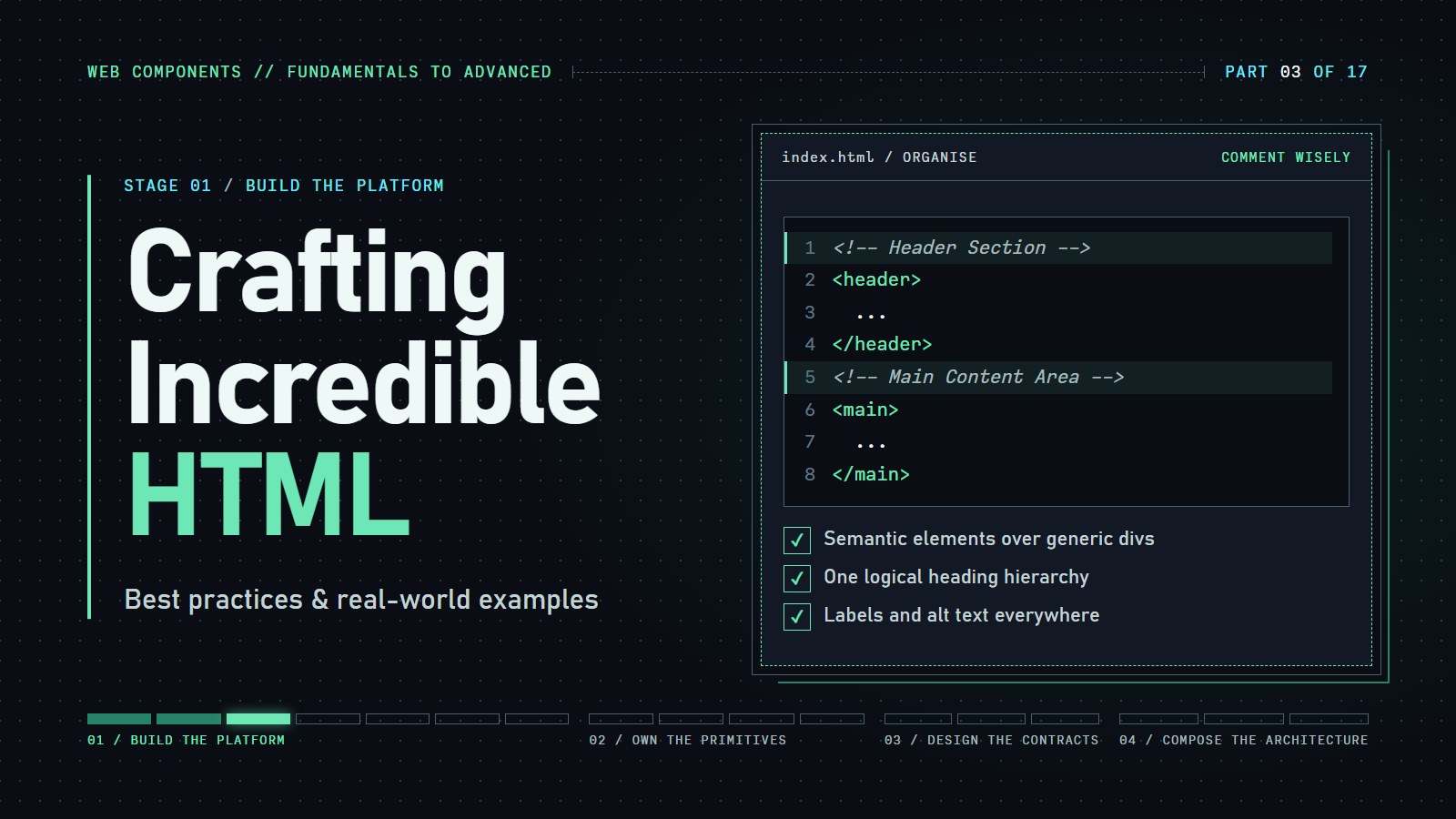
The first two posts covered what to write: tags that say what each part of a page is, and names on every control and image. This one is about keeping that HTML readable, formatting it the same way every time, checking it with a tool, and reviewing it the way a stranger would.
Two-line recap: semantic means using the tag that names the job (<header>, <nav>, <main>); accessible means every control and image has a name and the headings go in order.
Introduction: A Page That Looks Fine and Is Not#
A page can look right in the browser and still be broken for some readers. Here is a short snippet. Before opening the answers, try to find the five problems in it.
<div class="header">
  <h1>Garden Notes</h1>
  <h3>Tomatoes in July</h3>
</div>
<main>
  <img src="tomato.jpg">
  <span>Email</span>
  <input type="email" name="email">
  <div onclick="subscribe()">Subscribe</div>
</main>
Show the five problems
<div class="header">should be<header>, so the page has a banner landmark.- The
<h1>is followed by an<h3>, which skips a level. Use<h2>. - The
<img>has noalt. Add a description, oralt=""if it is decoration. - The email input has no label. The
<span>sits next to it but is not connected to it. Use<label for="email">and give the input a matchingid. - A
<div onclick>cannot be reached with the keyboard. Use<button type="button">Subscribe</button>.
<header>
  <h1>Garden Notes</h1>
  <h2>Tomatoes in July</h2>
</header>
<main>
  <img src="tomato.jpg" alt="Ripe tomatoes on the vine">
  <label for="email">Email</label>
  <input type="email" id="email" name="email">
  <button type="button">Subscribe</button>
</main>
What We Mean by Good HTML#
By good HTML we mean markup that says honestly what each part is, is easy to read and change, and has been checked by a tool as well as by eye.
-
Accessibility: semantic markup gives screen readers landmarks and headings to move between.
-
Search engines: a clear structure gives crawlers more to go on. It is not a ranking promise, because many other signals count.
-
Maintainability: clean, organized code is easier to update and debug as a project grows.
-
Collaboration: readable HTML makes it simpler for team members to understand the structure.
Here the same page is written two ways, with an illustration of what a crawler can infer from each. It is a teaching picture, not a measurement of any search engine.
---html
<div class="seo-simulator-container">
<h3>SEO Impact Demo</h3>
<div class="comparison"></div>
<div class="metrics"></div>
</div>
---css
.seo-simulator-container {
font-family: system-ui, -apple-system, BlinkMacSystemFont, 'Segoe UI', Roboto, sans-serif;
margin-bottom: 30px;
}
.code-comparison {
display: flex;
flex-direction: column;
gap: 20px;
margin-bottom: 30px;
}
@media (min-width: 768px) {
.code-comparison {
flex-direction: row;
}
}
.code-column {
flex: 1;
background-color: white;
border-radius: 6px;
box-shadow: 0 1px 3px rgba(0,0,0,0.1);
padding: 15px;
}
.code-column pre {
margin: 0;
padding: 0;
white-space: pre-wrap;
font-family: Consolas, Monaco, 'Andale Mono', monospace;
font-size: 14px;
line-height: 1.4;
height: 300px;
overflow-y: auto;
}
.code-column code {
color: #333;
}
.search-preview {
margin-bottom: 30px;
}
.search-panels {
display: flex;
flex-direction: column;
gap: 20px;
margin-top: 15px;
}
@media (min-width: 768px) {
.search-panels {
flex-direction: row;
}
}
.search-panel {
flex: 1;
background-color: white;
border-radius: 6px;
box-shadow: 0 1px 3px rgba(0,0,0,0.1);
padding: 15px;
}
.search-panel.non-semantic {
border-top: 4px solid #dc3545;
}
.search-panel.semantic {
border-top: 4px solid #28a745;
}
.search-crawler-view {
margin-top: 15px;
}
.crawler-message {
background-color: #f8f9fa;
padding: 10px;
border-radius: 4px;
margin-bottom: 15px;
font-family: monospace;
color: #666;
}
.crawler-structure {
margin-bottom: 15px;
}
.crawl-item {
display: flex;
justify-content: space-between;
align-items: center;
padding: 8px;
margin-bottom: 5px;
background-color: #f8f9fa;
border-radius: 4px;
}
.element-type {
font-family: monospace;
font-weight: 500;
}
.seo-value {
font-size: 14px;
padding: 3px 8px;
border-radius: 10px;
}
.seo-value.high {
background-color: #d4edda;
color: #155724;
}
.seo-value.medium {
background-color: #fff3cd;
color: #856404;
}
.seo-value.low {
background-color: #f8d7da;
color: #721c24;
}
.crawler-conclusion {
padding: 10px;
border-radius: 4px;
font-size: 14px;
}
.search-panel.non-semantic .crawler-conclusion {
background-color: #f8d7da;
border-left: 3px solid #dc3545;
}
.search-panel.semantic .crawler-conclusion {
background-color: #d4edda;
border-left: 3px solid #28a745;
}
.metrics-comparison {
margin-bottom: 30px;
}
.metrics-table {
width: 100%;
border-collapse: collapse;
margin-top: 15px;
background-color: white;
box-shadow: 0 1px 3px rgba(0,0,0,0.1);
border-radius: 6px;
overflow: hidden;
}
.metrics-table th,
.metrics-table td {
padding: 12px 15px;
text-align: left;
border-bottom: 1px solid #eee;
}
.metrics-table th {
background-color: #f8f9fa;
font-weight: 600;
}
.metrics-table td.high,
.metrics-table td.medium,
.metrics-table td.low {
font-weight: 600;
text-align: center;
}
.metrics-table td.high {
color: #28a745;
}
.metrics-table td.medium {
color: #ffc107;
}
.metrics-table td.low {
color: #dc3545;
}
.metrics-table td.animated {
animation: fadeValue 0.5s;
}
.summary-row {
background-color: #f8f9fa;
font-weight: 600;
}
.serp-simulation {
margin-bottom: 30px;
}
.serp-preview {
display: flex;
flex-direction: column;
gap: 20px;
margin-top: 15px;
margin-bottom: 20px;
}
@media (min-width: 768px) {
.serp-preview {
flex-direction: row;
}
}
.serp-result {
flex: 1;
background-color: white;
border-radius: 6px;
box-shadow: 0 1px 3px rgba(0,0,0,0.1);
padding: 15px;
}
.serp-title {
margin-top: 0;
margin-bottom: 5px;
color: #1a0dab;
font-size: 18px;
cursor: pointer;
}
.serp-url {
color: #006621;
font-size: 14px;
margin-bottom: 8px;
}
.serp-snippet {
color: #4d5156;
font-size: 14px;
line-height: 1.4;
margin-bottom: 8px;
}
.serp-position {
color: #70757a;
font-size: 13px;
font-style: italic;
}
.serp-result.semantic {
border-left: 4px solid #28a745;
}
.serp-result.non-semantic {
border-left: 4px solid #dc3545;
}
.serp-explanation {
background-color: #f8f9fa;
padding: 15px;
border-radius: 6px;
}
.serp-explanation p {
margin-top: 0;
}
.seo-tips {
margin-top: 20px;
}
.tips-grid {
display: grid;
grid-template-columns: repeat(auto-fit, minmax(200px, 1fr));
gap: 20px;
margin-top: 15px;
}
.tip-card {
background-color: white;
border-radius: 6px;
box-shadow: 0 1px 3px rgba(0,0,0,0.1);
padding: 15px;
border-top: 3px solid #4A90E2;
}
.tip-card h5 {
margin-top: 0;
margin-bottom: 10px;
color: #333;
}
.tip-card p {
margin: 0;
font-size: 14px;
color: #555;
line-height: 1.4;
}
@keyframes fadeValue {
from {
opacity: 0;
transform: translateY(10px);
}
to {
opacity: 1;
transform: translateY(0);
}
}
---js
document.addEventListener('DOMContentLoaded', function () {
const comparison = document.querySelector('.comparison');
const metrics = document.querySelector('.metrics');
// Define sample HTML snippets for comparison
const nonSemanticHTML = `
<div class="header">
<div class="logo">My Website</div>
<div class="nav">
<div class="menu-item"><a href="#">Home</a></div>
<div class="menu-item"><a href="#">About</a></div>
<div class="menu-item"><a href="#">Services</a></div>
</div>
</div>
<div class="content">
<div class="title">Welcome to My Website</div>
<div class="text">This is a website about web design and development.</div>
<div class="section">
<div class="section-title">Our Services</div>
<div class="service">
<div class="service-title">Web Design</div>
<div class="service-desc">We create beautiful, user-friendly websites.</div>
</div>
<div class="service">
<div class="service-title">Development</div>
<div class="service-desc">We build robust web applications.</div>
</div>
</div>
</div>
<div class="footer">
<div class="copyright">© 2025 My Website</div>
</div>`;
const semanticHTML = `
<header>
<h1>My Website</h1>
<nav>
<ul>
<li><a href="#">Home</a></li>
<li><a href="#">About</a></li>
<li><a href="#">Services</a></li>
</ul>
</nav>
</header>
<main>
<h2>Welcome to My Website</h2>
<p>This is a website about web design and development.</p>
<section>
<h2>Our Services</h2>
<article>
<h3>Web Design</h3>
<p>We create beautiful, user-friendly websites.</p>
</article>
<article>
<h3>Development</h3>
<p>We build robust web applications.</p>
</article>
</section>
</main>
<footer>
<p>© 2025 My Website</p>
</footer>`;
// Create the initial comparison UI
renderComparison();
simulateSEO();
function renderComparison() {
comparison.innerHTML = `
<div class="code-comparison">
<div class="code-column">
<h4>Non-Semantic HTML</h4>
<pre><code>${escapeHTML(nonSemanticHTML)}</code></pre>
</div>
<div class="code-column">
<h4>Semantic HTML</h4>
<pre><code>${escapeHTML(semanticHTML)}</code></pre>
</div>
</div>
<div class="search-preview">
<h4>Search Engine Perspective (illustration)</h4>
<div class="search-panels">
<div class="search-panel non-semantic">
<h5>How Search Engines See Non-Semantic HTML</h5>
<div class="search-crawler-view">
<div class="crawler-message">Scanning page structure...</div>
<div class="crawler-structure">
<div class="crawl-item">
<span class="element-type"><div class="header"></span>
<span class="seo-value low">Role: not stated</span>
</div>
<div class="crawl-item">
<span class="element-type"><div class="logo"></span>
<span class="seo-value low">Role: not stated</span>
</div>
<div class="crawl-item">
<span class="element-type"><div class="title"></span>
<span class="seo-value medium">Text found: "Welcome to My Website"</span>
</div>
<div class="crawl-item">
<span class="element-type"><div class="section-title"></span>
<span class="seo-value medium">Text found: "Our Services"</span>
</div>
<div class="crawl-item">
<span class="element-type"><div class="service-title"></span>
<span class="seo-value low">Role: not stated</span>
</div>
</div>
<div class="crawler-conclusion">
<p><strong>Crawler conclusion:</strong> Fewer clues about what each part is for.</p>
</div>
</div>
</div>
<div class="search-panel semantic">
<h5>How Search Engines See Semantic HTML</h5>
<div class="search-crawler-view">
<div class="crawler-message">Scanning page structure...</div>
<div class="crawler-structure">
<div class="crawl-item">
<span class="element-type"><header></span>
<span class="seo-value high">Context: Page header identified</span>
</div>
<div class="crawl-item">
<span class="element-type"><h1></span>
<span class="seo-value high">Primary topic: "My Website"</span>
</div>
<div class="crawl-item">
<span class="element-type"><nav></span>
<span class="seo-value high">Navigation identified</span>
</div>
<div class="crawl-item">
<span class="element-type"><main></span>
<span class="seo-value high">Main content area identified</span>
</div>
<div class="crawl-item">
<span class="element-type"><h2></span>
<span class="seo-value high">Section topics clearly defined</span>
</div>
</div>
<div class="crawler-conclusion">
<p><strong>Crawler conclusion:</strong> More clues about what each part is for.</p>
</div>
</div>
</div>
</div>
</div>
`;
}
function simulateSEO() {
metrics.innerHTML = `
<div class="seo-tips">
<h4>What this does and does not show</h4>
<p>Search engines use many signals, and nobody outside them can measure what one tag does to a ranking. What semantic HTML gives a crawler is more clues about the role of each part of the page, which is what the two panels above illustrate. Treat it as one small, cheap help, not a score.</p>
</div>
`;
}
function animateMetrics() {
const cells = document.querySelectorAll('.metrics-table td:not(:first-child)');
cells.forEach((cell, index) => {
setTimeout(() => {
cell.classList.add('animated');
}, 300 * (index + 1));
});
}
// Helper function to escape HTML for display
function escapeHTML(html) {
return html.
replace(/&/g, '&').
replace(/</g, '<').
replace(/>/g, '>').
replace(/"/g, '"').
replace(/'/g, ''');
}
});
Reminders from the First Two Posts#
Three habits do most of the work. The earlier posts on semantic HTML and on accessibility show each in full; this is only the checklist.
-
Say what it is. Use
<header>,<nav>,<main>and<footer>instead of a<div>for each, and<button>instead of<div onclick>. -
Keep headings in order. One
<h1>, then<h2>for sections and<h3>inside those. Pick the level for the outline, not for the size: CSS controls size. -
Name everything. Every form control gets a
<label>. Every meaningful image getsalttext, and a purely decorative one getsalt="".
Tips for Code Organization & Maintainability#
Well-organized HTML is easier to read, debug, and extend. Consider these tips to keep markup organized:
Use Consistent Indentation & Formatting#
- Tip: Adopt a consistent indentation style (e.g., two or four spaces) across the project. Tools like Prettier can automate this for us.
This interactive diagram shows how properly structured HTML creates a clear visual hierarchy. Hover over elements to see their role in the document structure.
---html
<div class="container">
<h1>HTML Structure Visualizer</h1>
<div class="controls">
<button id="example1">Basic Page Example</button>
<button id="example2">Blog Post Example</button>
<button id="example3">Custom Example</button>
</div>
<html-structure-visualizer default-example="basic"></html-structure-visualizer>
</div>
---css
body {
font-family: system-ui, -apple-system, BlinkMacSystemFont, 'Segoe UI', Roboto, sans-serif;
margin: 0;
padding: 20px;
background-color: #f8f9fa;
}
.container {
max-width: 1200px;
margin: 0 auto;
}
h1 {
text-align: center;
color: #333;
margin-bottom: 30px;
}
.controls {
margin-bottom: 20px;
text-align: center;
}
button {
background-color: #4CAF50;
color: white;
border: none;
padding: 10px 15px;
border-radius: 4px;
cursor: pointer;
margin: 0 5px;
}
button:hover {
background-color: #45a049;
}
---js
// Define the HTMLStructureVisualizer web component
class HTMLStructureVisualizer extends HTMLElement {
constructor() {
super();
// Create a shadow DOM
this.attachShadow({ mode: "open" });
// Initialize properties
this.currentExample = this.getAttribute("default-example") || "basic";
// Define the component's HTML
this.shadowRoot.innerHTML = `
<style>
:host {
display: block;
margin-bottom: 30px;
}
.structure-visualizer-container {
max-width: 100%;
margin: 0 auto;
padding: 25px;
background-color: #ffffff;
border-radius: 8px;
box-shadow: 0 2px 8px rgba(0,0,0,0.1);
}
.visualizer-title {
margin-top: 0;
color: #333;
margin-bottom: 20px;
font-size: 1.5rem;
}
.visualizer-content {
display: flex;
flex-direction: column;
gap: 20px;
}
@media (min-width: 768px) {
.visualizer-content {
flex-direction: row;
}
}
.diagram {
background-color: #f8f9fa;
border: 1px solid #e9ecef;
border-radius: 4px;
padding: 15px;
max-height: 500px;
overflow-y: auto;
font-family: monospace;
flex: 3;
}
.element-node {
margin-bottom: 5px;
cursor: pointer;
}
.element-tag {
display: inline-block;
padding: 2px 6px;
border-radius: 3px;
background-color: #e9ecef;
font-weight: bold;
color: #343a40;
margin-bottom: 2px;
transition: background-color 0.2s ease;
}
.element-node:hover .element-tag {
background-color: #dee2e6;
}
.element-tag.root {
background-color: #fdf7f8;
color: #d6303e;
}
.element-tag.landmark {
background-color: #e3f2fd;
color: #0d47a1;
}
.element-tag.content-section {
background-color: #e8f5e9;
color: #1b5e20;
}
.element-tag.heading {
background-color: #fff3e0;
color: #e65100;
}
.element-tag.text-content {
background-color: #f5f5f5;
color: #424242;
}
.element-tag.interactive {
background-color: #e8eaf6;
color: #3f51b5;
}
.element-tag.closing {
opacity: 0.6;
}
.element-content {
display: inline-block;
color: #666;
font-style: italic;
font-size: 0.9em;
}
.element-details {
background-color: white;
border: 1px solid #e9ecef;
border-radius: 4px;
padding: 15px;
min-height: 150px;
flex: 2;
}
.element-details h4 {
margin-top: 0;
color: #333;
font-family: monospace;
font-size: 18px;
}
.element-description {
color: #555;
margin-bottom: 10px;
}
.element-attributes {
background-color: #f8f9fa;
padding: 10px;
border-radius: 4px;
margin-bottom: 10px;
}
.element-attributes h5 {
margin-top: 0;
margin-bottom: 5px;
color: #666;
}
.best-practices {
background-color: #e8f5e9;
padding: 10px;
border-radius: 4px;
border-left: 3px solid #4caf50;
}
.best-practices h5 {
margin-top: 0;
margin-bottom: 5px;
color: #1b5e20;
}
.best-practices ul {
margin: 0;
padding-left: 20px;
}
.best-practices li {
margin-bottom: 5px;
font-size: 0.9em;
}
.placeholder-message {
color: #6c757d;
text-align: center;
padding: 50px 0;
font-style: italic;
}
.legend {
display: flex;
flex-wrap: wrap;
gap: 10px;
margin-top: 20px;
padding: 10px;
background-color: #f8f9fa;
border-radius: 4px;
}
.legend-item {
display: flex;
align-items: center;
margin-right: 15px;
}
.legend-color {
width: 20px;
height: 20px;
border-radius: 3px;
margin-right: 5px;
}
.legend-text {
font-size: 0.85em;
color: #555;
}
.visualizer-controls {
display: flex;
gap: 10px;
margin-bottom: 15px;
}
.visualizer-button {
padding: 8px 15px;
background-color: #f0f0f0;
border: 1px solid #ddd;
border-radius: 4px;
cursor: pointer;
transition: background-color 0.2s;
}
.visualizer-button:hover {
background-color: #e0e0e0;
}
.visualizer-button.active {
background-color: #e3f2fd;
border-color: #2196f3;
}
</style>
<div class="structure-visualizer-container">
<h3 class="visualizer-title">Document Structure Visualization</h3>
<div class="visualizer-controls">
<button id="btn-example1" class="visualizer-button">Basic Example</button>
<button id="btn-example2" class="visualizer-button">Blog Example</button>
<button id="btn-example3" class="visualizer-button">Complex Example</button>
</div>
<div class="visualizer-content">
<div class="diagram"></div>
<div class="element-details">
<div class="placeholder-message">
Click on an element in the diagram to see details
</div>
</div>
</div>
<div class="legend">
<div class="legend-item">
<div class="legend-color" style="background-color: #fdf7f8;"></div>
<div class="legend-text">Root Elements</div>
</div>
<div class="legend-item">
<div class="legend-color" style="background-color: #e3f2fd;"></div>
<div class="legend-text">Landmarks</div>
</div>
<div class="legend-item">
<div class="legend-color" style="background-color: #e8f5e9;"></div>
<div class="legend-text">Content Sections</div>
</div>
<div class="legend-item">
<div class="legend-color" style="background-color: #fff3e0;"></div>
<div class="legend-text">Headings</div>
</div>
<div class="legend-item">
<div class="legend-color" style="background-color: #f5f5f5;"></div>
<div class="legend-text">Text Content</div>
</div>
<div class="legend-item">
<div class="legend-color" style="background-color: #e8eaf6;"></div>
<div class="legend-text">Interactive Elements</div>
</div>
</div>
</div>
`;
}
connectedCallback() {
// Get elements
this.diagram = this.shadowRoot.querySelector(".diagram");
this.elementDetails = this.shadowRoot.querySelector(".element-details");
// Set up internal button listeners
this.shadowRoot.querySelector("#btn-example1").addEventListener("click", () => this.loadExample("basic"));
this.shadowRoot.querySelector("#btn-example2").addEventListener("click", () => this.loadExample("blog"));
this.shadowRoot.querySelector("#btn-example3").addEventListener("click", () => this.loadExample("complex"));
// Load the initial example
this.loadExample(this.currentExample);
// Try to also add event listeners to external buttons if they exist
this.connectToExternalButtons();
}
connectToExternalButtons() {
// Add event listeners to the buttons outside of shadow DOM if they exist
const externalButtons = {
"example1": () => this.loadExample("basic"),
"example2": () => this.loadExample("blog"),
"example3": () => this.loadExample("complex") };
Object.entries(externalButtons).forEach(([id, callback]) => {
const button = document.getElementById(id);
if (button) {
button.addEventListener("click", callback);
}
});
}
loadExample(exampleName) {
this.currentExample = exampleName;
// Update active button state
this.shadowRoot.querySelectorAll(".visualizer-button").forEach(btn => {
btn.classList.remove("active");
});
// Set the active button
const btnId = exampleName === "basic" ? "btn-example1" :
exampleName === "blog" ? "btn-example2" : "btn-example3";
this.shadowRoot.querySelector(`#${btnId}`).classList.add("active");
// Clear previous content
this.diagram.innerHTML = "";
this.elementDetails.innerHTML =
'<div class="placeholder-message">Click on an element in the diagram to see details</div>';
// Load the selected example
let structure;
switch (exampleName) {
case "basic":
structure = this.getBasicStructure();
break;
case "blog":
structure = this.getBlogStructure();
break;
case "complex":
structure = this.getComplexStructure();
break;
default:
structure = this.getBasicStructure();}
// Render the structure
this.renderDocumentStructure(structure, this.diagram, 0);
// Add event listeners
this.addEventListeners();
}
renderDocumentStructure(node, container, level) {
const nodeElement = document.createElement("div");
nodeElement.className = "element-node";
// Set data attributes for click information
nodeElement.setAttribute("data-element", node.element);
if (node.description) {
nodeElement.setAttribute("data-description", node.description);
}
if (node.attributes) {
const attributesStr = Object.entries(node.attributes).
map(([key, value]) => `${key}="${value}"`).
join(" ");
nodeElement.setAttribute("data-attributes", attributesStr);
}
// Create element tag display
const elementTag = document.createElement("div");
elementTag.className = "element-tag";
elementTag.style.marginLeft = `${level * 20}px`;
elementTag.innerHTML = `<${node.element}${
node.attributes ? " ..." : ""
}>`;
if (level === 0) elementTag.classList.add("root");
// Color-code by element type
if (["header", "footer", "nav", "aside"].includes(node.element)) {
elementTag.classList.add("landmark");
} else if (["main", "article", "section"].includes(node.element)) {
elementTag.classList.add("content-section");
} else if (["h1", "h2", "h3", "h4", "h5", "h6"].includes(node.element)) {
elementTag.classList.add("heading");
} else if (["p", "span", "div"].includes(node.element)) {
elementTag.classList.add("text-content");
} else if (["a", "button", "input", "form"].includes(node.element)) {
elementTag.classList.add("interactive");
}
nodeElement.appendChild(elementTag);
// Add content if present
if (node.content && node.content !== "...") {
const content = document.createElement("div");
content.className = "element-content";
content.textContent =
node.content.length > 20 ?
node.content.substring(0, 20) + "..." :
node.content;
content.style.marginLeft = `${level * 20 + 20}px`;
nodeElement.appendChild(content);
}
container.appendChild(nodeElement);
// Render children recursively
if (node.children && node.children.length > 0) {
node.children.forEach(child => {
this.renderDocumentStructure(child, container, level + 1);
});
// Add closing tag
const closingTag = document.createElement("div");
closingTag.className = "element-tag closing";
closingTag.style.marginLeft = `${level * 20}px`;
closingTag.innerHTML = `</${node.element}>`;
container.appendChild(closingTag);
}
}
addEventListeners() {
// Add event listeners to all element nodes
this.shadowRoot.querySelectorAll(".element-node").forEach(node => {
node.addEventListener("click", e => {
e.stopPropagation();
const element = node.getAttribute("data-element");
const description = node.getAttribute("data-description");
const attributes = node.getAttribute("data-attributes");
let details = `<h4><${element}></h4>`;
details += `<p class="element-description">${
description || "A standard HTML element."
}</p>`;
if (attributes) {
details += `<div class="element-attributes">`;
details += `<h5>Attributes:</h5>`;
details += `<code>${attributes}</code>`;
details += `</div>`;
}
// Add usage best practices
const bestPractices = this.getElementBestPractices(element);
if (bestPractices) {
details += `<div class="best-practices">`;
details += `<h5>Best Practices:</h5>`;
details += `<ul>${bestPractices.
map(practice => `<li>${practice}</li>`).
join("")}</ul>`;
details += `</div>`;
}
this.elementDetails.innerHTML = details;
// Highlight the selected element
this.shadowRoot.querySelectorAll(".element-node").forEach(n => {
n.style.opacity = 0.7;
});
node.style.opacity = 1;
});
});
// Reset highlights when clicking outside
this.diagram.addEventListener("click", e => {
if (e.target === this.diagram) {
this.shadowRoot.querySelectorAll(".element-node").forEach(n => {
n.style.opacity = 1;
});
this.elementDetails.innerHTML =
'<div class="placeholder-message">Click on an element in the diagram to see details</div>';
}
});
}
getElementBestPractices(element) {
const practices = {
html: [
"Always include the lang attribute to specify the language of your document.",
"Keep the structure simple: html → head → body."],
head: [
"Include essential meta tags for character encoding and viewport settings.",
"Always include a descriptive title element."],
body: [
"Use semantic elements within the body to structure your content.",
"Avoid excessive nesting of elements."],
header: [
"Typically contains heading elements (h1-h6) and navigation.",
"Should appear at the top of the page or section it's associated with."],
nav: [
"Use for major navigation blocks only.",
"Typically contains a list (ul/ol) of links."],
main: [
"Use only once per page to identify the main content area.",
"Should not include content that repeats across pages (headers, footers, navigation)."],
section: [
"Use to group related content that represents a thematic section of a page.",
"Typically includes a heading element to identify the section."],
article: [
"Use for self-contained content that could be distributed independently.",
"Examples: blog posts, news articles, forum posts, product cards."],
aside: [
"Use for content that is tangentially related to the main content.",
"Examples: sidebars, call-out boxes, pull quotes, advertising."],
footer: [
"Contains information about the author, copyright, links, related documents.",
"Can be used at the end of the page or within sections."],
h1: [
"Use only once per page as the primary heading.",
"Should describe the overall purpose or subject of the page."],
h2: [
"Use for major section headings.",
"Forms a logical hierarchy with the h1 element."],
h3: [
"Use for subsection headings within h2 sections.",
"Continue the logical hierarchy of headings."],
p: [
"Use for paragraphs of text.",
"Keep paragraphs focused on a single idea for better readability."],
ul: [
"Use for unordered lists where item order doesn't matter.",
"Each list item should be wrapped in an <li> element."],
ol: [
"Use for ordered lists where sequence matters.",
"Best for instructions, steps, or ranked items."],
li: [
"Always contained within a <ul> or <ol> element.",
"Can contain other HTML elements, not just text."],
a: [
"Always include a descriptive text that makes sense out of context.",
'Avoid generic phrases like "click here" or "read more".',
"Add title attribute for additional context when necessary."],
img: [
"Always include an alt attribute that describes the image content.",
'Use empty alt text (alt="") for decorative images.',
"Consider using width and height attributes to prevent layout shifts."],
form: [
"Always include action and method attributes.",
"Wrap related form controls in fieldset elements with legend elements.",
"Label all form controls with the label element."],
input: [
"Always include the type attribute.",
"Associate with a label using the for attribute.",
"Include placeholder text when helpful, but not as a replacement for labels."],
button: [
"Use the type attribute to specify button behavior (submit, reset, button).",
"Provide descriptive text that indicates the button's action.",
"Use button elements for clickable actions, not divs or spans."],
meta: [
"Include essential meta tags like charset and viewport.",
"Add a description meta tag for SEO purposes."],
title: [
"Make it descriptive and unique for each page.",
"Aim for 50-60 characters for optimal display in search results."],
div: [
"Use semantic elements when possible before resorting to div.",
"Add appropriate ARIA roles when using for layout purposes."],
span: [
"Use for inline styling or when no semantic element is appropriate.",
"Keep content minimal - typically for highlighting or styling portions of text."] };
return practices[element];
}
getBasicStructure() {
// This method will return the basic HTML structure
// The data structure for the basic example
return {
element: "html",
attributes: { lang: "en" },
description: "The root element that contains all other elements.",
children: [
// Head section
{
element: "head",
description: "Contains metadata about the document.",
children: [
{
element: "meta",
attributes: { charset: "UTF-8" },
description: "Specifies the character encoding for the document." },
{
element: "meta",
attributes: {
name: "viewport",
content: "width=device-width, initial-scale=1.0" },
description: "Controls the viewport settings for responsive design." },
{
element: "title",
description:
"Defines the title of the document displayed in the browser tab.",
content: "Document Title" },
{
element: "link",
attributes: { rel: "stylesheet", href: "styles.css" },
description: "Links to an external stylesheet." }] },
// Body section with basic structure
{
element: "body",
description: "Contains all the content that is displayed on the page.",
children: [
{
element: "header",
description:
"Represents introductory content, typically a banner or navigation.",
children: [
{
element: "h1",
description: "The main heading of the page.",
content: "Page Title" },
{
element: "nav",
description: "Contains navigation links.",
children: [
{
element: "ul",
description: "An unordered list of navigation items.",
children: [
{
element: "li",
description: "A list item containing a navigation link.",
children: [
{
element: "a",
attributes: { href: "#" },
description: "A hyperlink to another page or section.",
content: "Home" }] },
{
element: "li",
content: "..." }] }] }] },
{
element: "main",
description: "The main content area of the document.",
children: [
{
element: "section",
description: "A thematic grouping of content.",
children: [
{
element: "h2",
description: "A section heading.",
content: "Section Title" },
{
element: "p",
description: "A paragraph of text.",
content: "Paragraph content..." }] },
{
element: "article",
description:
"A self-contained composition (e.g., blog post, news article).",
children: [
{
element: "h2",
content: "Article Title" },
{
element: "p",
content: "Article content..." }] },
{
element: "aside",
description: "Content tangentially related to the content around it.",
children: [
{
element: "h3",
content: "Related Content" },
{
element: "ul",
children: [
{
element: "li",
content: "Related item 1" },
{
element: "li",
content: "..." }] }] }] },
{
element: "footer",
description:
"Represents a footer for its nearest sectioning content or root element.",
children: [
{
element: "p",
content: "© 2025 My Website" }] }] }] };
}
getBlogStructure() {
// Return the blog structure (abbreviated for clarity)
// In a real implementation, this would contain the full blog structure
return {
element: "html",
attributes: { lang: "en" },
description: "The root element of the HTML document.",
children: [
// Head and body content would go here
{
element: "head",
description: "Contains metadata about the document.",
children: [
// Head elements would go here
{
element: "title",
content: "Blog Example",
description: "The title of the document." }] },
{
element: "body",
description: "Contains the visible content of the document.",
children: [
// Body content would go here
{
element: "header",
description: "The site header containing the logo and main navigation.",
children: [
{
element: "h1",
content: "My Blog",
description: "The site title." }] },
{
element: "main",
description: "The main content area.",
children: [
{
element: "article",
description: "A blog post.",
children: [
{
element: "h2",
content: "Blog Post Title",
description: "The blog post title." },
{
element: "p",
content: "Blog post content...",
description: "The blog post content." }] }] }] }] };
}
getComplexStructure() {
// Return the complex e-commerce structure (abbreviated for clarity)
// In a real implementation, this would contain the full e-commerce structure
return {
element: "html",
attributes: { lang: "en" },
description: "The root element of the HTML document.",
children: [
// Head and body content would go here
{
element: "head",
description: "Contains metadata about the document.",
children: [
// Head elements would go here
{
element: "title",
content: "E-Commerce Example",
description: "The title of the document." }] },
{
element: "body",
description: "Contains the visible content of the document.",
children: [
// Body content would go here
{
element: "header",
description: "The site header containing the logo and main navigation.",
children: [
{
element: "h1",
content: "My Store",
description: "The site title." }] },
{
element: "main",
description: "The main content area.",
children: [
{
element: "section",
attributes: { class: "product-list" },
description: "A list of products.",
children: [
{
element: "h2",
content: "Products",
description: "The section heading." },
{
element: "div",
attributes: { class: "product" },
description: "A product container.",
children: [
{
element: "h3",
content: "Product Name",
description: "The product name." },
{
element: "p",
content: "Product description...",
description: "The product description." }] }] }] }] }] };
}}
// Register the web component
customElements.define("html-structure-visualizer", HTMLStructureVisualizer);
// Document ready event listener to ensure component initializes properly
document.addEventListener("DOMContentLoaded", function () {
// No need to check for external buttons - the component is now self-contained
console.log("HTML Structure Visualizer initialized");
});
See how proper formatting transforms messy HTML into clean, readable code. Adjust indentation settings to find your preferred style.
---html
<!-- HTML -->
<div class="container">
<h3>HTML Formatter</h3>
<p class="intro">See how proper formatting transforms messy HTML into clean, readable code. Toggle between the unformatted and formatted versions to see the difference.</p>
<div class="controls">
<div class="control-group">
<label for="indent-size">Indentation:</label>
<select id="indent-size" class="select-input">
<option value="2">2 spaces</option>
<option value="4" selected>4 spaces</option>
<option value="tab">Tab</option>
</select>
</div>
<div class="control-group">
<label for="max-line-length">Max Line Length:</label>
<input type="number" id="max-line-length" class="number-input" value="80" min="40" max="120">
</div>
<button id="format-btn" class="primary-btn">Format HTML</button>
</div>
<div class="editor-container">
<div class="editor-column">
<h4>Unformatted HTML</h4>
<textarea id="unformatted-code" class="code-editor" placeholder="Paste your unformatted HTML here..."></textarea>
<div class="button-row">
<button id="copy-unformatted" class="secondary-btn">Copy</button>
<button id="clear-btn" class="secondary-btn">Clear</button>
<button id="sample-btn" class="secondary-btn">Try Sample</button>
</div>
</div>
<div class="editor-column">
<h4>Formatted HTML</h4>
<pre id="formatted-output" class="code-output"><code>Formatted code will appear here</code></pre>
<div class="button-row">
<button id="copy-formatted" class="secondary-btn">Copy Formatted</button>
</div>
</div>
</div>
<div class="benefits-section">
<h4>Benefits of Well-Formatted HTML</h4>
<div class="benefits-grid">
<div class="benefit-card">
<div class="benefit-icon">👁️</div>
<h5>Improved Readability</h5>
<p>Consistent indentation and spacing makes code easier to scan and understand.</p>
</div>
<div class="benefit-card">
<div class="benefit-icon">🔍</div>
<h5>Easier Debugging</h5>
<p>Clean formatting helps identify structural issues and spot errors quickly.</p>
</div>
<div class="benefit-card">
<div class="benefit-icon">👥</div>
<h5>Better Collaboration</h5>
<p>Standardized formatting creates consistency across team members.</p>
</div>
<div class="benefit-card">
<div class="benefit-icon">🔄</div>
<h5>Easier Maintenance</h5>
<p>Well-organized code is simpler to update and maintain over time.</p>
</div>
</div>
</div>
</div>
---css
.container {
font-family: system-ui, -apple-system, BlinkMacSystemFont, 'Segoe UI', Roboto, sans-serif;
max-width: 1000px;
margin: 0 auto;
padding: 25px;
background-color: #f8f9fa;
border-radius: 8px;
box-shadow: 0 2px 4px rgba(0,0,0,0.1);
}
h3 {
color: #333;
margin-top: 0;
margin-bottom: 15px;
}
.intro {
margin-bottom: 20px;
color: #555;
line-height: 1.5;
}
h4 {
color: #333;
margin-top: 0;
font-size: 16px;
margin-bottom: 15px;
}
.controls {
display: flex;
flex-wrap: wrap;
gap: 15px;
align-items: center;
margin-bottom: 20px;
padding: 15px;
background-color: white;
border-radius: 6px;
box-shadow: 0 1px 3px rgba(0,0,0,0.1);
}
.control-group {
display: flex;
align-items: center;
gap: 8px;
}
label {
font-weight: 500;
color: #333;
}
.select-input, .number-input {
padding: 8px;
border: 1px solid #ddd;
border-radius: 4px;
font-size: 14px;
}
.select-input:focus, .number-input:focus {
outline: none;
border-color: #4A90E2;
box-shadow: 0 0 0 3px rgba(74, 144, 226, 0.2);
}
.number-input {
width: 70px;
}
.primary-btn, .secondary-btn {
padding: 8px 16px;
border-radius: 4px;
font-size: 14px;
cursor: pointer;
transition: all 0.3s;
border: none;
}
.primary-btn {
background-color: #4A90E2;
color: white;
margin-left: auto;
}
.primary-btn:hover {
background-color: #357ABD;
}
.secondary-btn {
background-color: #e9ecef;
color: #343a40;
}
.secondary-btn:hover {
background-color: #dee2e6;
}
.primary-btn:focus, .secondary-btn:focus {
outline: none;
box-shadow: 0 0 0 3px rgba(74, 144, 226, 0.4);
}
.editor-container {
display: flex;
gap: 20px;
margin-bottom: 30px;
}
.editor-column {
flex: 1;
background-color: white;
border-radius: 6px;
box-shadow: 0 1px 3px rgba(0,0,0,0.1);
padding: 15px;
display: flex;
flex-direction: column;
}
.code-editor {
flex: 1;
padding: 12px;
border: 1px solid #ddd;
border-radius: 4px;
font-family: Consolas, Monaco, 'Andale Mono', monospace;
font-size: 14px;
line-height: 1.5;
resize: none;
min-height: 300px;
}
.code-editor:focus {
outline: none;
border-color: #4A90E2;
box-shadow: 0 0 0 3px rgba(74, 144, 226, 0.2);
}
.code-output {
flex: 1;
margin: 0;
padding: 12px;
border: 1px solid #ddd;
border-radius: 4px;
overflow: auto;
min-height: 300px;
background-color: #f8f9fa;
}
code {
font-family: Consolas, Monaco, 'Andale Mono', monospace;
font-size: 14px;
line-height: 1.5;
color: #333;
}
.button-row {
display: flex;
gap: 10px;
margin-top: 15px;
}
.benefits-section {
background-color: white;
border-radius: 6px;
box-shadow: 0 1px 3px rgba(0,0,0,0.1);
padding: 20px;
}
.benefits-grid {
display: grid;
grid-template-columns: repeat(auto-fit, minmax(200px, 1fr));
gap: 20px;
margin-top: 15px;
}
.benefit-card {
padding: 15px;
border-radius: 6px;
background-color: #f8f9fa;
border-left: 4px solid #4A90E2;
}
.benefit-icon {
font-size: 24px;
margin-bottom: 10px;
}
h5 {
margin: 0 0 10px 0;
font-size: 16px;
color: #333;
}
.benefit-card p {
margin: 0;
font-size: 14px;
color: #555;
line-height: 1.4;
}
/* Responsive adjustments */
@media (max-width: 768px) {
.editor-container {
flex-direction: column;
}
.controls {
flex-direction: column;
align-items: flex-start;
}
.primary-btn {
margin-left: 0;
width: 100%;
}
}
---js
document.addEventListener('DOMContentLoaded', function () {
const unformattedCode = document.getElementById('unformatted-code');
const formattedOutput = document.getElementById('formatted-output');
const formatBtn = document.getElementById('format-btn');
const clearBtn = document.getElementById('clear-btn');
const sampleBtn = document.getElementById('sample-btn');
const copyUnformatted = document.getElementById('copy-unformatted');
const copyFormatted = document.getElementById('copy-formatted');
const indentSize = document.getElementById('indent-size');
const maxLineLength = document.getElementById('max-line-length');
// Format HTML function
function formatHTML(html, options) {
if (!html.trim()) return '';
const { indentSize, maxLineLength } = options;
let formatted = '';
let indent = 0;
// Function to create indentation string
const getIndent = level => {
if (indentSize === 'tab') {
return '\t'.repeat(level);
} else {
return ' '.repeat(level * Number(indentSize));
}
};
// Simple HTML formatter (not perfect but good for demo)
const lines = html.
replace(/>\s*</g, '>\n<') // Add line break between tags
.replace(/(<\/[^>]+>)/g, '\n$1') // Add line break before closing tags
.replace(/(<[^\/][^>]*[^\/]>)\s*([^<])/g, '$1\n$2') // Add line break after opening tags if text follows
.split('\n');
for (let i = 0; i < lines.length; i++) {
let line = lines[i].trim();
if (!line) continue;
// Check if it's a closing tag
if (line.match(/^<\/[^>]+>$/)) {
indent--;
formatted += getIndent(indent) + line + '\n';
}
// Check if it's a self-closing tag
else if (line.match(/\/>$/)) {
formatted += getIndent(indent) + line + '\n';
}
// Check if it's an opening tag
else if (line.match(/^<[^\/][^>]*[^\/]>$/)) {
formatted += getIndent(indent) + line + '\n';
indent++;
}
// Handle text content or mixed content
else {
formatted += getIndent(indent) + line + '\n';
}
}
return formatted.trim();
}
// Helper function to escape HTML for displaying in code blocks
function escapeHTML(html) {
return html.
replace(/&/g, '&').
replace(/</g, '<').
replace(/>/g, '>').
replace(/"/g, '"').
replace(/'/g, ''');
}
// Function to add syntax highlighting (a simple version)
function highlightCode() {
const codeElement = formattedOutput.querySelector('code');
if (!codeElement) return;
let html = codeElement.innerHTML;
// Highlight HTML tags
html = html.replace(/(<[^&]*>)/g, '<span style="color: #0066aa;">$1</span>');
// Highlight attributes
html = html.replace(/(\s+[a-zA-Z-]+)=/g, '<span style="color: #bb7711;">$1</span>=');
// Highlight attribute values
html = html.replace(/=("[^&]*")/g, '=<span style="color: #008800;">$1</span>');
codeElement.innerHTML = html;
}
// Format button click
formatBtn.addEventListener('click', function () {
const html = unformattedCode.value;
if (!html.trim()) {
formattedOutput.innerHTML = '<code>Please enter some HTML to format</code>';
return;
}
const options = {
indentSize: indentSize.value,
maxLineLength: Number(maxLineLength.value) };
const formatted = formatHTML(html, options);
formattedOutput.innerHTML = `<code>${escapeHTML(formatted)}</code>`;
// Highlight the code with syntax highlighting
highlightCode();
});
// Clear button click
clearBtn.addEventListener('click', function () {
unformattedCode.value = '';
formattedOutput.innerHTML = '<code>Formatted code will appear here</code>';
});
// Sample button click
sampleBtn.addEventListener('click', function () {
unformattedCode.value = `<!DOCTYPE html><html><head><title>Unformatted HTML Example</title><meta charset="UTF-8"><meta name="viewport" content="width=device-width, initial-scale=1.0"></head><body><header><h1>Welcome to My Website</h1><nav><ul><li><a href="#">Home</a></li><li><a href="#">About</a></li><li><a href="#">Services</a></li><li><a href="#">Contact</a></li></ul></nav></header><main><section><h2>About Us</h2><p>Lorem ipsum dolor sit amet, consectetur adipiscing elit. Nullam eget felis eget urna ultrices accumsan. <strong>Vivamus</strong> lacinia velit nec sem dapibus euismod.</p><div class="image-container"><img src="placeholder.jpg" alt="Placeholder image"><span class="caption">A lovely placeholder image</span></div></section><section><h2>Our Services</h2><div class="service-card"><h3>Web Design</h3><p>Professional web design services for businesses of all sizes.</p></div><div class="service-card"><h3>Development</h3><p>Custom development using the latest technologies.</p></div><div class="service-card"><h3>SEO</h3><p>Search engine optimization to boost your visibility.</p></div></section></main><footer><p>© 2025 My Company. All rights reserved.</p><div class="social-links"><a href="#"><i class="icon-facebook"></i></a><a href="#"><i class="icon-twitter"></i></a><a href="#"><i class="icon-instagram"></i></a></div></footer></body></html>`;
const options = {
indentSize: indentSize.value,
maxLineLength: Number(maxLineLength.value) };
const formatted = formatHTML(unformattedCode.value, options);
formattedOutput.innerHTML = `<code>${escapeHTML(formatted)}</code>`;
// Highlight the code with syntax highlighting
highlightCode();
});
// Copy buttons
copyUnformatted.addEventListener('click', function () {
unformattedCode.select();
document.execCommand('copy');
// Show feedback
const originalText = this.textContent;
this.textContent = 'Copied!';
setTimeout(() => {
this.textContent = originalText;
}, 1500);
});
copyFormatted.addEventListener('click', function () {
const codeText = formattedOutput.textContent;
// Create a temporary textarea to copy the text
const textarea = document.createElement('textarea');
textarea.value = codeText;
document.body.appendChild(textarea);
textarea.select();
document.execCommand('copy');
document.body.removeChild(textarea);
// Show feedback
const originalText = this.textContent;
this.textContent = 'Copied!';
setTimeout(() => {
this.textContent = originalText;
}, 1500);
});
});
Comment Wisely#
-
Tip: Use comments to separate major sections of code and to explain why something is unusual. Comments ship to the browser, so anyone can read them with View Source: never put secrets in them. For example:
  <!-- Header Section -->
  <header>
    ...
  </header>

  <!-- Main Content Area -->
  <main>
    ...
  </main>
Modularize the Code#
- Tip: Break repeated markup into pieces you can reuse. Plain HTML has no include statement, so a build step or a server usually does the stitching. The browser’s own answer,
<template>and custom elements, is where this series is heading.
Validate Regularly#
- Tip: Use tools like the W3C Markup Validation Service to catch errors early and ensure that HTML adheres to modern standards.
Paste your HTML code below to check for common errors and best practices. This mini-validator highlights issues and provides suggestions for improvement.
---html
<!-- HTML -->
<div class="container">
  <h3>Quick HTML Validator</h3>
  <p class="intro">Paste your HTML code below to check for common errors and best practices. This mini-validator highlights issues and provides suggestions for improvement.</p>

  <div class="editor-container">
    <div class="input-area">
      <h4>Your HTML Code</h4>
      <textarea id="html-input" placeholder="Paste your HTML here to check for errors and best practices..."></textarea>
      <div class="button-row">
        <button id="validate-btn" class="primary-btn">Validate</button>
        <button id="clear-btn" class="secondary-btn">Clear</button>
        <button id="sample-btn" class="secondary-btn">Try Sample</button>
      </div>
    </div>

    <div class="results-area">
      <h4>Validation Results</h4>
      <div id="results-container">
        <div class="placeholder-message">
          Results will appear here after validation
        </div>
      </div>
    </div>
  </div>

  <div class="tips-section">
    <h4>Common HTML Best Practices</h4>
    <ul class="best-practices">
      <li>Use proper document structure (<code>DOCTYPE</code>, <code>html</code>, <code>head</code>, <code>body</code>)</li>
      <li>Include essential meta tags (<code>charset</code>, <code>viewport</code>, <code>description</code>)</li>
      <li>Use semantic elements instead of generic <code>div</code> elements</li>
      <li>Ensure all images have descriptive <code>alt</code> attributes</li>
      <li>Associate form inputs with <code>label</code> elements</li>
      <li>Maintain proper heading hierarchy (<code>h1</code> → <code>h6</code>)</li>
      <li>Include language attribute (<code>lang</code>) on the html element</li>
      <li>Ensure proper nesting of elements</li>
    </ul>
  </div>
</div>
---css
.container {
  font-family: system-ui, -apple-system, BlinkMacSystemFont, 'Segoe UI', Roboto, sans-serif;
  max-width: 1000px;
  margin: 0 auto;
  padding: 25px;
  background-color: #f8f9fa;
  border-radius: 8px;
  box-shadow: 0 2px 4px rgba(0,0,0,0.1);
}

h3 {
  color: #333;
  margin-top: 0;
  margin-bottom: 15px;
}

.intro {
  margin-bottom: 20px;
  color: #555;
  line-height: 1.5;
}

h4 {
  color: #333;
  margin-top: 0;
  font-size: 16px;
  margin-bottom: 15px;
}

.editor-container {
  display: flex;
  gap: 20px;
  margin-bottom: 30px;
}

.input-area, .results-area {
  flex: 1;
  background-color: white;
  border-radius: 6px;
  box-shadow: 0 1px 3px rgba(0,0,0,0.1);
  padding: 15px;
}

textarea {
  width: 100%;
  height: 300px;
  padding: 12px;
  border: 1px solid #ddd;
  border-radius: 4px;
  font-family: Consolas, Monaco, 'Andale Mono', monospace;
  font-size: 14px;
  line-height: 1.5;
  resize: vertical;
}

textarea:focus {
  outline: none;
  border-color: #4A90E2;
  box-shadow: 0 0 0 3px rgba(74, 144, 226, 0.2);
}

.button-row {
  display: flex;
  gap: 10px;
  margin-top: 15px;
}

.primary-btn, .secondary-btn {
  padding: 8px 16px;
  border-radius: 4px;
  font-size: 14px;
  cursor: pointer;
  transition: all 0.3s;
  border: none;
}

.primary-btn {
  background-color: #4A90E2;
  color: white;
}

.primary-btn:hover {
  background-color: #357ABD;
}

.secondary-btn {
  background-color: #e9ecef;
  color: #343a40;
}

.secondary-btn:hover {
  background-color: #dee2e6;
}

.primary-btn:focus, .secondary-btn:focus {
  outline: none;
  box-shadow: 0 0 0 3px rgba(74, 144, 226, 0.4);
}

#results-container {
  background-color: #f9f9f9;
  border: 1px solid #eee;
  border-radius: 4px;
  padding: 15px;
  height: 300px;
  overflow-y: auto;
}

.placeholder-message {
  color: #6c757d;
  text-align: center;
  padding-top: 130px;
  font-style: italic;
}

.result-item {
  margin-bottom: 12px;
  padding-bottom: 12px;
  border-bottom: 1px solid #eee;
}

.result-item:last-child {
  margin-bottom: 0;
  padding-bottom: 0;
  border-bottom: none;
}

.error {
  color: #dc3545;
}

.warning {
  color: #ffc107;
}

.success {
  color: #28a745;
}

.result-heading {
  font-weight: 600;
  margin-bottom: 5px;
  display: flex;
  align-items: center;
}

.result-heading .icon {
  margin-right: 8px;
  font-size: 18px;
}

.result-message {
  margin-bottom: 5px;
  line-height: 1.4;
}

.result-line {
  font-family: Consolas, Monaco, 'Andale Mono', monospace;
  background-color: #f1f1f1;
  padding: 5px 8px;
  border-radius: 3px;
  font-size: 13px;
  color: #333;
  margin-bottom: 5px;
  white-space: pre-wrap;
  overflow-x: auto;
}

.result-suggestion {
  background-color: #e8f4fd;
  border-left: 3px solid #4A90E2;
  padding: 8px 12px;
  font-size: 13px;
  border-radius: 0 3px 3px 0;
}

.tips-section {
  background-color: white;
  border-radius: 6px;
  box-shadow: 0 1px 3px rgba(0,0,0,0.1);
  padding: 20px;
}

.best-practices {
  columns: 2;
  column-gap: 30px;
  margin: 0;
  padding-left: 20px;
}

.best-practices li {
  margin-bottom: 10px;
  break-inside: avoid;
  line-height: 1.4;
}

code {
  font-family: Consolas, Monaco, 'Andale Mono', monospace;
  background-color: #f1f1f1;
  padding: 2px 4px;
  border-radius: 3px;
  font-size: 13px;
}

@media (max-width: 768px) {
  .editor-container {
    flex-direction: column;
  }

  .best-practices {
    columns: 1;
  }
}
---js
document.addEventListener('DOMContentLoaded', function () {
  const htmlInput = document.getElementById('html-input');
  const validateBtn = document.getElementById('validate-btn');
  const clearBtn = document.getElementById('clear-btn');
  const sampleBtn = document.getElementById('sample-btn');
  const resultsContainer = document.getElementById('results-container');

  // Validation rules
  const validationRules = [
  {
    test: html => !html.toLowerCase().includes('<!doctype html>'),
    type: 'error',
    message: 'Missing DOCTYPE declaration',
    suggestion: 'Add <!DOCTYPE html> at the beginning of your document.' },

  {
    test: html => !html.toLowerCase().includes('<html'),
    type: 'error',
    message: 'Missing <html> tag',
    suggestion: 'Add <html> as the root element of your document.' },

  {
    test: html => html.toLowerCase().includes('<html') && !html.toLowerCase().includes('<html lang='),
    type: 'warning',
    message: 'Missing lang attribute on <html> element',
    suggestion: 'Add a lang attribute to specify the language of your content, e.g. <html lang="en">.' },

  {
    test: html => !html.toLowerCase().includes('<head>'),
    type: 'error',
    message: 'Missing <head> tag',
    suggestion: 'Add a <head> section to contain metadata about your document.' },

  {
    test: html => !html.toLowerCase().includes('<title>'),
    type: 'error',
    message: 'Missing <title> tag',
    suggestion: 'Add a <title> element in the <head> section to specify the document title.' },

  {
    test: html => !html.toLowerCase().includes('<meta charset='),
    type: 'warning',
    message: 'Missing character encoding declaration',
    suggestion: 'Add <meta charset="UTF-8"> in the <head> section.' },

  {
    test: html => !html.toLowerCase().includes('viewport'),
    type: 'warning',
    message: 'Missing viewport meta tag',
    suggestion: 'Add <meta name="viewport" content="width=device-width, initial-scale=1"> for responsive design.' },

  {
    test: html => !html.toLowerCase().includes('<body>'),
    type: 'error',
    message: 'Missing <body> tag',
    suggestion: 'Add a <body> element to contain the visible content of your document.' },

  {
    test: html => html.toLowerCase().includes('<h1>') &&
    (html.match(/<h1>/gi) || []).length > 1,
    type: 'warning',
    message: 'Multiple <h1> elements found',
    suggestion: 'A page should typically have only one <h1> element for accessibility and SEO.' },

  {
    test: html => {
      const headingMatches = html.match(/<h[1-6]>/gi) || [];
      const headings = headingMatches.map(h => parseInt(h.charAt(2)));
      for (let i = 0; i < headings.length - 1; i++) {
        if (headings[i + 1] > headings[i] + 1) return true;
      }
      return false;
    },
    type: 'warning',
    message: 'Heading levels are skipped',
    suggestion: 'Maintain a proper heading hierarchy without skipping levels (e.g. h1 → h2 → h3, not h1 → h3).' },

  {
    test: html => {
      const imgTags = html.match(/<img[^>]*>/gi) || [];
      return imgTags.some(img => !img.includes('alt='));
    },
    type: 'error',
    message: 'Image(s) missing alt attribute',
    suggestion: 'Add descriptive alt text to all <img> elements for accessibility.' },

  {
    test: html => {
      const inputs = html.match(/<input[^>]*>/gi) || [];
      return inputs.length > 0 && !/<label[^>]*>/i.test(html);
    },
    type: 'warning',
    message: 'Form inputs found but no label elements',
    suggestion: 'Associate <label> elements with each form input using the "for" attribute.' },

  {
    test: html => {
      const divCount = (html.match(/<div/gi) || []).length;
      const semanticElementCount = (html.match(/<(header|nav|main|section|article|aside|footer)/gi) || []).length;
      return divCount > 0 && semanticElementCount === 0;
    },
    type: 'warning',
    message: 'Using <div> elements without semantic elements',
    suggestion: 'Consider using semantic elements like <header>, <nav>, <main>, <section>, <article>, <aside>, and <footer>.' },

  {
    test: html => {
      const openTags = [];
      const tagPattern = /<\/?([a-z0-9]+)[^>]*>/gi;
      let match;
      let hasError = false;

      // Simplified tag matching - not perfect but good enough for demo
      while ((match = tagPattern.exec(html)) !== null) {
        const fullTag = match[0];
        const tagName = match[1].toLowerCase();

        // Skip self-closing tags
        if (fullTag.endsWith('/>') || ['meta', 'link', 'img', 'br', 'hr', 'input'].includes(tagName)) {
          continue;
        }

        // Closing tag
        if (fullTag.startsWith('</')) {
          if (openTags.length === 0 || openTags[openTags.length - 1] !== tagName) {
            hasError = true;
            break;
          }
          openTags.pop();
        }
        // Opening tag
        else {
            openTags.push(tagName);
          }
      }

      return hasError || openTags.length > 0;
    },
    type: 'error',
    message: 'HTML tags are not properly nested or closed',
    suggestion: 'Ensure all tags are properly closed and nested correctly.' }];


  // Validate HTML
  function validateHTML(html) {
    if (!html.trim()) {
      showPlaceholder('Please enter some HTML code to validate.');
      return;
    }

    const results = [];
    let passedAll = true;

    // Check each validation rule
    validationRules.forEach(rule => {
      if (rule.test(html)) {
        results.push(rule);
        if (rule.type === 'error') passedAll = false;
      }
    });

    // Display results
    if (results.length === 0 && passedAll) {
      showSuccess();
    } else {
      showResults(results);
    }
  }

  function showPlaceholder(message) {
    resultsContainer.innerHTML = `<div class="placeholder-message">${message}</div>`;
  }

  function showResults(results) {
    resultsContainer.innerHTML = '';

    results.forEach(result => {
      const resultItem = document.createElement('div');
      resultItem.className = 'result-item';

      let icon = '';
      if (result.type === 'error') {
        icon = '❌';
      } else if (result.type === 'warning') {
        icon = '⚠️';
      }

      resultItem.innerHTML = `
        <div class="result-heading ${result.type}">
          <span class="icon">${icon}</span>
          <span>${result.message}</span>
        </div>
        <div class="result-suggestion">${result.suggestion}</div>
      `;

      resultsContainer.appendChild(resultItem);
    });
  }

  function showSuccess() {
    resultsContainer.innerHTML = `
      <div class="result-item">
        <div class="result-heading success">
          <span class="icon">✅</span>
          <span>HTML looks good!</span>
        </div>
        <div class="result-message">Your HTML code passes all the basic validation checks. Good job!</div>
      </div>
    `;
  }

  // Event listeners
  validateBtn.addEventListener('click', function () {
    validateHTML(htmlInput.value);
  });

  clearBtn.addEventListener('click', function () {
    htmlInput.value = '';
    showPlaceholder('Results will appear here after validation');
  });

  sampleBtn.addEventListener('click', function () {
    // Sample HTML with some common issues
    htmlInput.value = `<div class="container">
  <h2>My Webpage</h2>
  <div class="content">
    <img src="image.jpg">
    <h4>About Us</h4>
    <p>This is a sample about us section.</p>
  </div>
  <div class="form">
    <input type="text" placeholder="Your Name">
    <input type="text" placeholder="Your Email">
    <button>Submit</button>
  </div>
</div>`;

    validateHTML(htmlInput.value);
  });
});
Real-World Examples & Case Studies#
Two small layouts that put the earlier posts together.
A Blog Post Layout#
Consider a blog post page that includes a header, navigation, content area, and footer:
<!DOCTYPE html>
<html lang="en">
<head>
<meta charset="UTF-8">
<title>Understanding Incredible HTML</title>
</head>
<body>
<header>
<h1>Understanding Incredible HTML</h1>
<nav>
<ul>
<li><a href="#introduction">Introduction</a></li>
<li><a href="#pitfalls">Common Pitfalls</a></li>
<li><a href="#tips">Code Organization</a></li>
</ul>
</nav>
</header>
<main>
<section id="introduction">
<h2>Introduction</h2>
<p>Discover why clean HTML matters for accessibility, SEO, and overall web experience...</p>
</section>
<section id="pitfalls">
<h2>Common Pitfalls</h2>
<p>Learn about the mistakes to avoid when writing HTML and how to implement best practices...</p>
</section>
<section id="tips">
<h2>Code Organization & Maintainability</h2>
<p>Organize our HTML code with consistent formatting, comments, and modular components...</p>
</section>
</main>
<footer>
<p>© 2025 My Blog. All rights reserved.</p>
</footer>
</body>
</html>
The page has one <h1>, one <main>, and a <section> for each themed part. Each link in the <nav> points at a section that exists.
Try building your own blog post using semantic HTML elements. This interactive builder will help you create a well-structured page while learning proper HTML practices.
---html
<div class="blog-builder-container">
<h3>Build Your Own Semantic Blog Post</h3>
<div class="blog-builder-content">
<div class="controls">
<!-- Controls will be generated dynamically by JavaScript -->
</div>
<div class="output-container">
<div class="output-tabs">
<button class="output-tab active" data-target="preview">Preview</button>
<button class="output-tab" data-target="code">HTML Code</button>
</div>
<div class="output-content">
<div id="preview-panel" class="output-panel active">
<div class="preview">
<!-- Preview content will be generated dynamically -->
</div>
</div>
<div id="code-panel" class="output-panel">
<div class="code-output">
<!-- Code output will be generated dynamically -->
</div>
</div>
</div>
</div>
</div>
</div>
---css
/* CSS styles for the blog builder */
body {
font-family: system-ui, -apple-system, BlinkMacSystemFont, "Segoe UI", Roboto,
sans-serif;
margin: 0;
padding: 20px;
background-color: #f8f9fa;
}
.blog-builder-container {
max-width: 1200px;
margin: 0 auto;
background-color: #f8f9fa;
border-radius: 8px;
box-shadow: 0 2px 4px rgba(0, 0, 0, 0.1);
padding: 25px;
}
.blog-builder-content {
display: flex;
flex-direction: column;
gap: 20px;
}
@media (min-width: 992px) {
.blog-builder-content {
flex-direction: row;
}
}
.controls {
background-color: white;
border-radius: 6px;
box-shadow: 0 1px 3px rgba(0, 0, 0, 0.1);
padding: 20px;
flex: 1;
max-height: 800px;
overflow-y: auto;
}
.control-group {
margin-bottom: 20px;
padding-bottom: 20px;
border-bottom: 1px solid #eee;
}
.control-group:last-child {
margin-bottom: 0;
padding-bottom: 0;
border-bottom: none;
}
.control-group h4 {
margin-top: 0;
margin-bottom: 15px;
color: #333;
}
.input-group {
margin-bottom: 10px;
}
.input-group label {
display: block;
margin-bottom: 5px;
font-weight: 500;
color: #555;
}
.input-group input,
.input-group select,
.input-group textarea {
width: 100%;
padding: 8px;
border: 1px solid #ddd;
border-radius: 4px;
font-size: 14px;
}
.input-group textarea {
resize: vertical;
min-height: 80px;
}
.section-control {
background-color: #f8f9fa;
border: 1px solid #eee;
border-radius: 4px;
padding: 15px;
margin-bottom: 15px;
}
.section-header {
display: flex;
flex-wrap: wrap;
gap: 10px;
align-items: flex-start;
margin-bottom: 10px;
}
.section-header .input-group {
flex: 1;
min-width: 200px;
margin-bottom: 0;
}
.section-actions {
display: flex;
gap: 5px;
align-items: center;
}
.section-actions button {
padding: 4px 8px;
background-color: #e9ecef;
border: none;
border-radius: 4px;
cursor: pointer;
font-size: 12px;
color: #495057;
}
.section-actions button:hover {
background-color: #dee2e6;
}
.section-actions .delete-section {
background-color: #f8d7da;
color: #721c24;
}
.section-actions .delete-section:hover {
background-color: #f5c6cb;
}
.add-section-btn {
display: block;
width: 100%;
padding: 10px;
background-color: #e8f4fd;
border: none;
border-radius: 4px;
color: #4a90e2;
font-weight: 500;
cursor: pointer;
transition: background-color 0.3s;
}
.add-section-btn:hover {
background-color: #d7ebfc;
}
.social-links h5 {
margin-top: 15px;
margin-bottom: 10px;
font-size: 16px;
color: #333;
}
.social-links-container {
margin-bottom: 15px;
}
.social-link {
background-color: #f8f9fa;
border: 1px solid #eee;
border-radius: 4px;
padding: 15px;
margin-bottom: 10px;
}
.delete-link {
margin-top: 10px;
padding: 4px 8px;
background-color: #f8d7da;
border: none;
border-radius: 4px;
color: #721c24;
cursor: pointer;
font-size: 12px;
}
.delete-link:hover {
background-color: #f5c6cb;
}
.add-link-btn {
padding: 8px 12px;
background-color: #e8f4fd;
border: none;
border-radius: 4px;
color: #4a90e2;
font-weight: 500;
cursor: pointer;
transition: background-color 0.3s;
}
.add-link-btn:hover {
background-color: #d7ebfc;
}
.output-container {
flex: 1;
display: flex;
flex-direction: column;
}
.output-tabs {
display: flex;
margin-bottom: 1px;
background-color: white;
border-top-left-radius: 6px;
border-top-right-radius: 6px;
overflow: hidden;
}
.output-tab {
flex: 1;
padding: 10px 15px;
text-align: center;
background-color: #f8f9fa;
border: none;
cursor: pointer;
font-weight: 500;
color: #555;
transition: all 0.3s;
}
.output-tab:hover {
background-color: #e9ecef;
}
.output-tab.active {
background-color: white;
color: #4a90e2;
box-shadow: 0 -2px 0 #4a90e2 inset;
}
.output-content {
flex: 1;
background-color: white;
border-bottom-left-radius: 6px;
border-bottom-right-radius: 6px;
box-shadow: 0 1px 3px rgba(0, 0, 0, 0.1);
}
.output-panel {
display: none;
padding: 20px;
height: 600px;
overflow-y: auto;
}
.output-panel.active {
display: block;
}
.preview {
line-height: 1.6;
color: #333;
}
.preview h1,
.preview h2,
.preview h3,
.preview h4 {
margin-top: 1.5em;
margin-bottom: 0.5em;
color: #222;
}
.preview h1 {
font-size: 2em;
margin-top: 0;
}
.preview h2 {
font-size: 1.5em;
border-bottom: 1px solid #eee;
padding-bottom: 0.3em;
}
.preview h3 {
font-size: 1.25em;
}
.preview .meta {
color: #666;
font-style: italic;
margin-bottom: 2em;
}
.preview p {
margin-bottom: 1em;
}
.preview blockquote {
border-left: 4px solid #eee;
padding-left: 1em;
margin-left: 0;
color: #666;
font-style: italic;
}
.preview ul {
margin-bottom: 1em;
}
.preview li {
margin-bottom: 0.5em;
}
.preview footer {
margin-top: 2em;
padding-top: 1em;
border-top: 1px solid #eee;
color: #666;
font-size: 0.9em;
}
.preview .social-links {
margin-top: 1em;
}
.preview .social-links a {
color: #4a90e2;
text-decoration: none;
margin-right: 1em;
}
.preview .social-links a:hover {
text-decoration: underline;
}
.code-output {
height: 100%;
overflow: auto;
}
.code-output pre {
margin: 0;
padding: 0;
white-space: pre-wrap;
font-family: Consolas, Monaco, "Andale Mono", monospace;
font-size: 14px;
line-height: 1.5;
color: #333;
}
---js
document.addEventListener("DOMContentLoaded", function () {
// First, check if all required elements exist
const controlsElement = document.querySelector(".controls");
const previewElement = document.querySelector(".preview");
const codeOutputElement = document.querySelector(".code-output");
// Check if all required elements exist
if (!controlsElement || !previewElement || !codeOutputElement) {
console.error("Required DOM elements not found:", {
controls: !!controlsElement,
preview: !!previewElement,
codeOutput: !!codeOutputElement });
return; // Stop execution if elements are missing
}
const outputTabs = document.querySelectorAll(".output-tab");
const outputPanels = document.querySelectorAll(".output-panel");
// Tab switching for output panels
outputTabs.forEach(tab => {
tab.addEventListener("click", function () {
// Remove active class from all tabs and panels
outputTabs.forEach(t => t.classList.remove("active"));
outputPanels.forEach(p => p.classList.remove("active"));
// Add active class to clicked tab and corresponding panel
this.classList.add("active");
const targetPanel = document.getElementById(
this.getAttribute("data-target") + "-panel");
if (targetPanel) {
targetPanel.classList.add("active");
}
});
});
// Initial structure - start with a basic blog post outline
let blogStructure = {
title: "My First Blog Post",
headingLevel: 1,
author: "Your Name",
date: new Date().toLocaleDateString("en-US", {
year: "numeric",
month: "long",
day: "numeric" }),
sections: [
{
title: "Introduction",
headingLevel: 2,
content:
"This is the introduction to my blog post. It sets the stage for what readers can expect.",
type: "text" },
{
title: "Main Section",
headingLevel: 2,
content:
"This is the main content of the blog post where I discuss my topic in detail.",
type: "text" },
{
title: "Conclusion",
headingLevel: 2,
content:
"This is the conclusion that summarizes the key points and provides final thoughts.",
type: "text" }],
footer: {
text: "Thanks for reading!",
links: [
{ text: "Twitter", url: "#" },
{ text: "LinkedIn", url: "#" }] } };
// Render initial controls
renderControls();
// Render initial preview and code
updatePreview();
function renderControls() {
controlsElement.innerHTML = "";
// Blog title controls
const titleControlsDiv = document.createElement("div");
titleControlsDiv.className = "control-group";
titleControlsDiv.innerHTML = `
<h4>Blog Post Settings</h4>
<div class="input-group">
<label for="blog-title">Post Title:</label>
<input type="text" id="blog-title" value="${
blogStructure.title
}">
</div>
<div class="input-group">
<label for="blog-heading-level">Heading Level:</label>
<select id="blog-heading-level">
<option value="1" ${
blogStructure.headingLevel === 1 ? "selected" : ""
}>H1</option>
<option value="2" ${
blogStructure.headingLevel === 2 ? "selected" : ""
}>H2</option>
</select>
</div>
<div class="input-group">
<label for="blog-author">Author:</label>
<input type="text" id="blog-author" value="${
blogStructure.author
}">
</div>
<div class="input-group">
<label for="blog-date">Date:</label>
<input type="date" id="blog-date" value="${formatDateForInput(
blogStructure.date)
}">
</div>
`;
controlsElement.appendChild(titleControlsDiv);
// Add event listeners after appending to DOM
const titleInput = titleControlsDiv.querySelector("#blog-title");
if (titleInput) {
titleInput.addEventListener("input", function (e) {
blogStructure.title = e.target.value;
updatePreview();
});
}
const headingLevelSelect = titleControlsDiv.querySelector(
"#blog-heading-level");
if (headingLevelSelect) {
headingLevelSelect.addEventListener("change", function (e) {
blogStructure.headingLevel = parseInt(e.target.value);
updatePreview();
});
}
const authorInput = titleControlsDiv.querySelector("#blog-author");
if (authorInput) {
authorInput.addEventListener("input", function (e) {
blogStructure.author = e.target.value;
updatePreview();
});
}
const dateInput = titleControlsDiv.querySelector("#blog-date");
if (dateInput) {
dateInput.addEventListener("change", function (e) {
blogStructure.date = new Date(e.target.value).toLocaleDateString("en-US", {
year: "numeric",
month: "long",
day: "numeric" });
updatePreview();
});
}
// Sections controls
const sectionsControlDiv = document.createElement("div");
sectionsControlDiv.className = "control-group";
sectionsControlDiv.innerHTML = `<h4>Sections</h4>`;
// Add each section control
blogStructure.sections.forEach((section, index) => {
const sectionDiv = document.createElement("div");
sectionDiv.className = "section-control";
sectionDiv.innerHTML = `
<div class="section-header">
<div class="input-group">
<label for="section-title-${index}">Section Title:</label>
<input type="text" id="section-title-${index}" value="${
section.title
}">
</div>
<div class="input-group">
<label for="section-level-${index}">Heading Level:</label>
<select id="section-level-${index}">
<option value="2" ${
section.headingLevel === 2 ?
"selected" :
""
}>H2</option>
<option value="3" ${
section.headingLevel === 3 ?
"selected" :
""
}>H3</option>
<option value="4" ${
section.headingLevel === 4 ?
"selected" :
""
}>H4</option>
</select>
</div>
<div class="section-actions">
<button class="delete-section" data-index="${index}">Delete</button>
${
index > 0 ?
`<button class="move-section-up" data-index="${index}">↑</button>` :
""
}
${
index < blogStructure.sections.length - 1 ?
`<button class="move-section-down" data-index="${index}">↓</button>` :
""
}
</div>
</div>
<div class="input-group">
<label for="section-content-${index}">Content:</label>
<textarea id="section-content-${index}" rows="4">${
section.content
}</textarea>
</div>
<div class="input-group">
<label for="section-type-${index}">Content Type:</label>
<select id="section-type-${index}">
<option value="text" ${
section.type === "text" ? "selected" : ""
}>Text</option>
<option value="quote" ${
section.type === "quote" ? "selected" : ""
}>Blockquote</option>
<option value="list" ${
section.type === "list" ? "selected" : ""
}>Bullet List</option>
</select>
</div>
`;
sectionsControlDiv.appendChild(sectionDiv);
});
controlsElement.appendChild(sectionsControlDiv);
// Section event listeners
blogStructure.sections.forEach((section, index) => {
const titleInput = document.getElementById(`section-title-${index}`);
if (titleInput) {
titleInput.addEventListener("input", function (e) {
blogStructure.sections[index].title = e.target.value;
updatePreview();
});
}
const levelSelect = document.getElementById(`section-level-${index}`);
if (levelSelect) {
levelSelect.addEventListener("change", function (e) {
blogStructure.sections[index].headingLevel = parseInt(e.target.value);
updatePreview();
});
}
const contentTextarea = document.getElementById(`section-content-${index}`);
if (contentTextarea) {
contentTextarea.addEventListener("input", function (e) {
blogStructure.sections[index].content = e.target.value;
updatePreview();
});
}
const typeSelect = document.getElementById(`section-type-${index}`);
if (typeSelect) {
typeSelect.addEventListener("change", function (e) {
blogStructure.sections[index].type = e.target.value;
updatePreview();
});
}
const deleteBtn = sectionsControlDiv.querySelector(
`.delete-section[data-index="${index}"]`);
if (deleteBtn) {
deleteBtn.addEventListener("click", function () {
blogStructure.sections.splice(index, 1);
renderControls();
updatePreview();
});
}
const upBtn = sectionsControlDiv.querySelector(
`.move-section-up[data-index="${index}"]`);
if (upBtn) {
upBtn.addEventListener("click", function () {
const temp = blogStructure.sections[index];
blogStructure.sections[index] = blogStructure.sections[index - 1];
blogStructure.sections[index - 1] = temp;
renderControls();
updatePreview();
});
}
const downBtn = sectionsControlDiv.querySelector(
`.move-section-down[data-index="${index}"]`);
if (downBtn) {
downBtn.addEventListener("click", function () {
const temp = blogStructure.sections[index];
blogStructure.sections[index] = blogStructure.sections[index + 1];
blogStructure.sections[index + 1] = temp;
renderControls();
updatePreview();
});
}
});
// Add new section button
const addSectionBtn = document.createElement("button");
addSectionBtn.className = "add-section-btn";
addSectionBtn.textContent = "Add New Section";
addSectionBtn.addEventListener("click", function () {
blogStructure.sections.push({
title: "New Section",
headingLevel: 2,
content: "Content for the new section goes here.",
type: "text" });
renderControls();
updatePreview();
});
sectionsControlDiv.appendChild(addSectionBtn);
// Footer controls
const footerControlDiv = document.createElement("div");
footerControlDiv.className = "control-group";
footerControlDiv.innerHTML = `
<h4>Footer</h4>
<div class="input-group">
<label for="footer-text">Footer Text:</label>
<input type="text" id="footer-text" value="${blogStructure.footer.text}">
</div>
`;
controlsElement.appendChild(footerControlDiv);
// Footer text event listener
const footerTextInput = footerControlDiv.querySelector("#footer-text");
if (footerTextInput) {
footerTextInput.addEventListener("input", function (e) {
blogStructure.footer.text = e.target.value;
updatePreview();
});
}
}
function updatePreview() {
// Create blog post HTML
let htmlOutput = "";
// Add title and metadata
htmlOutput += `<h${blogStructure.headingLevel}>${blogStructure.title}</h${blogStructure.headingLevel}>`;
htmlOutput += `<p class="meta">By ${blogStructure.author} • ${blogStructure.date}</p>`;
// Add sections
blogStructure.sections.forEach(section => {
htmlOutput += `<h${section.headingLevel}>${section.title}</h${section.headingLevel}>`;
// Format content based on type
if (section.type === "text") {
// Split paragraphs
const paragraphs = section.content.split("\n\n");
paragraphs.forEach(paragraph => {
if (paragraph.trim()) {
htmlOutput += `<p>${paragraph.trim()}</p>`;
}
});
} else if (section.type === "quote") {
htmlOutput += `<blockquote>
<p>${section.content}</p>
</blockquote>`;
} else if (section.type === "list") {
htmlOutput += "<ul>";
const items = section.content.split("\n");
items.forEach(item => {
if (item.trim()) {
htmlOutput += `<li>${item.trim()}</li>`;
}
});
htmlOutput += "</ul>";
}
});
// Add footer
htmlOutput += `<footer>
<p>${blogStructure.footer.text}</p>
<div class="social-links">
${blogStructure.footer.links.
map(
link => `<a href="${link.url}">${link.text}</a>`).
join(" • ")}
</div>
</footer>`;
// Update preview
previewElement.innerHTML = htmlOutput;
// Update code output
// Create a properly indented HTML document for the code display
let codeHTML = `<!DOCTYPE html>
<html lang="en">
<head>
<meta charset="UTF-8">
<meta name="viewport" content="width=device-width, initial-scale=1.0">
<title>${blogStructure.title}</title>
</head>
<body>
<article>
<h${blogStructure.headingLevel}>${blogStructure.title}</h${
blogStructure.headingLevel
}>
<p class="meta">By ${blogStructure.author} • ${blogStructure.date}</p>
${blogStructure.sections.
map(section => {
let sectionHTML = ` <h${section.headingLevel}>${section.title}</h${section.headingLevel}>\n`;
if (section.type === "text") {
const paragraphs = section.content.split("\n\n");
paragraphs.forEach(paragraph => {
if (paragraph.trim()) {
sectionHTML += ` <p>${paragraph.trim()}</p>\n`;
}
});
} else if (section.type === "quote") {
sectionHTML += ` <blockquote>\n <p>${section.content}</p>\n </blockquote>\n`;
} else if (section.type === "list") {
sectionHTML += " <ul>\n";
const items = section.content.split("\n");
items.forEach(item => {
if (item.trim()) {
sectionHTML += ` <li>${item.trim()}</li>\n`;
}
});
sectionHTML += " </ul>\n";
}
return sectionHTML;
}).
join("")}
<footer>
<p>${blogStructure.footer.text}</p>
<div class="social-links">
${blogStructure.footer.links.
map(link => `<a href="${link.url}">${link.text}</a>`).
join(" • ")}
</div>
</footer>
</article>
</body>
</html>`;
// Escape HTML for code display
codeHTML = codeHTML.
replace(/&/g, "&").
replace(/</g, "<").
replace(/>/g, ">").
replace(/"/g, """).
replace(/'/g, "'");
codeOutputElement.innerHTML = `<pre><code>${codeHTML}</code></pre>`;
}
// Helper function to format date for input element
function formatDateForInput(dateString) {
const date = new Date(dateString);
const year = date.getFullYear();
const month = String(date.getMonth() + 1).padStart(2, "0");
const day = String(date.getDate()).padStart(2, "0");
return `${year}-${month}-${day}`;
}
});
A Landing Page for an App#
A landing page might use a slightly different structure:
<!DOCTYPE html>
<html lang="en">
<head>
  <meta charset="UTF-8">
  <title>Awesome App</title>
</head>
<body>
  <header>
    <h1>Awesome App</h1>
    <nav>
      <ul>
        <li><a href="#features">Features</a></li>
        <li><a href="#pricing">Pricing</a></li>
        <li><a href="#signup">Sign Up</a></li>
      </ul>
    </nav>
  </header>

  <main>
    <section id="features">
      <h2>Features</h2>
      <p>Our app offers innovative solutions designed to enhance your productivity...</p>
    </section>

    <section id="pricing">
      <h2>Pricing</h2>
      <p>Flexible pricing options tailored for businesses of all sizes...</p>
    </section>

    <section id="signup">
      <h2>Sign Up Today</h2>
      <form>
        <label for="email">Email Address:</label>
        <input type="email" id="email" name="email">
        <button type="submit">Join Now</button>
      </form>
    </section>
  </main>

  <footer>
    <p>Contact us at support@awesomeapp.com</p>
  </footer>
</body>
</html>
This layout uses landmarks and semantic elements, and every control has a label, so a screen reader user can jump straight to Features, Pricing or Sign Up.
Build a simple webpage structure by selecting the most appropriate semantic element for each content block. Test your knowledge of semantic HTML!
---html
<!-- HTML -->
<div class="container">
<h3>Choose the Right Semantic Element</h3>
<p class="intro">Test your knowledge of semantic HTML by selecting the most appropriate element for each content block. The right semantic element improves accessibility, SEO, and code clarity.</p>
<div class="game-container">
<div class="score-board">
<div class="score">
<span>Score:</span>
<span id="score">0</span>
</div>
<div class="questions">
<span>Question:</span>
<span id="question-count">1/10</span>
</div>
</div>
<div class="scenario-container">
<h4>Content Description:</h4>
<div id="scenario" class="scenario"></div>
<div class="content-preview">
<h4>Content Preview:</h4>
<div id="content-preview" class="preview-box"></div>
</div>
</div>
<div class="options-container">
<h4>Choose the most appropriate semantic element:</h4>
<div id="options" class="options"></div>
</div>
<div id="feedback" class="feedback"></div>
<div class="button-row">
<button id="check-btn" class="primary-btn">Check Answer</button>
<button id="next-btn" class="primary-btn" disabled>Next Question</button>
<button id="restart-btn" class="secondary-btn">Restart Quiz</button>
</div>
</div>
<div id="results" class="results-container hidden">
<h4>Quiz Completed!</h4>
<div class="final-score">
<span>Your Score:</span>
<span id="final-score">0/10</span>
</div>
<div class="assessment"></div>
<div class="recommendation"></div>
<div class="semantic-elements-reference">
<h4>Semantic Elements Reference:</h4>
<div class="reference-grid">
<div class="element-card">
<h5><article></h5>
<p>A self-contained composition that could be distributed independently (blog post, news article, forum post, etc.)</p>
</div>
<div class="element-card">
<h5><section></h5>
<p>A thematic grouping of content that typically has a heading and represents a section of a document.</p>
</div>
<div class="element-card">
<h5><nav></h5>
<p>A section containing navigation links for the document or related pages.</p>
</div>
<div class="element-card">
<h5><aside></h5>
<p>Content tangentially related to the content around it, often presented as sidebars or call-out boxes.</p>
</div>
<div class="element-card">
<h5><header></h5>
<p>Introductory content, typically containing headings, logos, navigation, and other introductory elements.</p>
</div>
<div class="element-card">
<h5><footer></h5>
<p>Footer for a document or section, containing information about the author, copyright, links, etc.</p>
</div>
<div class="element-card">
<h5><main></h5>
<p>The main content area of a document, unique to the document and excluding repeated content.</p>
</div>
<div class="element-card">
<h5><figure> & <figcaption></h5>
<p>Self-contained content (images, diagrams, code, etc.) with an optional caption.</p>
</div>
</div>
</div>
<button id="play-again-btn" class="primary-btn">Play Again</button>
</div>
</div>
---css
.container {
font-family: system-ui, -apple-system, BlinkMacSystemFont, 'Segoe UI', Roboto, sans-serif;
max-width: 900px;
margin: 0 auto;
padding: 25px;
background-color: #f8f9fa;
border-radius: 8px;
box-shadow: 0 2px 4px rgba(0,0,0,0.1);
}
h3 {
color: #333;
margin-top: 0;
margin-bottom: 15px;
}
.intro {
margin-bottom: 20px;
color: #555;
line-height: 1.5;
}
h4 {
color: #333;
margin-top: 0;
font-size: 16px;
margin-bottom: 15px;
}
.game-container {
background-color: white;
border-radius: 6px;
box-shadow: 0 1px 3px rgba(0,0,0,0.1);
padding: 20px;
margin-bottom: 20px;
}
.score-board {
display: flex;
justify-content: space-between;
margin-bottom: 20px;
padding: 10px 15px;
background-color: #f8f9fa;
border-radius: 4px;
border-left: 4px solid #4A90E2;
}
.score, .questions {
font-weight: 500;
}
.score span:last-child, .questions span:last-child {
margin-left: 5px;
color: #4A90E2;
}
.scenario-container {
margin-bottom: 20px;
}
.scenario {
padding: 15px;
background-color: #f8f9fa;
border-radius: 4px;
color: #333;
line-height: 1.5;
margin-bottom: 15px;
}
.content-preview {
margin-bottom: 20px;
}
.preview-box {
padding: 15px;
background-color: #f8f9fa;
border: 1px dashed #ccc;
border-radius: 4px;
font-family: Consolas, Monaco, 'Andale Mono', monospace;
color: #333;
line-height: 1.5;
white-space: pre-wrap;
}
.options-container {
margin-bottom: 20px;
}
.options {
display: grid;
grid-template-columns: repeat(auto-fill, minmax(180px, 1fr));
gap: 10px;
}
.option {
padding: 10px 15px;
background-color: #f1f1f1;
border: 2px solid #ddd;
border-radius: 4px;
cursor: pointer;
font-family: Consolas, Monaco, 'Andale Mono', monospace;
text-align: center;
transition: all 0.2s;
}
.option:hover {
background-color: #e9ecef;
border-color: #4A90E2;
}
.option.selected {
background-color: #e8f4fd;
border-color: #4A90E2;
}
.option.correct {
background-color: #d4edda;
border-color: #28a745;
}
.option.incorrect {
background-color: #f8d7da;
border-color: #dc3545;
}
.feedback {
padding: 15px;
border-radius: 4px;
margin-bottom: 20px;
font-size: 15px;
display: none;
}
.feedback.success {
background-color: #d4edda;
border-left: 4px solid #28a745;
color: #155724;
}
.feedback.error {
background-color: #f8d7da;
border-left: 4px solid #dc3545;
color: #721c24;
}
.feedback-heading {
font-weight: 600;
margin-bottom: 5px;
}
.button-row {
display: flex;
gap: 10px;
}
.primary-btn, .secondary-btn {
padding: 10px 20px;
border-radius: 4px;
font-size: 14px;
cursor: pointer;
transition: all 0.3s;
border: none;
}
.primary-btn {
background-color: #4A90E2;
color: white;
}
.primary-btn:hover:not(:disabled) {
background-color: #357ABD;
}
.primary-btn:disabled {
background-color: #a0c3ef;
cursor: not-allowed;
}
.secondary-btn {
background-color: #e9ecef;
color: #343a40;
}
.secondary-btn:hover {
background-color: #dee2e6;
}
.results-container {
background-color: white;
border-radius: 6px;
box-shadow: 0 1px 3px rgba(0,0,0,0.1);
padding: 20px;
}
.hidden {
display: none;
}
.final-score {
font-size: 18px;
font-weight: 500;
margin-bottom: 15px;
padding: 10px 15px;
background-color: #e8f4fd;
border-radius: 4px;
}
.final-score span:last-child {
margin-left: 5px;
color: #4A90E2;
}
.assessment, .recommendation {
margin-bottom: 15px;
padding: 10px 15px;
border-radius: 4px;
line-height: 1.5;
}
.assessment {
background-color: #f8f9fa;
}
.recommendation {
background-color: #d4edda;
color: #155724;
}
.semantic-elements-reference {
margin-top: 30px;
margin-bottom: 20px;
}
.reference-grid {
display: grid;
grid-template-columns: repeat(auto-fill, minmax(250px, 1fr));
gap: 15px;
}
.element-card {
padding: 15px;
background-color: #f8f9fa;
border-radius: 6px;
border-left: 3px solid #4A90E2;
}
.element-card h5 {
margin: 0 0 10px 0;
font-family: Consolas, Monaco, 'Andale Mono', monospace;
color: #333;
}
.element-card p {
margin: 0;
font-size: 14px;
color: #555;
line-height: 1.4;
}
/* Responsive adjustments */
@media (max-width: 768px) {
.options {
grid-template-columns: 1fr;
}
.button-row {
flex-direction: column;
}
.button-row button {
width: 100%;
}
}
---js
document.addEventListener('DOMContentLoaded', function () {
// Elements
const scenarioElement = document.getElementById('scenario');
const contentPreviewElement = document.getElementById('content-preview');
const optionsElement = document.getElementById('options');
const feedbackElement = document.getElementById('feedback');
const checkButton = document.getElementById('check-btn');
const nextButton = document.getElementById('next-btn');
const restartButton = document.getElementById('restart-btn');
const playAgainButton = document.getElementById('play-again-btn');
const scoreElement = document.getElementById('score');
const questionCountElement = document.getElementById('question-count');
const finalScoreElement = document.getElementById('final-score');
const resultsContainer = document.getElementById('results');
const gameContainer = document.querySelector('.game-container');
const assessmentElement = document.querySelector('.assessment');
const recommendationElement = document.querySelector('.recommendation');
// Quiz data
const questions = [
{
scenario: "This content represents the primary navigation menu of a website with links to different sections.",
content: "<ul>\n <li><a href=\"/\">Home</a></li>\n <li><a href=\"/about\">About</a></li>\n <li><a href=\"/services\">Services</a></li>\n <li><a href=\"/contact\">Contact</a></li>\n</ul>",
options: ["div", "nav", "section", "aside", "header"],
correctAnswer: "nav",
explanation: "The <nav> element is specifically designed for major navigation blocks. It helps screen readers identify navigation areas and improves accessibility." },
{
scenario: "This content is a complete blog post that could stand alone as an independent piece of content.",
content: "<h2>10 Tips for Better CSS</h2>\n<p>Published on March 25, 2025</p>\n<p>CSS can be challenging, but with these tips...</p>\n<p>Tip #1: Use CSS variables for consistent theming...</p>\n<p>Tip #2: Learn Flexbox and Grid for layouts...</p>\n<p>[... more content ...]</p>",
options: ["div", "section", "article", "main", "content"],
correctAnswer: "article",
explanation: "The <article> element is perfect for self-contained content like blog posts, news articles, or forum posts that could be distributed independently." },
{
scenario: "This content appears at the bottom of a webpage and contains copyright information, links to privacy policy, and social media links.",
content: "<p>© 2025 Example Company. All rights reserved.</p>\n<ul>\n <li><a href=\"/privacy\">Privacy Policy</a></li>\n <li><a href=\"/terms\">Terms of Use</a></li>\n</ul>\n<div class=\"social-links\">\n <a href=\"https://twitter.com/example\">Twitter</a>\n <a href=\"https://facebook.com/example\">Facebook</a>\n</div>",
options: ["div", "section", "footer", "address", "aside"],
correctAnswer: "footer",
explanation: "The <footer> element is designed for content that appears at the bottom of a page or section, typically containing metadata, copyright information, related links, etc." },
{
scenario: "This content is an image with a descriptive caption beneath it.",
content: "<img src=\"chart.png\" alt=\"Chart showing sales growth in Q1 2025\">\n<p>Figure 1: Q1 2025 sales exceeded expectations by 15%</p>",
options: ["div", "img", "figure", "section", "picture"],
correctAnswer: "figure",
explanation: "The <figure> element with a <figcaption> is perfect for images, charts, diagrams, or code snippets that are referenced in the main content and need a caption." },
{
scenario: "This content is a sidebar with related links and additional information that supplements the main content but isn't essential.",
content: "<h3>Related Articles</h3>\n<ul>\n <li><a href=\"/article1\">Understanding HTML5 Semantics</a></li>\n <li><a href=\"/article2\">CSS Best Practices</a></li>\n</ul>\n<div class=\"advertisement\">\n <p>Limited time offer: 50% off our Web Development Course!</p>\n</div>",
options: ["div", "section", "nav", "aside", "article"],
correctAnswer: "aside",
explanation: "The <aside> element is designed for content that is tangentially related to the content around it, such as sidebars, pull quotes, or advertisements." },
{
scenario: "This content appears at the top of a webpage and contains the site logo, site title, and main navigation.",
content: "<div class=\"logo\">\n <img src=\"logo.png\" alt=\"Site Logo\">\n</div>\n<h1>My Awesome Website</h1>\n<nav>\n <ul>\n <li><a href=\"/\">Home</a></li>\n <li><a href=\"/about\">About</a></li>\n </ul>\n</nav>",
options: ["div", "header", "section", "banner", "main"],
correctAnswer: "header",
explanation: "The <header> element is ideal for introductory content at the beginning of a page or section, typically containing a heading, logo, and possibly navigation elements." },
{
scenario: "This content is the primary unique content of the webpage, excluding headers, footers, and navigation.",
content: "<h1>About Our Company</h1>\n<p>Founded in 2020, our company has...</p>\n<section>\n <h2>Our Mission</h2>\n <p>We strive to provide the best...</p>\n</section>\n<section>\n <h2>Our Team</h2>\n <p>Meet the people behind our success...</p>\n</section>",
options: ["div", "section", "article", "main", "content"],
correctAnswer: "main",
explanation: "The <main> element represents the dominant content of the page, excluding headers, footers, and navigation. There should be only one <main> element per page." },
{
scenario: "This content is a distinct section of a webpage about a specific topic, with its own heading.",
content: "<h2>Our Services</h2>\n<p>We offer a variety of services to meet your needs:</p>\n<ul>\n <li>Web Design</li>\n <li>SEO Optimization</li>\n <li>Content Creation</li>\n</ul>",
options: ["div", "section", "article", "main", "aside"],
correctAnswer: "section",
explanation: "The <section> element represents a thematic grouping of content, typically with a heading. It's perfect for dividing a page into different topic areas." },
{
scenario: "This content contains contact information for a person or organization.",
content: "<p>123 Example Street</p>\n<p>Anytown, ST 12345</p>\n<p>Email: info@example.com</p>\n<p>Phone: (123) 456-7890</p>",
options: ["div", "section", "contact", "address", "footer"],
correctAnswer: "address",
explanation: "The <address> element is specifically designed for contact information for a person, people, or organization. It can include physical addresses, phone numbers, email addresses, etc." },
{
scenario: "This content is a form for users to input their information.",
content: "<h2>Contact Us</h2>\n<form>\n <label for=\"name\">Name:</label>\n <input type=\"text\" id=\"name\" name=\"name\">\n \n <label for=\"email\">Email:</label>\n <input type=\"email\" id=\"email\" name=\"email\">\n \n <label for=\"message\">Message:</label>\n <textarea id=\"message\" name=\"message\"></textarea>\n \n <button type=\"submit\">Send</button>\n</form>",
options: ["div", "section", "form", "article", "fieldset"],
correctAnswer: "form",
explanation: "While <form> is already present in the HTML, the entire block should be wrapped in an appropriate semantic container. In this case, <section> would be most appropriate since it's a distinct thematic section of the page with its own heading." }];
let currentQuestion = 0;
let score = 0;
let selectedOption = null;
// Initialize the quiz
function initQuiz() {
currentQuestion = 0;
score = 0;
selectedOption = null;
showQuestion(currentQuestion);
updateScore();
resultsContainer.classList.add('hidden');
gameContainer.classList.remove('hidden');
}
// Show a question
function showQuestion(questionIndex) {
const question = questions[questionIndex];
// Update question number
questionCountElement.textContent = `${questionIndex + 1}/${questions.length}`;
// Clear previous selection
selectedOption = null;
// Populate content
scenarioElement.textContent = question.scenario;
contentPreviewElement.textContent = question.content;
// Create options
optionsElement.innerHTML = '';
question.options.forEach(option => {
const optionElement = document.createElement('div');
optionElement.className = 'option';
optionElement.textContent = `<${option}>`;
optionElement.setAttribute('data-option', option);
optionElement.addEventListener('click', () => {
// Remove selected class from all options
document.querySelectorAll('.option').forEach(el => {
el.classList.remove('selected');
});
// Add selected class to clicked option
optionElement.classList.add('selected');
selectedOption = option;
});
optionsElement.appendChild(optionElement);
});
// Reset feedback
feedbackElement.style.display = 'none';
feedbackElement.className = 'feedback';
feedbackElement.innerHTML = '';
// Reset buttons
checkButton.disabled = false;
nextButton.disabled = true;
}
// Check the answer
function checkAnswer() {
if (!selectedOption) {
alert('Please select an option!');
return;
}
const question = questions[currentQuestion];
const isCorrect = selectedOption === question.correctAnswer;
// Update UI to show correct/incorrect
document.querySelectorAll('.option').forEach(option => {
const optionValue = option.getAttribute('data-option');
if (optionValue === question.correctAnswer) {
option.classList.add('correct');
} else if (optionValue === selectedOption && !isCorrect) {
option.classList.add('incorrect');
}
});
// Show feedback
feedbackElement.style.display = 'block';
feedbackElement.classList.add(isCorrect ? 'success' : 'error');
let feedbackContent = `
<div class="feedback-heading">${isCorrect ? 'Correct!' : 'Not quite.'}</div>
<p>${question.explanation}</p>
`;
feedbackElement.innerHTML = feedbackContent;
// Update score if correct
if (isCorrect) {
score++;
updateScore();
}
// Disable check button and enable next button
checkButton.disabled = true;
nextButton.disabled = false;
}
// Go to next question or show results
function nextQuestion() {
currentQuestion++;
if (currentQuestion < questions.length) {
showQuestion(currentQuestion);
} else {
showResults();
}
}
// Show quiz results
function showResults() {
gameContainer.classList.add('hidden');
resultsContainer.classList.remove('hidden');
finalScoreElement.textContent = `${score}/${questions.length}`;
// Provide feedback based on score
let assessment = '';
let recommendation = '';
const percentage = score / questions.length * 100;
if (percentage >= 90) {
assessment = "Excellent! You have a strong understanding of semantic HTML elements and where to use them.";
recommendation = "You're ready to apply these concepts in complex projects. Consider learning about ARIA roles and advanced accessibility techniques next.";
} else if (percentage >= 70) {
assessment = "Good job! You understand most semantic HTML elements, but there's still room for improvement.";
recommendation = "Review the semantic elements you missed and practice using them in your projects. Pay special attention to the nuanced differences between similar elements like <article> and <section>.";
} else if (percentage >= 50) {
assessment = "You have a basic understanding of semantic HTML, but could benefit from more practice.";
recommendation = "Study the MDN Web Docs on semantic HTML and try refactoring an existing project to use semantic elements appropriately.";
} else {
assessment = "You're still learning about semantic HTML elements, which is a great first step!";
recommendation = "Start with the basics: <header>, <footer>, <main>, and <nav>. Then gradually incorporate other semantic elements as you become more comfortable.";
}
assessmentElement.textContent = assessment;
recommendationElement.textContent = recommendation;
}
// Update the score display
function updateScore() {
scoreElement.textContent = score;
}
// Event listeners
checkButton.addEventListener('click', checkAnswer);
nextButton.addEventListener('click', nextQuestion);
restartButton.addEventListener('click', initQuiz);
playAgainButton.addEventListener('click', initQuiz);
// Start the quiz
initQuiz();
});
Conclusion#
Good HTML is not a separate skill from the first two posts. It is the same habits, kept readable and checked: tags that say what things are, names on every control and image, headings in order, consistent formatting, and a validator run before you ship. Pages like the two above are what we will start to package next, once CSS has made them look right, as reusable custom elements.
Comments require JavaScript.