
Journey to Web Components: From Fundamentals to Advanced UI Architecture
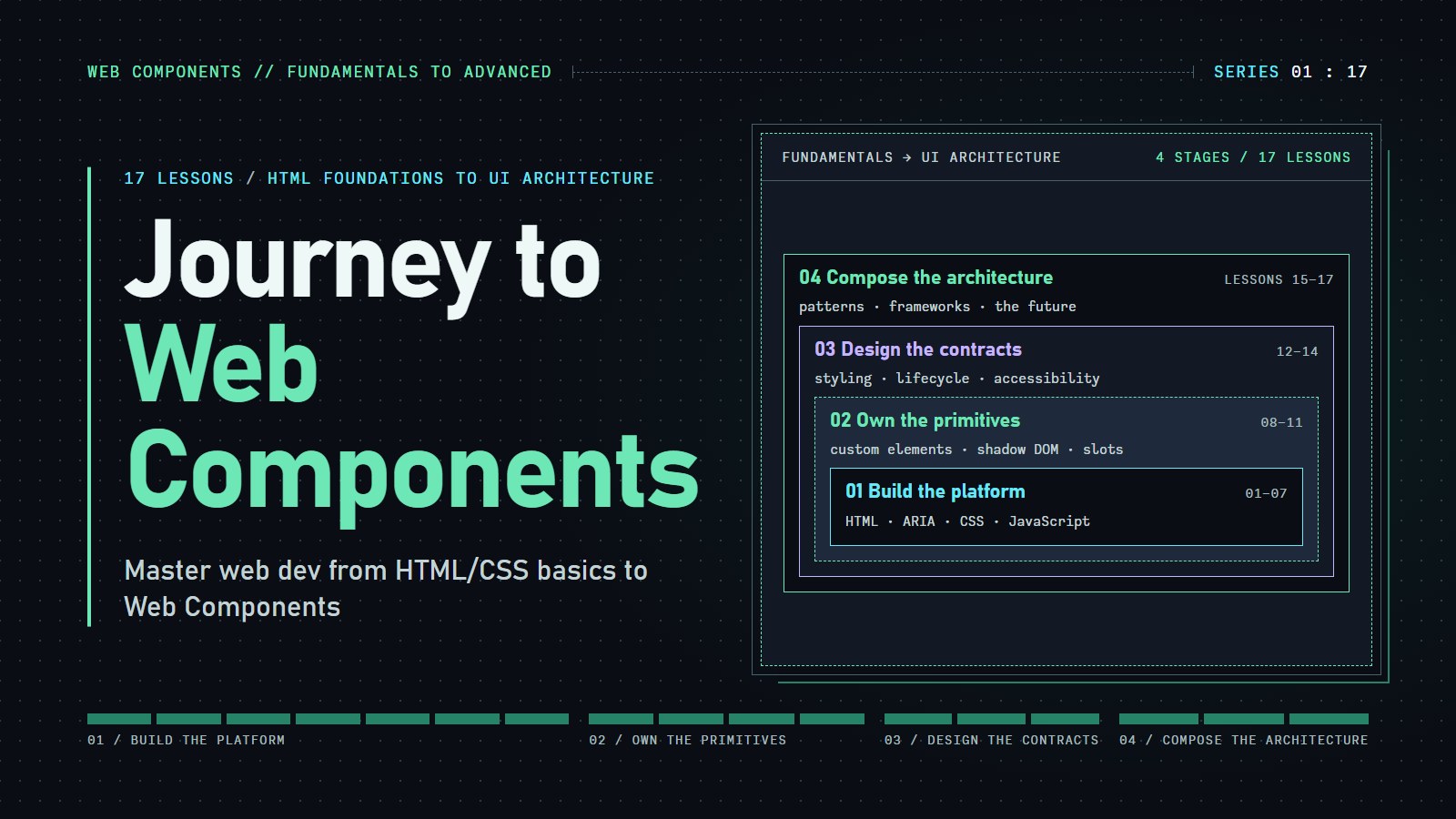
WEB COMPONENTS // ARCHITECTURE
Encapsulated & Modular
Build your own HTML tags with browser standards: custom elements, Shadow DOM, templates and slots, styling hooks and accessible behavior. HTML and CSS foundations come first and are optional if you already have them.
For readers who know a little HTML, CSS and JavaScript. Lessons 1 to 7 are foundations you can skip.
<h2 slot="header">Hello</h2>
↓ assigned to the named slot
→ renders "Hello" <section part="body">
Slot assignment changes rendering, not parentage: the heading remains a light DOM child. This is an explanatory diagram, not a live DOM inspector.
Don't just read the boundary. Test it.
Change a light DOM heading and watch it render through a named slot. Then style an exposed shadow part from the outside. No framework, editor setup, or installation.
The heading belongs to light DOM. The frame and body live in shadow DOM. The dashed boundary marks encapsulation, not a security barrier.
Built on browser standards
This paragraph is projected through the default slot. It remains a child of the host element.
Progressive preview: content is readable before the custom element upgrades.
<h3 slot="header">Built on browser standards</h3>/* External part styling is off. */Architecture explorer
The lab above shows one slot and one part. This one lets you pull every lever a component offers: attributes, slots, CSS custom properties, page CSS and shadow parts. Watch the light DOM, the shadow tree and the slot assignments change together.
The explorer needs JavaScript. The lessons on custom elements, the Shadow DOM, templates and slots, and component styling cover the same ideas.
QUICK PATH
Where to start
If you can read HTML and CSS and have used querySelector and an event listener, skip the foundations and start with your first component. If you need HTML, CSS or JavaScript first, begin with semantic HTML. If you only need one thing, pick it from the list.
- I want to see a working componentThen read Introduction to Web Components.
- I want to define a tag safelyThen read Getting Started with Custom Elements.
- I want a component to clean up and talk to the pageThen read Lifecycle Callbacks and Component Communication.
- I want to know whether I need Shadow DOMThen read Exploring the Shadow DOM.
- I want the page to fill my componentThen read How Templates and Slots Work.
- I want users to restyle my componentThen read Mastering the Art of Web Component Styling.
- I want it to work with a keyboard and a screen readerThen read Accessibility in Web Components.
- I want to use my components in React or another frameworkThen read Advanced Patterns and Integration with Frameworks.
- I want to make a component pleasant to use: properties, attributes, events and namesThen read Real-World Examples & Patterns in Web Components.
- I want to know what is safe to use todayThen read The Future of Web Components, which carries a dated status table.
- I want to learn semantic HTML, ARIA and CSS firstThen start at Establishing a Foundation of Semantic HTML.
Small boundaries. Composable interfaces.
- <custom-element>Name your own element and define its behavior with native lifecycle callbacks.
- #shadow-rootScope internal selectors. Inherited properties and CSS custom properties can still cross the boundary.
- <template> / <slot>Reuse inert markup and compose it with content supplied by the host's light DOM.
- ::part() / ::slotted()Expose deliberate styling hooks and target elements assigned directly to slots.
class AppCard extends HTMLElement {
  constructor() {
    super();
    const root = this.attachShadow({ mode: 'open' });
    root.innerHTML = `
      <style>:host { display: block; }</style>
      <slot name="header"></slot>
      <section part="body"><slot></slot></section>
    `;
  }
}
customElements.define('app-card', AppCard);
Illustrative source, not executed here. The shadow tree is attached once in the constructor; its markup is a fixed string, not untrusted input.
All lessons, in reading order
Lessons 1 to 7 are the optional foundations. The component lessons follow, starting with the introduction to web components.
- Establishing a Foundation of Semantic HTMLReplace a page of divs with header, nav, main and footer so visitors can jump straight to navigation, content or footer.
- Implementing Accessibility Best Practices in HTML & ARIA EssentialsLabel every control and image, add ARIA only where plain HTML cannot say it, and manage keyboard focus for screen reader users.
- Crafting Incredible HTML: Best Practices & Real-World ExamplesKeep HTML readable with consistent formatting, check it with a tool, and review it the way a stranger would.
- CSS Fundamentals for Accessible DesignWrite CSS that works for low-vision, keyboard and screen reader users: selectors, specificity, color, focus styles and units.
- Responsive Layouts & Advanced CSS TechniquesRearrange one page for phone and desktop with Flexbox, Grid and media queries, with legible type and spacing.
- Advanced CSS: Optimization & Best PracticesKeep CSS files small and rules understandable, and expose a few named CSS variables so a component can be re-themed.
- Exploring JavaScript Essentials for Enhancing HTMLMake a page react with JavaScript: hide a paragraph on a button press, update a list as you type, and load data from a server.
- Introduction to Web ComponentsBuild a custom tag like info-card that carries its own look and behavior, and see how Shadow DOM keeps its styles from leaking.
- Getting Started with Custom ElementsDefine a custom element, change an attribute and watch its text update, and see how it learns when it is added or removed.
- Lifecycle Callbacks & Component CommunicationReact when a custom element is added, removed or changed with lifecycle callbacks, then pass messages between components.
- Exploring the Shadow DOMAttach a private shadow tree to an element, choose open or closed mode, and learn which page styles can reach inside.
- How Templates and Slots WorkUse template for a fixed layout and slot for the blanks a page fills in, then combine them in a web component.
- Mastering the Art of Web Component StylingStyle a web component from outside through four doors in its wall: :host, ::slotted, CSS custom properties and ::part.
- Accessibility in Web ComponentsBuild custom elements that say what they are, work from the keyboard, and announce changes to screen reader users.
- Advanced Patterns & Integration with FrameworksPass objects from React to a custom element without getting [object Object], and handle events across the framework boundary.
- Real-World Examples & Patterns in Web ComponentsSee who publishes web components (Google, Microsoft, Adobe and others) and four patterns that make them easy to use, with runnable examples.
- The Future of Web ComponentsWhich Web Component features you can use today, which work in only some browsers, and which are still proposals, with a dated status table.