
Journey to Web Components: From Fundamentals to Advanced UI Architecture
Advanced Patterns & Integration with Frameworks
Advanced Patterns for Web Components in Modern Frameworks
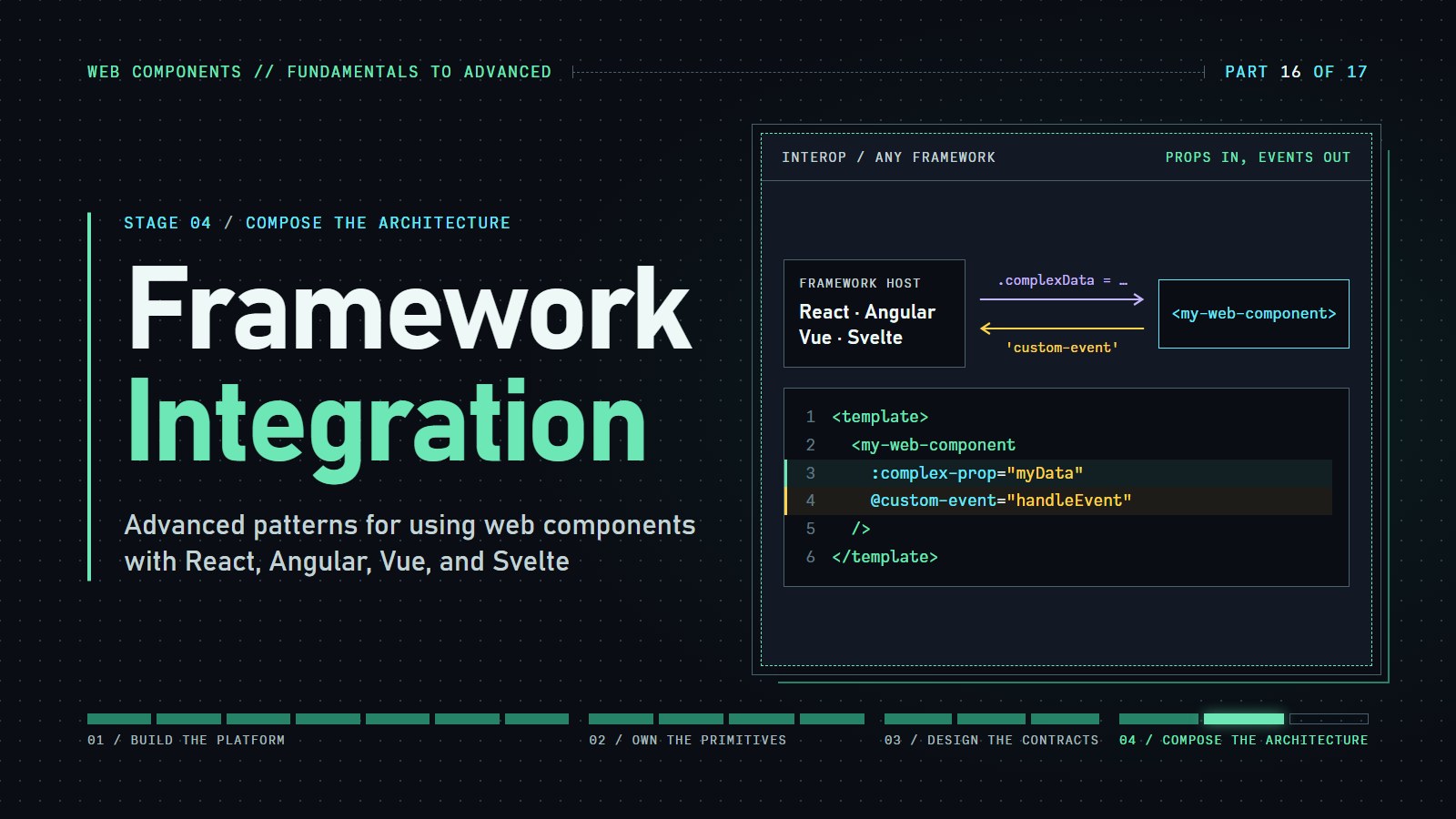
Pass a JavaScript object to a web component from React, and the component receives the text [object Object]. That is the whole problem this post solves: frameworks and web components pass data in different ways, and a few small habits bridge them.
When a framework such as React meets a custom tag like <user-badge>, data and events can get lost on the way across. This post shows where, and how to stop it.
Prerequisites in two lines: a custom element can take small settings as HTML attributes (always strings) and richer data as JavaScript properties (el.data = {...}). It talks back with custom events that you listen for with addEventListener.
React is covered in full and Vue is the second example. Angular and Svelte follow the same two ideas (property for data, addEventListener for events), so their sections are optional reading.
Why Framework Integration Matters#
Web Components were designed to be universal, but the reality of modern web development means they must coexist with frameworks that have their own component models and lifecycles. Successful integration requires understanding both worlds and the boundaries between them.
Here is the failure, so you can recognize it. In React 18 (checked with 18.3.1), this element receives a string, not your object:
<user-badge user={{ name: 'Ada' }} />
// the DOM now has user="[object Object]", and the component's `user` property is untouched
React 18 writes unknown props on custom elements as attributes, and an attribute can only hold text. A function prop such as onChartUpdate={fn} is also not turned into an event listener for a custom event. React 19 changed how props reach custom elements and is not covered here, so check its release notes if you use it.
What makes integration challenging?
-
Different Data Flow Models: React's unidirectional data flow differs fundamentally from the property-based approach of Web Components.
-
Event Handling Discrepancies: Each framework has its own event system that must be reconciled with the DOM event model.
-
Lifecycle Management: Coordinating component lifecycle events between frameworks and Web Components requires careful orchestration.
Let's explore how to overcome these challenges with practical, reusable patterns.
Using Web Components with Modern Frameworks#
React Integration Strategies#
React's declarative approach to UI challenges direct integration with the imperative DOM APIs of Web Components. Here are advanced patterns to bridge this gap:
1. The Ref Pattern: Direct DOM Access#
function MyReactComponent() {
  const wcRef = useRef(null);

  useEffect(() => {
    if (wcRef.current) {
      // Direct property assignment for complex data
      wcRef.current.complexData = { key: "value" };

      // Event handling with proper cleanup
      const el = wcRef.current;
      const handleEvent = (e) => console.log(e.detail);
      el.addEventListener('custom-event', handleEvent);

      return () => {
        el.removeEventListener('custom-event', handleEvent);
      };
    }
  }, []);

  return <my-web-component ref={wcRef} string-prop="This works" />;
}
Key Insights:
-
React passes string attributes directly, but complex data requires refs
-
Event handling needs manual listeners with proper cleanup
-
Ref access enables imperative methods on Web Components
Coding challenge: Hand React's data to the element
<user-badge> has a user property, but the React wrapper never sets it, so the preview says "Hello, nobody yet".
Expected result: after you finish the TODO the preview says "Hello, Ada".
---html
<div id="root"></div>
---js
class UserBadge extends HTMLElement {
  constructor() { super(); this.attachShadow({ mode: 'open' }); }
  set user(value) { this._user = value; this.render(); }
  get user() { return this._user; }
  connectedCallback() { this.render(); }
  render() {
    const name = this._user ? this._user.name : 'nobody yet';
    this.shadowRoot.innerHTML = '<p>Hello, ' + name + '</p>';
  }
}
customElements.define('user-badge', UserBadge);

const { useRef, useEffect, createElement: h } = React;

function Badge({ user }) {
  const ref = useRef(null);
  // TODO: in a useEffect, set ref.current.user = user (run again when user changes)
  return h('user-badge', { ref });
}

ReactDOM.createRoot(document.getElementById('root')).render(
  h(Badge, { user: { name: 'Ada' } })
);
2. The Wrapper Pattern: Creating React-Friendly Components#
React developers expect components with React-like patterns. Create wrapper components that abstract Web Component peculiarities:
// Wrapper that handles property mapping and events
function EnhancedWebComponent({ data, onCustomEvent, children }) {
  const ref = useRef(null);

  useEffect(() => {
    const element = ref.current;
    if (element) {
      // Set complex data
      element.data = data;

      // Handle events
      const eventHandler = (e) => onCustomEvent(e.detail);
      element.addEventListener('custom-event', eventHandler);

      return () => element.removeEventListener('custom-event', eventHandler);
    }
  }, [data, onCustomEvent]);

  return (
    <my-web-component ref={ref}>
      {children}
    </my-web-component>
  );
}

// Usage feels like a normal React component
function App() {
  return (
    <EnhancedWebComponent
      data={{complex: "data"}}
      onCustomEvent={handleEvent}
    >
      <p>Child content</p>
    </EnhancedWebComponent>
  );
}
Interactive Demo: Try the React integration patterns yourself
---html
<div id="root"></div>
---css
.demo-container {
  font-family: system-ui, -apple-system, BlinkMacSystemFont, 'Segoe UI', Roboto, Oxygen, Ubuntu, Cantarell, 'Open Sans', 'Helvetica Neue', sans-serif;
  max-width: 800px;
  margin: 0 auto;
  padding: 20px;
}

.examples {
  display: flex;
  flex-direction: column;
  gap: 20px;
}

.example {
  border: 1px solid #ddd;
  border-radius: 8px;
  padding: 16px;
  background-color: #fff;
}

h2 {
  color: #2c3e50;
  margin-top: 0;
}

h3 {
  color: #2c3e50;
  margin-top: 0;
}

.button-group {
  display: flex;
  flex-wrap: wrap;
  gap: 8px;
  margin-top: 8px;
}

.react-button {
  background-color: #61dafb;
  color: #000;
  border: none;
  border-radius: 4px;
  padding: 8px 16px;
  cursor: pointer;
  font-size: 16px;
}

.events {
  margin-top: 16px;
  padding: 8px;
  background-color: #f8f9fa;
  border-radius: 4px;
  font-size: 14px;
}
---js
const { useState, useRef, useEffect } = React;

// First, define the Web Component
// First, define the Web Component
class SimpleCounter extends HTMLElement {
  constructor() {
    super();
    this.attachShadow({ mode: 'open' });
    this._count = 0;
    this.render();
  }

  static get observedAttributes() {
    return ['count'];
  }

  attributeChangedCallback(name, oldValue, newValue) {
    if (name === 'count') {
      this._count = parseInt(newValue || '0', 10);
      this.render();
    }
  }

  get count() {
    return this._count;
  }

  set count(value) {
    this._count = value;
    this.render();
    this.dispatchEvent(new CustomEvent('counter-changed', {
      bubbles: true,
      composed: true,
      detail: { count: this._count } }));

  }

  increment() {
    this._count++;
    this.render();
    this.dispatchEvent(new CustomEvent('counter-changed', {
      bubbles: true,
      composed: true,
      detail: { count: this._count } }));

  }

  render() {
    this.shadowRoot.innerHTML = `
      <style>
        :host {
          display: block;
          font-family: sans-serif;
          border: 2px solid #3498db;
          border-radius: 8px;
          padding: 16px;
          margin: 8px 0;
          background-color: #f8f9fa;
        }
        .counter {
          font-size: 24px;
          margin-bottom: 12px;
        }
        button {
          background-color: #3498db;
          color: white;
          border: none;
          border-radius: 4px;
          padding: 8px 16px;
          cursor: pointer;
          font-size: 16px;
          transition: background-color 0.2s;
        }
        button:hover {
          background-color: #2980b9;
        }
      </style>
      <div class="counter">Count: ${this._count}</div>
      <button id="increment">Increment</button>
    `;

    this.shadowRoot.querySelector('#increment').addEventListener('click', () => this.increment());
  }

  disconnectedCallback() {
    const btn = this.shadowRoot.querySelector('#increment');
    if (btn) {
      btn.removeEventListener('click', () => this.increment());
    }
  }}


// Register the web component
if (!customElements.get('simple-counter')) {
  customElements.define('simple-counter', SimpleCounter);
}

// React Components using React.createElement for CodePen compatibility
function DirectInteractionExample() {
  const [events, setEvents] = React.useState([]);
  const counterRef = React.useRef(null);

  React.useEffect(() => {
    if (counterRef.current) {
      // Set initial count
      counterRef.current.count = 5;

      // Set up event listener
      const handleCounterChanged = e => {
        setEvents(prev => [...prev, `Counter changed: ${e.detail.count}`]);
      };

      counterRef.current.addEventListener('counter-changed', handleCounterChanged);

      // Clean up
      return () => {
        if (counterRef.current) {
          counterRef.current.removeEventListener('counter-changed', handleCounterChanged);
        }
      };
    }
  }, []);

  // Match Angular's button actions
  const handleIncrement = () => {
    if (counterRef.current) {
      counterRef.current.increment();
    }
  };

  const handleDecrement = () => {
    if (counterRef.current && counterRef.current.count > 0) {
      counterRef.current.count = counterRef.current.count - 1;
      setEvents(prev => [...prev, `Counter decremented to: ${counterRef.current.count}`]);
    }
  };

  const handleReset = () => {
    if (counterRef.current) {
      counterRef.current.count = 0;
      setEvents(prev => [...prev, 'Counter reset to 0']);
    }
  };

  const handleDoubleValue = () => {
    if (counterRef.current) {
      const currentValue = counterRef.current.count;
      counterRef.current.count = currentValue * 2;
      setEvents(prev => [...prev, `Doubled value to: ${counterRef.current.count}`]);
    }
  };

  return React.createElement('div', { className: 'example' },
  React.createElement('h3', null, 'Using React with Web Components'),
  React.createElement('p', null, 'Direct component manipulation using refs'),

  React.createElement('simple-counter', { ref: counterRef }),

  React.createElement('div', { className: 'button-group' },
  React.createElement('button', {
    onClick: handleIncrement,
    className: 'react-button' },
  'Increment'),

  React.createElement('button', {
    onClick: handleDecrement,
    className: 'react-button' },
  'Decrement'),

  React.createElement('button', {
    onClick: handleReset,
    className: 'react-button' },
  'Reset')),


  React.createElement('div', { className: 'button-group' },
  React.createElement('button', {
    onClick: handleDoubleValue,
    className: 'react-button' },
  'Double Value')),


  React.createElement('div', { className: 'events' },
  React.createElement('strong', null, 'Events:'),
  events.map((event, i) => React.createElement('div', { key: i }, event))));


}

// Main Demo Component
function ReactWebComponentDemo() {
  return React.createElement('div', { className: 'demo-container' },
  React.createElement('h2', null, 'React + Web Components Integration'),
  React.createElement('p', null,
  'This example demonstrates how React can interact with Web Components through refs and direct DOM manipulation.'),


  React.createElement(DirectInteractionExample));

}

// Render the demo
ReactDOM.render(React.createElement(ReactWebComponentDemo), document.getElementById('root'));
Angular Integration Strategies#
Angular has built-in support for Web Components through its @angular/elements package, but deeper integration still requires specific techniques:
1. Element Binding with Custom Directives#
@Directive({
  selector: 'my-web-component'
})
export class WebComponentDirective implements OnInit, OnChanges, OnDestroy {
  @Input() complexData: any;
  @Output() customEvent = new EventEmitter<any>();

  constructor(private el: ElementRef) {}

  ngOnInit() {
    this.el.nativeElement.addEventListener('custom-event',
      this.handleCustomEvent.bind(this));
  }

  ngOnChanges(changes: SimpleChanges) {
    if (changes.complexData) {
      this.el.nativeElement.complexData = this.complexData;
    }
  }

  ngOnDestroy() {
    this.el.nativeElement.removeEventListener('custom-event',
      this.handleCustomEvent.bind(this));
  }

  private handleCustomEvent(event: CustomEvent) {
    this.customEvent.emit(event.detail);
  }
}
Key Insights:
-
Angular directives provide clean property and event binding
-
OnChanges lifecycle hook updates properties efficiently
-
ElementRef gives direct access to the native element
Interactive Demo: Explore Angular integrations
---html
<div ng-app="webComponentDemo" ng-controller="MainController">
	<div class="demo-container">
		<h2>Angular + Web Components Integration</h2>
		<p>
			This example demonstrates how Angular can work with Web Components through directive bindings
			and direct DOM access.
		</p>

		<div class="examples">
			<div class="example">
				<h3>Using Angular Directives</h3>
				<p>Binding component state to Angular's data model</p>

				<simple-counter count="counterValue" on-counter-changed="handleCounterEvent($event)">
				</simple-counter>

				<button class="angular-button" ng-click="incrementCounter()">
					Angular: Increment Counter
				</button>

				<div class="events">
					<strong>Current count in Angular: {{ counterValue }}</strong>
					<div ng-repeat="event in events track by $index">
						{{ event }}
					</div>
				</div>
			</div>

			<div class="example">
				<h3>Direct DOM Access</h3>
				<p>Using element references to directly call component methods</p>

				<simple-counter id="direct-counter"></simple-counter>

				<button class="angular-button" ng-click="callDirectMethod()">
					Call Component Method Directly
				</button>
			</div>
		</div>
	</div>
</div>
---css
.demo-container {
	font-family: system-ui, -apple-system, BlinkMacSystemFont, "Segoe UI", Roboto,
		Oxygen, Ubuntu, Cantarell, "Open Sans", "Helvetica Neue", sans-serif;
	max-width: 800px;
	margin: 0 auto;
	padding: 20px;
}

.examples {
	display: flex;
	flex-direction: column;
	gap: 20px;
}

.example {
	border: 1px solid #ddd;
	border-radius: 8px;
	padding: 16px;
	background-color: #fff;
}

h2 {
	color: #2c3e50;
	margin-top: 0;
}

h3 {
	color: #2c3e50;
	margin-top: 0;
}

.angular-button {
	background-color: #dd0031;
	color: white;
	border: none;
	border-radius: 4px;
	padding: 8px 16px;
	margin-top: 8px;
	cursor: pointer;
	font-size: 16px;
}

.events {
	margin-top: 16px;
	padding: 8px;
	background-color: #f8f9fa;
	border-radius: 4px;
	font-size: 14px;
}
---js
// Define our Web Component
class SimpleCounter extends HTMLElement {
  constructor() {
    super();
    this.attachShadow({ mode: "open" });
    this._count = 0;
    this.render();
  }

  static get observedAttributes() {
    return ["count"];
  }

  attributeChangedCallback(name, oldValue, newValue) {
    if (name === "count") {
      this._count = parseInt(newValue || "0", 10);
      this.render();
    }
  }

  get count() {
    return this._count;
  }

  set count(value) {
    this._count = value;
    this.render();

    // When set programmatically, update the attribute to keep in sync
    this.setAttribute("count", value);
  }

  increment() {
    this._count++;
    this.render();
    this.dispatchEvent(
    new CustomEvent("counter-changed", {
      bubbles: true,
      composed: true,
      detail: { count: this._count } }));


    // Update the attribute to keep in sync with the property
    this.setAttribute("count", this._count);
  }

  render() {
    this.shadowRoot.innerHTML = `
        <style>
          :host {
            display: block;
            font-family: sans-serif;
            border: 2px solid #dd0031;
            border-radius: 8px;
            padding: 16px;
            margin: 8px 0;
            background-color: #f8f9fa;
          }
          .counter {
            font-size: 24px;
            margin-bottom: 12px;
          }
          button {
            background-color: #dd0031;
            color: white;
            border: none;
            border-radius: 4px;
            padding: 8px 16px;
            cursor: pointer;
            font-size: 16px;
            transition: background-color 0.2s;
          }
          button:hover {
            background-color: #a50023;
          }
        </style>
        <div class="counter">Count: ${this._count}</div>
        <button id="increment">Increment from Inside</button>
      `;

    this.shadowRoot.
    querySelector("#increment").
    addEventListener("click", () => this.increment());
  }

  disconnectedCallback() {
    const button = this.shadowRoot.querySelector("#increment");
    if (button) {
      button.removeEventListener("click", () => this.increment());
    }
  }}


// Register our Web Component
if (!customElements.get("simple-counter")) {
  customElements.define("simple-counter", SimpleCounter);
}

// Angular app
angular.
module("webComponentDemo", []).
controller("MainController", [
"$scope",
"$timeout",
function ($scope, $timeout) {
  // Initialize data
  $scope.counterValue = 5;
  $scope.events = [];

  // Event handler for counter changes
  $scope.handleCounterEvent = function (event) {
    // Use $timeout to ensure Angular knows about the update
    $timeout(function () {
      $scope.counterValue = event.detail.count;
      $scope.events.push("Counter changed: " + event.detail.count);
    });
  };

  // Method to increment the counter from Angular
  $scope.incrementCounter = function () {
    $scope.counterValue++;
    // Angular will update the attribute automatically
  };

  // Method to call the component directly
  $scope.callDirectMethod = function () {
    var counter = document.getElementById("direct-counter");
    if (counter) {
      counter.increment();

      // Add to the events list
      $timeout(function () {
        $scope.events.push("Called increment() method directly");
      });
    }
  };

  // Setup event handling for the direct counter
  $timeout(function () {
    var counter = document.getElementById("direct-counter");
    if (counter) {
      // Set initial value
      counter.count = 10;

      // Listen for events
      counter.addEventListener("counter-changed", function (event) {
        $timeout(function () {
          $scope.events.push("Direct counter changed: " + event.detail.count);
        });
      });
    }
  });

  // We need to create a directive to bind our Web Component properly
  // This is done to demonstrate the concept, but in CodePen it's simpler to
  // do the binding manually as we've done above
}])


// Add a simple directive to handle attribute binding
.directive("simpleCounter", function () {
  return {
    restrict: "E",
    scope: {
      count: "=?", // Two-way binding (optional: the direct counter has no count attribute)
      onCounterChanged: "&" // Function binding
    },
    link: function (scope, element, attrs) {
      // Watch for changes to the 'count' attribute
      scope.$watch("count", function (newValue) {
        if (newValue !== undefined) {
          element[0].count = newValue;
        }
      });

      // Listen for counter-changed events
      element[0].addEventListener("counter-changed", function (event) {
        scope.$evalAsync(function () {
          scope.count = event.detail.count;
          scope.onCounterChanged({ $event: event });
        });
      });
    } };

});
Vue Integration Strategies#
Vue offers excellent built-in support for Web Components with its attribute and event binding syntax:
<template>
  <my-web-component
    :complex-prop="myData"
    @custom-event="handleEvent"
  />
</template>

<script>
export default {
  data() {
    return {
      myData: { key: 'value' }
    }
  },
  methods: {
    handleEvent(event) {
      console.log(event.detail);
    }
  },
  mounted() {
    // For cases where direct property access is needed
    this.$refs.myComponent.directMethod();
  }
}
</script>
Key Insights:
-
Vue's
:propsyntax works with kebab-case attributes -
Native event handling with
@event-name -
Vue's reactivity system naturally updates Web Component properties
Interactive Demo: Explore Vue integrations
---html
<div id="app">
	<h2>Vue + Web Components Integration</h2>
	<p>
		Vue offers excellent support for Web Components with its built-in directive syntax.
		This demo shows how properties and events work.
	</p>

	<div class="demo-container">
		<div class="example">
			<h3>Basic Integration</h3>
			<p>Vue's declarative syntax makes Web Component integration straightforward</p>

			<simple-counter :count="counterData" @counter-changed="handleCounterEvent"></simple-counter>

			<button class="vue-button" @click="incrementCounter">
				Increment from Vue
			</button>

			<div class="events">
				<strong>Current count in Vue data: {{ counterData }}</strong>
				<div v-for="(event, index) in events" :key="index">
					{{ event }}
				</div>
			</div>
		</div>

		<div class="example">
			<h3>Using $refs for Direct Access</h3>
			<p>When needed, Vue can access Web Components directly with $refs</p>

			<simple-counter ref="directCounter"></simple-counter>

			<button class="vue-button" @click="callComponentMethod">
				Call component method directly
			</button>
		</div>
	</div>
</div>
---css
body {
	font-family: system-ui, -apple-system, BlinkMacSystemFont, "Segoe UI", Roboto,
		Oxygen, Ubuntu, Cantarell, "Open Sans", "Helvetica Neue", sans-serif;
	max-width: 800px;
	margin: 0 auto;
	padding: 20px;
}

.demo-container {
	display: flex;
	flex-direction: column;
	gap: 20px;
}

.example {
	border: 1px solid #ddd;
	border-radius: 8px;
	padding: 16px;
	background-color: #fff;
}

h2 {
	color: #2c3e50;
	margin-top: 0;
}

h3 {
	color: #2c3e50;
	margin-top: 0;
}

.vue-button {
	background-color: #42b883;
	color: white;
	border: none;
	border-radius: 4px;
	padding: 8px 16px;
	margin-top: 8px;
	cursor: pointer;
	font-size: 16px;
}

.events {
	margin-top: 16px;
	padding: 8px;
	background-color: #f8f9fa;
	border-radius: 4px;
	font-size: 14px;
}
---js
// Define Web Component
class SimpleCounter extends HTMLElement {
  constructor() {
    super();
    this.attachShadow({ mode: "open" });
    this._count = 0;
    this.render();
  }

  static get observedAttributes() {
    return ["count"];
  }

  attributeChangedCallback(name, oldValue, newValue) {
    if (name === "count") {
      this._count = parseInt(newValue || "0", 10);
      this.render();
    }
  }

  get count() {
    return this._count;
  }

  set count(value) {
    this._count = value;
    this.render();
  }

  increment() {
    this._count++;
    this.render();
    this.dispatchEvent(
    new CustomEvent("counter-changed", {
      bubbles: true,
      composed: true,
      detail: { count: this._count } }));


  }

  render() {
    this.shadowRoot.innerHTML = `
          <style>
            :host {
              display: block;
              font-family: sans-serif;
              border: 2px solid #42b883;
              border-radius: 8px;
              padding: 16px;
              margin: 8px 0;
              background-color: #f8f9fa;
            }
            .counter {
              font-size: 24px;
              margin-bottom: 12px;
            }
            button {
              background-color: #42b883;
              color: white;
              border: none;
              border-radius: 4px;
              padding: 8px 16px;
              cursor: pointer;
              font-size: 16px;
              transition: background-color 0.2s;
            }
            button:hover {
              background-color: #33a06f;
            }
          </style>
          <div class="counter">Count: ${this._count}</div>
          <button id="increment">Increment</button>
        `;

    this.shadowRoot.
    querySelector("#increment").
    addEventListener("click", () => this.increment());
  }

  disconnectedCallback() {
    const button = this.shadowRoot.querySelector("#increment");
    if (button) {
      button.removeEventListener("click", () => this.increment());
    }
  }}


// Register the Web Component
if (!customElements.get("simple-counter")) {
  customElements.define("simple-counter", SimpleCounter);
}

// Vue App
const app = Vue.createApp({
  data() {
    return {
      counterData: 5,
      events: [] };

  },
  methods: {
    handleCounterEvent(event) {
      this.counterData = event.detail.count;
      this.events.push(`Counter changed: ${event.detail.count}`);
    },
    incrementCounter() {
      this.counterData++;
      this.$nextTick(() => {
        // Vue's reactivity will update the attribute on the Web Component
      });
    },
    callComponentMethod() {
      // Direct method call via ref
      this.$refs.directCounter.increment();
      this.events.push("Called increment() method directly");
    } },

  mounted() {
    // Initial setup if needed
    this.$refs.directCounter.count = 10;
  } });


app.mount("#app");
Svelte Integration Strategies#
Svelte treats Web Components as first-class citizens and makes integration particularly straightforward:
<script>
  import { onMount } from 'svelte';

  let el;
  let myData = { key: 'value' };

  // Reactive assignments automatically update the Web Component
  $: if (el) {
    el.complexData = myData;
  }

  function handleEvent(event) {
    console.log(event.detail);
  }

  onMount(() => {
    // If needed, do direct manipulation here
    el.addEventListener('special-event', specialHandler);

    return () => {
      el.removeEventListener('special-event', specialHandler);
    }
  });
</script>

<my-web-component
  bind:this={el}
  on:custom-event={handleEvent}
/>
Key Insights:
-
bind:thisprovides direct access to the element -
Svelte's reactivity automatically updates properties
-
Svelte's event handling works natively with Web Component events
Interactive Demo: Explore Svelte integration Techniques
---html
<!-- The Svelte component below (App) is compiled in your browser and mounted here. -->
<div id="app"></div>
---css
body {
  font-family: system-ui, -apple-system, BlinkMacSystemFont, 'Segoe UI', Roboto, Oxygen, Ubuntu, Cantarell, 'Open Sans', 'Helvetica Neue', sans-serif;
  max-width: 800px;
  margin: 0 auto;
  padding: 20px;
  background-color: #f8f9fa;
}

.demo-container {
  margin: 20px 0;
}

.example {
  border: 1px solid #ddd;
  border-radius: 8px;
  padding: 16px;
  margin-bottom: 20px;
  background-color: #fff;
  box-shadow: 0 2px 4px rgba(0,0,0,0.05);
}

h2,
h3 {
  color: #2c3e50;
  margin-top: 0;
}

.button-group {
  display: flex;
  flex-wrap: wrap;
  gap: 8px;
  margin-top: 8px;
}

.component-button,
.svelte-button {
  color: white;
  border: none;
  border-radius: 4px;
  padding: 8px 16px;
  cursor: pointer;
  font-size: 16px;
  transition: background-color 0.2s;
}

.component-button { background-color: #3498db; }
.component-button:hover { background-color: #2980b9; }
.svelte-button { background-color: #ff3e00; }
.svelte-button:hover { background-color: #d03400; }

.events {
  margin-top: 16px;
  padding: 12px;
  background-color: #f8f9fa;
  border-radius: 4px;
  font-size: 14px;
  border: 1px solid #e9ecef;
  max-height: 200px;
  overflow-y: auto;
}
---js
// 1. A framework-agnostic Web Component: a counter with a `count` property,
//    an `increment()` method, and a `counter-changed` event.
class SimpleCounter extends HTMLElement {
  constructor() {
    super();
    this.attachShadow({ mode: 'open' });
    this._count = 0;
    this.render();
  }
  static get observedAttributes() {
    return ['count'];
  }
  attributeChangedCallback(name, oldValue, newValue) {
    if (name === 'count') this.count = parseInt(newValue || '0', 10);
  }
  get count() {
    return this._count;
  }
  set count(value) {
    if (value === this._count) return;
    this._count = value;
    this.render();
    this.dispatchEvent(new CustomEvent('counter-changed', {
      bubbles: true,
      composed: true,
      detail: { count: this._count }
    }));
  }
  increment() {
    this.count = this._count + 1;
  }
  render() {
    this.shadowRoot.innerHTML = `
      <style>
        :host {
          display: block;
          font-family: sans-serif;
          border: 2px solid #ff3e00;
          border-radius: 8px;
          padding: 16px;
          margin: 8px 0;
          background-color: #f8f9fa;
        }
        .counter { font-size: 24px; margin-bottom: 12px; }
        button {
          background-color: #ff3e00;
          color: white;
          border: none;
          border-radius: 4px;
          padding: 8px 16px;
          cursor: pointer;
          font-size: 16px;
        }
        button:hover { background-color: #d03400; }
      </style>
      <div class="counter">Count: ${this._count}</div>
      <button id="increment">Increment from Inside</button>
    `;
    this.shadowRoot.querySelector('#increment').addEventListener('click', () => this.increment());
  }
}
if (!customElements.get('simple-counter')) {
  customElements.define('simple-counter', SimpleCounter);
}

// 2. A real Svelte component that uses it: bind:this for direct access,
//    a reactive statement to push store values in, and on:counter-changed to listen.
const App = `
<script>
  import { onMount } from 'svelte';
  import { writable } from 'svelte/store';

  const count = writable(5);
  const events = writable([]);
  let counter;

  // Reactive statement: whenever $count changes, update the Web Component
  $: if (counter && counter.count !== $count) {
    counter.count = $count;
  }

  function log(message) {
    events.update((list) => [message, ...list].slice(0, 8));
  }

  // The Web Component's own event, handled with Svelte's on: directive
  function handleCounterChanged(event) {
    count.set(event.detail.count);
    log('counter-changed: ' + event.detail.count);
  }

  onMount(() => {
    log('Mounted; bind:this gave us <' + counter.localName + '>');
  });
</script>

<div class="demo-container">
  <h2>Svelte + Web Components Integration</h2>
  <p>A real Svelte component driving a Web Component with bind:this, a store, and its events</p>

  <div class="example">
    <h3>Dual Approach Integration</h3>
    <p>Compare calling the Web Component's own method with updating a Svelte store</p>

    <simple-counter bind:this={counter} on:counter-changed={handleCounterChanged}></simple-counter>

    <div class="button-group">
      <button class="component-button" on:click={() => counter.increment()}>Increment (Component)</button>
      <button class="svelte-button" on:click={() => count.update((n) => n + 1)}>Increment (Svelte Store)</button>
    </div>

    <div class="button-group">
      <button class="component-button" on:click={() => count.update((n) => Math.max(0, n - 1))}>Decrement</button>
      <button class="component-button" on:click={() => count.set(0)}>Reset</button>
      <button class="component-button" on:click={() => count.update((n) => n * 2)}>Double Value</button>
    </div>

    <div class="events">
      <strong>Current count in the Svelte store: {$count}</strong>
      {#each $events as event, i (i)}
        <div>{event}</div>
      {/each}
    </div>
  </div>
</div>
`;

// 3. Compile the component in the browser (as the Svelte REPL does) and mount it.
//    `svelte` is the compiler; `SvelteRuntime` holds the modules compiled code imports.
function load(source) {
  const { js } = svelte.compile(source, { name: 'App', generate: 'client' });
  const code = js.code
    .replace(/^import\s+['"][^'"]+['"];?$/gm, '')
    .replace(/^import\s+\*\s+as\s+([\w$]+)\s+from\s+['"]([^'"]+)['"];?$/gm, 'const $1 = runtime("$2");')
    .replace(/^import\s+\{([^}]*)\}\s+from\s+['"]([^'"]+)['"];?$/gm,
      (_, names, from) => `const {${names.replace(/\s+as\s+/g, ': ')}} = runtime("${from}");`)
    .replace(/^export default /m, 'const Component = ');
  const runtime = (name) => {
    if (!(name in SvelteRuntime.modules)) throw new Error(`This sandbox can only import Svelte's own modules, not "${name}".`);
    return SvelteRuntime.modules[name];
  };
  return new Function('runtime', `${code}\nreturn Component;`)(runtime);
}

try {
  const { mount } = SvelteRuntime.modules.svelte;
  mount(load(App), { target: document.getElementById('app') });
  console.log(`Compiled and mounted with Svelte ${svelte.VERSION}`);
} catch (error) {
  console.error(error.message);
}
Performance Optimization Techniques#
Lazy-Loading Strategies#
Loading Web Components only when needed can significantly improve initial page load performance:
Dynamic Import Pattern#
// Only load when needed
const loadComponent = async () => {
  const { MyComponent } = await import('./my-component.js');
  customElements.define('my-component', MyComponent);
}

// Call on demand or when component is about to be needed
button.addEventListener('click', loadComponent);
Intersection Observer Pattern#
// Setup observer to load component when scrolled into view
const observer = new IntersectionObserver((entries) => {
  entries.forEach(entry => {
    if (entry.isIntersecting) {
      import('./components/lazy-component.js')
        .then(() => {
          // Component is now registered
          observer.unobserve(entry.target);
        });
    }
  });
}, { rootMargin: '100px' });

// Observe placeholder elements
document.querySelectorAll('.component-placeholder')
  .forEach(el => observer.observe(el));
Interactive Demo: See lazy-loading in action
---html
<div class="demo-container">
  <h1>Lazy-Loading Web Components</h1>
  <p>This demo shows how lazy-loading can improve performance by loading components only when needed.</p>

  <div class="performance-comparison">
    <div class="tabs">
      <button class="tab active" data-tab="eager">Eager Loading</button>
      <button class="tab" data-tab="dynamic">Dynamic Import</button>
      <button class="tab" data-tab="intersection">Intersection Observer</button>
    </div>

    <div class="tab-content" id="eager-tab">
      <h3>Eager Loading (All At Once)</h3>
      <p>All components are loaded immediately, which can slow down initial page load.</p>

      <div class="metrics">
        <div class="metric">
          <div class="metric-title">Components Loaded:</div>
          <div class="metric-value" id="eager-count">0</div>
        </div>
        <div class="metric">
          <div class="metric-title">Initial Load Time:</div>
          <div class="metric-value" id="eager-time">-</div>
        </div>
      </div>

      <button class="demo-button" id="load-eager">Load 10 Eager Components</button>
      <div class="component-container" id="eager-components"></div>
    </div>

    <div class="tab-content hidden" id="dynamic-tab">
      <h3>Dynamic Import (On Demand)</h3>
      <p>Components are loaded on-click, improving initial page load but requiring user action.</p>

      <div class="metrics">
        <div class="metric">
          <div class="metric-title">Components Loaded:</div>
          <div class="metric-value" id="dynamic-count">0</div>
        </div>
        <div class="metric">
          <div class="metric-title">Load Time:</div>
          <div class="metric-value" id="dynamic-time">-</div>
        </div>
      </div>

      <button class="demo-button" id="load-dynamic">Load Components On-Demand</button>
      <div class="component-container" id="dynamic-components"></div>
    </div>

    <div class="tab-content hidden" id="intersection-tab">
      <h3>Intersection Observer (Viewport-Based)</h3>
      <p>Components load automatically when scrolled into view - the best of both worlds.</p>

      <div class="metrics">
        <div class="metric">
          <div class="metric-title">Components Visible:</div>
          <div class="metric-value" id="intersection-count">0</div>
        </div>
        <div class="metric">
          <div class="metric-title">Load Time per Component:</div>
          <div class="metric-value" id="intersection-time">-</div>
        </div>
      </div>

      <p>Scroll down to see components load as they enter the viewport:</p>
      <div class="component-container" id="intersection-components">
        <div class="component-placeholder" data-index="1">Component will load when visible</div>
        <div class="component-placeholder" data-index="2">Component will load when visible</div>
        <div class="component-placeholder" data-index="3">Component will load when visible</div>
        <div class="component-placeholder" data-index="4">Component will load when visible</div>
        <div class="component-placeholder" data-index="5">Component will load when visible</div>
      </div>
    </div>
  </div>

  <div class="code-examples">
    <h2>Implementation Examples</h2>

    <div class="code-block">
      <h3>Dynamic Import Pattern</h3>
      <pre><code>// Only load when the user takes an action
const loadComponent = async () => {
  const startTime = performance.now();

  // Dynamic import of the component module
  const { MyComponent } = await import('./my-component.js');

  // Register the component only when needed
  customElements.define('my-component', MyComponent);

  // Create and add the component to the page
  const component = document.createElement('my-component');
  document.querySelector('#container').appendChild(component);

  const loadTime = performance.now() - startTime;
  console.log(`Component loaded in ${loadTime}ms`);
}</code></pre>
    </div>

    <div class="code-block">
      <h3>Intersection Observer Pattern</h3>
      <pre><code>// Create observer for viewport detection
const observer = new IntersectionObserver((entries) => {
  entries.forEach(entry => {
    if (entry.isIntersecting) {
      const placeholder = entry.target;

      // Load component when placeholder is visible
      import('./lazy-component.js')
        .then(module => {
          // Replace placeholder with actual component
          const component = document.createElement('lazy-component');
          placeholder.parentNode.replaceChild(component, placeholder);

          // Stop observing this element
          observer.unobserve(placeholder);
        });
    }
  });
}, { rootMargin: '100px' });

// Start observing placeholders
document.querySelectorAll('.component-placeholder')
  .forEach(el => observer.observe(el));</code></pre>
    </div>
  </div>
</div>
---css
body {
  font-family: system-ui, -apple-system, BlinkMacSystemFont, 'Segoe UI', Roboto, Oxygen, Ubuntu, Cantarell, 'Open Sans', 'Helvetica Neue', sans-serif;
  max-width: 900px;
  margin: 0 auto;
  padding: 20px;
  line-height: 1.6;
  color: #333;
}

h1, h2, h3 {
  color: #2c3e50;
}

.demo-container {
  margin: 20px 0;
}

.performance-comparison {
  border: 1px solid #ddd;
  border-radius: 8px;
  overflow: hidden;
  margin: 30px 0;
}

.tabs {
  display: flex;
  background-color: #f0f0f0;
  border-bottom: 1px solid #ddd;
}

.tab {
  padding: 12px 20px;
  background: none;
  border: none;
  cursor: pointer;
  font-size: 16px;
  font-weight: 500;
  color: #666;
  transition: background-color 0.2s;
}

.tab:hover {
  background-color: #e0e0e0;
}

.tab.active {
  background-color: white;
  color: #2c3e50;
  border-bottom: 3px solid #3498db;
}

.tab-content {
  padding: 20px;
  background-color: white;
}

.hidden {
  display: none;
}

.metrics {
  display: flex;
  gap: 20px;
  margin: 20px 0;
  padding: 15px;
  background-color: #f8f9fa;
  border-radius: 8px;
}

.metric {
  flex: 1;
}

.metric-title {
  font-weight: bold;
  margin-bottom: 5px;
  color: #666;
}

.metric-value {
  font-size: 24px;
  color: #3498db;
}

.demo-button {
  background-color: #3498db;
  color: white;
  border: none;
  border-radius: 4px;
  padding: 10px 20px;
  font-size: 16px;
  cursor: pointer;
  transition: background-color 0.2s;
}

.demo-button:hover {
  background-color: #2980b9;
}

.component-container {
  margin-top: 20px;
  display: grid;
  grid-template-columns: repeat(auto-fill, minmax(250px, 1fr));
  gap: 15px;
}

.component-placeholder {
  height: 150px;
  display: flex;
  align-items: center;
  justify-content: center;
  text-align: center;
  border: 2px dashed #ccc;
  border-radius: 8px;
  background-color: #f5f5f5;
  color: #777;
  padding: 10px;
}

.code-examples {
  margin-top: 40px;
}

.code-block {
  margin: 20px 0;
}

.code-block pre {
  background-color: #f5f5f5;
  padding: 15px;
  border-radius: 8px;
  overflow-x: auto;
  border: 1px solid #ddd;
}

.code-block code {
  font-family: 'Consolas', 'Monaco', 'Courier New', monospace;
  font-size: 14px;
  line-height: 1.5;
}
---js
// HTML


// Define fancy component to be loaded
class FancyComponent extends HTMLElement {
  constructor() {
    super();
    this.attachShadow({ mode: 'open' });
    this._rendered = false;
    this._index = this.getAttribute('data-index') || '?';
    this._loadTime = this.getAttribute('data-load-time') || '0';
    this.render();
  }

  connectedCallback() {
    if (!this._rendered) {
      this.render();
    }

    // Simulate real-world component initialization work
    this.simulateWork();
  }

  simulateWork() {
    // CPU-intensive operation to simulate real component work
    let result = 0;
    for (let i = 0; i < 100000; i++) {
      result += Math.sqrt(i) * Math.random();
    }

    this.shadowRoot.querySelector('.value').textContent = result.toFixed(0);
  }

  render() {
    this._rendered = true;

    this.shadowRoot.innerHTML = `
      <style>
        :host {
          display: block;
          border-radius: 8px;
          overflow: hidden;
          box-shadow: 0 2px 10px rgba(0, 0, 0, 0.1);
          background-color: white;
          transition: transform 0.2s;
        }

        :host(:hover) {
          transform: translateY(-5px);
        }

        .header {
          background-color: #3498db;
          color: white;
          padding: 12px;
          font-weight: bold;
          text-align: center;
        }

        .body {
          padding: 15px;
          text-align: center;
        }

        .info {
          display: flex;
          justify-content: space-between;
          margin-top: 15px;
          font-size: 12px;
          color: #777;
        }

        .value {
          font-size: 24px;
          color: #2c3e50;
          margin: 10px 0;
        }
      </style>

      <div class="header">Component #${this._index}</div>
      <div class="body">
        <div>Calculated Value:</div>
        <div class="value">Calculating...</div>
        <div class="info">
          <span>Load time: ${this._loadTime}ms</span>
          <span>Memory: ~${(Math.random() * 5 + 1).toFixed(1)}MB</span>
        </div>
      </div>
    `;
  }}


// Initialize tabs
const tabs = document.querySelectorAll('.tab');
tabs.forEach(tab => {
  tab.addEventListener('click', () => {
    // Deactivate all tabs
    tabs.forEach(t => t.classList.remove('active'));

    // Hide all content
    document.querySelectorAll('.tab-content').forEach(content => {
      content.classList.add('hidden');
    });

    // Activate clicked tab
    tab.classList.add('active');

    // Show corresponding content
    const tabId = tab.getAttribute('data-tab');
    document.getElementById(`${tabId}-tab`).classList.remove('hidden');
  });
});

// Register the component for eager loading
customElements.define('fancy-component', FancyComponent);

// Eager loading demo
document.getElementById('load-eager').addEventListener('click', () => {
  const container = document.getElementById('eager-components');
  container.innerHTML = '';

  const startTime = performance.now();

  // Create 10 components at once
  for (let i = 1; i <= 10; i++) {
    const component = document.createElement('fancy-component');
    component.setAttribute('data-index', i);
    container.appendChild(component);
  }

  const totalTime = performance.now() - startTime;

  // Update metrics
  document.getElementById('eager-count').textContent = '10';
  document.getElementById('eager-time').textContent = `${totalTime.toFixed(1)}ms`;
});

// Dynamic import demo
document.getElementById('load-dynamic').addEventListener('click', async () => {
  const container = document.getElementById('dynamic-components');
  container.innerHTML = '';

  const startTime = performance.now();

  // Load components one by one with a small delay to better see the process
  for (let i = 1; i <= 5; i++) {
    const componentStartTime = performance.now();

    // Simulate dynamic import (we already have the component)
    await new Promise(resolve => setTimeout(resolve, 200));

    const component = document.createElement('fancy-component');
    component.setAttribute('data-index', i);
    component.setAttribute('data-load-time', (performance.now() - componentStartTime).toFixed(1));
    container.appendChild(component);

    // Update count
    document.getElementById('dynamic-count').textContent = i;
  }

  const totalTime = performance.now() - startTime;
  document.getElementById('dynamic-time').textContent = `${totalTime.toFixed(1)}ms`;
});

// Intersection Observer demo
const observerOptions = {
  rootMargin: '0px',
  threshold: 0.1 };


const componentObserver = new IntersectionObserver(entries => {
  entries.forEach(entry => {
    if (entry.isIntersecting) {
      const placeholder = entry.target;
      const index = placeholder.getAttribute('data-index');

      // Measure loading time
      const startTime = performance.now();

      // Simulate dynamic import
      setTimeout(() => {
        const component = document.createElement('fancy-component');
        component.setAttribute('data-index', index);

        const loadTime = performance.now() - startTime;
        component.setAttribute('data-load-time', loadTime.toFixed(1));

        // Replace placeholder with actual component
        placeholder.parentNode.replaceChild(component, placeholder);

        // Update metrics
        const countEl = document.getElementById('intersection-count');
        countEl.textContent = parseInt(countEl.textContent || '0') + 1;

        document.getElementById('intersection-time').textContent = `${loadTime.toFixed(1)}ms`;
      }, 300); // Simulated import delay

      // Stop observing this element
      componentObserver.unobserve(placeholder);
    }
  });
}, observerOptions);

// Start observing placeholders
document.querySelectorAll('.component-placeholder').forEach(placeholder => {
  componentObserver.observe(placeholder);
});

// Initialize counters
document.getElementById('eager-count').textContent = '0';
document.getElementById('dynamic-count').textContent = '0';
document.getElementById('intersection-count').textContent = '0';
Shadow DOM Performance#
The Shadow DOM provides encapsulation but comes with performance considerations:
-
Containment for Performance
:host { contain: content; /* Limit style recalculation scope */ container-type: inline-size; /* For container queries */ } -
Minimizing Selectors
/* Avoid overly complex selectors that cross shadow boundaries */ :host ::slotted(*) > * { /* Expensive */ } /* Better to use direct, simple selectors */ .my-item { /* More efficient */ } -
Slot Change Optimization
 // Listen only when needed
 constructor() {
   super();
   this.attachShadow({ mode: 'open' }).innerHTML = '<slot></slot>';
   this.shadowRoot.querySelector('slot')
     .addEventListener('slotchange', this._handleSlotChange);
 }

 // Debounce frequent updates
 _handleSlotChange = debounce(() => {
   this._processSlottedChildren();
 }, 100);
Render Optimization#
Efficient rendering patterns can dramatically improve performance:
-
Batched DOM Updates
// Poor: Multiple separate DOM operations this.shadowRoot.querySelector('.title').textContent = title; this.shadowRoot.querySelector('.desc').textContent = description; // Better: Batch DOM operations with DocumentFragment update(data) { const fragment = document.createDocumentFragment(); // Build complete update in memory const title = document.createElement('div'); title.className = 'title'; title.textContent = data.title; fragment.appendChild(title); // etc... // Single DOM operation const container = this.shadowRoot.querySelector('.container'); container.innerHTML = ''; container.appendChild(fragment); } -
RequestAnimationFrame for Visual Updates
 updateVisuals() {
   // Schedule visual updates in animation frame
   requestAnimationFrame(() => {
     this.elements.forEach(el => {
       el.style.transform = `translate(${this.x}px, ${this.y}px)`;
     });
   });
 }
Interactive Demo: Compare optimized vs. unoptimized components
---html
<div class="demo-container">
  <h1>Web Component Render Optimization</h1>
  <p>Compare optimized vs. unoptimized rendering approaches in Web Components</p>

  <div class="tabs">
    <button class="tab active" data-tab="basic">Basic Comparison</button>
    <button class="tab" data-tab="techniques">Optimization Techniques</button>
  </div>

  <div class="tab-content" id="basic-tab">
    <h2>Performance Comparison</h2>
    <p>Watch the difference between optimized and unoptimized component updates when handling frequent state changes.</p>

    <div class="control-panel">
      <div class="control">
        <label for="update-frequency">Update Frequency:</label>
        <select id="update-frequency">
          <option value="500">Low (500ms)</option>
          <option value="100">Medium (100ms)</option>
          <option value="16" selected>High (16ms)</option>
        </select>
      </div>

      <div class="control">
        <label for="item-count">Item Count:</label>
        <select id="item-count">
          <option value="10">Few (10)</option>
          <option value="50" selected>Medium (50)</option>
          <option value="100">Many (100)</option>
        </select>
      </div>

      <button id="start-test" class="demo-button">Start Comparison</button>
      <button id="stop-test" class="demo-button" disabled>Stop</button>
    </div>

    <div class="performance-results">
      <div class="result-box">
        <h3>Unoptimized Component</h3>
        <div class="metrics">
          <div class="metric">
            <div class="metric-title">Frame Rate:</div>
            <div class="metric-value" id="unoptimized-fps">0 FPS</div>
          </div>
          <div class="metric">
            <div class="metric-title">Updates:</div>
            <div class="metric-value" id="unoptimized-updates">0</div>
          </div>
        </div>
        <div id="unoptimized-container" class="component-container">
          <div class="placeholder">Click "Start Comparison" to initialize</div>
        </div>
      </div>

      <div class="result-box">
        <h3>Optimized Component</h3>
        <div class="metrics">
          <div class="metric">
            <div class="metric-title">Frame Rate:</div>
            <div class="metric-value" id="optimized-fps">0 FPS</div>
          </div>
          <div class="metric">
            <div class="metric-title">Updates:</div>
            <div class="metric-value" id="optimized-updates">0</div>
          </div>
        </div>
        <div id="optimized-container" class="component-container">
          <div class="placeholder">Click "Start Comparison" to initialize</div>
        </div>
      </div>
    </div>
  </div>

  <div class="tab-content hidden" id="techniques-tab">
    <h2>Optimization Techniques</h2>

    <div class="technique">
      <h3>1. Batched DOM Updates</h3>
      <p>Instead of updating the DOM multiple times, batch changes into a single update using DocumentFragment.</p>

      <div class="code-comparison">
        <div class="code-block">
          <h4>Unoptimized Approach</h4>
          <pre><code>// Unoptimized: Multiple separate DOM operations
updateItems(items) {
  // Clear existing items
  this.listElement.innerHTML = '';

  // Add each item individually (multiple DOM operations)
  items.forEach(item => {
    const li = document.createElement('li');
    li.textContent = item.text;
    this.listElement.appendChild(li);
  });
}</code></pre>
        </div>

        <div class="code-block">
          <h4>Optimized Approach</h4>
          <pre><code>// Optimized: Single DOM operation with DocumentFragment
updateItems(items) {
  // Create fragment (in-memory container)
  const fragment = document.createDocumentFragment();

  // Build complete structure in memory
  items.forEach(item => {
    const li = document.createElement('li');
    li.textContent = item.text;
    fragment.appendChild(li);
  });

  // Single DOM operation
  this.listElement.innerHTML = '';
  this.listElement.appendChild(fragment);
}</code></pre>
        </div>
      </div>
    </div>

    <div class="technique">
      <h3>2. RequestAnimationFrame for Visual Updates</h3>
      <p>Schedule visual updates to align with the browser's render cycle for smoother animations.</p>

      <div class="code-comparison">
        <div class="code-block">
          <h4>Unoptimized Approach</h4>
          <pre><code>// Unoptimized: Direct style changes
updatePosition(x, y) {
  // This might cause layout thrashing if called frequently
  this.element.style.transform = `translate(${x}px, ${y}px)`;
}</code></pre>
        </div>

        <div class="code-block">
          <h4>Optimized Approach</h4>
          <pre><code>// Optimized: RAF for smooth visual updates
updatePosition(x, y) {
  // Store the values to update
  this._pendingX = x;
  this._pendingY = y;

  // Only schedule update if none is pending
  if (!this._updateScheduled) {
    this._updateScheduled = true;

    requestAnimationFrame(() => {
      // Apply all pending updates at once
      this.element.style.transform =
        `translate(${this._pendingX}px, ${this._pendingY}px)`;

      this._updateScheduled = false;
    });
  }
}</code></pre>
        </div>
      </div>
    </div>

    <div class="technique">
      <h3>3. Debouncing Property Changes</h3>
      <p>Limit the frequency of updates when properties change rapidly.</p>

      <div class="code-comparison">
        <div class="code-block">
          <h4>Unoptimized Approach</h4>
          <pre><code>// Unoptimized: Update on every property change
set value(newValue) {
  this._value = newValue;
  this.render(); // May be called too frequently
}</code></pre>
        </div>

        <div class="code-block">
          <h4>Optimized Approach</h4>
          <pre><code>// Optimized: Debounced updates
constructor() {
  super();
  this._value = 0;
  this._debounceTimeout = null;
}

set value(newValue) {
  this._value = newValue;

  // Clear previous timeout
  clearTimeout(this._debounceTimeout);

  // Schedule a new update with a delay
  this._debounceTimeout = setTimeout(() => {
    this.render();
  }, 16); // Roughly one frame at 60fps
}</code></pre>
        </div>
      </div>
    </div>
  </div>
</div>
---css
body {
  font-family: system-ui, -apple-system, BlinkMacSystemFont, 'Segoe UI', Roboto, Oxygen, Ubuntu, Cantarell, 'Open Sans', 'Helvetica Neue', sans-serif;
  max-width: 1200px;
  margin: 0 auto;
  padding: 20px;
  line-height: 1.6;
  color: #333;
  background-color: #f8f9fa;
}

h1, h2, h3, h4 {
  color: #2c3e50;
}

.demo-container {
  margin: 20px 0;
}

.tabs {
  display: flex;
  gap: 2px;
  margin-bottom: 20px;
}

.tab {
  padding: 10px 20px;
  background-color: #e9ecef;
  border: none;
  border-radius: 4px;
  cursor: pointer;
  font-size: 16px;
  transition: background-color 0.2s;
}

.tab:hover {
  background-color: #dee2e6;
}

.tab.active {
  background-color: #3498db;
  color: white;
}

.tab-content {
  background-color: white;
  padding: 20px;
  border-radius: 8px;
  box-shadow: 0 2px 10px rgba(0, 0, 0, 0.1);
}

.hidden {
  display: none;
}

.control-panel {
  display: flex;
  flex-wrap: wrap;
  gap: 15px;
  align-items: center;
  background-color: #f0f7ff;
  padding: 15px;
  border-radius: 8px;
  margin-bottom: 20px;
}

.control {
  display: flex;
  align-items: center;
  gap: 8px;
}

label {
  font-weight: 500;
}

select {
  padding: 8px;
  border-radius: 4px;
  border: 1px solid #ced4da;
  background-color: white;
  font-size: 16px;
}

.demo-button {
  background-color: #3498db;
  color: white;
  border: none;
  border-radius: 4px;
  padding: 8px 16px;
  cursor: pointer;
  font-size: 16px;
  transition: background-color 0.2s;
}

.demo-button:hover {
  background-color: #2980b9;
}

.demo-button:disabled {
  background-color: #95a5a6;
  cursor: not-allowed;
}

.performance-results {
  display: grid;
  grid-template-columns: 1fr 1fr;
  gap: 20px;
}

.result-box {
  background-color: white;
  padding: 20px;
  border-radius: 8px;
  box-shadow: 0 2px 10px rgba(0, 0, 0, 0.1);
}

.metrics {
  display: flex;
  gap: 20px;
  margin: 15px 0;
  padding: 15px;
  background-color: #f8f9fa;
  border-radius: 8px;
}

.metric {
  flex: 1;
}

.metric-title {
  font-weight: bold;
  margin-bottom: 5px;
  color: #666;
}

.metric-value {
  font-size: 24px;
  color: #3498db;
}

.component-container {
  border: 1px solid #e9ecef;
  border-radius: 8px;
  padding: 15px;
  height: 300px;
  overflow: auto;
  background-color: #f8f9fa;
}

.placeholder {
  display: flex;
  height: 100%;
  align-items: center;
  justify-content: center;
  color: #7f8c8d;
  font-style: italic;
}

.technique {
  margin-bottom: 40px;
  padding-bottom: 20px;
  border-bottom: 1px solid #e9ecef;
}

.code-comparison {
  display: grid;
  grid-template-columns: 1fr 1fr;
  gap: 20px;
  margin-top: 15px;
}

.code-block {
  background-color: #f8f9fa;
  border-radius: 8px;
  overflow: hidden;
  border: 1px solid #e9ecef;
}

.code-block h4 {
  margin: 0;
  padding: 10px 15px;
  background-color: #e9ecef;
  color: #2c3e50;
}

.code-block pre {
  margin: 0;
  padding: 15px;
  overflow-x: auto;
}

.code-block code {
  font-family: 'Consolas', 'Monaco', 'Courier New', monospace;
}

/* Mobile responsiveness */
@media (max-width: 768px) {
  .performance-results, .code-comparison {
    grid-template-columns: 1fr;
  }
}
---js
class UnoptimizedGrid extends HTMLElement {
  constructor() {
    super();
    this.attachShadow({ mode: 'open' });
    this.items = [];
    this.updateCount = 0;
    this.lastFrameTime = 0;
    this.frameCount = 0;
    this.fps = 0;

    // Initialize the component
    this.render();
  }

  // Called when the element is added to the document
  connectedCallback() {
    // Start FPS counter
    this.startFpsCounter();
  }

  // Called when the element is removed from the document
  disconnectedCallback() {
    // Clean up
    this.stopFpsCounter();
  }

  // Method to update the data items
  updateData(items) {
    this.items = items;
    this.updateCount++;

    // Update the metrics display
    this.dispatchEvent(new CustomEvent('metrics-update', {
      detail: {
        updates: this.updateCount,
        fps: this.fps } }));


    // Render immediately - this is unoptimized
    this.render();
  }

  // Unoptimized render method - rebuilds everything on each update
  render() {
    // Create the basic structure if it doesn't exist
    if (!this.shadowRoot.querySelector('.grid')) {
      this.shadowRoot.innerHTML = `
        <style>
          :host {
            display: block;
            width: 100%;
          }

          .grid {
            display: grid;
            grid-template-columns: repeat(auto-fill, minmax(80px, 1fr));
            gap: 10px;
            padding: 5px;
          }

          .grid-item {
            background-color: #3498db;
            color: white;
            padding: 10px;
            border-radius: 4px;
            text-align: center;
            transition: background-color 0.2s;
          }

          .grid-item:hover {
            background-color: #2980b9;
          }
        </style>
        <div class="grid"></div>
      `;
    }

    const grid = this.shadowRoot.querySelector('.grid');

    // Unoptimized: Clear and rebuild everything
    grid.innerHTML = '';

    // Unoptimized: Add each item individually (causes multiple reflows)
    this.items.forEach(item => {
      const itemEl = document.createElement('div');
      itemEl.className = 'grid-item';
      itemEl.textContent = item.value;
      grid.appendChild(itemEl);
    });
  }

  // FPS tracking methods
  startFpsCounter() {
    this.frameCount = 0;
    this.lastFrameTime = performance.now();
    this.fpsInterval = setInterval(() => {
      const now = performance.now();
      const delta = now - this.lastFrameTime;

      this.fps = Math.round(this.frameCount * 1000 / delta);

      // Reset for next calculation
      this.frameCount = 0;
      this.lastFrameTime = now;

      // Dispatch metrics update event
      this.dispatchEvent(new CustomEvent('metrics-update', {
        detail: {
          updates: this.updateCount,
          fps: this.fps } }));


    }, 1000);
  }

  stopFpsCounter() {
    clearInterval(this.fpsInterval);
  }

  // Called for each frame render
  countFrame() {
    this.frameCount++;
  }}


// Optimized Data Grid Component
class OptimizedGrid extends HTMLElement {
  constructor() {
    super();
    this.attachShadow({ mode: 'open' });
    this.items = [];
    this.updateCount = 0;
    this.lastFrameTime = 0;
    this.frameCount = 0;
    this.fps = 0;

    // Flag to track if a render has been scheduled
    this._updatePending = false;

    // Initialize the component
    this.render();
  }

  // Called when the element is added to the document
  connectedCallback() {
    // Start FPS counter
    this.startFpsCounter();
  }

  // Called when the element is removed from the document
  disconnectedCallback() {
    // Clean up
    this.stopFpsCounter();
  }

  // Method to update the data items
  updateData(items) {
    this.items = items;
    this.updateCount++;

    // Update the metrics display
    this.dispatchEvent(new CustomEvent('metrics-update', {
      detail: {
        updates: this.updateCount,
        fps: this.fps } }));


    // Optimized: Schedule a render using requestAnimationFrame
    this.scheduleRender();
  }

  // Optimization 1: Schedule renders for better performance
  scheduleRender() {
    // Only schedule a new render if one isn't already pending
    if (!this._updatePending) {
      this._updatePending = true;

      requestAnimationFrame(() => {
        this.render();
        this._updatePending = false;
      });
    }
  }

  // Optimized render method - uses DocumentFragment for batch updates
  render() {
    // Create the basic structure if it doesn't exist
    if (!this.shadowRoot.querySelector('.grid')) {
      this.shadowRoot.innerHTML = `
        <style>
          :host {
            display: block;
            width: 100%;
          }

          .grid {
            display: grid;
            grid-template-columns: repeat(auto-fill, minmax(80px, 1fr));
            gap: 10px;
            padding: 5px;
          }

          .grid-item {
            background-color: #3498db;
            color: white;
            padding: 10px;
            border-radius: 4px;
            text-align: center;
            transition: background-color 0.2s;
          }

          .grid-item:hover {
            background-color: #2980b9;
          }
        </style>
        <div class="grid"></div>
      `;
    }

    const grid = this.shadowRoot.querySelector('.grid');

    // Optimization 2: Use DocumentFragment for batched DOM updates
    const fragment = document.createDocumentFragment();

    // Build all elements in memory first
    this.items.forEach(item => {
      const itemEl = document.createElement('div');
      itemEl.className = 'grid-item';
      itemEl.textContent = item.value;
      fragment.appendChild(itemEl);
    });

    // Optimization 3: Single DOM operation
    grid.innerHTML = '';
    grid.appendChild(fragment);
  }

  // FPS tracking methods
  startFpsCounter() {
    this.frameCount = 0;
    this.lastFrameTime = performance.now();
    this.fpsInterval = setInterval(() => {
      const now = performance.now();
      const delta = now - this.lastFrameTime;

      this.fps = Math.round(this.frameCount * 1000 / delta);

      // Reset for next calculation
      this.frameCount = 0;
      this.lastFrameTime = now;

      // Dispatch metrics update event
      this.dispatchEvent(new CustomEvent('metrics-update', {
        detail: {
          updates: this.updateCount,
          fps: this.fps } }));


    }, 1000);
  }

  stopFpsCounter() {
    clearInterval(this.fpsInterval);
  }

  // Called for each frame render
  countFrame() {
    this.frameCount++;
  }}


// Register our Web Components
customElements.define('unoptimized-grid', UnoptimizedGrid);
customElements.define('optimized-grid', OptimizedGrid);

// Initialize demo
document.addEventListener('DOMContentLoaded', () => {
  // Setup tab navigation
  const tabs = document.querySelectorAll('.tab');
  tabs.forEach(tab => {
    tab.addEventListener('click', () => {
      // Deactivate all tabs
      tabs.forEach(t => t.classList.remove('active'));

      // Hide all content
      document.querySelectorAll('.tab-content').forEach(content => {
        content.classList.add('hidden');
      });

      // Activate clicked tab
      tab.classList.add('active');

      // Show corresponding content
      const tabId = tab.getAttribute('data-tab');
      document.getElementById(`${tabId}-tab`).classList.remove('hidden');
    });
  });

  let unoptimizedGrid;
  let optimizedGrid;
  let updateInterval;
  let animationFrameId;

  // Performance test controls
  const startButton = document.getElementById('start-test');
  const stopButton = document.getElementById('stop-test');
  const frequencySelect = document.getElementById('update-frequency');
  const itemCountSelect = document.getElementById('item-count');

  // Function to generate random test data
  function generateTestData(count) {
    const data = [];
    for (let i = 0; i < count; i++) {
      data.push({
        id: i,
        value: Math.floor(Math.random() * 100) });

    }
    return data;
  }

  // Update metrics displays
  function setupMetricsListeners() {
    unoptimizedGrid.addEventListener('metrics-update', e => {
      document.getElementById('unoptimized-fps').textContent = `${e.detail.fps} FPS`;
      document.getElementById('unoptimized-updates').textContent = e.detail.updates;
    });

    optimizedGrid.addEventListener('metrics-update', e => {
      document.getElementById('optimized-fps').textContent = `${e.detail.fps} FPS`;
      document.getElementById('optimized-updates').textContent = e.detail.updates;
    });
  }

  // Animation frame counter
  function countFrames() {
    unoptimizedGrid?.countFrame();
    optimizedGrid?.countFrame();
    animationFrameId = requestAnimationFrame(countFrames);
  }

  // Start test button
  startButton.addEventListener('click', () => {
    // Create components if they don't exist
    const unoptimizedContainer = document.getElementById('unoptimized-container');
    const optimizedContainer = document.getElementById('optimized-container');

    // Clear containers
    unoptimizedContainer.innerHTML = '';
    optimizedContainer.innerHTML = '';

    // Create components
    unoptimizedGrid = document.createElement('unoptimized-grid');
    optimizedGrid = document.createElement('optimized-grid');

    // Add to DOM
    unoptimizedContainer.appendChild(unoptimizedGrid);
    optimizedContainer.appendChild(optimizedGrid);

    // Setup metrics listeners
    setupMetricsListeners();

    // Start frame counter
    animationFrameId = requestAnimationFrame(countFrames);

    // Get update frequency and item count
    const updateFrequency = parseInt(frequencySelect.value);
    const itemCount = parseInt(itemCountSelect.value);

    // Start the update interval
    updateInterval = setInterval(() => {
      // Generate new random data
      const data = generateTestData(itemCount);

      // Update both components
      unoptimizedGrid.updateData(data);
      optimizedGrid.updateData(data);
    }, updateFrequency);

    // Update button states
    startButton.disabled = true;
    stopButton.disabled = false;
    frequencySelect.disabled = true;
    itemCountSelect.disabled = true;
  });

  // Stop test button
  stopButton.addEventListener('click', () => {
    // Clear the update interval
    clearInterval(updateInterval);
    cancelAnimationFrame(animationFrameId);

    // Update button states
    startButton.disabled = false;
    stopButton.disabled = true;
    frequencySelect.disabled = false;
    itemCountSelect.disabled = false;
  });
});
Advanced Patterns and Best Practices#
State Management Across Boundaries#
Managing state between Web Components and frameworks requires thoughtful patterns:
1. The Context Pattern#
Create a shared context accessible to all components:
// context.js - Framework agnostic state management
export class ComponentContext {
  constructor() {
    this._data = {};
    this._listeners = new Map();
  }

  get(key) {
    return this._data[key];
  }

  set(key, value) {
    this._data[key] = value;
    if (this._listeners.has(key)) {
      this._listeners.get(key).forEach(callback => callback(value));
    }
  }

  subscribe(key, callback) {
    if (!this._listeners.has(key)) {
      this._listeners.set(key, new Set());
    }
    this._listeners.get(key).add(callback);

    return () => {
      this._listeners.get(key).delete(callback);
    };
  }
}

// Create shared instance
export const context = new ComponentContext();
Usage in components:
import { context } from './context.js';

class MyComponent extends HTMLElement {
  connectedCallback() {
    // Subscribe to state changes
    this._unsubscribe = context.subscribe('userData',
      (data) => this._updateFromState(data));

    // Initial state
    this._updateFromState(context.get('userData'));
  }

  disconnectedCallback() {
    // Clean up subscription
    this._unsubscribe();
  }

  _updateState(data) {
    // Update shared state
    context.set('userData', data);
  }
}
2. The Message Bus Pattern#
For loosely coupled components, a pub/sub event bus provides flexible communication:
// event-bus.js
export class EventBus {
  constructor() {
    this.listeners = {};
  }

  on(event, callback) {
    if (!this.listeners[event]) {
      this.listeners[event] = [];
    }
    this.listeners[event].push(callback);

    return () => this.off(event, callback);
  }

  off(event, callback) {
    if (this.listeners[event]) {
      this.listeners[event] = this.listeners[event]
        .filter(cb => cb !== callback);
    }
  }

  emit(event, data) {
    if (this.listeners[event]) {
      this.listeners[event].forEach(callback => {
        callback(data);
      });
    }
  }
}

// Shared instance
export const eventBus = new EventBus();
Server-Side Rendering with Web Components#
Server-side rendering improves initial load performance. With Declarative Shadow DOM (<template shadowrootmode="open">), the server can send a component's shadow tree as plain HTML:
<!-- Server-rendered output -->
<my-component>
  <template shadowrootmode="open">
    <style>
      /* Shadow DOM styles */
      .card {
        padding: 16px;
        border: 1px solid #ddd;
      }
    </style>
    <div class="card">
      <slot></slot>
    </div>
  </template>
  <p>This content is slotted from light DOM</p>
</my-component>

<!-- Polyfill for browsers without Declarative Shadow DOM -->
<script>
  if (!HTMLTemplateElement.prototype.hasOwnProperty('shadowRootMode')) {
    document.querySelectorAll('template[shadowrootmode]').forEach(template => {
      const mode = template.getAttribute('shadowrootmode');
      const shadowRoot = template.parentNode.attachShadow({ mode });
      shadowRoot.appendChild(template.content);
      template.remove();
    });
  }
</script>
Testing Strategies#
Testing Web Components requires specialized approaches:
1. Component Unit Testing#
// Using web-test-runner and @open-wc/testing
import { html, fixture, expect } from '@open-wc/testing';
import '../src/my-component.js';

describe('MyComponent', () => {
  it('renders with default values', async () => {
    const el = await fixture(html`<my-component></my-component>`);

    expect(el.shadowRoot.querySelector('.title').textContent)
      .to.equal('Default Title');
  });

  it('updates when properties change', async () => {
    const el = await fixture(html`<my-component></my-component>`);

    el.title = 'New Title';
    await el.updateComplete; // For LitElement components

    expect(el.shadowRoot.querySelector('.title').textContent)
      .to.equal('New Title');
  });

  it('fires custom events', async () => {
    const el = await fixture(html`<my-component></my-component>`);

    // Setup event listener
    let eventFired = false;
    el.addEventListener('custom-event', () => eventFired = true);

    // Trigger event
    el.shadowRoot.querySelector('button').click();

    expect(eventFired).to.be.true;
  });
});
2. Integration Testing with Frameworks#
// React Testing Library example
import { render, fireEvent, screen } from '@testing-library/react';
import MyReactComponent from '../src/MyReactComponent';

// Register Web Component if not done globally
import '../src/web-components/my-element.js';

test('React component interacts with Web Component', async () => {
  render(<MyReactComponent initialData="test" />);

  // Interact with the wrapped Web Component
  fireEvent.click(screen.getByRole('button'));

  // Check the result
  expect(screen.getByText('Success')).toBeInTheDocument();
});
Conclusion#
You can now bridge a framework and a web component:
- Pass objects and arrays as properties (through a ref in React), not as attributes.
- Listen for custom events with
addEventListener, and remove the listener in the effect's cleanup. - Wrap that once in a small component so the rest of your app never thinks about it.
A framework can now hand a component an object and hear its events, which was the whole problem.
Comments require JavaScript.