
Journey to Web Components: From Fundamentals to Advanced UI Architecture
Exploring JavaScript Essentials for Enhancing HTML
JavaScript Essentials for Enhancing HTML
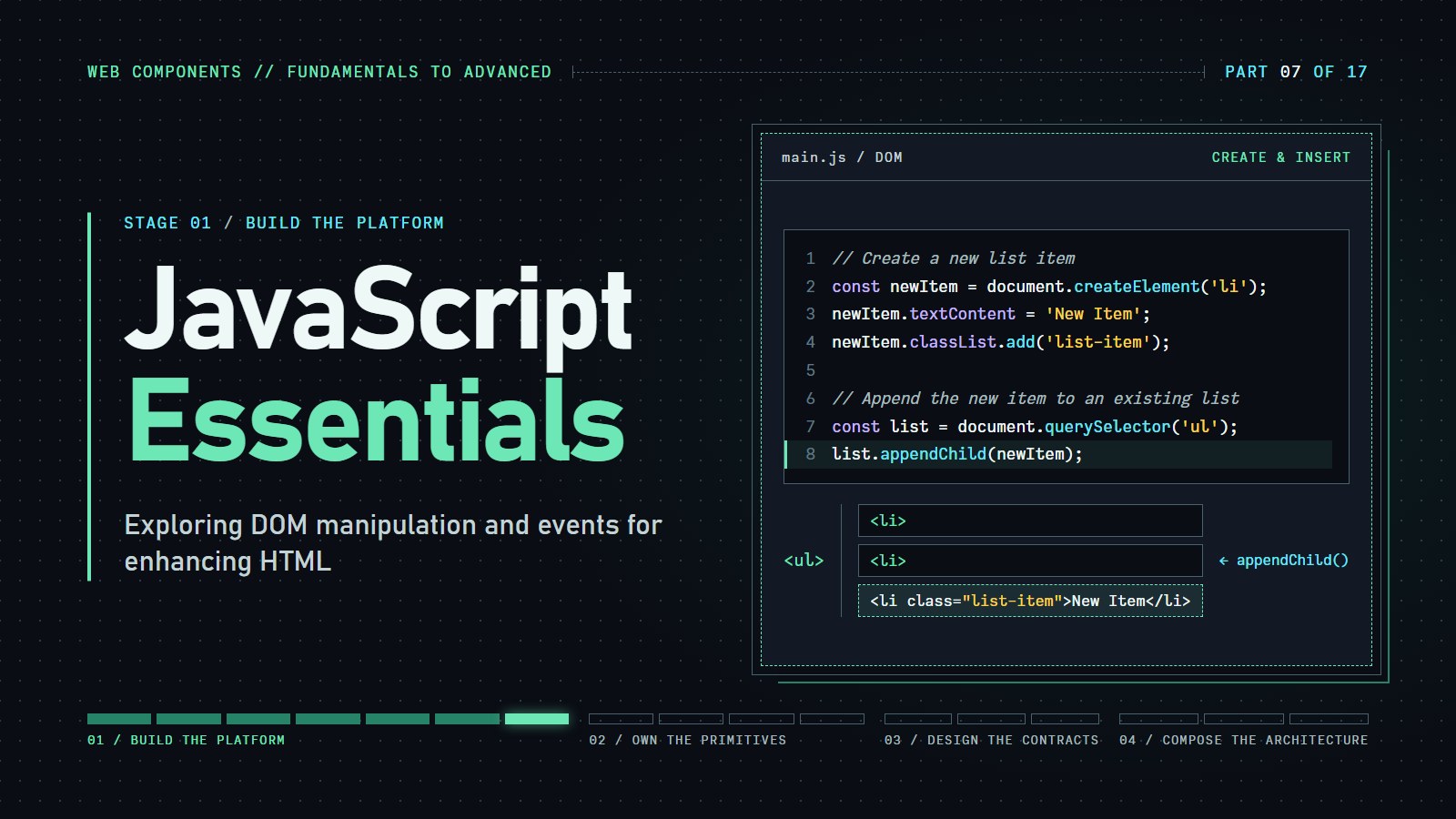
Introduction#
HTML is the structure, CSS the looks, JavaScript the behavior. HTML says "there is a button here", CSS makes it blue, and JavaScript decides what happens when you press it.
By the end of this post we can make a web page react: press a button and a paragraph hides, type in a box and a list updates, ask a server for data and show it, all without reloading the page. We only need to have seen basic HTML tags (<p>, <button>) and CSS selectors like .intro or #main-header. Tags are the page's pieces, and selectors are how we point at them.
This article covers:
-
DOM Manipulation: Interacting with and modifying HTML elements dynamically.
-
Event Handling: Responding to user actions to create interactive experiences.
-
Fetch: Loading data from a server without reloading the page (the technique historically called AJAX).
-
Best Practices: Writing efficient, maintainable, and accessible JavaScript code.
DOM Manipulation#
The Document Object Model (DOM) represents the hierarchical structure of an HTML document. JavaScript allows developers to traverse, modify, and interact with this structure, enabling dynamic content updates.
Selecting Elements#
To manipulate HTML elements, we first need to select them. JavaScript offers several methods:
-
document.getElementById('id'): Selects an element by its ID. -
document.getElementsByClassName('class'): Selects elements by their class name. -
document.querySelector('selector'): Selects the first element that matches a CSS selector. -
document.querySelectorAll('selector'): Selects all elements that match a CSS selector.
A selector is the same pattern you would write in CSS: p means every paragraph, #main-header the element with that id, .list-item every element with that class. Selecting only finds the element. It does not change anything yet.
Example:
// Select an element by ID
const header = document.getElementById('main-header');

// Select elements by class name
const items = document.getElementsByClassName('list-item');

// Select the first element that matches a CSS selector
const firstParagraph = document.querySelector('p');

// Select all elements that match a CSS selector
const allButtons = document.querySelectorAll('button');
Selecting can come back empty. If nothing on the page matches, querySelector returns null, and the next line that tries to use it fails:
const missing = document.querySelector('#no-such-id');
console.log(missing);              // null
missing.textContent = 'Hello';     // TypeError: Cannot set properties of null (setting 'textContent')
When you see that error, the selector did not find anything: check the spelling, and check that the script runs after the element exists.
Modifying Content and Attributes#
Once selected, we can modify elements' content and attributes.
Example:
// Change the text content of an element
header.textContent = 'Welcome to My Website';

// Change the HTML content of an element
header.innerHTML = '<span>Welcome to <strong>My Website</strong></span>';

// Update an attribute
firstParagraph.setAttribute('class', 'intro');

// Add a new class to an element
header.classList.add('highlight');
---html
<h1>DOM Manipulation Playground</h1>
<p>Experiment with different DOM manipulation techniques from the article. See the code and its effect in real-time!</p>

<div class="playground">
	<h2>Element Selection</h2>
	<div class="control-panel">
		<button id="select-by-id">Select by ID</button>
		<button id="select-by-class">Select by Class</button>
		<button id="select-by-query">Select First Paragraph</button>
		<button id="select-all-buttons">Select All Buttons</button>
	</div>

	<div id="selection-content">
		<h3 id="main-header">This is the Main Header</h3>
		<p class="content-paragraph">This is the first paragraph with class 'content-paragraph'.</p>
		<p class="content-paragraph">This is the second paragraph with the same class.</p>
		<div class="target-element">
			<p>Selected elements will be highlighted here.</p>
		</div>
		<div class="code-display" id="selection-code"></div>
	</div>
</div>

<div class="playground">
	<h2>Modifying Content & Attributes</h2>
	<div class="control-panel">
		<button id="change-text">Change Text Content</button>
		<button id="change-html">Change HTML Content</button>
		<button id="update-attribute">Update Attribute</button>
		<button id="add-class">Add Class</button>
		<button id="reset-content">Reset Content</button>
	</div>

	<div id="modification-content">
		<h3 id="modify-header">Original Header Text</h3>
		<p id="modify-paragraph" class="normal">This paragraph can be modified.</p>
		<div class="code-display" id="modification-code"></div>
	</div>
</div>

<div class="playground">
	<h2>Creating & Inserting Elements</h2>
	<div class="control-panel">
		<button id="create-element">Create List Item</button>
		<button id="remove-element">Remove Last Item</button>
		<button id="reset-list">Reset List</button>
	</div>

	<div id="creation-content">
		<ul id="dynamic-list">
			<li class="list-item">Original List Item 1</li>
			<li class="list-item">Original List Item 2</li>
		</ul>
		<div class="code-display" id="creation-code"></div>
	</div>
</div>
---css
/* CSS Variables for theming */
:root {
	/* Light theme (default) */
	--bg-color: #ffffff;
	--text-color: #333333;
	--playground-bg: #f9f9f9;
	--playground-border: #dddddd;
	--control-panel-bg: #e9e9e9;
	--button-bg: #4caf50;
	--button-color: white;
	--button-hover: #45a049;
	--target-border: #aaaaaa;
	--list-item-bg: #ffffff;
	--list-item-border: #dddddd;
	--highlight-bg: #ffffcc;
	--code-bg: #f1f1f1;
	--code-border: #4caf50;
	--intro-color: #555555;
}

/* Dark theme */
@media (prefers-color-scheme: dark) {
	:root {
		--bg-color: #121212;
		--text-color: #e0e0e0;
		--playground-bg: #1e1e1e;
		--playground-border: #444444;
		--control-panel-bg: #2d2d2d;
		--button-bg: #388e3c;
		--button-color: #e0e0e0;
		--button-hover: #2e7d32;
		--target-border: #666666;
		--list-item-bg: #2d2d2d;
		--list-item-border: #444444;
		--highlight-bg: #594a00;
		--code-bg: #2d2d2d;
		--code-border: #66bb6a;
		--intro-color: #aaaaaa;
	}
}

body {
	font-family: "Segoe UI", Tahoma, Geneva, Verdana, sans-serif;
	line-height: 1.6;
	max-width: 800px;
	margin: 0 auto;
	padding: 20px;
	color: var(--text-color);
	background-color: var(--bg-color);
	transition: background-color 0.3s, color 0.3s;
}

.playground {
	border: 1px solid var(--playground-border);
	border-radius: 8px;
	padding: 20px;
	margin-bottom: 20px;
	background-color: var(--playground-bg);
}

.control-panel {
	background-color: var(--control-panel-bg);
	padding: 15px;
	border-radius: 6px;
	margin-bottom: 20px;
}

button {
	background-color: var(--button-bg);
	color: var(--button-color);
	border: none;
	padding: 8px 12px;
	margin: 5px;
	border-radius: 4px;
	cursor: pointer;
	transition: background-color 0.3s;
}

button:hover {
	background-color: var(--button-hover);
}

.target-element {
	padding: 15px;
	border: 1px dashed var(--target-border);
	border-radius: 5px;
	margin-top: 15px;
}

.list-item {
	padding: 8px;
	margin: 5px 0;
	background-color: var(--list-item-bg);
	border-radius: 4px;
	border: 1px solid var(--list-item-border);
}

.highlight {
	background-color: var(--highlight-bg);
	font-weight: bold;
}

.code-display {
	background-color: var(--code-bg);
	border-left: 4px solid var(--code-border);
	padding: 10px;
	margin-top: 10px;
	font-family: monospace;
	white-space: pre-wrap;
	color: var(--text-color);
}

.intro {
	font-style: italic;
	color: var(--intro-color);
}

/* Ensure good contrast for links in both themes */
a {
	color: var(--button-bg);
	text-decoration: none;
}

a:hover {
	text-decoration: underline;
}

/* Style adjustments for code syntax highlighting in dark mode */
@media (prefers-color-scheme: dark) {
	.code-display {
		/* Subtle syntax colors for dark mode */
		--code-keyword: #c792ea;
		--code-string: #c3e88d;
		--code-comment: #676e95;
		--code-variable: #f07178;

		/* Add a subtle background to help readability */
		box-shadow: inset 0 0 5px rgba(0, 0, 0, 0.2);
	}
}
---js
// Element Selection
document.getElementById("select-by-id").addEventListener("click", function () {
  resetHighlights();
  const header = document.getElementById("main-header");
  header.classList.add("highlight");

  document.querySelector(".target-element").innerHTML =
  "<p>Selected element by ID: <strong>" + header.textContent + "</strong></p>";

  displayCode(
  "selection-code",
  "// Select an element by ID\nconst header = document.getElementById('main-header');\n// Now we can work with the header element");

});

document.
getElementById("select-by-class").
addEventListener("click", function () {
  resetHighlights();
  const paragraphs = document.getElementsByClassName("content-paragraph");
  for (let i = 0; i < paragraphs.length; i++) {
    paragraphs[i].classList.add("highlight");
  }

  document.querySelector(".target-element").innerHTML =
  "<p>Selected <strong>" +
  paragraphs.length +
  "</strong> elements by class name.</p>";

  displayCode(
  "selection-code",
  "// Select elements by class name\nconst paragraphs = document.getElementsByClassName('content-paragraph');\n// This returns a collection that we can iterate through\nfor (let i = 0; i < paragraphs.length; i++) {\n  // Work with each paragraph\n}");

});

document.
getElementById("select-by-query").
addEventListener("click", function () {
  resetHighlights();
  const firstParagraph = document.querySelector("p");
  firstParagraph.classList.add("highlight");

  document.querySelector(".target-element").innerHTML =
  "<p>Selected first paragraph using querySelector: <strong>" +
  firstParagraph.textContent.substring(0, 30) +
  "...</strong></p>";

  displayCode(
  "selection-code",
  "// Select the first element that matches a CSS selector\nconst firstParagraph = document.querySelector('p');\n// This selects only the first matching element");

});

document.
getElementById("select-all-buttons").
addEventListener("click", function () {
  resetHighlights();
  const allButtons = document.querySelectorAll("button");

  document.querySelector(".target-element").innerHTML =
  "<p>Selected <strong>" +
  allButtons.length +
  "</strong> buttons using querySelectorAll.</p>";

  displayCode(
  "selection-code",
  "// Select all elements that match a CSS selector\nconst allButtons = document.querySelectorAll('button');\n// This returns a NodeList that we can iterate through\nallButtons.forEach(button => {\n  // Work with each button\n});");

});

// Modifying Content
document.getElementById("change-text").addEventListener("click", function () {
  const header = document.getElementById("modify-header");
  header.textContent = "Text Content Changed!";

  displayCode(
  "modification-code",
  "// Change the text content of an element\nconst header = document.getElementById('modify-header');\nheader.textContent = 'Text Content Changed!';");

});

document.getElementById("change-html").addEventListener("click", function () {
  const paragraph = document.getElementById("modify-paragraph");
  paragraph.innerHTML =
  'This paragraph now contains <strong>HTML</strong> with <span style="color: var(--button-bg);">styled</span> elements.';

  displayCode(
  "modification-code",
  "// Change the HTML content of an element\nconst paragraph = document.getElementById('modify-paragraph');\nparagraph.innerHTML = 'This paragraph now contains <strong>HTML</strong> with <span style=\"color: var(--button-bg);\">styled</span> elements.';");

});

document.
getElementById("update-attribute").
addEventListener("click", function () {
  const paragraph = document.getElementById("modify-paragraph");
  paragraph.setAttribute("class", "intro");

  displayCode(
  "modification-code",
  "// Update an attribute\nconst paragraph = document.getElementById('modify-paragraph');\nparagraph.setAttribute('class', 'intro');");

});

document.getElementById("add-class").addEventListener("click", function () {
  const header = document.getElementById("modify-header");
  header.classList.add("highlight");

  displayCode(
  "modification-code",
  "// Add a new class to an element\nconst header = document.getElementById('modify-header');\nheader.classList.add('highlight');");

});

document.getElementById("reset-content").addEventListener("click", function () {
  const header = document.getElementById("modify-header");
  const paragraph = document.getElementById("modify-paragraph");

  header.textContent = "Original Header Text";
  header.classList.remove("highlight");

  paragraph.textContent = "This paragraph can be modified.";
  paragraph.setAttribute("class", "normal");

  displayCode(
  "modification-code",
  "// Reset elements to original state\nheader.textContent = 'Original Header Text';\nheader.classList.remove('highlight');\n\nparagraph.textContent = 'This paragraph can be modified.';\nparagraph.setAttribute('class', 'normal');");

});

// Creating Elements
let itemCount = 2;

document.
getElementById("create-element").
addEventListener("click", function () {
  itemCount++;
  const newItem = document.createElement("li");
  newItem.textContent = "Dynamically Created Item " + itemCount;
  newItem.classList.add("list-item");

  const list = document.getElementById("dynamic-list");
  list.appendChild(newItem);

  displayCode(
  "creation-code",
  "// Create a new list item\nconst newItem = document.createElement('li');\nnewItem.textContent = 'Dynamically Created Item ' + itemCount;\nnewItem.classList.add('list-item');\n\n// Append the new item to an existing list\nconst list = document.getElementById('dynamic-list');\nlist.appendChild(newItem);");

});

document.
getElementById("remove-element").
addEventListener("click", function () {
  const list = document.getElementById("dynamic-list");
  if (list.children.length > 0) {
    list.removeChild(list.lastElementChild);

    displayCode(
    "creation-code",
    "// Remove the last child element\nconst list = document.getElementById('dynamic-list');\nif (list.children.length > 0) {\n  list.removeChild(list.lastElementChild);\n}");

  }
});

document.getElementById("reset-list").addEventListener("click", function () {
  const list = document.getElementById("dynamic-list");
  list.innerHTML =
  '<li class="list-item">Original List Item 1</li><li class="list-item">Original List Item 2</li>';
  itemCount = 2;

  displayCode(
  "creation-code",
  "// Reset the list to its original state\nconst list = document.getElementById('dynamic-list');\nlist.innerHTML = '<li class=\"list-item\">Original List Item 1</li><li class=\"list-item\">Original List Item 2</li>';\nitemCount = 2;");

});

// Utility Functions
function resetHighlights() {
  const highlighted = document.querySelectorAll(".highlight");
  highlighted.forEach(el => el.classList.remove("highlight"));
}

function displayCode(elementId, code) {
  document.getElementById(elementId).textContent = code;
}

// Check for color scheme changes
window.
matchMedia("(prefers-color-scheme: dark)").
addEventListener("change", event => {
  // This will handle runtime changes to the preferred color scheme
  // No action needed as CSS handles the theme change
  console.log("Color scheme changed:", event.matches ? "dark" : "light");
});
Creating and Inserting Elements#
JavaScript enables the creation of new HTML elements and their insertion into the DOM.
Example:
// Create a new list item
const newItem = document.createElement('li');
newItem.textContent = 'New Item';
newItem.classList.add('list-item');

// Append the new item to an existing list
const list = document.querySelector('ul');
list.appendChild(newItem);
Event Handling#
Interactivity on web pages is achieved through event handling, where JavaScript responds to user actions such as clicks, key presses, or form submissions.
Adding Event Listeners#
The addEventListener method attaches event handlers to elements.
Example:
// Function to handle button click
function handleClick() {
  alert('Button clicked!');
}

// Select the button
const button = document.querySelector('#myButton');

// Attach the event listener
button.addEventListener('click', handleClick);
Coding challenge: Hide and show a paragraph
Finish the click handler so the button hides the paragraph, and pressing it again shows it.
Expected result: the paragraph disappears after the first click and returns after the second. The button text does not change.
---html
<button id="toggle">Hide / show</button>
<p id="note">Now you see me.</p>
---js
const button = document.querySelector('#toggle');
const note = document.querySelector('#note');

button.addEventListener('click', () => {
  // TODO: flip the paragraph's hidden state
});
Removing Event Listeners#
Event listeners can be removed using the removeEventListener method.
Example:
// Remove the event listener
button.removeEventListener('click', handleClick);
Event Delegation#
For handling events on multiple similar elements, event delegation is efficient. It involves attaching a single event listener to a parent element to manage events for its child elements.
Example:
// Function to handle list item clicks
function handleItemClick(event) {
  if (event.target.tagName === 'LI') {
    event.target.classList.toggle('selected');
  }
}

// Attach event listener to the parent list
const list = document.querySelector('ul');
list.addEventListener('click', handleItemClick);
Note the capital letters. In an HTML page, tagName is always upper case, so comparing it with 'li' never matches and clicking does nothing. event.target.matches('li') avoids the problem because it takes a CSS selector, which is not case sensitive for HTML tags.
---html
<h1>Interactive Event Handling</h1>
  <p>Explore how JavaScript events work with these interactive examples.</p>

  <div class="playground">
    <h2>Basic Event Listeners</h2>
    <div class="example-box">
      <p>Click the button below to trigger an event. The event details will appear in the log.</p>
      <button id="click-button" class="interactive-button">Click Me</button>
      <button id="hover-button" class="interactive-button">Hover Over Me</button>
      <button id="clear-basic-log" class="interactive-button clear-log">Clear Log</button>

      <div class="event-log" id="basic-event-log">
        <div class="event-item">Event log will appear here...</div>
      </div>

      <div class="code-display" id="basic-event-code">
// Event listener code will appear here when you interact with the buttons
      </div>
    </div>
  </div>

  <div class="playground">
    <h2>Event Delegation</h2>
    <div class="example-box">
      <p>Click on any item in the list below. Instead of having event listeners on each item, we use <strong>one</strong> listener on the parent.</p>

      <ul id="delegation-list">
        <li class="delegation-item" data-id="1">Item 1</li>
        <li class="delegation-item" data-id="2">Item 2</li>
        <li class="delegation-item" data-id="3">Item 3</li>
        <li class="delegation-item" data-id="4">Item 4</li>
        <li class="delegation-item" data-id="5">Item 5</li>
      </ul>

      <button id="add-item" class="interactive-button">Add New Item</button>
      <button id="clear-delegation-log" class="interactive-button clear-log">Clear Log</button>

      <div class="event-log" id="delegation-event-log">
        <div class="event-item">Click on items to see delegation in action...</div>
      </div>

      <div class="code-display" id="delegation-code">
// Event delegation code will appear here when you interact with the list
      </div>
    </div>
  </div>

  <div class="playground">
    <h2>Advanced Event Handling</h2>
    <div class="example-box">
      <p>Type in the input field to see different keyboard events. Try pressing different keys!</p>

      <input type="text" id="keyboard-input" class="input-box" placeholder="Type something here...">

      <div class="control-panel">
        <label>
          <input type="checkbox" id="prevent-numbers"> Prevent numbers (try typing 1, 2, 3)
        </label>
        <button id="clear-advanced-log" class="interactive-button clear-log">Clear Log</button>
      </div>

      <div class="event-log" id="advanced-event-log">
        <div class="event-item">Keyboard events will appear here...</div>
      </div>

      <div class="code-display" id="advanced-code">
// Advanced event handling code will appear here
      </div>
    </div>
  </div>
---css
/* CSS Variables for theming */
    :root {
      /* Light theme (default) */
      --bg-color: #ffffff;
      --text-color: #333333;
      --playground-bg: #f9f9f9;
      --playground-border: #dddddd;
      --example-bg: #ffffff;
      --example-border: #cccccc;
      --button-bg: #4CAF50;
      --button-color: white;
      --button-hover: #45a049;
      --clear-button-bg: #f44336;
      --clear-button-color: white;
      --event-log-bg: #f5f5f5;
      --event-log-border: #dddddd;
      --event-item-border: #dddddd;
      --code-bg: #f1f1f1;
      --code-border: #4CAF50;
      --delegation-item-bg: #eef7ee;
      --delegation-item-hover: #dff7df;
      --delegation-selected-bg: #b8e6b8;
      --control-panel-bg: #e9e9e9;
      --input-bg: #ffffff;
      --input-border: #dddddd;
    }

    /* Dark theme */
    @media (prefers-color-scheme: dark) {
      :root {
        --bg-color: #121212;
        --text-color: #e0e0e0;
        --playground-bg: #1e1e1e;
        --playground-border: #444444;
        --example-bg: #262626;
        --example-border: #444444;
        --button-bg: #388e3c;
        --button-color: #e0e0e0;
        --button-hover: #2e7d32;
        --clear-button-bg: #c62828;
        --clear-button-color: #e0e0e0;
        --event-log-bg: #2d2d2d;
        --event-log-border: #444444;
        --event-item-border: #444444;
        --code-bg: #2d2d2d;
        --code-border: #66bb6a;
        --delegation-item-bg: #2d3a2d;
        --delegation-item-hover: #304d30;
        --delegation-selected-bg: #3a5f3a;
        --control-panel-bg: #333333;
        --input-bg: #2d2d2d;
        --input-border: #444444;
      }
    }

    body {
      font-family: 'Segoe UI', Tahoma, Geneva, Verdana, sans-serif;
      line-height: 1.6;
      max-width: 800px;
      margin: 0 auto;
      padding: 20px;
      color: var(--text-color);
      background-color: var(--bg-color);
      transition: background-color 0.3s, color 0.3s;
    }

    .playground {
      border: 1px solid var(--playground-border);
      border-radius: 8px;
      padding: 20px;
      margin-bottom: 20px;
      background-color: var(--playground-bg);
    }

    .example-box {
      padding: 15px;
      border: 1px solid var(--example-border);
      border-radius: 5px;
      margin-bottom: 20px;
      background-color: var(--example-bg);
    }

    .interactive-button {
      background-color: var(--button-bg);
      color: var(--button-color);
      border: none;
      padding: 10px 15px;
      margin: 5px;
      border-radius: 4px;
      cursor: pointer;
      transition: all 0.3s;
    }

    .interactive-button:hover {
      background-color: var(--button-hover);
    }

    .event-log {
      height: 150px;
      overflow-y: auto;
      border: 1px solid var(--event-log-border);
      padding: 10px;
      background-color: var(--event-log-bg);
      font-family: monospace;
      margin-top: 15px;
    }

    .event-item {
      padding: 3px 0;
      border-bottom: 1px dotted var(--event-item-border);
    }

    .code-display {
      background-color: var(--code-bg);
      border-left: 4px solid var(--code-border);
      padding: 10px;
      margin-top: 10px;
      font-family: monospace;
      white-space: pre-wrap;
      color: var(--text-color);
    }

    .delegation-item {
      padding: 10px;
      margin: 5px 0;
      background-color: var(--delegation-item-bg);
      border-radius: 4px;
      cursor: pointer;
      transition: background-color 0.2s;
    }

    .delegation-item:hover {
      background-color: var(--delegation-item-hover);
    }

    .selected {
      background-color: var(--delegation-selected-bg);
      font-weight: bold;
    }

    .control-panel {
      background-color: var(--control-panel-bg);
      padding: 15px;
      border-radius: 6px;
      margin-bottom: 20px;
    }

    .input-box {
      padding: 8px;
      width: 100%;
      margin-bottom: 10px;
      border: 1px solid var(--input-border);
      border-radius: 4px;
      background-color: var(--input-bg);
      color: var(--text-color);
    }

    .clear-log {
      background-color: var(--clear-button-bg);
      color: var(--clear-button-color);
    }

    /* Style for form elements */
    input[type="checkbox"] {
      margin-right: 5px;
      accent-color: var(--button-bg);
    }

    /* Ensure proper contrast for placeholders */
    ::placeholder {
      color: var(--text-color);
      opacity: 0.6;
    }

    /* Links (if any) */
    a {
      color: var(--button-bg);
      text-decoration: none;
    }

    a:hover {
      text-decoration: underline;
    }
---js
// Basic Event Listeners
const clickButton = document.getElementById('click-button');
const hoverButton = document.getElementById('hover-button');
const basicEventLog = document.getElementById('basic-event-log');
const basicEventCode = document.getElementById('basic-event-code');

function logBasicEvent(message) {
  const eventItem = document.createElement('div');
  eventItem.className = 'event-item';
  eventItem.textContent = `${new Date().toLocaleTimeString()} - ${message}`;
  basicEventLog.appendChild(eventItem);
  basicEventLog.scrollTop = basicEventLog.scrollHeight;
}

clickButton.addEventListener('click', function (event) {
  logBasicEvent('Button clicked! Event type: click');

  basicEventCode.textContent = `// Function to handle button click
function handleClick(event) {
  console.log('Button clicked!', event);
  // You can access event properties like:
  // - event.target: The element that triggered the event
  // - event.type: The type of event ("click")
  // - event.clientX/Y: Mouse coordinates
}

// Select the button
const button = document.querySelector('#click-button');

// Attach the event listener
button.addEventListener('click', handleClick);`;
});

hoverButton.addEventListener('mouseenter', function () {
  logBasicEvent('Mouse entered button! Event type: mouseenter');

  basicEventCode.textContent = `// Adding a hover event listener
const button = document.querySelector('#hover-button');

// The 'mouseenter' event fires when the cursor enters the element
button.addEventListener('mouseenter', function() {
  console.log('Hover started!');
});

// You could also listen for 'mouseleave' when the cursor leaves
button.addEventListener('mouseleave', function() {
  console.log('Hover ended!');
});`;
});

hoverButton.addEventListener('mouseleave', function () {
  logBasicEvent('Mouse left button! Event type: mouseleave');
});

document.getElementById('clear-basic-log').addEventListener('click', function () {
  basicEventLog.innerHTML = '<div class="event-item">Event log cleared...</div>';
});

// Event Delegation
const delegationList = document.getElementById('delegation-list');
const delegationEventLog = document.getElementById('delegation-event-log');
const delegationCode = document.getElementById('delegation-code');
let itemCount = 5;

function logDelegationEvent(message) {
  const eventItem = document.createElement('div');
  eventItem.className = 'event-item';
  eventItem.textContent = `${new Date().toLocaleTimeString()} - ${message}`;
  delegationEventLog.appendChild(eventItem);
  delegationEventLog.scrollTop = delegationEventLog.scrollHeight;
}

delegationList.addEventListener('click', function (event) {
  // Check if clicked element is a list item
  if (event.target.classList.contains('delegation-item')) {
    // Toggle selected class
    event.target.classList.toggle('selected');

    // Get the item ID from data attribute
    const itemId = event.target.dataset.id;
    logDelegationEvent(`Item ${itemId} clicked through delegation`);

    delegationCode.textContent = `// Event delegation example
// Instead of adding listeners to each item, we add ONE listener to the parent
const list = document.querySelector('#delegation-list');

list.addEventListener('click', function(event) {
  // Check if the clicked element is what we're interested in
  if (event.target.classList.contains('delegation-item')) {
    // We can now handle the event
    const itemId = event.target.dataset.id;
    console.log('Item ' + itemId + ' was clicked');

    // Toggle a selected class
    event.target.classList.toggle('selected');
  }
});

// This handler works even for NEW items added dynamically!`;
  }
});

document.getElementById('add-item').addEventListener('click', function () {
  itemCount++;
  const newItem = document.createElement('li');
  newItem.className = 'delegation-item';
  newItem.textContent = `Item ${itemCount}`;
  newItem.dataset.id = itemCount;

  delegationList.appendChild(newItem);
  logDelegationEvent(`New Item ${itemCount} added - try clicking it!`);
});

document.getElementById('clear-delegation-log').addEventListener('click', function () {
  delegationEventLog.innerHTML = '<div class="event-item">Event log cleared...</div>';
});

// Advanced Event Handling
const keyboardInput = document.getElementById('keyboard-input');
const preventNumbers = document.getElementById('prevent-numbers');
const advancedEventLog = document.getElementById('advanced-event-log');
const advancedCode = document.getElementById('advanced-code');

function logAdvancedEvent(message) {
  const eventItem = document.createElement('div');
  eventItem.className = 'event-item';
  eventItem.textContent = `${new Date().toLocaleTimeString()} - ${message}`;
  advancedEventLog.appendChild(eventItem);
  advancedEventLog.scrollTop = advancedEventLog.scrollHeight;
}

keyboardInput.addEventListener('keydown', function (event) {
  // Check if we should prevent numbers
  if (preventNumbers.checked && /^[0-9]$/.test(event.key)) {
    event.preventDefault();
    logAdvancedEvent(`Number input (${event.key}) prevented!`);

    advancedCode.textContent = `// Preventing default behavior
const input = document.querySelector('#keyboard-input');

input.addEventListener('keydown', function(event) {
  // Check if the pressed key is a number
  if (/^[0-9]$/.test(event.key)) {
    // Prevent the default action (typing the number)
    event.preventDefault();
    console.log('Number input prevented');
  }
});`;
  } else {
    logAdvancedEvent(`Key pressed: ${event.key} (keydown event)`);

    advancedCode.textContent = `// Handling keyboard events
const input = document.querySelector('#keyboard-input');

// keydown fires when a key is pressed down
input.addEventListener('keydown', function(event) {
  console.log('Key pressed:', event.key);

  // Useful event properties:
  // - event.key: The key value
  // - event.code: Physical key identifier
  // - event.ctrlKey, event.altKey, event.shiftKey: Modifier keys

  // You can also check for specific keys:
  if (event.key === 'Enter') {
    console.log('Enter key was pressed!');
  }
});

// Other keyboard events:
// - keyup: Fires when a key is released
// - keypress: Fires when a key that produces a character is pressed`;
  }
});

document.getElementById('clear-advanced-log').addEventListener('click', function () {
  advancedEventLog.innerHTML = '<div class="event-item">Event log cleared...</div>';
});

// Listen for system color scheme changes
window.matchMedia('(prefers-color-scheme: dark)').addEventListener('change', event => {
  console.log("System color scheme changed:", event.matches ? "dark" : "light");
  // No action needed as CSS handles the theme change automatically
});
AJAX and Fetch API#
Sometimes a page needs data that lives on a server, such as a list of posts or today's weather. Asking for it takes time, so JavaScript should not freeze the page while it waits. Loading data in the background like this is called AJAX (Asynchronous JavaScript and XML; the XML part is history, most servers send JSON now). The modern way to do it is the fetch function.
fetch returns a Promise: an object that stands for an answer that has not arrived yet. You say what to do when it arrives with .then(...), and what to do if something goes wrong with .catch(...). The little response => { ... } is an arrow function, a short way to write a function that receives response.
Example:
// Fetch data from an API
fetch('https://api.example.com/data')
  .then(response => {
    if (!response.ok) {
      throw new Error('Network response was not ok');
    }
    return response.json();
  })
  .then(data => {
    // Process the data
    console.log(data);
  })
  .catch(error => {
    console.error('There was a problem with the fetch operation:', error);
  });
Read it as a chain of steps:
fetch(url)sends the request. The first.thenruns when the server's reply arrives.response.okisfalsefor answers like 404 (not found) or 500 (server error).fetchdoes not treat those as failures by itself, so the code checks for them and usesthrow new Error(...)to jump to.catch.response.json()reads the body as JSON. It is also a Promise, so the next.thenreceives the finished data..catchruns if anything above threw, or if the network itself failed.
---html
<h1>AJAX & Fetch API Explorer</h1>
<p>Explore how JavaScript fetches data asynchronously using the Fetch API. Click the buttons below to send requests to different APIs and see the results.</p>

<div class="demo-container">
	<h2>Basic Fetch Examples</h2>

	<div class="tab-buttons">
		<button class="tab-button active" data-tab="public-apis">Public APIs</button>
		<button class="tab-button" data-tab="custom-api">Custom URL</button>
	</div>

	<div id="public-apis" class="tab-content">
		<div class="api-buttons">
			<button id="fetch-users">Fetch Users</button>
			<button id="fetch-posts">Fetch Posts</button>
			<button id="fetch-todos">Fetch Todos</button>
			<button id="fetch-random-user">Fetch Random User</button>
		</div>
	</div>

	<div id="custom-api" class="tab-content" style="display: none;">
		<div class="custom-api">
			<input type="text" id="api-url" placeholder="Enter API URL (e.g., https://jsonplaceholder.typicode.com/users)" />
			<button id="fetch-custom">Fetch Data</button>
			<div id="url-error" class="error-message"></div>
		</div>
	</div>

	<div class="loader" id="loader"></div>
	<div id="status-display"></div>

	<h3>Response Data</h3>
	<div class="data-display" id="data-display">
		<p>Data will appear here when you fetch it...</p>
	</div>

	<h3>Fetch Code</h3>
	<div class="code-display" id="code-display">
		// Click one of the buttons above to see the fetch code
	</div>
</div>

<div class="demo-container">
	<h2>Error Handling & Advanced Features</h2>

	<div class="api-buttons">
		<button id="fetch-with-error">Simulate Error</button>
		<button id="fetch-with-timeout">Fetch with Timeout</button>
		<button id="fetch-with-headers">Custom Headers</button>
		<button id="post-data">POST Request</button>
	</div>

	<div class="loader" id="advanced-loader"></div>
	<div id="advanced-status-display"></div>

	<h3>Response Data</h3>
	<div class="data-display" id="advanced-data-display">
		<p>Data will appear here when you fetch it...</p>
	</div>

	<h3>Fetch Code</h3>
	<div class="code-display" id="advanced-code-display">
		// Click one of the buttons above to see the fetch code
	</div>
</div>
---css
/* CSS Variables for theming */
:root {
	/* Light mode defaults */
	--bg-color: #ffffff;
	--text-color: #333333;
	--container-bg: #f9f9f9;
	--border-color: #dddddd;
	--card-bg: #f5f5f5;
	--card-shadow: rgba(0, 0, 0, 0.1);
	--card-title: #4caf50;
	--data-display-bg: #ffffff;
	--code-bg: #f1f1f1;
	--code-border: #4caf50;
	--button-bg: #4caf50;
	--button-color: white;
	--button-hover: #45a049;
	--button-disabled: #cccccc;
	--tab-bg: #e9e9e9;
	--tab-color: #333333;
	--tab-active-bg: white;
	--tab-border: #cccccc;
	--input-bg: #ffffff;
	--input-border: #dddddd;
	--loader-bg: #f3f3f3;
	--loader-color: #4caf50;
	--success-bg: #dff0d8;
	--success-color: #3c763d;
	--error-bg: #f2dede;
	--error-color: #a94442;
}

/* Dark mode overrides */
@media (prefers-color-scheme: dark) {
	:root {
		--bg-color: #121212;
		--text-color: #e0e0e0;
		--container-bg: #1e1e1e;
		--border-color: #444444;
		--card-bg: #2d2d2d;
		--card-shadow: rgba(0, 0, 0, 0.3);
		--card-title: #66bb6a;
		--data-display-bg: #262626;
		--code-bg: #2d2d2d;
		--code-border: #66bb6a;
		--button-bg: #388e3c;
		--button-color: #e0e0e0;
		--button-hover: #2e7d32;
		--button-disabled: #555555;
		--tab-bg: #333333;
		--tab-color: #e0e0e0;
		--tab-active-bg: #262626;
		--tab-border: #444444;
		--input-bg: #262626;
		--input-border: #444444;
		--loader-bg: #333333;
		--loader-color: #66bb6a;
		--success-bg: #1b3a1b;
		--success-color: #7ac97e;
		--error-bg: #3e2222;
		--error-color: #e88e8e;
	}
}

body {
	font-family: "Segoe UI", Tahoma, Geneva, Verdana, sans-serif;
	line-height: 1.6;
	max-width: 800px;
	margin: 0 auto;
	padding: 20px;
	color: var(--text-color);
	background-color: var(--bg-color);
	transition: background-color 0.3s, color 0.3s;
}

.demo-container {
	border: 1px solid var(--border-color);
	border-radius: 8px;
	padding: 20px;
	margin-bottom: 25px;
	background-color: var(--container-bg);
}

.api-buttons {
	display: flex;
	flex-wrap: wrap;
	gap: 10px;
	margin-bottom: 15px;
}

button {
	background-color: var(--button-bg);
	color: var(--button-color);
	border: none;
	padding: 10px 15px;
	border-radius: 4px;
	cursor: pointer;
	transition: background-color 0.3s;
}

button:hover {
	background-color: var(--button-hover);
}

button:disabled {
	background-color: var(--button-disabled);
	cursor: not-allowed;
}

.data-display {
	min-height: 200px;
	border: 1px solid var(--border-color);
	border-radius: 4px;
	padding: 15px;
	background-color: var(--data-display-bg);
	margin-bottom: 15px;
	overflow: auto;
}

.code-display {
	background-color: var(--code-bg);
	border-left: 4px solid var(--code-border);
	padding: 10px;
	font-family: monospace;
	white-space: pre-wrap;
	overflow-x: auto;
	color: var(--text-color);
}

.loader {
	border: 5px solid var(--loader-bg);
	border-top: 5px solid var(--loader-color);
	border-radius: 50%;
	width: 30px;
	height: 30px;
	animation: spin 1s linear infinite;
	margin: 20px auto;
	display: none;
}

@keyframes spin {
	0% {
		transform: rotate(0deg);
	}
	100% {
		transform: rotate(360deg);
	}
}

.status {
	padding: 8px;
	margin-top: 10px;
	border-radius: 4px;
	font-weight: bold;
}

.success {
	background-color: var(--success-bg);
	color: var(--success-color);
}

.error {
	background-color: var(--error-bg);
	color: var(--error-color);
}

.user-card {
	background-color: var(--card-bg);
	border-radius: 6px;
	padding: 15px;
	margin-bottom: 10px;
	box-shadow: 0 2px 4px var(--card-shadow);
}

.user-card h3 {
	margin-top: 0;
	color: var(--card-title);
}

.user-details {
	display: flex;
	gap: 15px;
	align-items: center;
}

.user-avatar {
	width: 80px;
	height: 80px;
	border-radius: 50%;
	object-fit: cover;
}

.tab-buttons {
	display: flex;
	gap: 5px;
	margin-bottom: 10px;
}

.tab-button {
	background-color: var(--tab-bg);
	color: var(--tab-color);
	border: 1px solid var(--tab-border);
	border-bottom: none;
	border-radius: 4px 4px 0 0;
	padding: 8px 15px;
	cursor: pointer;
}

.tab-button.active {
	background-color: var(--tab-active-bg);
	font-weight: bold;
}

.custom-api input {
	padding: 8px;
	margin-right: 10px;
	border: 1px solid var(--input-border);
	border-radius: 4px;
	width: 60%;
	background-color: var(--input-bg);
	color: var(--text-color);
}

.error-message {
	color: var(--error-color);
	margin-top: 5px;
}

/* Pre and code elements for JSON display */
pre {
	background-color: var(--code-bg);
	padding: 10px;
	border-radius: 4px;
	overflow-x: auto;
	color: var(--text-color);
}

/* Make sure links are visible in both modes */
a {
	color: var(--button-bg);
	text-decoration: none;
}

a:hover {
	text-decoration: underline;
}

/* Ensure proper contrast for input placeholders */
::placeholder {
	color: var(--text-color);
	opacity: 0.6;
}
---js
// Utility Functions
function showLoader(id) {
  document.getElementById(id).style.display = "block";
}

function hideLoader(id) {
  document.getElementById(id).style.display = "none";
}

function displayStatus(id, message, isSuccess) {
  const statusElement = document.getElementById(id);
  statusElement.textContent = message;
  statusElement.className = isSuccess ? "status success" : "status error";
}

function clearStatus(id) {
  document.getElementById(id).textContent = "";
  document.getElementById(id).className = "";
}

function displayData(id, data) {
  const displayElement = document.getElementById(id);

  if (!data || typeof data !== "object") {
    displayElement.innerHTML = `<p>${JSON.stringify(data, null, 2)}</p>`;
    return;
  }

  // Check if it's an array of users
  if (Array.isArray(data) && data.length > 0 && data[0].email) {
    displayElement.innerHTML = data.
    map(
    user => `
          <div class="user-card">
            <h3>${user.name}</h3>
            <p><strong>Email:</strong> ${user.email}</p>
            <p><strong>Company:</strong> ${user.company?.name || "N/A"}</p>
          </div>
        `).

    join("");
  }
  // Check if it's a single user with avatar (Random User API)
  else if (data.results && data.results[0]?.picture) {
      const user = data.results[0];
      displayElement.innerHTML = `
          <div class="user-card">
            <div class="user-details">
              <img src="${user.picture.large}" alt="User Avatar" class="user-avatar">
              <div>
                <h3>${user.name.first} ${user.name.last}</h3>
                <p><strong>Email:</strong> ${user.email}</p>
                <p><strong>Location:</strong> ${user.location.city}, ${user.location.country}</p>
                <p><strong>Phone:</strong> ${user.phone}</p>
              </div>
            </div>
          </div>
        `;
    }
    // For posts
    else if (Array.isArray(data) && data.length > 0 && data[0].title) {
        displayElement.innerHTML = data.
        slice(0, 5).
        map(
        post => `
          <div class="user-card">
            <h3>${post.title}</h3>
            <p>${post.body}</p>
          </div>
        `).

        join("");
      }
      // For todos
      else if (Array.isArray(data) && data.length > 0 && "completed" in data[0]) {
          displayElement.innerHTML = data.
          slice(0, 8).
          map(
          todo => `
          <div class="user-card">
            <h3>Task ${todo.id}</h3>
            <p><strong>Title:</strong> ${todo.title}</p>
            <p><strong>Status:</strong> ${
          todo.completed ? "Completed ✓" : "Pending ⏳"
          }</p>
          </div>
        `).

          join("");
        }
        // Default JSON display
        else {
            displayElement.innerHTML = `<pre>${JSON.stringify(data, null, 2)}</pre>`;
          }
}

function displayCode(id, code) {
  document.getElementById(id).textContent = code;
}

// Basic Fetch Examples
document.getElementById("fetch-users").addEventListener("click", function () {
  const url = "https://jsonplaceholder.typicode.com/users";
  const codeDisplay = document.getElementById("code-display");

  clearStatus("status-display");
  showLoader("loader");

  codeDisplay.textContent = `// Fetch users from an API
fetch('https://jsonplaceholder.typicode.com/users')
  .then(response => {
    // Check if the response was successful
    if (!response.ok) {
      throw new Error('Network response was not ok: ' + response.status);
    }
    return response.json(); // Parse the JSON response
  })
  .then(data => {
    // Process the data
    console.log('Users:', data);
    // Update UI with the data
    displayData(data);
  })
  .catch(error => {
    // Handle any errors
    console.error('Fetch Error:', error);
  });`;

  fetch(url).
  then(response => {
    if (!response.ok) {
      throw new Error("Network response was not ok: " + response.status);
    }
    return response.json();
  }).
  then(data => {
    hideLoader("loader");
    displayStatus("status-display", "Successfully fetched users!", true);
    displayData("data-display", data);
  }).
  catch(error => {
    hideLoader("loader");
    displayStatus("status-display", "Error: " + error.message, false);
    displayData("data-display", { error: error.message });
  });
});

document.getElementById("fetch-posts").addEventListener("click", function () {
  const url = "https://jsonplaceholder.typicode.com/posts";

  clearStatus("status-display");
  showLoader("loader");

  displayCode(
  "code-display",
  `// Fetch posts from an API
fetch('https://jsonplaceholder.typicode.com/posts')
  .then(response => {
    if (!response.ok) {
      throw new Error('Network response was not ok: ' + response.status);
    }
    return response.json();
  })
  .then(data => {
    console.log('Posts:', data);
    // We can map over the posts to process them
    const titles = data.map(post => post.title);
    console.log('Post titles:', titles);
  })
  .catch(error => {
    console.error('Fetch Error:', error);
  });`);


  fetch(url).
  then(response => {
    if (!response.ok) {
      throw new Error("Network response was not ok: " + response.status);
    }
    return response.json();
  }).
  then(data => {
    hideLoader("loader");
    displayStatus("status-display", "Successfully fetched posts!", true);
    displayData("data-display", data);
  }).
  catch(error => {
    hideLoader("loader");
    displayStatus("status-display", "Error: " + error.message, false);
    displayData("data-display", { error: error.message });
  });
});

document.getElementById("fetch-todos").addEventListener("click", function () {
  const url = "https://jsonplaceholder.typicode.com/todos";

  clearStatus("status-display");
  showLoader("loader");

  displayCode(
  "code-display",
  `// Fetch todos and filter them
fetch('https://jsonplaceholder.typicode.com/todos')
  .then(response => {
    if (!response.ok) {
      throw new Error('Network response was not ok: ' + response.status);
    }
    return response.json();
  })
  .then(data => {
    // We can filter the data in various ways
    const completedTodos = data.filter(todo => todo.completed);
    console.log('Completed todos:', completedTodos);

    // Or find a specific todo
    const todoId5 = data.find(todo => todo.id === 5);
    console.log('Todo with ID 5:', todoId5);
  })
  .catch(error => {
    console.error('Fetch Error:', error);
  });`);


  fetch(url).
  then(response => {
    if (!response.ok) {
      throw new Error("Network response was not ok: " + response.status);
    }
    return response.json();
  }).
  then(data => {
    hideLoader("loader");
    displayStatus("status-display", "Successfully fetched todos!", true);
    displayData("data-display", data);
  }).
  catch(error => {
    hideLoader("loader");
    displayStatus("status-display", "Error: " + error.message, false);
    displayData("data-display", { error: error.message });
  });
});

document.
getElementById("fetch-random-user").
addEventListener("click", function () {
  const url = "https://randomuser.me/api/";

  clearStatus("status-display");
  showLoader("loader");

  displayCode(
  "code-display",
  `// Fetch a random user
fetch('https://randomuser.me/api/')
  .then(response => {
    if (!response.ok) {
      throw new Error('Network response was not ok: ' + response.status);
    }
    return response.json();
  })
  .then(data => {
    // Process the random user data
    const user = data.results[0];
    console.log('Random user:', user);

    // Access user properties
    const fullName = \`\${user.name.first} \${user.name.last}\`;
    const email = user.email;
    const picture = user.picture.large;

    // Update UI with user information
    displayUserProfile(fullName, email, picture);
  })
  .catch(error => {
    console.error('Fetch Error:', error);
  });`);


  fetch(url).
  then(response => {
    if (!response.ok) {
      throw new Error("Network response was not ok: " + response.status);
    }
    return response.json();
  }).
  then(data => {
    hideLoader("loader");
    displayStatus("status-display", "Successfully fetched random user!", true);
    displayData("data-display", data);
  }).
  catch(error => {
    hideLoader("loader");
    displayStatus("status-display", "Error: " + error.message, false);
    displayData("data-display", { error: error.message });
  });
});

document.getElementById("fetch-custom").addEventListener("click", function () {
  const urlInput = document.getElementById("api-url");
  const url = urlInput.value.trim();
  const urlError = document.getElementById("url-error");

  if (!url) {
    urlError.textContent = "Please enter a URL";
    return;
  }

  if (!url.startsWith("http://") && !url.startsWith("https://")) {
    urlError.textContent = "URL must start with http:// or https://";
    return;
  }

  urlError.textContent = "";
  clearStatus("status-display");
  showLoader("loader");

  displayCode(
  "code-display",
  `// Fetch data from custom URL
fetch('${url}')
  .then(response => {
    if (!response.ok) {
      throw new Error('Network response was not ok: ' + response.status);
    }
    return response.json();
  })
  .then(data => {
    // Process the data
    console.log('Fetched data:', data);
  })
  .catch(error => {
    console.error('Fetch Error:', error);
  });`);


  fetch(url).
  then(response => {
    if (!response.ok) {
      throw new Error("Network response was not ok: " + response.status);
    }
    return response.json();
  }).
  then(data => {
    hideLoader("loader");
    displayStatus("status-display", "Successfully fetched data!", true);
    displayData("data-display", data);
  }).
  catch(error => {
    hideLoader("loader");
    displayStatus("status-display", "Error: " + error.message, false);
    displayData("data-display", { error: error.message });
  });
});

// Error Handling & Advanced Features
document.
getElementById("fetch-with-error").
addEventListener("click", function () {
  const url = "https://jsonplaceholder.typicode.com/nonexistent-endpoint";

  clearStatus("advanced-status-display");
  showLoader("advanced-loader");

  displayCode(
  "advanced-code-display",
  `// Proper error handling with fetch
fetch('https://jsonplaceholder.typicode.com/nonexistent-endpoint')
  .then(response => {
    // First, check if the response is okay
    if (!response.ok) {
      // Create custom error with status details
      throw new Error(\`HTTP error! Status: \${response.status}\`);
    }
    return response.json();
  })
  .then(data => {
    console.log('Data:', data);
  })
  .catch(error => {
    // This will catch network errors AND our custom errors
    console.error('There was a problem with the fetch operation:', error);

    // Display error to user
    showErrorMessage(error.message);
  })
  .finally(() => {
    // Code that always runs, regardless of success or failure
    console.log('Fetch operation complete');
    hideLoadingIndicator();
  });`);


  fetch(url).
  then(response => {
    if (!response.ok) {
      throw new Error(`HTTP error! Status: ${response.status}`);
    }
    return response.json();
  }).
  then(data => {
    hideLoader("advanced-loader");
    displayStatus(
    "advanced-status-display",
    "Successfully fetched data!",
    true);

    displayData("advanced-data-display", data);
  }).
  catch(error => {
    hideLoader("advanced-loader");
    displayStatus("advanced-status-display", "Error: " + error.message, false);
    displayData("advanced-data-display", {
      error: error.message,
      explanation:
      "This error was expected! We tried to access a non-existent endpoint to demonstrate error handling." });

  }).
  finally(() => {
    console.log("Fetch operation complete");
  });
});

document.
getElementById("fetch-with-timeout").
addEventListener("click", function () {
  clearStatus("advanced-status-display");
  showLoader("advanced-loader");

  displayCode(
  "advanced-code-display",
  `// Fetch with timeout using Promise.race()
// First, create a timeout promise
const timeout = time => {
  return new Promise((_, reject) => {
    setTimeout(() => reject(new Error('Request timed out')), time);
  });
};

// Then race the fetch against the timeout
Promise.race([
  fetch('https://jsonplaceholder.typicode.com/users'),
  timeout(5000) // 5 second timeout
])
  .then(response => {
    if (!response.ok) {
      throw new Error('Network response was not ok: ' + response.status);
    }
    return response.json();
  })
  .then(data => {
    console.log('Fetched data before timeout:', data);
  })
  .catch(error => {
    console.error('Error:', error.message);
    if (error.message === 'Request timed out') {
      // Handle timeout specifically
      notifyUserOfTimeout();
    }
  });`);


  // Create a timeout promise
  const timeout = time => {
    return new Promise((_, reject) => {
      setTimeout(() => reject(new Error("Request timed out")), time);
    });
  };

  // Race the fetch against a 2 second timeout (using short timeout for demo)
  Promise.race([
  fetch("https://jsonplaceholder.typicode.com/users"),
  timeout(2000) // 2 second timeout for demo purposes
  ]).
  then(response => {
    if (!response.ok) {
      throw new Error("Network response was not ok: " + response.status);
    }
    return response.json();
  }).
  then(data => {
    hideLoader("advanced-loader");
    displayStatus(
    "advanced-status-display",
    "Successfully fetched data before timeout!",
    true);

    displayData("advanced-data-display", data);
  }).
  catch(error => {
    hideLoader("advanced-loader");

    if (error.message === "Request timed out") {
      displayStatus(
      "advanced-status-display",
      "Error: Request timed out after 2 seconds",
      false);

      displayData("advanced-data-display", {
        error: "Timeout",
        message:
        "The request took too long to complete. In a real app, you might want to retry or inform the user to check their connection." });

    } else {
      displayStatus("advanced-status-display", "Error: " + error.message, false);
      displayData("advanced-data-display", { error: error.message });
    }
  });
});

document.
getElementById("fetch-with-headers").
addEventListener("click", function () {
  clearStatus("advanced-status-display");
  showLoader("advanced-loader");

  const url = "https://jsonplaceholder.typicode.com/posts/1";

  displayCode(
  "advanced-code-display",
  `// Fetch with custom headers
fetch('https://jsonplaceholder.typicode.com/posts/1', {
  method: 'GET',
  headers: {
    'Content-Type': 'application/json',
    'Authorization': 'Bearer YOUR_TOKEN_HERE',
    'X-Custom-Header': 'CustomValue'
  }
})
  .then(response => {
    if (!response.ok) {
      throw new Error('Network response was not ok: ' + response.status);
    }

    // Log response headers
    console.log('Content-Type:', response.headers.get('content-type'));

    return response.json();
  })
  .then(data => {
    console.log('Fetched data:', data);
  })
  .catch(error => {
    console.error('Fetch Error:', error);
  });`);


  fetch(url, {
    method: "GET",
    headers: {
      "Content-Type": "application/json",
      "X-Custom-Header": "CustomValue" } }).


  then(response => {
    if (!response.ok) {
      throw new Error("Network response was not ok: " + response.status);
    }

    // Get content type header
    const contentType = response.headers.get("content-type");

    return response.json().then(data => {
      return {
        data: data,
        headers: {
          "content-type": contentType } };


    });
  }).
  then(result => {
    hideLoader("advanced-loader");
    displayStatus(
    "advanced-status-display",
    "Successfully fetched data with custom headers!",
    true);


    // Add header information to the result
    result.requestHeaders = {
      "Content-Type": "application/json",
      "X-Custom-Header": "CustomValue" };


    displayData("advanced-data-display", result);
  }).
  catch(error => {
    hideLoader("advanced-loader");
    displayStatus("advanced-status-display", "Error: " + error.message, false);
    displayData("advanced-data-display", { error: error.message });
  });
});

document.getElementById("post-data").addEventListener("click", function () {
  clearStatus("advanced-status-display");
  showLoader("advanced-loader");

  const url = "https://jsonplaceholder.typicode.com/posts";
  const data = {
    title: "New Post Title",
    body: "This is the body of our new post. Created with the Fetch API!",
    userId: 1 };


  displayCode(
  "advanced-code-display",
  `// POST data with fetch
// Data to send
const data = {
  title: 'New Post Title',
  body: 'This is the body of our new post. Created with the Fetch API!',
  userId: 1
};

fetch('https://jsonplaceholder.typicode.com/posts', {
  method: 'POST',
  body: JSON.stringify(data),
  headers: {
    'Content-Type': 'application/json'
  }
})
  .then(response => {
    if (!response.ok) {
      throw new Error('Network response was not ok: ' + response.status);
    }
    return response.json();
  })
  .then(responseData => {
    console.log('Successfully created post!', responseData);
    // The API typically returns the created object with an ID
  })
  .catch(error => {
    console.error('Error creating post:', error);
  });`);


  fetch(url, {
    method: "POST",
    body: JSON.stringify(data),
    headers: {
      "Content-Type": "application/json" } }).


  then(response => {
    if (!response.ok) {
      throw new Error("Network response was not ok: " + response.status);
    }
    return response.json();
  }).
  then(responseData => {
    hideLoader("advanced-loader");
    displayStatus("advanced-status-display", "Successfully created post!", true);

    // Combine what we sent with the response
    const result = {
      request: data,
      response: responseData,
      explanation:
      "The server assigned a new ID to our post. In a real API, this post would now be saved in the database." };


    displayData("advanced-data-display", result);
  }).
  catch(error => {
    hideLoader("advanced-loader");
    displayStatus("advanced-status-display", "Error: " + error.message, false);
    displayData("advanced-data-display", { error: error.message });
  });
});

// Tab switching functionality
const tabButtons = document.querySelectorAll(".tab-button");
tabButtons.forEach(button => {
  button.addEventListener("click", function () {
    // Get the tab to show
    const tabToShow = this.dataset.tab;

    // Hide all tab contents
    document.querySelectorAll(".tab-content").forEach(tab => {
      tab.style.display = "none";
    });

    // Show the selected tab content
    document.getElementById(tabToShow).style.display = "block";

    // Update active state of buttons
    tabButtons.forEach(btn => btn.classList.remove("active"));
    this.classList.add("active");
  });
});
Best Practices#
Efficient, maintainable JavaScript matters for scalable web development.
Code Organization#
-
Modularity: Break code into reusable functions or modules.
-
Separation of Concerns: Keep JavaScript logic separate from HTML and CSS.
Example:
// Module for handling user interactions
const UIHandler = (() => {
  function init() {
    // Initialization code
  }

  function bindEvents() {
    // Event binding code
  }

  return {
    init,
    bindEvents,
  };
})();

// Initialize the module
UIHandler.init();
Performance Optimization#
-
Debouncing and Throttling: Limit the frequency of function execution, especially for events like scrolling or resizing.
-
Efficient DOM Manipulation: Minimize direct DOM access and batch updates to reduce reflows and repaints.
Example:
// Debounce function to limit execution rate
function debounce(func, wait) {
  let timeout;
  return function (...args) {
    clearTimeout(timeout);
    timeout = setTimeout(() => func.apply(this, args), wait);
  };
}

// Usage
window.addEventListener('resize', debounce(() => {
  console.log('Window resized');
}, 200));
Accessibility Considerations#
-
Keyboard Navigation: Ensure interactive elements are accessible via keyboard.
-
ARIA Roles and Properties: Use Accessible Rich Internet Applications (ARIA) attributes to enhance accessibility.
Example:
<!-- A real <button> already has the button role and works with the keyboard; aria-pressed adds the on/off state -->
<button aria-pressed="false" onclick="togglePressed(this)">
  Toggle
</button>

<script>
  function togglePressed(button) {
    const isPressed = button.getAttribute('aria-pressed') === 'true';
    button.setAttribute('aria-pressed', !isPressed);
  }
</script>
---html
<h1>JavaScript Best Practices Explorer</h1>
  <p>Explore best practices for writing efficient, maintainable, and accessible JavaScript code.</p>

  <div class="section">
    <h2>Code Organization</h2>
    <p>Well-organized code is easier to read, debug, and maintain. Here's a comparison of poorly organized code versus modular code:</p>

    <div class="comparison">
      <div>
        <h3>Poor Organization</h3>
        <div class="code-container bad-practice">
// Global variables everywhere
var count = 0;
var users = [];

// Functions without clear purpose
function doStuff() {
  count++;
  for (var i = 0; i < users.length; i++) {
    var user = users[i];
    user.lastActive = new Date();
  }

  // Directly manipulating DOM everywhere
  document.getElementById('counter').innerHTML = count;
}

// Event handlers mixed with logic
document.getElementById('add-button').onclick = function() {
  users.push({ id: Math.random(), name: 'User ' + count });
  doStuff();

  // Alert used for debugging left in production code
  alert('User added!');
};</div>
      </div>
      <div>
        <h3>Modular Organization</h3>
        <div class="code-container good-practice">
// User module with encapsulated data and functions
const UserModule = (function() {
  // Private variables
  let users = [];

  // Private functions
  function generateId() {
    return Math.random().toString(36).substr(2, 9);
  }

  // Public API
  return {
    addUser: function(name) {
      const newUser = {
        id: generateId(),
        name: name,
        lastActive: new Date()
      };
      users.push(newUser);
      return newUser;
    },

    updateActivity: function(userId) {
      const user = users.find(u => u.id === userId);
      if (user) {
        user.lastActive = new Date();
      }
    },

    getUsers: function() {
      // Return a copy to prevent direct manipulation
      return [...users];
    }
  };
})();

// UI module for DOM interactions
const UIModule = (function() {
  // Cache DOM elements
  const counter = document.getElementById('counter');
  const addButton = document.getElementById('add-button');

  // Setup event listeners
  function init() {
    addButton.addEventListener('click', handleAddUser);
    render();
  }

  function handleAddUser() {
    UserModule.addUser('User ' + getCount());
    render();
  }

  function render() {
    const count = getCount();
    counter.textContent = count;
  }

  function getCount() {
    return UserModule.getUsers().length;
  }

  // Public API
  return {
    init: init
  };
})();

// Initialize the application
UIModule.init();</div>
      </div>
    </div>

    <div class="demo-panel">
      <h3>Try It!</h3>
      <p>See the difference between unorganized code and modular patterns:</p>
      <div class="tab-buttons">
        <button class="tab-button active" data-tab="unmodular">Unmodular Code</button>
        <button class="tab-button" data-tab="modular">Modular Code</button>
      </div>

      <div id="unmodular" class="module-section">
        <p>Counter: <span id="unmodular-counter">0</span></p>
        <button id="unmodular-button">Add User (Unmodular)</button>
        <p>Check the console to see all the global variables this creates!</p>
      </div>

      <div id="modular" class="module-section" style="display: none;">
        <p>Counter: <span id="modular-counter">0</span></p>
        <button id="modular-button">Add User (Modular)</button>
        <p>No global variables or functions polluting the namespace!</p>
      </div>
    </div>
  </div>

  <div class="section">
    <h2>Performance Optimization</h2>
    <p>Small optimizations in your code can lead to significant performance improvements, especially for operations that run frequently.</p>

    <h3>Debouncing & Throttling</h3>
    <p>Limit the rate at which functions execute, particularly for resource-intensive operations like resize handlers or search functions.</p>

    <div class="code-container good-practice">
// Debounce function to limit execution rate
function debounce(func, wait) {
  let timeout;
  return function (...args) {
    clearTimeout(timeout);
    timeout = setTimeout(() => func.apply(this, args), wait);
  };
}

// Usage example
const efficientSearch = debounce(function(query) {
  console.log('Searching for:', query);
  // Perform expensive search operation
}, 300); // Only execute after 300ms of inactivity

// Throttle function (executes at most once per specified period)
function throttle(func, limit) {
  let inThrottle;
  return function(...args) {
    if (!inThrottle) {
      func.apply(this, args);
      inThrottle = true;
      setTimeout(() => inThrottle = false, limit);
    }
  };
}

// Usage example
const efficientScroll = throttle(function() {
  console.log('Scroll event handled');
  // Perform scroll-related operation
}, 100); // Execute at most once every 100ms</div>

    <div class="demo-panel">
      <h3>Try Debouncing!</h3>
      <p>Type in the box below and see the difference between a regular input handler and a debounced one.</p>

      <input type="text" id="regular-input" placeholder="Regular input (logs for every keystroke)">
      <input type="text" id="debounced-input" placeholder="Debounced input (waits until you pause typing)">

      <div id="debounce-output">
        <p>Event logs will appear here as you type...</p>
      </div>
    </div>

    <h3>Efficient DOM Manipulation</h3>
    <p>Minimize direct DOM access and batch updates to reduce reflows and repaints.</p>

    <div class="comparison">
      <div>
        <h3>Inefficient DOM Operation</h3>
        <div class="code-container bad-practice">
// Adding 100 items to a list one by one
function addItems() {
  const list = document.getElementById('list');

  for (let i = 0; i < 100; i++) {
    // This causes a reflow for EACH item
    const item = document.createElement('li');
    item.textContent = 'Item ' + i;
    list.appendChild(item);
  }
}</div>
      </div>
      <div>
        <h3>Efficient DOM Operation</h3>
        <div class="code-container good-practice">
// Adding 100 items in a batch
function addItemsEfficiently() {
  const list = document.getElementById('list');
  const fragment = document.createDocumentFragment();

  for (let i = 0; i < 100; i++) {
    const item = document.createElement('li');
    item.textContent = 'Item ' + i;
    // Add to fragment (no reflow)
    fragment.appendChild(item);
  }

  // Single reflow when appending fragment
  list.appendChild(fragment);
}</div>
      </div>
    </div>

    <div class="demo-panel">
      <h3>DOM Performance Comparison</h3>
      <p>Compare the performance between inefficient and efficient DOM operations:</p>

      <button id="inefficient-dom">Add 1000 Items (Inefficient)</button>
      <button id="efficient-dom">Add 1000 Items (Efficient)</button>
      <button id="clear-lists">Clear Lists</button>

      <div class="comparison">
        <div>
          <h4>Inefficient Approach</h4>
          <ul id="inefficient-list"></ul>
        </div>
        <div>
          <h4>Efficient Approach</h4>
          <ul id="efficient-list"></ul>
        </div>
      </div>

      <div id="performance-monitor"></div>
    </div>
  </div>

  <div class="section">
    <h2>Accessibility Considerations</h2>
    <p>Creating accessible JavaScript means ensuring that all users, including those with disabilities, can navigate and interact with your web applications.</p>

    <h3>Keyboard Navigation</h3>
    <p>All interactive elements should be accessible via keyboard, not just mouse or touch.</p>

    <div class="comparison">
      <div>
  <h4>Poor Accessibility</h4>
  <div>
    <div class="inaccessible-form">
      <!-- Non-descriptive labels that are visually hidden but poorly implemented -->
      <div class="form-group">
        <label for="name-poor" style="display: none;">Name</label>
        <input type="text" id="name-poor" placeholder="Name">
      </div>

      <!-- Required field with no indication -->
      <div class="form-group">
        <label for="email-poor" style="color: #999;">Email</label>
        <input type="email" id="email-poor" placeholder="Email" required>
      </div>

      <!-- Error message with poor contrast and no programmatic association -->
      <div style="color: #cc9999; font-size: 12px;">Please enter a valid email</div>

      <!-- Interactive element with insufficient contrast -->
      <div id="submit-div" class="button-like"
           style="background-color: #777; color: #aaa; cursor: pointer;"
           tabindex="0">Submit</div>

      <!-- No focus states defined in CSS -->
    </div>
  </div>
</div>
      <div>
        <h3>Good Accessibility</h3>
        <div class="code-container good-practice">
// Using a real button element
const button = document.createElement('button');
button.textContent = 'Click Me';

// Click event works for mouse and keyboard
button.addEventListener('click', function() {
  alert('Clicked!');
});

// Explicit keyboard support for non-button elements
button.addEventListener('keydown', function(e) {
  if (e.key === 'Enter' || e.key === ' ') {
    e.preventDefault(); // Prevent scrolling on space
    this.click();
  }
});

document.body.appendChild(button);</div>
      </div>
    </div>

    <div class="demo-panel a11y-demo">
      <h3>Accessibility in Forms</h3>
      <p>Try using only your keyboard (Tab, Enter, Space) to interact with these forms:</p>

      <div class="comparison">
        <div>
          <h4>Poor Accessibility</h4>
          <div>
            <div class="inaccessible-form">
              <!-- No labels -->
              <input type="text" placeholder="Name" class="poor">
              <input type="email" placeholder="Email" class="poor">
              <!-- Div instead of button -->
              <div id="submit-div" class="button-like">Submit</div>
            </div>
          </div>
        </div>
        <div>
          <h4>Good Accessibility</h4>
          <div>
            <div class="accessible-form">
              <div>
                <label for="name-input">Name:</label>
                <input type="text" id="name-input" aria-required="true">
              </div>
              <div>
                <label for="email-input">Email:</label>
                <input type="email" id="email-input" aria-required="true">
              </div>
              <button type="button" id="submit-button">Submit</button>
            </div>
          </div>
        </div>
      </div>
    </div>

    <h3>ARIA Roles and Attributes</h3>
    <p>Enhance accessibility with ARIA roles and properties for complex UI components.</p>

    <div class="code-container good-practice">
// Creating an accessible toggle button
function createAccessibleToggle(label, initialState) {
  const button = document.createElement('button');

  // Set ARIA attributes
  button.setAttribute('role', 'button');
  button.setAttribute('aria-pressed', initialState ? 'true' : 'false');
  button.setAttribute('aria-label', label);

  button.textContent = initialState ? 'ON' : 'OFF';
  button.className = initialState ? 'toggle active' : 'toggle';

  button.addEventListener('click', function() {
    const isPressed = this.getAttribute('aria-pressed') === 'true';
    this.setAttribute('aria-pressed', !isPressed);
    this.textContent = !isPressed ? 'ON' : 'OFF';
    this.className = !isPressed ? 'toggle active' : 'toggle';
  });

  return button;
}</div>

    <div class="demo-panel">
      <h3>Try Accessible Components</h3>
      <p>Compare these toggle buttons - one is accessible, the other isn't. Try with keyboard navigation and check with a screen reader if available.</p>

      <div class="comparison">
        <div>
          <h4>Inaccessible Toggle</h4>
          <div id="inaccessible-toggle-container"></div>
        </div>
        <div>
          <h4>Accessible Toggle</h4>
          <div id="accessible-toggle-container"></div>
        </div>
      </div>
    </div>
  </div>
---css
/* Base styles with CSS variables for theming */
    :root {
      /* Light theme (default) */
      --bg-color: #ffffff;
      --section-bg: #f9f9f9;
      --text-color: #333333;
      --border-color: #dddddd;
      --code-bg: #f1f1f1;
      --button-bg: #4CAF50;
      --button-color: white;
      --button-hover: #45a049;
      --tab-bg: #e9e9e9;
      --tab-color: #333333;
      --tab-active-bg: white;
      --module-bg: white;
      --highlight-color: #4CAF50;
      --error-color: #f44336;
      --form-bg: #ffffff;
      --toggle-bg: #f1f1f1;
      --toggle-active-bg: #4CAF50;
      --toggle-color: black;
      --toggle-active-color: white;
      --monitor-bg: #f0f0f0;
    }

    /* Dark theme */
    @media (prefers-color-scheme: dark) {
      :root {
        --bg-color: #121212;
        --section-bg: #1e1e1e;
        --text-color: #e0e0e0;
        --border-color: #444444;
        --code-bg: #2d2d2d;
        --button-bg: #388e3c;
        --button-color: #e0e0e0;
        --button-hover: #2e7d32;
        --tab-bg: #333333;
        --tab-color: #e0e0e0;
        --tab-active-bg: #1e1e1e;
        --module-bg: #262626;
        --highlight-color: #66bb6a;
        --error-color: #e57373;
        --form-bg: #262626;
        --toggle-bg: #424242;
        --toggle-active-bg: #388e3c;
        --toggle-color: #e0e0e0;
        --toggle-active-color: #e0e0e0;
        --monitor-bg: #333333;
      }
    }

    body {
      font-family: 'Segoe UI', Tahoma, Geneva, Verdana, sans-serif;
      line-height: 1.6;
      max-width: 800px;
      margin: 0 auto;
      padding: 20px;
      color: var(--text-color);
      background-color: var(--bg-color);
      transition: color 0.3s, background-color 0.3s;
    }

    .section {
      border: 1px solid var(--border-color);
      border-radius: 8px;
      padding: 20px;
      margin-bottom: 30px;
      background-color: var(--section-bg);
    }

    .code-container {
      background-color: var(--code-bg);
      border-left: 4px solid var(--highlight-color);
      padding: 15px;
      margin: 10px 0;
      font-family: monospace;
      white-space: pre-wrap;
      overflow-x: auto;
    }

    .comparison {
      display: flex;
      flex-wrap: wrap;
      gap: 20px;
    }

    .comparison > div {
      flex: 1;
      min-width: 300px;
    }

    .bad-practice {
      border-left: 4px solid var(--error-color);
    }

    .good-practice {
      border-left: 4px solid var(--highlight-color);
    }

    .demo-panel {
      background-color: var(--module-bg);
      border: 1px solid var(--border-color);
      border-radius: 4px;
      padding: 15px;
      margin: 15px 0;
    }

    button {
      background-color: var(--button-bg);
      color: var(--button-color);
      border: none;
      padding: 10px 15px;
      margin: 5px;
      border-radius: 4px;
      cursor: pointer;
      transition: background-color 0.3s;
    }

    button:hover {
      background-color: var(--button-hover);
    }

    .tab-buttons {
      display: flex;
      flex-wrap: wrap;
      gap: 5px;
      margin-bottom: 10px;
    }

    .tab-button {
      background-color: var(--tab-bg);
      color: var(--tab-color);
      border: 1px solid var(--border-color);
      border-bottom: none;
      border-radius: 4px 4px 0 0;
      padding: 8px 15px;
      cursor: pointer;
    }

    .tab-button.active {
      background-color: var(--tab-active-bg);
      font-weight: bold;
    }

    #performance-monitor {
      background-color: var(--monitor-bg);
      padding: 10px;
      border-radius: 4px;
      margin-top: 10px;
      font-family: monospace;
    }

    .a11y-demo input:not(.poor) {
      padding: 10px;
      margin: 5px 0;
      width: 100%;
      border: 1px solid var(--border-color);
      border-radius: 4px;
      background-color: var(--form-bg);
      color: var(--text-color);
    }

    .a11y-demo input:focus:not(.poor) {
      outline: 3px solid var(--highlight-color);
      outline-offset: 2px;
    }

    .error-message {
      color: var(--error-color);
      font-size: 14px;
      margin-top: 5px;
    }

    .sr-only {
      position: absolute;
      width: 1px;
      height: 1px;
      padding: 0;
      margin: -1px;
      overflow: hidden;
      clip: rect(0, 0, 0, 0);
      white-space: nowrap;
      border-width: 0;
    }

    .module-section {
      border: 1px solid var(--border-color);
      border-radius: 4px;
      padding: 15px;
      margin-bottom: 15px;
      background-color: var(--module-bg);
    }

    #debounce-output {
      height: 100px;
      overflow-y: auto;
      border: 1px solid var(--border-color);
      padding: 10px;
      margin-top: 10px;
      font-family: monospace;
      background-color: var(--module-bg);
      color: var(--text-color);
    }

    .button-like {
      display: inline-block;
      padding: 8px 16px;
      background: var(--toggle-bg);
      color: var(--toggle-color);
      cursor: pointer;
      border: 1px solid var(--border-color);
      border-radius: 4px;
    }

    /* Theme toggle */
    .theme-switch-wrapper {
      display: flex;
      align-items: center;
      justify-content: flex-end;
      margin-bottom: 20px;
    }

    .theme-switch {
      display: inline-block;
      position: relative;
      width: 60px;
      height: 34px;
    }

    .theme-switch input {
      opacity: 0;
      width: 0;
      height: 0;
    }

    .slider {
      position: absolute;
      cursor: pointer;
      top: 0;
      left: 0;
      right: 0;
      bottom: 0;
      background-color: var(--toggle-bg);
      transition: .4s;
      border-radius: 34px;
    }

    .slider:before {
      position: absolute;
      content: "";
      height: 26px;
      width: 26px;
      left: 4px;
      bottom: 4px;
      background-color: white;
      transition: .4s;
      border-radius: 50%;
    }

    input:checked + .slider {
      background-color: var(--button-bg);
    }

    input:checked + .slider:before {
      transform: translateX(26px);
    }

    .theme-label {
      margin-right: 10px;
    }

    /* Icons for the toggle switch */
    .slider:after {
      content: "☀️";
      position: absolute;
      left: 8px;
      top: 6px;
      font-size: 15px;
      color: var(--toggle-color);
      opacity: 1;
    }

    input:checked + .slider:after {
      content: "🌙";
      left: 35px;
    }
---js
// Code Organization Demo
// Unmodular example
let unmodularCounter = 0;
let unmodularUsers = [];

document.
getElementById("unmodular-button").
addEventListener("click", function () {
  unmodularCounter++;
  unmodularUsers.push({ id: Math.random(), name: "User " + unmodularCounter });
  document.getElementById("unmodular-counter").textContent = unmodularCounter;
  console.log("Unmodular global variables:", {
    unmodularCounter,
    unmodularUsers });

});

// Modular example
const UserModuleDemo = function () {
  let users = [];

  function generateId() {
    return Math.random().toString(36).substr(2, 9);
  }

  return {
    addUser: function (name) {
      const newUser = {
        id: generateId(),
        name: name,
        lastActive: new Date() };

      users.push(newUser);
      return newUser;
    },

    getUsers: function () {
      return [...users];
    } };

}();

const UIModuleDemo = function () {
  const counter = document.getElementById("modular-counter");
  const addButton = document.getElementById("modular-button");

  function init() {
    addButton.addEventListener("click", handleAddUser);
  }

  function handleAddUser() {
    UserModuleDemo.addUser("User " + getCount());
    render();
    console.log("Modular pattern - no globals!", "Current count:", getCount());
  }

  function render() {
    counter.textContent = getCount();
  }

  function getCount() {
    return UserModuleDemo.getUsers().length;
  }

  return {
    init: init };

}();

UIModuleDemo.init();

// Tab switching
const tabButtons = document.querySelectorAll(".tab-button");
tabButtons.forEach(button => {
  button.addEventListener("click", function () {
    const tabId = this.getAttribute("data-tab");

    // Update button states
    tabButtons.forEach(btn => {
      if (btn.getAttribute("data-tab") === tabId) {
        btn.classList.add("active");
      } else {
        btn.classList.remove("active");
      }
    });

    // Show/hide content
    document.querySelectorAll(".module-section").forEach(section => {
      section.style.display = "none";
    });
    document.getElementById(tabId).style.display = "block";
  });
});

// Debounce demo
const debounceOutput = document.getElementById("debounce-output");

function logEvent(message) {
  const entry = document.createElement("div");
  entry.textContent = `${new Date().toLocaleTimeString()}: ${message}`;
  debounceOutput.appendChild(entry);
  debounceOutput.scrollTop = debounceOutput.scrollHeight;
}

// Regular input
document.
getElementById("regular-input").
addEventListener("input", function (e) {
  logEvent(`Regular input: "${e.target.value}"`);
});

// Define debounce function
function debounce(func, wait) {
  let timeout;
  return function (...args) {
    clearTimeout(timeout);
    timeout = setTimeout(() => func.apply(this, args), wait);
  };
}

// Debounced input
const debouncedHandler = debounce(function (e) {
  logEvent(`Debounced input (after 300ms pause): "${e.target.value}"`);
}, 300);

document.
getElementById("debounced-input").
addEventListener("input", debouncedHandler);

// DOM Performance Demo
const performanceMonitor = document.getElementById("performance-monitor");

document.
getElementById("inefficient-dom").
addEventListener("click", function () {
  const list = document.getElementById("inefficient-list");
  const startTime = performance.now();

  for (let i = 0; i < 1000; i++) {
    const item = document.createElement("li");
    item.textContent = "Item " + i;
    list.appendChild(item); // Causes reflow each time
  }

  const endTime = performance.now();
  performanceMonitor.textContent = `Inefficient method: ${(
  endTime - startTime).
  toFixed(2)}ms`;
});

document.getElementById("efficient-dom").addEventListener("click", function () {
  const list = document.getElementById("efficient-list");
  const startTime = performance.now();

  const fragment = document.createDocumentFragment();
  for (let i = 0; i < 1000; i++) {
    const item = document.createElement("li");
    item.textContent = "Item " + i;
    fragment.appendChild(item); // No reflow
  }
  list.appendChild(fragment); // Single reflow

  const endTime = performance.now();
  performanceMonitor.textContent += `\nEfficient method: ${(
  endTime - startTime).
  toFixed(2)}ms`;
});

document.getElementById("clear-lists").addEventListener("click", function () {
  document.getElementById("inefficient-list").innerHTML = "";
  document.getElementById("efficient-list").innerHTML = "";
  performanceMonitor.textContent = "";
});

// Accessibility Demos
// Inaccessible toggle
const inaccessibleToggle = document.createElement("div");
inaccessibleToggle.className = "button-like";
inaccessibleToggle.textContent = "OFF";

let isActive = false;
inaccessibleToggle.addEventListener("click", function () {
  isActive = !isActive;
  this.textContent = isActive ? "ON" : "OFF";
  this.style.background = isActive ?
  "var(--toggle-active-bg)" :
  "var(--toggle-bg)";
  this.style.color = isActive ?
  "var(--toggle-active-color)" :
  "var(--toggle-color)";
});

document.
getElementById("inaccessible-toggle-container").
appendChild(inaccessibleToggle);

// Accessible toggle
function createAccessibleToggle(label, initialState) {
  const button = document.createElement("button");

  // Set ARIA attributes
  button.setAttribute("role", "button");
  button.setAttribute("aria-pressed", initialState ? "true" : "false");
  button.setAttribute("aria-label", label);

  button.textContent = initialState ? "ON" : "OFF";
  button.style.cssText =
  "padding: 8px 16px; border: 1px solid var(--border-color); border-radius: 4px; cursor: pointer;";
  button.style.background = initialState ?
  "var(--toggle-active-bg)" :
  "var(--toggle-bg)";
  button.style.color = initialState ?
  "var(--toggle-active-color)" :
  "var(--toggle-color)";

  button.addEventListener("click", function () {
    const isPressed = this.getAttribute("aria-pressed") === "true";
    this.setAttribute("aria-pressed", !isPressed);
    this.textContent = !isPressed ? "ON" : "OFF";
    this.style.background = !isPressed ?
    "var(--toggle-active-bg)" :
    "var(--toggle-bg)";
    this.style.color = !isPressed ?
    "var(--toggle-active-color)" :
    "var(--toggle-color)";
  });

  return button;
}

const accessibleToggle = createAccessibleToggle("Demo toggle button", false);
document.
getElementById("accessible-toggle-container").
appendChild(accessibleToggle);

// Inaccessible form
document.getElementById("submit-div").addEventListener("click", function () {
  alert("Form submitted (inaccessible way)");
});

// Accessible form
document.getElementById("submit-button").addEventListener("click", function () {
  const name = document.getElementById("name-input").value;
  const email = document.getElementById("email-input").value;

  if (!name || !email) {
    alert("Please fill in all required fields.");
    return;
  }

  alert(`Form submitted (accessible way):\nName: ${name}\nEmail: ${email}`);
});
Conclusion#
You can now select an element, change it, react when someone clicks it, and load data into it. That is the toolkit for the next step: a page piece that carries its own HTML, CSS and JavaScript together and can be reused. The browser has a built-in way to make those, called Web Components.
Comments require JavaScript.